
Last verified: June 27, 2026, for Q2 2026 pricing, platform availability, free-tier limits, and public product claims. Prices and caps in this category move often, so treat this as a buying snapshot rather than a permanent price sheet; several figures below come from April–June 2026 vendor and comparison pages.[1][2]
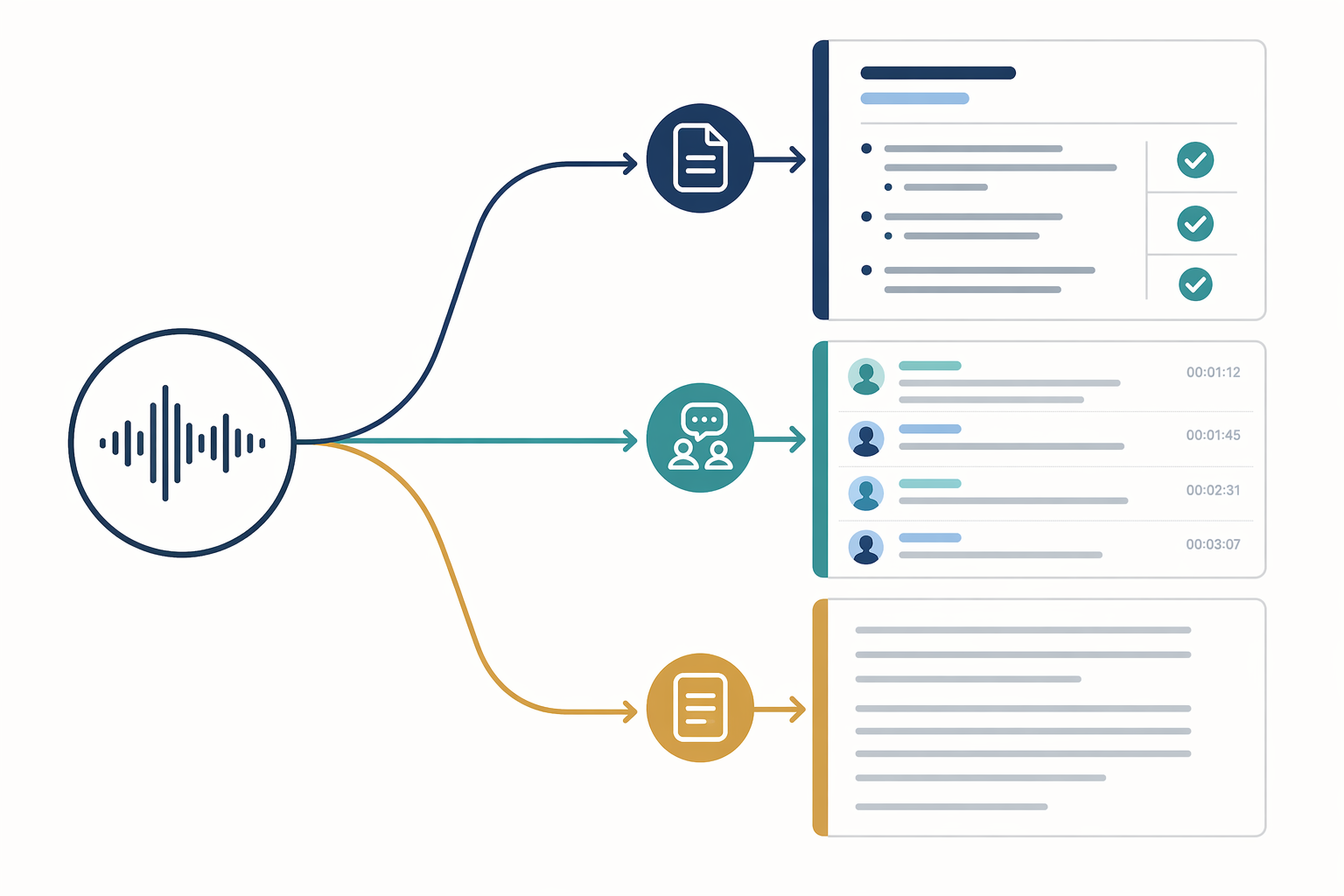
If you searched for an app that takes notes from voice, start with the job, not the brand name. A solo voice-note app should turn a rambling thought into organized notes. A meeting tool should capture speakers, calls, and follow-up items. Dictation should put words into a text field quickly. Those are related jobs, but they are not the same job.
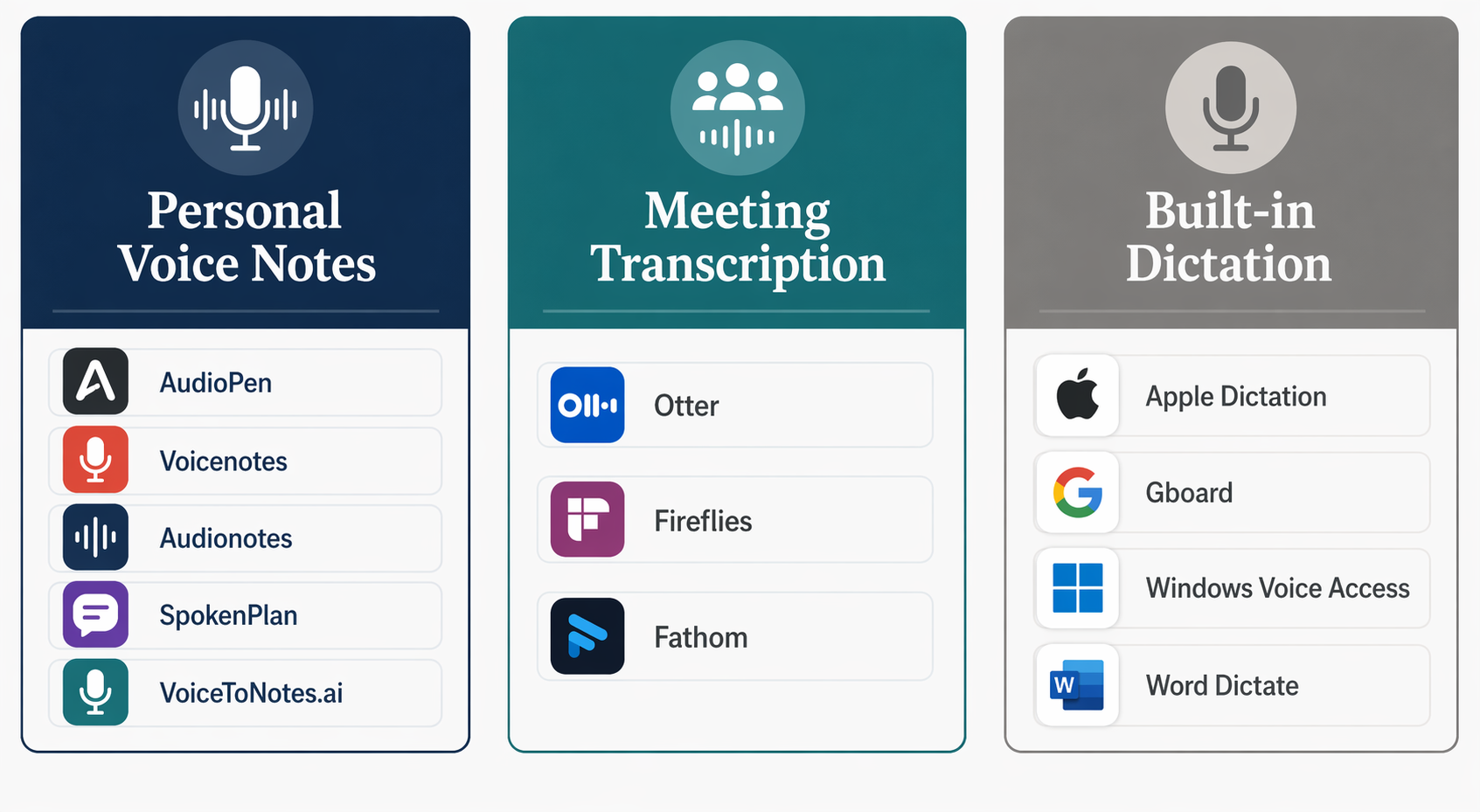
- Best fit for structured solo thinking: AudioPen, Voicenotes, Audionotes, SpokenPlan, or VoiceToNotes.ai.
- Best fit for meetings: Fathom if you want the strongest free recording offer, Otter if you want a familiar meeting assistant with limits, Fireflies if you need a team-oriented meeting repository.
- Best fit for free raw text: built-in dictation such as Apple Dictation, Gboard, Windows Voice Access, or Word Dictate.
- Best accuracy benchmark to keep in context: Wirecutter reported Wispr Flow at 98% accuracy and Word Dictate at 97% in June 2026, but that does not guarantee the same result for every accent, microphone, room, or sentence type.[3]
| App or category | Best use case | Pricing snapshot | Platforms | AI structuring | Free-tier limit | Privacy caveat |
|---|---|---|---|---|---|---|
| AudioPen | Turning solo voice dumps into polished written notes | $99/year; public product page also claims 200K+ users and 4.9/5 rating.[4] | Web-first | Yes: rewrites and organizes notes | Free option exists, but paid plan is the serious comparison point | Check current retention settings before recording sensitive material |
| Voicenotes | Personal capture with a broader note workspace and some meeting-like expansion | $99.99/year in 2026 pricing comparisons.[1] | Web and mobile-oriented | Yes: summaries, organization, and AI-assisted note handling | Free limits vary by plan | Category blur matters: useful solo, but not always a replacement for a dedicated meeting bot |
| Audionotes | High-volume personal audio notes and summaries | $129.99/year in 2026 pricing comparisons; public site claims 1M+ notes and 4.9/5 rating.[1][5] | Web and mobile-oriented | Yes: transcription, summaries, and organized notes | Free limits vary by plan | Old recordings are periodically deleted according to the research materials; verify current policy before relying on it for archives.[1] |
| SpokenPlan | Lowest annual price among the compared personal voice-note apps with full AI processing | $59.99/year, described as about $0.16/day in its pricing comparison.[1] | Web-oriented | Yes: full AI processing | Free or trial details should be checked on the current plan page | Pricing source is self-promotional, so compare against the live checkout page |
| VoiceToNotes.ai | Very low-cost personal voice notes if a daily cap is acceptable | $1.49/month Pro in the research materials.[2] | Web-oriented | Yes: voice-to-note conversion and organization | Free tier limited to 10 notes/day.[2] | Research materials say audio is deleted after transcription; verify if handling sensitive recordings.[2] |
| Otter | Meetings, lectures, interviews, and shared transcripts | $16.99/month Pro, or $203.88/year; free tier capped at 300 minutes/month after a reduction from 600.[1][2] | Web, mobile, meeting integrations | Yes: summaries, speaker-aware meeting notes, action items | 300 minutes/month on the free tier in the research materials | A bot-based meeting workflow may expose participant names, meeting content, and workspace history |
| Fireflies | Team meeting libraries, searchable calls, and collaboration | $18/seat/month in the research materials.[2] | Web, meeting integrations | Yes: transcripts, summaries, searchable meeting knowledge | Free tier exists, but paid team use is the practical comparison point | Meeting capture needs participant and workspace consent practices |
| Fathom | Free meeting recording and summaries | Unlimited free recording in the research materials.[2] | Web, meeting integrations | Yes: meeting summaries and follow-ups | Unlimited free recording is the standout offer | Still a meeting bot/workspace product, not a private scratchpad |
| Built-in dictation | Free, fast text entry when you do not need structured notes | Free: Apple Dictation, Gboard, Windows Voice Access, and Word Dictate | Built into OS, keyboard, or Microsoft Word | Usually no: mostly raw text | No separate note app subscription | Output may stay in the document or field you dictate into; cloud handling depends on the platform |
The category mistake is where most bad purchases start
The promise sounds simple: talk, and the app makes notes. The cleanup is where products diverge. A transcript preserves what was said. Dictation inserts words where the cursor sits. A personal AI voice-note app tries to decide what the spoken thought meant and turn it into something you can reuse.
That distinction matters more than the usual speed argument. Speech can be faster than typing, but saved input time is not the same as saved work. If the app gives you a ten-minute block of unformatted text, the next task is editing. If it gives you headings, bullets, decisions, and next actions, the next task may actually be doing the work.
The market is not perfectly tidy. Voicenotes has moved beyond plain personal capture. Otter can be used for solo recording even though it is built around meetings. Some people will happily use dictation into a notes app and do their own cleanup. The point is not to police categories; it is to avoid paying for a meeting assistant when what you needed was a thinking-out-loud scratchpad, or paying for AI note formatting when all you wanted was free text input.
AI personal voice-note apps: the closest match for voice into usable notes
For most people typing “app that takes notes from voice,” this is the category to inspect first. These tools are built for the freelancer between calls, the student recording a quick explanation after class, the manager walking through a decision, or the knowledge worker who needs a thought captured before it disappears.
The price spread is wide. SpokenPlan is listed at $59.99 per year, AudioPen at $99 per year, Voicenotes at $99.99 per year, Audionotes at $129.99 per year, and VoiceToNotes.ai Pro at $1.49 per month in the 2026 research materials.[1][2] The cheapest monthly number is not automatically the best deal, because caps and output quality decide how much work remains after recording.
AudioPen
AudioPen is the polished personal voice-note option in this group. Its public page positions it around turning messy spoken thoughts into clearer writing and claims 200K+ users and a 4.9/5 rating.[4] That is exactly the use case where a plain transcript feels cheap at first and expensive later: idea capture, drafts, reflections, updates, and notes that need to read like notes rather than a court record.
The $99/year price puts AudioPen in the middle of the personal note-taking pack.[1] It is not the budget choice, and it is not pretending to be a meeting bot. Its value depends on whether the rewritten output is good enough that you stop doing the same cleanup manually.
- Pick this if: you record solo thoughts and want them reshaped into readable notes, drafts, or summaries.
- Not for you if: your main need is speaker-labeled meeting transcripts, shared call libraries, or free raw dictation.
Voicenotes
Voicenotes sits in the personal capture lane but shows why these categories blur. It is useful for saving voice notes, organizing them, and working with them afterward; its public site presents it as a broader note-taking environment rather than a bare recorder.[6] In 2026 pricing comparisons, it is listed at $99.99 per year.[1]
That makes it a good candidate for someone who wants voice capture to live inside a note workspace, not just a one-off transcription utility. It may also tempt users who want one app for both personal notes and meeting-like use. That can work, but the question to ask is practical: will it handle your meeting workflow, participants, calendar, and sharing expectations as well as a meeting-first tool?
- Pick this if: you want personal voice notes inside a more complete note workspace.
- Not for you if: you need a dedicated meeting bot with mature call capture, participant handling, and team workflows.
Audionotes
Audionotes is the higher-priced personal option in this comparison, listed at $129.99 per year, and its public site claims 1M+ notes and a 4.9/5 rating.[1][5] It belongs on the shortlist for people who record often and want summaries or organized outputs from voice, text, or other inputs.
The useful question is not whether Audionotes can transcribe. The useful question is whether its organization and summary layer justifies paying more than AudioPen, Voicenotes, or SpokenPlan. If you capture a lot and the app becomes your daily inbox for thoughts, that premium may make sense. If you only dictate a few quick reminders, it probably will not.
- Pick this if: you are a high-volume personal recorder and want AI summaries and organization rather than a simple transcript.
- Not for you if: you are price-sensitive or only need occasional capture.
SpokenPlan
SpokenPlan’s strongest argument is cost. At $59.99 per year, it is the cheapest annual option with full AI processing among the personal voice-note apps in the research materials, described in its own pricing comparison as about $0.16 per day.[1] Because that source is self-promotional, the right move is to verify the live plan page before buying, but the price position is still worth attention.
This is the pick to test if you already know you want AI-processed solo notes and do not want the annual bill to creep toward meeting-tool pricing. It is less compelling if your decision depends on a mature mobile workflow, deep integrations, or a large public track record; the research materials support the pricing case more strongly than a broad independent performance case.
- Pick this if: you want full AI note processing at the lowest annual price in this personal-note group.
- Not for you if: you need the most established brand signal or a heavily integrated workspace.
VoiceToNotes.ai
VoiceToNotes.ai has the most eye-catching price: $1.49 per month for Pro in the research materials.[2] The catch is that the free tier is limited to 10 notes per day, which may be generous for casual capture and restrictive for anyone using voice as a primary inbox.[2]
Its privacy note is unusually concrete in the research brief: audio is deleted after transcription.[2] That is a meaningful claim for people recording sensitive personal thoughts, although it should still be checked against the current policy before use. The app is also the source of one of the comparison articles used here, so its competitor framing should be read with that conflict in mind.
- Pick this if: you want a low-cost personal voice-to-notes tool and your note volume fits the daily cap.
- Not for you if: you record heavily, dislike caps, or want comparison data that is mostly independent of the vendor.
If you want a narrower category-first comparison before picking a product, the companion guide Best Voice Note Apps in 2026: A Category-by-Category Comparison is the more useful detour. If the real doubt is whether to pay for any dedicated app at all, start with Do You Need a Dedicated Voice Note App? instead.
Meeting transcription tools: excellent for calls, awkward for private thinking
Meeting tools solve a different problem: who said what, what was decided, what follow-up was promised, and where the team can find the record later. AssemblyAI’s 2026 AI notetaker roundup cites the familiar pressure behind this category: workers spend substantial time in meetings, and the value of a notetaker is in reducing manual capture and follow-up work.[7]
That does not make meeting bots bad voice-note apps. It makes them specialized. They are often overbuilt for a two-minute walk-and-talk idea, and they can be exactly right for a recurring client call where action items, speakers, and shareable summaries matter.
Otter
Otter is the recognizable choice for meeting transcription, live notes, summaries, and shared records. In the 2026 research materials, Otter Pro is listed at $16.99 per month, or $203.88 per year, and the free tier is capped at 300 minutes per month after a reduction from 600.[1][2]
That free-tier change is the kind of limit that matters more than a product page headline. Three hundred minutes can be plenty for occasional calls and gone quickly for someone recording lectures, interviews, or weekly team meetings. Otter can also be used for solo recording, but if your normal input is a private voice memo, you may be paying for meeting infrastructure you do not need.
- Pick this if: you need a mainstream meeting assistant for transcripts, summaries, and shared follow-up.
- Not for you if: your main use is private solo capture or you will hit the free monthly minute cap quickly.
Fireflies
Fireflies is better understood as a meeting memory system than a voice memo app. It is listed at $18 per seat per month in the research materials and is aimed at teams that want recorded calls, transcripts, searchable conversations, and collaboration around meeting content.[2]
The per-seat pricing tells you who it is really for. A solo freelancer might still get value if client calls are the business record. A student or individual knowledge worker who wants to dictate ideas into organized notes should probably look elsewhere first.
- Pick this if: your team wants a searchable library of meetings and call follow-ups.
- Not for you if: you are buying a personal voice-note scratchpad or dislike seat-based pricing.
Fathom
Fathom is the meeting-tool outlier because the research materials describe it as offering unlimited free recording.[2] That makes it the first meeting app to test if your budget is zero and your actual job is call capture rather than personal idea capture.
Free does not remove the workflow question. Fathom is still built around meetings. If a bot joining a call, producing a summary, and helping with follow-up is what you need, it is attractive. If you want to talk through a half-formed idea on a walk and get a clean note afterward, a personal voice-note app is a more natural fit.
- Pick this if: you want a free meeting recorder and summarizer before paying for Otter or Fireflies.
- Not for you if: you do not want a meeting-bot workflow or your notes are mostly private solo thoughts.
Built-in dictation: respect the free option
Built-in dictation is easy to dismiss because it does not look like a modern AI note app. That is a mistake. If the task is simply to get spoken words into a text field, free dictation can be very good. Wirecutter’s June 2026 testing named Wispr Flow the top dictation app overall at 98% accuracy and Word Dictate the best free option at 97% accuracy.[3]
Those numbers are useful, not universal. They come from a review context, not from a standardized test across every microphone, language background, room, and speech pattern. Still, they are a helpful reminder: paid AI note apps do not automatically beat free dictation at the narrow job of recognizing words.
Apple Dictation, Gboard, Windows Voice Access, and Word Dictate are best treated as input methods. They put text where you are already working. They usually do not decide which parts are tasks, which parts are background, which parts belong under a heading, or what should happen next. Zapier’s 2026 dictation roundup similarly treats dictation and speech-to-text tools as a broad software category rather than a guarantee of structured note output.[8]
- Pick built-in dictation if: you want free, fast text entry into Messages, Docs, Word, Notes, email, or a task app.
- Do not pick it if: you expect summaries, action items, topic grouping, or a cleaned-up note without editing.
- Upgrade only when: the editing and organizing after dictation becomes the expensive part of the workflow.
For a deeper split between raw dictation and AI-structured capture, see Dictation vs. AI Voice Note Apps: Which App Actually Saves You Editing Time?.
How to choose without paying for the wrong workflow
A good voice-to-notes purchase should remove a later step. Before comparing annual prices, record one real sample from your own day: a messy idea, a meeting excerpt, or a dictated paragraph. Then judge the app by the output you would actually keep.
| If your recording sounds like this | Choose this category | Start with |
|---|---|---|
| “I need to think through this project, then get a usable note.” | AI personal voice notes | AudioPen for polished rewriting, SpokenPlan for lower annual cost, VoiceToNotes.ai for low monthly cost with caps |
| “I need to capture who said what in a call and send follow-ups.” | Meeting transcription | Fathom for free recording, Otter for familiar meeting notes, Fireflies for team libraries |
| “I just want words to appear in this document.” | Built-in dictation | Word Dictate, Apple Dictation, Gboard, or Windows Voice Access |
| “I record lectures or interviews and need reviewable text.” | Meeting transcription or transcription-first tools | Otter or another transcript-focused app, depending on minutes and export needs |
| “I capture personal ideas all day and hate cleaning them up.” | AI personal voice notes | Audionotes, AudioPen, Voicenotes, or SpokenPlan |
Accuracy still matters. Bad transcription ruins everything downstream. But after the words are captured, the better question is what the app does next. Does it identify tasks? Does it group related points? Does it create a note you can review tomorrow? Does it respect the amount of audio you record each month? Does its privacy handling match the sensitivity of what you say out loud?
For structured personal notes, choose from the personal voice-note group. For meetings, choose a meeting tool. For accurate free text input, try dictation first. The “best” app is the one that gives the saved speaking time back instead of handing you a transcript-shaped chore.
References
- Voice Notes App Pricing Compared 2026, SpokenPlan.
- 12 best voice to notes apps (2026), ranked & reviewed, VoiceToNotes.ai.
- Best Dictation Software of 2026, Wirecutter, June 2026.
- AudioPen, AudioPen.
- Audionotes, Audionotes.
- Voicenotes, Voicenotes.
- Top 11 AI notetakers 2026, AssemblyAI.
- 9 best dictation and speech-to-text software in 2026, Zapier.