
The 2026 Voice Note App Landscape: Four Categories, One Critical Choice
If you searched for "app that takes notes from voice" in 2024, you got a list of roughly interchangeable transcription tools. In 2026, that search returns a fragmented market with four distinct categories, and picking the wrong one is an expensive mistake. The reason for the split is straightforward: foundational speech-to-text accuracy has become a commodity.
OpenAI's Whisper, released in September 2022 and trained on 680,000 hours of multilingual audio, achieved a 3.96% word error rate (WER). Its successor, GPT-4o Transcribe, pushed that down to 2.46% WER and introduced intonation-aware punctuation. When every serious app can transcribe with better-than-human accuracy, the differentiator shifts from "can it hear me?" to "what does it do with what I said?"
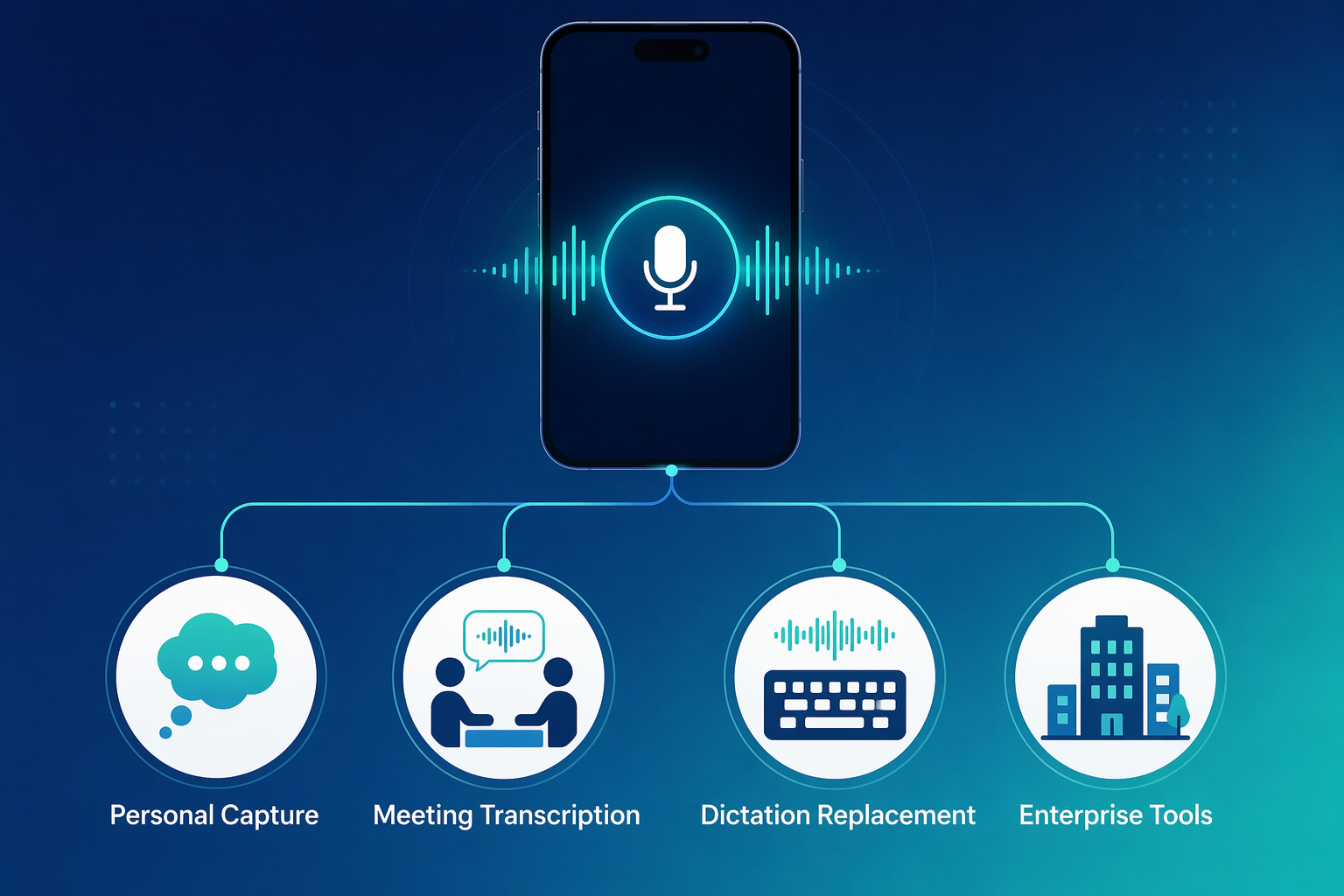
That shift has produced four distinct product categories:
- Personal Voice Capture — Apps designed for individuals to capture thoughts, ideas, journal entries, and quick notes. They emphasize deep AI post-processing (summaries, action items, format options) and cost $60–$100 per year.
- Meeting Transcription Tools — Apps built to transcribe conversations, calls, and team meetings. They include meeting bots, speaker identification, and collaboration features. Pricing starts around $200 per year.
- Dictation Replacement Tools — System-wide voice typing solutions that replace your keyboard for writing emails, documents, and code. They prioritize low latency, custom vocabulary, and context-aware formatting. Costs range from free to $700+ one-time.
- Enterprise Meeting Infrastructure — Full-platform solutions that go beyond transcription into meeting analytics, CRM integration, and compliance. These serve organizations, not individuals, and cost $200+ per user per year.
This guide walks through each category in depth, compares the leading apps within each, and — most importantly — helps you identify which category fits your actual workflow before you spend a dime on the wrong tool.
At-a-Glance Comparison: 10 Voice Note Apps Across Four Categories
The table below organizes the leading apps by category. Use it to quickly identify which segment matches your use case, then dive into the detailed reviews that follow.
| App | Category | Best For | Starting Price (Annual) | Key Platforms | Recording Limit | Accuracy Claim |
|---|---|---|---|---|---|---|
| Flint | Personal Capture | Budget-conscious individuals | Free (Pro $12 one-time) | iOS | Unlimited (free tier) | Whisper-based |
| Voicenotes | Personal Capture | Cross-platform personal notes | $99.99/yr | iOS, Android, Mac, WearOS, Web | Unlimited | 99%+ |
| AudioPen | Personal Capture | Web-first note takers | $99/yr | Web, Chrome | 15 min per recording | Whisper-based |
| SpokenPlan | Personal Capture | iOS users on a budget | $59.99/yr | iOS | Unlimited | On-device |
| Otter.ai | Meeting Transcription | Team meeting notes | $203.88/yr (Pro) | iOS, Android, Web | 300 min/mo (free) | 96-99% |
| Fireflies.ai | Meeting Transcription | CRM-integrated meetings | $120/yr (Pro) | Web, Zoom, Teams, Meet | Unlimited (paid) | 95-98% |
| Wispr Flow | Dictation Replacement | System-wide voice typing | $144/yr (Pro) | Mac, Windows | 2,000 words/wk (free) | 95-99% |
| Voicy | Dictation Replacement | Multilingual dictation | $82/yr | Mac, Windows | Unlimited | 99%+ |
| Dragon Professional | Dictation Replacement | Medical/legal professionals | $700 one-time | Windows, iOS, Android | Unlimited | 96-99% |
| Otter Business | Enterprise Infrastructure | Sales & compliance teams | $480/yr | iOS, Android, Web | Unlimited | 96-99% |
| Grain | Enterprise Infrastructure | Deal intelligence teams | $228/yr (Starter) | Web, Zoom, Meet, Teams | 20 meetings/mo (free) | 95-98% |
Category 1: Personal Voice Capture Apps — Quick Ideas, Notes, and Journaling
Personal voice capture apps are the fastest-growing segment of the market. They are designed for one person, one microphone, and one purpose: turning spoken thoughts into structured notes. Unlike meeting tools, they do not need to identify speakers or join your calendar. Instead, they invest development effort into AI post-processing — generating summaries, extracting action items, and reformatting raw speech into clean notes.
The four leading apps in this category — Flint, Voicenotes, AudioPen, and SpokenPlan — share a similar core feature set but differ sharply on platform support, recording limits, and pricing philosophy.
Flint: The Best Free Tier in the Market
Flint has rapidly become the top recommendation for budget-conscious users. Its free tier includes unlimited on-device transcription and two hours of premium cloud transcription per month. There are no recording limits on the free tier — you can capture as many short notes as you want. The app supports Lock Screen widgets and the iPhone Action Button for sub-second capture, making it the fastest option for impulse recording.
The Pro plan costs a one-time $12 payment (using your own API key) or a $4.99 Credits Pack for 10 hours of cloud transcription. Flint offers four summary formats: standard note, to-do checklist, first-person story, and custom. The catch: Flint is iOS-only. Android users will need to look elsewhere.
Voicenotes: The Cross-Platform Champion
Voicenotes is the strongest cross-platform option in the personal capture category. It supports iOS, Android, Mac, WearOS, and even WhatsApp as an input channel. The individual plan costs $99.99 per year and includes an "Ask AI" feature that lets you chat with your notes, plus a Meeting mode that produces bullet-point breakdowns. Integrations include Notion, Todoist, Readwise, and Obsidian. A Teams plan is available at $49 per month.
Voicenotes supports over 100 languages and claims 99%+ accuracy. Its main drawback is price — at $0.27 per day, it costs nearly double SpokenPlan and significantly more than Flint's one-time Pro option.
AudioPen: Web-Only with a Hard Recording Cap
AudioPen costs $99 per year and is web/Chrome-only — no native mobile apps. Its most important limitation is a 15-minute recording cap on the paid tier. For long-form capture (lectures, brainstorming sessions, journal entries), that cap is a dealbreaker. AudioPen's differentiator is its SuperSummary feature, which stitches multiple recordings into a single coherent summary. If you primarily capture short bursts of ideas from a desktop browser, AudioPen works well. If you need longer recordings or mobile capture, it does not.
SpokenPlan: The Budget iOS Option
SpokenPlan costs $59.99 per year ($0.16 per day), making it the cheapest full-AI voice note app on the market. It offers unlimited recording, on-device transcription, and five free AI summaries per month. The trade-off: SpokenPlan is iOS-only. Android users cannot use it. If you are an iPhone user who wants the lowest possible annual cost, SpokenPlan is the clear choice. If you need cross-platform access, Voicenotes is worth the extra $40 per year.
Category 2: Meeting Transcription Tools — Conversations, Calls, and Collaboration
Meeting transcription tools are built for a fundamentally different scenario: multiple speakers, scheduled calls, and the need to attribute who said what. They join your meetings as a bot, transcribe in real time, and produce searchable transcripts with speaker labels, timestamps, and action items.
This category is more expensive than personal capture — typically $200+ per year — because the infrastructure is more complex: meeting bot integration, calendar sync, speaker diarization, and team collaboration features all add cost. If you do not attend regular meetings that need transcription, you are paying for features you will never use.
Otter.ai: The Market Leader
Otter.ai remains the most recognized name in meeting transcription. The free tier provides 300 minutes of transcription per month. The Pro plan costs $16.99 per month ($203.88 per year) and includes unlimited transcription, meeting bot functionality, action item extraction, and presentation slide screenshots. Otter supports iOS, Android, and Web.
A notable limitation: the free plan does not include multilingual support. If you work in a multilingual environment, you will need the Pro plan or higher. Otter has been repositioning toward enterprise use cases, adding Salesforce and HubSpot integrations and HIPAA compliance at the Business tier ($480 per year).
Fireflies.ai: CRM-First Meeting Notes
Fireflies.ai positions itself as a meeting intelligence platform rather than a simple transcription tool. The Pro plan starts at $10 per month and includes meeting bot functionality, CRM integration, and search across all transcripts. Fireflies integrates with Zoom, Google Meet, and Microsoft Teams, and its search capabilities are stronger than Otter's for finding specific topics across a large transcript library.
For a deeper head-to-head comparison of Otter.ai, Fireflies.ai, and Notion AI's meeting capabilities, see our dedicated comparison: Best AI Meeting Notes Apps in 2026: Otter.ai vs. Fireflies.ai vs. Notion AI.
Category 3: Dictation Replacement Tools — Writing by Voice, System-Wide
Dictation replacement tools serve a different purpose entirely: they replace your keyboard for writing. Instead of capturing existing speech (like a meeting or a thought), they let you compose new text by speaking. The use cases include writing emails, drafting documents, coding comments, and filling out forms — all by voice, system-wide.
Independent testing by Zapier found that dictation software can increase writing speed up to 3x, from roughly 40 words per minute (WPM) typing to 125 WPM speaking. Other sources report a 3–4x speed advantage (40 WPM typing vs. 125–150 WPM speaking). The key requirement for dictation tools is low latency — the text must appear on screen as you speak, with no noticeable delay.
Wispr Flow: Context-Aware System Dictation
Wispr Flow is the most innovative entry in this category. It offers system-wide dictation on Mac and Windows with context-aware automatic formatting — it knows whether you are typing into an email, a code editor, or a document and adjusts punctuation and capitalization accordingly. The free plan gives 2,000 words per week. The Pro plan costs $12 per user per month (annual) or $15 per month (monthly). Wispr Flow is HIPAA and SOC 2 Type II compliant, making it suitable for healthcare and legal professionals.
Wispr Flow supports custom vocabulary, multi-language input, and offline mode. Its main limitation is platform availability — it does not support Linux or mobile dictation.
Voicy: Multilingual Dictation Powerhouse
Voicy costs $8.49 per month ($82 per year, or $260 lifetime) and claims 99%+ accuracy across 50+ languages. It works system-wide on Mac and Windows. Voicy is particularly strong for users who work in multiple languages — its language switching is seamless and does not require manual toggling. The lifetime option ($260) is attractive for users who want to avoid subscription fatigue.
Dragon Professional: The Legacy Heavyweight
Dragon Professional remains the gold standard for specialized dictation use cases. The Windows version costs $700 one-time, with a $15 per month mobile option. Dragon offers specialized medical and legal editions that learn industry-specific vocabulary. Independent testing by PCMag and Zapier found Dragon's accuracy ranges from 96% to 99%.
However, Dragon's mobile reviews are negative. PCMag recommends testing the one-week free trial before purchasing, particularly for the mobile version. Dragon is overkill for general dictation — its value proposition is strongest for professionals who need specialized vocabulary support and who are willing to pay a premium for it.
Free Built-In Options: Apple Dictation, Windows Voice Access, and Gboard
Before paying for a dictation tool, check what your operating system already provides. Apple Dictation is built into macOS and iOS, offers near real-time transcription, and works offline on Apple silicon Macs. Accuracy ranges from 93% to 97% depending on accent and environment. Windows Voice Access is free on Windows 11 22H2+ and can control PC functions by voice, though it requires online speech recognition to be enabled. Gboard (Google's keyboard) offers free dictation with accuracy ranging from 92% to 98% in testing, with auto-punctuation on Pixel 6+ devices and emoji support on Pixel 8+.
For many users, these free options are sufficient. The paid tools justify their cost through system-wide availability (not just within specific apps), context-aware formatting, custom vocabulary, and higher accuracy in noisy environments.
Category 4: Enterprise Meeting Infrastructure — Analytics, CRM, and Compliance
Enterprise meeting infrastructure tools go beyond transcription into structured data pipelines. They treat meeting transcripts as raw material for analytics, CRM enrichment, deal intelligence, and compliance monitoring. These tools are not for individuals — they are for organizations that need to extract measurable business value from every conversation.
Otter Business: The Enterprise Tier of a Familiar Tool
Otter Business costs $480 per year and adds Salesforce and HubSpot integrations, HIPAA compliance, centralized administration, and advanced analytics on top of Otter's standard meeting transcription features. For organizations that already use Otter at the team level, the Business tier is a natural upgrade. For individual users or small teams, it is expensive overkill.
Grain: Deal Intelligence and Risk Detection
Grain offers a free plan with 20 meetings per month and a Starter plan at $19 per user per month ($228 per year). Its differentiator is AI-powered deal insights and risk detection — it analyzes meeting transcripts to identify buying signals, objections, and compliance risks. Grain integrates with Salesforce and HubSpot and is designed for sales and customer success teams that need structured data from customer conversations.
If you are an individual or a small team that just needs meeting transcripts, Grain is overpriced and over-featured. If you are a sales organization that wants to mine every customer call for deal intelligence, Grain's analytics may justify the cost.
Feature Comparison Matrix: What You Actually Get for Your Money
The table below compares specific features across all 11 apps. Notice how different categories prioritize different features — personal capture apps emphasize AI summarization and format options, meeting tools focus on speaker identification and bot integration, dictation tools prioritize low latency and system-wide access, and enterprise tools add CRM and compliance.
| Feature | Flint | Voicenotes | AudioPen | SpokenPlan | Otter Pro | Fireflies Pro | Wispr Flow | Voicy | Dragon Pro | Otter Business | Grain Starter |
|---|---|---|---|---|---|---|---|---|---|---|---|
| Real-Time Transcription | Yes | Yes | Yes | Yes | Yes | Yes | Yes | Yes | Yes | Yes | Yes |
| AI Summarization | Yes (4 formats) | Yes (Ask AI) | Yes (SuperSummary) | Yes (5/mo free) | Yes | Yes | No | No | No | Yes | Yes |
| Offline Mode | Yes (on-device) | No | No | Yes (on-device) | No | No | Yes | No | Yes | No | No |
| Multilingual Support | Whisper-based | 100+ languages | Whisper-based | Limited | No (free plan) | Yes | Yes | 50+ languages | Yes | Yes | Yes |
| System-Wide Dictation | No | No | No | No | No | No | Yes | Yes | Yes | No | No |
| Meeting Bot | No | No | No | No | Yes | Yes | No | No | No | Yes | Yes |
| CRM Integration | No | No | No | No | No (Pro) | Yes | No | No | No | Yes | Yes |
| HIPAA Compliance | No | No | No | No | No (Pro) | No | Yes | No | Yes | Yes | No |
| Export Formats | Text, Markdown | Text, Markdown, PDF | Text, Markdown | Text | Text, PDF, SRT | Text, CSV, SRT | Text | Text | Text, DOCX | Text, PDF, SRT | Text, CSV, SRT |
| Platform Availability | iOS | iOS, Android, Mac, WearOS, Web | Web, Chrome | iOS | iOS, Android, Web | Web, Zoom, Meet, Teams | Mac, Windows | Mac, Windows | Windows, iOS, Android | iOS, Android, Web | Web, Zoom, Meet, Teams |
Buying Guide by Persona: Which Category and App Fits Your Workflow?
The most important decision you will make is not which app to choose — it is which category to choose. The table below maps common personas to the right category and the best app within it.
| Persona | Recommended Category | Top Pick | Runner-Up | Why This Category? |
|---|---|---|---|---|
| Student | Personal Capture | Flint (free tier) | Apple Voice Memos | Students need free or low-cost capture for lectures and study notes. Meeting bots and CRM integrations are irrelevant. |
| Freelancer | Personal Capture | Voicenotes | SpokenPlan | Freelancers need cross-platform access and AI summaries for client notes. Voicenotes offers the best platform coverage. |
| Knowledge Worker | Dictation Replacement | Wispr Flow | Voicy | Knowledge workers write emails, documents, and reports by voice. System-wide dictation with context-aware formatting saves hours per week. |
| Team Manager | Meeting Transcription | Otter Pro | Fireflies Pro | Managers attend frequent meetings and need searchable transcripts with speaker identification. Meeting bots are essential. |
| Sales Executive | Enterprise Infrastructure | Grain | Otter Business | Sales teams need deal intelligence, CRM integration, and risk detection from customer calls. Basic transcription is insufficient. |
| Developer | Dictation Replacement | Wispr Flow | Apple Dictation | Developers need system-wide dictation that works in code editors and terminals. Context-aware formatting prevents punctuation errors in code. |
For a broader view of how AI productivity tools map to specific job roles, see our guide: Best AI Tools for Productivity by Job Role: Developer, Writer, Manager, Sales, Analyst.
Pricing & Value Analysis: Cost Per Day and What You Actually Pay For
One of the most important insights from the pricing data is that recording is free everywhere. Every app in this comparison lets you record audio without paying. What you pay for is AI processing: summaries, action items, structured output, and integrations. The table below breaks down the annual cost and what the paid features actually deliver.
| App | Annual Price | Cost Per Day | What the Paid Tier Unlocks |
|---|---|---|---|
| SpokenPlan | $59.99/yr | $0.16/day | Unlimited recording, on-device transcription, 5 AI summaries/month |
| Voicenotes | $99.99/yr | $0.27/day | Unlimited recording, Ask AI, 100+ languages, integrations |
| AudioPen | $99/yr | $0.27/day | 15-min recording cap, SuperSummary, web-only |
| Noted | ~$72/yr | $0.20/day | Basic transcription and note organization |
| SpeakApp | ~$72/yr | $0.20/day | Basic transcription (63% negative review sentiment) |
| Otter Pro | $203.88/yr | $0.56/day | Unlimited transcription, meeting bot, action items, slide screenshots |
| Fireflies Pro | $120/yr | $0.33/day | Meeting bot, CRM integration, search across transcripts |
| Wispr Flow Pro | $144/yr | $0.39/day | System-wide dictation, context-aware formatting, custom vocabulary |
| Voicy | $82/yr | $0.22/day | System-wide dictation, 50+ languages, 99%+ accuracy |
| Dragon Pro | $700 one-time | N/A | Specialized medical/legal vocabulary, offline dictation |
| Otter Business | $480/yr | $1.32/day | CRM integration, HIPAA compliance, admin dashboard |
| Grain Starter | $228/yr | $0.62/day | Deal insights, risk detection, CRM integration |
Annual pricing saves 60–77% compared to monthly billing across all apps. If you are confident in your choice, paying annually is the most cost-effective approach. If you are still evaluating, start with a monthly plan or a free tier.
Frequently Asked Questions
What is the difference between voice note apps and dictation software?
Voice note apps (personal capture) are designed to capture existing speech — thoughts, meetings, lectures — and process it into structured notes. Dictation software is designed to replace typing — you speak and the text appears in real time in whatever app you are using. Voice note apps emphasize post-processing (summaries, action items). Dictation tools emphasize low latency and system-wide availability.
Can I use a meeting transcription tool for personal notes?
You can, but you should not. Meeting tools like Otter and Fireflies cost $200+ per year and include features you will not use (meeting bots, speaker identification, calendar sync). Personal capture apps cost $60–$100 per year and offer deeper AI post-processing. You will pay more and get less-appropriate features.
Which app has the best accuracy?
Accuracy depends on accent, environment, and microphone quality. In controlled testing, premium tools like Dragon (96–99%), Voicy (99%+), and Wispr Flow (95–99%) lead the pack. Free tools like Apple Dictation (93–97%) and Gboard (92–98%) are surprisingly close. The underlying models — Whisper (3.96% WER) and GPT-4o Transcribe (2.46% WER) — have made accuracy a table-stakes feature. In practice, the difference between 95% and 99% accuracy is noticeable only in noisy environments or with heavy accents.
Do I need an internet connection?
Most apps require an internet connection for AI processing. Some offer offline transcription: Flint (on-device), SpokenPlan (on-device), Wispr Flow (offline mode), and Dragon (offline). Apple Dictation works offline on Apple silicon Macs. If you frequently capture notes in areas with poor connectivity, prioritize apps with offline support.
Can I export my notes to other tools?
Export options vary significantly. Voicenotes offers the best integration ecosystem (Notion, Todoist, Readwise, Obsidian). Most apps support plain text and Markdown export. Otter supports PDF and SRT (subtitle) export. Dragon supports DOCX. If you plan to move your notes between tools, check the export formats before committing to a platform.
Verdict: Top Picks by Use Case
The voice note app market in 2026 is not a single category — it is four distinct markets serving four distinct workflows. The most expensive app is not the best app for your use case. The right category is the one that matches how you actually work.
- Best for personal capture: Flint — The best free tier in the market with unlimited on-device transcription and a $12 one-time Pro option. iOS-only.
- Best cross-platform personal capture: Voicenotes — Supports iOS, Android, Mac, WearOS, and Web. $99.99 per year. Strongest integration ecosystem.
- Best budget personal capture: SpokenPlan — $59.99 per year ($0.16/day) with unlimited recording and on-device transcription. iOS-only.
- Best for meeting transcription: Otter Pro — $203.88 per year. Market leader with meeting bot, action items, and slide screenshots. Best value for team workflows.
- Best for dictation replacement: Wispr Flow — $144 per year. System-wide dictation with context-aware formatting, HIPAA compliance, and offline mode.
- Best for multilingual dictation: Voicy — $82 per year. 50+ languages, 99%+ accuracy, lifetime option available.
- Best for enterprise meeting infrastructure: Otter Business — $480 per year. CRM integration, HIPAA compliance, and admin dashboard for organizations.
- Best for sales teams: Grain — $228 per year. Deal insights, risk detection, and CRM integration for customer-facing teams.