
“Local-first” is doing too much work in note-taking conversations in 2026. For one person, it means a folder of Markdown files that can be opened with any text editor. For another, it means an app database that works offline and syncs later. For a third, it means encrypted local objects that only become useful after the app reconstructs them. A fourth may be satisfied with a privacy-first cloud service that caches notes well enough to survive a train ride.
Those are not cosmetic differences. They decide whether your archive remains readable after a subscription lapse, whether a broken sync creates a small inconvenience or a weekend project, and whether “encrypted” protects the note content itself or mainly protects the account around it. If you are still deciding between local-first and cloud-first note-taking as a model, it is worth reading a deeper comparison of Local-First vs Cloud-First Note-Taking in 2026 before treating any app roundup as a shopping list.
The better way to compare local-first note-taking apps in 2026 is by archetype. Obsidian, Logseq, Anytype, Joplin, Notesnook, Standard Notes, AFFiNE, and AppFlowy do not fail or succeed on the same axis. They make different promises about files, databases, encryption, sync, structure, and maintenance.
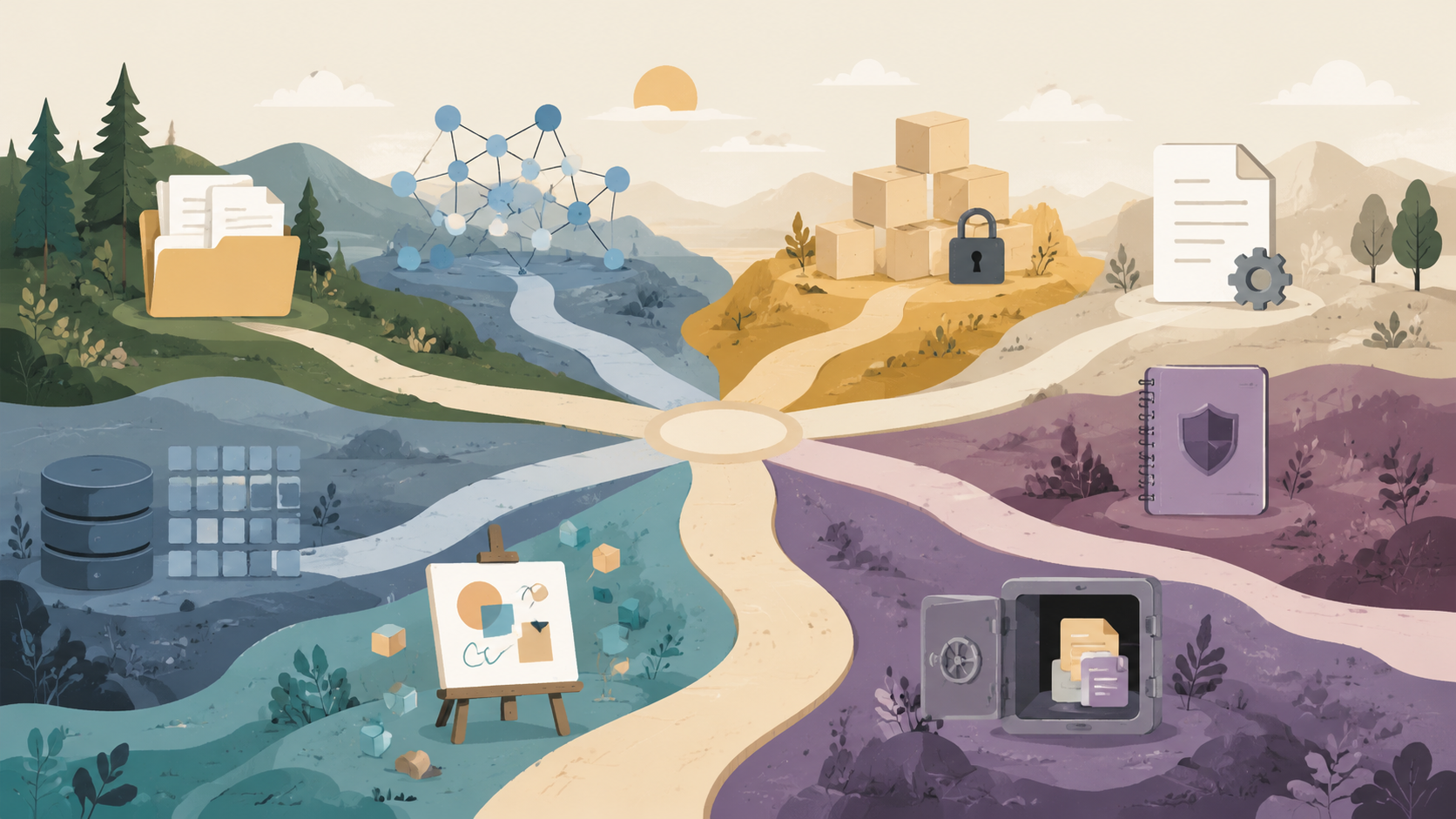
The 2026 Archetype Map
The table below is the load-bearing comparison. It deliberately separates “where the data lives” from “how pleasant the app feels,” because pleasant software can still trap an archive, and plain software can still be the right system to maintain for years.
| Archetype | Representative apps | What local-first means here | Main strength | Main maintenance cost |
|---|---|---|---|---|
| Plain-Markdown PKM | Obsidian | Notes live as local Markdown files in a vault | Maximum file independence and a deep plugin ecosystem | Sync and encryption choices are separate responsibilities |
| Open-source outliner | Logseq | Local graph/outliner built around blocks and linked bullets | Strong fit for block thinking and daily-note workflows | Outliner structure can be awkward if you prefer document-first writing |
| Encrypted Notion alternative | Anytype | Encrypted local-first object storage with structured workspaces | Ambitious combination of privacy, databases, and offline access | Learning curve, recovery-phrase risk, beta-stage friction, and pricing uncertainty |
| Lightweight open-source workhorse | Joplin | Local notes with flexible self-directed sync targets | Durability, free pricing, and practical sync control | Less glamorous interface and fewer modern workspace metaphors |
| Privacy-first Evernote replacement | Notesnook | Encrypted notes with a familiar notebook-style workflow | Easier landing place for users leaving traditional cloud notebooks | Less suited to users who want plain-file PKM or heavy customization |
| Encrypted structured notes | Standard Notes | Encrypted note storage with optional richer editors and paid productivity features | Serious privacy posture under Proton ownership | Rich text and advanced features sit behind paid plans |
| Visual docs and whiteboard hybrid | AFFiNE | Offline-capable documents, blocks, and visual canvases | Promising blend of writing and spatial thinking | Fast-moving feature boundaries |
| Open-source database-centric workspace | AppFlowy | Local/open-source workspace with database-style organization | Developer-friendly alternative to proprietary structured workspaces | Still changing quickly; long-term workflow fit needs testing |
This map lines up with the better 2026 comparisons, but with an important caveat: some comparison pages have commercial incentives, and feature databases age quickly. The safest reading is to use cross-source patterns, not a single vendor-friendly claim. MyFlexNote’s six-app framework is useful for data ownership and sync questions, while NoteApps provides a broader 40-app feature database for cross-checking individual claims.[1][2]
Obsidian: Plain Files, Real Ecosystem, Deliberate Sync
Obsidian remains the anchor of the plain-Markdown archetype. Its core bet is simple: your notes are ordinary Markdown files in a local vault, and the app builds linking, graph views, search, themes, and plugins around that folder. That is the kind of architecture that still makes sense when an app is closed, renamed, acquired, or temporarily broken.
The ecosystem signal is also hard to ignore. One 2026 PKM roundup reports Obsidian at roughly 1.5 million-plus users and more than 1,000 community plugins, while Obsidian CEO Steph Ango has suggested the real user base may be closer to 5–10 million; those figures should be treated as a range, not a trophy, because they come from mixed public estimates and statements rather than a single audited number.[3][4]
Obsidian’s local-first claim is strongest when judged by independent readability. A note can be opened in another Markdown editor without asking Obsidian for permission. The app’s local-first architecture has also been described directly in terms of local storage and offline access.[5] For long-lived personal archives, that matters more than whether the graph view looks impressive in the first week.
The trade-off is that Obsidian does not make every hard decision disappear. Sync is a deliberate choice: users can pay for Obsidian Sync, use a third-party file sync service, or manage their own workflow. Native end-to-end encryption for the local vault is not the default model described in the comparison material, so users with strict privacy needs need to understand what is encrypted, where, and by whom before calling the setup secure.[1][3]
The plugin ecosystem is both the reason many people stay and the reason some vaults become fragile. A plain folder of Markdown files is easy to migrate; a vault whose daily workflow depends on ten plugins, custom metadata conventions, and a fragile mobile sync arrangement is less independent than it looks. Obsidian is the best starting point if file ownership is the primary requirement, but it rewards users who periodically ask whether the vault still works without its decorative scaffolding.
Logseq: Local-First for People Who Think in Blocks
Logseq belongs beside Obsidian, not underneath it. It is local-first in a different grammar: blocks, outlines, backlinks, and daily notes are the native shape. If Obsidian starts from files and lets links emerge, Logseq starts from bullets and lets documents become views of a graph.
That distinction matters for Roam Research refugees. Fabric’s 2026 Logseq-versus-Roam comparison frames Logseq around block-level outlining and graph workflows rather than document-first note-taking.[6] If your notes are really a stream of claims, tasks, references, and recurring daily entries, Logseq’s structure can feel natural. If your work ends as essays, project briefs, or long documents, the same structure can feel like you are forever folding and unfolding scaffolding.
Readers who are specifically comparing outliner workflows should use a dedicated Logseq review for 2026. And if the real question is how to leave Roam without losing years of linked thinking, the migration problem is different from a fresh app choice; start with a guide to migrating from Roam Research to Obsidian before rebuilding the whole system by hand.
Anytype: The Tempting Promise With the Most Moving Parts
Anytype is the app in this group that most clearly shows how far the category has moved beyond folders of Markdown. It promises a local-first, end-to-end encrypted workspace built around objects rather than ordinary pages: notes, tasks, collections, databases, and relationships can all become part of the same personal system. One 2026 review describes Anytype as using E2E encryption and local-first object storage, while also calling out a steep learning curve and beta-stage status.[7]
That architecture is exciting for the same reason it needs scrutiny. If you want a private Notion-like system that works offline, Anytype is more conceptually aligned with that goal than a pile of Markdown files plus plugins. But the object model means your archive is less immediately legible outside the app than Obsidian’s Markdown vault. Export quality, account recovery, and sync behavior are not side issues; they are the system.
The recovery model deserves special attention. A free-plan assessment of Anytype highlights recovery-phrase risk: if recovery depends on a phrase the user must preserve, the security model shifts some operational burden onto the person least likely to be thinking clearly when a laptop is lost or a phone dies.[8] That is not an argument against Anytype. It is an argument against adopting it casually because the words “encrypted” and “local-first” sound reassuring.
Pricing also needs a dated note. The research material available for this article points to tiered Anytype pricing around $4–16 per month in one 2026 review, while also flagging that other sources have described different boundaries such as a $99/year Builder plan.[7] Treat Anytype pricing and plan limits as last-verified on July 5, 2026, and check the official pricing page before building a workflow around a paid feature.
Anytype is most attractive if you want encrypted structure and are willing to learn a new mental model. It is the wrong starting point if your top requirement is “I want to inspect my archive with basic tools ten years from now.” The app may become exactly the private workspace many people wanted Notion to be, but that promise comes with more operational complexity than its clean interface may suggest.
Joplin: The Boring Answer That Keeps Looking Better
Joplin is easy to underrate because it does not sell a new theory of thought. It is an open-source note-taking app with a long track record, local notes, Markdown support, and sync options that include Dropbox, WebDAV, and S3. A 2026 open-source roundup describes Joplin as having an 8-plus-year track record, flexible sync, and completely free pricing.[9]
That combination is not glamorous, but it is practical. Joplin lets users separate the app from the sync target more explicitly than many newer tools. If you already trust a WebDAV server, a Dropbox folder, or an S3-compatible storage arrangement, Joplin can fit into infrastructure you understand instead of asking you to trust a new workspace cloud.
The cost is that Joplin does not feel like the leading edge of visual PKM or collaborative docs. It is better for people who want a dependable notebook than for people who want block databases, canvases, object relations, or a plugin universe as wide as Obsidian’s. But if the goal is to keep notes usable across devices without turning the whole archive into a hobby, Joplin deserves serious attention.
Notesnook and Standard Notes: Privacy-First, but Not the Same Bet
Notesnook and Standard Notes often appear near each other because both appeal to privacy-conscious users leaving more conventional notebook apps. They should still be separated.
Notesnook is the more natural Evernote-replacement candidate in this group: familiar notebooks, privacy emphasis, and less pressure to learn a graph or object model. It is a better fit for someone who wants notes, folders, search, and encrypted note storage than for someone trying to build a programmable PKM system. Evernote refugees comparing local-first-adjacent choices should pair it against Joplin, not against every PKM app in existence; a broader Evernote alternative decision framework is useful if the migration includes web clipping, mobile capture, and old notebook habits.
Standard Notes is the stricter encrypted-notes option. The current research material notes that Standard Notes was acquired by Proton while maintaining separate pricing, and that the free tier supports unlimited plain-text notes while the $90/year Productivity plan is required for rich text.[2] That is a clear architectural and commercial signal: Standard Notes is strongest when the priority is encrypted, durable note storage, not when the user expects rich editing to be free.
The paywall is not automatically a defect. A serious encrypted service has to be paid for somehow. The practical question is whether your actual notes are plain text enough to live happily on the free tier, or whether you will quickly need rich text, attachments, spreadsheets, tasks, or other structured features. If the latter, evaluate Standard Notes as a paid app from day one rather than treating the free plan as the real product.
AFFiNE and AppFlowy: Promising Workspaces, Fast-Moving Targets
AFFiNE and AppFlowy sit in the part of the market that wants documents, blocks, databases, and visual workspaces to converge. That is useful for people whose notes are not only notes: product specs, project boards, research canvases, meeting docs, and lightweight databases all end up in the same workspace.
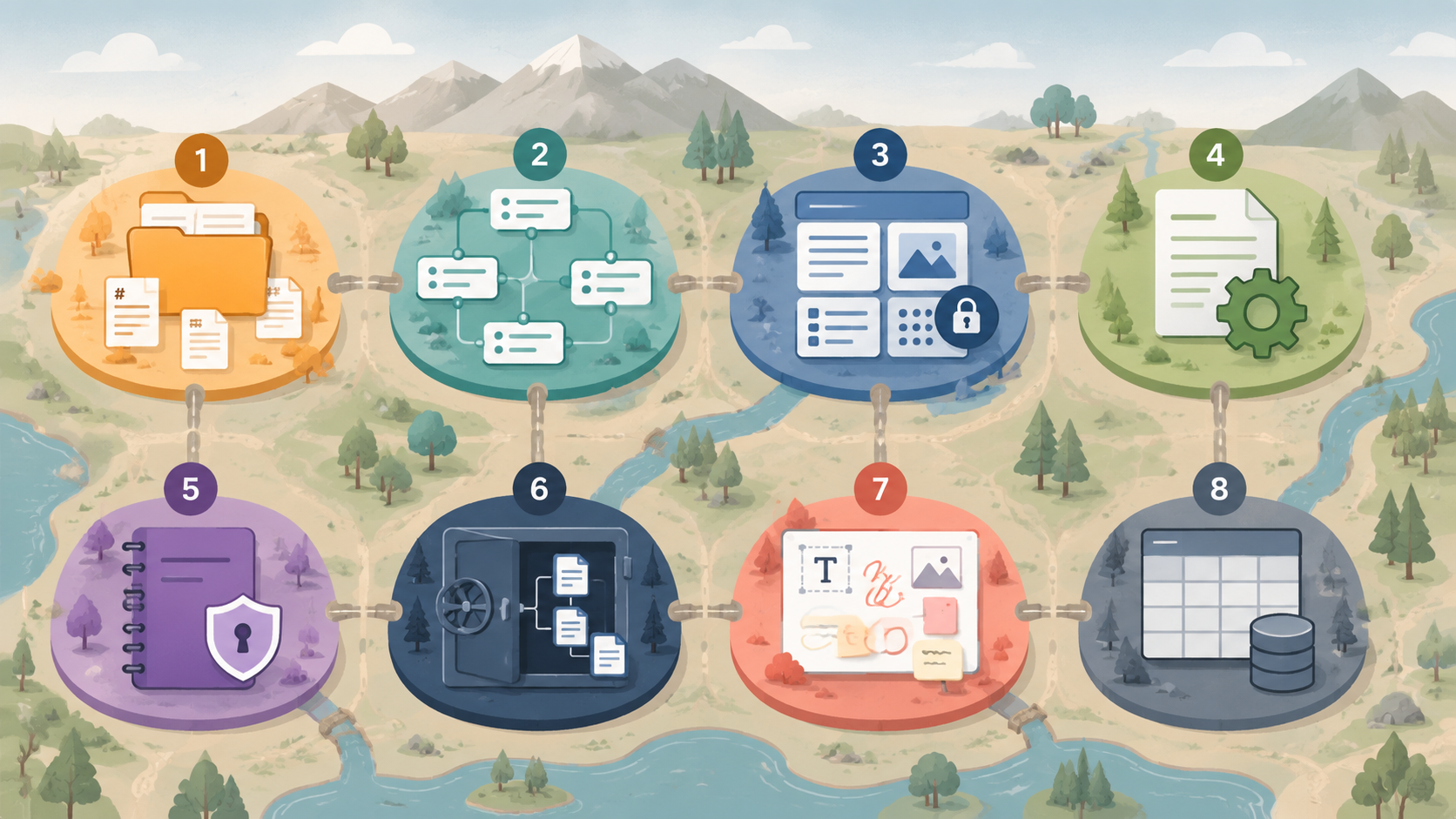
AFFiNE is the visual-docs-and-whiteboard hybrid to watch. AppFlowy is the open-source database-centric workspace to test if you want something closer to a structured productivity system than a note folder. The important caution is timing: both tools are developing rapidly, and the research brief explicitly flags that feature sets may shift significantly between Q2 2026 and publication. Treat feature boundaries for AFFiNE and AppFlowy as last-verified on July 5, 2026, not as permanent facts.
These tools should be piloted with real work before migration. A week of sample notes will not expose whether export formats, mobile behavior, sync conflict handling, or database limitations match your archive. Move a live project, not your whole life, and see what breaks.
The Three Trade-Offs That Decide the Choice
Most bad note-app decisions come from comparing features before comparing failure modes. A local-first system can fail gracefully, or it can fail in a way that leaves you searching support forums with an unreadable archive. The three questions below are less exciting than a feature grid, but they age better.
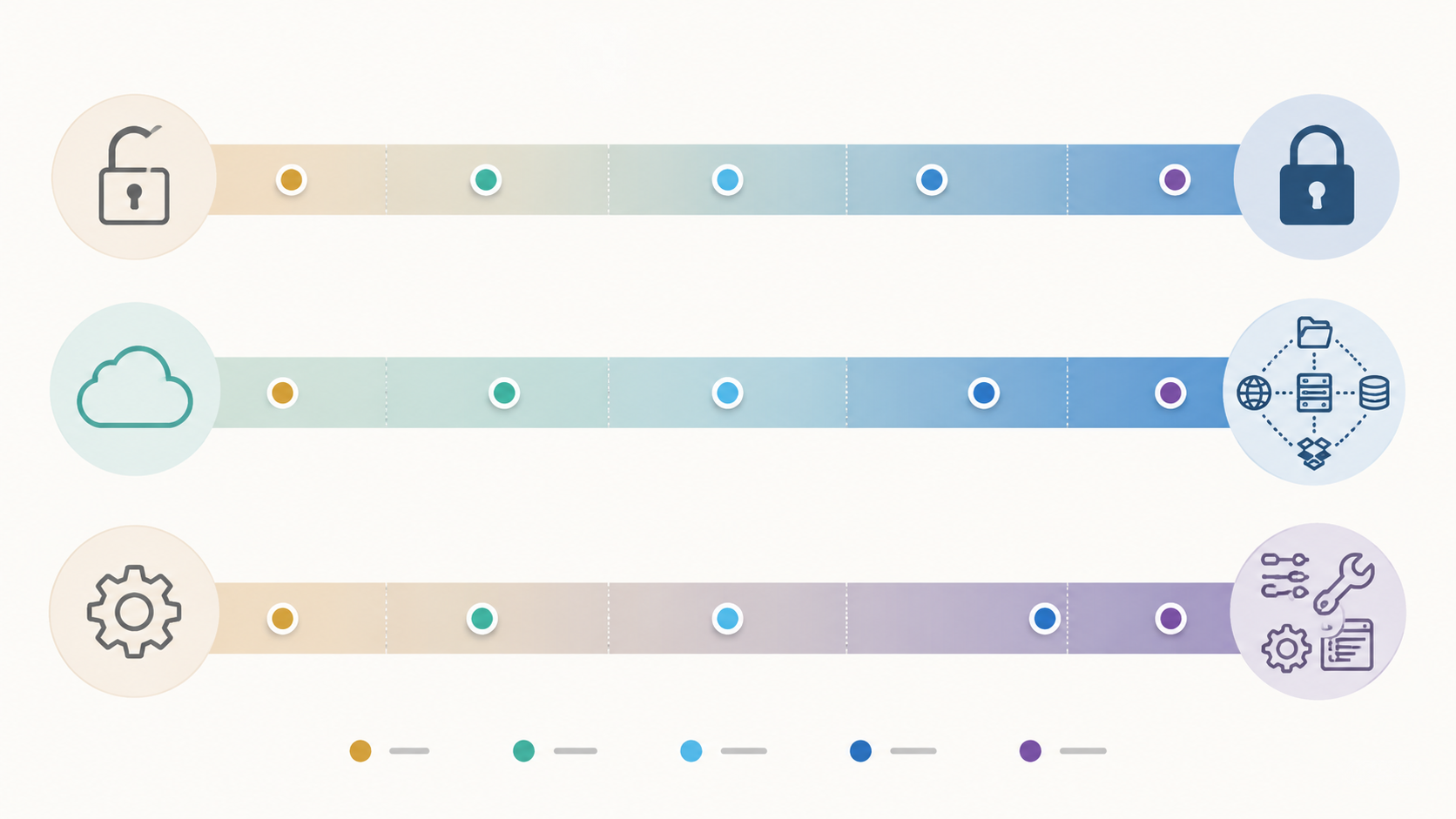
1. Do you need readable files or encrypted structure?
Readable files and encrypted structured workspaces solve different problems. Obsidian gives you the confidence of local Markdown files. Joplin gives you a pragmatic open-source notebook with flexible sync. Anytype and Standard Notes move the center of gravity toward encrypted systems, where the app’s recovery, export, and account model matter more.
If your threat model is mostly vendor exit, plain files are powerful. If your threat model includes sensitive note contents on synced devices and servers, encryption becomes more important. The mistake is pretending one axis covers the other. A file can be portable but not encrypted; an encrypted workspace can be private but harder to inspect outside its app.
2. How much sync control do you actually want?
Control is a responsibility disguised as freedom. Obsidian with self-managed sync, Joplin with WebDAV or S3, and other user-controlled setups let you choose the plumbing. They also make you the person who diagnoses conflict files, mobile lag, storage permissions, and accidental duplication.
Managed sync can be worth paying for when it reduces breakage. The local-first ideal is not to avoid every cloud service; it is to avoid hidden dependence. A paid sync service is acceptable when the export path is clear, the failure modes are understandable, and the archive does not become meaningless without the vendor.
3. How much configuration will future-you tolerate?
Configuration effort compounds. A new Obsidian vault with a few plugins is one thing; a heavily customized vault with dataview conventions, custom CSS, mobile plugin exceptions, and sync workarounds is another. Anytype’s object model can be elegant after setup, but the learning curve is part of the cost.[7] Logseq’s block structure can become second nature, but only if your work actually benefits from outlining.
A useful test is to imagine restoring the system on a new laptop under time pressure. Which files must be copied? Which account must be recovered? Which plugins, extensions, sync targets, encryption keys, or recovery phrases are required before the archive becomes useful? The answer tells you more than the app’s landing page.
A Practical Decision Scaffold
If you want maximum file independence, start with Obsidian. Its plain-Markdown vault model remains the cleanest answer for users who want to own readable files first and add features second. Just make an explicit sync decision, and do not confuse the existence of plugins with the need to install them.
If you think in blocks, investigate Logseq. It is not merely “Obsidian but open-source” or “Roam but local”; it is an outliner-first environment, and that either matches your cognition or irritates it.
If you prioritize encrypted structured workspaces, consider Anytype or Standard Notes with caveats. Anytype is more ambitious and Notion-like, but it brings object-model complexity, recovery-phrase responsibility, beta-stage friction, and pricing uncertainty. Standard Notes is more conservative and privacy-centered, but rich text and productivity features belong to the paid plan.
If you want proven open-source sync flexibility, look hard at Joplin. It may not win the demo, but it has the kind of boring durability that matters when notes become infrastructure.
If you are leaving Evernote, compare Notesnook and Joplin before wandering into every PKM tool. If you want visual workspaces, treat AFFiNE and AppFlowy as promising but fast-moving; test them with a real project before migrating an archive.
And if this comparison made the category feel narrower rather than broader, that is useful. You may not need a local-first app at all; you may need a better fit across capture, collaboration, search, mobile use, and long-term export. For that wider lens, use a broader best note-taking software comparison for 2026 or a method-based PKM apps comparison rather than forcing every requirement through the local-first filter.
References
- The 6 Best Local-First Note-Taking Apps in 2026 (That Actually Give You Your Data), MyFlexNote
- Best Note-Taking Apps 2026: Data & screenshots for 40 apps, NoteApps
- Top 10 Note-Taking and PKM Apps of 2026: Notion vs Obsidian vs the Rest, guptadeepak.com
- Obsidian Statistics 2026: Users, Revenue, Market Share, Growth & Valuation, Fueler
- Discover Why Obsidian is the Ultimate Local-First Note App, Photes
- Logseq vs Roam Research: which should you choose in 2026?, Fabric
- Anytype Review: The Best Note-Taking App In 2026?, The Business Dive
- Anytype 2026: Is the Free Plan Actually Good Enough?, Fahim AI
- Best Open Source Note Taking Apps in 2026, Open Source Alternatives