
The Bot vs. Bot-Free Divide Defined
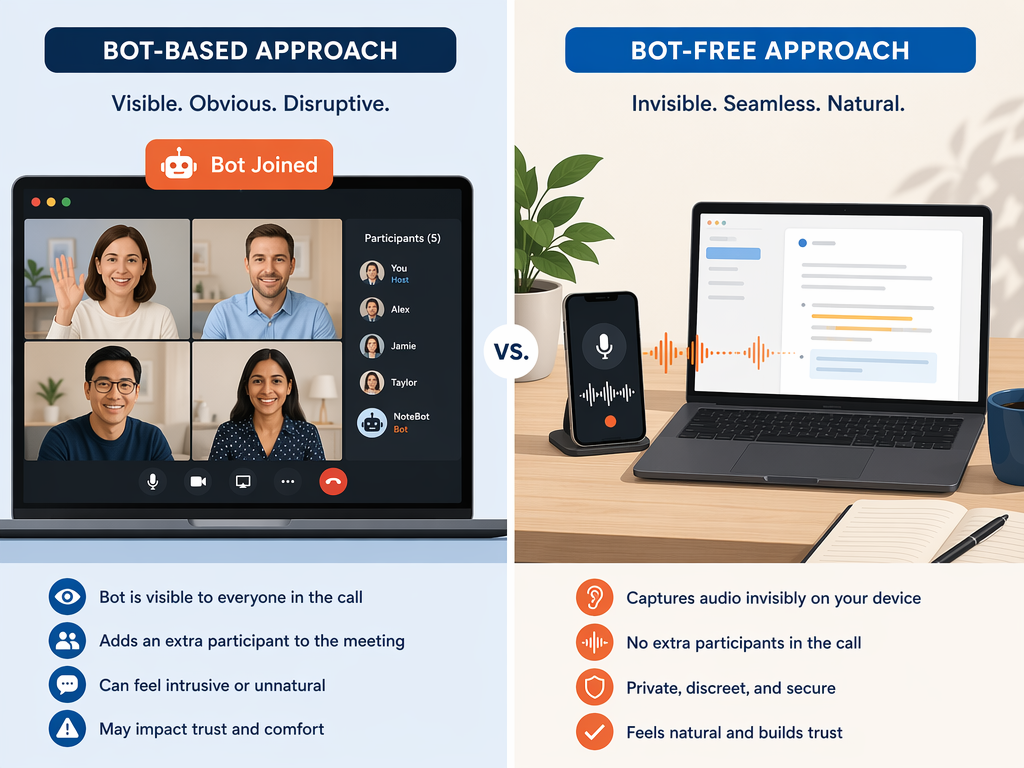
If you have shopped for a voice note app in the last year, you have likely encountered a fundamental architectural choice that rarely gets explained clearly. On one side are tools that act as a visible participant in your meetings — a bot that joins the call, listens, and produces a transcript. On the other side are tools that capture audio directly from your device, without announcing themselves to anyone else in the room or on the line.
This is not a minor feature toggle. It is a design decision that ripples through every aspect of how the tool works: who knows it is recording, where the data lives, which meetings it can handle, and how participants behave while it is running. The bot-based camp includes well-known names like Otter, Fireflies, and Fathom. The bot-free side is the fastest-growing segment in 2026, led by Jamie, Granola, Superpowered, Krisp, Fellow, VoiceToNotes, and Flint.
This article is organized around that divide. We will examine the strengths and pain points of each approach, look at the growing number of tools that offer both modes, and provide a structured decision framework so you can choose based on how your meetings actually run — not just on a feature checklist.
Why This Divide Matters in 2026
Three years ago, the default assumption was that a meeting note-taking tool would join your calendar events as a participant. That assumption is breaking down for several converging reasons.
- Bot fatigue is real. When a visible bot joins a client call, participants adjust their language. They speak more carefully, avoid off-the-record asides, and sometimes clam up entirely. For external meetings — sales calls, consulting engagements, investor pitches — a visible bot can damage the very rapport you are trying to build.
- Client perception has shifted. Many organizations now have policies that restrict third-party bots from joining calls with external parties. Even when no policy exists, the presence of a bot can signal that the conversation is being recorded and analyzed, which changes the power dynamic in the room.
- Privacy regulation is tightening. GDPR, HIPAA, and an expanding patchwork of state-level privacy laws impose stricter requirements on how audio recordings are stored, processed, and retained. Bot-free tools that delete audio immediately after transcription and store only the resulting text have a structural advantage in compliance-heavy environments.
- In-person and hybrid meetings are back. Bot-based tools are tied to specific video conferencing platforms (Zoom, Google Meet, Microsoft Teams). They cannot help you in a conference room, a coffee shop, or a walking meeting. Bot-free tools that capture from the device microphone work anywhere.
- The market is responding. Multiple sources confirm that bot-free AI note-takers are the fastest-growing segment in 2026, driven by demand for tools that preserve natural meeting dynamics and support a wider range of capture scenarios.
None of this means bot-based tools are obsolete. For internal team meetings where everyone knows the bot is present and consent is assumed, they remain the most powerful option. The point is that the choice is no longer automatic.
Bot-Based vs. Bot-Free: At-a-Glance Comparison
The table below covers the key tools from both approaches, including pricing tiers, supported platforms, and whether each tool offers a hybrid mode. Pricing was last verified against official sources in June 2026.
| Tool | Approach | Free Tier | Paid Starting Price | Platforms | Hybrid Mode? |
|---|---|---|---|---|---|
| Otter.ai | Bot-based (with bot-free desktop capture) | 300 min/mo | Pro $16.99/mo | Web, iOS, Android, Mac, Zoom, Meet, Teams | Yes — desktop app for bot-free capture |
| Fireflies | Bot-based (with desktop app for bot-free) | 800 min storage | Pro $18/seat/mo | Web, iOS, Android, Zoom, Meet, Teams, Slack | Yes — desktop app available |
| Fathom | Bot-based (with bot-free option) | Unlimited transcription | Premium $20/mo | Web, Mac, Zoom, Meet, Teams | Yes — bot-free mode available |
| Jamie | Bot-free | 10 meetings/mo (30-min cap) | Plus €25/mo | Mac, Windows, Zoom, Meet, Teams | No |
| Granola | Bot-free | Free plan available | Business $14/user/mo | Mac, Zoom, Meet, Teams | No |
| Superpowered | Bot-free | 10 AI notes/mo | Basic $25/mo | Mac, Windows, iOS, Android | No |
| Krisp | Bot-free (with bot-based option) | Free trial only | Pro $16/mo | Mac, Windows, Zoom, Meet, Teams | Yes — both modes available |
| Fellow | Hybrid (botless mode available) | Free (5 AI notes lifetime) | Solo $19/mo | Web, Mac, Windows, Zoom, Meet, Teams | Yes — botless recordings follow same governance rules |
| VoiceToNotes | Bot-free | Unlimited free transcription | N/A (free) | iOS, Android | No |
| Flint | Bot-free | N/A | One-time $12 Pro | iOS, Mac | No |
Deep Dive: Bot-Based Tools (Otter, Fireflies, Fathom)
Bot-based tools are the incumbents of the meeting-notes space. They integrate directly with your calendar, join meetings automatically, and produce searchable archives that can be shared across teams. For internal workflows where everyone is comfortable with the bot's presence, they offer a level of automation that bot-free tools have not yet matched.
Strengths
- Auto-join to calendar meetings. Once connected to your calendar, tools like Otter (OtterPilot) and Fireflies join scheduled meetings without any manual action. You do not have to remember to start a recording.
- CRM and workflow integrations. Fireflies offers deep integrations with Salesforce, HubSpot, and Slack. Otter connects with Asana, Todoist, and Zapier. These integrations allow notes and action items to flow directly into your existing systems.
- Conversation intelligence. Bot-based tools typically offer speaker identification, sentiment analysis, topic tracking, and searchable transcripts. Fathom, for example, provides unlimited free transcription with these features built in.
- Centralized archives. All recordings and transcripts are stored on the platform, searchable across the entire organization. This is valuable for compliance, onboarding, and knowledge retention.
Pain Points
- Visible bot changes participant behavior. When a bot joins a client call, participants become more guarded. This is well-documented across user reviews and is the primary driver of the shift toward bot-free tools.
- Free-tier limits are restrictive. Otter's free plan caps at 300 minutes per month. Fireflies offers 800 minutes of storage but limits search and AI features. Heavy users almost always need a paid plan.
- Privacy concerns with indefinite storage. Fireflies stores audio and video recordings indefinitely by default. Otter retains recordings on its servers. For organizations with strict data retention policies, this is a significant liability.
- Platform lock-in. Bot-based tools work only with supported video conferencing platforms. They cannot capture in-person meetings, phone calls, or conversations on unsupported platforms.
Deep Dive: Bot-Free Tools (Jamie, Granola, Superpowered, Fellow, Krisp, VoiceToNotes, Flint)
Bot-free tools capture audio from your device without joining the meeting as a participant. They are invisible to everyone else in the conversation. This architectural choice has profound implications for meeting dynamics, privacy, and the range of scenarios the tool can handle.
Strengths
- Invisible capture preserves natural dynamics. Because no bot announces itself, participants behave normally. This is the single most cited reason for switching to bot-free tools, especially among client-facing professionals.
- Works with any platform and in-person meetings. Bot-free tools capture from your device microphone, so they work with Zoom, Google Meet, Teams, Webex, phone calls, and in-person conversations. Granola, Tactiq, and Bluedot are specifically noted for their support of in-person meetings.
- Privacy-first architecture. Superpowered deletes audio immediately after transcription and stores transcripts for only 7 days. Jamie deletes audio post-transcription. VoiceToNotes also deletes audio after processing. This is a structural advantage for compliance with GDPR, HIPAA, and internal data retention policies.
- Personal capture and dictation use cases. Beyond meetings, bot-free tools can capture ideas, lectures, journal entries, and quick notes. Flint, for example, is designed primarily for individual voice capture and offers on-device transcription with a one-time $12 Pro purchase — no subscription required.
Trade-offs
- Manual start required. Most bot-free tools require you to manually start recording. If you forget, you get nothing. This is the biggest friction point compared to bot-based auto-join.
- Fewer auto-workflows. Bot-free tools generally have less mature integrations with CRMs, project management tools, and team communication platforms. The ecosystem is growing, but it is not yet at parity with Otter or Fireflies.
- Smaller ecosystem and community. Many bot-free tools are newer and have smaller user bases, fewer third-party integrations, and less extensive documentation. This can be a concern for teams that rely on a broad toolchain.
The Hybrid Middle: Tools That Offer Both Modes
Several major tools now offer both bot-based and bot-free modes, acknowledging that the right approach depends on the meeting context. This hybrid category is growing rapidly and may represent the future of the market.
| Tool | Bot-Based Mode | Bot-Free Mode | How the Hybrid Works |
|---|---|---|---|
| Fellow | Bot joins calendar meetings | Botless desktop capture | Botless recordings follow the same security and retention rules as bot-based, addressing enterprise governance concerns. Free plan includes 5 AI notes lifetime. |
| Otter.ai | OtterPilot joins meetings automatically | Desktop app captures from device mic | Users can choose per meeting. Desktop capture is a newer addition to Otter's traditionally bot-based architecture. |
| Fathom | Bot joins meetings by default | Bot-free mode available as alternative | Free plan includes unlimited transcription in both modes. Bot-free mode is less prominently advertised but fully functional. |
| Krisp | Bot-based option available | Bot-free mode is primary offering | Krisp's core value proposition is noise cancellation, but it offers both note-taking modes. Free trial only. |
The hybrid approach is particularly valuable for teams that have both internal meetings (where a bot is fine) and external client calls (where it is not). Fellow's implementation is notable because botless recordings inherit the same governance rules as bot-based recordings, which simplifies compliance for organizations that need consistent data handling policies.
Decision Framework: 5 Questions to Determine Your Approach
Rather than comparing features in isolation, work through these five questions. Each one maps to a specific architectural requirement that will narrow your options.
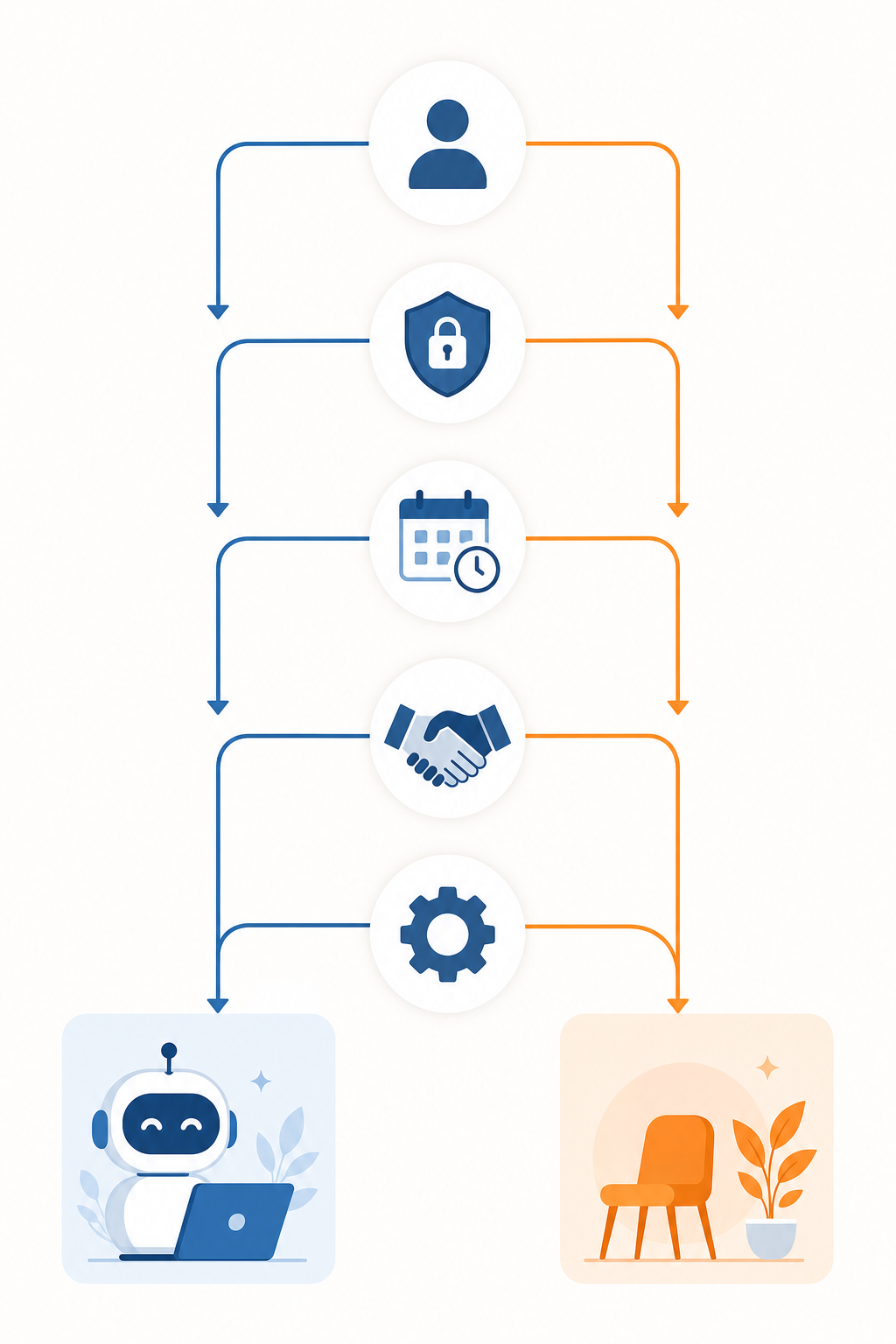
- Who is in your meetings? If your meetings are primarily internal (team standups, all-hands, internal reviews), bot-based tools are a strong fit. If you regularly meet with clients, prospects, or external partners, bot-free or hybrid is likely the better choice.
- How sensitive is your privacy and compliance environment? If you operate under GDPR, HIPAA, or have strict internal data retention policies, prioritize tools that delete audio immediately after transcription (Superpowered, Jamie, VoiceToNotes) or offer on-device processing (Flint). Avoid tools that store audio indefinitely by default.
- How often do you meet in person? If you attend in-person meetings, conferences, or walking meetings, bot-based tools are not an option. You need a bot-free tool that captures from the device microphone.
- Do you need auto-join, or is manual start acceptable? If you frequently forget to start recording, bot-based auto-join is a significant advantage. If you are disciplined about starting capture, bot-free tools offer more flexibility and privacy.
- What workflow integrations do you need? If you rely on CRM sync (Salesforce, HubSpot), project management tools (Asana, Todoist), or team communication platforms (Slack), bot-based tools like Fireflies and Otter have the deepest integrations. Bot-free tools are catching up but may not yet support your specific stack.
Pricing and Privacy Compliance Comparison
Pricing and privacy compliance are often the deciding factors for organizations. The table below compares data retention policies, compliance certifications, and pricing across the key tools.
| Tool | Data Retention Policy | Compliance Certifications | EU Server Hosting | Free Tier | Paid Starting Price |
|---|---|---|---|---|---|
| Otter.ai | Stores recordings on servers; retention period varies by plan | SOC 2 Type II, HIPAA, GDPR | Not specified | 300 min/mo | Pro $16.99/mo |
| Fireflies | Stores audio/video indefinitely by default | SOC 2 Type II, HIPAA, GDPR | Not specified | 800 min storage | Pro $18/seat/mo |
| Fathom | Stores recordings; retention details not prominently disclosed | Not specified in sources | Not specified | Unlimited transcription | Premium $20/mo |
| Jamie | Deletes audio post-transcription; retains transcript | GDPR, ISO 27001 | Yes (EU servers) | 10 meetings/mo (30-min cap) | Plus €25/mo |
| Granola | Deletes audio post-transcription | SOC 2 Type II, GDPR (past security incident noted) | Not specified | Free plan available | Business $14/user/mo |
| Superpowered | Deletes audio immediately; stores transcript for 7 days | Not specified in sources | Not specified | 10 AI notes/mo | Basic $25/mo |
| Krisp | Not specified in sources | Not specified in sources | Not specified | Free trial only | Pro $16/mo |
| Fellow | Botless recordings follow same governance rules as bot-based | Not specified in sources | Not specified | Free (5 AI notes lifetime) | Solo $19/mo |
| VoiceToNotes | Deletes audio post-transcription | Not specified in sources | Not specified | Unlimited free transcription | N/A (free) |
| Flint | On-device transcription available; no cloud storage required | Not specified in sources | N/A (on-device) | N/A | One-time $12 Pro |
Verdict: Which Approach Wins, and When
There is no universal winner. The right approach depends entirely on your meeting context, privacy requirements, and workflow needs.
Bot-based tools win when:
- Your meetings are primarily internal and everyone is comfortable with the bot's presence.
- You need auto-join to avoid forgetting to start recording.
- You rely on CRM sync, project management integrations, and searchable meeting archives.
- Your organization has the compliance infrastructure to manage indefinite audio storage.
Bot-free tools win when:
- You meet with clients, prospects, or external partners where a visible bot would damage rapport.
- You need to capture in-person meetings, phone calls, or conversations on any platform.
- Privacy compliance requires immediate deletion of audio recordings.
- You want a tool that also handles personal capture, dictation, and quick notes.
Hybrid tools win when:
- Your team has a mix of internal and external meetings and needs the flexibility to choose per meeting.
- You want consistent governance rules across both modes (as Fellow offers).
- You are not ready to commit to one approach and want to evaluate both.
The bot vs. bot-free divide is not a marketing gimmick — it is a genuine architectural fork that affects every aspect of how a voice note tool fits into your workflow. By understanding the trade-offs and working through the decision framework above, you can choose a tool that matches how your meetings actually run, rather than one that looks good on a feature checklist.
For a broader view of how voice note tools fit into the overall AI productivity landscape, see our Best AI Productivity Apps in 2026 category comparison.