
The Bot Debate: Why Your Note-Taking App's Presence Matters More Than Its Accuracy
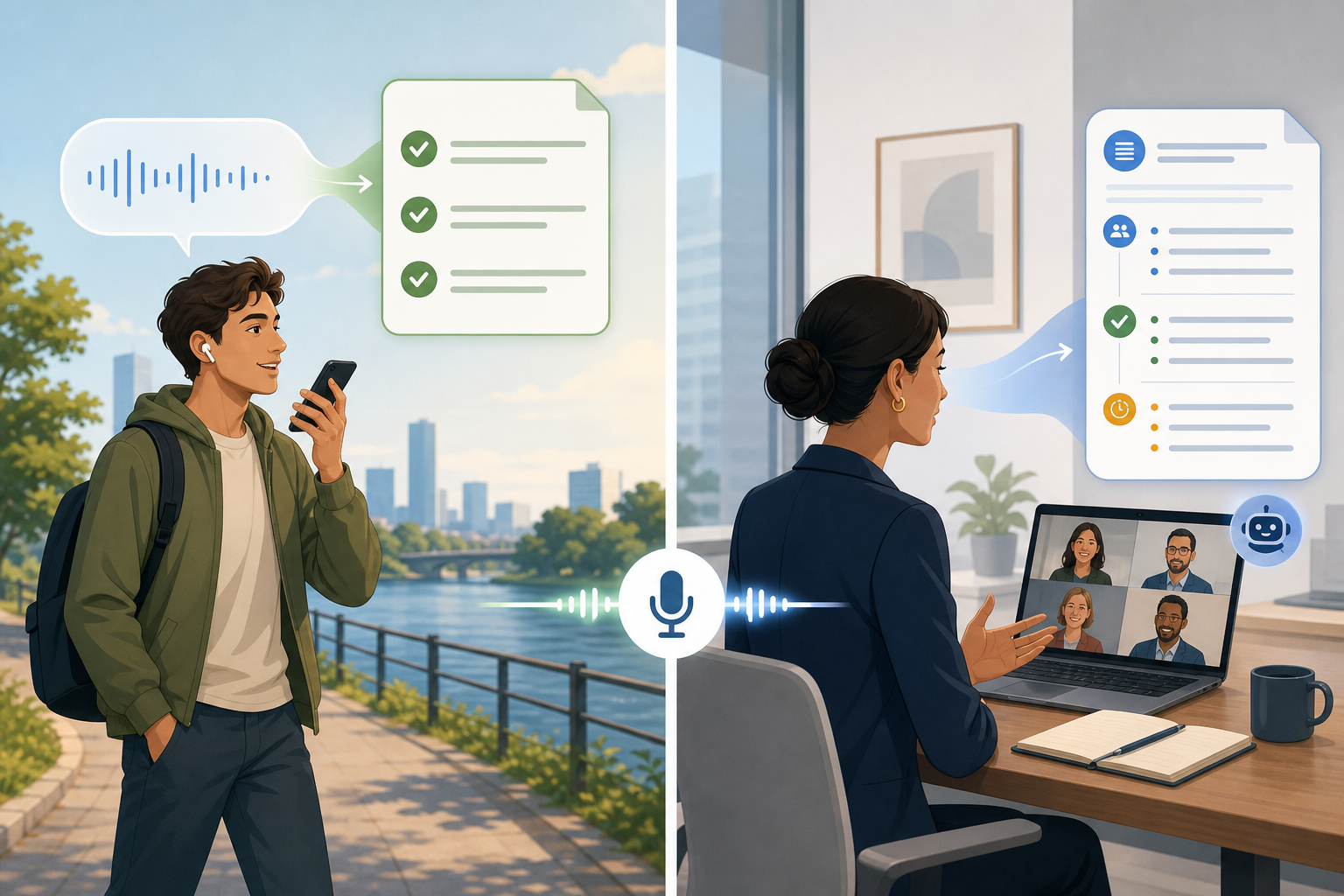
If you're searching for an app that takes notes from voice in 2026, you've probably noticed something strange: the conversation about these tools has shifted. It's no longer just about which app has the highest accuracy or the lowest price. The defining question has become far more personal — do you want your note-taking app to be a visible participant in your conversations, or would you prefer it to work silently in the background?
This is the central fault line in the voice-to-note market today. On one side, you have bot-based tools like Otter and Fireflies that join your meetings as named participants — complete with a visible avatar, a recording banner, and a cloud-based transcription engine. On the other, you have bot-free tools like Jamie, Krisp, Superpowered, and Flint that capture audio from your device without announcing themselves, often processing everything locally.
The distinction matters because it changes the entire dynamic of a conversation. A visible bot can make external clients uncomfortable, derail a coaching session, or raise compliance red flags in regulated industries. A silent, bot-free tool preserves the natural flow of a discussion but may lack the deep automation features — calendar auto-join, CRM sync, searchable archives — that teams rely on for internal workflows.
Accuracy across both categories is comparable — Zapier tested 68 transcription apps and found that all tools on its recommended list offer at least 90% accuracy. When audio is clean, many tools push into the 93–99% range. That means accuracy is no longer a differentiator. The real decision comes down to privacy, conversation naturalness, and automation depth.
How Each Approach Works: Bot-Free vs. Bot-Based Architecture
The technical difference between bot-free and bot-based tools is straightforward, but the implications ripple through every aspect of the user experience.
Bot-Based Tools: The Visible Participant
Bot-based tools like Otter, Fireflies, Notta, and Fathom integrate directly with calendar and video conferencing platforms. When a meeting starts, the bot joins as a named participant — you'll see it in the attendee list, and other participants will see a recording notification. The audio is streamed to the cloud, where it's transcribed and processed into summaries, action items, and searchable transcripts.
This architecture enables powerful automation: the bot can auto-join every meeting on your calendar, sync transcripts to your CRM, and build a searchable knowledge base over time. But it comes with a social cost. As noted in Jamie's own comparison of meeting transcription software, the key complaint from users is the visible bot presence — it changes the tone of conversations, especially with external parties.
Bot-Free Tools: The Silent Listener
Bot-free tools take a fundamentally different approach. Jamie, Krisp, Superpowered, and Flint capture audio from your device's microphone or system audio — they don't join the meeting as a participant. Some, like Krisp and Flint, process transcription entirely on-device, which means no audio ever leaves your machine. Others use cloud processing but without the visible bot presence.
The advantage is a completely natural conversation flow. No one needs to be told a bot is recording. No awkward pause when the bot joins. For personal capture — dictating ideas, journaling, or recording quick thoughts — the bot-free model is the only one that makes sense. The tradeoff is that bot-free tools typically offer less sophisticated automation: you won't get automatic calendar integration or CRM sync out of the box.
Bot-Free vs. Bot-Based: Head-to-Head Comparison Table
The table below summarizes the key differences across the tools covered in this comparison. Pricing was last verified in June 2026 and is subject to change.
| Feature | Bot-Free (Jamie, Krisp, Superpowered, Flint) | Bot-Based (Otter, Fireflies, Notta, Fathom) |
|---|---|---|
| Meeting Presence | Silent — no visible participant | Visible bot joins as named participant |
| Privacy Model | Local or cloud processing; no bot identity | Cloud recording; bot is identifiable |
| Accuracy (Clean Audio) | 93–99% (comparable across both categories) | 93–99% (comparable across both categories) |
| Multi-Speaker Handling | Can struggle without meeting-native context | Better with speaker identification and context |
| Auto-Join from Calendar | Not available | Available (Otter, Fireflies, Fathom) |
| CRM Sync | Limited or manual | Deep integration (Salesforce, HubSpot, etc.) |
| Searchable Archives | Basic search in some tools | Full searchable transcript archives |
| Personal Capture (Ideas, Journaling) | Excellent — designed for this use case | Not designed for personal capture |
| Starting Price (Individual) | $12 one-time (Flint) to $24/mo (Jamie Standard) | $13.49/mo (Notta Premium) to $18/mo (Fireflies Pro) |
| Best For | Client-facing calls, coaching, personal capture, regulated industries | Internal team meetings, sales pipeline, large groups, CRM workflows |
Bot-Free Tools: Jamie, Krisp, Superpowered, and Flint — Detailed Profiles
The bot-free category has grown rapidly in 2026, driven by user backlash against visible meeting bots. Here's how the leading tools compare.
Jamie — Best for Meeting Transcription Without the Bot
Jamie positions itself as a bot-free, offline-capable transcription and AI summary tool for meetings. It captures audio from your device's microphone or system audio without joining the meeting as a participant. Jamie offers a free tier, a Standard plan at €24/month, a Pro plan at €47/month, and an Executive plan at €99/month. It's available on Mac and Windows, with summaries generated in the cloud after the meeting ends.
Best for: professionals who attend frequent client-facing meetings and need accurate summaries without the awkwardness of a visible bot.
Krisp — Privacy-First with Noise Cancellation Heritage
Krisp started as a noise cancellation app and expanded into AI note-taking. Its key differentiator is on-device processing: transcription happens locally on your machine, so no audio data ever leaves your computer. Krisp's Pro plan is $16/month, with a Business plan at $30/month. It supports Mac, Windows, and iOS, and offers a free trial.
Best for: users in regulated industries (legal, medical, finance) where data cannot be sent to external servers.
Superpowered — AI Notes for Zoom and Google Meet
Best for: individual contributors and small teams who want lightweight AI note-taking without a bot.
Flint — The Personal Voice Capture Champion
Flint is a personal voice note app designed for capturing ideas, journaling, and quick thoughts — not meetings. It offers unlimited recording, on-device transcription, and a one-time Pro plan for $12. This makes it the most affordable option in the entire comparison. However, Flint is currently iOS-only, with Android support listed as "coming soon."
Best for: iPhone users who want a simple, private, one-time-purchase voice note app for personal capture.
Bot-Based Tools: Otter, Fireflies, Notta, and Fathom — Detailed Profiles
Bot-based tools dominate the meeting transcription space, offering deep automation and integration capabilities that bot-free tools can't match. Here's how the leading options stack up.
Otter.ai — The Established Player
Otter is one of the most recognized names in AI meeting notes. It offers a free plan with 300 minutes of transcription per month, a Pro plan at $16.99/user/month, and a Business plan at $30/user/month. Otter generates action items and slideshots, and integrates with major calendars and CRMs. However, it only supports English, and reviewers note it struggles with background noise, technical terminology, and varied accents.
Best for: English-speaking teams who want a mature, feature-rich meeting transcription tool with CRM integration.
Fireflies.ai — Deep CRM and Workflow Integration
Fireflies offers a free plan, a Pro plan at $18/user/month, a Business plan at $29/user/month, and an Enterprise plan at $39/user/month. It's known for its deep integrations with Salesforce, HubSpot, and Slack, making it a strong choice for sales teams. However, reviewers note that Fireflies has moderate accuracy and struggles with unusual words or accents.
Best for: sales teams and revenue operations that need CRM-synced meeting notes and call analytics.
Notta — The Multilingual Alternative
Notta's Premium plan starts at $13.49/month, making it one of the more affordable bot-based options. Its standout feature is support for 58 languages, which makes it a strong choice for multilingual teams. Notta offers a free plan with limited minutes and integrates with major video conferencing platforms.
Best for: international teams and users who need transcription in languages other than English.
Fathom — The Free-Tier Contender
Fathom offers a generous free tier that has made it popular among individual users and small teams. It joins meetings as a bot, provides AI-generated summaries and action items, and integrates with popular CRMs. Paid plans unlock additional features like unlimited transcription and advanced analytics. Pricing details should be verified directly from Fathom's website, as they change frequently.
Best for: budget-conscious teams and individuals who want a free, feature-rich meeting transcription tool.
When to Choose Bot-Free vs. Bot-Based: A Decision Framework
The right choice depends on your meeting audience and use case, not on which tool has the most features. Use the framework below to guide your decision.
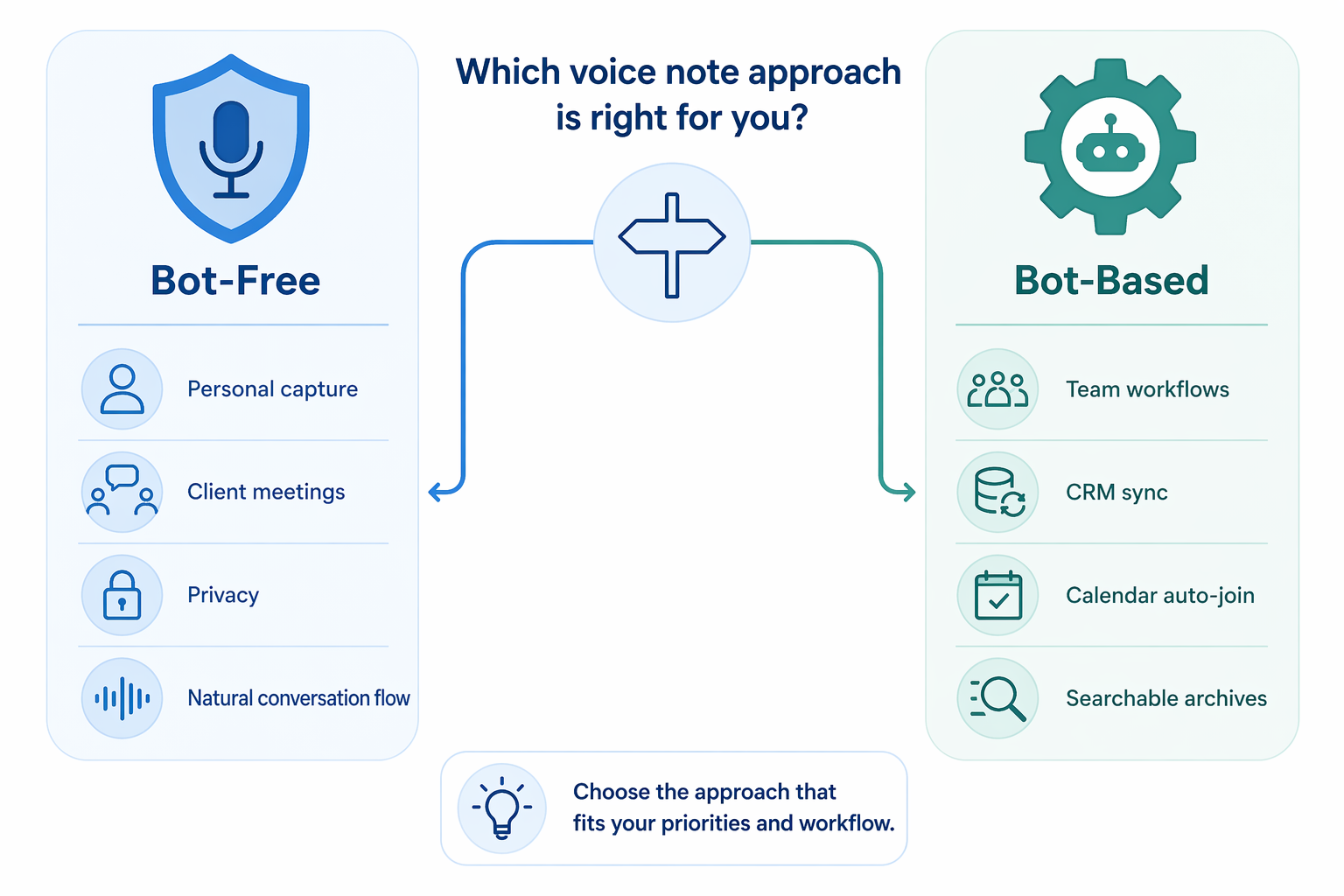
Choose Bot-Free When:
- You're on client-facing calls where a visible bot would feel intrusive or unprofessional.
- You conduct one-on-one coaching, therapy, or consulting sessions that require a natural, private conversation.
- You need personal voice capture for ideas, journaling, or quick notes — not meetings.
- You work in a regulated industry (legal, medical, finance) where data cannot be sent to external servers.
- You want a one-time purchase option (Flint at $12) rather than a recurring subscription.
Choose Bot-Based When:
- You need automatic meeting capture — the bot joins every meeting on your calendar without manual effort.
- Your team relies on CRM integration to log call notes, action items, and follow-ups.
- You run large group meetings or all-hands where a visible bot is expected and accepted.
- You need a searchable archive of all past meetings for reference and compliance.
- You work with multilingual teams and need support for languages beyond English (Notta supports 58 languages).
Privacy and Security: What Each Model Means for Your Data
The privacy implications of bot-free vs. bot-based tools are significant, especially for professionals in regulated industries.
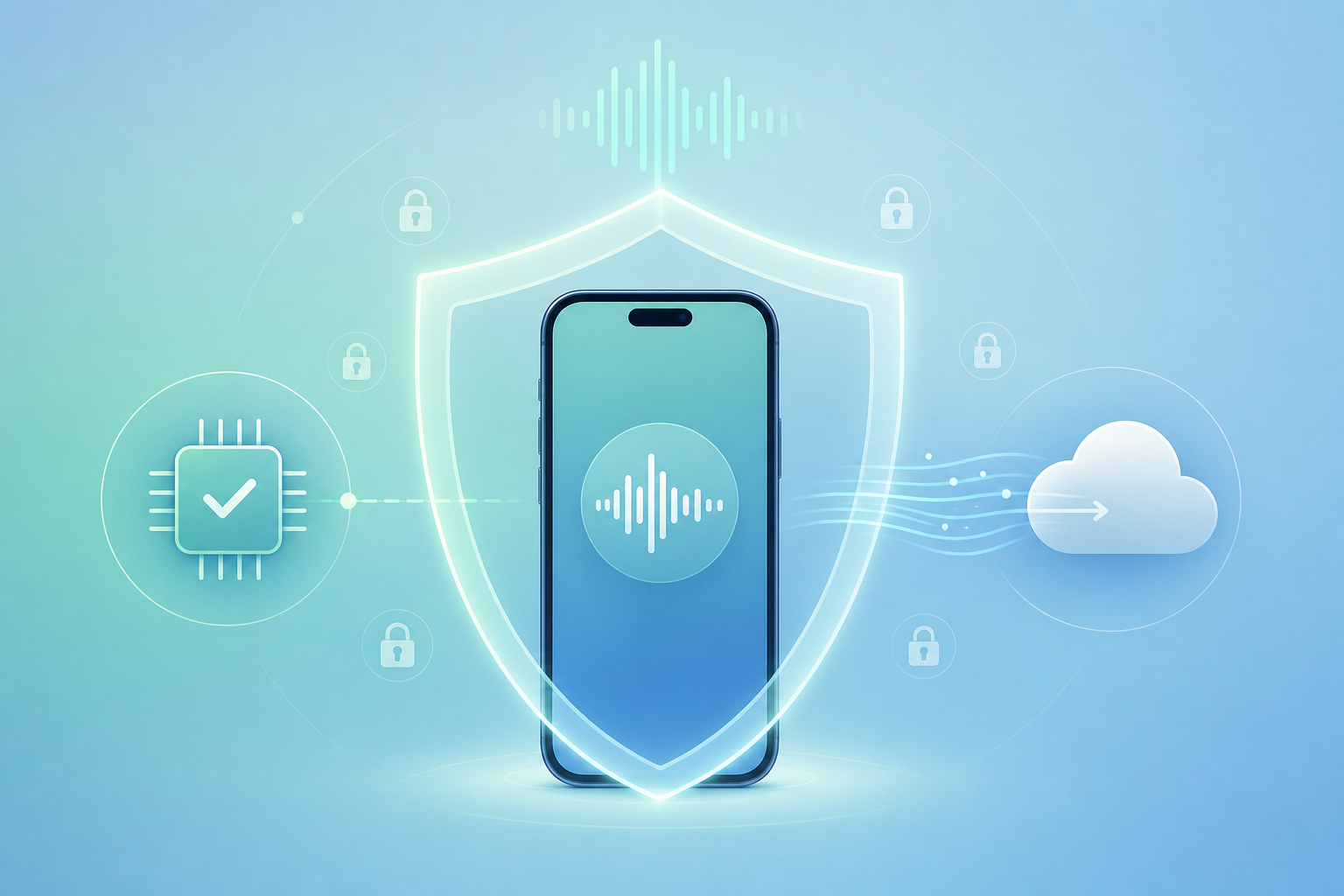
Bot-Free Privacy Advantages
Tools like Krisp and Flint process transcription entirely on-device, meaning no audio data ever leaves your machine. This makes them suitable for environments bound by HIPAA, GDPR, or attorney-client privilege. Even cloud-based bot-free tools like Jamie offer a privacy advantage: because the tool doesn't join as a meeting participant, there's no record of the bot's presence in the meeting logs.
Bot-Based Privacy Considerations
Bot-based tools record audio to the cloud for processing. This raises compliance questions for client confidentiality, especially in legal and medical contexts. Data retention policies vary by provider: some offer options to auto-delete recordings after processing, while others retain transcripts indefinitely. If you work with sensitive client information, verify the tool's data handling policies and encryption standards before use.
Verdict: The Right Tool Depends on Your Meeting Audience, Not Your Feature Wishlist
After comparing eight tools across two fundamentally different architectures, one conclusion stands out: the bot decision is the primary purchase criterion across all voice note use cases. Accuracy is comparable. Pricing overlaps. Platform support is increasingly broad. What separates a great experience from an awkward one is whether your note-taking app fits the social context of your conversations.
For client-facing professionals, consultants, coaches, and anyone who values natural conversation flow, bot-free tools are the clear choice. Jamie offers the best balance of meeting transcription and privacy for Mac and Windows users. Krisp provides the strongest data protection with on-device processing. Flint is the unbeatable value for personal voice capture on iOS.
For internal team workflows, sales pipeline documentation, and large group meetings, bot-based tools offer automation that bot-free tools can't match. Otter remains the most mature option for English-speaking teams. Fireflies excels at CRM integration. Notta is the best choice for multilingual organizations. Fathom offers a compelling free tier for budget-conscious teams.
The market is moving fast. Bot-free tools are the fastest-growing segment in 2026, driven by user backlash against visible bots. But bot-based tools continue to deepen their automation capabilities. The right choice today may not be the right choice next year — but the framework for making that decision will remain the same: know your audience, know your privacy requirements, and choose accordingly.