
NotebookLM can make a book much easier to interrogate. It can keep a bounded set of sources in view, answer questions against those sources, and point you back toward the relevant material. That makes it useful for organizing the reading process. It does not, on the evidence available here, make it a good replacement for the durable note system you already maintain.
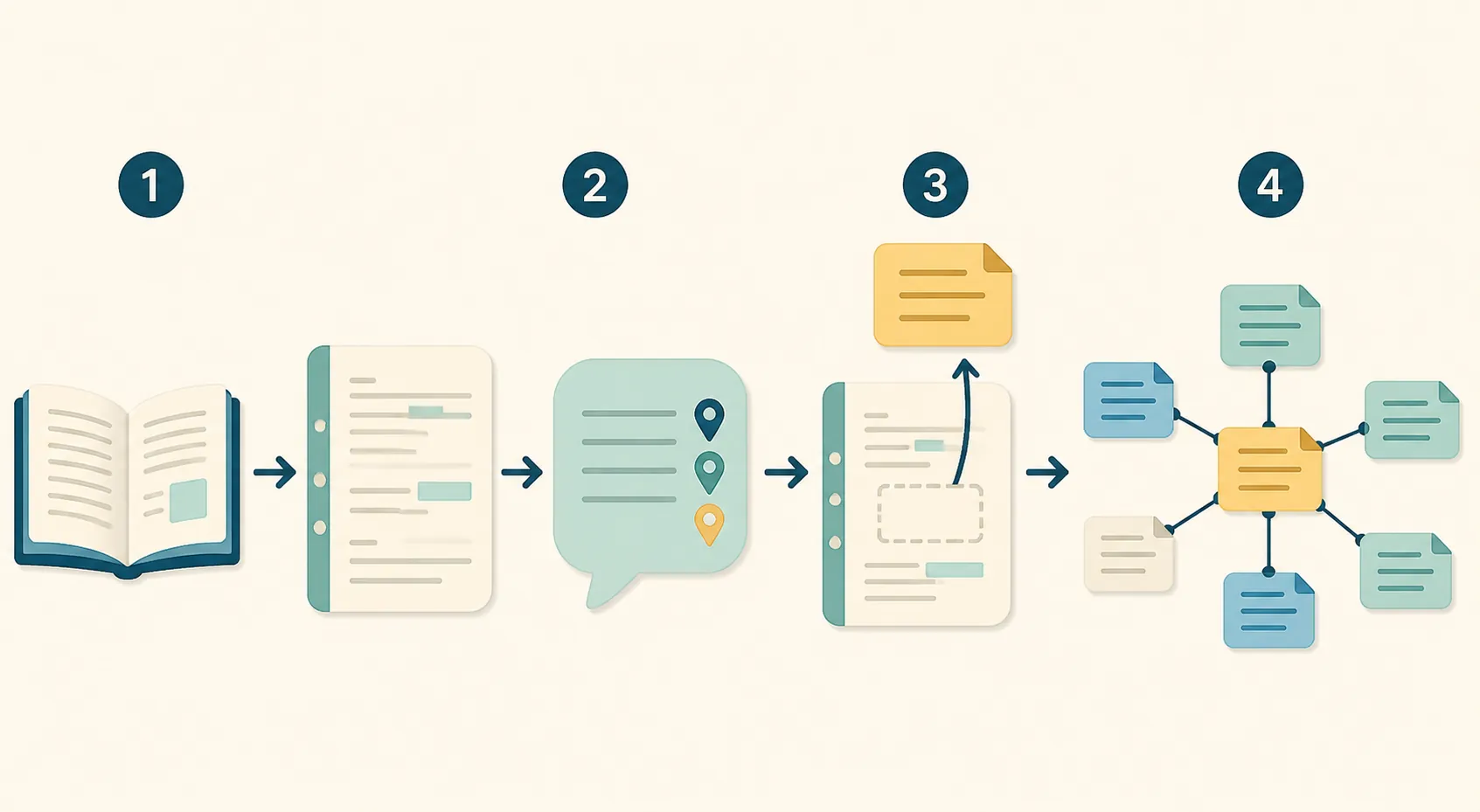
The workflow that holds up is simple: import the book into a NotebookLM notebook, ask grounded questions, extract the passages and ideas worth keeping, then move those keepers into Obsidian, Notion, Logseq, or another permanent store. NotebookLM sits between the book and your knowledge base. It is the reading layer, not the vault.

What NotebookLM is doing in this workflow
Google presents NotebookLM as an “AI Research Tool & Thinking Partner,” with an emphasis on understanding material supplied by the user.[1] DataCamp describes the product as an AI-first notebook whose responses are grounded in uploaded sources rather than in an unconstrained conversation.[2] That framing matches the useful part of the book-notes experience: you can ask about one book without asking a general chatbot to reconstruct the book from memory.
This changes the first pass of note-taking. Instead of stopping every few pages to decide whether an idea deserves a permanent note, you can use the notebook to investigate the book's argument first. Ask it to identify the author's central claim, compare two chapters, locate the support for a conclusion, or surface passages related to a question you already have. The citations make the answer easier to inspect before you give any of it a permanent name.
| Stage | What happens | Where the result belongs |
|---|---|---|
| Import | Add the book or the usable parts of it to a notebook | NotebookLM |
| Interrogate | Ask source-grounded questions and inspect the cited answers | NotebookLM |
| Select | Keep only claims, passages, questions, and connections worth preserving | Temporary working notes |
| Handoff | Rewrite, name, link, and store the keepers | Obsidian, Notion, Logseq, or a similar system |
The last row is the architectural boundary. A useful answer is not automatically a useful note. A permanent note needs a stable title, enough context to stand on its own, and links to related ideas. It may also need your disagreement, an example from another book, or a follow-up question. The conversation helps you find that material; your note system is where you make it durable and connected.
Start with the import checkpoint, not the prompts
A book-notes workflow fails before the first question if the source cannot enter cleanly. Two third-party guides that summarize Google's help material report a per-source ceiling of 500,000 words or 200 MB on consumer plans. They also report that upgrading increases the number of sources allowed in a notebook, but does not raise that per-source file-size ceiling.[4][5]
Those figures are useful planning boundaries, not figures I would treat as permanently settled. The available evidence does not include a directly captured, verbatim Google Help passage confirming each cap, and the guides are secondary summaries. As of August 29, 2026, the safest practice is to confirm the current limits in Google's own help pages before building a workflow around a large book or a batch of books.
- Check the source type. A text-based file is a more predictable starting point than a scan or image-heavy PDF.
- Check the file size and approximate word count against the currently published limits.
- Treat DRM-protected PDFs as a reported incompatibility, not as a result personally established by this article. Secondary guides say they will not import, regardless of plan.[5]
- Expect scanned or image-heavy files to need separate checking. The same guides report that a scan can exceed the 200 MB ceiling and suggest manual splitting as the stated workaround.[4][5]
- If you use a web URL, remember that the imported source is the text of the linked page, not necessarily an entire book or reading list. Drive sources also require view access or higher.[5]
The reported notebook capacities also vary by plan. The guides list 50 sources for Standard, 100 for Plus, 300 for Pro, and roughly 500–600 for Ultra, while reporting a Standard daily allowance of 50 chat questions and three Audio Overviews.[4][5] These are plan-dependent service limits, not evidence that a higher plan turns the notebook into a better personal knowledge base. A larger source allowance helps with a research project; it does not solve naming, linking, relocation, or long-term ownership of the notes.
For a single book, the practical test is therefore modest: can the actual file be imported, can the relevant passages be found, and can the useful results be extracted without turning the process into file preparation? If the answer is no, changing the prompts will not rescue the workflow.
Use the conversation to find keepers
Once the source is in place, begin with questions that help you read rather than questions that ask for a finished second brain. Useful prompts stay close to the book: “What problem is this chapter solving?”, “Which passages support the author's definition of attention?”, or “Where does the argument depend on an assumption introduced earlier?” Asking for the cited passage alongside the explanation gives you something to verify and later rewrite.
A second pass can look for material that belongs in your existing system: a claim that changes how you understand an existing note, a useful distinction, a memorable quotation, or a question that another source could answer. This is selection work. The notebook can reduce the amount of searching and re-reading, but it should not decide that every generated summary deserves permanent storage.
For a broader discussion of citation behavior, export difficulty, and how NotebookLM compares with ChatGPT, see the site's NotebookLM versus ChatGPT note-taking comparison. The book workflow has a narrower concern: what survives after the conversation is over?
The handoff is where “organized” becomes permanent
After finding a keeper, move it out of the reading conversation deliberately. Copy the relevant passage or claim, record the book and location, give the note a title that makes sense outside the chat, and add your interpretation. Then place it beside related notes in the system you already use.
- Capture the source-grounded idea, not an entire conversation transcript.
- Preserve enough bibliographic or location information to find the original passage again.
- Rewrite the idea in the form your permanent notes use.
- Link it to existing concepts, books, projects, or unresolved questions.
- Mark uncertainty or disagreement instead of importing the assistant's confidence as your own.
A 2026 hands-on review identifies a central limitation in NotebookLM: notes within a notebook cannot be personalized or connected to one another.[3] That limitation matters more than whether the first answer looks polished. A durable knowledge base depends on the ability to shape notes according to your own vocabulary and connect them across books and projects. A book-specific notebook can help you discover those connections, but it is not the place where the connections mature.
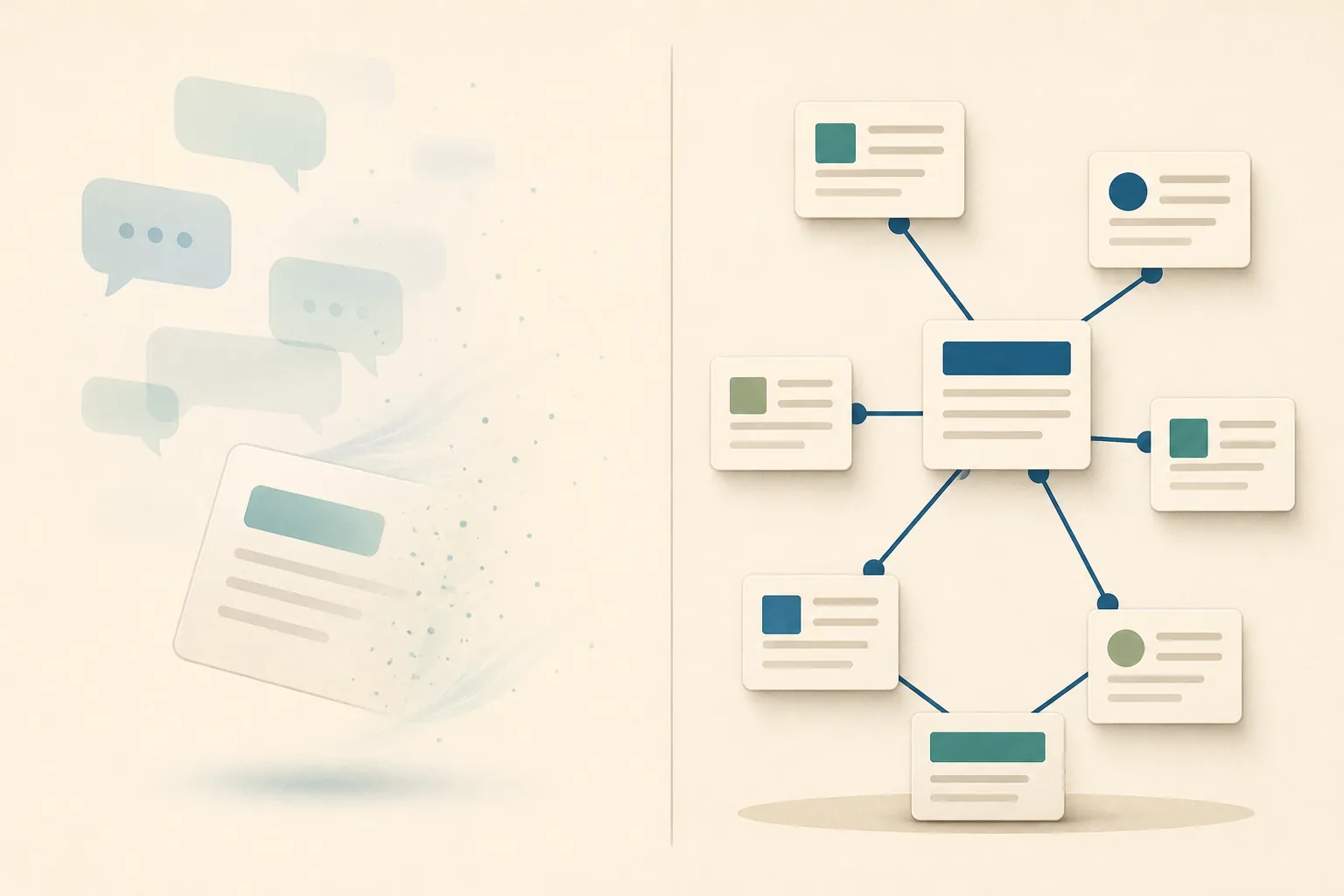
No native export guarantee is documented for NotebookLM notebooks, sources, or chats. The only export route discussed here is a third-party Chrome extension, NotebookLM Export Pro.[6] That does not prove that NotebookLM loses data or that the extension is unsafe; it does show why native portability should not be assumed from the existence of a notebook interface. If export is central to your decision, verify the current product behavior yourself before committing important work.
This is the same capture-then-store pattern used in the site's Cloudflare Radar Researcher profile and in the comparison of AI search summaries and note apps. The temporary tool is valuable because it accelerates finding and interpreting evidence. The permanent system remains responsible for the records you expect to revisit.
The judgment depends on where you need the notes to live
If your goal is to understand one book, prepare for a discussion, retrieve a passage, or test an author's argument, NotebookLM is a sensible upstream tool. Its source boundary gives the conversation a useful scope, and its citations give you a way to inspect the answer before taking it further.
Not for you if
NotebookLM is not for you as the main destination if you need every book note to be portable, connected to the rest of your knowledge base, and easy to reorganize under your own structure. In that case, the extra extraction step is not an inconvenience around the edges of the workflow; it is the step that protects the purpose of having a durable note system.
References
- NotebookLM — Google
- NotebookLM: A Guide With Practical Examples — DataCamp
- NotebookLM Review — thebusinessdive, 2026
- NotebookLM System Limits & Benchmarks — notebooklm-guide
- NotebookLM Source Limits — Elephas
- NotebookLM Export Pro — Chrome Web Store
Comments
Join the discussion with an anonymous comment.