
The first expensive moment in choosing among note taking sites usually arrives before the first paid invoice. It arrives when the new workspace opens and nothing is there: no meeting note format, no lecture notebook, no project tracker, no weekly planner, no second-brain starter kit. A platform with strong templates can turn that first hour into useful work. A platform without them may still be excellent, but it asks you to bring the structure yourself.
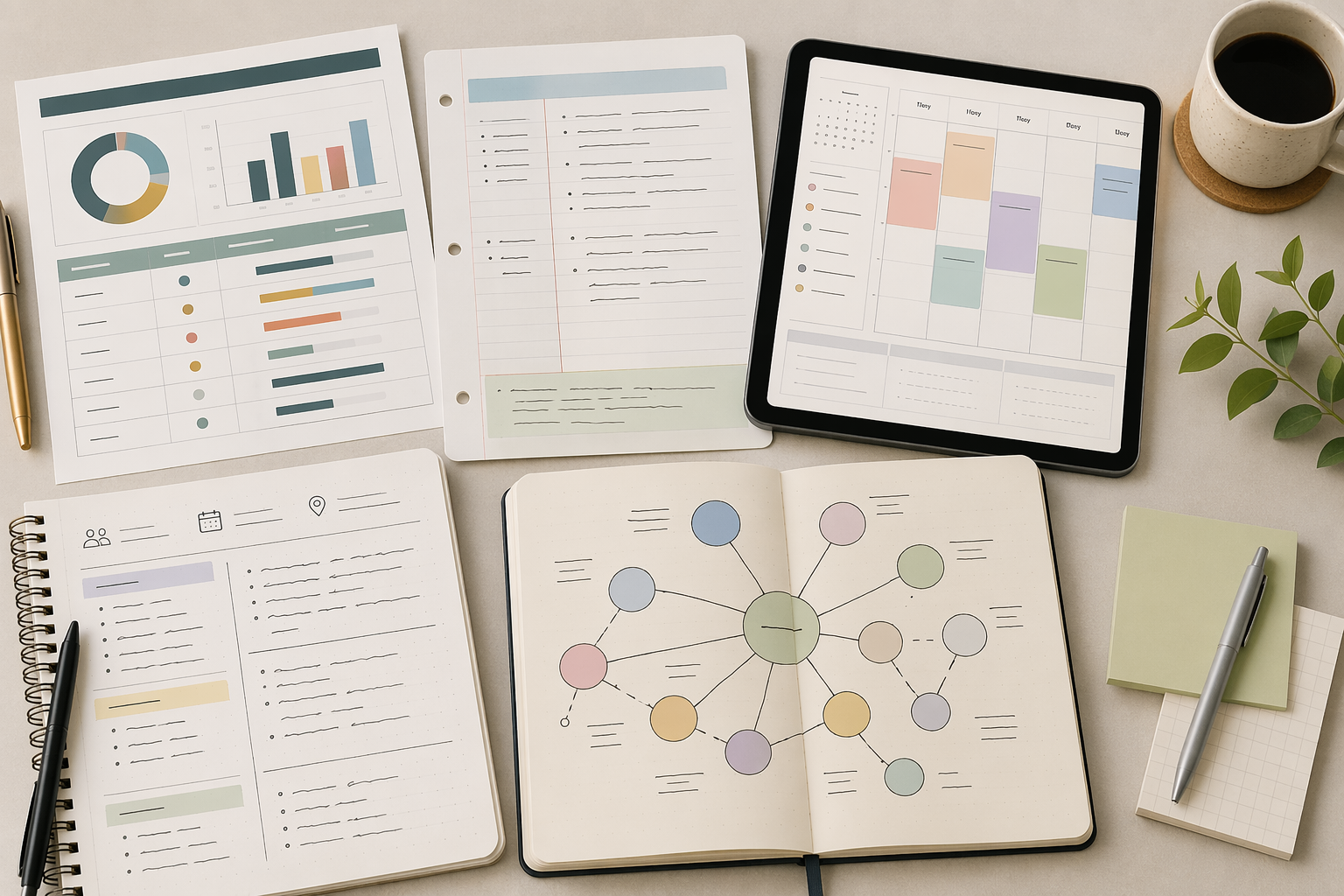
The short verdict: choose by template need, not by app popularity
| If your main need is… | Start with… | Why |
|---|---|---|
| The broadest template marketplace | Notion | Its marketplace lists 30,000+ templates across 348 categories and 20,000+ creators, making it the clearest breadth leader in this comparison. [1] |
| Handwriting, iPad planning, and digital stationery | Goodnotes | Its marketplace is built around commerce for planners, stickers, fonts, notebook covers, and handwriting-first workflows. [2] |
| Curated templates without a giant marketplace hunt | Evernote | Its template gallery is organized around work, school, and life use cases rather than creator-marketplace scale. [3] |
| Beautiful note-adjacent layouts | Canva | Canva lists 20,000+ note templates, but that count includes broad design assets rather than a full note-management ecosystem. [4] |
| Method-led note structures | xTiles | Its published note-taking template examples include Cornell Notes, Brainstorming, Meeting Notes, and Second Brain structures with embedded guidance. [5] |
| Familiar built-in templates | OneNote | It has built-in templates and broad note-taking utility, but not the same marketplace depth as Notion or Goodnotes. [6] |
| A minimalist writing or capture tool | Obsidian, Apple Notes, Google Keep, Simplenote, or Bear | These can be strong tools, but template strength usually depends on workarounds, plugins, or your own system-building. |
That last distinction matters. A template ecosystem is not just the ability to duplicate a page. It is the combination of discoverability, variety, trust, fit, and speed: can a student, freelancer, team lead, or planner user find a credible starting point quickly enough to avoid rebuilding the same structure from scratch?
If you are comparing note-taking tools more broadly, it may also help to read Online Note-Taking Apps Compared 2026. This article stays narrower: templates, setup friction, and the kind of structure each platform can realistically give you on day one.
Notion is the template ecosystem to beat
Notion carries the center of this comparison because its template marketplace is operating at a different order of magnitude. Notion’s marketplace landing page lists 30,000+ templates, 348 categories, and 20,000+ creators. Those are marketplace claims, not a permanent census; templates can be added, removed, renamed, bundled, or recategorized. Still, even as an order-of-magnitude signal, the scale is hard to ignore. [1]
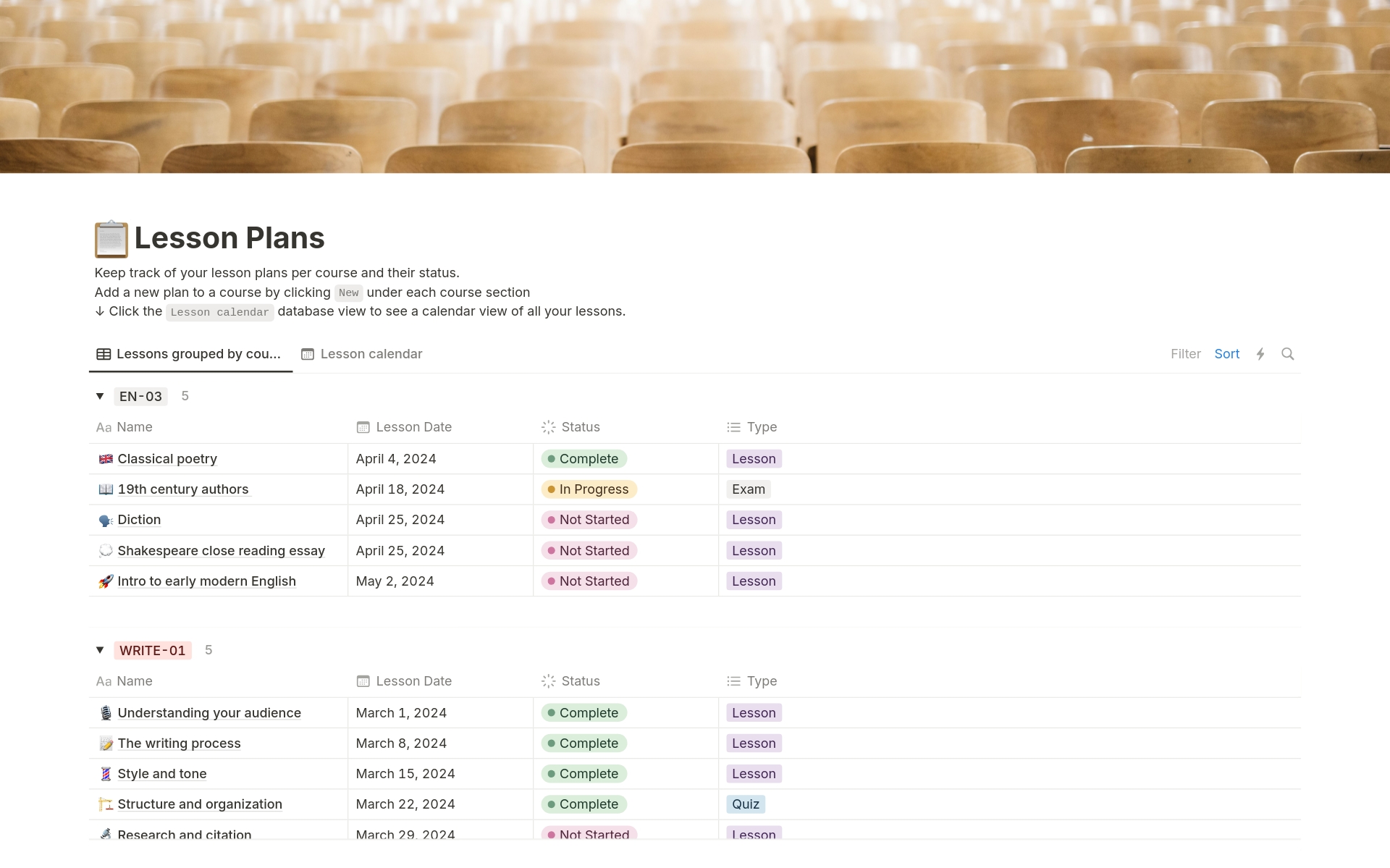
The advantage is not only volume. Notion templates can become full workspaces: a class hub with databases for lectures and assignments, a consulting CRM tied to meeting notes, a content calendar connected to drafts, or a personal dashboard that joins tasks, goals, reading, and project pages. In other words, the template can carry both the note and the system around the note.
That is why Notion often feels more complete than simple page-template tools. A meeting notes template in a lightweight notes app may give you headings for agenda, attendees, and action items. A strong Notion meeting system can connect those notes to projects, clients, task databases, decision logs, and follow-up views. The setup burden moves from inventing the structure to choosing the right structure.
Choice is also the catch. A marketplace with tens of thousands of options can save time only if the user searches with a job in mind. “Student dashboard,” “client portal,” “weekly planner,” “meeting notes,” and “second brain” are more useful starting points than browsing the marketplace as if template beauty were the goal. A beautiful dashboard that does not match your review habits will become abandoned décor.
For readers who already know they want Notion, the next step is implementation, not more browsing. The complete guide to Notion note-taking methods and templates is the better place to choose between specific note systems. If you are still deciding whether Notion is worth the complexity, compare it against broader rivals in Notion vs the Field.
Goodnotes wins when the template is something you write on
For handwriting-first users, the template question changes. A student using an iPad before Monday’s lecture does not need a relational database. A planner user may care more about paper feel, date layouts, sticker packs, cover designs, and whether the page invites handwriting without constant zooming and rearranging.
Goodnotes has a marketplace designed for that world. Its marketplace presents digital planners, stickers, fonts, notebook covers, and related assets as purchasable goods rather than treating templates as a small help page inside a notes app. The available item count could not be verified reliably from the dynamic marketplace page, so the safer claim is not that Goodnotes has a specific number of templates. The stronger claim is that it has a real commerce-oriented ecosystem for handwriting and digital planning. [2]
This makes Goodnotes especially credible for iPad users who think through pen input: lecture notes, annotated readings, daily planning, handwritten meeting notes, and personal journals. The best Goodnotes template is often less like a database and more like a well-designed notebook you can actually stay inside for months.
If your decision is specifically about iPad templates, planners, and handwriting workflows, use the dedicated comparison of the best iPad note-taking app templates and digital planner ecosystems. If your device mix includes Windows and you are weighing Goodnotes against Microsoft’s notebook model, the GoodNotes vs OneNote for Windows comparison will be more useful than a general template roundup.
Evernote is stronger for curated starts than marketplace exploration
Evernote’s template gallery is smaller and more controlled than Notion’s marketplace, which can be a benefit if you are trying to start work rather than conduct a template shopping session. The gallery is organized around work, school, and life categories, giving users recognizable starting points such as project planning, meeting notes, class notes, and personal organization. [3]
That curation fits the person who wants a reliable note format without committing to a full dashboard culture. A team lead standardizing project documentation may prefer a clear project plan and meeting note template over a massive marketplace of overlapping systems. A student may simply need a class-notes structure that works today.
Evernote is not the strongest choice if the template itself needs to become a complex operating system. It is more useful when the template is a clean container inside a familiar notes environment. That difference sounds small until you are the one responsible for keeping the system alive after the first week.
Canva is excellent at note design, but it is not a full note-management replacement
Canva’s note-template number is impressive on the surface: its notes template page lists 20,000+ free templates. That figure deserves a careful reading. It includes broad note-adjacent designs, not only academic lecture notes, professional meeting notes, or long-term knowledge-management layouts. [4]
Canva’s strength is visual production. If you need printable study sheets, polished workshop handouts, branded meeting-note pages, classroom materials, or attractive planner inserts, Canva can be faster than a dedicated note-taking app. Its editor is built for layout and presentation, so the template starts closer to a designed artifact than a plain note.
The limit is organizational depth. A Canva note template can look better than almost anything you would build from scratch in a blank notes app, but Canva is not trying to replace the long-term structure of a dedicated note-taking platform: notebooks, linked references, durable search habits, project archives, and recurring review workflows. Use it when the output matters visually. Do not confuse a designed page with a complete note system.
xTiles is useful when you want the method embedded in the template
xTiles deserves attention because it frames templates around note-taking methods rather than only around aesthetics or app features. Its published note-taking template examples include Cornell Notes, Brainstorming, Meeting Notes, and Second Brain structures, with the template page explaining the intended method behind each format. [5]
That is useful for users who do not merely want a prettier blank page. Cornell Notes, for example, gives a student a specific division of cues, notes, and summary. A meeting note template can push decisions and action items into view. A Second Brain template can encourage capture and retrieval habits instead of leaving the user with a pile of undifferentiated pages.
The caveat is scale. The full xTiles template library size could not be verified from the provided source, so it should not be presented as a marketplace rival to Notion. Its value in this comparison is methodological clarity: fewer claims about endless options, more emphasis on a template teaching the user how to work.
OneNote is familiar and capable, but its template story is quieter
OneNote remains a serious note-taking option, especially for people already living in Microsoft’s ecosystem. It supports built-in templates and a notebook-section-page model that many students and teams understand quickly. Zapier’s note-taking app roundup identifies OneNote as a major general-purpose note-taking app, but it does not present it as a creator-marketplace template platform on the level of Notion or Goodnotes. [6]
That makes OneNote a middle-ground choice. If built-in page templates, freeform notes, typed text, handwriting, and Microsoft familiarity are enough, it can be more comfortable than a marketplace-heavy tool. If your main requirement is a deep catalog of prebuilt project systems, student dashboards, creator-made planners, or commercial templates, OneNote is less compelling on this specific criterion.
Device constraints can matter as much as template preference here. If your setup crosses iPad, Windows, Android, Mac, or browser-based work, use the cross-platform note-taking app guide before choosing a template ecosystem that does not fit the hardware you actually use.
Minimalist note apps ask you to bring the structure
Obsidian, Apple Notes, Google Keep, Simplenote, and Bear can all be the right tool for the right person. They are also easy to overpraise in template discussions by saying, in effect, “you can build anything.” That may be true. It is not the same as giving a pressured user a strong starting point.
Obsidian is the nuanced case. It has powerful user-created workflows and template support through core or community plugin approaches, but that is different from an official, commerce-ready marketplace where a new user can browse thousands of packaged systems by category. For a technically confident knowledge worker, Obsidian’s flexibility may be worth the assembly. For someone who needs a working class notebook or client-note format today, that assembly is still work.
Apple Notes, Google Keep, Simplenote, and Bear lean even more toward capture, writing, and lightweight organization than template ecosystems. They may reduce friction in other ways: speed, sync, simplicity, or low cognitive overhead. But if the question is specifically which note taking sites have the strongest templates, their strength is not in prebuilt structure.
How to choose without getting trapped in template browsing
Start with the work waiting for you, not the template gallery. A student who needs lecture notes before Monday should choose differently from a freelancer who needs client meeting notes this afternoon. A team lead standardizing documentation has different risks than an iPad planner user who wants a handwriting-first weekly layout.
- Choose Notion if template breadth, creator variety, dashboards, databases, and full workspace systems matter most.
- Choose Goodnotes if handwriting, digital planners, stickers, notebook covers, and iPad-first page design are central.
- Choose Evernote if you want curated work, school, and life templates without a large marketplace hunt.
- Choose Canva if your main output is visual: printable notes, branded pages, handouts, or polished note layouts.
- Choose xTiles if you want the template to carry a method, such as Cornell Notes, brainstorming, meeting capture, or a second-brain structure.
- Choose OneNote if built-in templates and a familiar notebook model are enough.
- Choose minimalist tools if you are comfortable building, importing, or maintaining your own structure.
Students comparing template needs with study workflows should also read the best note-taking apps for students guide. If templates are only one part of a larger workflow decision, the more useful next step is Great Note-Taking Apps: How to Find the One That Actually Fits Your Workflow. Pricing, plan limits, and add-on claims should be checked against each platform’s official pages before purchase, because those details can change faster than template ecosystems do.
References
- Notion Templates, Notion
- Goodnotes Marketplace, Goodnotes
- Templates, Evernote
- Free and customizable notes templates, Canva
- Note-taking templates, xTiles
- The best note-taking apps, Zapier
Comments
Join the discussion with an anonymous comment.