
The problem with the best AI productivity tools in 2026 is not that there are too few good ones. It is that there are too many almost-good-enough ones competing for the same hour of your day. One assistant drafts email. Another summarizes meetings. Another rewrites notes. Another searches documents. Another promises to turn scattered ideas into slides. Before long, the “productivity stack” has become a second inbox: more tabs, more settings, more subscriptions, and more places where work can disappear.
That does not make AI hype empty. Microsoft reported that 75% of global knowledge workers were using generative AI, with adoption roughly doubling in six months, which is a strong signal that this is no longer a fringe behavior among early adopters [1]. Workforce Labs, in research published by Slack, found that daily AI users reported 64% higher productivity, 58% better focus, and 81% greater job satisfaction, though those are self-reported outcomes rather than controlled productivity measurements [2]. The more persuasive evidence comes from measured task performance: Harvard Business School researchers found that consultants using AI completed 12.2% more tasks and finished 25.1% faster in their study setting [3].
So the useful question is not whether AI can help. It is where it belongs. The average professional spending 28% of the workweek on email is exactly the kind of background drag that makes a lean AI stack worth building, but only if the stack removes handoffs instead of creating new ones [4]. A good stack should feel less like a shopping list and more like building wiring: each layer has a job, and duplicate wires get removed.

The rule: one tool per work layer
A lean AI productivity stack starts with a constraint: one primary tool per layer of work. Not one tool per feature. Not one tool per interesting demo. One tool per layer.
That constraint matters because most knowledge work does not fail at the individual task level. It fails in the seams between tasks: meeting notes that never become tasks, research that never reaches the draft, drafts that never turn into a decision, decisions that never land on a calendar, and files that nobody can find two weeks later. Adding five more AI apps can make those seams worse if each one creates its own mini-workspace.
The eight-layer stack below is deliberately boring in the best sense. It favors durable categories over novelty: foundation AI, writing, meetings, scheduling, automation, knowledge management, design, and research. If you want a broader category-by-category shopping list, use the 2026 AI tools roundup. This article is doing something narrower: choosing a stack you can keep using without turning tool management into a job.
| Work layer | What it should own | Good default choice pattern | What to avoid |
|---|---|---|---|
| Foundation AI | General reasoning, drafting, analysis, problem framing | A mainstream assistant with strong models, files, memory or project spaces, and broad integrations | Using three general chatbots because each one is occasionally better |
| Writing | Polishing, rewriting, tone control, grammar, outbound communication | A writing assistant embedded where you already write | A separate writing app that makes every email or document a copy-paste loop |
| Meetings | Recording, transcription, summaries, action items | A meeting assistant that joins calls reliably and exports decisions | A note bot nobody reviews after the call |
| Scheduling | Calendar defense, booking, focus blocks, rescheduling | An AI-aware calendar or booking tool connected to the real calendar | A scheduler that creates more negotiation than it removes |
| Automation | Moving information between apps, triggering workflows | A mature automation platform with AI steps and human review | Automations that silently change records without ownership |
| Knowledge management | Searchable notes, documents, decisions, internal memory | A shared workspace or personal knowledge base with AI search | A second brain that becomes a second junk drawer |
| Design | Fast visuals, slides, diagrams, social or internal assets | A design tool non-designers can use without breaking brand rules | A novelty image tool with no approval path |
| Research | Source discovery, synthesis, citation trails, market scanning | A research assistant that shows sources and separates evidence from summary | A confident answer box with weak sourcing |
How to choose without duplicating the stack
The cleanest decision rule is ownership. Before subscribing, write one sentence that begins: “This tool owns…” If the sentence overlaps with a tool you already pay for, pause. A foundation assistant can draft, summarize, brainstorm, and analyze; that does not mean it should own meeting capture, calendar coordination, design approvals, and company knowledge search. The tool may be capable of many things. Your stack should not ask every tool to do everything.
A second rule is proximity. The best tool for a layer is often the one closest to where the work already happens. Writing help is more valuable inside email, docs, or the browser than in a separate blank editor. Meeting AI is more useful if it attaches action items to the project system. Automation earns its place when it moves information without another manual transfer. A beautiful standalone AI app can still be the wrong choice if it adds a window-switching tax.
A third rule is reversibility. If you remove the tool after a month, what breaks? If the answer is “nothing except a few prompts I could run elsewhere,” it probably should not be its own subscription. If the answer is “our meeting decisions, project handoffs, or knowledge base would lose continuity,” then it may be a real layer.
For task-by-task uncertainty, the Jagged Frontier framework is a useful companion: some tasks are well inside current AI capability, while others still need expert judgment. If your problem is less “which tool?” and more “where is my work actually stuck?”, start with the workflow bottleneck guide before buying anything.
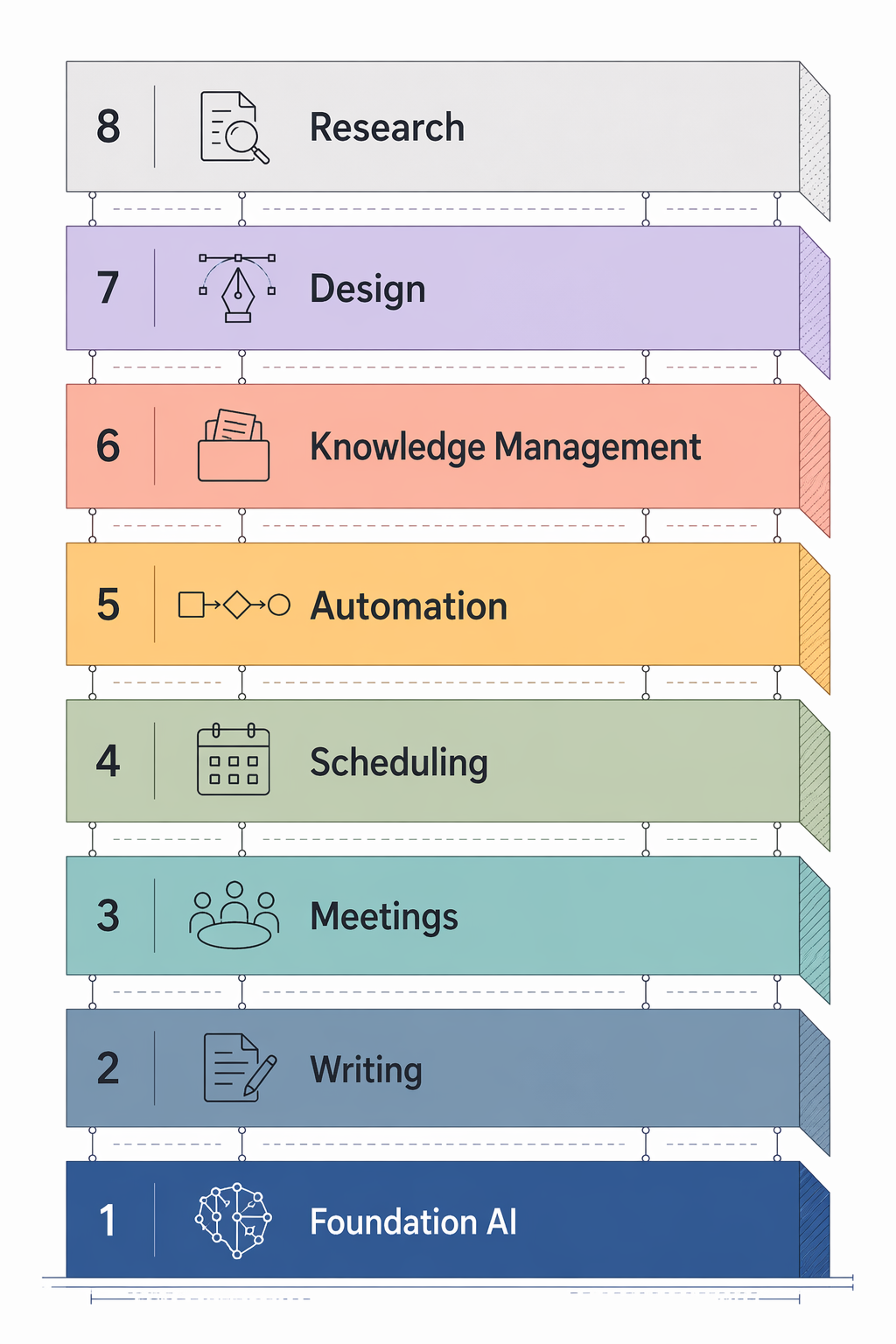
The eight layers of a lean AI productivity stack
1. Foundation AI: the general-purpose workbench
The foundation layer is the one AI tool almost every knowledge worker should choose first. It handles messy thinking: turning raw notes into a plan, comparing options, drafting a first version, explaining a technical document, building a checklist, or helping you see the structure of a problem before you open a dozen tabs.
For most professionals, this should be a mainstream assistant from a durable provider rather than a niche tool built around one impressive workflow. Roundups from Zapier and DataCamp consistently organize tools around broad assistants such as ChatGPT, Claude, Gemini, and Microsoft Copilot, alongside more specialized productivity apps [5][6]. The exact model names in this category change quickly, so treat any model label you see in a review as a snapshot, not a purchasing promise. Verify the current model, file limits, privacy controls, and team features on the official product page before subscribing.
Choosing badly here usually means either underbuying or overbuying. Underbuying leaves you with a weak assistant that cannot handle longer documents or serious reasoning. Overbuying means paying for multiple foundation assistants because each one wins a different benchmark. Unless your job depends on model comparison, pick one default and let edge cases stay edge cases.
2. Writing: the layer that lives where words are shipped
Writing AI earns a separate layer only when writing is a frequent output: client email, proposals, documentation, reports, support replies, job descriptions, newsletters, or internal updates. If you write occasionally, your foundation assistant may be enough. If words are your daily surface area, a dedicated writing tool can remove the repeated polishing work that otherwise eats attention in small bites.
The best fit is usually embedded: browser extension, document sidebar, email integration, or an editor your team already uses. Grammarly, Notion AI, Google Workspace AI features, Microsoft Copilot, and similar tools appear frequently in productivity roundups because they sit close to existing writing surfaces [5][6]. That proximity is the whole point. A writing assistant that forces every paragraph through another app may improve sentences while damaging the workflow.
The risk is voice flattening. If every message becomes generically polished, you have traded rough edges for blandness. Set the tool to enforce clarity, grammar, structure, and audience fit; do not let it become the final author of every human communication.
3. Meetings: capture decisions, not just transcripts
Meeting tools are tempting because the pain is obvious. People spend the meeting talking, then spend extra time reconstructing what was decided. A meeting AI layer should absorb the low-value parts: transcription, speaker-attributed notes, summary, action items, and follow-up drafts.
The trap is mistaking recording for productivity. If nobody reviews the summary, assigns the actions, or connects the decision to a project, the meeting bot has only created a searchable archive of things people still will not read. Tools such as Fireflies, Otter, Fathom, and related meeting assistants show up across 2026 productivity lists because they address a real recurring workflow [5][6][8]. The selection question is not which one has the longest feature page. It is which one reliably joins the meetings you actually hold and exports outcomes to the place your team already checks.
This layer matters most for managers, consultants, sales teams, customer success teams, recruiters, and anyone whose calendar is full of decision-heavy conversations. It matters less for people whose meetings are rare, informal, or privacy-sensitive enough that recording creates more friction than it removes.
4. Scheduling: protect the calendar before it fragments the day
Scheduling AI is not glamorous, but calendar friction compounds. A good scheduling layer handles booking links, rescheduling, meeting buffers, focus blocks, and sometimes smart prioritization. It is especially useful for people whose work depends on coordination with clients, candidates, vendors, or cross-functional teams.
Choose this layer only if calendar negotiation is a real bottleneck. Otherwise, the built-in tools in Google Calendar, Outlook, Calendly, or your project suite may be enough. The mistake is adopting an AI scheduler that creates a parallel calendar logic nobody else understands. Your calendar is shared infrastructure. If the tool cannot respect your existing calendar, working hours, buffers, and team norms, it will externalize the mess onto everyone trying to book you.
5. Automation: the handoff layer
Automation is where the stack starts to behave like a system. A foundation assistant can help you think. A writing tool can polish the output. A meeting tool can capture the decision. Automation moves the resulting information: from form to CRM, from transcript to task, from support ticket to summary, from spreadsheet row to notification.
Mature platforms matter here. Zapier’s own AI productivity roundup naturally includes automation workflows and AI-connected app actions because many productivity gains come from reducing manual transfer between tools, not from generating more text [5]. Make and native workflow builders can also fit, depending on the apps your organization already uses.
The risk is silent failure. An AI automation that drafts a response, updates a record, or routes a task needs ownership and review rules. For low-risk work, automation can execute directly. For customer-facing, financial, legal, or personnel-sensitive work, it should prepare, classify, or suggest before a human approves. If nobody knows who owns the automation when it breaks, it does not belong in the stack yet.
6. Knowledge management: stop losing work after it is finished
Knowledge management is the layer that prevents every project from becoming an archaeological dig. It should hold notes, decisions, documents, project context, policies, and reusable thinking. AI search and summarization make this layer more valuable, but they also make poor information hygiene more expensive. If the workspace is full of duplicates, outdated pages, and unlabeled notes, AI will retrieve the clutter faster.
Notion, Coda, Mem, Obsidian-style workflows, Google Drive, Microsoft 365, and other knowledge systems can all be reasonable depending on team size and existing habits. The important choice is whether this layer is personal, team-wide, or company-wide. A personal note system can be idiosyncratic. A team knowledge base needs naming conventions, permissions, ownership, and review habits. A company knowledge system needs governance.
This is also where tool sprawl often hides. If meeting summaries live in one app, project docs in another, decisions in chat, research in browser bookmarks, and drafts in a foundation AI history, nobody has a real knowledge layer. Pick one home for durable knowledge and make other tools send important outputs there.
7. Design: fast visuals without inventing a shadow brand
The design layer is for people who need credible visuals but are not full-time designers: presentation slides, internal diagrams, one-off social assets, simple product mockups, webinar graphics, sales leave-behinds, and quick explainers. Canva, Adobe Express, Gamma, and similar tools appear in productivity roundups because they shorten the gap between “we need a visual” and “we have something usable” [5][6].
This layer should not be a free-for-all image generator. If your company has brand rules, legal review, accessibility standards, or customer-facing quality requirements, the design tool needs templates and approval paths. The goal is to remove unnecessary design dependency for simple work, not to flood the organization with off-brand assets that someone has to clean up later.
8. Research: source-aware synthesis
Research is the easiest layer to misuse because fluent answers feel like finished work. A research assistant should help find sources, compare claims, summarize long materials, track citations, and distinguish what is known from what is inferred. It should not be treated as an evidence machine unless it shows its work.
Perplexity, Elicit, Consensus, Gemini, ChatGPT with browsing or connectors, and other research-oriented tools are common candidates in AI productivity lists [5][6]. For business research, the deciding factor is source traceability. Can you inspect the original material? Can you tell whether the tool is summarizing a primary source, a blog post, a vendor page, or a forum thread? Can you export citations or at least maintain a link trail?
This layer matters most for analysts, strategists, marketers, founders, consultants, product managers, researchers, and writers. It matters less for work where the source of truth is internal and already belongs in the knowledge-management layer.
What a lean stack might cost
A practical 6–8 tool stack will often land somewhere around $42–153 per month, depending on which layers you actually need, whether you choose individual or team plans, and how many tools are already included in your workplace subscriptions. That range is a planning estimate using public pricing baselines from 2026 tool roundups and should be treated as last verified in June 2026; AI pricing, plan limits, and included model access change frequently, so check official pricing pages before subscribing [5][6][7][8].
| Stack shape | Typical included layers | Approximate monthly planning range | Best for |
|---|---|---|---|
| Minimum viable stack | Foundation AI, writing, meetings, knowledge management | $42–75 | Solo professionals or small teams with limited automation needs |
| Full lean stack | Foundation AI, writing, meetings, scheduling, automation, knowledge management, design, research | $90–153 | Managers, consultants, operators, marketers, and hybrid teams |
| Workplace-subsidized stack | Some layers covered by Microsoft 365, Google Workspace, Notion, Slack, or existing tools | Lower out-of-pocket cost, but variable | Employees whose companies already pay for productivity suites |
The payback case depends on recovered time, not feature count. If a lean stack saves 5–10 hours per week, the value can plausibly exceed $500–1,000 per month at conservative professional hourly rates. But that estimate should be used as a testable hypothesis, not a guarantee. Survey findings about productivity and focus are encouraging, and controlled task studies show measurable gains in specific contexts, but your own stack has to prove itself against your own calendar [2][3].
If you need stricter payback math, use the AI productivity tools ROI guide. For implementation details, the more tactical next step is How to Build an AI Productivity Stack That Actually Sticks.
A sane way to build it
Do not buy all eight layers in one afternoon. Start with the layer that touches the most repeated pain. For many people, that is foundation AI plus meetings or writing. For operations-heavy roles, automation may come earlier. For analysts and strategists, research may matter more than design. The architecture is fixed; the order is personal.
- Inventory the tools you already use. Mark which layer each one currently serves.
- Circle overlaps. If two tools summarize meetings, rewrite documents, or search the same files, one needs a clear reason to stay.
- Choose one default per layer. Default does not mean exclusive forever; it means the team knows where that kind of work belongs.
- Run a 30-day trial with a specific measurement: hours saved, handoffs removed, drafts completed, meetings shortened, or tasks closed faster.
- Cancel or downgrade anything that cannot defend its place.
This approach leaves room for preference without surrendering to chaos. A writer may prefer one foundation assistant while an engineer prefers another. A team already committed to Microsoft 365 may make different choices than a startup living in Google Workspace and Notion. The stack does not require one universal brand list. It requires clean boundaries.
There is also no prize for using every layer. If you do not create visuals, skip design. If your calendar is stable, skip scheduling. If your work rarely depends on external sources, research may stay inside your foundation AI tool. The leanest stack is not the one with exactly eight paid subscriptions. It is the one where every active tool owns a distinct job.
Choose one tool per work layer. Verify pricing, plan limits, privacy terms, and current model capabilities before subscribing. Measure whether the stack actually returns hours. Remove any tool that cannot explain, in one sentence, what work it owns.
References
- 2024 Work Trend Index Annual Report, Microsoft, 2024, https://www.microsoft.com/en-us/worklab/work-trend-index
- The new AI advantage, Slack, https://slack.com/blog/news/the-new-ai-advantage
- Navigating the Jagged Technological Frontier: Field Experimental Evidence of the Effects of AI on Knowledge Worker Productivity and Quality, Harvard Business School, https://www.hbs.edu/faculty/Pages/item.aspx?num=64700
- The social economy: Unlocking value and productivity through social technologies, McKinsey & Company, https://www.mckinsey.com/industries/technology-media-and-telecommunications/our-insights/the-social-economy
- The best AI productivity tools, Zapier, https://zapier.com/blog/best-ai-productivity-tools/
- Best AI Tools for Productivity, DataCamp, https://www.datacamp.com/blog/best-ai-tools-productivity
- Best AI Tools for Productivity in 2026: 10 We Actually Use Every Day, Cohorte, https://www.cohorte.co/ai-articles/best-ai-tools-for-productivity-in-2026-10-we-actually-use-every-day
- AI Productivity Tools, Vibe, https://vibe.us/blog/ai-productivity-tools/
Comments
Join the discussion with an anonymous comment.