
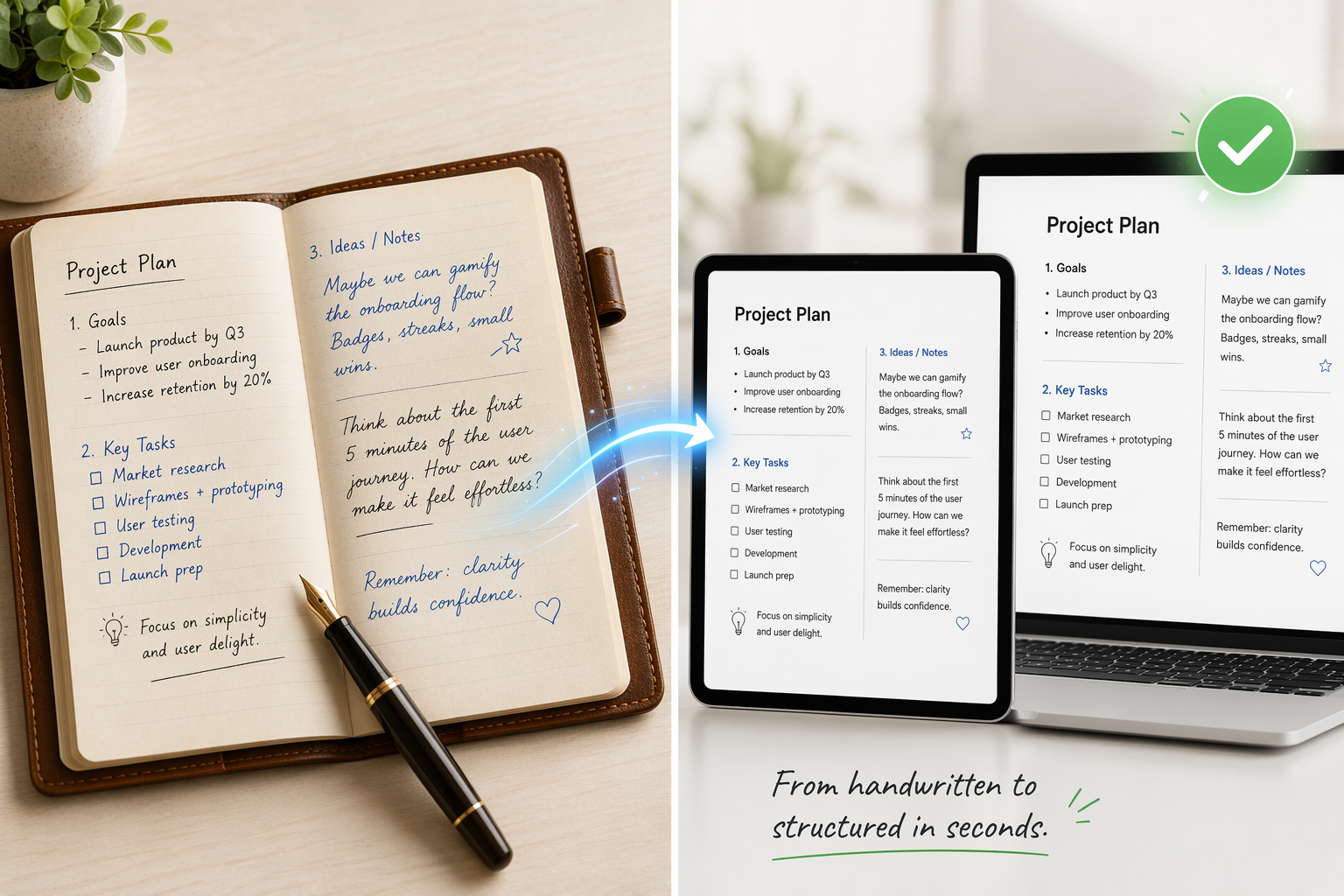
Why Handwriting-to-Text Conversion Matters in 2026
The gap between free and paid handwriting-to-text tools has narrowed considerably over the past two years. Where basic note-taking apps once struggled to reach 70% accuracy on anything beyond neat block letters, today's ecosystem — from Google Keep to GPT-5 — delivers usable results across a much wider range of handwriting styles. But that doesn't mean the choice is simple.
Real-world handwriting recognition accuracy typically lands between 80% and 95%, fluctuating based on penmanship neatness, according to a 2026 guide from Apryse. Neat printing in form boxes achieves 90% to 95% accuracy; average everyday handwriting falls to 80% to 90%; messy or cursive notes can drop to 60% to 80%. The tool you choose matters most at the lower end of that range — when your handwriting is sloppy, your scan is poor, or your document is historical cursive.
This article covers the full spectrum: free ecosystem tools built into your phone or tablet, dedicated iPad note-taking apps, web-based OCR services for existing documents, enterprise cloud APIs for batch processing, and frontier AI models that handle the messiest handwriting. Each section includes accuracy data from published benchmarks, pricing context, and a clear statement of which workflow it serves best.
Quick Comparison Table: Handwriting-to-Text Tools at a Glance
The table below maps the major tools across four tiers — free/ecosystem, dedicated iPad apps, existing-document converters, and enterprise/LLM solutions — with accuracy ranges, pricing, and best-fit use cases. Use it as a starting point, then dive into the section that matches your workflow.
| Tool / Service | Tier | Accuracy Range (Clear Handwriting) | Pricing | Best For |
|---|---|---|---|---|
| Google Keep | Free / Ecosystem | ~70–80% (near-perfect on clear text in some tests) | Free | Quick capture, simple notes, Google ecosystem users |
| Apple Scribble | Free / Ecosystem | ~70–80% | Free (iPadOS) | Real-time iPad note-taking, Apple Pencil users |
| Microsoft OneNote | Free / Ecosystem | ~70–80% (Mac OCR removed post-Mojave) | Free (basic) | Windows/Android note-taking, Office ecosystem |
| Microsoft Lens | Free / Ecosystem | ~70–80% | Free | Mobile document scanning, whiteboard capture |
| Nebo (MyScript) | Dedicated iPad App | ~85–95% (vendor claim) | ~$9.99 one-time | Real-time conversion, math/diagram support |
| GoodNotes 6 | Dedicated iPad App | ~85–95% (vendor claim) | ~$9.99 one-time | Lasso-convert, handwriting search, study features |
| Notability | Dedicated iPad App | ~85–95% (vendor claim) | ~$14.99/year | Audio-synced notes, student workflows |
| Pen to Print | Existing-Document OCR | Claims 98.2% word accuracy | Free tier; ~$4.99/month premium | Digitizing handwritten letters and forms |
| Transkribus | Existing-Document OCR | Varies by model (specialized for historical) | Free tier; credits-based pricing | Historical/cursive documents, archival research |
| HandwritingOCR.com | Existing-Document OCR | ~90–97% (specialized claim) | Pay-per-page or subscription | Multi-language documents, PDF handwriting |
| ABBYY FineReader | Enterprise / Cloud API | 91.7% cursive / 95.2% print | ~$199 one-time or ~$16/month | Business documents, high-accuracy batch OCR |
| Azure Document Intelligence | Enterprise / Cloud API | 91.3% word-level accuracy | ~$10 per 1,000 pages | Scalable cloud processing, business workflows |
| Amazon Textract | Enterprise / Cloud API | ~89.5% word-level accuracy | Pay-per-page | AWS ecosystem, document pipelines |
| Google Document AI | Enterprise / Cloud API | ~63–77% on cursive | ~$0.0015 per page | Google Cloud integration, high-volume processing |
| GPT-5 | LLM-Powered | 95% (AIMultiple cursive benchmark) | Per-token pricing | Messy/cursive handwriting, low-quality scans |
| Gemini 2.5 Pro | LLM-Powered | 93% (AIMultiple cursive benchmark) | Per-token pricing | Difficult handwriting, complex document layouts |
Best for Live iPad Note-Taking: Nebo, GoodNotes, and Notability
If you take handwritten notes directly on an iPad with a stylus, the three apps below are the most mature options for real-time handwriting conversion. Each handles the core task differently, and the best choice depends on whether you need math support, audio sync, or handwriting search.
Nebo (MyScript)
Nebo converts handwriting to text in real time as you write — you see typed text appear instantly rather than storing ink strokes. This makes it the closest thing to typing on an iPad while still using a stylus. It also supports mathematical expressions and simple diagrams, which it converts to editable digital objects. Nebo is a one-time purchase around $9.99 and works on iPad, iPhone, and select Android devices. Its real-time conversion engine is widely considered the most responsive for live note-taking, though independent accuracy benchmarks are not available.
GoodNotes 6
GoodNotes 6 takes a different approach: it stores your handwriting as ink and converts it to text on demand. You select handwritten content with the lasso tool and choose "Convert" — the app transcribes the selection into typed text. This is useful when you want to keep handwritten annotations but also need searchable text. GoodNotes 6 also offers handwriting search across all your notebooks, which is a significant advantage for students and researchers who need to find specific notes later. It costs approximately $9.99 one-time.
Notability
Notability combines handwriting conversion with audio recording — a killer feature for lecture and meeting notes. As you write, the app records audio and syncs it with your handwritten strokes. When you convert a section to text, you can tap on any word to hear what was being said at that moment. Notability's handwriting conversion is solid but not as fast as Nebo's real-time engine. It uses a subscription model at roughly $14.99 per year.
| Feature | Nebo | GoodNotes 6 | Notability |
|---|---|---|---|
| Conversion Style | Real-time (as you write) | On-demand (lasso + convert) | On-demand + audio sync |
| Math & Diagram Support | Yes (native) | No | No |
| Handwriting Search | Limited | Yes (full notebook search) | Yes |
| Audio Recording Sync | No | No | Yes |
| Pricing | ~$9.99 one-time | ~$9.99 one-time | ~$14.99/year |
| Platform | iPad, iPhone, Android | iPad, iPhone, Mac | iPad, iPhone, Mac |
For readers who also need device-level advice — which iPad or stylus works best with these apps — see our Best Note-Taking App with Stylus: A Device-First Comparison. Students comparing study-specific features like audio recording and handwriting search should check Best Note-Taking App with Stylus for Students in 2026.
Best for Digitizing Existing Paper Documents: Pen to Print, Transkribus, and HandwritingOCR.com
Live note-taking apps are designed for writing, not reading. If you have a stack of handwritten letters, old notebooks, or historical documents that need to become digital text, you need a tool built for scanning and OCR — not an iPad note-taking app.
Pen to Print
Pen to Print is a budget-friendly option that claims 98.2% word accuracy for its handwriting OCR engine. It offers a free tier with limited pages and a premium subscription at roughly $4.99 per month. The tool is designed specifically for converting scanned handwritten documents — letters, forms, journal entries — into editable text. It works best with clear, well-lit scans and struggles with highly stylized cursive or low-resolution images.
Transkribus
Transkribus occupies a unique niche: it is purpose-built for historical and cursive documents. Researchers, archivists, and genealogists use it to transcribe 18th and 19th century handwriting that would stump general-purpose OCR tools. Transkribus uses custom AI models trained on specific handwriting styles, so accuracy varies depending on how well the model matches your document. It offers a free tier with limited credits and paid plans for higher volume.
HandwritingOCR.com
HandwritingOCR.com is a web-based service that processes documents in over 30 languages and handles PDF files with handwritten content. It is a strong middle-ground option: more accessible than Transkribus (no model training required), more capable than Pen to Print for multi-language documents, and cheaper than enterprise APIs for moderate volumes. It uses pay-per-page or subscription pricing.
| Tool | Best For | Accuracy Claim | Pricing | Language Support |
|---|---|---|---|---|
| Pen to Print | Everyday letters, forms, journal pages | 98.2% word accuracy (vendor claim) | Free tier; ~$4.99/month premium | Limited (primarily English) |
| Transkribus | Historical/cursive documents, archival research | Varies by trained model | Free tier; credits-based pricing | Multi-language, historical scripts |
| HandwritingOCR.com | Multi-language documents, PDF handwriting | ~90–97% (specialized claim) | Pay-per-page or subscription | 30+ languages |
Free and Ecosystem Options: Google Keep, OneNote, Apple Scribble, and Microsoft Lens
Not everyone needs a dedicated tool. If your handwriting is reasonably clear and your volume is low, the free options built into your phone, tablet, or laptop may be sufficient. The key is understanding their limitations.
Google Keep
Google Keep's "Grab image text" feature is surprisingly capable. In a real-world test of children's handwriting published by MachOW2, Keep achieved near-perfect transcription — missing only the first word of a sentence while several paid desktop tools made more errors. Keep is completely free, requires no setup, and works on any device with a browser or the mobile app. Its accuracy drops significantly on cursive or low-quality images, but for clear handwritten notes captured with a phone camera, it is often good enough.
Microsoft OneNote
OneNote includes handwriting OCR, but with an important caveat: the Mac version lost OCR scanning support after macOS Mojave. Windows and Android users can still extract text from handwritten images, and the feature works reasonably well on clear handwriting. OneNote's handwriting search — which finds typed text within your handwritten notes — is a useful differentiator for users already in the Microsoft ecosystem.
Apple Scribble
Apple Scribble is built into iPadOS and works with any app that supports text input. When you write with an Apple Pencil in a text field, Scribble converts your handwriting to typed text in real time. It is seamless for quick entries — searching in Safari, replying to messages, filling in forms — but it is not designed for bulk document conversion. Accuracy is solid on neat printing but declines with cursive or fast writing.
Microsoft Lens
Microsoft Lens (formerly Office Lens) is a mobile scanning app that can capture whiteboards, documents, and handwritten notes, then extract text using OCR. It is free, available on iOS and Android, and integrates with OneDrive and OneNote. Like the other free options, it handles clear handwriting well but struggles with cursive and poor lighting.
| Tool | Platform | Accuracy on Clear Handwriting | Best Use Case | Cost |
|---|---|---|---|---|
| Google Keep | Web, iOS, Android | ~70–80% (near-perfect in one test) | Quick capture, simple notes | Free |
| OneNote | Windows, Mac (limited), Android, iOS | ~70–80% | Ecosystem note-taking, handwriting search | Free (basic) |
| Apple Scribble | iPadOS only | ~70–80% | Real-time text input in any app | Free |
| Microsoft Lens | iOS, Android | ~70–80% | Mobile document/whiteboard scanning | Free |
For a deeper cost-benefit analysis of free versus paid options, see Free vs. Paid Handwriting-to-Text Apps: When Does Paying Actually Matter?.
Enterprise and Cloud API Tier: Google Document AI, AWS Textract, Azure, and ABBYY FineReader
When you need to process thousands of handwritten documents — medical intake forms, historical archives, customer correspondence — consumer apps and web-based OCR tools hit their limits. Enterprise cloud APIs and desktop OCR suites offer scalable, auditable, and often more accurate solutions.
ABBYY FineReader
ABBYY FineReader consistently leads independent benchmarks for handwriting OCR. In a published comparison, ABBYY achieved 91.7% accuracy on cursive handwriting and 95.2% on handwritten print — outperforming Adobe Acrobat Pro (79.3% cursive, 88.6% print) and Readiris (84.9% cursive, 92.4% print). ABBYY supports over 200 languages and offers a one-time license at approximately $199 or a subscription at roughly $16 per month. It is the strongest choice for desktop-based batch processing of business documents.
Azure Document Intelligence
Microsoft's cloud OCR service, Azure Document Intelligence (formerly Form Recognizer), measured 91.3% word-level accuracy in AIMultiple's 2026 cursive benchmark, with a word error rate of 8.67%. It is priced at roughly $10 per 1,000 pages and integrates with the broader Azure ecosystem for document processing pipelines. Azure is a strong choice for organizations already using Microsoft cloud services.
Amazon Textract
Amazon Textract achieved approximately 89.5% word-level accuracy (10.5% WER) in the same AIMultiple benchmark. It is priced per page and integrates natively with AWS services like S3, Lambda, and Comprehend. Textract is a solid option for organizations building automated document processing workflows on AWS, though its handwriting accuracy trails Azure and ABBYY.
Google Document AI
Google Document AI measured approximately 63–77% on cursive handwriting in independent tests — significantly lower than its competitors on this specific task. However, it is the cheapest option at roughly $0.0015 per page, and it benefits from Google's broader AI infrastructure. For organizations that primarily process printed forms and only occasionally encounter handwriting, Document AI's low cost may outweigh its accuracy limitations.
| Service | Cursive Accuracy | Print Accuracy | Pricing | Best For |
|---|---|---|---|---|
| ABBYY FineReader | 91.7% | 95.2% | ~$199 one-time or ~$16/month | Desktop batch processing, highest accuracy |
| Azure Document Intelligence | 91.3% word-level | N/A | ~$10/1K pages | Cloud-native workflows, Microsoft ecosystem |
| Amazon Textract | ~89.5% word-level | N/A | Pay-per-page | AWS document pipelines |
| Google Document AI | ~63–77% | N/A | ~$0.0015/page | Low-cost, primarily printed forms |
LLM-Powered Tools for Messy Handwriting: GPT-5 and Gemini 2.5 Pro
Frontier AI models have changed the handwriting-to-text landscape in a specific way: they handle messy, cursive, and low-quality handwriting better than any traditional OCR tool. If your source material is a crumpled note, a historical letter in cursive, or a whiteboard photo taken from a bad angle, an LLM may outperform everything else on this list.
In AIMultiple's 2026 cursive handwriting benchmark — which tested 100 cursive samples across 10 writers — GPT-5 achieved 95% accuracy, the highest among all evaluated models. Gemini 2.5 Pro followed at 93%. Both outperformed every traditional OCR tool and cloud API in the same test.
| Model | Cursive Accuracy (AIMultiple Benchmark) | Pricing Model | Best For |
|---|---|---|---|
| GPT-5 | 95% | Per-token | Highest accuracy on messy/cursive handwriting |
| Gemini 2.5 Pro | 93% | Per-token | Difficult handwriting, complex layouts |
Comments
Join the discussion with an anonymous comment.