
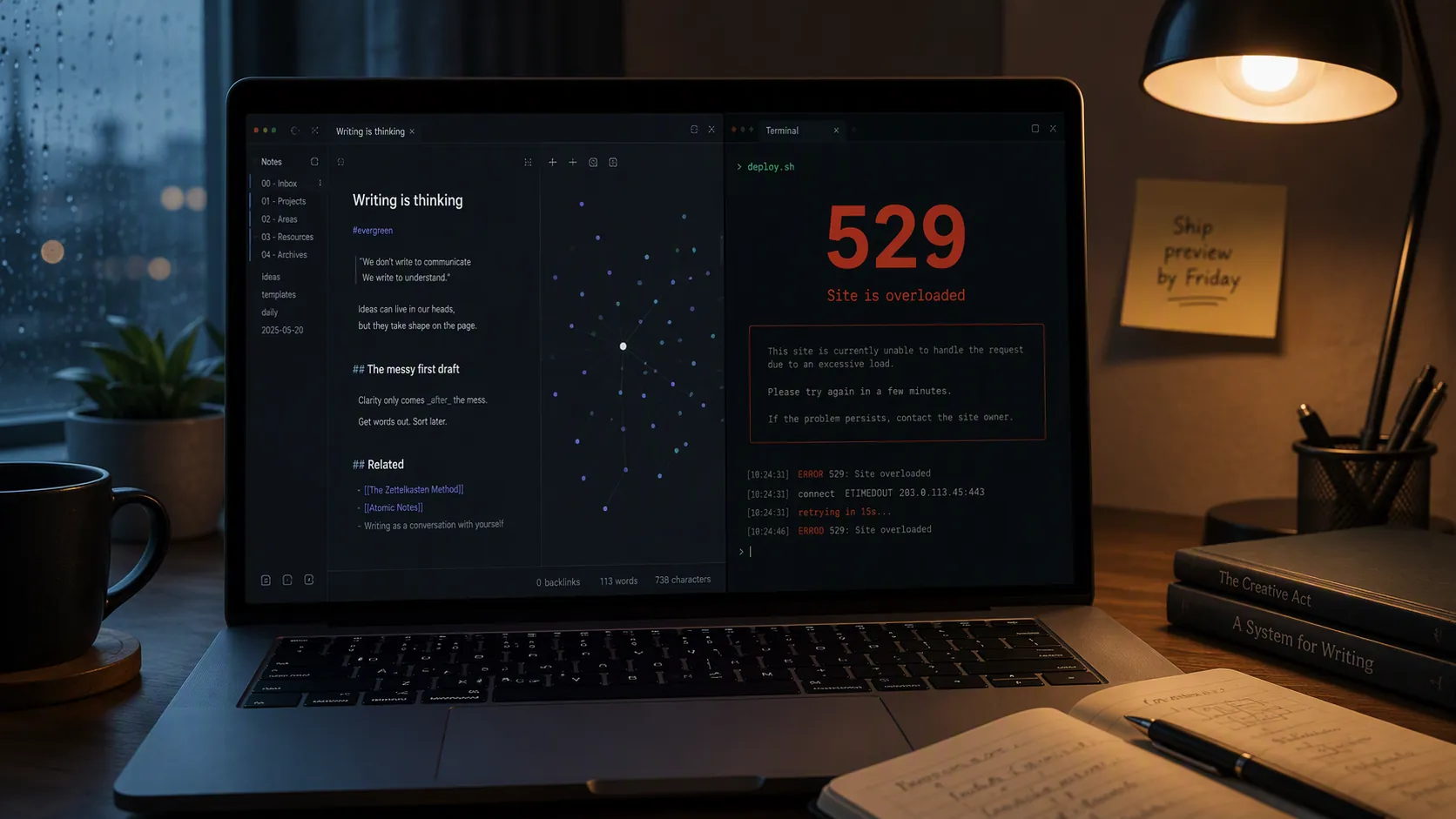
The first thing to stop doing is the thing that feels most responsible: regenerating keys, rechecking every MCP setting, and wrapping your Obsidian or Notion script in yet another retry loop. If Claude Code has been working and then throws a 529 during vault processing, meeting-note summarization, or a daily review, the likely problem is not that your note-taking setup is broken. Claude Code already retries up to 10 times with exponential backoff before surfacing an error, and `CLAUDE_CODE_MAX_RETRIES` defaults to 10 with a cap of 15.[1]
That one detail changes how to fix a Claude 529 error in note-taking workflow automations. If the 529 is visible in your terminal, Claude Code has already tried to recover in the background. More retries may make a batch job hang longer, but they do not change the underlying condition: Anthropic is telling you the model is overloaded, not that your API key is invalid.
First, confirm this is capacity contention, not a broken setup
A 529 should be handled differently from a 429. Anthropic’s API error taxonomy identifies 529 as `overloaded_error`, while 429 is `rate_limit_error`.[2] That distinction matters because rate-limit advice usually points you toward quotas, pacing, and usage ceilings. Overload advice points you toward model availability, request weight, fallback behavior, and timing.
The confusion is understandable. Some older Claude Code troubleshooting advice blurred the 529-versus-429 boundary, and the August 2025 change noted in later community-facing analysis made that distinction worth checking before you start changing your automation.[3] For a note workflow, the practical test is simple: if the same command works later without a key change, if the failure appears mid-run rather than at startup, and if the error text says overloaded rather than unauthorized or rate-limited, treat it as capacity contention.
- Do not rotate the API key unless you also see authentication errors.
- Do not assume your MCP server is misconfigured if the same Obsidian or Notion command usually works.
- Do not raise retries as the first fix; Claude Code has already retried before you see the 529.
- Do inspect which model your job is using, how much context it sends, and when the job runs.
That keeps the debugging surface narrow. You are not rebuilding the second brain. You are making the existing Claude Code layer less fragile when model capacity gets tight.
Put fallback behavior where it actually helps
For batch note-processing jobs, the most useful setup change is the `--fallback-model` flag. Claude Code’s CLI reference describes this as a way to use a fallback model when the primary model is overloaded, and it applies to non-interactive usage such as `-p` and background sessions.[4] That maps cleanly to the places where 529s are most disruptive: scheduled daily reviews, meeting-note summarizers, inbox processors, and vault-wide cleanup scripts.
claude -p "$(cat prompts/daily-review.md)" \
  --model <your-primary-model> \
  --fallback-model <your-fallback-model>
Use the fallback on the command that runs unattended, not only in the interactive session you use when you are watching the terminal. If your Notion export processor, Obsidian daily-note generator, or PARA inbox sorter runs through a shell script, npm script, task runner, or cron-like scheduler, put the fallback there.
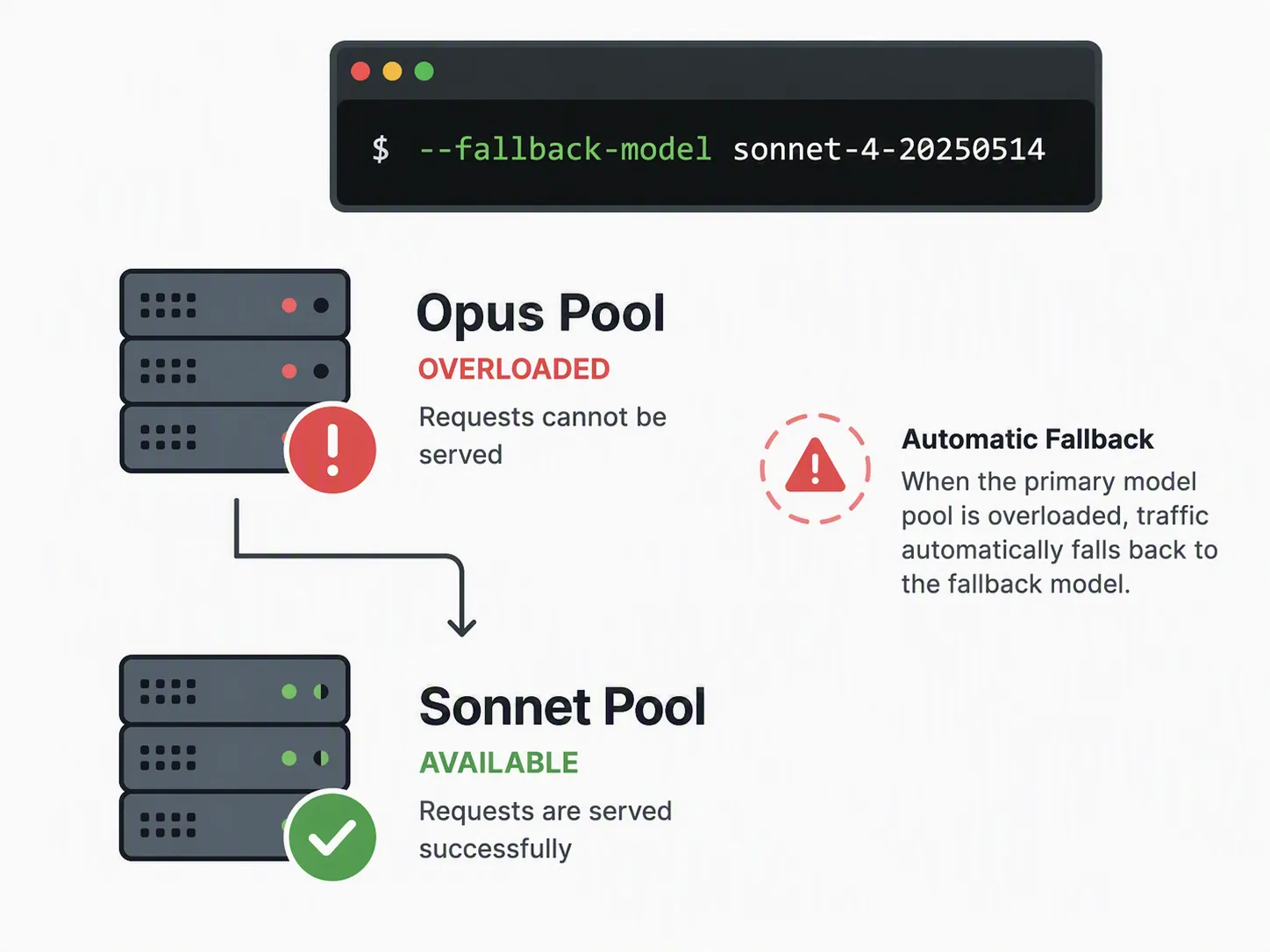
A typical pattern is to keep your preferred model as the primary model for quality-sensitive work and set a cheaper or more available model family as the fallback. For example, a batch job that normally uses an Opus-class model for synthesis can fall back to a Sonnet-class model when the primary pool is overloaded. The exact model identifiers should match the models available in your Claude Code environment rather than being copied blindly from someone else’s shell history.
This is strongest for non-interactive work because it saves the run without asking you to notice the failure. A daily review should not require you to be at the keyboard at 7:15 a.m. to switch models manually. A meeting-note batch should not stop after processing three files because the first model pool ran hot for a few minutes.
The boundary is just as important: fallback is not an outage shield. Opus and Sonnet capacity can be affected at the same time during broader platform-wide overloads, even if one model family is sometimes available while another is not.[3][5] So the fallback model is worth adding, but it should not be sold to your future self as a guarantee.
Use `/model` when you are already inside the session
For an interactive Claude Code session, the shorter move is `/model`. The CLI reference documents `/model` as the command for switching models mid-session.[4] If your Obsidian assistant is already open and one model starts failing, switching manually can be faster than restarting the session or editing a script.
`/model` is a working-session tool. `--fallback-model` is the unattended-job tool. Keeping that distinction clear prevents a surprisingly common mistake: configuring the interactive habit while leaving the scheduled daily review with no fallback at all.
Reduce the context your notes send into every request
The second fix is less dramatic than model fallback, but it is often the difference between a note workflow that feels sturdy and one that fails under load. Your `CLAUDE.md` should not become a scrapbook of every preference, convention, folder rule, project taxonomy, and exception you have ever developed.
A note-taking workflow becomes powerful precisely because Claude Code can adapt to how you work. One May 2026 XDA account described a user canceling Notion after Claude Code learned their note-taking patterns, which is a useful example of why people wire Claude Code into personal knowledge systems in the first place.[6] But the same pattern can create a reliability tax: every extra instruction, embedded convention, and oversized context bundle makes each request heavier.
The aim is not to make Claude less informed. The aim is to stop sending global context when the task needs local context. A daily review, a meeting summary, and a vault refactor do not need the same prompt weight.
| Context source | Keep it global when | Move it out of global context when |
|---|---|---|
| `CLAUDE.md` | It applies to almost every note-processing command | It only applies to one workspace, project, or task type |
| Prompt file | The instruction is reused by a scheduled job | The instruction is experimental or temporary |
| Retrieved notes | The task genuinely needs those notes to reason correctly | The notes are included only because the script grabs a whole folder |
| Examples | One short example prevents repeated formatting errors | Several examples are included because they once helped during setup |
For Obsidian, the usual culprit is a script that passes too much of the vault because it is easier than selecting the right files. For Notion, it is often a workspace export or database query that brings along properties, archived pages, old meeting notes, and unrelated project material. Those choices may be convenient during prototyping, but they make each Claude call larger than the actual task requires.
A cleaner `CLAUDE.md` for note workflows usually has four parts:
- Stable role: what Claude Code is allowed to do in the note system.
- File boundaries: which folders, databases, or note types are safe to read and edit.
- Output conventions: headings, links, tags, front matter, or Notion property rules that must stay consistent.
- Escalation rules: when Claude should ask before renaming, deleting, merging, or rewriting notes.
Everything else should earn its place. If a rule only matters for weekly review, put it in the weekly-review prompt. If a convention only matters for meeting notes, keep it with the meeting-note command. If an example is there because it fixed one bad output two months ago, test whether the workflow still needs it.
Good global instruction:
- Preserve existing Obsidian wiki links unless a note is being explicitly renamed.

Better as a task-specific instruction:
- For client meeting notes, produce Decisions, Open Questions, Follow-ups, and Risks.

Usually too heavy for global context:
- Full PARA folder explanations, old project exceptions, several long examples, and every formatting preference for every note type.
This is also where many MCP workflows improve without touching the MCP server. If the connector is feeding Claude a broad slice of your workspace, fix the selection rule before debugging transport settings. A smaller, better-selected request is easier to complete when the model infrastructure is busy.
Move heavy note jobs out of the worst contention window
Scheduling is not superstition when the job is non-urgent and repeatable. ofox.ai’s 2026 log records platform-wide Claude 529 events on March 2, March 18, March 19, and June 2. Its March 18 entry says the event started at 06:30 UTC and intensified through US morning hours.[5] That does not prove a universal rule for every future overload, but it is enough to justify moving batch jobs away from the period when a large share of US business usage comes online.
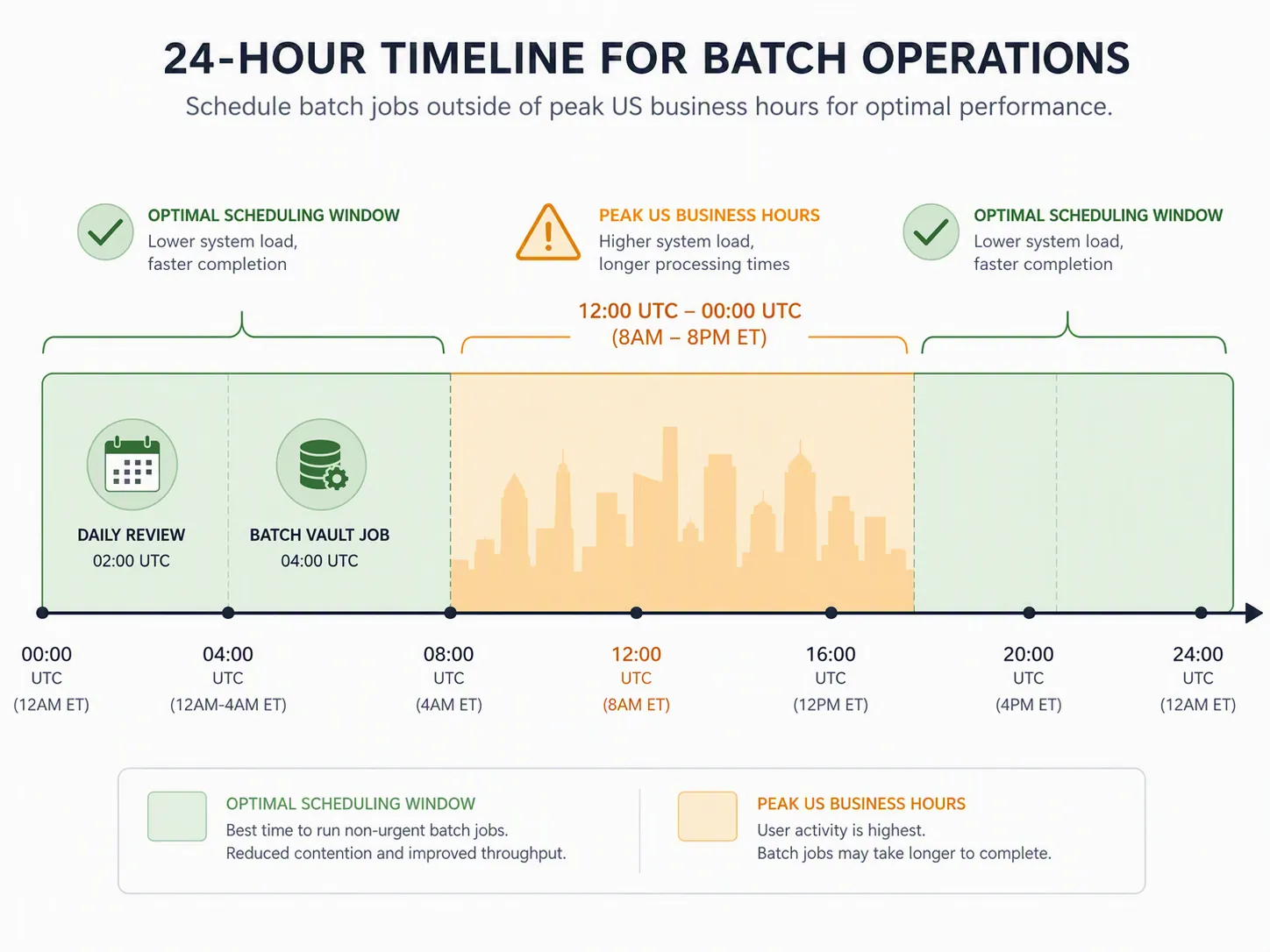
The jobs to move first are the ones that combine three traits: they are scheduled, they are context-heavy, and no one is actively waiting on them. Vault-wide summarization, daily review preparation, stale-note cleanup, and Notion database synthesis all fit that pattern. A live meeting summary that someone needs in ten minutes does not.
| Workflow | How to harden it |
|---|---|
| Daily review generation | Run it before your workday or later in the evening instead of during US morning overlap. |
| Weekly review synthesis | Schedule it well before the review block, not at the moment you sit down to review. |
| Vault-wide Obsidian cleanup | Split it by folder or project area and run the chunks outside peak usage windows. |
| Notion meeting-note processing | Process urgent notes immediately; defer non-urgent backfill jobs to a lower-contention window. |
The useful habit is to separate preparation from review. If your daily review starts at 8:30, the Claude job should not start at 8:29. Generate the review artifact earlier, let the script fail or fall back while you are not depending on it, and read the result when the note system is supposed to be boring.
Retry variables are a footnote, not the fix
There are two Claude Code retry settings worth knowing, mainly so you do not overestimate them. `CLAUDE_CODE_MAX_RETRIES` defaults to 10 and is capped at 15. `CLAUDE_CODE_RETRY_WATCHDOG` is 300 seconds for unattended sessions.[1]
export CLAUDE_CODE_MAX_RETRIES=15
export CLAUDE_CODE_RETRY_WATCHDOG=300
Raising the retry count from the default to the cap may be reasonable for an overnight backfill job where time does not matter. It is a poor primary fix for a daily review, because the user-facing symptom already means the default retry path failed. Past that point, a longer wait can be worse than a clean fallback or a rescheduled run.
If you do tune retries, keep the change local to unattended scripts. Do not make every interactive note command wait longer just because one batch process sometimes collides with capacity pressure.
A practical setup order
Apply the changes in the order that removes the most wasted debugging first.
- Confirm the error is actually 529 `overloaded_error`, not 429 `rate_limit_error` or an authentication failure.
- Add `--fallback-model` to non-interactive Claude Code commands that run note-processing jobs.
- Use `/model` only for manual mid-session switching when you are actively working.
- Trim `CLAUDE.md` so global context contains only stable, cross-workflow rules.
- Move task-specific instructions into task-specific prompt files.
- Stop passing whole vaults, whole exports, or broad Notion databases when the job only needs a subset.
- Schedule heavy recurring jobs outside the most congested business-hour overlap when possible.
- Only then consider retry-variable tuning for unattended jobs that can safely wait.
These changes preserve the workflow you already built. Obsidian can stay Obsidian. Notion can stay Notion. Claude Code can keep doing the note plumbing. The difference is that the automation stops treating every overload as a local configuration mystery.
There is still a hard limit: no CLI flag can defeat a platform-wide Anthropic overload. Fallback models, lighter context, and smarter scheduling reduce interruptions in ordinary capacity contention; they do not create capacity when the service itself is broadly unavailable.
References
- Error Reference — Claude Code Docs
- Claude API errors — official Platform Docs — Anthropic Platform Docs
- Claude Code Overloaded Error? Fix API Error 529 Without Mistaking It for 429 — LaoZhang AI
- Claude Code CLI Reference — Claude Code Docs
- Claude API Error 529 'overloaded_error': 8 Fixes + Failover (2026) — ofox.ai
- I cancelled my Notion subscription after Claude Code learned how I take notes — XDA Developers, May 2026






Comments
Join the discussion with an anonymous comment.