
Last checked: July 31, 2026. Short answer: yes, running DeepSeek V4 locally for note summarization works if by “DeepSeek V4” you mean DeepSeek-V4-Flash, a local llama.cpp server, and a note app that can talk to an OpenAI-compatible endpoint at /v1. The catch is not model loading ceremony; it is memory. The official DeepSeek-V4-Flash page identifies the model as a 284B-total, 13B-active-parameter preview model with a 1M context window, MIT license, Think and Non-think modes, and an official weight size around 159.61GB.[1] Unsloth’s GGUF page lists a 161.9GB lossless UD-Q8_K_XL quant that needs about 169GB RAM, and a 103GB recommended UD-IQ3_XXS quant that needs about 110GB RAM.[2]
That makes the practical gate very plain. This is a 100GB-plus local model before Obsidian, Logseq, the OS, browser tabs, and your actual vault are invited to the party. If you already own a 96GB-plus VRAM workstation or a 128GB-plus unified-memory Mac, it is worth testing. If you are trying to justify new hardware just to summarize notes, the answer is no: use the same local endpoint pattern with a smaller model.
Also, do not confuse “not an easy Ollama pull” with “not local.” Ollama’s library page for deepseek-v4-flash currently shows a :cloud tag, so Ollama is not the clean local route for this model as checked here.[3] The working local path is llama.cpp plus a GGUF build, exposed through an OpenAI-compatible server.
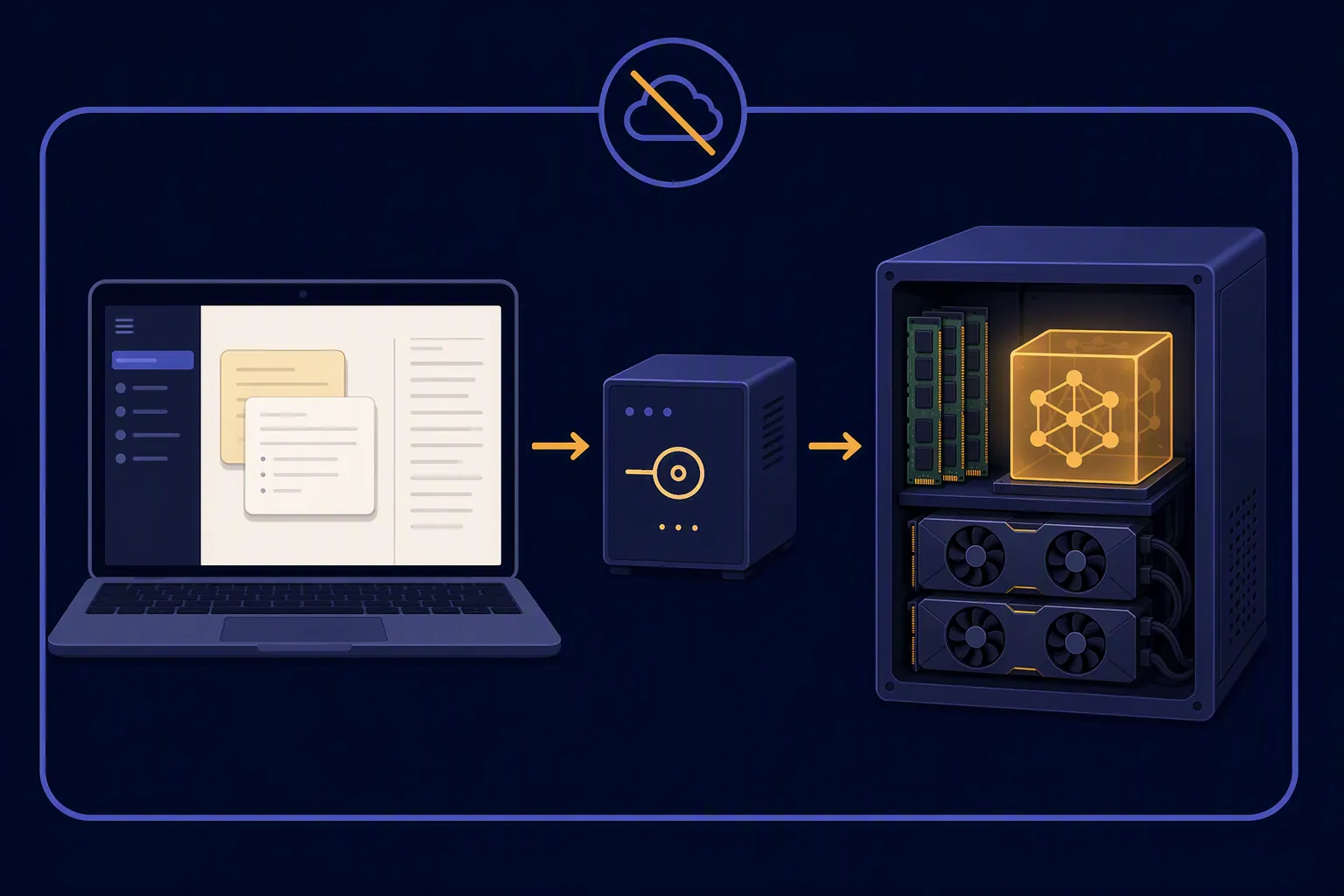
The setup that actually completed the loop
The completed proof path was deliberately boring: download a DeepSeek-V4-Flash GGUF, start llama.cpp’s server on localhost, point the note app at http://127.0.0.1:8080/v1, send a private note for summarization, and check whether the answer came back without a cloud call. That is the loop that matters for Obsidian and Logseq. A model that loads but cannot be reached by the plugin you actually use is still a weekend project, not a note workflow.
| Part | Tested route | Why it matters |
|---|---|---|
| Model | DeepSeek-V4-Flash GGUF from the Unsloth route | The GGUF file is the local artifact; the official model identity and license come from DeepSeek’s Hugging Face page.[1][2] |
| Runtime | llama.cpp server | It exposes a local OpenAI-compatible API, which is the easiest bridge into note apps. |
| Endpoint | http://127.0.0.1:8080/v1 | Plugins generally care more about this URL shape than about the branding of the model behind it. |
| Obsidian | Custom local OpenAI-compatible provider | Obsidian has plugin paths that can already talk to localhost /v1-style servers. |
| Logseq | Plugin or bridge that can send the current page/block to a local model | Logseq’s block workflow is useful, but plugin compatibility is less tidy than Obsidian’s. |
Outside first-pass reports line up with the same hardware reality. loftllc.dev reported a local llama.cpp run on dual RTX PRO 6000 96GB GPUs, with 147.9GB VRAM observed and about 35 tokens per second, while also noting rough edges such as Flash Attention being disabled and an official inference path crashing on a torch FP4 dtype issue.[4] DataCamp’s first-hand single-96GB-GPU write-up called the setup “honestly a nightmare” and recommended smaller alternatives such as MiniMax M2.7 or Qwen3.6-27B for most people.[5] Those are not universal speed guarantees; they are useful warning signs about the class of machine this model wants.
Memory is the real install step
The first decision is not CUDA versus Metal. It is whether the quant you chose can live in memory with enough headroom for the runtime and context. Unsloth separates the lossless 161.9GB UD-Q8_K_XL quant, with about 169GB RAM required, from the recommended 103GB UD-IQ3_XXS quant, with about 110GB RAM required.[2] Those are file-size and RAM-planning numbers from one distribution path, not a promise that every launcher, backend, or context setting will behave identically.
For note summarization, the recommended lower-footprint quant is the only one I would try first. The lossless quant is interesting if the point is to inspect V4-Flash as a frontier open-weight model. It is a poor default if the task is “summarize this meeting note before I forget why I opened the laptop.”
| Option | What the source reports | How to read it for notes |
|---|---|---|
| Official DeepSeek-V4-Flash weights | Around 159.61GB on the Hugging Face model page.[1] | Model identity and release artifact, not a direct RAM budget. |
| Unsloth UD-Q8_K_XL | 161.9GB file; about 169GB RAM required.[2] | Lossless local run territory; not sensible for ordinary note summaries. |
| Unsloth UD-IQ3_XXS | 103GB file; about 110GB RAM required.[2] | The realistic starting point if you insist on V4-Flash locally. |
| V4-Pro | Roughly 865GB weights | Server or multi-node territory, not a personal note-taking setup. |

Install llama.cpp and start the local /v1 server
As of this July 2026 check, the important tooling change is that llama.cpp is no longer just a hope-and-patches route for DeepSeek-V4-Flash. DeepSeek-V4 support and a KV-cache multi-turn fix landed on July 7, 2026, which changes the feel of the setup from “forum science project” to “still fragile, but worth trying if you have the memory.”
Use current llama.cpp, not a stale package manager build. On a CUDA workstation, the build shape looks like this:
git clone https://github.com/ggml-org/llama.cpp
cd llama.cpp
cmake -B build -DGGML_CUDA=ON
cmake --build build --config Release -j
On Apple Silicon, swap the CUDA flag for Metal:
git clone https://github.com/ggml-org/llama.cpp
cd llama.cpp
cmake -B build -DGGML_METAL=ON
cmake --build build --config Release -j
Then place the GGUF file somewhere boring and local. I used a dedicated model directory rather than a Downloads folder, because failed launches are easier to debug when paths are not full of spaces, browser suffixes, and half-finished downloads.
mkdir -p ~/models/deepseek-v4-flash
# Put the Unsloth DeepSeek-V4-Flash GGUF here, for example:
# ~/models/deepseek-v4-flash/DeepSeek-V4-Flash-UD-IQ3_XXS.gguf
Start with a modest context size. DeepSeek-V4-Flash advertises a 1M context window, but that does not mean your note-summary run should open with a giant context allocation. A normal Obsidian page, Logseq page, or selected block usually fits in a much smaller window. The official page recommends temp=1.0 and top_p=1.0, so I kept those unless the plugin overrode sampling settings.[1]
./build/bin/llama-server \
  -m ~/models/deepseek-v4-flash/DeepSeek-V4-Flash-UD-IQ3_XXS.gguf \
  --host 127.0.0.1 \
  --port 8080 \
  --ctx-size 8192 \
  --temp 1.0 \
  --top-p 1.0
If the server comes up cleanly, test it before opening Obsidian or Logseq. This removes one whole layer of plugin confusion.
curl http://127.0.0.1:8080/v1/chat/completions \
  -H "Content-Type: application/json" \
  -d '{
    "model": "deepseek-v4-flash",
    "messages": [
      {"role": "system", "content": "Summarize private notes locally. Be concise."},
      {"role": "user", "content": "Summarize this test note in three bullets: Project Alpha changed scope. Alice owns migration notes. Follow up after Friday review."}
    ],
    "temperature": 1.0,
    "top_p": 1.0
  }'
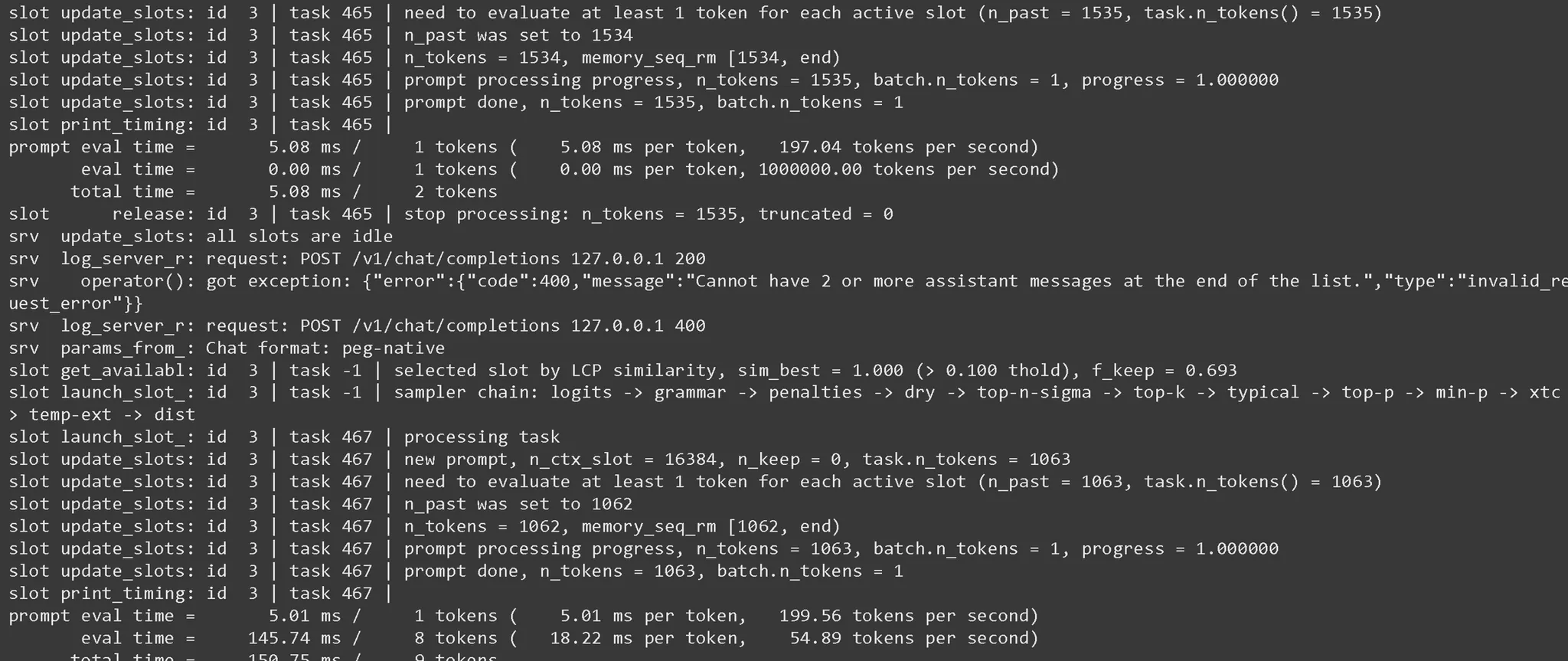
The server logs are where the useful numbers appear: model load, memory allocation, prompt evaluation, generation speed, and errors. Keep that terminal visible while testing the note app. If a plugin appears to “hang,” the terminal usually tells you whether the model is generating slowly, the request never arrived, or the server died during context allocation.
Wire Obsidian to the local model
Obsidian is the easier half of this test because several AI plugins already understand the idea of a custom local endpoint. XDA’s tested Obsidian Copilot setup used LM Studio at http://localhost:1234/v1, which is the same OpenAI-compatible base-URL pattern used here with llama.cpp at http://127.0.0.1:8080/v1.[6]
- Start llama-server and confirm curl works.
- Open the Obsidian AI plugin settings.
- Choose a custom OpenAI-compatible provider if the plugin offers one.
- Set the base URL to http://127.0.0.1:8080/v1.
- Use a dummy API key if the plugin requires a non-empty value.
- Set the model name to the same value used in the curl test, or to whatever the plugin expects for a local model alias.
- Run a summarize action on the current note, not the whole vault.
For a safer first pass, use a selected section from a real note rather than a synthetic toy prompt. A meeting note with dates, owners, and unresolved decisions is better than a benchmark paragraph. The output should preserve action owners and uncertainty. If it invents decisions that are not in the note, lower the scope of the prompt before blaming the model.
Obsidian Local LLM Helper is also relevant because its current plugin page lists Summarize, Rewrite, and Extract actions, cited Vault Radar integration, approval-gated writes, and no telemetry.[7] I would still verify the provider settings in the installed version before assuming it can directly use llama.cpp’s /v1 endpoint; the important point is that the plugin’s actions match the note workflow, while the endpoint decides whether those actions can be served locally.
A useful Obsidian prompt for this model was short and procedural:
Summarize the selected note for future review.

Return:
- 3-6 bullet summary
- Decisions already made
- Open questions
- Follow-up owners if explicitly named

Do not add facts that are not in the note.
The last sentence matters. V4-Flash can produce fluent summaries, but fluency is not the same as vault-safe behavior. A private local hallucination is still a hallucination; it just did not leave the machine.
Wire Logseq, but expect more plugin friction
Logseq is a better test of whether this survives actual note-taking because block scope changes the prompt constantly. Summarizing a page, then summarizing one block and its children, are different jobs. The ollama-logseq plugin exposes Ask AI, Summarize Page, and Summarize Block commands, which are exactly the kinds of actions a local summarization setup needs.[8]
The wrinkle is that an Ollama-oriented plugin is not automatically compatible with llama.cpp’s OpenAI-style /v1 endpoint. If your Logseq plugin lets you set a custom OpenAI-compatible base URL, point it at http://127.0.0.1:8080/v1 and use the same model alias from the curl test. If it expects Ollama’s API shape only, you need a different plugin, a local adapter, or a smaller model served through Ollama. This is where the current Ollama cloud-only tag for deepseek-v4-flash becomes annoying but not decisive.[3]
- For page summaries, send the current page content only. Do not send the whole graph.
- For block summaries, include child blocks if the plugin gives you that option; otherwise the model may summarize a fragment without the reason it exists.
- For daily notes, ask for “open loops” rather than a generic summary. Daily notes often contain mixed tasks, scraps, and logs.
- Keep writes approval-gated. A summary inserted into the graph should be reviewed before it becomes part of the permanent record.
The Logseq pass is where I became less interested in DeepSeek’s headline 1M context and more interested in plugin boundaries. Most note summarization should be scoped tightly. If the plugin sends too much, you pay in latency and memory pressure; if it sends too little, the summary is neat and wrong.
What broke in July 2026
| Issue | Where it showed up | Practical fix |
|---|---|---|
| Out-of-memory launch | Before the server finished loading the GGUF | Use the 103GB-class recommended quant first, lower context, close other memory-heavy apps, or move to a larger-memory machine. |
| Plugin cannot reach the model | Obsidian or Logseq returns an empty answer while curl works | Check whether the plugin wants the base URL ending in /v1, whether it appends /chat/completions itself, and whether it requires a dummy API key. |
| Ollama confusion | Users try ollama pull deepseek-v4-flash expecting a local model | As checked here, Ollama’s library page marks deepseek-v4-flash as :cloud, so use llama.cpp for the local V4-Flash route.[3] |
| Context overreach | Summarizing a whole vault, graph, or huge daily-note range | Start with selected text, one note, or one Logseq block subtree. |
| Multi-turn weirdness | Follow-up prompts refer to stale or missing context | Use current llama.cpp builds; July 2026 matters because DeepSeek-V4 support and the KV-cache fix are recent. |
| Slow first useful answer | Model is technically generating, but the note workflow feels stuck | For daily use, switch to a smaller local model unless testing V4-Flash is the point. |
| Writeback risk | Plugin inserts an unreviewed summary into a permanent note | Use approval-gated writes or paste manually after review. |
There is also a softer failure mode: the summary is acceptable, but the machine cost makes the habit unsustainable. If the workstation has to be kept in a special “don’t touch anything” state just to summarize notes, the setup will not survive normal use.
Does V4-Flash produce better note summaries than a smaller local model?
For the kind of notes most people summarize—meeting notes, project logs, reading notes, daily notes—the useful threshold is not “frontier model.” It is whether the model preserves names, decisions, dates, caveats, and open loops without sending the note to a remote API. V4-Flash can do that locally. So can much smaller local models, with a fraction of the memory bill.
The strongest reason to run V4-Flash is not that note summarization demands it. The reason is that you already have the hardware and want to test a large open-weight model inside the same local-first workflow you use every day. That is a legitimate reason. It is not a reason to tell ordinary Obsidian or Logseq users that this is the new baseline.
If you are still deciding how local AI changes the app choice itself, the closest sibling question is how open-weight AI changes the Obsidian vs Logseq choice. If your concern is whether “local” features quietly become cloud processing, start with on-device AI limitations in note-taking apps and the broader AI security comparison across note-taking apps.
Who should actually run this
Run DeepSeek-V4-Flash locally for note summarization if all of these are true: you already have server-class local memory, you are comfortable rebuilding llama.cpp when support moves, you want a local OpenAI-compatible endpoint more than a polished consumer app, and you are willing to debug plugin behavior when Obsidian or Logseq changes how it sends prompts.
Do not run it if you only want private summaries. In that case, copy the architecture, not the model choice: local model, localhost /v1 endpoint, Obsidian or Logseq plugin, approval-gated writeback. Put a smaller model behind the same endpoint and your notes will be summarized sooner, with less heat, less memory pressure, and fewer rituals before each session.
DeepSeek-V4-Flash is genuinely local in the llama.cpp route, and it can summarize private notes from Obsidian and Logseq without sending them to a hosted API. The practical win is narrow: it belongs to people who already own the memory and specifically want to test this model in a real note workflow. For everyone else, the better result is to keep the local endpoint pattern and choose a model that does not ask a note summary to justify a 100GB-to-169GB memory bill.
References
- DeepSeek-V4-Flash, Hugging Face
- DeepSeek V4, Unsloth Docs
- deepseek-v4-flash, Ollama
- DeepSeek-V4-Flash Llama.cpp Blackwell Local Inference, loftllc.dev
- How to Run DeepSeek-V4-Flash Locally, DataCamp
- Using my local LLM with Obsidian, XDA
- Local LLM Helper, Obsidian Community Plugins
- ollama-logseq, GitHub
Comments
Join the discussion with an anonymous comment.