
You have already done the annoying part: the notes are inside Notion, Obsidian, or Apple Notes. Now comes the moment that quietly ruins a lot of otherwise good migrations. The app is clean, the sidebar is empty enough to feel promising, and the natural impulse is to sort the whole backlog so the system feels finished.
Do not do that.
For home life, clever storage solutions for home productivity are rarely the elaborate ones. PARA works when it behaves like a set of useful storage bins: current things close at hand, ongoing responsibilities visible but not noisy, reference material easy to retrieve, and old material out of the way. It fails when you treat migration day like a tax audit of your entire past.
The working setup is simple: create four empty top-level containers, add only live projects, name only the Areas you actually maintain, and leave old notes alone until you need them. The backlog is not a homework assignment. It is inventory on a high shelf.
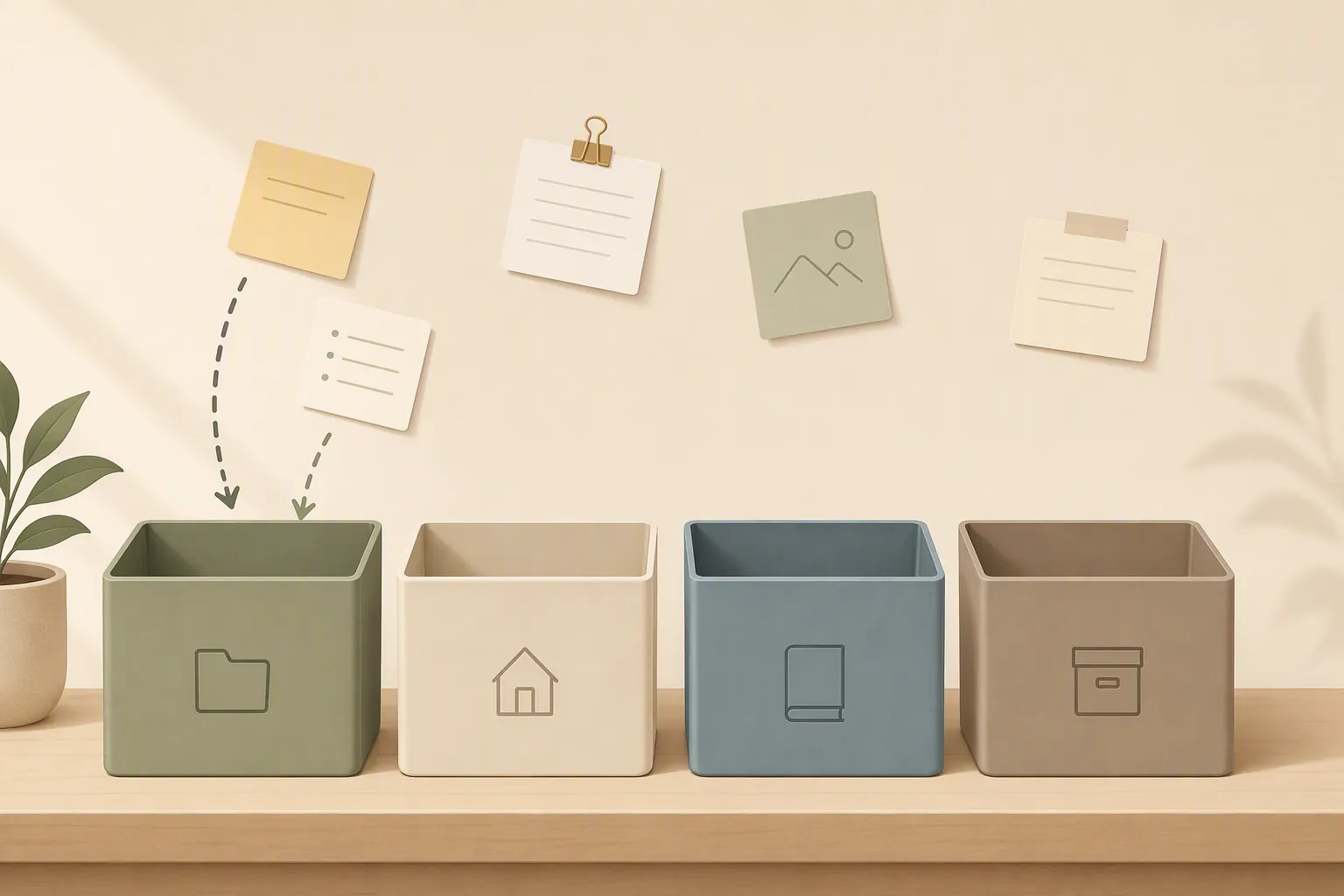
Start with four empty containers, not four full ones
PARA divides notes by action status: Projects, Areas, Resources, and Archives. Forte Labs defines Projects as short-term efforts with an outcome, Areas as ongoing responsibilities, Resources as topics or interests that may be useful later, and Archives as inactive material from the other three categories.[1] Iwo Szapar’s 2026 guide keeps the same practical line: the method is less about where a note “belongs forever” and more about where it belongs for use now.[2]
After a migration, that distinction matters more than the folder names. A newly imported pile contains current plans, dead plans, old screenshots, receipts, kid-school notes, half-written ideas, appliance manuals, renovation notes, recipes you might never cook, and meeting fragments from three versions of your life. If you sort all of that on day one, you are making hundreds of low-quality decisions while the new system has not yet earned trust.
| Container | Create it now? | What goes in on day one |
|---|---|---|
| Projects | Yes | Only live efforts you can finish and cross off |
| Areas | Yes | Only ongoing responsibilities you actively maintain |
| Resources | Yes | Usually nothing at first, unless you need it this week |
| Archives | Yes | Completed projects and inactive material only when you touch it |
The empty-container version feels unfinished for a few days. That is a feature. It lets the new app prove where the pressure is actually coming from before you build storage around imaginary future use.
The setup sequence that does not rot immediately
Set up the four containers first. In Notion, that may mean four top-level pages or four database categories if you already work comfortably in databases. In Obsidian, it means four top-level folders. In Apple Notes, it means four folders or the closest simple equivalent your account setup supports. Do not create subfolders yet.
- Create Projects, Areas, Resources, and Archives as top-level containers.
- Write a short list of live Projects from memory, not from the migrated backlog.
- Create one page, note, or folder for each live Project.
- Name your Areas only after checking whether they are real ongoing responsibilities.
- Leave Resources mostly empty until a note becomes useful.
- Move old material only when you open it for a current reason.
That second step is the one people skip. They open the imported archive and start judging every note. That turns setup into a memory test. Instead, list the things currently pulling on you: refinance paperwork, bathroom repair, summer camp forms, pantry reset, family trip, insurance claim, school-year calendar, tax prep, a job search, a birthday party. If an item is real, you can name the next useful note you would want inside it.
Now, and only now, go into the migrated notes when a live Project needs something. If the bathroom repair folder needs the old contractor estimate, search for it, move it into that Project, and stop. If the school-year calendar needs last year’s supply list, move that one note. Do not “while I’m here” the entire school folder. That is how one useful retrieval becomes a two-hour sorting trance.
R.H. Rizvi’s 2026 critique of second-brain setups describes a common pattern: people capture more than they process, then add structure to compensate, then abandon the system when the structure becomes another thing to manage.[3] Template marketplaces show the same appetite from the other side: people are not merely looking for a place to store notes; they are installing full second-brain dashboards, PARA systems, task managers, journals, and knowledge bases in one package.[4] That demand is understandable. It is also exactly why a post-migration PARA setup should start smaller than feels satisfying.
The often-repeated warning that these systems get abandoned within 90 days should be treated as a grounded observation from community accounts and critique, not as a peer-reviewed statistic.[3] Still, the sequence is recognizable enough to take seriously: empty folders invite bulk sorting, bulk sorting creates ambiguous piles, ambiguous piles stop being trusted, and then search becomes the real system again.
Projects vs. Areas: the cross-off test
Most bad PARA setups are not ruined by the word “Resources.” They are ruined by Projects and Areas pretending to be each other.
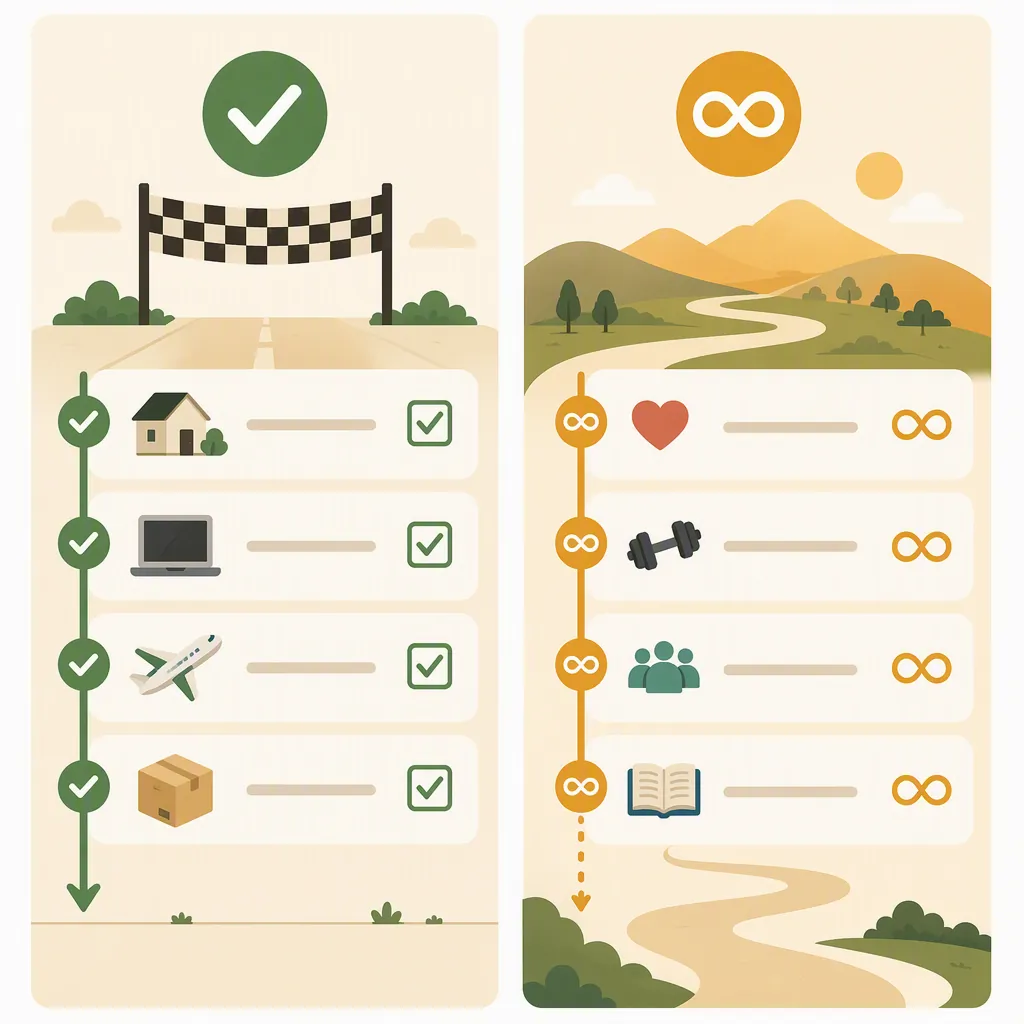
Use one test: if you can cross it off and feel done, it is a Project. If it has no finish line, it is an Area. Forte Labs makes this boundary central to PARA: Projects have a deadline or outcome, while Areas continue indefinitely and require maintenance over time.[1] Szapar’s 2026 guide puts the same distinction into setup practice, emphasizing that ongoing responsibilities should not be managed as if they will be completed.[2]
| Home-life item | Usually belongs in | Why |
|---|---|---|
| Submit 2026 tax documents | Projects | There is a finish line: documents submitted |
| Maintain household finances | Areas | It continues after tax season |
| Plan kitchen renovation | Projects | The renovation plan can be completed |
| Maintain the house | Areas | Repairs, inspections, and upkeep recur |
| Choose summer camp for a child | Projects | Enrollment can be finished |
| School administration | Areas | Forms, calendars, contacts, and routines continue |
| Build a pantry inventory | Projects | The first inventory can be completed |
| Grocery and meal rhythm | Areas | It does not end when one pantry pass is done |
The practical consequence is huge. A Project page can contain messy, temporary material: screenshots, decisions, drafts, checklists, confirmations, phone numbers, delivery windows. Once the thing is done, the whole Project can move to Archives. An Area cannot be treated that way. If “School” is an Area, it needs a stable place for the calendar rhythm, portal links, recurring forms, teacher contacts, bus notes, and policies you will keep needing after one semester ends.
This is also why “Health” is usually a bad Project and “Book annual physical” is a good one. “House” is a bad Project and “Replace dishwasher” is a good one. “Finances” is an Area; “Move emergency fund to new account” is a Project. The name should tell you whether future-you is supposed to finish it or steward it.
If you are unsure, ask what would happen on a tired Friday. Would you know what note to open? Would you know when it is done? Would someone else in the household understand the label? PARA does not need elegant nouns. It needs containers that still make sense when the week is bad.
Resources should earn their place
Resources is the easiest container to turn into a junk drawer because almost anything can be defended as “possibly useful.” Recipes, article clips, paint colors, appliance research, birthday ideas, travel notes, parenting advice, workout plans, warranty PDFs, gift lists: none of these is wrong. The problem is adding them before there is any retrieval path.
After migration, do not build a Resources library by browsing the backlog. Let Resources grow from actual use. If you are planning meals this week and keep reaching for the same recipe notes, make a Recipes resource. If you are comparing paint finishes for a live Project, keep those notes in the Project until the decision is made; later, if the paint information is generally useful for house upkeep, move it to a Home Maintenance resource or archive it with the completed Project.
A good Resource answers a future retrieval need. A bad Resource only proves you once captured something.
What to do with the migrated backlog
Keep the imported material in a holding place if the app created one, or put it in Archives under a plain label such as “Imported Notes.” Do not subdivide it immediately. Search is allowed. Retrieval is allowed. Excavation is not required.
When an old note becomes relevant, make one of four moves:
- Move it into a live Project if it helps complete something now.
- Move it into an Area if it supports an ongoing responsibility.
- Move it into Resources if it is reusable reference material.
- Leave it in Archives if it is inactive but worth keeping.
That is the whole migration recovery plan. You are not sorting the past. You are letting the present pull forward the notes that still matter.
The app-specific traps come after the structure is clear
Notion, Obsidian, and Apple Notes can all hold a PARA-style system, but they tempt different kinds of overconfidence. These are community-documented patterns rather than a substitute for testing your own setup in the exact app version and device mix you use.
Notion: databases are useful until they become chores
Notion makes it very easy to confuse a storage system with a control panel. A simple PARA setup becomes a dashboard, then a master database, then related databases for tasks, notes, goals, habits, media, people, and reviews. Rizvi identifies this kind of complexity spiral as one of the reasons second-brain systems look impressive but do not get used consistently.[3] The Notion template market also shows how attractive all-in-one second-brain builds are to users who want a complete productivity environment immediately.[4]
For PARA after migration, keep Notion boring at first. Four pages are enough. If you prefer databases, use one notes database with a single PARA status property before adding relations or filtered views. A grocery-renovation-tax-school-calendar week is not the time to depend on seventeen tiny classification decisions.
Obsidian: folder freedom can become folder sprawl
Obsidian users often have strong opinions about folders, and for good reason. Steph Ango’s vault guide describes an approach that leans away from heavy folder organization and toward links, files, and local-first plain text.[5] Matt Giaro’s discussion of PARA alternatives also reflects the broader critique: not every thinking system benefits from strict folder-based organization.[6]
The post-migration danger in Obsidian is not that folders exist. It is that folders multiply quietly. You start with Projects, Areas, Resources, and Archives, then add “Temporary,” “Inbox,” “Maybe,” “Reference,” “Old Projects,” “House,” “House old,” and three project-specific subtrees that no longer obey the system. Six months later, the vault still contains the notes, but the sidebar no longer tells the truth.
If your work is mainly linked thinking, research synthesis, Zettelkasten-style idea development, or emergent writing, PARA may be too action-facing as the primary structure. Use links, tags, maps of content, or another system if that is how you actually think. But if you are using PARA for home operations after a migration, give the four folders a fair trial before inventing exceptions.
Apple Notes: simplicity helps, but the boundaries need names
Apple Notes is appealing after a heavy migration because it does not beg you to build a dashboard. The risk is subtler: when hierarchy is limited or awkward in the way you use Apple Notes, Areas and Resources can start to feel too similar. “Home,” “House ideas,” “Maintenance,” “Documents,” and “Reference” can blur into one scrollable middle.
Keep the top-level labels explicit. Use “Areas — Home Maintenance” if that prevents confusion. Use “Resources — Recipes” rather than a vague “Food.” If nesting is not comfortable in your setup, resist compensating with more broad folders. Better to have fewer, clearer containers than a flat list of polite junk drawers.
The weekly five-minute move-down pass
PARA stays clean because items move down when they stop being active. Forte Labs describes this maintenance as part of the system’s design: when Projects are completed, they move to Archives; when Areas or Resources become inactive, they can move out of the active workspace too.[1] Szapar’s 2026 guide similarly treats regular review and movement as the practice that keeps PARA from becoming static storage.[2]
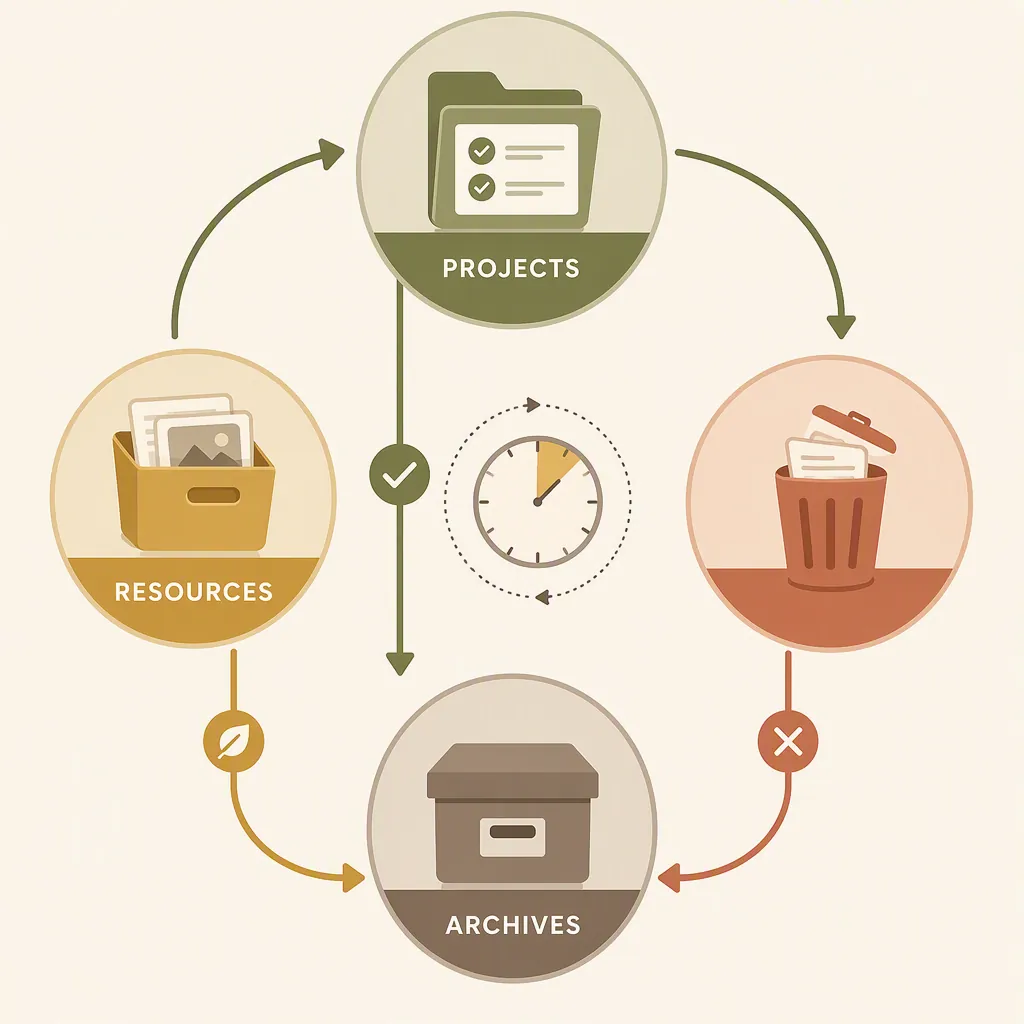
Once a week, open the four containers. Do not redesign them. Do not install a template. Do not review every note. Just make the obvious moves.
- Projects: move completed Projects to Archives.
- Projects: rename any vague Project so it has a finish line.
- Areas: check whether anything here has become a real Project.
- Resources: archive stale material that you no longer expect to reuse.
- Archives: leave it alone unless you are retrieving something.
This review is short because it is not a weekly life audit. It is a storage correction. The most important question is still the cross-off test: can this be finished, or is it ongoing? If “Plan winter break” has become “Family travel,” split the finished plan from the ongoing Area. If “Research dishwasher models” ended with a purchase, archive the Project and keep only the warranty or maintenance note where you will look for it later.
The system does not need to feel complete. It needs to stay honest. Completed Projects move down. Stale Resources move out of sight. Anything pretending to be a Project must either get a finish line or admit that it is an Area.
References
- The PARA Method: The Simple System for Organizing Your Digital Life in Seconds — Forte Labs
- The PARA Method: A Complete Guide (2026) — Iwo Szapar
- Notion Productivity System 2026: Everyone Is Building a Second Brain, Almost Nobody Is Using It Correctly — Medium
- 10 Best Notion Second Brain Templates — ProductiveTemply
- How I use Obsidian — Steph Ango
- What Are The Best PARA Method Alternatives? — Matt Giaro
Comments
Join the discussion with an anonymous comment.