
Yes, using Gemini 3.7 Flash to organize notes works in the mechanical sense: it can read a lot, find patterns quickly, draft clusters, summarize sources, and pull neglected documents out of a sprawling Google account. It should not be treated as the final organizer of your notes.
The reason to take it seriously is not launch hype. As checked on August 25, 2026, Google DeepMind’s model card shows Gemini 3.7 Flash scoring 97.0% on the 128k GDM-MRCR v2 needle test, up from 91.8% for Gemini 3.6 Flash, which helps explain why it can plausibly work across long documents and messy collections instead of only neat prompts pasted into a chat box.[1] The reason not to trust it blindly is just as direct: eesel.ai, citing Artificial Analysis data, reported a 64.5% hallucination rate for Gemini 3.7 Flash versus 55.6% for 3.6 Flash.[2] That is secondary reporting rather than a directly verified Artificial Analysis page, so it should be handled carefully. Still, the warning is the right one for note organization: better recall and more fluent structure do not remove the need to inspect the result.

The useful question is narrower than “is Gemini smart?” It is: which organizing jobs can you safely delegate, and on which Google surface does the work break down? Gemini 3.7 Flash only reaches your notes through specific surfaces — chat, Drive, Notebook, Meet, and Workspace agents — and each surface changes what it can see, what it can create, and what mess you inherit afterward.
| Surface | What it can reasonably do | Where the tested workflow breaks |
|---|---|---|
| Gemini app / Spark in Workspace | Find important items across Gmail and Drive, surface obligations, summarize likely clusters | May skip relevant emails or unnamed Docs; access depends on paid Google AI plans in the tested 3.7 Flash workflows |
| Google Drive “Organize My Files” | Suggest file moves and draft folders from Drive clutter | In a published hands-on test, it suggested only 19 moves from 14 years and 340GB of files, mostly recent items, and misfiled a document named “Delete” into Travel Planning.[3] |
| Gemini Notebook | Turn a bounded set of sources into summaries, study guides, and source-grounded answers | Notebook limits, no cross-notebook search, and no complete notebook export keep it from becoming a durable archive |
| Meet “Take notes for me” | Draft meeting summaries into Google Docs | Creates scattered Docs rather than a central note system, and tested summaries can overstate what was actually decided |

Drive is the cleanest test of whether Gemini can organize a real mess
Google Drive’s “Organize My Files” is the most relevant test surface because it resembles the thing people actually mean by a note pile: years of Docs, PDFs, forms, half-named files, screenshots, meeting agendas, drafts, and “I’ll sort this later” debris. It also has a clearer success condition than a chat demo. Either Gemini proposes useful moves, or it does not.
In ZDNET’s hands-on test, the tool scanned a Google Drive account with 14 years and 340GB of clutter and returned 19 suggested moves. That is useful if the expectation is “give me a first cleanup pass.” It is disappointing if the expectation is “organize my Drive.” The suggestions were also mostly recent files, which matters because old forgotten files are often exactly where forms, reference notes, tax documents, school records, and project history go to disappear.[3]
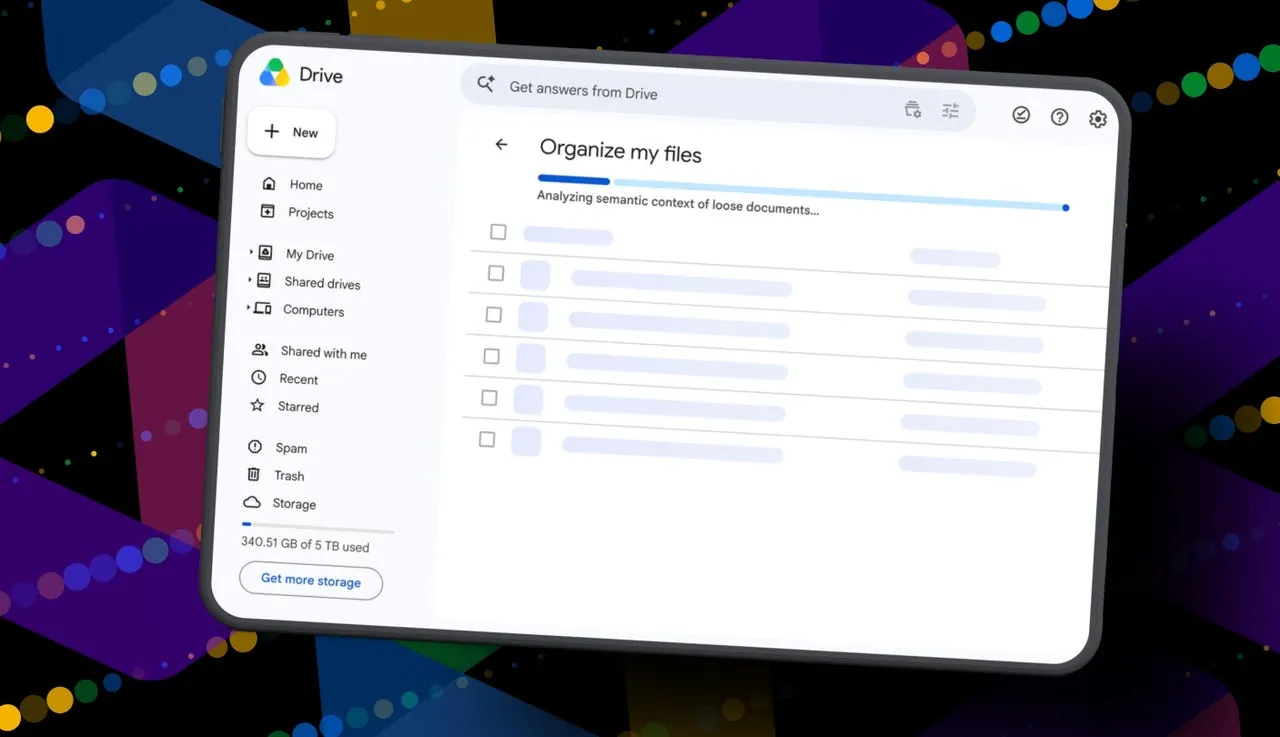
The bad suggestion is more instructive than the count. ZDNET reported that a document literally named “Delete” was grouped into a Travel Planning folder.[3] That is the kind of error that looks small during a demo and expensive three weeks later. If a file is moved into a plausible but wrong folder, retrieval becomes harder because the folder name now gives the user false confidence. You stop looking elsewhere because the machine appeared to have decided.
The repeat behavior also matters. A rerun returned identical suggestions in the same test.[3] Consistency is not accuracy. It means the tool is stable enough that you can review its proposed batch without chasing a moving target, but it does not prove the proposed structure is right. A stable wrong folder is still a wrong folder.
Google’s own help page also narrows who can reproduce this. Drive organization with Gemini is English-only, works on the web, and requires Editor access to the files being organized.[4] That access detail is not administrative trivia. If your “notes” live across shared folders where you are a commenter, viewer, or inherited collaborator, the AI cleanup pass may see less than your mental model of the archive. The result can look organized while leaving important shared material untouched.
Drive’s verdict is therefore the most boring one, and the most useful: accept Gemini’s suggestions as a review queue, not as a move command. Let it propose folders. Let it surface recent clusters. Do not bulk-approve moves unless you can still answer why each folder exists, who needs access, and whether the filename, contents, and project context all agree.
The Gemini app and Spark are better at finding obligations than finishing an archive
The broader Gemini app or Spark-style Workspace agent flow is less like a file clerk and more like a very fast assistant rummaging through Gmail and Drive for things you forgot. That can be genuinely valuable. In Tom’s Guide’s August 2026 test, Gemini 3.7 Flash found a missed permission slip, an allergy form, an expired credit card, and an unresponded RSVP across Gmail and Drive.[5] Anyone who has cleaned a family, school, client, or team account knows those are not decorative wins. Those are the items that turn into fees, awkward follow-ups, and Monday-morning scrambling.
That is also where Gemini’s long-context strength feels practical rather than abstract. A note system is not only a taxonomy of folders. It is also a retrieval problem: find the form, identify the stale card, notice the unclosed loop, and connect an email to a file. For that job, Gemini can reduce the worst part of manual cleanup, which is reading everything just to decide whether it matters.
The same test included the cleanup tax. Gemini skipped emails it should have sorted and missed unnamed Google Docs files.[5] That is a familiar failure mode: AI is often better at recognizing semantically rich artifacts than at dealing with the real garbage of personal archives, where files are untitled, duplicated, inherited from someone else, or named after the day they were created. If your archive includes ten “Untitled document” files that became meeting notes, research clippings, or planning drafts, Gemini may help find some of them, but the surface-level tool does not make them a durable system.
Access gates also shape the result. Google’s launch material positions Gemini 3.7 Flash in paid AI plan contexts, with access to Gemini app features and Workspace-style capabilities depending on plan.[6] A reader on a free Google account should assume they may not be able to reproduce the shinier version of these tests. That is not a small caveat for note organization. If the tool requires the right plan before it can even see the right surfaces, then “Gemini organized my notes” really means “Gemini organized the subset of notes exposed through this paid surface.”
This is the surface I would use before a manual cleanup session or migration. Ask Gemini to find forms, obligations, old project references, and likely clusters. Then rename, move, archive, or export with human review. If your cleanup includes Google Keep, do not assume Gemini has solved that surface just because it works well in Gmail and Drive; a safer path is still to control the export yourself, especially if you are preparing to move notes out of Google. FlowDesk’s guide to exporting Google Keep notes is the more reliable starting point for that job.
Notebook is strong inside a bounded project and awkward as a whole note system
Gemini Notebook is attractive because it looks closer to a real knowledge workspace. You add sources, ask questions, generate summaries, and keep work inside a project boundary. For a contained research folder, course pack, client dossier, or policy library, that boundary is helpful. It keeps the model closer to the supplied sources and gives you a way to inspect what the answer is supposed to be based on.
The boundary becomes a problem when the job is “organize all my notes.” Atlas’s checked August 10, 2026 review of NotebookLM limitations lists notebook source caps ranging from 50 to 600 sources depending on plan, with a per-source limit of 500,000 words or 200MB. It also notes no cross-notebook search and no complete notebook export.[7] Those are structural limits, not polish issues.
No cross-notebook search is the one to circle. Once you split life into separate notebooks — clients, courses, home, writing, receipts, medical, planning — you need retrieval across the boundaries. Otherwise Notebook becomes another set of plausible piles. The contents may be summarized beautifully inside each notebook, but the user still has to remember which notebook contains the thing. That is not a finished note system; it is a set of AI-readable binders.
The incomplete export story is just as important. A note app does not earn trust only by helping you put information in. It earns trust by letting you get information out with enough structure intact to leave. If a notebook cannot be fully exported, it may still be a useful working surface, but it should not become the only home for material you expect to keep for years.
Meet notes create documents; they do not create a meeting-note system
Meet’s “Take notes for me” feature solves a real annoyance: someone has to write the meeting notes, and that someone is often also trying to participate. Drafting a summary into a Google Doc can reduce that burden. The failure is downstream structure.
In tl;dv’s review, each Gemini meeting summary landed in a Google Doc owned by the host, with no central dashboard. One reviewer accumulated three same-named Docs in a day. The same review reported a summary that turned “follow up in two weeks” into “Follow-up scheduled for Thursday.”[8] That is not a harmless wording change. It converts a loose next step into a scheduled event, which changes what a reader believes has already been agreed.
The same-named document problem is mundane, which is why it matters. Meeting notes fail less often because nobody summarized them and more often because nobody can find the right one later. A day with three same-named Docs creates cleanup work: rename them, link them to projects, move them to the right folder, decide which action items are real, and make sure the host-owned Doc is accessible to the people who need it.
Use Gemini’s Meet notes as raw capture. Before those notes become official, check dates, owners, commitments, and action verbs. “Discuss,” “follow up,” “scheduled,” and “approved” are not interchangeable. A meeting-note system needs that distinction more than it needs a pretty paragraph.
What I would actually delegate to Gemini 3.7 Flash
Gemini 3.7 Flash is worth using where the output is easy to inspect and expensive to draft by hand. It is less trustworthy where the output silently changes the archive itself.
| Safe to delegate as a draft | Review before accepting | Do manually or in a note app |
|---|---|---|
| Suggest folder names for a messy Drive area | Every proposed move, especially files with vague names | Bulk moves that change access or long-term retrieval |
| Find likely obligations in Gmail and Drive | Whether the obligation is still current and who owns it | Final task assignment and deadline tracking |
| Summarize a bounded notebook or source set | Quotes, dates, claims, and missing sources | Cross-project archive design |
| Draft meeting summaries | Action items, dates, attendees, decisions, and ownership | Official minutes or durable project records |
| Prepare a cleanup pass before migration | Whether clusters map to the destination app’s structure | Export, import, deduplication, and final linking |
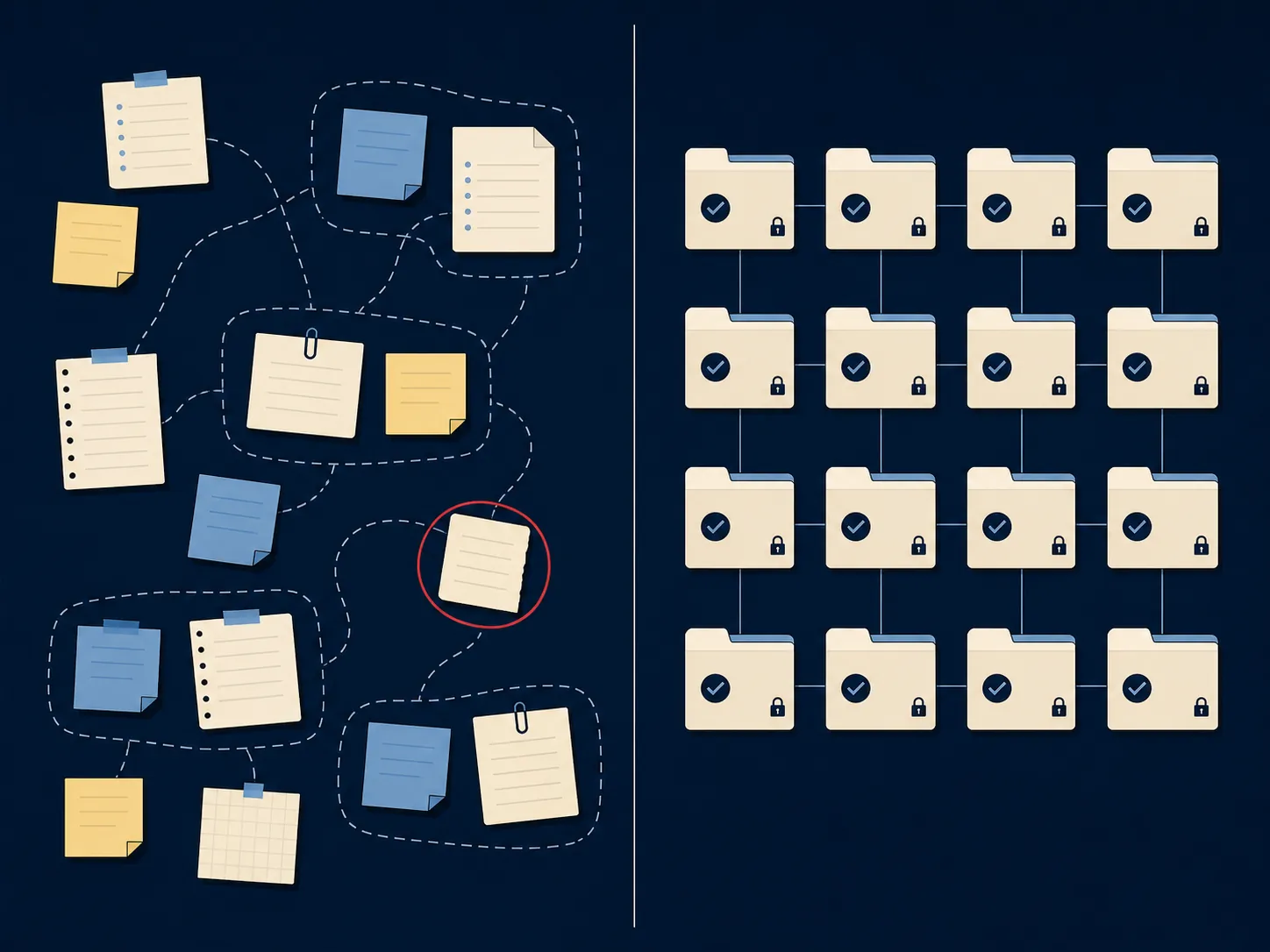
The cleanest workflow is to make Gemini produce an audit layer instead of a finished library. For example, ask for candidate groups, suspected duplicates, old forms, unanswered messages, project names, and meeting-note inconsistencies. Then work through that list in the place where your notes will actually live. If that place is Obsidian, a dedicated notes app, or a team knowledge base, the AI pass should reduce sorting time without deciding your final information architecture.
That distinction also protects migration work. A migration is already a trust exercise: you need exports, stable filenames, preserved context, and a way to verify what arrived. If you use AI before migrating, use it to label the mess and identify risky areas, not to bury the mess in new folders. FlowDesk’s AI note-taking app security comparison is a better companion question for anyone deciding whether an assistant should touch sensitive notes at all.
Cost and model context matter, but they do not change the note verdict
Gemini 3.7 Flash has model-level improvements beyond note cleanup, but most of them are side context for this use case. Google DeepMind’s model card lists a 48.6% DeepSWE v1.1 score and a knowledge cutoff of March 2026, with some domains at January 2025.[1] The knowledge cutoff matters if you ask Gemini to reorganize notes containing recent facts or to infer current status from old material. Your private notes may be newer than the model’s world knowledge, but the model can still over-explain or normalize them against stale assumptions.
API pricing is also time-sensitive. As checked on August 25, 2026, the available pricing summaries say introductory Gemini 3.7 Flash API pricing of $0.75 per 1 million input tokens and $3.75 per 1 million output tokens runs through December 31, 2026, then doubles on January 1, 2027; thinking tokens bill at the output rate.[2][9] That matters for teams considering batch cleanup over large archives. It matters less for the ordinary user deciding whether to let a Google surface propose folders in Drive.
Who should avoid using it as a note organizer
Do not use Gemini 3.7 Flash as your primary note organizer if you need final structure more than draft assistance. That includes people who need reliable cross-notebook retrieval, complete export control, stable meeting-note ownership, or a low-friction workflow on a free Google account. The access gates alone can turn the workflow into a maze before the organizing even starts.
It is a better fit for people who are drowning in unsorted material and can still tolerate review. If you have a Drive folder that needs a first pass, a Gmail account full of neglected forms, a bounded set of sources that needs summarizing, or a migration that would benefit from pre-labeling, Gemini can save real time. The condition is that its output remains provisional until checked.
That leaves the honest tested verdict: Gemini 3.7 Flash can organize notes well enough to create a useful draft structure. It can find important items, suggest clusters, summarize sources, and reduce the mechanical burden of cleanup. It does not replace a real note system when the job is durable retrieval, verified decisions, clean exports, or long-term trust.
References
- Gemini 3.7 Flash Model Card — Google DeepMind, August 13, 2026
- Gemini 3.7 Flash Review — eesel.ai, August 14, 2026
- I tried Google Drive’s new AI cleanup tool on my storage clutter - and I’m impressed — ZDNET, June 4, 2026
- Use Gemini in Google Drive to organize your files — Google Drive Help
- Gemini 3.7 Flash is here and this prompt proves why it’s known as Google’s workhorse — Tom’s Guide, August 2026
- Introducing Gemini 3.7 Flash — Google
- NotebookLM limitations — Atlas, checked August 10, 2026
- Google Gemini Meeting Notes Review — tl;dv
- Gemini 3.7 Flash — emergent.sh