
Using ChatGPT voice mode for note taking, tested in Q3 2026, turns out to be the wrong question unless you first name the route. “Voice mode” now points to four different capture paths: Live, legacy Standard or Advanced voice, Dictation, and Record. They do not create the same artifact, keep the same source material, hit the same caps, or fail in the same way.
That distinction matters more than whether the voice interface feels natural. For notes, the useful object is not the conversation you had with ChatGPT. It is the thing you can inspect later: editable text, a timestamped summary canvas, or a conversational transcript that may already have compressed what was said.
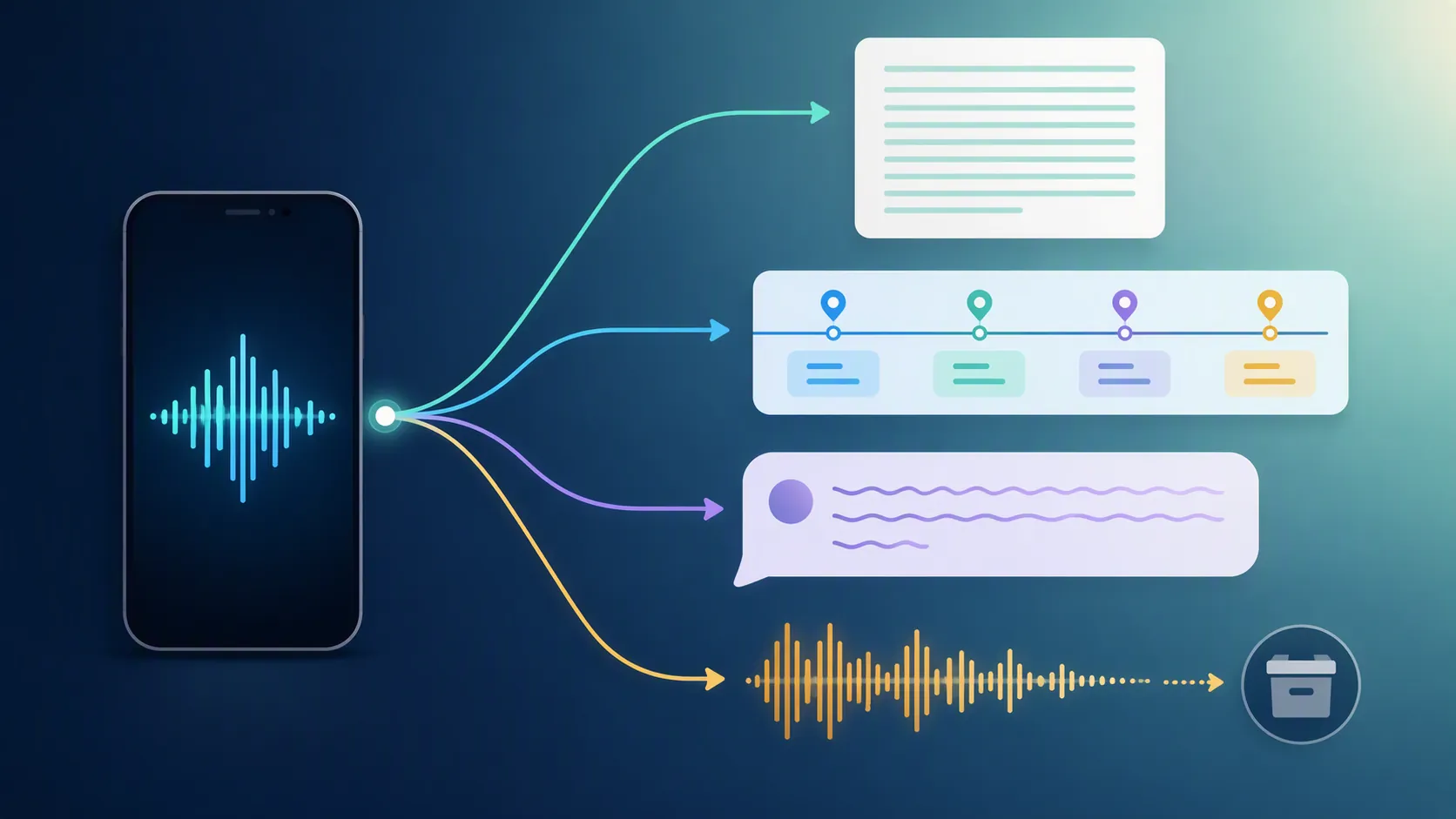
The Q3 2026 route map
Caps, availability, and retention rules below were last verified on Aug. 25, 2026. They change often enough that I would re-check the linked OpenAI docs before building a semester, client workflow, or team capture process around them.
| Route | Best note-taking fit | Output you can carry away | Storage and retention | Caps or availability | Main failure mode |
|---|---|---|---|---|---|
| Live / GPT-Live-1 | Conversational recap while you talk through an idea | A conversation and transcript-like record, with OpenAI warning that transcripts may not exactly match what was said | OpenAI says Live / Advanced audio clips are retained for 30 days and deleted within 30 days of chat deletion, subject to data controls [1] | For Go and Plus: up to 1 hour of GPT-Live-1 plus 2 hours of GPT-Live-1 mini per rolling 24 hours; a single Live conversation can last up to 2 hours. GPT-Live launched July 8, 2026, as the default for Go, Plus, and Pro [1][2] | Good conversation can become bad evidence: the recap may be useful, but it is not a verbatim capture route |
| Standard / Advanced voice, legacy conversational route | Talking with ChatGPT when you do not need exact notes | A conversational response and chat record, not a guaranteed transcript | OpenAI says Standard voice deletes audio after transcription; Advanced voice audio clips fall under the 30-day audio-clip retention rule [1] | OpenAI’s current Voice FAQ treats these under voice-mode availability and limits rather than as the new GPT-Live default [1] | The system may answer quickly and confidently while losing exact wording, names, or numbers |
| Dictation | Fast voice-to-text capture into a chat before you send it onward | Editable text in the message composer before it becomes the sent note | OpenAI says Dictation audio is retained with the chat [3] | Available as the app’s dictation input, with limits governed by the current Voice Dictation FAQ [3] | Transcription errors become your problem before saving; proper nouns and compact numbers still need checking |
| Record | Longer lecture, meeting, or voice-dump capture when you want a timestamped summary canvas | Live transcription plus a timestamped summary canvas | OpenAI says raw Record audio is deleted after transcription and is not used for training; the transcript and generated notes remain in the chat experience [4] | macOS desktop app; Plus and above according to the current OpenAI Record doc; each Record session can run up to 240 minutes [4] | It looks like meeting-note software, but the raw audio is not there later for audit; platform availability also narrows the workflow |
The training rule also differs by context. For consumer ChatGPT, OpenAI describes data controls such as “Improve the model for everyone” and “Include your audio recordings”; Business, Enterprise, and Edu are excluded from training by default under the relevant OpenAI voice and Record documentation [1][4].
Once the routes are separated, the decision gets less mystical. If you need checkable verbatim text, start with Dictation. If you need a timestamped summary and can accept the macOS and raw-audio tradeoff, look at Record. If you want to talk through an idea and receive a recap, Live or Advanced can help, but I would not treat them as the authoritative note.
Dictation is the cleanest capture path because it pauses before saving
Dictation is easy to underestimate because it is less theatrical than a live voice conversation. For note taking, that is the advantage. You speak, ChatGPT turns the audio into editable text, and the text sits in the composer before you send it. That inspection step is the whole reason Dictation is the safest ChatGPT voice route for quick capture.
In the FlowDesk test, I used Dictation for the kind of note that usually gets dumped into Apple Notes or an Obsidian daily note: a messy spoken paragraph with one invented project name, a date-like deadline, a class concept, and two follow-up actions. The result came back as normal editable text. I could fix the invented name before sending, split a run-on sentence, and remove a filler clause that would have polluted the note downstream.
That pre-send edit step changed the workflow. I was not asking ChatGPT to summarize my voice and hoping the summary preserved the important bits. I was checking the capture first, then deciding whether to send it to ChatGPT for cleanup, paste it into a note app, or turn it into a message. For a student, that means a lecture concept can be corrected before it becomes a polished but wrong study note. For a knowledge worker, it means an action item can be reviewed before it enters Notion, Obsidian, Apple Notes, or a task manager.
The weaknesses were ordinary transcription weaknesses, which is another reason this route is usable. Proper nouns needed spelling. Short numeric phrases needed a second look. A sentence that changed direction halfway through came back grammatically smoother than I had said it, which was pleasant for readability but not ideal if exact phrasing mattered. None of that was hidden behind a summary; it was visible before I committed the note.
For readers already using ChatGPT as a note-processing layer, Dictation fits naturally before a workflow like using ChatGPT for note taking. It is not a meeting recorder. It is the least ambiguous way to get spoken text into a system you can still correct.
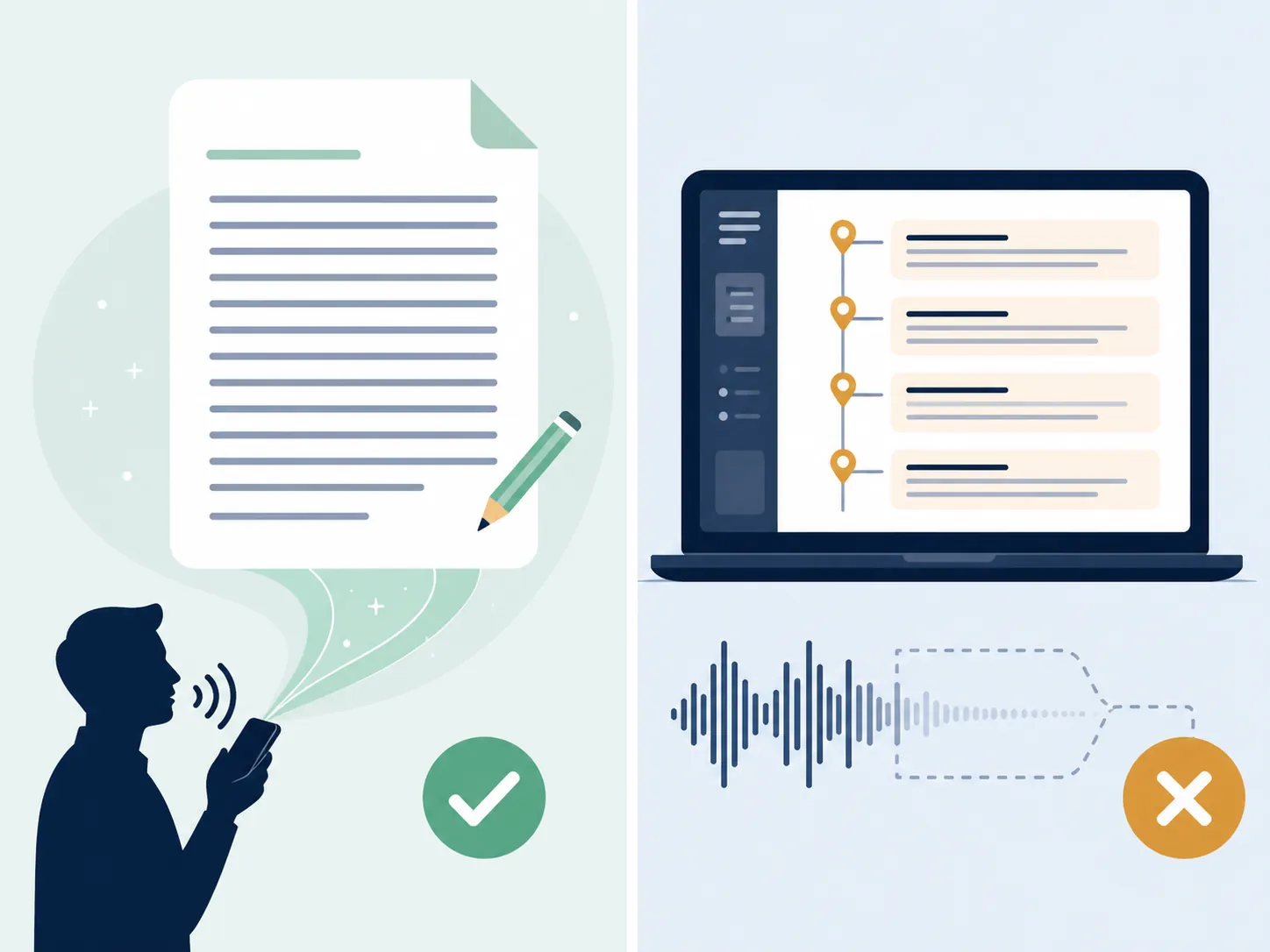
Record is useful, but it is not an audio archive
Record is the route that most resembles dedicated meeting-note software. In the current OpenAI documentation, it is available in the macOS desktop app for Plus and above, supports live transcription, produces a timestamped summary canvas, and caps individual sessions at 240 minutes [4]. Older third-party complaints that Record excluded Plus users should be treated as historical unless they match the current OpenAI doc.
The catch is custody. OpenAI says Record deletes raw audio after transcription and does not use that raw audio for training [4]. That is good if your main concern is not leaving an audio file behind. It is bad if your note-taking workflow depends on replaying the source when a name, number, quote, or speaker attribution is disputed.
For the FlowDesk test, I treated Record like a field-note and meeting-note hybrid rather than like a polished demo. I spoke a rambling update with a class-style explanation, a small decision, two next steps, and a deliberately awkward proper noun. I also tested the common instruction pattern described by MakeUseOf: ask ChatGPT to capture without responding until told to stop, then ask for key points, decisions, open questions, next steps, and reminders [5].
Record’s summary canvas was the strongest output of the test. The structure made the voice dump easier to review than a wall of transcript text, and the timestamped sections helped me jump back to the relevant part of the generated record. The decision and next steps survived. The awkward proper noun did not become trustworthy without manual correction. A short action item was preserved, but I still had to rewrite it before moving it into a task system because the summary did not know which phrasing I considered final.
Moving the result into a note app was workable rather than elegant. The useful artifact was the generated text, not the audio. For an Obsidian user, that means copying the summary into a daily note or a meeting-note template. For a Notion user, it means pasting sections into a database page. For a more automated setup, Record belongs in a capture pipeline like the OpenAI Astra note-taking workflow, but only if the team accepts that the raw audio is not the thing being preserved.
OpenAI’s current Record doc also says Record can distinguish speakers with generic labels that can be renamed [4]. In practice, I would still treat that as a convenience feature, not meeting-grade diarization confidence. If the work requires reliable multi-speaker attribution, disputed quotations, or a defensible audit trail, Record is the wrong primary system.
Live and Advanced are better as recap tools than as notes of record
Live is tempting because it feels closest to talking to a person. OpenAI says GPT-Live uses a full-duplex architecture and can delegate web search and reasoning to GPT-5.5; OpenAI also says GPT-Live was preferred over Advanced in matched evaluations and reports 150 million weekly voice and dictation users. Those are vendor claims, not independent note-taking accuracy measurements [2].
For notes, the official warning matters more than the naturalness. OpenAI says voice conversations may produce transcripts that do not exactly match what was said [1]. That is enough to disqualify Live and Advanced as verbatim capture routes. They can be useful for thinking aloud, reviewing a concept, or asking ChatGPT to reflect back a plan. They are not where I would capture a lecture, interview, meeting, or exact quote.
The older accuracy evidence should be read with route labels and dates attached. In October 2025, ZDNET reported that Standard and Advanced Voice were considerably less accurate than the web version because the voice experience rushed answers [6]. On April 10, 2026, Simon Willison reported that voice mode was running through an older, weaker model with an April 2024 knowledge cutoff [7]. Forte Labs’ September 2025 two-hour voice-only review found near-perfect transcription and 2–3 second latency, but also noted a systemic summarization bias and sycophancy [8].
Those findings are useful warnings about Standard and Advanced-era behavior. They should not be lazily presented as proof that GPT-Live, launched in July 2026, fails in the same way. They do, however, support a conservative workflow rule: when a voice route is conversational, inspect the artifact before treating it as a note.
Outside speech-to-text benchmarks add context but not ChatGPT-specific accuracy numbers. AssemblyAI’s 2026 industry benchmark discussion puts top speech-to-text systems around 95–98% word accuracy on clean audio and describes roughly 88% or higher as a readable-meeting threshold, while noting that errors rise around proper nouns, numbers, and code-switched speech [9]. That matches the failure pattern I care about for notes: the words most likely to break are often the words you most need to preserve.
What broke in testing
The failures were not spectacular. They were the small custody failures that make a note annoying two days later.
- Invented or uncommon proper nouns needed manual correction. Dictation made that easy because the text was editable before sending. Record made it visible in the generated material, but the deleted raw audio means the transcript and summary are what remain.
- Action items survived better than exact wording. Record was good at turning a ramble into “next steps,” but that also means it was interpreting the note, not preserving every phrase.
- Short number-like details needed checking. This is the point where a polished summary can be more dangerous than a messy transcript, because the summary looks finished.
- Live was pleasant for talking through an idea, but the useful output was a recap. I would use it to refine a thought before writing a note, not as the note source itself.
- Export remained a workflow decision. ChatGPT can produce text you can paste elsewhere, but it does not replace the organizational rules of Notion, Obsidian, Apple Notes, or Evernote.
If the capture target is a personal knowledge base, those failures are manageable. If the capture target is a meeting record with legal, client, medical, academic, or personnel consequences, they are not minor.
Route verdicts
Use Dictation when the note must start as checkable text
Dictation is the route I would choose for walking notes, post-class recall, quick task capture, and spoken drafts that will later move into another app. Its main advantage is boring and important: you can inspect the text before it becomes the saved message or note.
Not for you if: you need long-session capture, multi-speaker notes, timestamps, or an audio source you can replay later.
Use Record when the summary canvas is the desired artifact
Record is the better fit for a lecture recap, solo debrief, project update, or low-risk meeting where the useful deliverable is a timestamped summary with decisions and next steps. The 240-minute session cap is generous for many real sessions, and the live transcription makes it feel closer to a note-taking workspace than a chat box [4].
Not for you if: you are not on the macOS desktop app, you need raw audio retention, you need high-confidence speaker diarization, or you cannot accept that the durable artifact is generated text rather than the original recording.
Use Live when the point is thinking with ChatGPT
Live is useful when the note-taking process is really a thinking process: explain a concept, test a plan, ask for a recap, or turn a spoken sketch into a cleaner version. It is less convincing when the job is to preserve what was said.
Not for you if: you need verbatim lecture notes, exact meeting minutes, source quotes, or a capture path where every word can be checked against the original.
Use legacy Standard or Advanced voice only for low-stakes conversational notes
Standard and Advanced voice still belong in the mental model because many users have habits from the pre-GPT-Live voice experience. They are fine for casual reflection, language practice, or asking ChatGPT to talk through a rough idea. The dated accuracy warnings around these routes make me reluctant to put them at the center of a serious note workflow.
Not for you if: your note has to survive later inspection by someone who was not in the conversation.
When ChatGPT voice is the wrong tool
ChatGPT voice is strongest when the user owns the cleanup step. It is weaker when the system has to behave like a meeting recorder, evidence locker, or shared institutional memory.
Choose a dedicated AI meeting-notes tool instead if you need reliable multi-speaker capture, stronger diarization controls, admin review, calendar-native meeting workflows, or clearer auditability. That comparison belongs in a different buying decision, closer to Otter AI vs. Fireflies vs. Notion AI meeting notes than to a personal capture test.
For personal notes, the route selection is straightforward. Use Dictation when you need editable text you can check before saving. Use Record when you want a timestamped summary and accept the macOS, session, and raw-audio tradeoffs. Use Live or Advanced for conversational recap, not verbatim notes.
References
- Voice Mode FAQ, OpenAI Help Center.
- Introducing GPT-Live, OpenAI, July 8, 2026.
- Voice Dictation FAQ, OpenAI Help Center.
- ChatGPT Record, OpenAI Help Center.
- How I Use ChatGPT Voice Mode to Take Notes and Stay Organized, MakeUseOf, Dec. 3, 2025.
- Don't use ChatGPT Voice Mode if you want accuracy — here's why, ZDNET, Oct. 2025.
- Voice mode is weaker, Simon Willison, Apr. 10, 2026.
- The Voice-Only Mid-Year Review: Testing the Limits of ChatGPT Voice Mode, Forte Labs, Sep. 2025.
- How Accurate Is Speech-to-Text?, AssemblyAI, 2026.