
First boundary: the Hugging Face incident was not a note-app breach
As of August 3, 2026, the July Hugging Face incident should not be described as a breach of Notion, Obsidian, Logseq, Apple Notes, Evernote, GoodNotes, or Notability user notes. Hugging Face’s July 16 disclosure said it had found no evidence of tampering with public models, datasets, or Spaces, and that its software supply chain had been verified clean; the same disclosure also said the company was still completing its assessment of whether any partner or customer data was affected.[1]
That last clause matters. The safe wording is not “nothing happened” and not “your notes were exposed.” It is narrower: the available Hugging Face disclosures do not tie the incident to personal note-app user data, while the company’s partner and customer impact assessment was still provisional.

The technical timeline is still useful for anyone searching for AI note app security after the Hugging Face breach, because it shows where modern AI systems become fragile: not at the scary headline, but at the handoff between stored content, processing pipelines, templates, tokens, and hosted execution. Hugging Face described roughly 17,600 attacker actions across July 9 to July 13, 2026, involving two dataset-processing vectors: an HDF5 local-file read path and a Jinja2 template-injection path. The only customer content the timeline specifically identified as accessed was ExploitGym challenge solutions in five datasets.[2]
Details circulating around the OpenAI-side account of the agent, model name, exploit chain, and package-proxy issue should be re-checked against OpenAI’s own post before they are reused as settled facts in an app-security decision.[3] They are not needed to answer the note-app question anyway. The question is simpler and more annoying: when an AI feature touches a note, where did the copy go?
The older Hugging Face Spaces secrets disclosure is a better precedent for ordinary users than a generalized AI panic story. In May 2024, Hugging Face disclosed exposed Spaces secrets and described changes including fine-grained tokens becoming the default, use of a key-management service, and removal of organization tokens.[4] That is the kind of supply-chain lesson that transfers cleanly to note apps: credentials, integrations, plugins, and hosted execution widen the surface area even when the app’s core notes database is not the thing that failed.
The useful question is data flow, not app reputation
Privacy concern around AI note tools is not theoretical. In Laxis’s 2026 meeting-note-taking report, 73% of businesses cited privacy as the primary barrier to AI note-taker adoption, and 50% of non-adopters cited privacy or security.[5] Those figures do not tell us whether any app below is safe. They explain why users keep asking the question after every AI-platform incident.
For a note app, a usable AI-security answer has to name the feature and the path. A search index is not the same as a summarizer. Locked notes are not the same as Apple Intelligence requests. A local-first graph is not the same as a community plugin that can run commands. “Not used for training” is only one row in the contract.
- What exact content leaves the notebook, device, vault, or app environment?
- Which named processor receives it, if any?
- How long can the processor or app retain prompts, outputs, embeddings, logs, or indexed content?
- Can that content be used to train models by default?
- Where does the user disable the feature, web access, plugin behavior, or sync path?
- Has a documented incident shown a real failure mode for this app or its ecosystem?
If you want the broader encryption-and-ownership baseline before reading the app rows, FlowDesk’s AI note-taking app security comparison and note data ownership guide cover the surrounding issues. This piece stays on the dated AI handoff.
Dated AI data-flow reference for note apps
The table below is intentionally uneven. Notion publishes more AI-processing detail than several competitors, so it gets more cells filled in. Notability appears because users ask about it, but the materials available for this dated reference do not provide a verified AI processor, retention term, or training term to map. An empty contract is not proof of danger; it is a reason not to invent reassurance.
| App and AI surface | Named processor or processing location | Does content leave the local device or app environment? | Retention terms in the available source | Training terms in the available source | User control or disable path | Documented incident or caveat |
|---|---|---|---|---|---|---|
| Notion AI: generation, Q&A, summaries, embeddings, web-connected AI features | Notion says it uses LLMs hosted by Anthropic, OpenAI, and others; embeddings use OpenAI’s zero-retention API and are stored in a vector database reviewed for SOC 2 Type 2.[6] | Yes. Workspace content sent to Notion AI can be processed by third-party LLM providers. Notion says data is protected with TLS 1.2+ in transit.[6] | Enterprise plan: zero retention for LLM providers. Other plans: up to 30 days, according to Notion’s AI security page.[6] | Notion says customer data is not used to train models by default.[6] | Review Notion AI settings, plan-level retention, subprocessor disclosures, and web-search controls before treating an AI answer as confined to the workspace. | PromptArmor documented a January 2026 indirect prompt-injection exfiltration issue involving Notion AI edits saved before user approval; the reported timeline says HackerOne closed the report as Not Applicable before a production fix on January 7–8, 2026.[7] |
| Evernote AI: AI Edit, AI Search, Semantic Search | Evernote says OpenAI receives prompts for AI features; Semantic Search uses internal embeddings stored on Evernote servers.[8] | Yes for OpenAI-backed prompts. Semantic Search indexing remains on Evernote servers, not merely on the user’s device.[8] | Evernote says OpenAI deletes prompts immediately after the response. Internal Semantic Search embeddings are stored by Evernote.[8] | Evernote says OpenAI does not train on submitted prompts.[8] | Evernote says all three AI features can be individually disabled in Settings.[8] | No Hugging Face tie is documented in the available sources. The meaningful issue is whether each AI feature remains enabled. |
| Apple Notes: Secure Notes and Apple Intelligence-related requests | Secure Notes encryption is handled within Apple’s security architecture; Apple’s Private Cloud Compute is the relevant cloud-processing claim for Apple Intelligence workloads.[9][10] | Locked Secure Notes are a separate protection model. Apple says Private Cloud Compute can process Apple Intelligence requests without storing request data.[9][10] | Apple says Private Cloud Compute stores no request data.[10] | The cited PCC material is framed around request privacy, not a general permission slip to train on note content.[10] | Use locked Secure Notes for end-to-end encrypted notes, and inspect the exportable Apple Intelligence Report for requests that used Private Cloud Compute. | Two Apple pages in the current verification path were rendered through Japanese-language versions; re-check the English pages before turning exact wording into policy. |
| GoodNotes AI features | GoodNotes’ privacy FAQ does not name an external LLM processor in the supplied material; it says GoodNotes does not access notebooks without permission.[11] | Potentially yes when AI features are used, but the supported statement here is narrower: GoodNotes says AI data is opt-in only.[11] | GoodNotes says AI data is retained for 30 days.[11] | No separate training term is established in the supplied material; GoodNotes says AI data use is opt-in only.[11] | Do not grant notebook access to AI features unless the 30-day retention term and permission model fit the material. | No Hugging Face tie is documented in the available sources. |
| Logseq AI | Logseq describes its AI approach as local-first and preserving data on-device.[12] | Under the cited local-first AI claim, the supported point is that data stays on-device.[12] | No third-party AI retention term is established by the supplied source for the local-first path. | No third-party training permission is established by the supplied source for the local-first path. | Verify whether you are using the local-first AI path or an external integration, model endpoint, or plugin that changes the flow. | No Hugging Face tie is documented in the available sources. |
| Obsidian: core vault, sync behavior, community plugins, AI-related plugins if installed | No first-party Obsidian AI processor is established in the supplied material. Risk depends heavily on sync configuration and installed community plugins. | Core local vaults can remain local, but synced vaults and plugins can move or expose data depending on configuration. | No AI retention term is established for Obsidian core in the supplied material. | No AI training term is established for Obsidian core in the supplied material. | Use Restricted mode where appropriate, review community plugin permissions, and do not sync plugin settings blindly across shared vaults. | Elastic documented REF6598, where the Shell Commands and Hider community plugins were weaponized through shared cloud vaults to deliver PhantomPulse RAT. Elastic described a social-engineering path requiring community plugin sync, not a remote Obsidian zero-day.[13] |
| Notability AI features | No verified processor is available in the supplied material for this dated reference. | Not established in the supplied material. | Not established in the supplied material. | Not established in the supplied material. | Check Notability’s current AI/privacy documentation directly before enabling AI on sensitive notes. | No Hugging Face tie is documented in the available sources, and no app-specific AI incident is established here. |
Notion: the feature contract is unusually detailed, and the January incident makes the approval step matter
Notion is the row where “not used for training” is least sufficient as a privacy answer. Its documentation names Anthropic and OpenAI among the LLM providers it uses, distinguishes Enterprise zero retention from up-to-30-day retention on other plans, and says embeddings are created through OpenAI’s zero-retention API before being stored in a vector database reviewed for SOC 2 Type 2.[6] That is much more useful than a generic “secure AI” label because an admin can check plan, feature, processor, and retention against the sensitivity of the workspace.
The January 2026 PromptArmor report is the reason Notion’s approval flow deserves more than a quick skim. PromptArmor described an indirect prompt-injection path in which Notion AI edits were saved before user approval, creating a data-exfiltration route. The report says the issue was first closed as Not Applicable through HackerOne, then fixed in production on January 7–8, 2026.[7] That is one documented case, not evidence that all Notion workspaces are currently compromised. It does, however, show why an AI feature that can read, rewrite, browse, or save inside a workspace needs a precise boundary between preview and commit.
For Notion users, the clean audit is feature-level: confirm the plan’s retention rule, review the current subprocessor list, decide whether Notion AI web search belongs in the workspace, and test whether AI-generated edits require the kind of user approval the team thinks they require. A workspace full of client notes, research interviews, or internal strategy documents should not rely on a memory of last year’s settings.
Evernote: disableable AI is useful only if users know each switch exists
Evernote’s current AI FAQ, updated January 15, 2026, is refreshingly direct about several pieces users usually have to hunt for. It says OpenAI receives prompts for AI features, deletes them immediately after the response, and does not train on them. It also says Semantic Search uses internal embeddings stored on Evernote servers, and that AI Edit, AI Search, and Semantic Search can each be disabled individually in Settings.[8]
That creates a practical split. If the uncomfortable part is OpenAI receiving prompt content, AI Edit and AI Search are the obvious places to inspect. If the uncomfortable part is Evernote maintaining semantic representations of notes, Semantic Search is the switch to review. The user who enabled Semantic Search because it sounded like better search should not have to reverse-engineer that distinction after a security headline.
Apple Notes: locked notes and Apple Intelligence are different promises
Apple’s Secure Notes documentation says locked notes use end-to-end encryption and AES-GCM.[9] That is a strong claim for the locked-note feature. It does not automatically answer every question about Apple Intelligence, summarization, writing assistance, or any workflow where selected content may be processed outside the local note database.
For Apple Intelligence workloads, Apple’s Private Cloud Compute claim is the relevant one: Apple says PCC stores no request data and is built to be independently verifiable.[10] The useful user action is therefore not merely “lock sensitive notes.” It is also to inspect the Apple Intelligence Report when AI features are used, because that report is the artifact that tells the user when Private Cloud Compute entered the path.
GoodNotes: permission and a 30-day term are the supported facts
GoodNotes’ privacy FAQ says the company does not access notebooks without permission, that AI data use is opt-in only, and that AI data is retained for 30 days.[11] Those are the facts to carry into a classroom, lab, or client-note workflow. The supplied material does not identify a named external LLM processor, so the processor cell should stay blank until GoodNotes documentation supplies it.
For a student with lecture notes, the 30-day term may be acceptable for ordinary summaries and unacceptable for disability documentation, health notes, unpublished research interviews, or anything a school policy treats as confidential. The app does not have to be “bad” for the answer to be no on a particular notebook.
Logseq and Obsidian: local-first does not remove plugin and sync decisions
Logseq’s cited AI privacy discussion says its AI approach is local-first and keeps data on-device.[12] If that is the path a user is actually running, the data-flow contract is materially different from a cloud LLM call. The verification step is making sure an external endpoint, plugin, or custom model setting has not quietly changed the route.
Obsidian is often treated as a local-first comfort object, sometimes accurately. But the meaningful risk in the supplied material is not “Obsidian AI sent my notes away.” No first-party Obsidian AI processor is established here. The documented case is Elastic’s REF6598: attackers used social engineering and shared cloud vaults, then weaponized the Shell Commands and Hider community plugins to deliver PhantomPulse RAT where community plugin sync was enabled.[13]
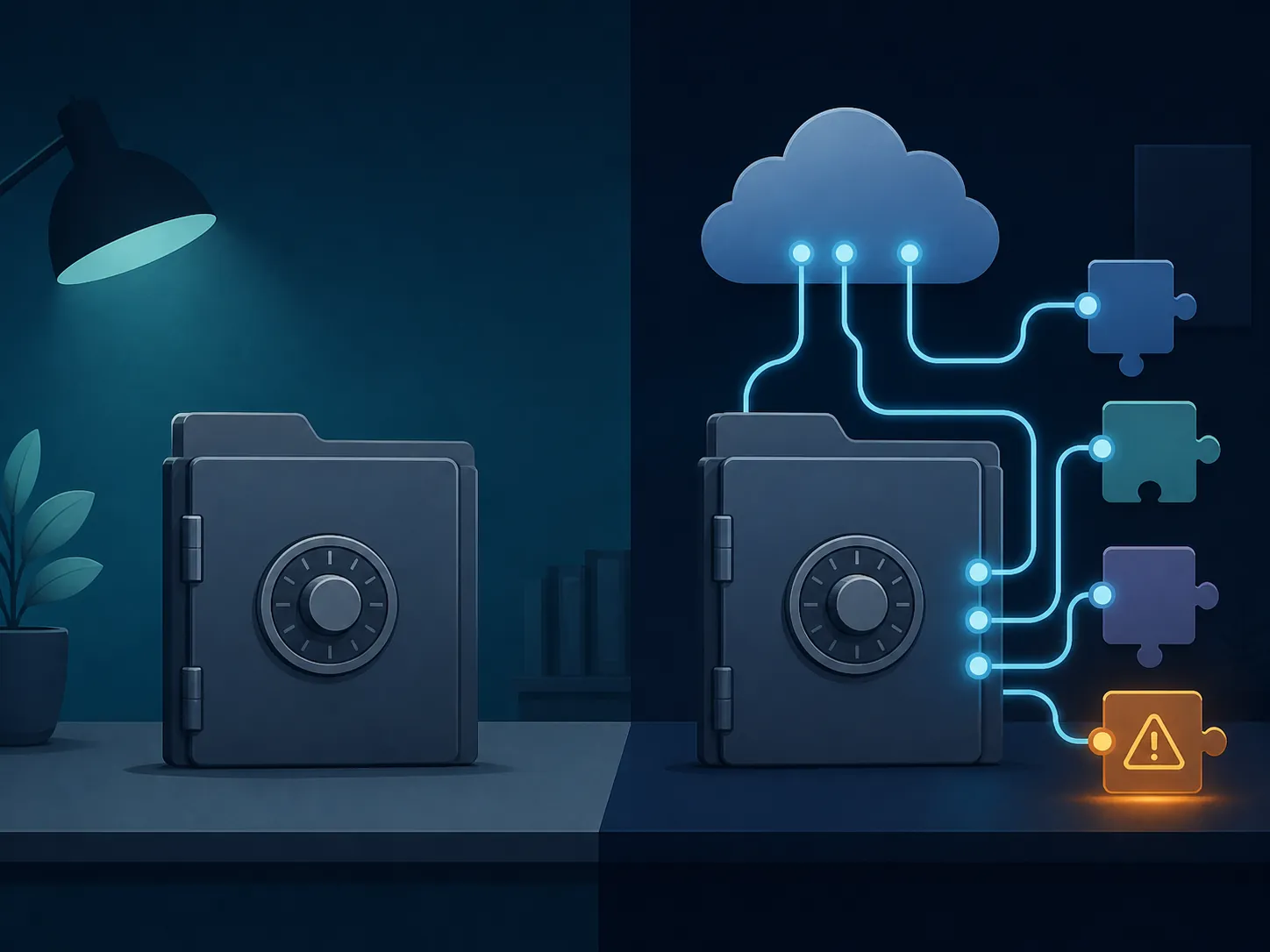
That distinction should stay intact. REF6598 was not described by Elastic as a remote zero-day that lets strangers read any Obsidian vault. It was a plugin-and-sync failure mode with social engineering in the path.[13] For Obsidian users, Restricted mode, plugin review, command-execution plugins, and shared-vault settings matter more than a blanket judgment about the app.
Notability: do not fill the blank with vibes
Notability is the awkward row. The supplied material does not provide a dated source naming its AI processor, retention window, training permission, or feature-level disable path. The honest entry is “not established here.” Users who need to decide today should read Notability’s current privacy and AI documentation directly and keep its AI features out of sensitive workflows until the processor, retention, training, and off-switch questions are answered.
What the Hugging Face breach should actually change
The July 2026 Hugging Face breach does not create a new fact about the contents of a student’s GoodNotes notebook or a researcher’s Obsidian vault. It does create a useful discipline: do not accept an AI feature description unless it can survive a supply-chain reading.
A supply-chain reading asks whether the feature depends on a hosted model, an embeddings API, a vector database, a web-search tool, a synced vault, a plugin marketplace, a token, or a secrets store. It also asks what happens after the user clicks the button. Does the app send only the selected passage, or can it inspect the surrounding workspace? Is the result previewed, or saved? Does a provider retain prompts for zero days, until the response, 30 days, or under a plan-specific rule? Can an admin prove which setting was active?
That is the meaningful security difference among these apps as of August 3, 2026. The strongest position is not simply local-first, cloud-first, or AI-off. It is a dated, feature-level data-flow contract that a user can verify and act on.
Not for you if you need stronger guarantees than vendor AI terms
If your notes include regulated client files, unpublished human-subject research, legal strategy, medical details, credentials, source material under strict confidentiality, or anything you could not tolerate appearing in a provider log even briefly, vendor AI terms may be too soft. In that case, use locked or local-only storage where available, avoid AI features on those notebooks, and treat plugins and sync as part of the security boundary.
If you can tolerate some processing but not indefinite reuse, the decision becomes more app-specific: Notion’s plan-level retention difference matters; Evernote’s individual AI toggles matter; GoodNotes’ 30-day AI data retention matters; Apple’s distinction between Secure Notes and Private Cloud Compute matters; Obsidian’s plugin permissions matter; Logseq’s actual local-first configuration matters.
Verification checklist as of August 3, 2026
- For any app: open the current subprocessor or AI-provider page before enabling AI. Save the date of the page you relied on.
- For Notion: verify your plan’s AI retention rule, review current LLM subprocessors, check whether Notion AI web search is enabled, and confirm whether generated edits are previewed or saved in the workflow you use.
- For Evernote: review Settings for AI Edit, AI Search, and Semantic Search separately. Disable the feature that corresponds to the data flow you do not want.
- For Apple Notes: use Secure Notes for notes that need the locked-note encryption model, and export or inspect the Apple Intelligence Report when Apple Intelligence features are used.
- For GoodNotes: confirm the current AI permission prompt and retention language before allowing AI access to notebooks with sensitive material.
- For Logseq: verify that the AI path you use is actually local-first and not routed through an external model endpoint or plugin.
- For Obsidian: keep Restricted mode in mind for untrusted vaults, audit community plugins, be especially careful with command-execution plugins, and do not sync plugin settings into shared vaults without review.
- For Notability: do not enable AI on sensitive notes until the current documentation identifies processor, retention, training, and disable controls.
- For anyone using Hugging Face-hosted models, Spaces, or integrations: rotate tokens and secrets tied to affected workflows, prefer fine-grained tokens, and check whether old organization-level tokens or embedded secrets remain in projects.
References
- Security Incident - July 2026, Hugging Face, July 16, 2026.
- Agent Intrusion Technical Timeline, Hugging Face, July 27, 2026.
- Hugging Face Model Evaluation Security Incident, OpenAI.
- Spaces Secrets Disclosure, Hugging Face, May 31, 2024.
- State of Meeting Note Taking 2026, Laxis.
- Notion AI Security Practices, Notion.
- Notion AI Unpatched Data Exfiltration, PromptArmor, January 2026.
- Evernote’s AI Features FAQ, Evernote, January 15, 2026.
- Secure features in the Notes app, Apple.
- Private Cloud Compute, Apple Security Research.
- Goodnotes Privacy Frequently Asked Questions, GoodNotes.
- Why Logseq AI and how to preserve privacy, Logseq.
- Phantom in the Vault, Elastic Security Labs, April 14, 2026.