
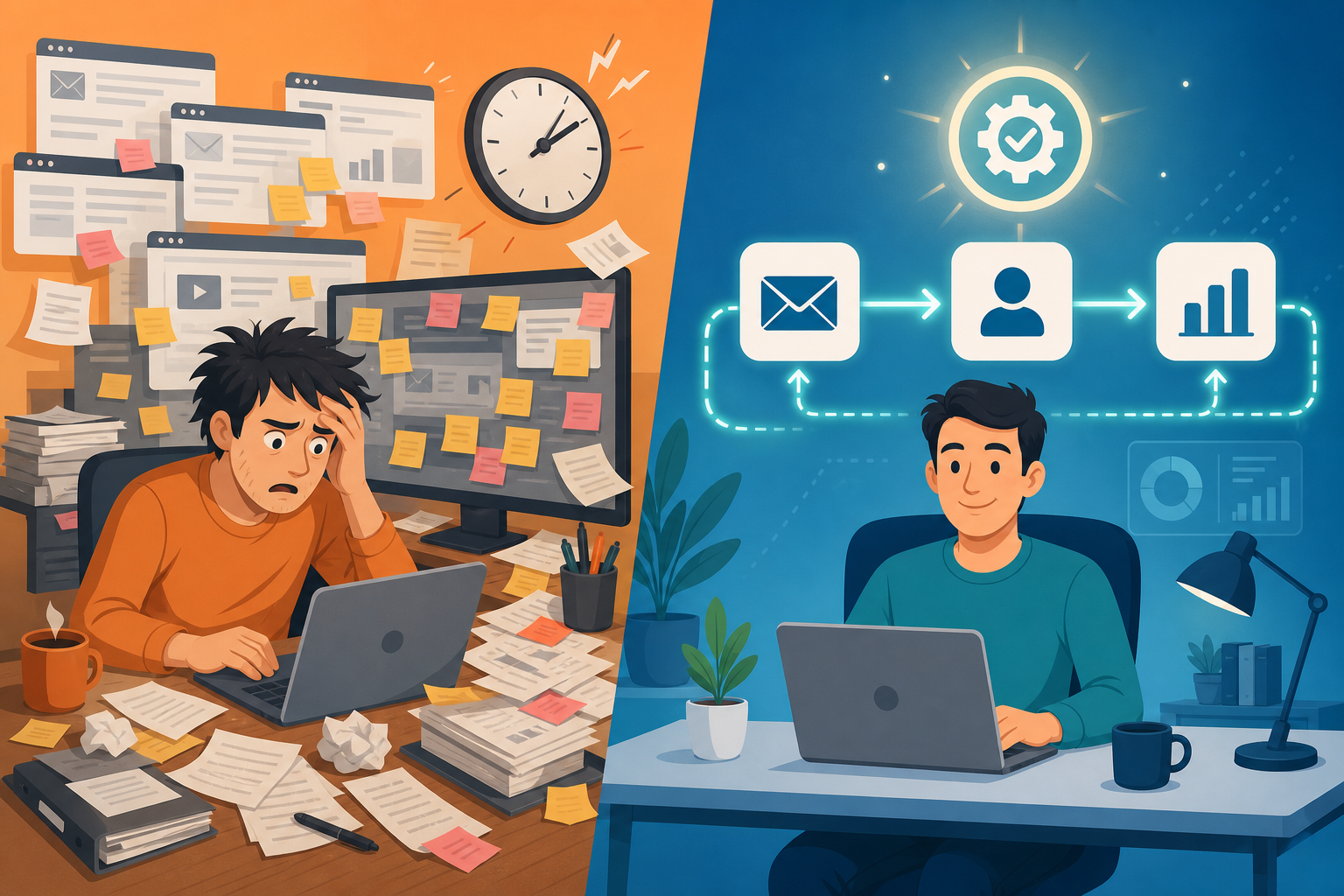
Introduction: Automation Doesn't Automatically Fix Broken Processes
If you've invested in marketing automation and the results feel underwhelming, you're not alone. The common reflex is to blame the tool — maybe the platform is too limited, the pricing too high, or the features too basic. But in the majority of cases, the tool isn't the problem. The problem is what you're asking it to do.
Marketing automation is a force multiplier for processes that already work. When you plug a broken process into an automation engine, you don't fix it — you just make it fail faster and at scale. The result is wasted budget, polluted data, frustrated teams, and a leadership team that questions whether the automation investment was worth it.
This article is for marketing managers and operations leads who have started automating but are disappointed with the ROI, or who want to avoid common pitfalls before scaling. We'll walk through seven specific mistakes — backed by real practitioner case studies — and provide a guardrails framework and monthly health checklist that can help you double or triple the return on your existing workflows without adding a single new piece of software.
Mistake #1: Automating Personal Touch Where Humans Are Needed
The most common automation mistake is also the most subtle: applying automation to interactions that feel inauthentic when templated. A classic example comes from a Zapier practitioner story about post-webinar follow-ups. The team built an automated sequence that sent a generic "thanks for attending" email to every registrant, regardless of whether they stayed for the full session, asked a question, or left after five minutes. The result was a flood of replies saying, "I didn't even watch the webinar — why are you emailing me about it?"
The fix isn't to abandon automation. It's to identify which moments in your customer journey genuinely benefit from a human touch and build a hybrid workflow that routes those interactions to a person instead of a template.
Mistake #2: Forgetting Edge Cases That Break Attribution
Automation rules are only as good as the assumptions they're built on. When those assumptions don't account for edge cases, the results can be catastrophic for your data integrity.
One team featured in Zapier's practitioner roundup learned this the hard way. They built an automated UTM tagging rule that was supposed to append tracking parameters to every outgoing link. The rule ran without any conditional logic to check whether a link already had UTM parameters set. The result: every existing link in their system — including links in live campaigns, archived emails, and partner materials — was double-tagged, breaking all historical attribution data. They couldn't tell which campaigns had driven conversions for the previous six months.
The fix is straightforward but often skipped: build conditional logic into every automation rule that modifies existing data. Before appending a UTM parameter, check whether one already exists. Before updating a contact record, verify that the new value is actually different from the current value. Before moving a lead to a new stage, confirm that the trigger event is valid.
Mistake #3: Not Branching Automations (Leads of All Types Enter the Same Pipeline)
A linear automation pipeline is the fastest way to fill your CRM with noise. When every website lead — regardless of intent, source, or behavior — enters the same sales stage, your sales team spends their time sorting through low-value contacts instead of engaging with qualified prospects.
A marketing specialist in the Zapier case study described exactly this scenario. They built a lead capture automation that pushed every new form submission directly into the sales pipeline. The result was a CRM cluttered with students, competitors, job seekers, and accidental form submitters. The sales team couldn't distinguish between a high-intent demo request and a "send me your whitepaper" download.
The fix requires branching your automation based on lead behavior and profile data:
- Create separate pipelines or stages for different lead types: MQLs, SQLs, nurture-only contacts, and unqualified leads.
- Add filters that route leads based on explicit signals — form selection, page visited, company size, job title — not just on form submission alone.
- Insert a human review step before high-value leads enter the sales pipeline. The automation collects and enriches the data; a person makes the final routing decision.
- For low-intent leads (content downloads, newsletter signups), route them into a separate nurture sequence with its own scoring model.
Mistake #4: Going Programmatic Without Quality Oversight
Programmatic content generation — using automation to produce pages, posts, or emails at scale — is one of the most tempting applications of marketing automation. It's also one of the most dangerous when done without quality safeguards.
A content lead in the Zapier practitioner story described a programmatic SEO effort that generated 8 million pages discovered by Google. On the surface, that sounds like a massive win. But only 650,000 of those pages were actually crawled — a crawl rate of roughly 8%. The remaining 7.35 million pages were either too low-quality, too similar, or too poorly sourced for Google to bother indexing. The team had built a content machine that produced volume without value, wasting engineering resources and potentially harming the domain's overall authority.
The root cause was a combination of generic templates, weak data sources, and zero quality safeguards. The automation was built to maximize output, not to ensure that each piece of content met a minimum quality threshold.
Mistake #5: Automation-Induced Information Overload
Automation is supposed to reduce noise, not amplify it. But when every workflow trigger generates a notification — every lead captured, every email opened, every form submitted — the result is the opposite of productivity.
A community lead in the Zapier case study built an automated lead routing system that sent a Slack notification for every new lead. The team was receiving over 300 notifications per week. The predictable outcome: the sales team muted the channel entirely. The automation was technically working — every lead was being routed — but the signal was lost in the noise.
The fix was simple but required rethinking the notification strategy:
- Replace real-time notifications for low-urgency events with a daily or weekly digest.
- Set notification thresholds — only alert the team when lead volume exceeds or drops below a certain range, not for every single event.
- Route different notification types to different channels or recipients. A high-value demo request might warrant an immediate Slack ping; a newsletter signup can wait for the daily summary.
- Give team members the ability to customize their notification preferences without breaking the underlying workflow.
Mistake #6: Getting Complacent and Not Monitoring Workflows
The most expensive automation mistake is the one you don't know about. Automation is often treated as a set-and-forget solution — build it, deploy it, move on to the next project. But the systems your workflows depend on are constantly changing: form fields get renamed, APIs get updated, data formats shift, and team members change roles.
The Zapier practitioner story includes a painful example: a team lost dozens of leads because a tiny form field change — a single checkbox renamed from "opt_in" to "subscribe" — broke their lead capture automation. The workflow continued running without errors, but it was no longer capturing the data it needed. Nobody noticed for weeks because there were no monitoring alerts in place.
The fix requires building monitoring into your automation infrastructure:
- Set up automated alerts for workflow failures, zero-run events, and sudden volume drops.
- Create a dashboard that shows the health status of every active workflow — last successful run, total runs, error count.
- Assign ownership for each workflow. When something breaks, there should be a named person responsible for fixing it.
- Schedule a recurring review (weekly or bi-weekly) to check that all workflows are still capturing and processing data correctly.
Mistake #7: Neglecting Data Hygiene in Automated Campaigns
Automated campaigns are only as effective as the data they operate on. When your contact database is stale, duplicate-ridden, or inconsistently formatted, every automated sequence built on top of it will underperform.
According to Encharge, citing 6sense, marketing data decays at a rate of 2-3% per month. That means without regular maintenance, up to a quarter of your contacts could be obsolete within a year. Emails bounce, job titles change, company affiliations shift, and engagement patterns evolve. An automated campaign that was perfectly targeted six months ago may now be sending irrelevant messages to outdated contacts.
The impact on ROI is measurable. Encharge also reports, citing Campaign Monitor, that 77% of ROI from marketing automation comes from segmented, targeted, and triggered campaigns. When your segmentation is built on decaying data, that 77% quickly erodes.
| Data Hygiene Issue | Impact on Automated Campaigns | Recommended Fix Frequency |
|---|---|---|
| Bounced or invalid email addresses | Damages sender reputation, reduces deliverability | Monthly validation + real-time verification on capture |
| Outdated job titles or company info | Wrong segmentation, irrelevant messaging | Quarterly enrichment refresh |
| Duplicate contact records | Inflated metrics, inconsistent customer experience | Monthly deduplication rules |
| Stale engagement scores | Leads stuck in wrong pipeline stages | Weekly score recalculation |
| Missing or inconsistent custom fields | Broken conditional logic, failed routing | Pre-submission validation + quarterly audit |
How to Audit Your Existing Workflows for These Issues
You don't need to rebuild everything from scratch. A structured audit can identify the specific workflows that are leaking ROI and prioritize fixes by impact. Here's a step-by-step process:
- Inventory every active workflow. List the trigger, action, data sources, and downstream systems for each one. You can't fix what you don't know exists.
- Check for edge cases. For each workflow, ask: what happens if a field is blank? What happens if a value already exists? What happens if the trigger fires twice? Document the gaps.
- Review notification volume. Pull the last 30 days of notification data. Are any channels or individuals receiving more than 50 notifications per week? Flag those for consolidation.
- Test data quality. Run a sample of 100 records through each workflow and verify that the output data is accurate, complete, and correctly formatted. Look for silent failures — workflows that run without errors but produce bad data.
- Identify human-in-the-loop gaps. Mark every workflow that handles a high-touch interaction (demo requests, churn alerts, support escalations). If any of these are fully automated without a human review step, flag them for redesign.
- Check monitoring coverage. For each workflow, confirm that there is an alert or dashboard that would notify you if it stopped working. If a workflow has no monitoring, it's a risk.
| Audit Dimension | What to Look For | Priority |
|---|---|---|
| Edge case handling | Missing conditional logic, no test data coverage | High — can break attribution and data integrity |
| Notification volume | >50 notifications/week per channel or person | Medium — erodes team trust in automation |
| Data quality | Bounces, duplicates, stale fields, silent failures | High — directly impacts segmentation ROI |
| Human-in-the-loop gaps | High-touch interactions with no human review | High — damages customer relationships |
| Monitoring coverage | Workflows with no alerts or health checks | High — leads to undetected failures |
Framework for Building Guardrails: Filters, Human-in-the-Loop Steps, and Monitoring
The seven mistakes above share a common root cause: workflows built without guardrails. A guardrail is a safety mechanism that prevents an automation from operating outside acceptable parameters. Building guardrails into every workflow — before deployment — is the single most effective way to protect ROI.
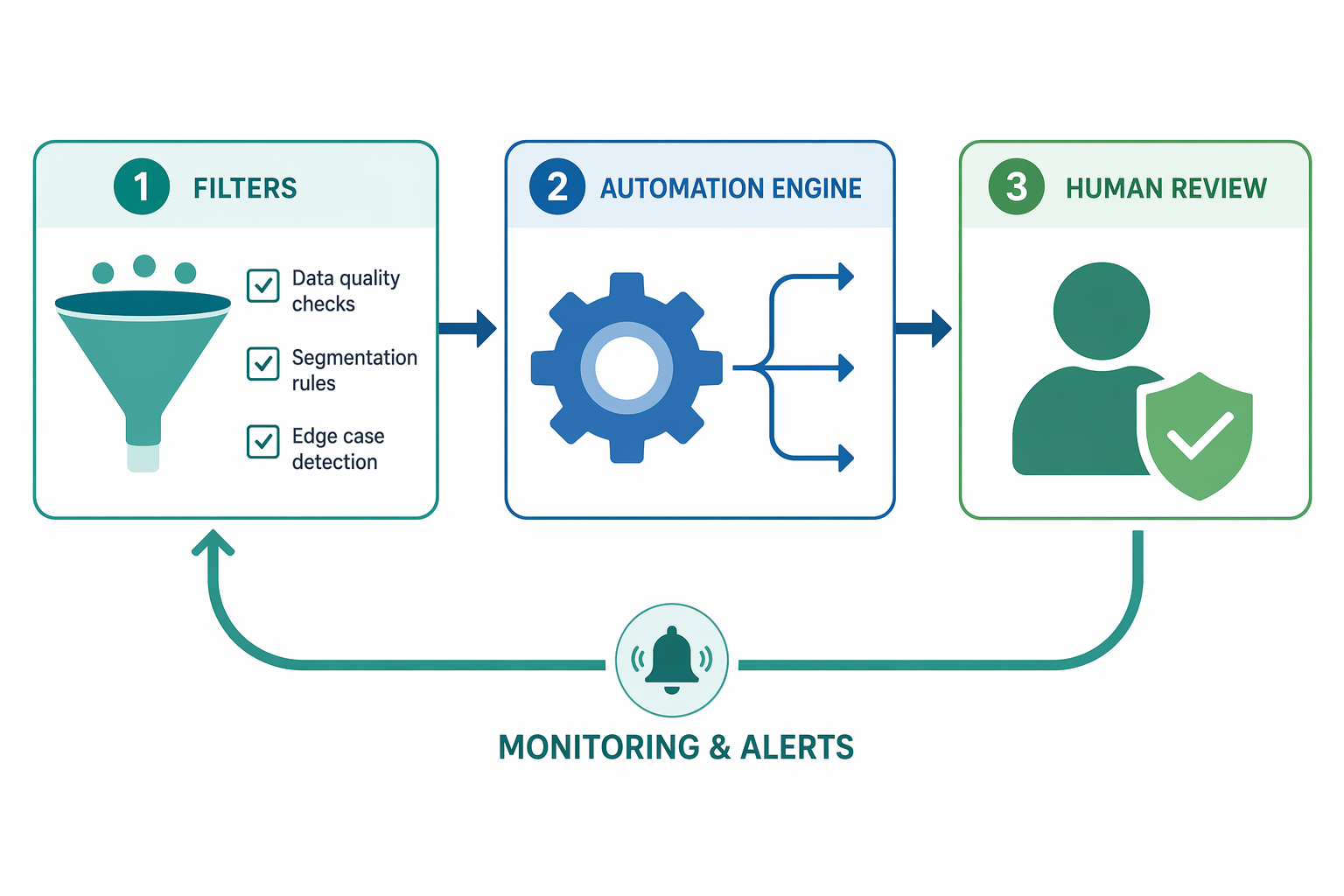
The guardrails framework consists of four layers, applied in sequence:
- Data quality filters and edge case detection. Before any data enters your automation, validate it. Check for required fields, correct formats, and known edge cases. Reject or flag records that don't meet your quality thresholds.
- Branching and conditional logic. Don't build linear pipelines. Use conditions to route different types of leads, contacts, or events into appropriate paths. Every workflow should have at least two branches: one for expected behavior and one for everything else.
- Human-in-the-loop review steps. Identify the moments in your workflow where a wrong automated decision would cause the most damage — and insert a human review step before those decisions execute. The automation handles the routing and preparation; the human makes the final call.
- Monitoring and automated alerts. Every workflow needs a health check. Set up alerts for zero-run events, sudden volume changes, error spikes, and data anomalies. Create a dashboard that gives you a single-pane view of all active workflows.
Monthly Workflow Health Checklist
Preventing automation decay requires regular maintenance. Use this checklist as a recurring monthly review to catch issues before they compound.
| Checklist Item | What to Verify | Frequency |
|---|---|---|
| Data quality scan | Run a sample of 100 records through each major workflow; check for bounces, duplicates, and format errors | Monthly |
| Edge case test | Test each workflow with blank fields, already-populated fields, and malformed inputs | Monthly |
| Notification volume review | Pull notification logs; identify any channel or person receiving >50 notifications/week | Monthly |
| Broken trigger check | Verify that all workflow triggers (form fields, API endpoints, webhooks) are still active and correctly mapped | Monthly |
| Segmentation accuracy audit | Compare current segment membership against intended criteria; look for stale or miscategorized contacts | Monthly |
| Human-in-the-loop review | Confirm that all high-touch workflows still have a human review step; check that review queues are being processed | Monthly |
| Monitoring alert test | Trigger a test failure in each workflow and verify that the alert reaches the correct person | Quarterly |
| Full workflow inventory | Review all active workflows; archive or update any that are no longer relevant | Quarterly |
Comments
Join the discussion with an anonymous comment.