
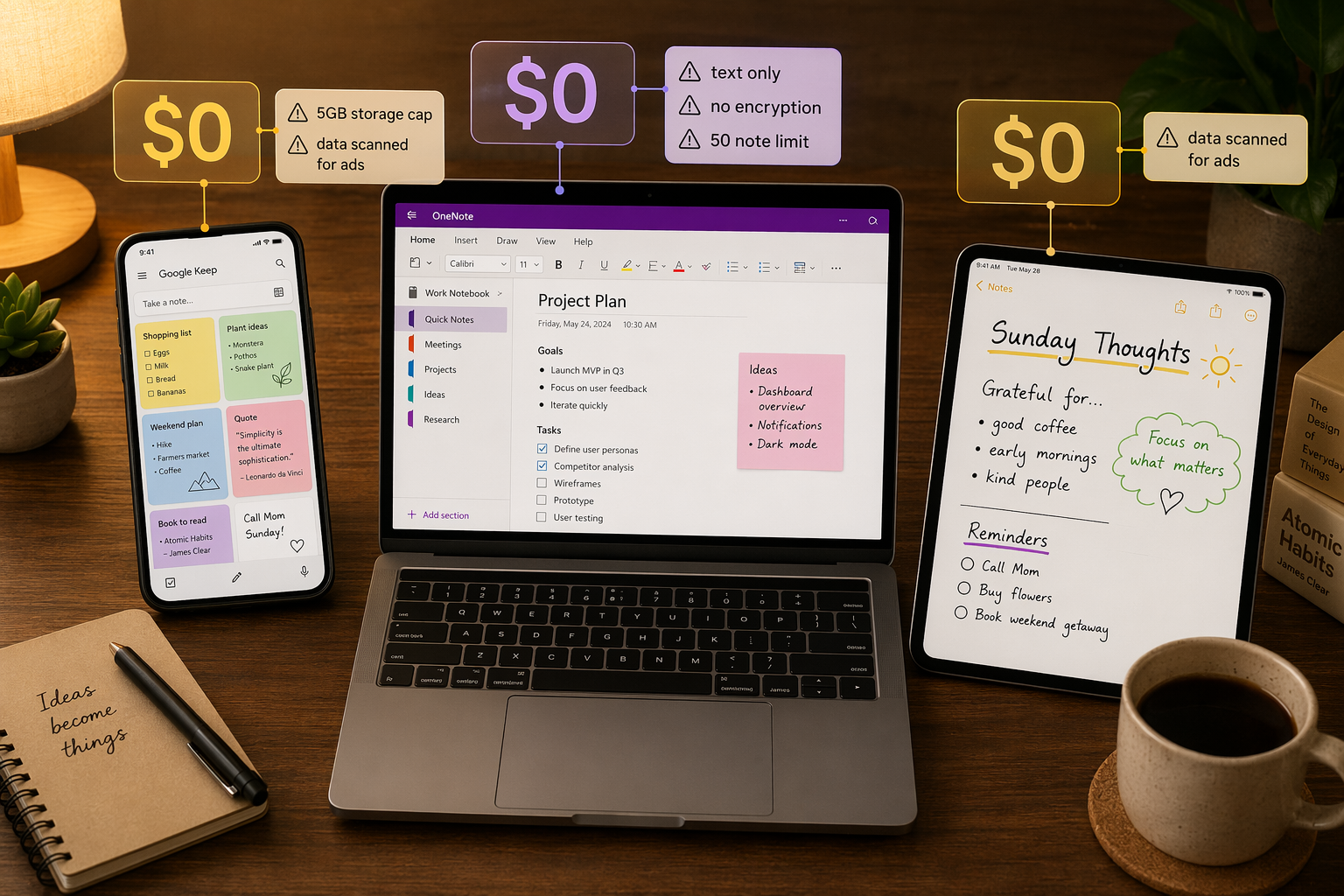
The 'Free Plan' Deception: What You're Actually Paying
When a note-taking app costs zero dollars, the transaction isn't gone — it's just invisible. Every free tier is a product of its parent company's business model, and that model determines what you give up in return for not paying. In 2026, the landscape of free note-taking apps is more fragmented than ever, with five distinct monetization mechanisms at play: data collection, storage traps, feature gates, sync paywalls, and export lock-in.
Understanding which mechanism your chosen app uses is the only way to know whether you're getting a genuinely useful tool or a carefully disguised trial. This article categorizes the major free plans by their monetization model — not by feature count — so you can see exactly what each "free" app is designed to sell you later.
Category 1: Data as Payment — Google Keep and the Ad-Profiling Trade-Off
Google Keep is the clearest example of a free app whose real cost is your data. The app is genuinely free to use with no storage limits that force upgrades — Google's 15GB pool is shared across all Google services, and Keep's text notes are lightweight enough that most users never hit the cap. But the trade-off is structural: Google scans the content of your notes for ad profiling purposes.
Multiple independent sources confirm this arrangement. PCMag's 2026 review states plainly that "Google scans notes for ad profiling," and the Notopod analysis echoes the same finding, noting that Keep has no end-to-end encryption. This means every grocery list, meeting recap, and personal journal entry you store in Keep is readable by Google's advertising systems.
The data-as-payment model is not unique to Google. Any free app that does not charge users must generate revenue elsewhere. The question is whether that revenue comes from selling access to your content (Keep), from selling premium upgrades (Evernote), or from selling sync services (Obsidian). Knowing which model an app uses tells you more about its long-term viability than any feature list.
Category 2: Storage Traps — OneNote and iCloud's Shared Pools
Some free plans are designed to feel generous until you hit an invisible ceiling — then the upgrade path is the only way forward. Microsoft OneNote and Apple Notes both use this model, and the trap is the same: your note storage is not independent. It is drawn from a shared pool that also holds your photos, documents, backups, and email attachments.
OneNote's free tier gives you 5GB of storage, but that 5GB is shared with your entire OneDrive account. If you also use OneDrive for file backups, photo sync, or document storage, your note-taking app is competing for space with everything else. Upgrading to 100GB costs $1.99 per month, and Microsoft 365 Personal — which includes 1TB of storage — runs $7.20 per month or $99.99 per year.
Apple Notes follows the same pattern. The free tier gives you 5GB of iCloud storage, shared across all iCloud services — device backups, photos, iCloud Drive documents, and mail attachments. For Apple users who take photos or back up their phones, that 5GB evaporates quickly. Once it is gone, you either stop syncing notes or pay for iCloud+.
| App | Free Storage | Shared With | Upgrade Cost |
|---|---|---|---|
| Microsoft OneNote | 5 GB | OneDrive (all files, photos, backups) | $1.99/mo for 100 GB |
| Apple Notes | 5 GB | iCloud (device backups, photos, Drive) | $0.99/mo for 50 GB |
| Google Keep | 15 GB | Gmail, Google Drive, Google Photos | $1.99/mo for 100 GB |
The key insight here is that these apps are not limiting your notes directly — they are limiting the cloud infrastructure your notes depend on. If you only take text notes and never attach images or files, you may never hit the cap. But the moment you add a photo of a whiteboard, a PDF attachment, or a voice memo, your storage consumption jumps, and the upgrade path becomes inevitable.
Category 3: Feature Gates — Evernote and Standard Notes' Disguised Trials
The most aggressive monetization model is the feature gate: a free tier that is technically free but deliberately crippled to the point of unusability for any serious note-taking. Evernote and Standard Notes are the two most prominent examples, and their free tiers are best understood as extended trials rather than sustainable plans.
Evernote's free plan in 2026 limits you to 50 notes total, one notebook, and one device. Multiple sources — including Zapier, PCMag, and Notopod — confirm these restrictions. PCMag's review goes further, calling the free version "not worth using." The 50-note cap means you cannot build a long-term knowledge base. The single-device restriction means you cannot take notes on your phone and review them on your laptop. This is not a free plan; it is a 50-note demo.
Standard Notes takes a different approach. Its free tier is genuinely unlimited for text notes — you can write as many as you want, forever. But the free tier is text-only. Rich text formatting, Markdown preview, file attachments, code syntax highlighting, and even basic features like folders and tags are locked behind the Professional plan at $90 per year. If you need to attach a PDF to a note or write in anything other than plain text, the free tier is a non-starter.
Category 4: Sync Paywalls — Obsidian, Joplin, and the Cost of Mobility
A third category of free apps is genuinely unlimited — locally. The app itself costs nothing, and you can create as many notes as you want with full features. But the moment you want to access those notes on a second device, you hit a paywall. This is the sync paywall model, and it applies to Obsidian, Joplin, and Standard Notes (in addition to its feature gate).
Obsidian's core app is free for personal use with no limits on notes, features, or local storage. Its privacy posture is strong — notes are stored as plain Markdown files on your device, and Obsidian does not scan or access your data. But Obsidian Sync costs $4 per month (or $5 per month for the Sync + Publish bundle, per Zapier's December 2025 data). Without Sync, you are limited to a single device unless you set up your own sync solution using a third-party service like iCloud, Dropbox, or Syncthing.
Joplin is free and open source with end-to-end encryption included at no cost. But its default sync setup requires technical configuration — you must connect it to your own cloud storage (Nextcloud, Dropbox, OneDrive) or pay for Joplin Cloud, which starts at €2.99 per month and includes 2GB of storage and simplified sync. For non-technical users, Joplin Cloud is the practical path to multi-device access.
| App | Local Use | Official Sync Cost | DIY Sync Option |
|---|---|---|---|
| Obsidian | Free, unlimited | $4/mo (Obsidian Sync) | iCloud, Dropbox, Syncthing (manual setup) |
| Joplin | Free, unlimited | €2.99/mo (Joplin Cloud, 2 GB) | Nextcloud, Dropbox, OneDrive (technical setup) |
| Standard Notes | Free, text-only | $90/yr (includes sync + features) | Not available |
The sync paywall model is arguably the most honest of the five monetization mechanisms: the app is genuinely free for what it does, and you only pay for the convenience of cloud sync. But it creates a real cost for users who work across multiple devices — which is most knowledge workers. If you take notes on your phone during a meeting and need to reference them on your desktop later, the sync paywall is effectively a usage tax.
For readers evaluating whether paying for sync is worth it, our Free vs. Paid Note-Taking Apps in 2026 guide breaks down the cost-benefit analysis for each pricing model.
Category 5: Export Lock-In and Retention Cliffs
The most insidious hidden cost is not a limit you can see — it is the difficulty of leaving. Export lock-in occurs when a free plan makes it technically possible to export your data but practically difficult, or when the free tier's limitations make it impossible to build a complete archive before you are forced to upgrade.
Evernote's free plan is the clearest example. With a 50-note cap and a 250MB per month upload limit (confirmed by PCMag), you cannot build a substantial archive on the free tier. If you do upgrade to export your data, you then face the complexity of Evernote's proprietary .enex format, which does not map cleanly to Markdown or plain text. The cost of leaving is not just the subscription — it is the time and potential data loss of migration.
Notion's free plan has a different kind of lock-in: a 5MB file upload limit per file. For text notes this is irrelevant, but for anyone who attaches PDFs, images, or datasets, the limit forces either compression or upgrade. Notion also has no offline mode on its free tier, which means your notes are inaccessible without an internet connection — a form of functional lock-in that makes the app unreliable for travel or low-connectivity environments.
- Evernote: 50-note cap prevents building a full archive; proprietary .enex format complicates migration.
- Notion: 5MB per-file upload limit; no offline mode on free tier.
- Standard Notes: Text-only free tier means any rich content you create is locked behind the $90/yr paywall.
- OneNote/Apple Notes: Data is stored in proprietary formats; export to Markdown or plain text requires third-party tools.
Comparison: Which Free Plans Are Actually Sustainable Long-Term?
The table below categorizes each app's free tier by its monetization model and long-term sustainability. "Truly free (with caveats)" means the app is usable indefinitely without paying, though it may lack certain features. "Free-to-try" means the free tier is designed to convert you to a paid plan. "Free with hidden costs" means the app is free but monetizes your data or creates unavoidable upgrade paths.
| App | Monetization Model | Long-Term Category | Key Limitation |
|---|---|---|---|
| Simplenote | None (no ads, no data mining) | Truly free (with caveats) | Text-only, no encryption |
| Joplin (DIY sync) | None (open source) | Truly free (with caveats) | Requires technical setup for sync |
| Joplin Cloud | Sync subscription | Free-to-try | €2.99/mo after free trial |
| Obsidian (local) | None (core app is free) | Truly free (with caveats) | Single-device without paid sync |
| Obsidian (with Sync) | Sync subscription | Free-to-try | $4/mo for multi-device sync |
| Apple Notes | Storage trap | Free with hidden costs | 5GB iCloud shared pool |
| Google Keep | Data collection | Free with hidden costs | Notes scanned for ad profiling |
| Microsoft OneNote | Storage trap | Free with hidden costs | 5GB OneDrive shared pool |
| Standard Notes (free) | Feature gate | Free-to-try | Text-only; $90/yr for full features |
| Evernote (free) | Feature gate | Free-to-try | 50 notes, 1 device, 1 notebook |
| Notion (free) | Feature gate + storage trap | Free-to-try | 5MB file limit, no offline mode |
Privacy Comparison: Encryption, Data Usage, and Vendor Risk
For privacy-conscious users, the most important distinction between free plans is not storage or features — it is whether the app can read your notes. The table below summarizes each app's encryption posture, data usage policy, and data portability strength.
| App | End-to-End Encryption | Data Used for Ads | Export Format | Vendor Risk |
|---|---|---|---|---|
| Simplenote | No | No | Plain text | Low (owned by Automattic) |
| Joplin | Yes (free) | No | Markdown, JEX | Low (open source) |
| Obsidian | No (local files are unencrypted) | No | Markdown | Low (local-first) |
| Apple Notes | No (iCloud encryption, not E2EE) | No | PDF, rich text | Medium (Apple ecosystem lock-in) |
| Google Keep | No | Yes (ad profiling) | Google Takeout (JSON, HTML) | High (data mining) |
| Microsoft OneNote | No | No | PDF, .one, Word | Medium (OneDrive dependency) |
| Standard Notes | Yes (paid tier) | No | Plain text (free), rich text (paid) | Low (open source) |
| Evernote | No | No | .enex, HTML, PDF | High (frequent pricing changes) |
| Notion | No | No | Markdown, HTML, CSV | Medium (cloud-only) |
Two patterns stand out. First, only Joplin and Standard Notes (paid) offer end-to-end encryption on their free or low-cost tiers. Second, Google Keep is the only major app that explicitly scans note content for advertising purposes — a distinction that makes it fundamentally different from every other app on this list from a privacy standpoint.
Verdict: The Truly Free (with Caveats) vs. The 'Free-to-Try'
After analyzing the monetization models, storage traps, feature gates, sync paywalls, and privacy trade-offs, three apps emerge as genuinely free for long-term use — each with significant caveats that you need to accept upfront.
- Simplenote is the most honest free app on the market. It is 100% free with no storage limits, no data mining, and no feature gates. The trade-offs are severe: text-only notes, no encryption, and a weak privacy policy. If you only take plain-text notes and do not need privacy, Simplenote is your best bet.
- Joplin is the best option for privacy-conscious users who are willing to handle technical setup. It is free, open source, and includes end-to-end encryption. The catch is that multi-device sync requires either technical configuration (DIY cloud storage) or a Joplin Cloud subscription at €2.99/month.
- Apple Notes is genuinely free for users who are fully within the Apple ecosystem and do not exceed 5GB of iCloud storage. If you use iCloud for anything else — backups, photos, documents — the shared pool becomes a trap that forces an iCloud+ subscription.
Every other app on this list — Evernote, Standard Notes (free tier), Notion, Google Keep, OneNote, and Obsidian (with sync) — either limits you to a trial-like experience, monetizes your data, or charges for the mobility that modern note-taking requires. That does not make them bad apps. It means their free tiers are not designed to be your permanent home.
For a broader view of how the 2026 note-taking market has shifted — including AI features, pricing changes, and new entrants — read our Best Note-Taking Apps 2026: Why the Old Buying Advice No Longer Applies analysis.
Comments
Join the discussion with an anonymous comment.