
The Workflow That Ran Fine Until It Didn't
A lead comes in. Your CRM fires a Zap, sends a Slack message, adds a row to your spreadsheet. Looks fine. But the lead needed a compliance check first. The Zap didn't know that. Three weeks later someone finds the lead in a stale column. The Slack message said “new lead assigned.” Nobody noticed because the failure was silent.
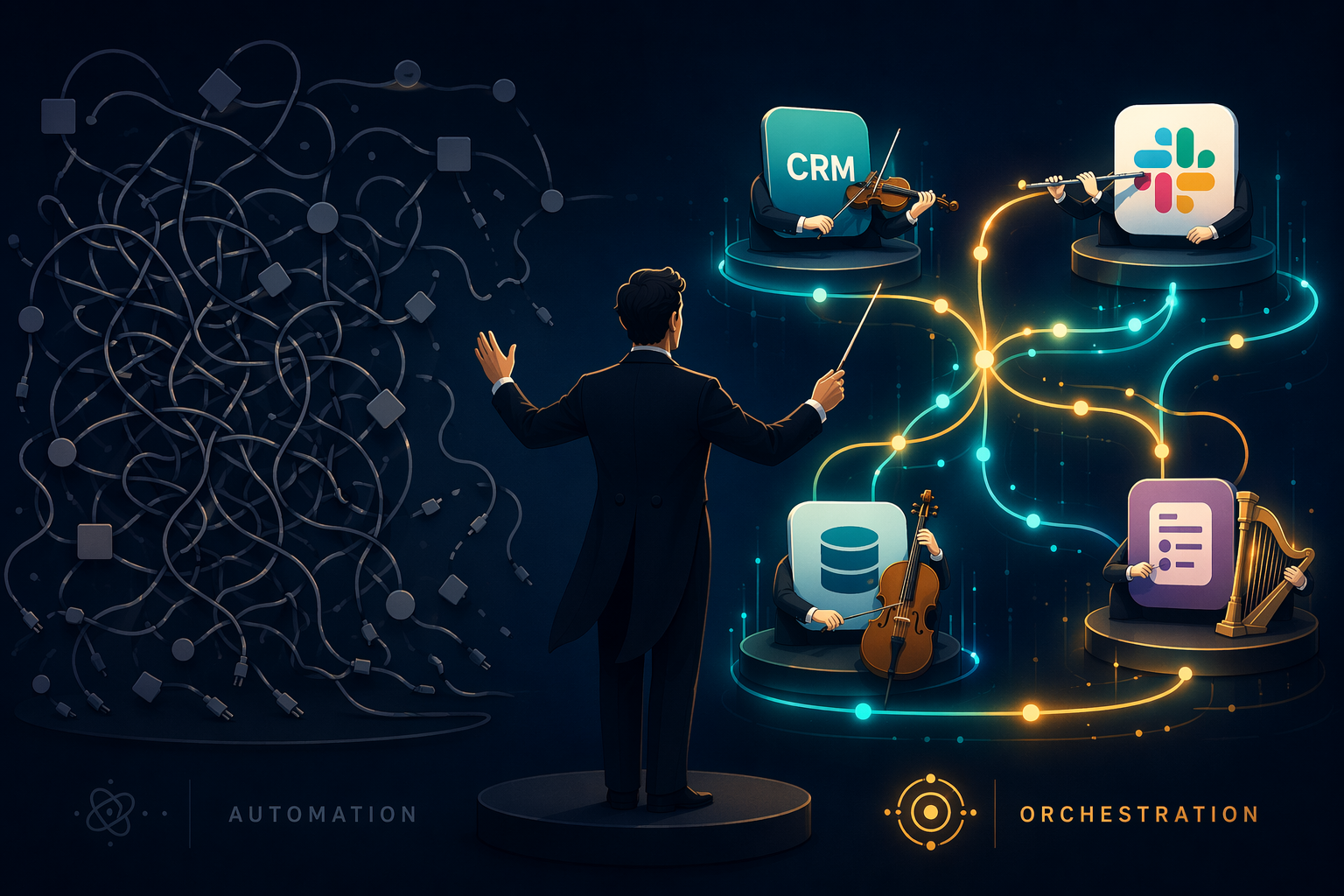
This is not a broken integration. It is a missing state. The Zap executed its trigger-to-action chain perfectly, but it never knew the compliance step existed. That is the difference between a musician playing a flawless solo and a conductor making sure the whole orchestra arrives at the right note together.
Most teams start with automation that handles individual tasks in isolation. The problem isn't that the tools are bad — it's that processes don't fit inside a single trigger-action pair. A 92% of professional services firms say their current tools fall short on end-to-end workflows and integrations. That number is a self-reported attitude, not a measured failure rate — but the gap it describes is real: the tools don't know about the steps they haven't been configured to handle. Coordination is the missing layer, not capability.
What Breaks: The Three Failure Patterns
The boundary between automation and orchestration is not a marketing distinction. It is an architectural one. IBM puts it plainly: Workflow automation focuses on automating individual tasks; workflow orchestration creates a connected framework where these automated tasks interact efficiently, follow a logical sequence, and integrate with other systems. And Camunda adds: While simple automations can often stand by themselves, once your automation maturity reaches a certain level of complexity, orchestration is necessary. But the real reason to consider orchestration is not maturity — it is three specific, measurable failure patterns that plain automation cannot handle.
The n8n blog documents them well, and they are not vendor talking points. They are architectural consequences.
Double-execution. A process fails after step two of five. The operator isn't sure which steps ran, so they re-trigger the whole thing. Steps one and two run again — duplicate customer record, second charge, conflicting notifications. A dedicated orchestrator solves the double-execution problem by tracking the entire sequence and maintaining a record of which steps succeeded, enabling precise recovery from the failure point. This is the pattern I see most often in practice. It is entirely preventable.
State corruption. Partial failures leave data inconsistent. An order is marked “paid” in the payment system but “pending” in inventory because the inventory update timed out. Simple automation tools have no concept of state — they don't remember what happened before the current step. The inconsistency goes unnoticed until a customer asks why their order hasn't shipped.
Observability gaps. When a process touches three APIs, a spreadsheet, and an email, there is no single place to see “where is this process right now?”. Operators rely on guesswork. Simple automation tools lack the concept of state and do not handle processes that run for days or weeks, involve multiple people, or require expert decisions.
These three patterns are the strongest argument for orchestration. They cost time, money, and trust. Once you have seen any of them in your own workflows, the decision stops being theoretical.
| Dimension | Automation | Orchestration |
|---|---|---|
| Scope | Single task or linear sequence | Multi-step, cross-system flow with branching |
| State management | No persistent state between steps | Tracks execution state across entire process |
| Error handling | Retry or notify — often manual | Conditional retry, rollback, fallback paths, human-in-the-loop |
| Visibility | Step-level logs | End-to-end dashboard with real-time process status |
| Dependency tracking | None | Knows which steps must complete before others start |
When a simple automation fails, it usually fails loudly — a Zap stops, an email bounces, someone notices. But when a process spans multiple systems and a failure happens in the middle, the automation may still report success because each individual step ran. The failure lives in the relationship between steps, not inside a step. That is where orchestration earns its place.
When to Move: The Cost of Failure
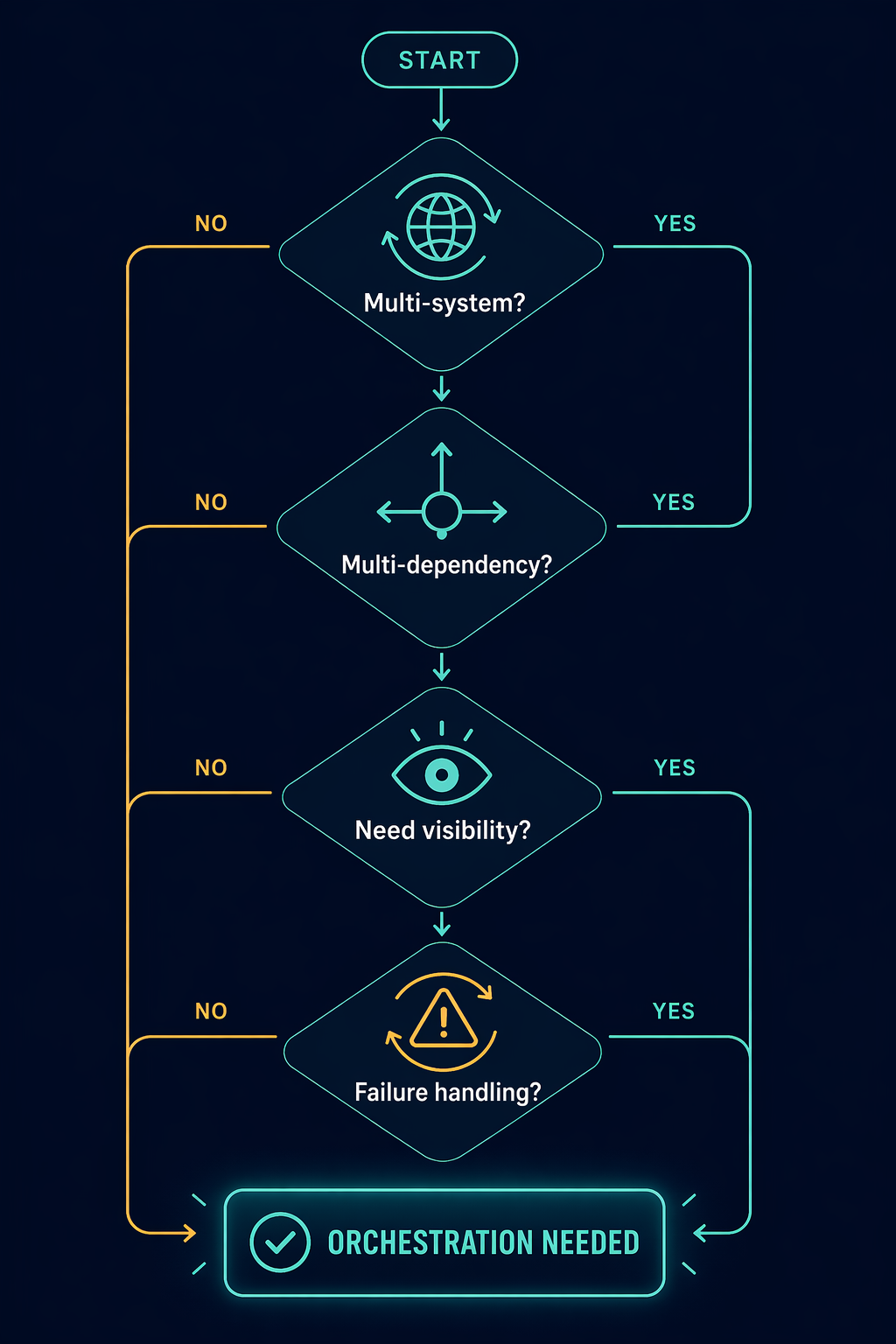
The Teamwork.com framework offers four diagnostic questions. I like them because they are direct and map to real failure patterns:
- Do your processes span more than one system or team?
- Do certain steps depend on the completion of multiple previous steps?
- Does your team need visibility into where a process currently stands?
- Do failed steps need to retry, alert someone, or trigger a fallback path?
Answering yes doesn't automatically mean you need orchestration. I have seen teams answer yes to all four and still not need it because the manual recovery takes five minutes once a month. The real signal is the cost of a single failure: time to detect, time to recover, business impact. If a failed step in a three-system process requires a database rollback by hand and a reentry of customer data, that failure cost dwarfs the effort of building orchestration. If it costs a few minutes of someone's time to rerun a single-step Zap, you can stay where you are.
Two Cases That Draw the Line
Consider lead routing: a new form submission triggers an email to the sales team and a row in a CRM. One system, one direction, low failure cost. Even if the lead falls through, someone usually catches it. Automation is fine here.
Now e-commerce fulfillment: an order triggers payment gateway check, inventory reservation, shipping carrier selection, warehouse picklist generation, and a customer confirmation email. Each step depends on the previous one. The inventory check must succeed before the payment is captured. The payment must succeed before the warehouse picklist is printed. If the payment gateway is slow, the whole process blocks. If the inventory reservation fails, the order must be flagged and a human must decide: substitute, refund, or backorder.
| Dimension | Lead routing | E-commerce fulfillment |
|---|---|---|
| Systems involved | 1–2 | 4–6 |
| Dependencies | None (fire and forget) | Sequential with branching |
| Failure cost | Low (manual follow-up) | High (lost revenue, customer anger) |
The line is drawn by consequences, not by tool labels. If your process looks like the right column, you are losing money every time a step fails silently. If it looks like the left column, you can safely ignore orchestration for that process.
Don't Replace, Layer
A common mistake is thinking orchestration replaces all your existing Zaps or Make scenarios. It doesn't. Automation and orchestration work together: orchestration directs the flow of work between automations, ensuring each one runs at the right time and in the correct sequence.
Concrete example: keep your Zapier trigger that sends a Slack notification when a new ticket appears. That is a simple, stateless automation — perfect for its job. But for the ticket escalation process that involves updating a CRM, checking a knowledge base, assigning a priority based on past history, and emailing the customer — that is where you layer in an n8n workflow (or Make scenario, or custom orchestration) that calls the Slack automation as one step, but also manages state, retries, and rollback across the other systems.
Where Your Tools Land
Tools sit on a continuum. On one end, pure automation: trigger → action, no state, no dependency graph. On the other, full orchestration: centralized state machine, error workflows, human-in-the-loop, audit trail. Most platforms land somewhere in between.
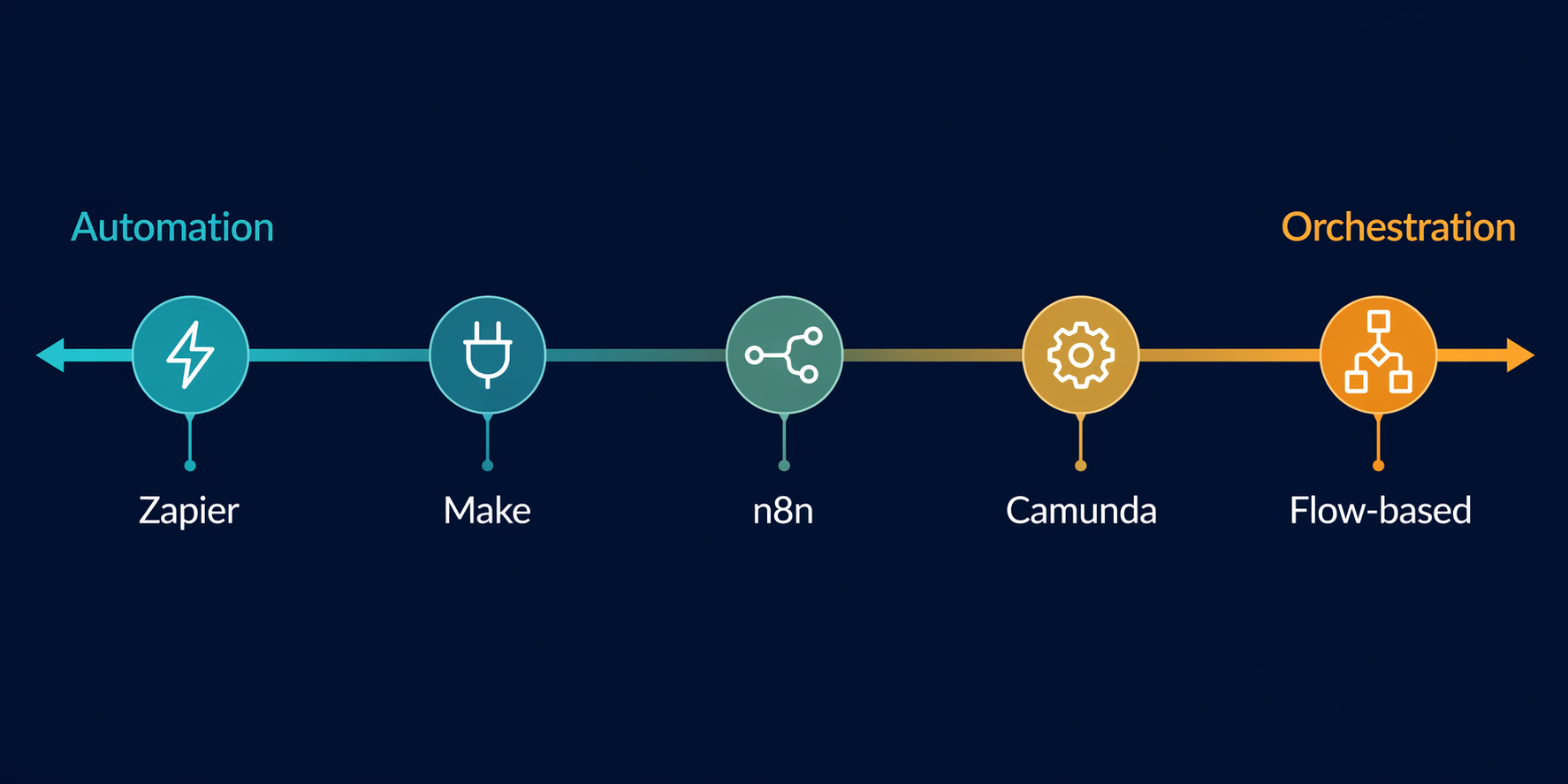
Zapier sits near the automation end. Its free plan caps at 100 tasks per month, and for high-volume automations costs can scale quickly. But you can build multi-step Zaps with filters and paths that approximate orchestration for simple cases.
Make (formerly Integromat) moves further right with scenario branching, error handlers, and a visual flow that exposes dependencies. Its Core plan starts at $12/month (annual).
n8n explicitly supports both patterns. Its Community Edition is free (self-hosted), and paid cloud plans start at $20/month (Starter). It offers error workflows, sub-workflows, wait nodes, and execution history with state awareness — all orchestration primitives that let you build a central controller if you need it. n8n supports both automation and orchestration patterns: simple trigger-based automation and multi-step state-aware orchestration with error workflows, sub-workflows, wait nodes, and execution history with state awareness.
Further right, Camunda and Prefect are designed for orchestration from the ground up. Camunda offers a free plan; enterprise pricing is on request. Prefect starts at $35/user/month plus usage. These platforms are overkill for teams with a handful of simple automations, but become essential when processes involve dozens of services, long-running states, or regulatory audit requirements.
Pricing data is as of June 2026. It changes. Check official pages before budgeting.
If you are deep into tool selection, our Zapier vs Make vs n8n comparison covers feature differences in more detail. And if your team is scaling beyond 10 people, the guide to business workflow management at scale may help you choose the right approach.
Your Decision: When to Act
Orchestration is justified by one thing: the cost of silent failure. Not vendor marketing, not complexity fear, not the desire to use a cool tool.
- Start with the 4-question litmus test. Answer yes to any? Mark that process.
- For each marked process, estimate the cost of a single failure: time to detect, time to recover, business impact. If recovery takes more than 30 minutes or costs more than the orchestration tool subscription, it’s time to elevate.
- Check for the three failure patterns: double-execution, state corruption, observability gaps. If you have seen any of them, orchestration isn’t optional — it’s preventive maintenance.
- Don’t rebuild everything. Layer orchestration on the 1–2 mission-critical processes first. Keep simple automations running as they are.
Most teams will find that they need orchestration for a small fraction of their workflows. That is fine. The goal is not to orchestrate everything — it is to stop the silent failures that erode trust and cost real money.
Comments
Join the discussion with an anonymous comment.