
Notion now has two calendar-shaped tools that solve different problems. The standalone Notion Calendar app is for managing time: meetings, availability, scheduling, and external calendars. Notion database calendar views are for organizing records by date: content drafts, project tasks, campaigns, study plans, launches, and anything else that lives in a database.
That distinction matters more than any template gallery. If your day is negotiated through meetings and calendar invites, start with the app. If your calendar is one view of a larger work system, start with a database template. If you need project deadlines beside actual meetings, use both—but decide which system owns each date before you build.
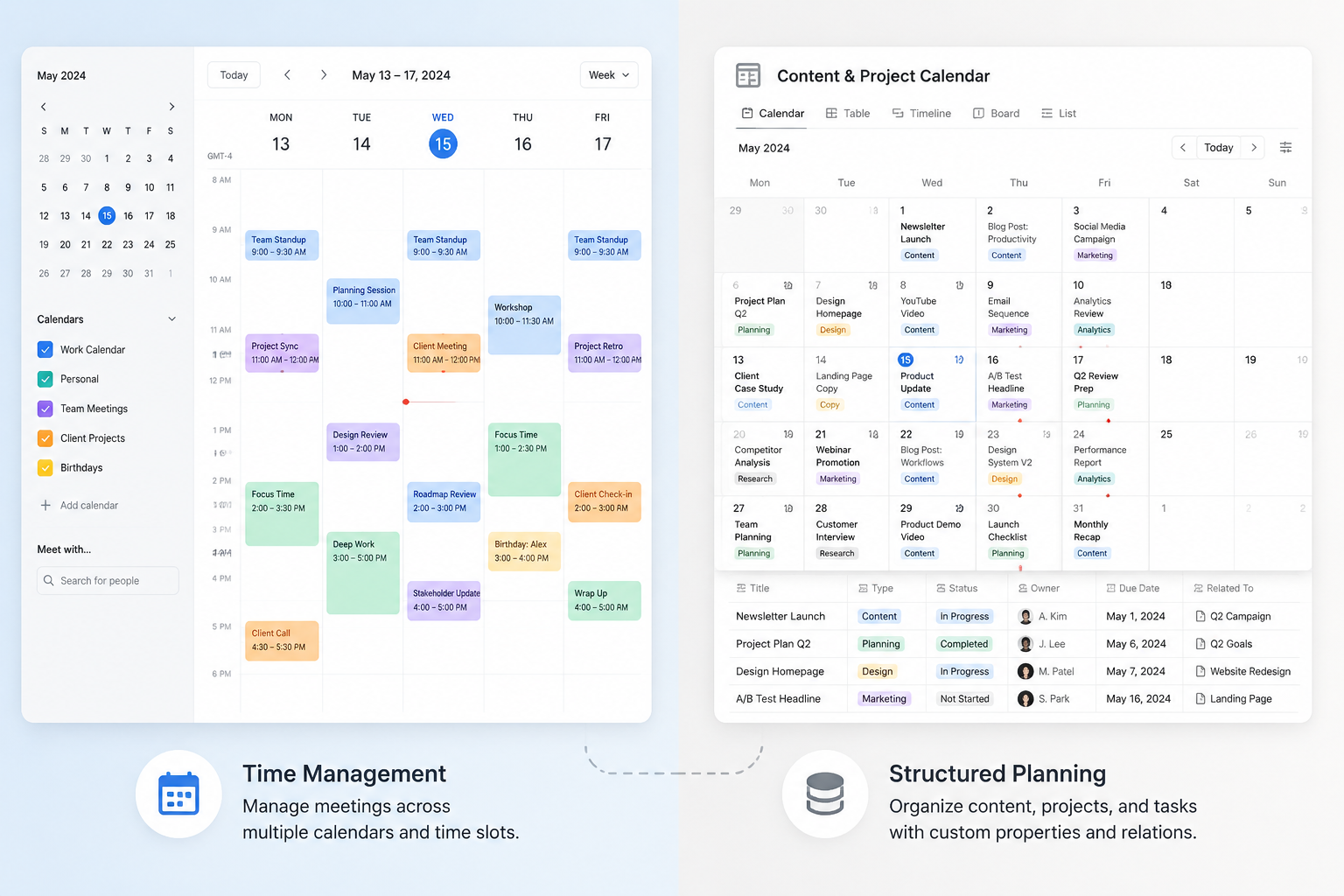
The naming confusion is partly historical. Notion Calendar came from Cron, the calendar startup Notion acquired in 2022; the standalone app launched as Notion Calendar in January 2024. [1][2]
| Use case | Better starting point | Why |
|---|---|---|
| Meetings, scheduling links, availability, daily agenda | Notion Calendar app | It is built as a calendar-first app and connects external calendars. |
| Content calendar, project roadmap, campaign planner, study schedule | Notion database calendar template | The calendar is a view of structured records with properties, relations, and workflows. |
| Deadlines need to appear beside meetings | Hybrid setup | Build the work in databases, then overlay the relevant database dates in Notion Calendar. |
| Two-way movement between Notion databases and Google Calendar | Hybrid plus third-party sync | Native database overlays are not the same as bidirectional external calendar sync. |
What changes when you create something?
In the Notion Calendar app, creating something usually means creating a calendar event: a call, a focus block, a hold, or a scheduled deadline that belongs on a time grid. The app’s purpose is to gather calendars into one place, including Google Calendar, iCloud, and Outlook, which Notion added support for in June 2026. [3]
In a Notion database calendar template, creating something means creating a database page. That page can have a date, but it can also have an owner, status, channel, priority, relation to a campaign, relation to meeting notes, draft URL, launch checklist, review field, formula, or automation. The date is one property among many.
That is why “Notion Calendar workflow templates” can mean two different things in search results. Some pages mean templates for planning work inside Notion databases. Others mean workflows that use the standalone calendar app. They may both show boxes on a calendar, but they do not create the same kind of object.
The standalone app is strongest when the calendar is the work surface
The Notion Calendar app is the better fit when the thing you need to protect is time. It is where a meeting starts at 10:00, a call moves to Thursday, a scheduling link needs to show availability, and a personal calendar should sit next to a work calendar without opening three tabs.
Its useful trick for Notion users is not that it replaces databases. It can overlay Notion database items on the calendar, so database deadlines appear beside real calendar commitments. Notion’s help documentation says users can connect up to 20 Notion databases to Notion Calendar, with support for color coding and status-based filtering. [4]
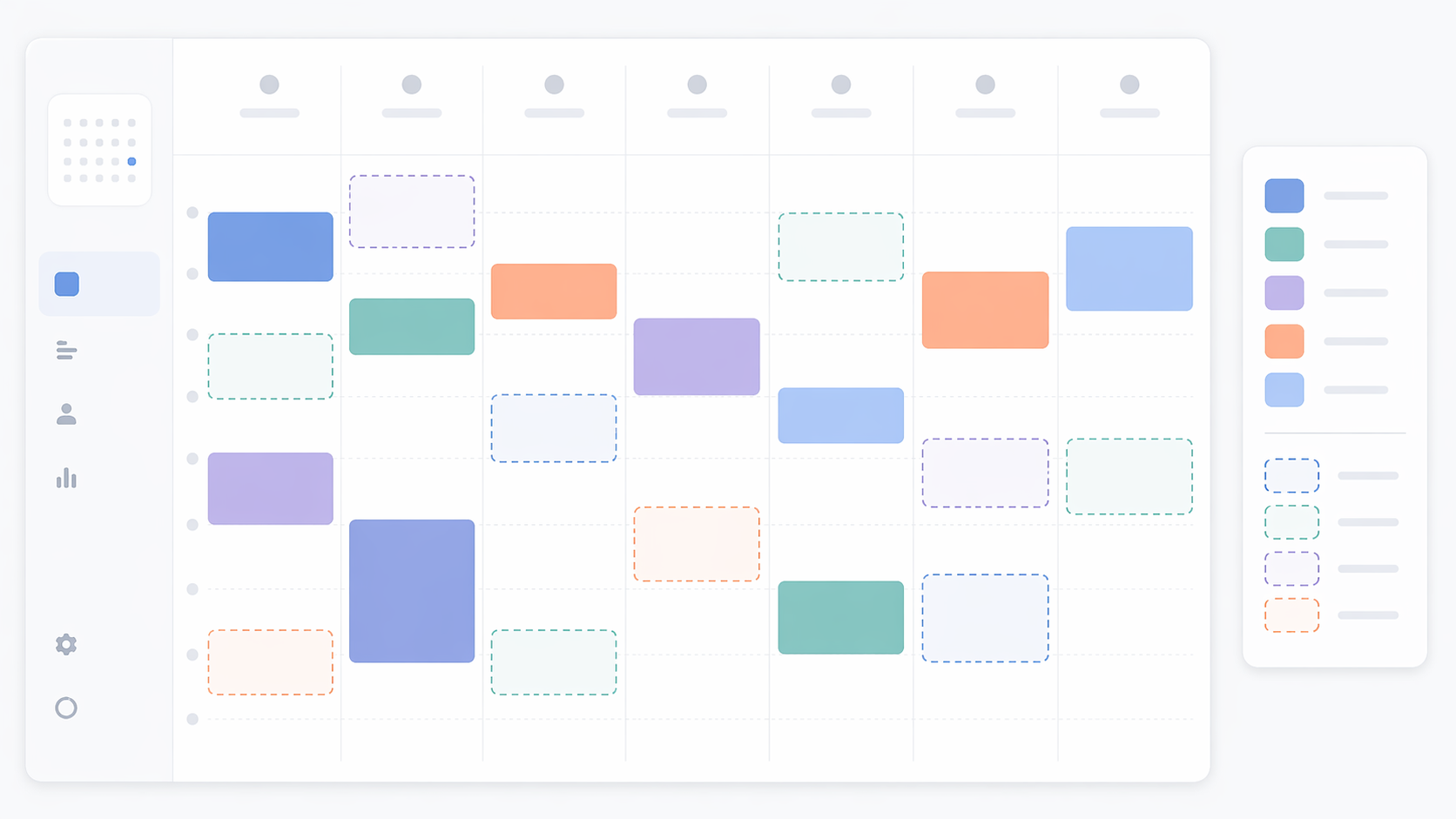
That overlay is genuinely useful. A content manager can see Tuesday’s editorial meeting next to a draft deadline. A consultant can see client calls beside proposal due dates. A student can see lectures beside assignment dates. The benefit is visibility: database work stops hiding in a separate Notion view while the calendar app shows only meetings.
But an overlay is not full sync. Notion’s own help center describes database items as appearing in Notion Calendar; it does not make those database items native Google Calendar events. The same documentation also notes that dates driven by formulas are read-only in Notion Calendar, which matters if your database template calculates deadlines from another date. [4]
The maintenance consequence is simple: if the item is a meeting, change it where the meeting lives. If the item is a database record, expect the database to remain the system of record. Dragging a pretty card around a calendar is not the same as redesigning the workflow that produced that card.
Use the app if
- Your day is driven by calls, meetings, appointments, focus blocks, and availability.
- You need multiple external calendars visible in one place.
- You want Notion database deadlines to appear beside scheduled commitments.
- You care more about what happens today and this week than about designing a database system.
Skip the app as your main system if
- Your calendar items need rich properties, approval stages, relations, formulas, and multiple filtered views.
- You expect database records to behave exactly like external calendar events.
- Your workflow depends on editing formula-generated database dates directly from the calendar.
- You mainly want a reusable content, project, or study planning template.
Database calendar templates are strongest when the calendar is just one view
A Notion database calendar template starts from a different assumption: the work item matters more than the time slot. A blog post, sprint task, grant application, client deliverable, or semester reading assignment may have a date, but the date is not the whole object.
This is where Notion’s broader database system earns its place. Calendar views can sit beside table, board, list, timeline, and gallery views. A single content database can show upcoming publication dates in a calendar, editorial stages in a board, owner workload in a table, and campaign timing in a timeline. Sotion’s guide to Notion calendar templates describes the practical building blocks: properties, relations, and multiple views, which are the pieces that make a template more than a decorative monthly grid. [5]
This is also why Notion’s template ecosystem matters. A useful database calendar template is not simply a page with dates. It encodes decisions: what status values exist, who reviews work, what counts as done, which date should drive the calendar view, and what other information must travel with the item. For a wider look at how this fits into the platform, see our Notion review and our guide to Notion’s template ecosystem.
The tradeoff is that a database calendar view does not become a full external calendar just because it looks like one. It is excellent at saying, “These records have these dates.” It is weaker when the job is, “These events need to negotiate availability with everyone else’s calendars.”
Use a database calendar template if
- You are planning content, projects, campaigns, coursework, launches, or recurring operational work.
- Each calendar item needs metadata beyond a title, date, and time.
- You need multiple views of the same work: calendar, table, board, timeline, and filtered dashboards.
- You want templates that connect with notes, tasks, meeting records, or knowledge management pages.
Do not use a database template alone if
- Your main pain is missed meetings or fragmented external calendars.
- You need native calendar invite behavior more than structured planning.
- You expect changes in Google Calendar, iCloud, or Outlook to automatically maintain your Notion database structure without an integration layer.
- You will not maintain the properties, statuses, and views after the first setup session.
Creation, changes, viewing, and maintenance compared
The most useful comparison is not a feature checklist. It is what happens after the calendar exists.
| Workflow question | Notion Calendar app | Database calendar template |
|---|---|---|
| Where does a new item live? | In an external calendar or as a calendar event, with Notion database items overlaid when connected. | As a Notion database page with a date property. |
| What happens when the date changes? | Meeting changes belong in the calendar system; database item changes depend on the connected database fields and limits. | The database date changes, and every view using that date reflects it. |
| What can you customize? | Calendars, visibility, colors, status filters, connected database overlays. | Properties, relations, formulas, automations, templates, filtered views, dashboards. |
| What is the main risk? | Assuming overlaid database items are fully synced external calendar events. | Building a beautiful planning system that nobody maintains. |
| Who should own maintenance? | The person who manages schedules and calendar commitments. | The person or team responsible for the underlying workflow data. |
For meetings, the app has the advantage because it is designed around the calendar surface. Jotform’s comparison of Notion Calendar and Google Calendar highlights differences around sync, recurring events, and mobile support, which are exactly the areas where users feel the gap between a calendar app and a planning database. [6]
For project structure, database templates win because they can hold the messy parts of work. A campaign date can be linked to assets, briefs, owners, budget notes, dependencies, and review steps. A meeting-focused calendar app should not be asked to carry all of that.
For mobile usefulness, the question is less philosophical: what will you check while walking into a meeting? If you need to know when the call starts and what else is on your day, the app is the natural surface. If you need the status of every deliverable in a launch plan, a database dashboard is more useful, even if one view happens to be a calendar.
The hybrid setup: useful, but only if source of truth is clear
The best mixed workflow is usually boring in the right way: build structured work in Notion databases, then overlay the date-bearing databases in Notion Calendar. Meetings stay in the calendar app. Work records stay in Notion databases. The app becomes the surface where time commitments and work deadlines can be seen together.
For example, a publishing team might keep its editorial pipeline in a Notion database with status, writer, editor, draft link, publish date, and campaign relation. The team can use a database calendar view for planning and a board view for production. Then the publish-date database can be overlaid in Notion Calendar so editors see deadlines next to editorial meetings. If meeting notes are part of the same operating system, a companion set of Notion meeting notes templates can connect the calendar rhythm to the work record without pretending the meeting and the article are the same object.
A student or researcher might do something similar with reading notes, assignment dates, and exam prep. The database holds sources, notes, class, status, and due dates; the calendar app shows the next week’s real time commitments. For that kind of system, a broader Notion note-taking workflow matters more than finding the prettiest monthly layout.
The point is not to make everything visible everywhere. It is to make the few dates that affect your week visible in the one place you actually check before saying yes to more work.
Where third-party sync fits
If you need database items to move into Google Calendar or another external calendar as actual synchronized events, the native overlay may not be enough. Third-party tools such as 2sync, Make, and n8n are commonly used for bidirectional workflows. 2sync, a sync-tool vendor, says its setup can take under 10 minutes with field mapping, but its advice should be read as both technically relevant and commercially motivated. [7]
Use that kind of integration only when the workflow really demands it. Bidirectional sync adds another owner, another failure point, and another mapping layer. It can be worth it for teams that need Notion records to become real calendar events, but it is excessive for a simple editorial calendar where the database overlay already gives the team enough visibility.
Pricing and template marketplaces
Pricing should not be the first decision point here. The larger cost is usually maintenance: who updates the status, who fixes the date, who notices when a meeting moved but a related task did not, and who cleans up abandoned views after the first enthusiastic build.
The standalone app can look appealing because it reduces places to check. Database templates can look appealing because Notion’s template culture is deep and often genuinely useful. If you are deciding whether Notion’s free plan is enough for your planning needs, our guide to Notion’s free note-taking limits is a better place to handle plan-level tradeoffs.
Be cautious with template roundups that blur the line between a database calendar and calendar sync. A polished content calendar template may be exactly what a team needs. It still does not become a replacement for external calendar aggregation, scheduling links, or bidirectional calendar sync unless the underlying integration supports those jobs.
The selection rule
Choose the Notion Calendar app if the calendar is where your time is negotiated. Meetings, scheduling, availability, and multi-calendar visibility belong there.
Choose Notion database calendar templates if the calendar is a view of your work system. Content plans, project databases, study schedules, campaign timelines, and knowledge workflows belong there.
Use both if database deadlines need to appear beside real commitments. Keep the database as the source of truth for structured work, keep the calendar app as the source of truth for scheduled time, and add third-party sync only when an overlay is not enough.
References
- Notion launches a calendar app, TechCrunch, January 17, 2024
- Introducing Notion Calendar, Notion
- Notion Calendar, Notion
- Use Notion Calendar with Notion, Notion Help Center
- Notion Calendar Template: How to Create One, Sotion
- Notion Calendar vs. Google Calendar, Jotform
- Best Notion Calendar Templates, 2sync