
The awkward answer to “what is the best note taking app for students?” is that most students should not start by buying one. In 2026, a first-year student can cover lectures, readings, PDFs, lab notes, quick reminders, and revision planning with free tools. The paid upgrade starts to make sense only after a real workflow wall appears: your calculus notes need better handwriting tools, your seminar depends on audio playback tied to your notes, your research project has too many PDFs to synthesize manually, or your major punishes you for not reviewing with spaced repetition.

That distinction matters because the expensive mistake is rarely one terrible purchase. It is the quiet pileup: one handwriting app, one AI workspace, one flashcard app, one all-purpose notes app, one legacy app you forgot to cancel. Before the first midterm, the student has built a subscription stack instead of a study system.
| If this describes you | Start with this | Pay only when this wall appears | Likely paid tool |
|---|---|---|---|
| First-year student still learning how classes actually work | $0 stack: OneNote, Apple Notes, Google Keep, Obsidian, or Notion if your .edu qualifies | You can name a repeated task the free setup cannot handle | None yet |
| STEM student using an iPad for equations, diagrams, problem sets, or lab sketches | OneNote first if you want free cross-platform handwriting | You need smoother handwriting, equation-heavy notebooks, or a better paper-like workflow | GoodNotes or Notability |
| Law, philosophy, humanities, or discussion-heavy student | Typed notes in OneNote, Notion, Obsidian, or Apple Notes | You regularly need to replay a lecture moment from the exact place in your notes | Notability |
| Research-heavy student comparing many PDFs, lecture slides, and readings | Organized folders plus Obsidian, OneNote, Notion, or a PDF manager | You need cross-document Q&A or synthesis across many uploaded materials | NotebookLM Plus or Atlas Workspace |
| Pre-med, language learner, or memorization-heavy major | Free notes plus a separate flashcard routine | You need spaced repetition built directly into the note-taking process | RemNote Pro |
| Student mainly tempted by AI writing help inside Notion | Free Notion education access if eligible, without AI | You have verified that the AI feature saves enough time to justify a high monthly tier | Usually not Notion AI first; compare NotebookLM or Atlas |
The free tier is not the consolation prize anymore
A student who starts free in 2026 is not settling for toy software. OneNote offers core note-taking features at $0 with 5 GB of OneDrive storage, which is enough for many students who are mostly typing notes, adding screenshots, and occasionally writing by hand. Obsidian is also $0 for personal use and stores notes locally without a vendor-imposed note cap. Apple Notes is free with 5 GB of iCloud storage, and Google Keep is free inside Google’s 15 GB shared account storage. Notion’s Plus plan is available free to qualifying students and educators with an eligible school email, though eligibility varies by institution and should be checked before planning a whole semester around it.[1][2]
That is why the free-vs-paid question should not begin with aesthetics. It should begin with capacity and friction. Can you capture the lecture? Can you find the diagram two weeks later? Can you review before the exam without rebuilding your notes from scratch? For a large share of first-year courses, the answer is yes with free tools.
| App | Q2 2026 student-relevant free limit | Best free use case | Watch-out |
|---|---|---|---|
| OneNote | $0; 5 GB OneDrive storage; core features available | Cross-platform notebooks, mixed typed notes and handwriting, class binders | Storage is the practical ceiling if you add many large files |
| Obsidian | $0 for personal use; unlimited local storage | Markdown notes, long-term knowledge base, students who want local files | Sync and collaboration require more setup or paid options |
| Notion | Plus plan free for qualifying .edu users | Databases, class dashboards, reading trackers, project planning | Eligibility is not universal; AI is a separate budget issue |
| Apple Notes | $0; 5 GB iCloud storage | Apple-only students who want fast capture and simple organization | Less ideal if you live across Windows, Android, and shared school computers |
| Google Keep | $0; uses Google’s 15 GB shared storage | Quick reminders, capture notes, checklists, lightweight study scraps | Not a full course notebook for most students |
| Evernote | Free plan capped at 50 notes and one device | Very limited trial use | The free plan is too constrained for a normal semester of student notes |
Evernote is the clearest warning that “has a free plan” does not mean “works as a free student app.” A 50-note and one-device cap can break before a semester has settled into its rhythm, especially if each lecture, reading, lab, or meeting becomes its own note. Its paid Starter plan is listed at $14.99 per month in 2026 comparisons, which makes it hard to recommend as the first paid move for a budget-conscious student.[3]
If you already know you want to stay free, the more useful question becomes how to combine tools without making a mess. A simple free stack often works better than one overburdened app: OneNote for class notebooks, Google Keep or Apple Notes for quick capture, and Obsidian or Notion for longer-term organization. For a full free-only comparison, use Best Free Note-Taking Apps for Students in 2026; for a practical stack-building approach, see The Free Note-Taking Stack.
Where free tools usually carry a first-year student
Most first-year note-taking is less exotic than app marketing suggests. A student needs to capture lecture structure, paste a slide screenshot, write a few examples, store reading notes, and find everything during exam week. OneNote handles that as a digital binder. Notion handles it as pages and databases, if the student enjoys structure. Obsidian handles it as a folder of durable text files. Apple Notes handles it cleanly for students who live entirely on Apple devices. None of those workflows require a premium app on day one.
The real first-year problem is usually not missing software. It is premature complexity. A student who has not yet learned whether a professor posts slides before class, whether exams reward recall or problem solving, or whether discussion notes matter can easily buy the wrong kind of help. Paying for spaced repetition before discovering that the bottleneck is messy lab diagrams is not discipline; it is guessing with a credit card.
The better first month is deliberately plain. Pick one main class-notes app. Pick one quick-capture app if needed. Put every course in the same structure. After four or five weeks, the friction will announce itself. Maybe you cannot keep equations readable. Maybe you are losing important comments in discussion sections. Maybe your biology notes look beautiful but never turn into review. That is the moment to consider paying.
Students choosing among the three strongest free systems—OneNote, Notion, and Obsidian—should not treat them as interchangeable. OneNote is the easiest free recommendation for mixed media and handwriting. Notion is strongest when course planning and databases matter. Obsidian is best for students who want local files and long-term linked notes. The deeper breakdown is in OneNote vs. Notion vs. Obsidian.
The paid walls that can justify opening your wallet
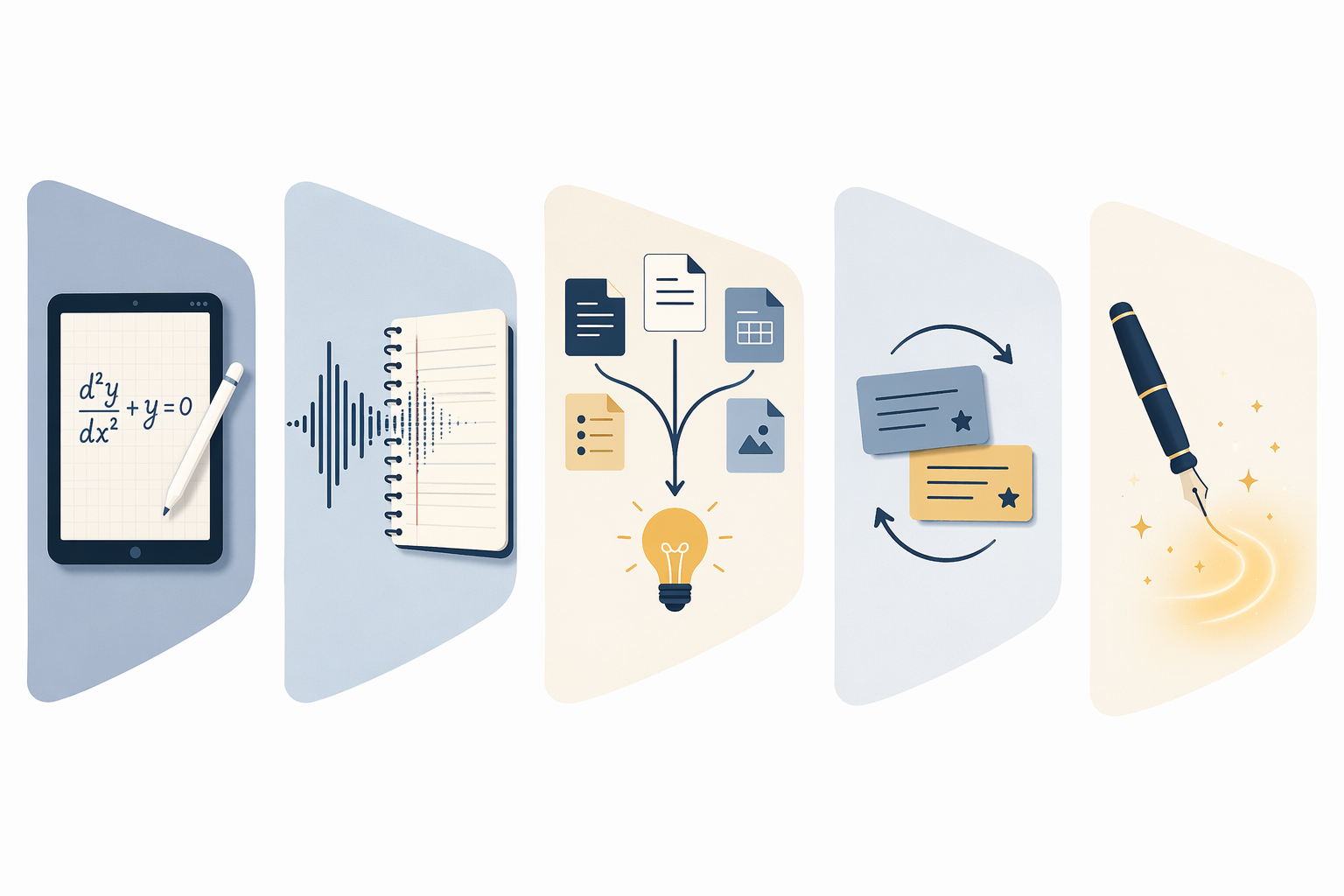
A paid note-taking app is easiest to defend when it removes a repeated academic bottleneck. The upgrade should reduce a specific kind of end-of-semester chaos, not merely make the student feel more prepared in August.
Wall 1: iPad handwriting for STEM
For students in calculus, physics, chemistry, engineering, statistics, or any course where the page fills with symbols and diagrams, handwriting can become the first paid wall. OneNote is the free starting point, especially if you need cross-platform access. But if the iPad is your main academic machine and your notes depend on equations, spatial layout, and fast annotation, GoodNotes and Notability are the two paid apps worth serious consideration. GoodNotes is listed at $9.99 per year, while Notability Plus is listed at $14.99 per year in 2026 student app comparisons.[1][3]
The point is not that handwriting is magically superior for every student. The research conversation around handwriting versus typing is still contested, and app choice should not pretend to settle it. The practical question is narrower: if your course material is visual, symbolic, and hard to type quickly, does the paid handwriting app make capture and review easier enough to justify ten or fifteen dollars a year? For many iPad-heavy STEM students, that is one of the cleanest yeses in this whole category.
If you are unsure whether you should be handwriting, typing, or using a stylus only for certain classes, decide the method before buying the app. The guide to Handwriting vs Typing vs Stylus is the better next step than comparing another dozen app screenshots.
Wall 2: audio-synced lecture recording
Some classes punish imperfect capture. In a lecture where the professor works slowly through a proof, or in a seminar where the important move is made in discussion rather than on a slide, ordinary notes can leave gaps that are hard to repair. Notability’s paid appeal is strongest here because its audio playback can sync with written notes, letting a student return to the part of the recording that matches what they wrote at that moment.[1]
This is not a universal need. Many students record audio and never replay it, which turns a paid feature into a storage habit. But if you are already losing marks because you cannot reconstruct how an argument developed, synced audio is not a luxury feature. It shortens the path from “I remember something important happened here” to the actual sentence or explanation you need.
Wall 3: cross-document AI synthesis
AI note tools are most plausible for students who are drowning in source material, not for students who want a prettier daily notebook. If a research-heavy course requires comparing PDFs, lecture slides, article notes, and drafts, cross-document Q&A can be useful. NotebookLM Plus is listed at $7.99 per month, while Atlas Workspace is listed at $20 per month and is marketed around asking questions across uploaded academic materials.[4][5]
The evidence line should stay honest. Current 2025–2026 app comparisons describe features and user-facing utility; they do not establish that AI note-taking improves grades in independent achievement studies. A student can still rationally pay for AI synthesis if it saves hours during literature review or exam preparation, but that is a workflow decision, not a proven academic-performance guarantee.
Privacy also belongs in this decision. Apple’s on-device processing is different from uploading documents into a cloud AI workspace. Notion and Atlas state that they do not train on user notes, while Google’s broader Gemini rollout in Workspace is worth monitoring for students handling sensitive materials or institutional data.[2][5]
Wall 4: native spaced-repetition flashcards
For pre-med students, language learners, anatomy students, and anyone facing high-volume recall, the note-taking wall often appears after the notes are written. The notebook is full. The exam is coming. Nothing has been converted into review. RemNote’s argument is that spaced-repetition flashcards belong inside the note-taking workflow rather than in a separate system, and RemNote Pro is listed at $10 per month.[4]
That price is not trivial over a school year, so the test should be behavioral. If you already make flashcards consistently in a free tool, paying may not change much. If your recurring failure is that lecture notes never become retrievable memory, native spaced repetition can be a real academic upgrade. This is one of the few paid categories where the value is not the note page itself, but the enforced return to the material.
Wall 5: Notion AI and the expensive convenience problem
Notion is still attractive for students who like dashboards, databases, and tidy course hubs, especially where the education plan is available. The AI budget is a different matter. 2026 comparisons report that Notion AI is no longer a simple low-cost add-on for lower tiers and instead requires the Business tier at roughly $30 per month after a Q1 2026 pricing change.[2][3]
That makes Notion AI hard to justify as the first AI purchase for most students. If the need is cross-document synthesis, NotebookLM Plus and Atlas Workspace are cheaper listed alternatives. If the need is ordinary class organization, free Notion may already be enough. Paying around the cost of several smaller subscriptions for AI inside an app you mostly use as a planner is exactly the kind of upgrade that should require proof from your own week, not optimism from a product page.
What not to buy in the first month
The first thing to avoid is overlapping paid tools that solve the same vague problem. GoodNotes plus Notability is usually indecision, not coverage. RemNote plus a separate premium flashcard system may be redundant unless you have a clear reason. A paid AI workspace plus expensive Notion AI is difficult to defend for an undergraduate who has not yet hit a research wall.
The second thing to avoid is choosing from sponsored rankings as if their winners were neutral. Drawboard, RemNote, and Atlas all publish useful comparison material, especially for prices and feature descriptions, but they also have commercial reasons to frame the market in ways that favor their own products.[1][4][5] Use those pages to verify facts. Do not outsource the final judgment to them.
The third thing to avoid is confusing installation with commitment. Some apps are popular among students because they are easy to try, widely discussed, or bundled into existing accounts. That does not mean they match your courses, your devices, or your review habits. If you would rather choose by learning style than by budget wall, the VARK-based note-taking app guide gives you another route.
A restrained buying rule for 2026
Start with a free main notebook. Verify your school eligibility before assuming Notion is free for you. Check current pricing before subscribing, because the figures here are Q2 2026 US list prices and regional, institutional, or promotional deals can change the math.
Then wait for the wall. If the wall is iPad handwriting, pay for the handwriting app you will actually use. If it is audio-synced review, Notability has a specific job. If it is source synthesis, compare NotebookLM and Atlas before paying for a broader AI bundle. If it is memory, consider RemNote only when spaced repetition belongs inside your notes.
The best note taking app for students is rarely the one with the longest feature list. It is the cheapest setup that survives your actual semester. Begin free, let your courses expose the bottleneck, and pay for one or two tools that remove that bottleneck directly.
References
- 9 Best Notetaking Apps for Students in 2026, Drawboard.
- The 7 best note taking apps in 2026, Zapier.
- Best Note-Taking Apps 2026: Tested and Ranked, Tech Insider.
- Top 10 Note Taking Apps For Students (2026 Edition), RemNote Blog.
- Best Note-Taking Apps for Students (2026), Atlas Workspace Blog.