
The first test in a Claude AI vs ChatGPT note-taking comparison is not the elegance of the final summary. It is whether the thing you have after the meeting can get into the assistant at all.
Last verified on August 1, 2026, OpenAI’s official ChatGPT Record article describes Record as a paid macOS desktop feature for Plus, Pro, Business, Enterprise, and Edu users, with sessions capped at 240 minutes, Google Meet auto-join limited to Google Meet links, and a note that transcription works best in English.[1] Claude’s official upload article lists PDFs, DOCX, CSV, TXT, HTML, ODT, RTF, EPUB, JSON, XLSX, and image formats including JPEG, PNG, GIF, and WebP. It does not list audio or video formats.[2]
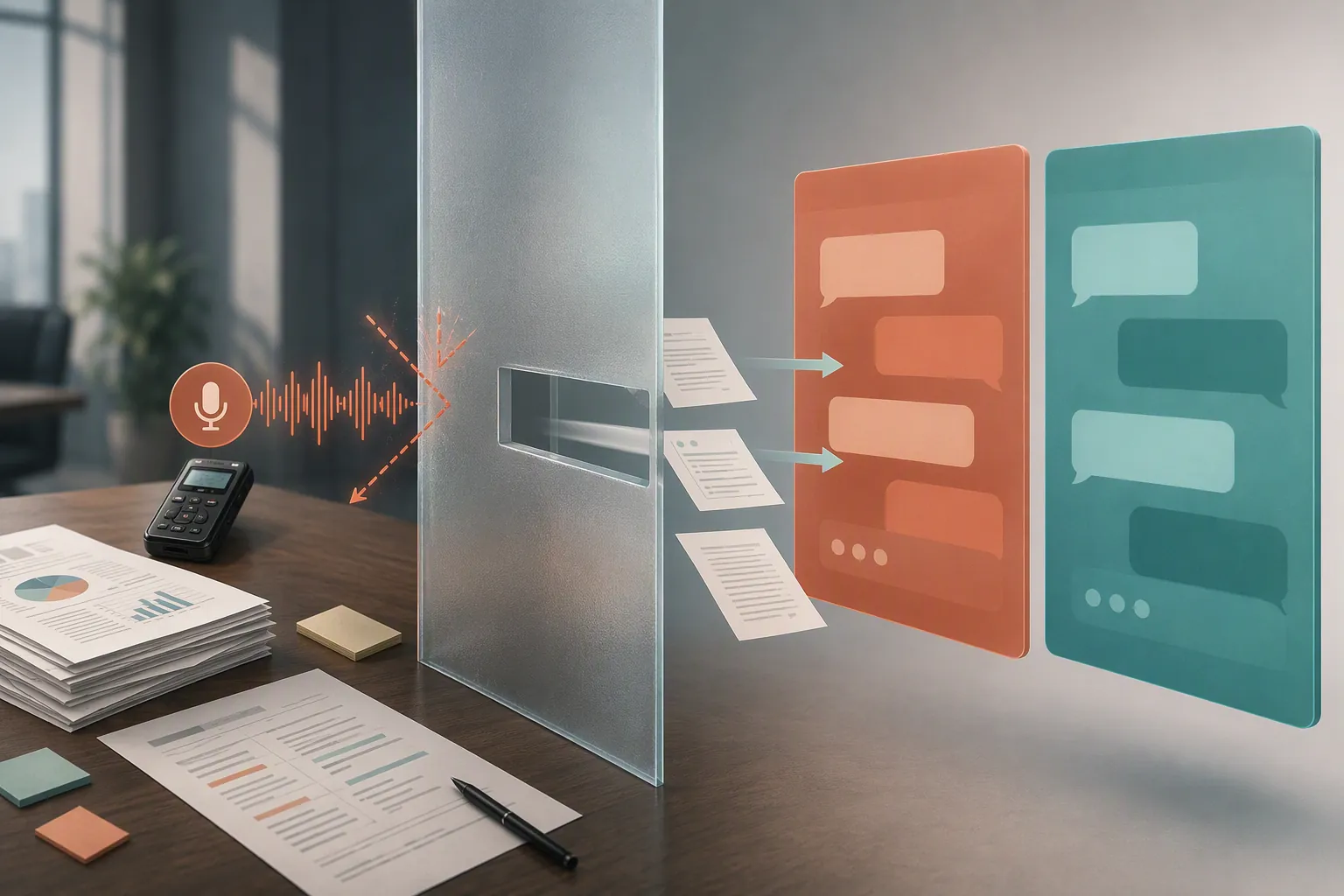
That capture wall changes the buying decision. A beautiful Claude meeting brief does not help if your source is a voice memo. ChatGPT’s recorder is useful, but only if your workflow matches its device, plan, and meeting constraints. If your notes already exist as transcripts, PDFs, copied agendas, client documents, or rough TXT/DOCX exports, Claude becomes much easier to justify.
For this comparison, “tested” means official-doc verification first, then practical intake checks: try the upload, read the rejection when the source type is unsupported, and run Record where the feature is available. The result is a source-type verdict, not a universal winner.
The capture wall comes before summary quality
Most note-taking comparisons start too late. They feed both models the same clean transcript, then judge which one writes better bullets. That is a useful test for one kind of user: someone who already has the transcript. It is much less useful for the person staring at a phone recording, a Zoom audio export, or a half-finished voice memo five minutes before the notes are due.
Claude’s upload path is generous for text and documents, but the supported list is the hard boundary: documents, spreadsheets, text-like formats, EPUB, JSON, and common images. No MP3. No M4A. No WAV. No MP4. No video meeting recording.[2]
ChatGPT has the opposite practical shape. It gives paid macOS desktop users a native Record mode that can capture and transcribe meeting audio, but that is not the same thing as accepting every audio file you already have. The official help page frames Record as a macOS desktop capture feature, not a general audio-file ingestion promise.[1]
| What you have after the meeting | ChatGPT fit | Claude fit | Operational verdict |
|---|---|---|---|
| Live meeting audio you can capture on a paid macOS desktop app | Strongest native fit through Record, with plan, platform, duration, Google Meet, and language caveats | No native audio/video upload path | Start with ChatGPT if those caveats match your workflow |
| Transcript, copied notes, rough minutes, TXT, DOCX, PDF, agenda, client document | Can process pasted or uploaded text/documents depending on feature and tier | Strong fit because these source types match Claude’s upload lane | Start with Claude if your capture problem is already solved |
| Audio file from phone, recorder, Zoom export, or voice memo | Record mode does not make this a universal audio-upload workflow | Unsupported as an upload type | Transcribe first, then paste plain text into either assistant |
| A messy mix of agendas, notes, screenshots, and documents | Usable, especially if you already work in ChatGPT | Often the cleaner processing layer for document-heavy meeting aftermath | Choose based on the dominant source type, not brand preference |
Voice-heavy notes: ChatGPT wins only inside the Record lane
If your meeting notes begin as live speech, ChatGPT has the more practical native path because Record exists. The limitation is that the path is narrow. It is for the macOS desktop app, it requires a paid eligible plan, and each recording can run up to 240 minutes. The Google Meet auto-join feature is scoped to Google Meet links, and OpenAI says transcription works best in English.[1]
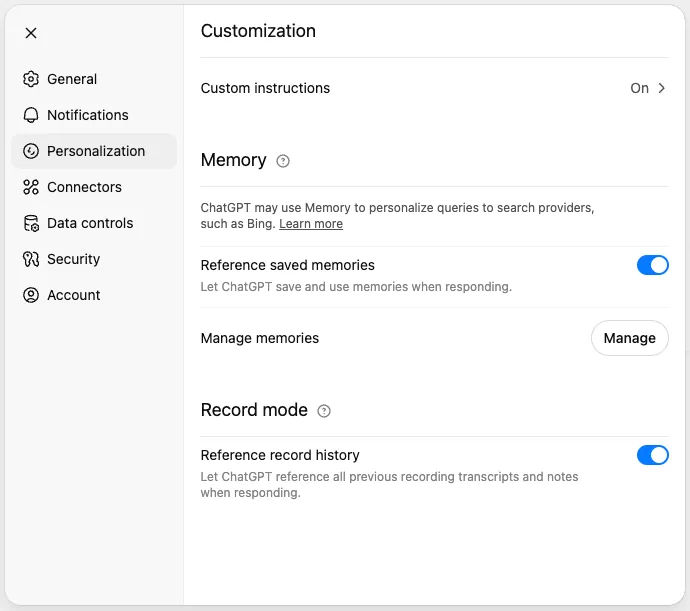
For a project manager on a Mac who can open the desktop app before the call, that may be enough. Record can turn the capture step and the first draft into one flow. The useful outcome is not just a prettier summary; it is one fewer handoff between recorder, transcription tool, chatbot, and notes app.
For everyone else, the advantage shrinks quickly. A Windows user buying ChatGPT mainly for Record is buying against the official platform constraint. A free-tier user expecting the same capture feature is outside the listed plan scope. A consultant who receives client audio files after the meeting still has a transcription problem, not a summarization problem.
Voice mode should not be treated as the workaround. In note-taking work, there is a difference between conversational dictation and a reliable meeting recorder pointed at a room or call. If the assignment is “produce minutes from what everyone said,” the capture method needs to be planned before the meeting starts.
Transcripts and documents: Claude has the cleaner lane
Once the meeting has already been turned into text, the comparison changes. Claude’s lack of audio upload stops mattering if your source is a transcript, a PDF agenda, a DOCX brief, a TXT export, a spreadsheet, or a pile of copied meeting notes. Those are the files Claude is built to accept.[2]
This is where Claude often feels like the better meeting-minutes processor: not because it magically attended the meeting, but because it can sit on top of the material that administrative and consulting work actually produces after transcription. A rough transcript can become decisions, action items, unresolved questions, and a client-safe narrative. A forwarded agenda can be reconciled against what was actually discussed. A document pack can be turned into a meeting brief before the call and a follow-up note after it.
Third-party tests support that tendency, but they should not be promoted into a universal law. AItomation Academy ran both tools on the same transcript and reported that Claude caught all 7 action items and identified a contradiction that ChatGPT missed.[3] TLDRly’s separate summarization run found ChatGPT faster on a 10,000-word policy document, at 8 seconds versus Claude’s 45 seconds, while Claude caught an exception clause that mattered to the summary.[4]
Those results line up with a practical split: ChatGPT can be fast and serviceable, while Claude may be worth the wait when structure, exceptions, and document nuance matter. They do not overturn the capture test. A transcript benchmark tells you what happens after the audio has already been converted into text.
Audio files are the awkward middle
The most common disappointment sits between those two clean lanes. You are not trying to record a live meeting inside ChatGPT, and you do not yet have a transcript. You have an audio file. Maybe it came from a phone. Maybe someone exported a call recording. Maybe a client sent an M4A with “Can you turn this into notes?” in the subject line.
That is where neither assistant deserves a confident “pay for this” recommendation on its own. Claude’s supported upload list does not include audio or video.[2] ChatGPT Record is a capture feature with specific eligibility and platform constraints, not a blanket promise that your existing audio archive can be dropped in and processed.[1]
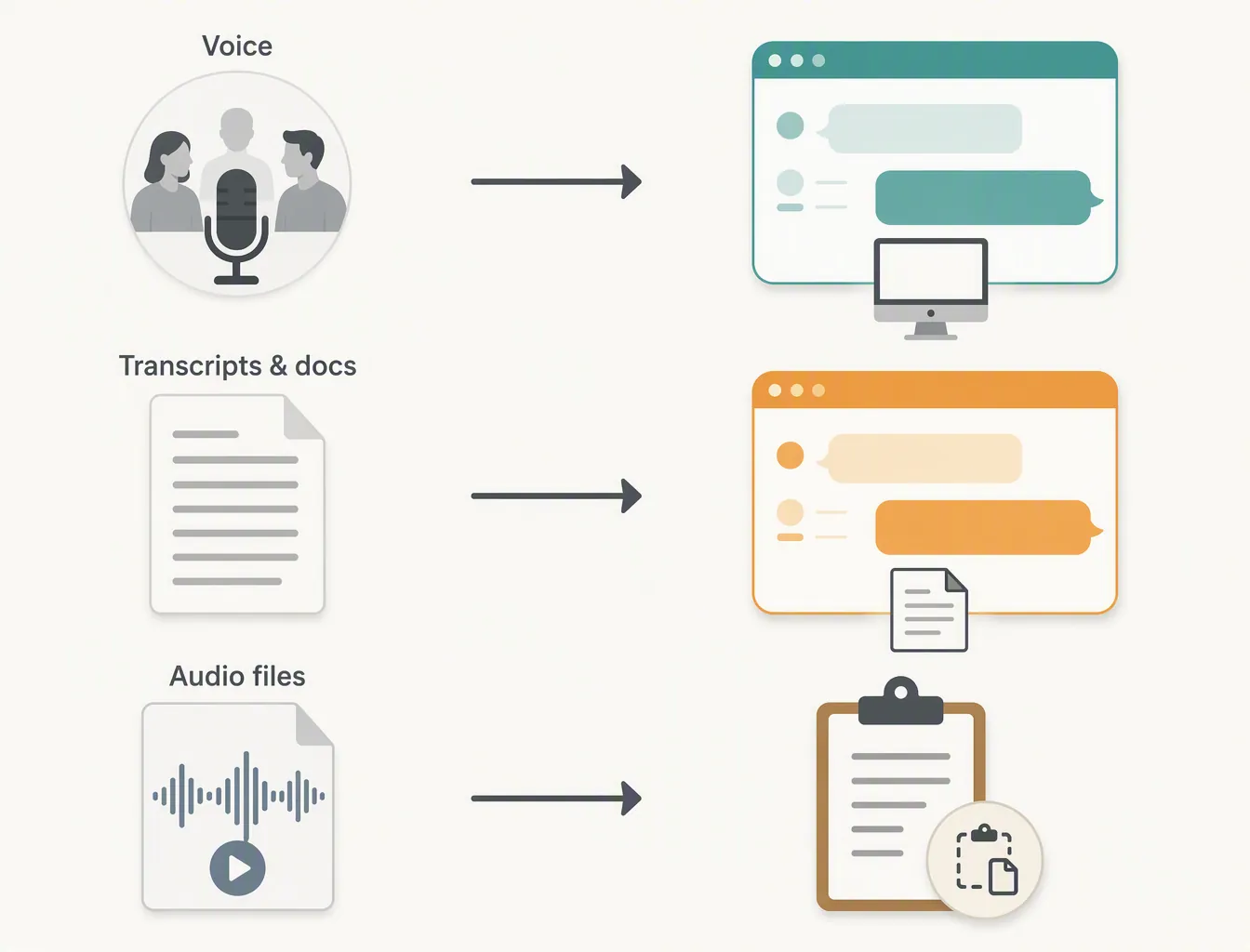
The normal workaround is not a failure. It is the workflow: record on the device or meeting system you trust, transcribe through a separate path such as Voice Memos or Apple Notes where available, then paste the plain text into ChatGPT or Claude. Once the material is text, the assistants can do what they are actually good at: extract decisions, normalize names, separate action items from discussion, and turn the raw transcript into minutes.
If that extra transcription step sounds annoying, that is because it is the real cost. One user report, cited second-hand in Christopher Alarcon’s 2026 comparison, describes a 1-hour meeting creating 2 to 4 hours of typing work; Alarcon also notes that his article did not run a first-party head-to-head test.[5] Treat that as a useful signal about the pain, not as proof of an average productivity loss.
What to pay for, by source type
A subscription decision gets much easier when it starts with the source file instead of the model name.
- Pay for ChatGPT first if your notes are voice-heavy, you can use the macOS desktop app, you are on an eligible paid plan, your meetings fit Record’s constraints, and you value having capture and drafting in one place.
- Pay for Claude first if your notes already arrive as transcripts, PDFs, DOCX files, TXT exports, agendas, research packs, or other supported documents, and your main job is turning messy text into structured minutes.
- Do not pay either assistant mainly for audio-file processing until you have solved transcription. Convert the recording to text first, then test the same transcript in both tools.
- If you already use a dedicated meeting bot or recorder, judge Claude and ChatGPT as downstream processors, not as the capture layer.
Pricing and context-window claims should be checked against the vendor pages at the moment you buy. Public comparisons often mix model eras, plan names, promotional pricing, and enterprise limits. For note-taking, the more stable question is whether your actual source material can enter the tool without an unpaid cleanup shift.
Where each assistant fits in a real notes system
Neither Claude nor ChatGPT should be mistaken for the whole note system. They are processing layers. The finished minutes still need to land somewhere stable: a project workspace, a client folder, a knowledge base, Obsidian, Notion, a CRM, or whatever system the team actually checks later.
ChatGPT is easiest to treat as a temporary note refinery when capture starts inside its lane. Record, draft, ask for action items, ask for an executive version, then move the finished note out. If you want that kind of workflow, the setup in organize notes with ChatGPT is the better next read than another abstract model comparison.
Claude is easier to justify as a processing layer over a transcript or vault. It makes more sense when the work starts from documents and ends in a durable archive. For that path, see using Claude for note taking and the Claude AI Obsidian workflow.
If your real pain is capture, not summarization, compare voice-note app alternatives and bot-free versus bot-based AI note takers before paying for a general assistant. Meeting bots and recorder-first tools may solve the problem earlier in the chain.
There is also an AI-dependency question. If minutes are part of your operating system, outages and account limits matter. The practical backup plan is covered in note taking when Claude is down and the Claude 2026 outages note-taking migration guide.
Not for you if
- ChatGPT is not the right purchase mainly for Record if you are not using the macOS desktop app.
- ChatGPT is not the right purchase mainly for Record if you expect free-tier access to the paid capture feature described in OpenAI’s help article.
- Claude is not the right purchase if your notes usually arrive as audio files and you expect to upload those recordings directly.
- Neither assistant is the right first purchase if your main bottleneck is reliable meeting capture across devices, rooms, or conferencing platforms.
So the split is straightforward. If your source is live voice and you can use ChatGPT Record under its official constraints, start there. If your source is transcripts, PDFs, documents, and copied meeting notes, Claude is the cleaner processing choice. If your source is an audio file, solve transcription first; after that, paste the same text into both assistants and judge the draft you can actually use.
References
- ChatGPT Record, OpenAI Help Center
- Upload files to Claude, Claude Help Center
- ChatGPT vs Claude: Summarizing Transcripts, AItomation Academy
- ChatGPT vs Claude AI Summarization, TLDRly
- Claude vs ChatGPT for Meeting Notes (2026): The Real Split, Christopher Alarcon