
Why 'App That Takes Notes From Voice' Means Three Different Things
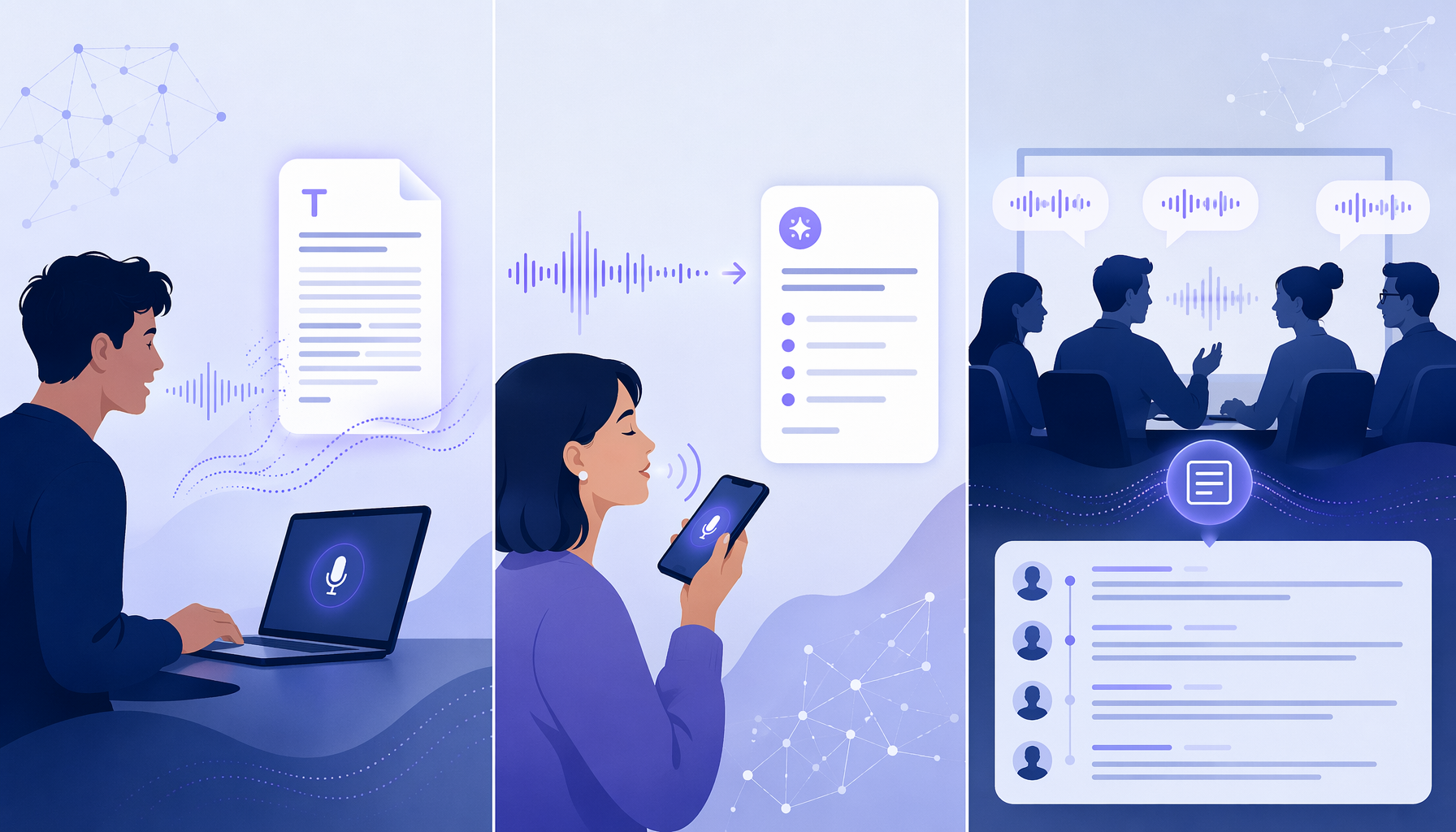
If you search for an "app that takes notes from voice" in 2026, you will find dozens of tools claiming to solve the same problem. They do not. The confusion is understandable: the market has matured into three distinct categories that serve fundamentally different workflows. Picking the wrong category — buying a meeting transcription bot when you actually need a system-wide dictation tool, for example — leads to frustration and wasted money.
The value of voice input itself is well established. Most people type at roughly 40 words per minute but speak at 125–150 words per minute, making voice roughly 3–4 times faster than typing. Modern tools deliver 95–99% accuracy in good acoustic conditions. The question is no longer whether voice note-taking works — it is which type of tool fits your specific workflow.
This guide organizes the entire voice-to-note landscape into three categories:
- System-Wide Dictation Tools — write emails, documents, and messages with your voice in any application on your computer.
- Voice Note Capture With AI Summaries — capture ideas on the go using your phone and get structured notes back.
- Meeting Transcription Bots — automatically record, transcribe, and summarize meetings with speaker labels.
Read the section that matches your primary use case, then use the decision guide at the end to confirm your choice.
Category 1: System-Wide Dictation Tools (Write in Any App With Your Voice)
System-wide dictation tools let you place your cursor in any text field — email, document, chat, search bar — and start speaking. They are designed for desktop productivity: drafting long-form content, replying to messages hands-free, or writing code comments without touching the keyboard. These tools are not about capturing fleeting ideas; they are about replacing the keyboard for extended writing sessions.
The table below compares the five leading options in this category as of June 2026.
| Tool | Starting Price | Platforms | Offline Support | Key Differentiator |
|---|---|---|---|---|
| Voicy | $8.49/mo or $260 lifetime | Mac, Windows, Chrome Extension | No (requires internet) | AI voice commands for formatting, editing, and punctuation |
| Wispr Flow | Free tier (2,000 words/wk); Pro $15/mo | Mac, Windows, iOS | No | Works in any input field across all apps without switching |
| Apple Dictation | Free | macOS, iOS | Yes (Enhanced Dictation on Apple silicon Macs) | Built into the OS; supports 30+ languages |
| Windows Voice Typing | Free | Windows 11 (22H2 or later) | Yes | Built into Windows; accessible via Win+H shortcut |
| Dragon Professional | $699 one-time (Windows desktop); $15/mo (mobile) | Windows, iOS, Android | Yes | Highest accuracy for professional use; medical and legal vocabularies |
If you need dictation to work in every application on your desktop and you want AI-powered editing commands ("select the last sentence, make it bold"), Voicy at $8.49 per month is the best balance of price and capability. If you want a free, offline-capable option that is already installed on your computer, Apple Dictation (Mac) or Windows Voice Typing (Windows 11) are excellent starting points. For professionals who require specialized vocabulary support and the highest possible accuracy, Dragon Professional remains the gold standard despite its steep one-time cost.
Category 2: Voice Note Capture With AI Summaries (Capture Ideas, Get Structured Notes)
Voice note capture apps are mobile-first tools designed for a different rhythm: you record a voice memo — a fleeting thought, a lecture snippet, a brainstorming session — and the app transcribes it, then uses AI to summarize or restructure the output into a usable note. These tools are not about real-time dictation into a text field; they are about converting raw spoken audio into organized information after the fact.
The table below compares the leading options in this category.
| Tool | Starting Price | Platforms | Recording Limit | AI Summary Quality |
|---|---|---|---|---|
| Flint | Free tier (2 hrs cloud); Pro $12 one-time | iOS only (Android 'coming soon') | None | Four summary formats: standard note, to-do, first-person story, custom |
| Voicenotes | $9/mo Pro (billed annually); $14.99/mo monthly | 7 platforms: iOS, Android, Mac, Windows, Web, Apple Watch, Wear OS, WhatsApp | None | Ask AI feature for custom queries; 100+ languages |
| AudioPen | $99/yr | Web, iOS, Android | 15 minutes per recording | AI summaries with adjustable detail level |
| TalkNotes | $19.97/mo | iOS, Android, Web | Not specified | Multiple output formats (notes, lists, emails) |
| Otter | Free tier (300 min/mo); Pro $16.99/mo | Web, iOS, Android | Varies by plan | Meeting-focused summaries with speaker labels |
For iOS users, Flint is the standout value in 2026: a one-time payment of $12 unlocks unlimited recording, on-device transcription, and four distinct AI summary formats. No subscription, no per-month cap. If you need cross-platform support — especially the ability to capture notes via WhatsApp or on a Windows machine — Voicenotes is the most versatile option at $9 per month (annual billing), with support for 100+ languages and an Ask AI feature that lets you query your entire note history.
Category 3: Meeting Transcription Bots (Automatically Capture and Summarize Meetings)
Meeting transcription bots are a fundamentally different product category. These tools join your calendar meetings as a virtual participant, record the entire conversation, and produce a searchable transcript with speaker labels, timestamps, and AI-generated summaries. They are designed for teams, not individuals; for recurring meetings, not spontaneous ideas.
The table below compares the leading meeting transcription bots.
| Tool | Starting Price | Platforms | Languages | Key Differentiator |
|---|---|---|---|---|
| Otter | Free tier (300 min/mo); Pro $16.99/mo | Zoom, Google Meet, Microsoft Teams, Web, iOS, Android | English only | Real-time transcription with speaker recognition; most widely adopted |
| Fireflies | Free tier; Pro $18/mo | Zoom, Google Meet, Microsoft Teams, Webex, more | Multiple (not specified) | Searchable transcripts with topic tracking and action item detection |
| Notta | Free tier; Premium $13.49/mo | Zoom, Google Meet, Microsoft Teams, Web, iOS, Android | 58 languages for live transcription | Highest claimed accuracy (98.86%) and broadest language support |
| Krisp | Free tier; Pro $8/mo | Zoom, Google Meet, Microsoft Teams, more | Multiple | AI noise cancellation built into the meeting experience |
If your primary need is capturing and searching team meetings, Otter ($16.99/mo Pro) is the most established option with a generous free tier of 300 minutes per month. If you need multilingual transcription support, Notta ($13.49/mo Premium) offers the broadest language coverage at 58 languages. Fireflies ($18/mo Pro) excels at post-meeting search and topic tracking.
Quick Comparison: All Tools at a Glance
The master table below allows you to scan and compare all tools across all three categories in one place.
| Tool | Category | Starting Price | Platforms | Offline Support | Accuracy Claim | Key Differentiator |
|---|---|---|---|---|---|---|
| Voicy | Dictation | $8.49/mo | Mac, Windows, Chrome | No | 99%+ | AI voice commands for editing and formatting |
| Wispr Flow | Dictation | Free (2,000 words/wk); $15/mo Pro | Mac, Windows, iOS | No | Not specified | Works in any input field across all apps |
| Apple Dictation | Dictation | Free | macOS, iOS | Yes | High | Built into OS; 30+ languages |
| Windows Voice Typing | Dictation | Free | Windows 11 | Yes | High | Built into OS; Win+H shortcut |
| Dragon Professional | Dictation | $699 one-time | Windows, iOS, Android | Yes | Highest | Professional-grade accuracy; specialized vocabularies |
| Flint | Voice Capture | Free (2 hrs cloud); $12 one-time Pro | iOS only | Yes (on-device transcription) | Not specified | Best value; one-time payment; no recording limits |
| Voicenotes | Voice Capture | $9/mo (annual); $14.99/mo monthly | 7 platforms incl. WhatsApp | No | Not specified | Most platforms; 100+ languages; Ask AI feature |
| AudioPen | Voice Capture | $99/yr | Web, iOS, Android | No | Not specified | Adjustable AI summary detail levels |
| TalkNotes | Voice Capture | $19.97/mo | iOS, Android, Web | No | Not specified | Multiple output formats |
| Otter | Meeting / Voice Capture | Free (300 min/mo); $16.99/mo Pro | Web, iOS, Android | No | 85-95% | Real-time meeting transcription with speaker labels |
| Fireflies | Meeting | Free; $18/mo Pro | Zoom, Google Meet, Teams, Webex | No | Not specified | Searchable transcripts with topic tracking |
| Notta | Meeting | Free; $13.49/mo Premium | Zoom, Google Meet, Teams, Web, iOS, Android | No | 98.86% | 58 languages for live transcription |
| Krisp | Meeting | Free; $8/mo Pro | Zoom, Google Meet, Teams, more | No | Not specified | AI noise cancellation integrated with transcription |
Quick Decision Guide: Pick Your Category, Then Pick Your Tool
Use this simple framework to identify your category first, then choose the best tool within it.
- Pick system-wide dictation if you want to write emails, documents, and messages with your voice in any application on your computer. You are a knowledge worker, writer, or professional who spends hours typing each day.
- Pick voice note capture with AI summaries if you want to capture ideas on the go — during a commute, a lecture, or a brainstorming session — and get structured notes back. You are a student, researcher, or creative professional who values flexibility over real-time output.
- Pick a meeting transcription bot if you need to automatically record, transcribe, and search your team meetings. You are a manager, team lead, or project coordinator who needs a searchable record of conversations.
Top recommendations by category:
- Best system-wide dictation: Voicy ($8.49/mo) — best balance of price, platform support, and AI features. Runner-up: Apple Dictation (free, offline) for Mac users.
- Best voice note capture: Flint ($12 one-time) for iOS users — unbeatable value. Runner-up: Voicenotes ($9/mo annual) for cross-platform users.
- Best meeting transcription: Otter ($16.99/mo Pro) for English-only teams. Runner-up: Notta ($13.49/mo Premium) for multilingual teams.
Hybrid Workflow: Combine Mobile Capture With Desktop Production
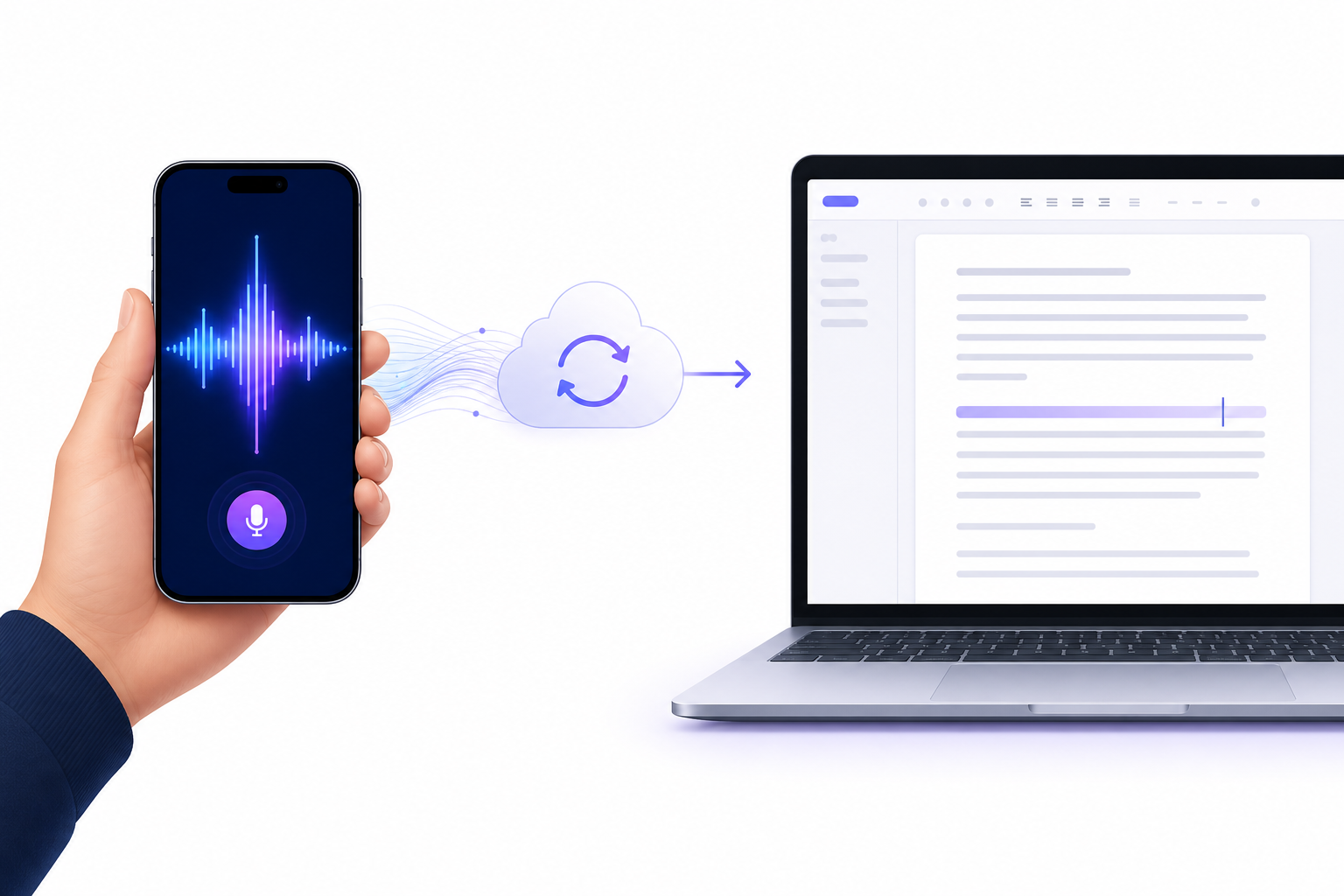
The most productive approach in 2026 is not to pick a single tool but to build a two-layer workflow: use a mobile capture tool for quick idea capture on the go, then switch to a desktop dictation tool for longer-form writing and editing. These two layers serve different purposes and complement each other naturally.
Here is how the hybrid workflow works in practice:
- Mobile capture layer: Use Apple Dictation (iPhone), Gboard voice typing (Android), or Flint for quick voice memos during commutes, walks, or while doing chores. These tools are always in your pocket and require zero setup.
- Sync layer: Your captured notes automatically sync to a central repository — iCloud Notes, Google Keep, Obsidian, or Notion — depending on your ecosystem. This sync layer is the bridge between capture and production.
- Desktop production layer: When you sit down at your computer, open your synced notes and use Voicy or Wispr Flow to expand them into full documents, emails, or reports using voice dictation directly in your writing app.
Frequently Asked Questions
- Which app has the best accuracy? Dragon Professional ($699 one-time) is widely considered the most accurate for professional use, especially with specialized vocabulary. Among consumer tools, Voicy claims 99%+ accuracy and Notta claims 98.86%. However, no independent standardized benchmark exists across all tools, and real-world accuracy depends heavily on microphone quality, background noise, and accent.
- Can I use these offline? Yes, but only specific tools. Apple Dictation works offline on Apple silicon Macs and iPhone 12 or later. Windows Voice Typing works offline on Windows 11 22H2 or later. Dragon Professional works offline on Windows. Flint offers on-device transcription that works without internet. Most other tools — Voicy, Wispr Flow, Voicenotes, Otter, Fireflies, Notta — require an internet connection.
- Which app supports my language? Apple Dictation supports 30+ languages. Notta supports 58 languages for live transcription. Voicenotes supports 100+ languages. Otter is English-only. Check each tool's official documentation for the most current language list.
- Is a free tier enough for daily use? It depends on your volume. Apple Dictation and Windows Voice Typing are completely free and sufficient for most personal use. Otter's free tier (300 minutes per month) is enough for light meeting transcription. Wispr Flow's free tier (2,000 words per week) is suitable for occasional dictation. For heavy daily use, a paid plan is typically necessary. See our Best Free Voice-to-Notes Apps guide for a detailed analysis.
- Can I use a meeting bot for personal voice notes? Technically yes — you can upload an audio file to Otter or Fireflies and get a transcript. But these tools are optimized for multi-speaker meetings with speaker labels and timestamps. For personal voice notes, a dedicated voice capture app like Flint or Voicenotes will give you better AI summaries, faster processing, and a mobile-first experience designed for single-speaker recordings.