
Last verified: July 5, 2026. Pricing, free-tier limits, AI credits, and storage caps change often; confirm current terms on vendor sites before buying.
Every roundup of AI meeting notes tools seems to pick a different winner because most of them are answering different questions. One list rewards the cleanest recap. Another favors sales-team workflows. Another assumes nobody minds a bot joining the call. Another treats a free plan as free even when the useful AI features run out after a handful of meetings.
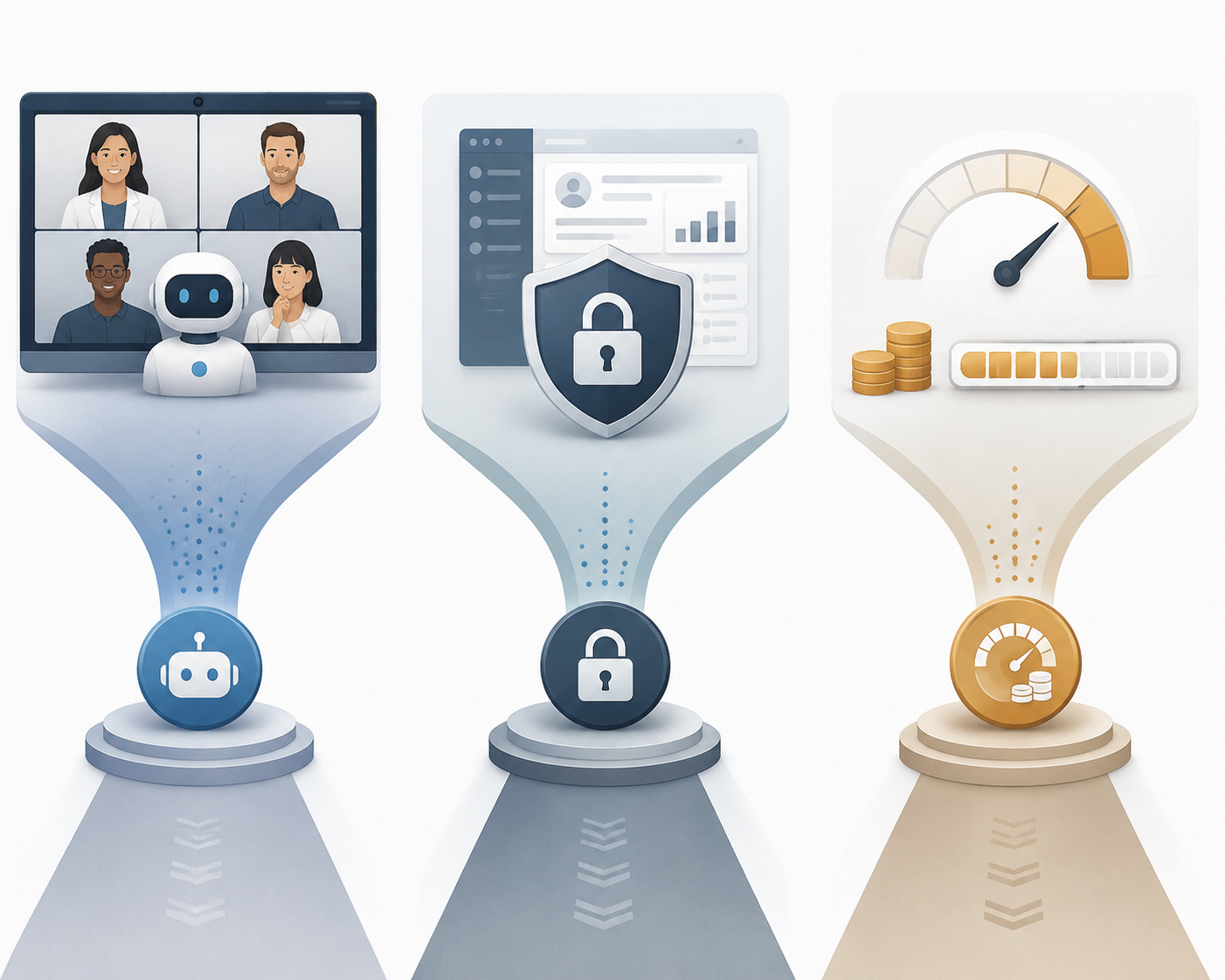
The real buying decision is narrower and more practical. First, can a visible bot join your meetings without changing the room? Second, do notes merely need to exist, or do they need to update CRM fields, create follow-ups, and support a sales process? Third, are you comfortable with AI summaries, recordings, minutes, storage, or credits being metered separately from the advertised monthly plan?
That matters because meeting volume is not theoretical. Knowledge workers spend 21.5 hours per week in meetings, and 46% attend three or more meetings per day, according to figures cited by AssemblyAI.[1] At that level, a free plan with a small AI-summary allowance or a per-call cap is not a harmless detail. It is the part that decides whether the tool survives normal use.
Quick Verdicts Before the Fine Print
Use this table as a routing device, not a final answer. The same product can be excellent in one meeting environment and awkward in another.
| Scenario | Start With | Why | Not For You If |
|---|---|---|---|
| Internal team meetings with low admin burden | Fathom, Fireflies, Otter | Bot-based capture is usually acceptable, and setup is straightforward. | A visible meeting bot will unsettle clients or candidates. |
| External client calls where the room should feel natural | Granola, Laxis, Krisp, Bluedot, Fellow botless mode | Bot-free capture avoids adding a named participant to the call. | You need mature enterprise governance across a large organization. |
| Sales teams that need CRM handoff | Avoma, Fireflies, Otter, Fathom | These are stronger fits when notes need to become pipeline activity, follow-ups, or CRM records. | You only need private notes and searchable recaps. |
| Cost-sensitive users with many short meetings | Fathom, Laxis, Otter | The free or lower-cost plans can work if the caps match your meeting pattern. | You assume “free” means unlimited AI summaries, unlimited call length, and unlimited history. |
| Enterprise-governed meetings | Fellow, Otter Enterprise, Fathom | Compliance, admin controls, and governance are more concentrated here. | You need a purely local, bot-free tool with broad enterprise controls. |
| Privacy-sensitive solo work | Granola, Krisp, Laxis, Bluedot | Bot-free capture reduces meeting-room friction. | You need verified enterprise retention, admin, and data-governance controls from day one. |
The Bot Question Is Really a Meeting-Type Question
Bot-based tools such as Otter, Fireflies, Fathom, and Avoma join the meeting as visible participants. Bot-free tools such as Granola, Laxis, Krisp, Bluedot, and Fellow’s botless mode capture locally without appearing in the participant list. That difference is not cosmetic. It changes who notices the recording, who asks about consent, and whether people speak as naturally as they otherwise would.
For internal syncs, a visible bot is often fine. The team knows the meeting is being captured, and the upside is immediate: searchable notes, action items, and less time replaying the recording. In that setting, Fathom, Fireflies, and Otter are easy to justify because their core value appears quickly and the social cost is low. Independent roundups from Zapier and PCMag both treat mainstream bot-based assistants as serious options rather than fringe tools.[2][3]
External client calls are different. A bot can make a sales call feel recorded before anyone has explained why, and it can turn a candid advisory conversation into a more guarded exchange. Bot-free capture does not remove the need to follow applicable consent laws, but it does avoid adding a robotic attendee that changes the visual and social dynamics of the meeting.

Sensitive conversations raise the standard again. Performance reviews, legal discussions, medical-adjacent conversations, investor updates, and HR interviews require more than a convenient transcript. The buyer has to ask where the data goes, how long it is retained, whether admins can control access, and whether free-tier or non-enterprise data can be used for model improvement. For a deeper privacy-only comparison, see AI Meeting Notes Privacy Comparison: How the Top Tools Handle Your Data.
Enterprise-governed meetings are where the bot-free category has a maturity problem. Bot-free capture is attractive, but governance features such as SOC2, HIPAA, GDPR alignment, retention controls, and centralized administration are more concentrated in Fellow, Otter Enterprise, and Fathom. That does not make smaller bot-free tools unsuitable; it means the buyer has to verify the admin layer rather than assuming local capture solves the whole privacy problem.
The unresolved Brewer v. Otter.ai class action, filed in August 2025 and still in early litigation as of July 2026, is best treated as a warning sign about the questions buyers should ask, not as proof of wrongdoing. The useful lesson is procedural: clarify consent, data usage, retention, and model-training terms before rolling out any assistant across client or employee conversations.
Free Plans Are Where the Real Comparison Starts
A free AI meeting notes plan can mean four very different things: free recording, free transcription minutes, free storage, or free AI summaries. Those are not interchangeable. A team does not feel the limit when the account is created; it feels it after the third client call of the week, when the recap is missing, the recording is truncated, or last month’s history is locked.
| Tool | Free or Entry Limit to Watch | Why It Matters |
|---|---|---|
| Fathom | Free plan includes unlimited recordings but only 5 AI summaries per month. | The recording may exist, but the high-value recap runs out quickly for regular users. |
| Otter | Free plan includes 300 minutes per month with a 30-minute per-conversation cap. | A 45-minute client call can exceed the per-call limit even if monthly minutes remain. |
| Fireflies | Free plan includes 800 minutes of storage as a one-time, non-renewing allowance. | This is a storage bucket, not a fresh monthly allowance. |
| Granola | Free meeting history is locked after 30 days. | It can feel generous at first, then become restrictive when old decisions matter. |
| Laxis | Free plan includes 300 minutes per month with no per-conversation cap. | The structure is friendlier for longer meetings than Otter’s free cap, but total volume is still limited. |
| Fellow | Free plan includes 5 AI recordings per user. | A regular manager can burn through the useful AI allowance quickly. |
The pricing landscape runs from free plans to roughly $49 per user per month for fuller sales-workflow platforms such as Avoma, while many serious options sit around the $15–20 per user per month bracket. The advertised price is only the first pass, because AI-credit caps in tools such as Fireflies and Fellow can raise the real monthly cost by 30–50% for heavy meeting users when additional AI usage is needed.
That is why the buyer should model meetings before comparing plan names. A founder with eight short internal meetings a week has a different cost profile from a customer success manager running long renewal calls. A sales rep who needs CRM updates after every conversation has a different cost profile from an operator who only wants a searchable archive. Minutes, storage, AI summaries, recordings, and credits hit different workflows at different times.
The most common mistake is treating “unlimited recording” as “unlimited useful output.” A recording without a usable summary still leaves someone reviewing content manually. A transcript without action items may be good enough for a researcher and not enough for a sales team. A generous storage allowance does not help if the AI layer is metered separately.
CRM Depth Separates Note Apps From Sales Workflows
CRM integration is another place where comparison pages flatten important differences. Nearly every tool can claim integrations. Fewer tools can reliably turn a call into structured CRM activity, opportunity notes, follow-up tasks, coaching signals, and searchable account history without forcing the rep to clean up the mess afterward.
Avoma belongs in the conversation when the meeting note is part of a sales operating system. It is less about capturing a nice transcript and more about supporting pipeline conversations, coaching, and account follow-through. That fuller workflow is also why it sits toward the higher end of the pricing landscape, at about $49 per user per month for the full-stack use case described in current comparisons.[4]
Fireflies, Otter, and Fathom can make sense for teams that want notes and integrations without buying a heavier sales platform. The question is not whether they connect to a CRM at all; it is whether the output lands in the right fields, with the right ownership, at the right time, and with enough consistency that reps do not quietly return to manual notes.
For non-sales teams, deep CRM features can become paid clutter. Product teams, agencies, consultants, and internal operators may care more about private notes, meeting history, Slack handoffs, and task capture. Slack’s enterprise workflow framing is useful here because meeting notes become valuable when they move work forward inside the tools teams already check, not when they sit in a separate archive.[5]
Tool-by-Tool Tradeoffs
Fathom
Fathom is one of the easiest recommendations for teams that are comfortable with a bot in the room and want quick value without a long rollout. The catch is the free plan’s structure: unlimited recordings are attractive, but only five AI summaries per month are included. For a casual user, that may be enough. For someone who wants AI notes after most calls, it is a trial path more than a durable operating plan.
Best for: internal teams and individuals who want fast recap value. Not for you if: the visible bot will be awkward on client calls, or if you read unlimited recording as unlimited AI output.
Otter
Otter remains a familiar default, and that matters when teams want something recognizable rather than experimental. Its free plan, however, is easy to misread: 300 minutes per month sounds workable until the 30-minute per-conversation cap meets a normal 45-minute meeting. Otter’s own comparison material is useful for feature and pricing details, but its verdicts should be read as vendor-positioned rather than independent.[6]
Best for: users who want a mainstream assistant with a broad product footprint. Not for you if: your free-plan meetings regularly run longer than 30 minutes. For a fuller profile, see Otter.ai Review 2026: Features, Pricing, and Who It's For.
Fireflies
Fireflies is strong when the priority is searchable team knowledge and broad meeting capture. The free-plan detail to notice is that 800 minutes of storage is a one-time allowance, not a monthly refresh. For a small team testing the product, that may be fine. For a team assuming it has a recurring free bucket, it creates a surprise later.
Best for: teams that want a searchable meeting library and can tolerate bot-based capture. Not for you if: your budget model ignores storage and AI-credit expansion.
Granola
Granola gets attention because it solves a real social problem: it captures without sending a bot into the meeting. That makes it especially appealing for client-facing professionals who want notes without changing the participant list. The free plan’s 30-day history lock is the limit to understand. If old decisions, commitments, or client context matter after a month, the free plan can become less useful than it first appears.
There is also a governance question. Bot-free does not automatically mean enterprise-ready, and non-enterprise data-training defaults deserve careful review. Best for: individuals and small teams that value natural meeting dynamics. Not for you if: centralized admin controls, retention policy, and enterprise governance are mandatory from the start.
Laxis
Laxis is a useful option when longer calls are common but meeting volume is moderate. Its free plan includes 300 minutes per month without Otter’s per-conversation cap, which makes the structure friendlier for 45- or 60-minute calls. The ceiling is total monthly volume rather than individual meeting length.
Best for: consultants, researchers, and client-facing users who need bot-free capture and longer calls. Not for you if: your team runs enough meetings that 300 minutes disappears in the first week.
Krisp
Krisp fits buyers who already think about audio quality and local capture. It is most attractive when the meeting assistant should stay out of the participant list and the user values a less intrusive workflow. The tradeoff is that buyers should look closely at the note-taking depth they need; a tool that is excellent around the call experience may not replace a deeper sales or knowledge-management workflow.
Best for: individuals who want bot-free capture tied to a cleaner call experience. Not for you if: your main requirement is CRM automation or team-wide meeting intelligence.
Bluedot
Bluedot belongs in the bot-free shortlist, especially for teams that do not want external participants seeing a recorder bot. The caution is evidence depth. Bot-free comparison sources cover the category, but tools such as Bluedot have thinner third-party review coverage than older products like Otter, Fireflies, and Fathom.[7][8]
Best for: buyers specifically screening for bot-free capture. Not for you if: you need a long record of independent testing, enterprise proof points, and mature admin documentation before rollout.
Fellow
Fellow is stronger than a plain recorder when meetings are part of a management system: agendas, action items, follow-through, and team habits. Its botless mode also gives it a useful position in the bot-free discussion. The free plan’s five AI recordings per user is the operational limit to watch; regular managers can reach that quickly.
Best for: managers and teams that want meeting discipline, not just transcripts. Not for you if: you mainly want cheap, high-volume AI summaries and do not need the broader meeting-management layer.
Avoma
Avoma is the clearest example of why “AI meeting notes” can be too broad a category. It is not trying to be the lightest note taker. It is built for revenue teams that need meeting intelligence, CRM context, coaching, and follow-up workflow. That makes it easier to justify for sales organizations and harder to justify for a small team that only wants tidy recaps.
Best for: sales teams that want notes connected to pipeline execution. Not for you if: you want a lightweight personal assistant or do not need CRM-centered workflows.
Do Not Treat Accuracy as a Static Scoreboard
Transcription accuracy matters, but it is not a stable product ranking that can be copied from one comparison to another. Accent, crosstalk, microphone quality, domain jargon, meeting platform, and the underlying speech-to-text engine all affect the output. AssemblyAI cites a 94.1% word accuracy benchmark from the Hugging Face Open ASR Leaderboard for its own speech model, and that benchmark is useful context, but it should not be casually transferred to every meeting assistant using every workflow.[1]
A practical test is better than a generic accuracy claim. Run the tool through the meetings that usually break notes: a customer call with product names, a fast internal debate with interruptions, a technical review with acronyms, and a call where one participant has a weak microphone. Then check whether the summary preserves decisions and obligations, not just whether the transcript looks polished.
How to Narrow the Shortlist
If your meetings are mostly internal and the team accepts a visible recorder, start with Fathom, Fireflies, or Otter. Pick among them by looking at the free-plan cap you will hit first: AI summaries, storage, per-call limits, or monthly minutes.
If your meetings are mostly external, start with the bot-free group: Granola, Laxis, Krisp, Bluedot, or Fellow botless mode. Then move quickly from capture experience to governance. The tool that feels most natural in a call still has to satisfy your retention, admin, and data-use requirements.
If you are buying for sales, do not stop at transcript quality. Test the CRM handoff. Ask who reviews the fields, where action items land, whether the account history becomes easier to trust, and how much cleanup a rep still performs after the AI has done its work. Avoma deserves attention for deeper sales workflows; Fireflies, Otter, and Fathom may be enough when the CRM need is lighter.
If you are buying for a regulated or heavily managed organization, start with admin controls rather than delight. Fellow, Otter Enterprise, and Fathom are more likely to appear in the governance conversation, while many bot-free tools need closer verification. Do not assume that a smaller participant list equals a complete compliance answer.
If you are still deciding whether an AI assistant is necessary at all, compare this category against broader meeting workflows in Best Meeting Note Taking Apps by Use Case or against manual and traditional options in Best Meeting Note-Taking Apps 2026: AI vs Traditional Compared.
Scenario Recommendations
- Choose Fathom if you want fast internal-meeting value and can live with bot-based capture. Do not choose it on the free plan if you expect AI summaries for most meetings.
- Choose Otter if you want a mainstream assistant with broad familiarity. Do not choose the free plan if your important meetings regularly exceed 30 minutes.
- Choose Fireflies if searchable team memory is the priority. Do not choose it without understanding whether your limit is storage, credits, or both.
- Choose Granola if client-call naturalness matters more than a visible recording workflow. Do not choose it casually for enterprise rollout without checking data-training, retention, and admin controls.
- Choose Laxis if you want bot-free capture and longer calls on a modest free monthly allowance. Do not choose it if your monthly meeting volume is high.
- Choose Fellow if meeting management and follow-through matter as much as notes. Do not choose it only because you want the cheapest high-volume recorder.
- Choose Avoma if meeting notes need to support sales execution, coaching, and CRM workflow. Do not choose it for lightweight personal note capture.
Vendor-written rankings can still be useful for feature and pricing facts, but their conclusions need discounting. Laxis, Cirrus Insight, Fellow, and Otter all publish comparison content that places their own products favorably, which is normal marketing behavior rather than independent testing.[4][6][8] Use those pages to verify features; do not outsource the verdict.
The buying rule is simple enough to survive the comparison noise: choose the tool whose capture model, integration depth, and cost structure match your actual meeting reality. Re-check the limits before purchase, because July 2026 pricing and caps may not be the terms you see next quarter.
References
- Top AI Notetakers, AssemblyAI
- The best AI meeting assistants, Zapier
- The Best AI Tools for Taking Notes, PCMag
- AI Meeting Note Takers, Cirrus Insight
- AI meeting note taker, Slack
- Otter vs. Fireflies, Otter.ai
- Bot-Free AI Note Takers Alternatives, MeetingNotes
- Bot-Free AI Note Takers, Fellow