

What You Actually Get on Notion's Free Plan
Notion's free tier is unusually generous compared to most freemium productivity apps. Where many competitors cap the number of notes, notebooks, or devices, Notion gives individual users unlimited pages and blocks — meaning you can write as many notes, create as many databases, and build as many dashboards as you want without ever hitting a page limit. For a solo note-taker who primarily works with text, that alone covers the vast majority of use cases.
Here is everything included on the free plan, based on current Notion documentation and verified by multiple sources:
- Unlimited pages and blocks for individual use
- Full database functionality (table, board, calendar, list, gallery, timeline views) with custom properties, formulas, subtasks, and dependencies
- Notion Calendar and Notion Mail integration
- Web Clipper for saving articles and pages from the browser
- Real-time collaboration with up to 10 guest seats
- Basic automations (triggers and actions within your workspace)
- Templates from the Notion template gallery
- Basic forms and publishable web pages
- A limited AI trial (approximately 20 AI responses)
As Lifehacker noted in their review, "Notion never asked me for any money during testing. The free version gets you a calendar, subtasks, formulas, basic automations, charts, and more. For an individual just looking to get more organized, you really don't need to pay." That sentiment holds true for a large segment of users — especially those who treat Notion as a text-first note-taking tool.
The 5 MB File Upload Limit: The Most Common Frustration
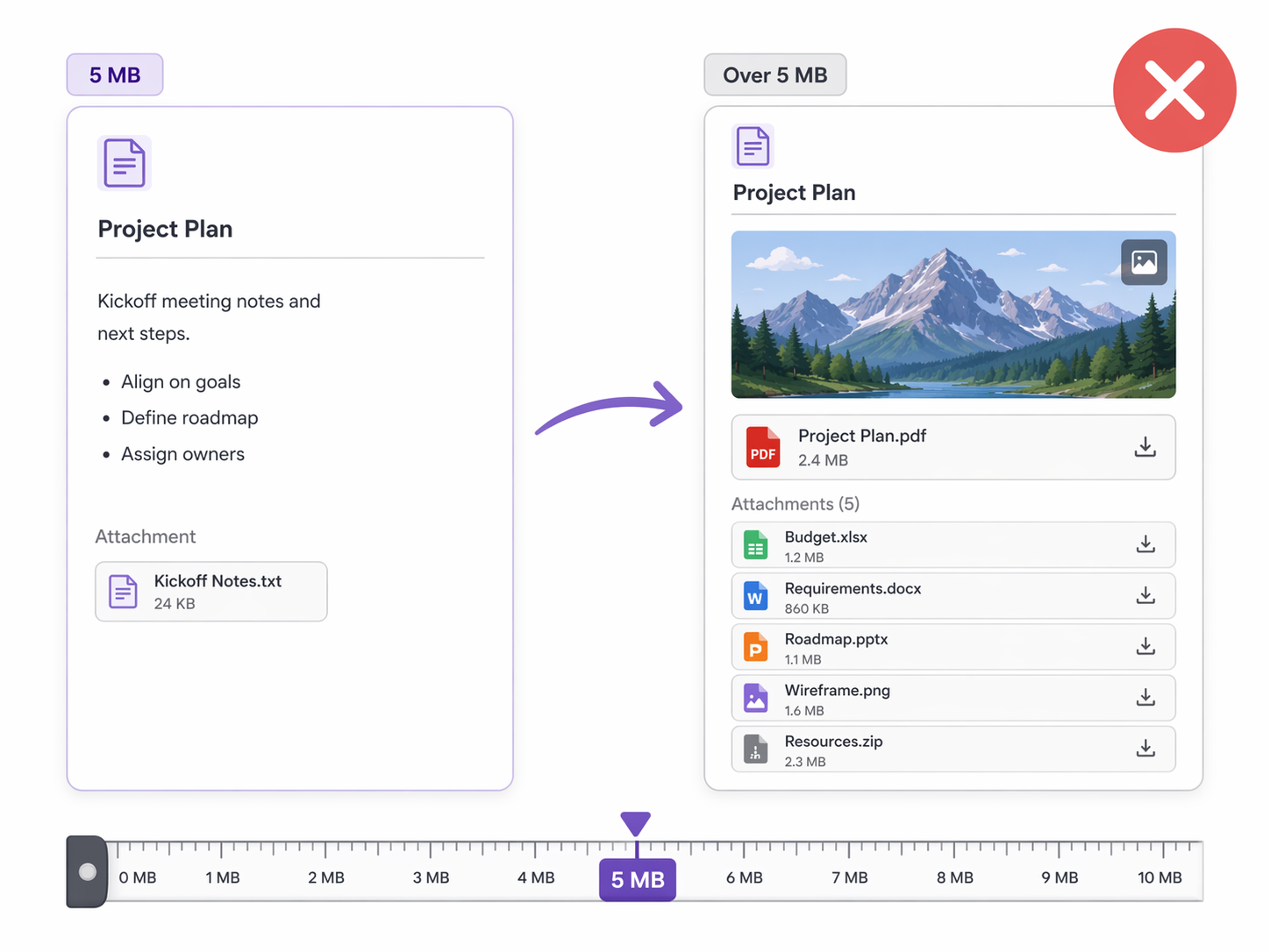
The free plan limits each uploaded file to 5 MB. This is the constraint that catches most users off guard, because it doesn't affect text-heavy notes at all — but it becomes a daily frustration the moment you start attaching images, PDFs, audio recordings, or scanned documents.
To put 5 MB in perspective:
- A single high-resolution photo from a modern smartphone camera (12–24 MP) typically ranges from 3 MB to 7 MB — you may not be able to upload it at all.
- A scanned textbook chapter saved as a PDF can easily exceed 10–20 MB.
- A short audio recording (5 minutes at standard quality) is often 4–6 MB.
- Even a multi-page presentation exported as PDF can hit the limit.
The 5 MB cap applies per file, not per page or per workspace. So you can upload many small files, but a single large attachment will be rejected. This is a meaningful constraint for students who want to store lecture slides, freelancers who attach client briefs, or anyone who uses Notion as a central file reference.
Page History and the 7-Day Safety Net
Notion's page history feature lets you view and restore previous versions of any page. On the free plan, this history is retained for 7 days. After that, older versions are permanently discarded.
For most day-to-day note-taking, 7 days is sufficient. If you accidentally delete a paragraph or revert a change you made yesterday, you can recover it. But the limit becomes a problem in several common scenarios:
- You discover a mistake in a note you edited 10 days ago — the old version is already gone.
- A database view or formula breaks, and you need to compare against a working version from two weeks ago.
- You're collaborating on a project and someone overwrites important content — if you don't catch it within a week, it's unrecoverable.
Here is how page history compares across Notion's plans:
| Plan | Page History Retention | Monthly Price (Annual Billing) |
|---|---|---|
| Free | 7 days | $0 |
| Plus | 30 days | $10/user |
| Business | 90 days | $18/user |
| Enterprise | Unlimited | Custom |
If you treat your notes as a long-term knowledge base — something you might reference or need to audit months later — the 7-day window is genuinely limiting. Apps like Obsidian or Apple Notes offer much longer or even unlimited version history, which is worth considering if this is a priority for you.
Notion AI: The Trial That Runs Out
Notion AI is available as a limited trial on the free plan — approximately 20 AI responses per workspace. This is enough to test the feature: you can summarize a page, rewrite a paragraph, generate a to-do list, or ask the AI to draft an outline. But it will run out quickly if you use it regularly.
The AI features available during the trial include:
- Summarize — condense a long page or database entry into key points
- Rewrite — adjust tone, length, or clarity of existing text
- Fix spelling and grammar — basic proofreading within Notion
- Translate — convert text between languages
- Generate — create drafts, outlines, action items, or meeting notes from scratch
- Ask AI — freeform questions about your content (e.g., "What are the action items from this meeting note?")
Once the trial is exhausted, AI features are disabled on the free plan. To continue using them, you need a Business plan ($20/user/month billed annually), which bundles unlimited AI access. Free and Plus users cannot purchase AI as a separate add-on — it is only available as part of the Business or Enterprise tiers.
Real-World Scenarios: When Free Is Enough vs. When It Isn't
Whether the free plan works for you depends almost entirely on what kind of notes you take. Here are four common profiles and how they map to Notion's free tier constraints.
Scenario 1: The Solo Text-Only Note-Taker
You write journal entries, meeting notes, project outlines, and to-do lists. You rarely attach images or files. You don't use AI features. You don't collaborate with others.
Verdict: The free plan will likely serve you forever. You will never hit the 5 MB upload limit, the 7-day page history is plenty for text recovery, and you don't need AI or guest seats. This is the audience for whom Notion's free plan is genuinely a "never pay" solution.
Scenario 2: The Image-Heavy User or Student with PDFs
You take notes that include screenshots, photos of whiteboards, scanned handouts, or PDF attachments. You might store lecture slides, research papers, or design mockups alongside your notes.
Verdict: The 5 MB file upload limit will become a recurring frustration. A single high-res photo or a multi-page PDF can exceed the cap. You will need to either use external storage workarounds (Google Drive embeds) or upgrade to Plus (or get the free Plus plan if you're a student).
Scenario 3: The User Who Relies on Page History
You frequently edit and revise your notes. You sometimes accidentally delete content and need to recover it. You treat your Notion workspace as a long-term knowledge base where old versions matter.
Verdict: 7 days of page history is a tight window. If you discover a mistake after a week, the old version is gone. Upgrading to Plus (30 days) or Business (90 days) gives you meaningful breathing room. Alternatively, consider a local-first tool like Obsidian, where version history is tied to your own file system and can be effectively unlimited.
Scenario 4: The AI Curious User
You want to use Notion AI to summarize meeting notes, draft emails, or generate outlines. You've heard about the AI features and want to try them before committing.
Verdict: The 20-response trial will let you test the feature, but it will run out quickly — especially if you use AI for multiple tasks per day. To get unlimited AI, you need the Business plan ($20/user/month). If AI is a must-have, the free plan is not a viable long-term option.
Upgrade Triggers: When You Should Consider Paying
Notion's paid plans are not expensive by SaaS standards — Plus costs $10/user/month billed annually — but you shouldn't pay unless you actually need what the upgrade unlocks. Here are the specific triggers that justify moving from Free to Plus:
| Trigger | Free Plan Limit | Plus Plan Upgrade | Who This Affects |
|---|---|---|---|
| File uploads exceed 5 MB regularly | 5 MB per file | Unlimited file uploads | Students, designers, researchers, anyone attaching images or PDFs |
| Need more than 7 days of page history | 7 days | 30 days | Users who edit heavily or rely on version recovery |
| Collaborate with more than 10 external guests | 10 guest seats | Unlimited guest seats | Freelancers, consultants, small teams |
| AI trial has expired and you want more | ~20 responses (one-time) | Not available on Plus — requires Business ($20/user/mo) | Heavy AI users |
| Need advanced automations or integrations | Basic automations only | More automation runs and API access | Power users building workflows |
If you hit one or more of these triggers regularly, the Plus plan is a reasonable investment. If you don't, there is no reason to upgrade — the free plan covers everything else.
The Student/Educator Discount: Free Plus Plan

If you are a student or educator with a valid .edu email address, Notion offers the Plus plan completely free. This is one of the most generous education discounts in the productivity space — and it removes the two most painful free-plan constraints:
- No file upload limits — upload large PDFs, high-res images, and audio files without hitting the 5 MB cap
- Extended page history — 30 days instead of 7, giving you a much wider recovery window
- Unlimited guest seats — collaborate with classmates or study groups
To claim the offer, sign up for Notion with your .edu email address. Notion will verify your academic status, and once approved, your workspace is upgraded to the Plus plan at no cost. There is no time limit — it remains active as long as you maintain your student or educator status.
Frequently Asked Questions
Can I use Notion's free plan for team collaboration?
Yes, but with limits. The free plan includes up to 10 guest seats, meaning you can invite up to 10 external collaborators to your workspace. For a small study group, freelance client collaboration, or a family project, this is usually sufficient. If you need more than 10 guests, you need to upgrade to Plus.
What happens if I exceed the 5 MB file upload limit?
Notion will reject the upload and show an error message. Your existing files are not affected — the limit only applies to new uploads. You can still embed or link to files hosted on external services (Google Drive, Dropbox, etc.) as a workaround.
Can I downgrade from Plus back to Free?
Yes. You can downgrade your workspace from a paid plan back to Free at any time. However, you may lose access to features that exceed free-plan limits — for example, if you have files larger than 5 MB uploaded, they will remain accessible but you won't be able to upload new large files. Page history beyond 7 days will be trimmed.
Is there a free trial of the Plus plan?
Notion does not currently offer a time-limited free trial of the Plus plan. You can start on the free plan and upgrade at any time — the upgrade takes effect immediately. There is no risk in starting with the free plan and upgrading only when you hit a limit.
Does the free plan include API access?
Yes. Notion's public API is available on all plans, including Free. You can build integrations, connect Notion to other tools via Zapier or Make, and automate workflows using the API. There are rate limits, but for personal use they are generally not a problem.
What happens to my data if I stop paying?
If you downgrade from a paid plan to Free, your workspace remains accessible. You lose access to paid-plan features (larger file uploads, extended page history, etc.), but your data is not deleted. Notion does not delete workspaces for downgrading — you simply revert to free-tier limits.
Can I use Notion offline on the free plan?
Notion's offline mode is available on all plans, including Free. You can access and edit recently viewed pages without an internet connection. Changes sync automatically when you reconnect. This is a relatively recent addition and works well for note-taking on the go.