
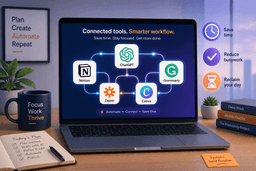
AI Productivity Tools in 2026: A Data-Driven Comparison by Category
A strategic, data-backed guide for knowledge workers and small teams evaluating AI productivity tools across eight categories—from general assistants to coding—with pricing, ROI data, and a decision framework to choose the right 2–3 tools for your workflow.
Category: AI Productivity Tools
Pricing model: Subscription
Free plan: Yes
Best for: Knowledge Workers, Small Teams
Pricing last verified: 2026-06-22
- AI-tools
- workflow-automation
- free-plan
- students
- teams
Two numbers from the same survey keep me up at night. 92% of workers say AI boosts their productivity. Yet 58% spend three or more hours per week revising or completely redoing AI outputs. The 92% is self-reported sentiment — useful for gauging adoption energy, but not a clock. The 58% revision rate is the real number, because it points to a cost that stays hidden in most ROI claims.
That gap defines the market in 2026. The average organization went from two AI tools in 2023 to seven by 2025; 80% of employees now use AI at work. But the same ActivTrak data that tracks that growth also found something less flashy: employees who spend 7–10% of total work hours in AI tools achieve the highest productivity. Above that, productivity plateaus or even drops. The tool count alone tells you nothing about whether the time is well spent.
The question isn't whether adoption went up, but what people are actually doing differently. Most readers I talk to are stuck somewhere between that 92% and 58%. They feel the pull of the shiny new assistant, but they also sense the drag of output review, prompt tailoring, and integration nagging. The real question: which tools actually reduce the revision circle, and how many do you really need?
Where the Hidden Costs Live
The 58% revision number points to one hidden cost. But there are others that rarely appear in vendor case studies. Nearly 78% of enterprises struggle to integrate AI with their current tech stacks. Sixty-three percent of AI practitioners admit they use tools without formal approval — shadow IT that bypasses security, compliance, and data governance. The median payback period for customer service AI is 4.1 months, but for engineering it jumps to 9.3 months. The variance is huge, yet many buying decisions treat integration as a footnote.
Only 1% of leaders believe their company has reached full AI maturity (McKinsey). That means almost everyone is still figuring out how to weave these tools into daily work without creating a new layer of overhead. The best AI productivity tools for 2026 are not the ones with the most features — they are the ones that disappear into the workflow.
One Pattern Across Eight Categories
I grouped the landscape into eight categories to find a pattern. Within each, tools that reduce rework and slot into existing habits win over tools that demand new rituals. Here's the summary of the data that matters.
| Category | Key players | Data point | Verdict |
|---|---|---|---|
| General assistants | ChatGPT, Claude, Gemini | ChatGPT: 700M+ weekly users; 45% hallucination on factual queries, <1% on grounded summarization | Use for brainstorming and summarization, not for facts without verification. |
| Writing & editing | Grammarly, Jasper, Copy.ai | Knowledge workers average 4.3 hrs/week fact-checking AI outputs | Good for first drafts and tone adjustments; expect to verify every claim. |
| Meetings | Otter.ai, Fireflies, Fathom | Average meeting load: 17.1/week per person | Auto-notes save time, but only if the tool integrates with your calendar and CRM. |
| Scheduling | Reclaim, Clockwise | 60% of knowledge worker day spent on 'work about work' | Best for reclaiming calendar time; requires shared organizational adoption. |
| Project management | Notion AI, Asana Intelligence | Individual contributors complete only 53.5% of planned tasks each week | Useful for task generation and status updates; less helpful for complex dependencies. |
| Automation | Zapier, Make, n8n | 40% of enterprises run multiple AI vendors; 80% struggle with integration | Powerful but requires upfront setup; stick to one platform to avoid sprawl. |
| Design | Canva AI, Adobe Firefly | Generic category — no specific productivity multiplier in sources | Great for non-designers; output still needs review for brand consistency. |
| Coding | GitHub Copilot, Cursor, Codeium | 66x cost reduction on routine PRs; 3.6x productivity multiplier for software engineering | High ROI for boilerplate and tests; verification time still matters for logic. |
The pattern is consistent: the tools that deliver the highest productivity multipliers (customer service at 4.2x, software engineering at 3.6x, marketing ops at 3.1x) are those where the AI can operate within a well-defined scope with clear handoff rules. The categories where the boundaries are fuzzy — general assistants, writing, design — see more rework and lower multipliers. That doesn't mean those tools are useless; it means you need to budget for verification and prompt design.
For a deeper look at how individual tools compare within specific categories, the Beyond Chatbots roundup covers eight tools that solve real problems rather than just generating output.
The 2–3 Tool Rule
I'm not saying you shouldn't experiment. But adding a fourth or fifth tool when you haven't mastered the first three is a recipe for integration fatigue. The ActivTrak data suggests a ceiling: 7–10% of total work hours spent in AI tools is optimal; above that, you start spending more time managing the tools than doing the work. I wouldn't use that range as a formula — it's a single study — but it's a useful sanity check.
The median knowledge worker who uses AI agents saves about 6.4 hours per week (McKinsey/Slack). But that number almost certainly excludes the time spent verifying outputs. If a tool saves you two hours but costs one hour of verification, the net gain is one hour, not two. The 4.3 hours per week that knowledge workers spend fact-checking AI outputs (Coursiv) is a direct deduction from that headline figure. Two or three well-mastered tools deliver more value than a dozen barely used ones — as Coursiv's analysis puts it. Before you pick your tools, define your primary bottleneck.
Where to Start: Pick Your Primary Bottleneck
Identify the one activity that consumes the largest share of your workday. Match it to a category from the table above. Then choose one tool in that category that integrates cleanly with your existing stack. Ignore the others until you have a baseline.
| Primary bottleneck | Category to target | Recommended starting tool type | |
|---|---|---|---|
| Email overload and meeting follow-ups | General assistants / Meetings | ChatGPT or Otter.ai for notes | Takes 2–3 hours/week; verify all facts from models |
| Drafting and editing documents | Writing & editing | Grammarly or Jasper | Expect 4.3 hrs/week fact-checking; use as first draft only. |
| Calendar chaos and scheduling | Scheduling | Reclaim or Clockwise | Requires org adoption; automates up to 60% of 'work about work' |
| Task tracking and project updates | Project management | Notion AI or Asana Intelligence | Good for status, not for dependencies; reduces missed deadlines. |
| Repetitive data work (reports, pulls) | Automation | Zapier or Make | High setup cost; once running, frees hours daily. |
| Routine coding and review | Coding | GitHub Copilot | Best ROI for boilerplate; still verify logic. |
What the Headline Numbers Leave Out
The savings numbers that vendors publish almost never subtract the cost of rework. The 6.4 hours saved per week? It does not include the time spent fact-checking, rewriting, or re-prompting. The 4.3 hours per week that knowledge workers spend fact-checking AI outputs (Coursiv) is a direct deduction. The 45% hallucination rate on factual questions for GPT-4o (vs sub-1% on grounded summarization) means that if you use a general assistant for precise queries, you are basically doubling your review load.
This is not an argument against AI. It is an argument against buying tools on headline numbers. The best tool is the one that requires the least verification. That is why grounded summarization and integration with your actual data sources matter more than raw generation speed.
For a skeptical deep dive into how AI tools actually perform under pressure, read the Skeptic's Guide.
A First-Week Plan
You have the framework. You know the rework exists. Now commit to a first week:
- Day 1: Audit your biggest time sink. Use the table above to identify your primary bottleneck.
- Day 2: Choose one tool from the corresponding category. Prefer a vendor agent (faster time-to-value: ~38 days) over a custom build (~94 days).
- Days 3–5: Use it for one specific workflow. Track the time spent generating vs. verifying outputs.
- Day 6–7: Integration and rework evaluation. Does the tool fit your existing stack? How much revision did you need?
- Week 2: Add a second tool only if the first one clearly net-saves time. Stick to the 7–10% total AI usage window.
Do not add more than one tool per week. The goal is not to collect tools; it is to eliminate the revision circle.
For more detail on workflow automation setups, see the AI Workflow Automation Showdown.
Comments
Join the discussion with an anonymous comment.