
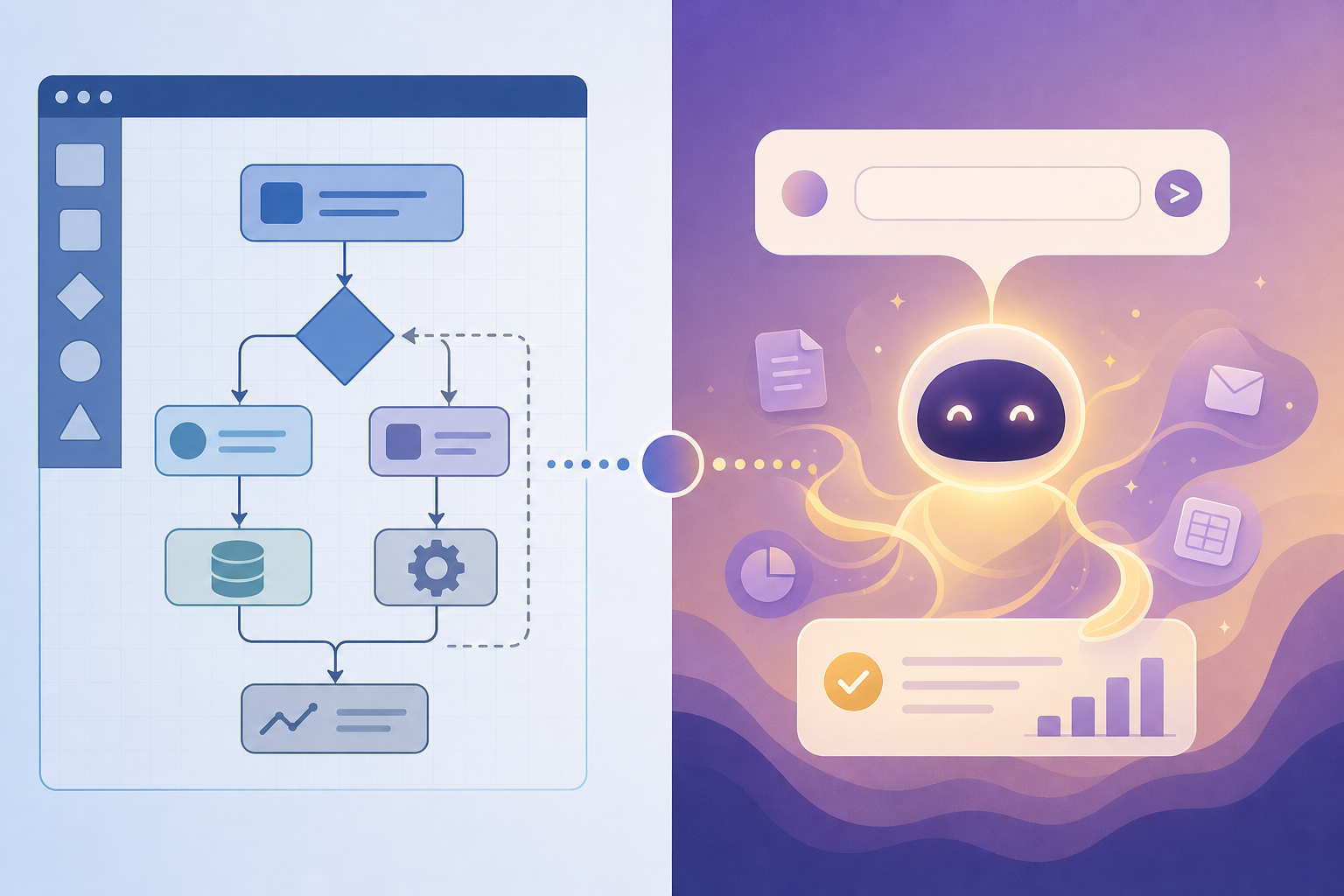
Introduction: The Two Paths of AI Automation in 2026
If you evaluated automation platforms a year ago, the choice was straightforward: pick a trigger-action tool like Zapier or Make, wire up a few steps, and call it done. The 2026 market no longer works that way. A fundamental split has emerged, and the first decision you need to make isn't which tool has the most integrations — it's which paradigm fits how you think about work.
On one side are the workflow builders: platforms like Zapier, Make, n8n, Pipedream, Microsoft Power Automate, Workato, Tray.ai, and UiPath. These tools let you construct deterministic, step-by-step logic — if this happens, then do that. You control every branch, every data transformation, every error handler. The trade-off is that you have to build the logic yourself.
On the other side are the AI-native assistants: Lindy, Gumloop, and Vellum. These platforms accept natural-language instructions — "Follow up with everyone who attended yesterday's demo" — and figure out the execution steps themselves. You delegate outcomes instead of building logic. The trade-off is less deterministic control and, in many cases, a smaller integration ecosystem.
This article compares 10 platforms across both categories, using verified pricing data from June 2026, integration counts, and hands-on testing results. The goal is to give you a clear framework for deciding which approach — and which specific tool — fits your workflow, your team's technical depth, and your governance requirements.
At-a-Glance Comparison: 10 AI Automation Platforms
The table below summarizes each platform across five dimensions: starting price, integration count, AI capability type, primary audience, and the category paradigm it represents. All pricing was last verified in June 2026.
| Platform | Starting Price (Monthly) | Integration Count | AI Capability | Best For | Category |
|---|---|---|---|---|---|
| Zapier | $19.99 (Pro: $29.99) | 9,000+ | Bolted-on AI steps | General knowledge workers | Workflow Builder |
| Make | $9 (Pro: $28) | 3,000+ | AI modules in visual canvas | Visual workflow designers | Workflow Builder |
| n8n | $24 (self-host: free) | 1,000+ | AI nodes + code | Technical teams, developers | Workflow Builder |
| Pipedream | $45 | 1,500+ | Code-first AI integration | Developers, DevOps | Workflow Builder |
| Microsoft Power Automate | $15/user | 1,400+ | Copilot AI assistant | M365-centric organizations | Workflow Builder |
| Workato | Custom quote | 1,200+ | AI recipe suggestions | Enterprise IT | Workflow Builder |
| Tray.ai | Custom quote | 1,000+ | AI agent builder | Enterprise product teams | Workflow Builder |
| UiPath | $25 | 1,900+ | AI + RPA fusion | Enterprise automation centers | Workflow Builder |
| Lindy | $49.99 (Pro: $99.99) | Hundreds | Native AI agent | Solo knowledge workers | AI-Native Assistant |
| Gumloop | $37 | 100–400 | Natural-language workflow generation | Teams wanting AI-first automation | AI-Native Assistant |
| Vellum | $50 | 100+ | LLM orchestration + workflow | AI engineering teams | AI-Native Assistant |
Workflow Builders: Zapier, Make, n8n, Pipedream, Microsoft Power Automate, Workato, Tray.ai, UiPath
Workflow builders are the established category. They give you a visual or code-based canvas where you define triggers, conditions, actions, and error handling. If you want to know exactly what your automation will do in every scenario, this is your lane. The eight platforms below cover the spectrum from entry-level generalist to enterprise-grade orchestrator.
Zapier: The Integration King with Bolted-On AI
Zapier remains the default choice for most knowledge workers, and for good reason: it connects with over 9,000 apps — more than double what most competing platforms offer, according to Zapier's own blog. Its Professional plan starts at $19.99 per month (though Lindy's hands-on testing lists it at $29.99/month, likely reflecting a recent price adjustment).
Zapier's AI features — AI steps, AI-powered formatter, and the new Zapier Central agent — exist alongside its traditional trigger-action model. They work, but they feel bolted on rather than native. You can add an AI step to summarize an email or classify a lead, but the core experience is still building Zaps in a linear editor.
Where Zapier excels is safety and governance. It offers SOC 2 Type II certification, GDPR compliance, SSO with SAML 2.0 and SCIM provisioning, and OAuth-managed credentials. For a team that needs enterprise security without enterprise complexity, Zapier is a strong middle ground.
- Strengths: Largest integration ecosystem, strong security posture, easiest learning curve for non-technical users.
- Weaknesses: AI features feel bolted on, linear editor limits complex branching, pricing escalates quickly with task volume.
- Best for: General knowledge workers and small teams who need broad app connectivity and don't require complex conditional logic.
Make: Visual Canvas with AI Modules
Make (formerly Integromat) differentiates itself with a visual scenario builder that lets you see data flow through branches, routers, and iterators in real time. Its Core plan starts at $9 per month, and the Pro plan at $28 per month. Make connects with over 3,000 apps and offers more than 7,500 pre-built workflow templates.
Make's AI modules — AI text generator, AI classifier, AI image analyzer — slot into the visual canvas like any other module. This makes it easier to build AI-augmented workflows without leaving the visual environment, but the AI capabilities are still module-level rather than agent-level. You tell Make what AI to use and where; it doesn't decide for you.
- Strengths: Best-in-class visual scenario builder, generous free tier (1,000 ops/month), large template library.
- Weaknesses: Steeper learning curve than Zapier for simple automations, no native AI agent capability, enterprise features limited.
- Best for: Visual thinkers and teams who need complex branching logic and want to see their data flow in real time.
n8n: Open-Source Flexibility for Technical Teams
n8n occupies a unique position: it's the only platform in this comparison that offers a free self-hosting option under a fair-code license. Its cloud Starter plan costs $24 per month (2,500 workflow executions with unlimited steps). For teams that want to run automation on their own infrastructure, n8n is the most flexible option available.
n8n connects with over 1,000 integrations and offers more than 4,000 starter templates and 5,000 community-created workflow templates. Its AI capabilities include native AI nodes for LLM calls, embeddings, and vector store operations, plus the ability to write custom JavaScript or Python nodes. This makes it the strongest choice for teams that want to build AI workflows with full code-level control.
On the governance front, n8n offers SOC 2 compliance, secret management via AWS/GCP/Azure/Vault, logging, debugging, and role-based access control (RBAC). For a self-hosted tool, this is an unusually mature security posture.
- Strengths: Free self-hosting, most flexible for custom code, strong security and RBAC for self-hosted deployments.
- Weaknesses: Steep learning curve for non-developers, cloud plan execution limits, smaller integration ecosystem than Zapier or Make.
- Best for: Technical teams and developers who need full control over infrastructure, data residency, and workflow logic.
For a deeper comparison between n8n and Power Automate, see our dedicated Power Automate vs n8n in 2026 article.
Pipedream: Developer-First Workflow Orchestration
Pipedream is built for developers who want to write code, not drag boxes. Its Basic plan starts at $45 per month, and it connects with over 1,500 apps. Workflows are written in Node.js or Python, with built-in support for npm packages, HTTP requests, and event sources.
Pipedream's AI integration is code-first: you call OpenAI, Anthropic, or any other LLM API directly within your workflow code. This gives developers maximum flexibility but puts AI capability behind a coding requirement. For teams with engineering resources, Pipedream is a powerful orchestrator; for non-technical users, it's inaccessible.
- Strengths: Full code-level control, excellent for custom integrations, built-in npm support.
- Weaknesses: Requires coding skills, no visual builder, higher starting price than Zapier or Make.
- Best for: Developers and DevOps teams who want to build custom automation pipelines with full control.
Microsoft Power Automate: The M365 Ecosystem Lock-In
Power Automate is the default automation platform for organizations already embedded in the Microsoft ecosystem. Its Premium plan costs $15 per user per month, and it connects with over 1,400 connectors — including deep integration with SharePoint, Teams, Outlook, Dynamics 365, and Azure.
Microsoft's Copilot AI assistant is baked into Power Automate, allowing users to describe a workflow in natural language and have Copilot generate the flow. This is the closest any workflow builder comes to the AI-native assistant experience, but it's limited to the Microsoft ecosystem. If your stack includes Salesforce, Shopify, or other non-Microsoft tools, Power Automate's integration depth varies significantly.
- Strengths: Deepest M365 integration, Copilot natural-language flow generation, enterprise governance via DLP policies.
- Weaknesses: Ecosystem lock-in, weaker non-Microsoft integrations, per-user pricing can be expensive at scale.
- Best for: Organizations already using Microsoft 365 who want automation that integrates natively with their existing tools.
Workato and Tray.ai: Enterprise-Grade Orchestration
Workato and Tray.ai serve the same enterprise buyer but take different approaches. Workato positions itself as an enterprise automation platform with over 1,200 pre-built connectors, AI recipe suggestions, and strong governance features including audit trails, role-based access, and data residency controls. Pricing is custom-quoted and typically starts in the five-figure annual range.
Tray.ai focuses on product-led automation, offering an AI agent builder that lets teams create autonomous agents within their workflows. Its Universal AI Agent can reason, plan, and execute multi-step tasks across integrated systems. Like Workato, pricing is custom-quoted and enterprise-oriented.
Both platforms excel where governance, observability, and compliance are non-negotiable — regulated industries, large-scale data processing, and multi-department automation programs. Neither is appropriate for a solo knowledge worker or a small team.
- Strengths: Enterprise-grade governance, audit trails, data residency controls, large connector libraries.
- Weaknesses: High cost, complex setup, overkill for small teams or simple workflows.
- Best for: Enterprise IT and automation centers of excellence that need governance, observability, and compliance.
UiPath: The RPA Giant Adds AI
UiPath is the dominant player in robotic process automation (RPA), and its 2026 platform fuses traditional RPA with AI capabilities. Its Basic plan starts at $25 per month, and its Integration Service connects with over 1,900 enterprise systems.
UiPath's AI capabilities include document understanding, AI-powered process discovery, and the new AI Agent Builder. For organizations that already run attended or unattended robots, UiPath offers the most mature path to adding AI to existing automations. For organizations starting fresh, the RPA heritage means a steeper learning curve and a different mental model than trigger-action workflow builders.
- Strengths: Mature RPA capabilities, largest enterprise automation community, strong AI document processing.
- Weaknesses: RPA-centric model may not suit cloud-native workflows, complex licensing, overkill for simple automations.
- Best for: Enterprise automation centers that need to automate legacy desktop applications alongside modern cloud workflows.
For a detailed explanation of how AI-native automation differs from traditional RPA, see our guide on AI Process Automation vs. Traditional RPA.
AI-Native Assistants: Lindy, Gumloop, Vellum
AI-native assistants represent the newer paradigm. Instead of building logic step by step, you describe what you want and the platform figures out the execution. This is powerful — but it comes with trade-offs in control, predictability, and ecosystem depth.
Lindy: The Natural-Language Agent for Solo Knowledge Workers
Lindy is the purest example of the AI-native assistant category. You give it instructions in plain English — "Summarize every incoming email and file it under the relevant project folder" — and Lindy handles the rest. Its Plus plan costs $49.99 per month, Pro at $99.99 per month, and Max at $199.99 per month.
In hands-on testing published on Lindy's blog, the platform scored highest on ease of use among the 10 tools tested, completing a lead-to-CRM workflow with minimal setup. Lindy connects with "hundreds of tools" — a deliberately vague count that reflects its smaller ecosystem compared to Zapier's 9,000+ or Make's 3,000+.
- Strengths: Easiest setup of any platform tested, natural-language interface requires no workflow design skills, strong for personal productivity workflows.
- Weaknesses: Smaller integration ecosystem, less deterministic control over execution, higher starting price than Zapier or Make.
- Best for: Solo knowledge workers and freelancers who want to delegate routine tasks without learning automation logic.
Gumloop: AI-First Automation for Teams
Gumloop sits at the intersection of both categories. Its Pro plan costs $37 per month, and the platform is used by teams at Shopify, Instacart, and Webflow. The company recently raised a $50 million Series B led by Benchmark, signaling strong investor confidence in the AI-native automation thesis.
Gumloop's Gummie AI assistant is a meta-agent that can generate a usable workflow from a natural language description. In testing, Gummie produced a working multi-step workflow from a single sentence prompt. This makes Gumloop the strongest hybrid option: you can delegate to AI or drop into the visual builder for fine-grained control.
The trade-off is ecosystem size. Gumloop connects with 100–400 integrations — a fraction of what Zapier or Make offer. For teams whose stack includes niche or industry-specific tools, this can be a dealbreaker.
- Strengths: Best hybrid of AI delegation and visual builder, strong funding and team behind it, Gummie AI generates workflows from natural language.
- Weaknesses: Smaller integration ecosystem than established workflow builders, newer platform with less community support.
- Best for: Teams that want AI-first automation but still need the option to drop into a visual builder for complex workflows.
Vellum: LLM Orchestration for AI Engineering Teams
Vellum targets a different audience than Lindy or Gumloop. Its Pro plan starts at $50 per month, and the platform is designed for teams that need to orchestrate multiple LLM calls, manage prompt versions, evaluate outputs, and deploy AI workflows to production. It's less an automation platform and more an AI engineering platform that includes workflow capabilities.
Vellum connects with over 100 integrations and supports major LLM providers including OpenAI, Anthropic, Google, and open-source models. Its workflow builder is code-optional but AI-engineering-focused — you're more likely to use it for building a multi-step LLM pipeline than for syncing CRM data.
- Strengths: Best-in-class LLM orchestration, prompt management and evaluation tools, multi-model support.
- Weaknesses: Not designed for general business automation, smaller integration ecosystem, requires AI engineering knowledge.
- Best for: AI engineering teams that need to build, test, and deploy complex LLM-powered workflows.
Comparison by Use Case: Which Platform Wins for Common Workflows
The table below maps each platform against six common knowledge-worker and team workflows. Ratings are based on hands-on testing data from Lindy's comparison article, vendor documentation, and community reports.
| Use Case | Best Platform | Runner-Up | Why |
|---|---|---|---|
| Lead capture → CRM | Zapier | Lindy | Zapier's 9,000+ integrations ensure CRM connectivity; Lindy wins on speed of setup. |
| Meeting note capture & summarization | Lindy | Gumloop | AI-native tools handle unstructured meeting data better than deterministic workflows. |
| Email triage & routing | Gumloop | Power Automate | Gumloop's AI can classify and route based on content; Power Automate wins for M365 mailboxes. |
| Data enrichment (CRM → enrichment API → CRM) | Make | n8n | Make's visual canvas handles API chaining cleanly; n8n wins for custom enrichment logic. |
| Social media publishing | Make | Zapier | Make's branching and scheduling are superior for multi-platform publishing workflows. |
| Enterprise approval chains | Workato | Power Automate | Workato's audit trails and governance features are built for regulated approval workflows. |
Buyer's Decision Framework: How to Choose Your Platform
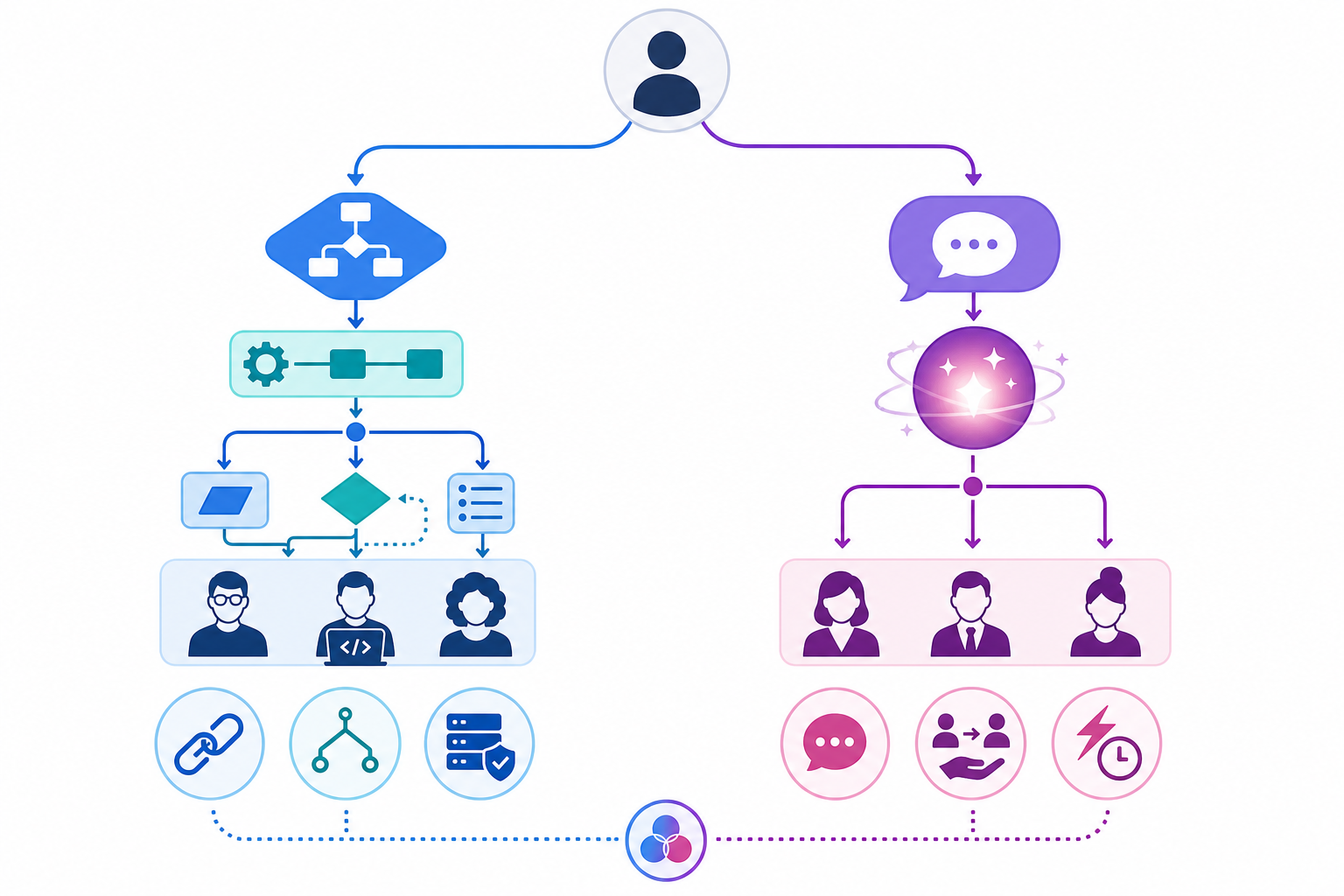
Use the following questions to narrow your options. Each question eliminates platforms that don't fit your requirements.
- Do you want to build logic or delegate outcomes? If you need deterministic control over every step, choose a workflow builder. If you want to describe what you need and let the platform figure it out, choose an AI-native assistant.
- How technical is your team? Non-technical users should start with Zapier (workflow builder) or Lindy (AI assistant). Developers should evaluate n8n, Pipedream, or Vellum. Teams with mixed skill levels should consider Gumloop or Make.
- What is your integration ecosystem? If you need 5,000+ integrations, Zapier is the only choice. If you're in the Microsoft ecosystem, Power Automate offers the deepest native integration. If you use niche or industry-specific tools, verify platform support before committing.
- What are your governance and compliance requirements? Regulated industries should evaluate Workato, Tray.ai, or n8n (self-hosted). Power Automate offers strong DLP policies for M365 environments. Zapier provides SOC 2 Type II and GDPR compliance for most use cases.
- What is your budget? Solo users on a tight budget should start with Make's $9/month Core plan or n8n's free self-hosted option. Teams should budget $20–50 per user per month for most platforms. Enterprise buyers should expect custom pricing starting in the five-figure annual range.
For a broader comparison of no-code vs. developer-oriented platforms, see our AI Workflow Automation Showdown: No-Code vs. Developer Tools in 2026.
Verdict by Persona: The Best AI Automation Platform for You
Below are our top picks for five common buyer personas, with honest "not for you if" language for each.
- Solo knowledge worker: Lindy. Fastest setup, natural-language interface, handles personal productivity workflows well. Not for you if you need deep integration with niche tools or want deterministic control over every automation step.
- Small team (2–10 people): Zapier or Make. Zapier for broadest integration coverage and easiest onboarding; Make for teams that need complex branching and visual workflow design. Not for you if you need self-hosted infrastructure or enterprise governance features.
- Technical team (developers, data engineers): n8n or Pipedream. n8n for self-hosted flexibility and AI node support; Pipedream for code-first orchestration with npm ecosystem access. Not for you if your team lacks coding skills or needs a visual-only interface.
- Enterprise buyer: Workato or Tray.ai. Both offer enterprise-grade governance, audit trails, and data residency controls. Workato for broader connector library; Tray.ai for AI agent builder capabilities. Not for you if you're a small team or need a platform you can start using in under an hour.
- Budget-conscious user: Make ($9/month Core) or n8n (free self-hosted). Both offer generous free tiers or low-cost entry points. Not for you if you need 5,000+ integrations or don't have the technical ability to self-host n8n.