
The free-vs-paid question around workflow orchestration tools is usually asked too early and too narrowly. A $0 license can be a good answer if someone is prepared to run the scheduler, patch the server, restore the backup, monitor failed jobs, configure identity, and explain the audit trail later. It is a bad answer when “free” only means the maintenance bill has been moved from procurement to engineering.
Open-source tools can cover roughly 80% of what many teams expect from an enterprise workflow platform: scheduling, triggers, dependency management, retries, API calls, workflow logic, and integrations. The expensive part often lives in the remaining 20%: SSO, RBAC, audit logs, governance, compliance evidence, support, disaster recovery, and reduced engineering attention on platform upkeep. That is where the pricing comparison has to start.
The prices below were last verified in June 2026 from public comparison sources and vendor-adjacent market guides; enterprise-suite figures should be treated as market-reported estimates rather than official quotes because ServiceNow, Pega, and Appian do not publish simple public price lists.[1][2][3]
| Option | Typical public pricing signal | What the price does not show |
|---|---|---|
| Apache Airflow, self-hosted | $0 license | Engineering time to operate scheduler, workers, metadata database, web server, monitoring, backups, security, and recovery |
| n8n Community Edition, self-hosted | $0 license | Infrastructure, upgrades, SSO/RBAC/audit needs, and the person who owns production incidents |
| n8n Business | Reported at about $800/month with SSO, RBAC, and audit logs | Still requires fit assessment against orchestration depth, security model, and internal support expectations |
| Prefect | $0 Hobby tier to about $100/user/month | Managed convenience varies by tier; teams still need workflow design and operational discipline |
| Temporal Cloud | Essentials around $100/month; Business around $500/month | Good fit depends on whether durable execution is central enough to justify the learning curve |
| Microsoft Power Automate | Reported range around $15–$215/bot/month depending on tier | Useful for Microsoft-heavy automation, but bot/process pricing can become hard to compare with developer-oriented orchestration |
| ServiceNow, Pega, Appian | Custom pricing; market-reported ranges often cited around $100–$200+/user/month | Implementation, governance design, integration work, and change management are part of the real bill |

The market is expanding fast enough that category names are starting to blur. Market Research Future valued the broader workflow orchestration market at about $16.16 billion in 2024 and projected it to reach $42.76 billion by 2035 at a 9.25% CAGR.[4] BMC describes the narrower service orchestration segment as a $3.8 billion market in 2024 and cites Gartner projections that many workload automation users will move toward service orchestration platforms by 2029.[5] Those figures explain why every vendor now wants to sit in this category. They do not tell you which bill your team should pay.
The real comparison is license cost vs. ownership cost
A self-hosted workflow platform is not a download; it is a small production system. With Apache Airflow, someone owns the scheduler, workers, metadata database, web server, DAG deployment process, monitoring stack, access control, upgrade path, backups, and disaster recovery plan. If jobs stop running at 2 a.m., the license line remains $0. The incident does not.
The existence of managed Airflow services says more than most comparison charts. Amazon MWAA, Google Cloud Composer, and Astronomer did not appear because teams lacked the imagination to run Airflow themselves. They appeared because enough teams wanted Airflow’s ecosystem without owning every operational chore. That does not make self-hosted Airflow a mistake. It means the team should be honest about whether operating Airflow is engineering leverage or engineering drag.
The same logic applies to n8n Community Edition and other self-hosted open-source tools. The early experience can be excellent: deploy it, connect systems, automate painful handoffs, and avoid enterprise procurement. Then the practical questions arrive. Who rotates credentials? Who updates containers? Where are execution logs stored? Can a manager see who changed a workflow? Does the company need SSO? Can an auditor reconstruct an approval path six months later?
Paid tiers and managed platforms are often selling answers to those questions, not just extra buttons. n8n’s Business tier, for example, is reported with SSO, RBAC, and audit logs at about $800/month.[1] That price may look high next to Community Edition until the team prices the internal work needed to approximate those controls, maintain them, and defend them during a review.
Use three filters before choosing a platform
A better decision does not start with “open source or enterprise.” It starts with three filters: team size and engineering bandwidth, regulatory pressure, and whether workflow orchestration is part of the product or just supporting infrastructure.
| Filter | Question to ask | What it changes |
|---|---|---|
| Team size and engineering bandwidth | Can someone own this system in production without starving product work? | Determines whether self-hosting is realistic or just a hidden staffing request |
| Regulatory and compliance requirements | Do you need SSO, RBAC, audit logs, retention controls, and reviewable workflow history now? | Determines whether free tiers are viable or missing mandatory controls |
| Core vs. supporting infrastructure | Is workflow orchestration central to what customers buy, or is it internal plumbing? | Determines whether deep platform ownership is strategic or a distraction |
For teams under roughly 20 people without strict regulatory requirements, open-source or low-cost managed options are almost always the right starting point. That does not mean choosing the most bare-bones setup available. It means avoiding the enterprise-suite tax until the organization has a real governance problem, a real scale problem, or a real compliance obligation.
The exception is important. A small team in a regulated environment is not the same as an ordinary small team. If the company handles workflows that must be audited, approved, retained, or access-controlled from the start, “we will add governance later” may be a false economy. Retrofitting auditability after workflows have become operationally important is usually more painful than buying it earlier.
Where self-hosted open source actually saves money
Self-hosted open source makes the most sense when the team has enough engineering capacity to operate it well and the organization does not need enterprise-grade governance on day one. That is often true for startups building internal automations, data teams already comfortable with infrastructure, and engineering groups that prefer explicit control over managed convenience.
Apache Airflow is the obvious example for data pipelines and scheduled workflows. It has a mature ecosystem and a large user base, but it expects production discipline. A team that already runs Kubernetes, databases, monitoring, alerting, and incident response may find Airflow’s operational requirements acceptable. A team with one backend engineer moonlighting as DevOps may find that the first month feels cheap and the sixth month feels crowded.
n8n Community Edition can be a strong fit for teams that want flexible workflow automation and are willing to own hosting. It becomes less obviously cheap when the workflow estate grows from “a few helpful automations” to “business processes people depend on every day.” At that point, the cost question shifts from server spend to change control, permissions, recoverability, and operational support.
Temporal’s open-source model is different again: it is less a no-code workflow builder and more a durable execution platform for developers. If workflow execution is part of the product’s reliability model, owning Temporal may be worth the learning curve. If the company only needs to move form submissions between SaaS tools, it is probably the wrong kind of power.
For a deeper spend-tier breakdown of self-hosting specifically, see the internal analysis of open-source workflow automation TCO. The short version here is that self-hosting saves money when the platform is small enough, the compliance burden is light enough, and the maintainer is not being pulled away from higher-value work.
Managed cloud is the middle ground many teams actually need
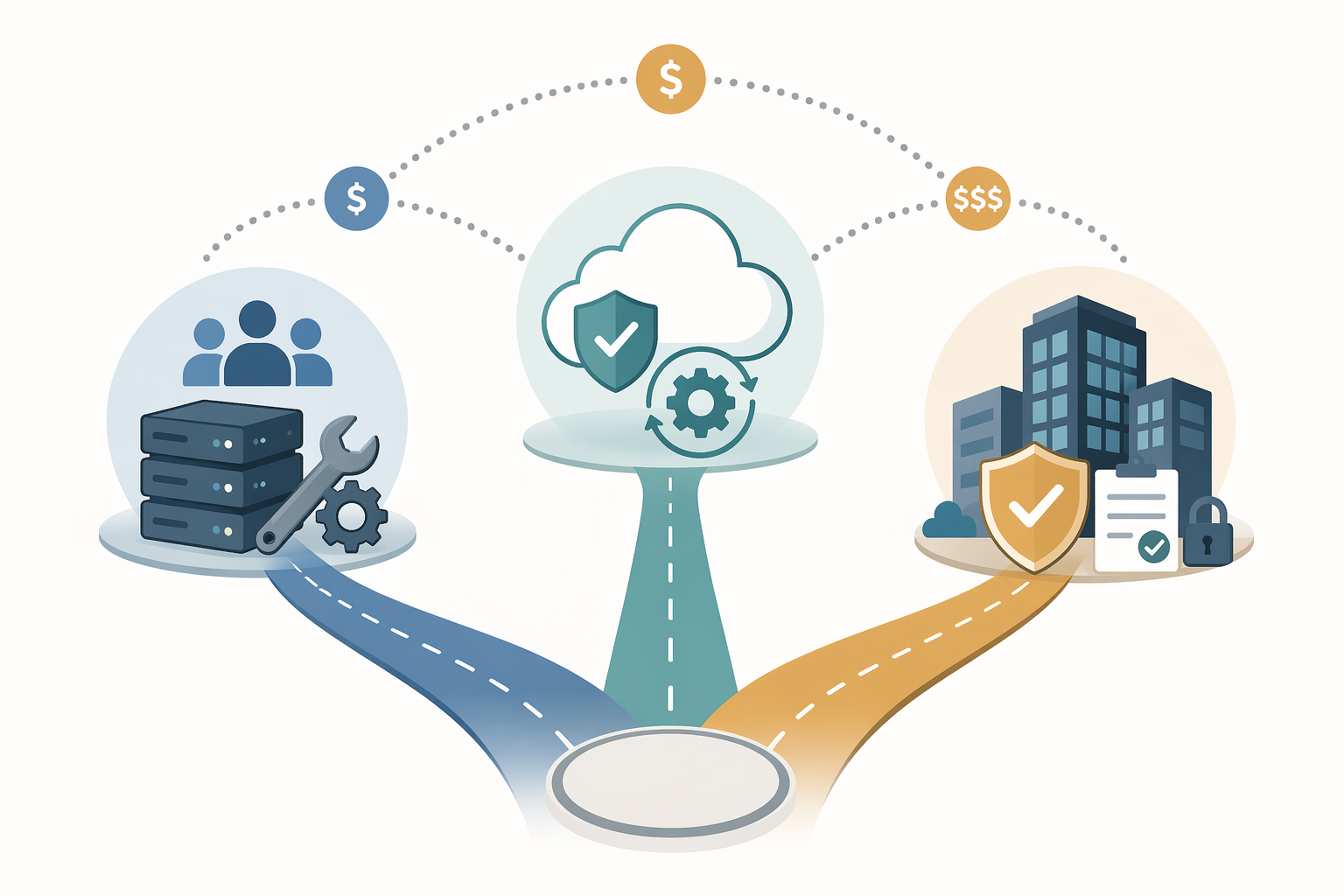
Managed cloud options are useful when the team wants open-source-style flexibility but does not want the whole operational burden. Prefect Cloud, Temporal Cloud, Astronomer, Amazon MWAA, and Google Cloud Composer all sit somewhere in this middle zone. They do not remove the need to design good workflows, but they reduce the number of platform components your team must keep healthy.
This middle ground is often the rational upgrade path. A team can start with self-hosted tooling while workflows are few and failure impact is low, then move to managed infrastructure when reliability expectations rise. That is a cleaner move than jumping straight from a side-project deployment to a custom-priced enterprise suite because the first setup became annoying.
Prefect’s reported range from a $0 Hobby tier to about $100/user/month and Temporal Cloud’s reported $100/month Essentials to $500/month Business pricing illustrate why managed cloud often deserves serious attention before enterprise BPM suites enter the conversation.[1][2] The bill is no longer zero, but it may be lower than the engineering time spent hardening a self-hosted system.
The practical test is simple: if the team is spending more time maintaining the orchestrator than improving the workflows it runs, the platform has become its own product. Sometimes that is justified. Often it is not.
When enterprise suites earn their premium
Enterprise platforms such as ServiceNow, Pega, and Appian should not be judged only against developer-oriented orchestrators. They are selling governance-heavy process infrastructure: identity integration, role-based access, audit trails, approval models, reporting, compliance posture, vendor support, and a system of record for business process execution.
That can be exactly what a bank, insurer, healthcare organization, public-sector agency, or large operations team needs. If a workflow determines who approved a financial exception, when a regulated case moved stages, or whether a customer-impacting process followed policy, the platform has to produce evidence. A cheaper tool that cannot answer those questions is not cheaper in any meaningful operational sense.
The cost is not just subscription price. Enterprise platforms usually require implementation work, process design, integration, training, and governance decisions before they produce value. Elementum’s comparison notes that enterprise platforms can require minimum implementation cycles of 30–60 days, while simpler no-code tools may be running in days.[6] That timeline is not automatically bad, but it should be treated as part of the purchase.
For a 12-person software company trying to automate internal notifications, that implementation cycle is a warning sign. For a 2,000-person organization standardizing case handling across departments, it may be normal. The same price can be waste or risk control depending on what the workflow proves, who reviews it, and what happens when it fails.
The hidden-cost checklist
Before accepting the $0 answer, price the work that will not appear on the invoice.
- Initial setup: provisioning infrastructure, configuring environments, secrets, networking, deployment, and access.
- Routine maintenance: upgrades, dependency patches, database care, worker scaling, queue tuning, and broken integration fixes.
- Monitoring and incident response: alerts for failed workflows, stuck jobs, latency, storage, service health, and retries that hide real failures.
- Backup and disaster recovery: metadata backups, restore testing, recovery time expectations, and documentation for whoever is on call.
- Security and compliance: SSO, RBAC, audit logs, retention, encryption, secrets management, and evidence for internal or external review.
- Governance: who can create workflows, who approves changes, how production edits are reviewed, and how business owners know what is running.
- Opportunity cost: product work delayed because the team is maintaining orchestration infrastructure instead.
This checklist does not mean self-hosting is wrong. It means the maintainer should be visible in the decision. Too many buying conversations treat engineering labor as free because it is already on payroll. That is how a free tool becomes an unbudgeted platform commitment.
A practical break-even rule
Self-hosted open source is usually the right first move when the team is small, technically capable, lightly regulated, and using orchestration to support internal work rather than define the product. In that setting, Apache Airflow, n8n Community Edition, or an open-source Temporal deployment can save real money, especially if the team already has infrastructure habits and monitoring in place.
Managed cloud becomes the better answer when workflow reliability matters but platform maintenance is not strategic. If the team wants Airflow, Prefect, or Temporal capabilities but does not want to run the control plane, a managed service can be the cleanest compromise. It converts some engineering burden into a predictable vendor bill without forcing the organization into a full enterprise process suite.
Enterprise platforms make sense when governance is not optional. If workflows cross departments, enforce policy, carry regulated approvals, or need durable audit evidence, ServiceNow, Pega, Appian, or a similar platform can justify a much higher price. In that case, the premium is buying organizational control as much as orchestration.
| Your situation | Likely starting point | Reason |
|---|---|---|
| Under ~20 people, no strict compliance, some engineering capacity | Self-hosted open source or low-cost managed tier | Enterprise governance is likely premature |
| Small team, regulated workflow, audit evidence required | Paid tier or enterprise-leaning managed platform | Missing SSO, RBAC, and audit logs may create risk earlier than expected |
| Growing engineering team, orchestration supports product but is not the product | Managed cloud | Reliability improves without turning platform operations into a side mission |
| Workflow execution is core product infrastructure | Open source with serious ownership or managed developer platform | Deep control may matter more than no-code convenience |
| Large organization, cross-functional approvals, formal governance | Enterprise suite | Compliance, reporting, access control, and process standardization justify heavier cost |
If the category itself still feels muddy, it is worth separating orchestration, automation, BPM, and iPaaS before comparing vendors. The decision guide on workflow orchestration vs. automation vs. BPM vs. iPaaS is useful for that boundary-setting step.
Choose the cost center honestly
There is no universal winner among workflow orchestration tools. The honest choice is which cost center you want to carry.
- Pay in engineering time when the team can competently operate open source and does not need enterprise-grade compliance immediately.
- Pay in managed-platform fees when maintenance is distracting the team but a full enterprise suite is too heavy.
- Pay in enterprise licensing and implementation when workflow governance, auditability, compliance, and cross-functional control are mission-critical.
The trap is treating the first option as free just because the invoice says $0. “Free” is only free when the team can actually afford to own it.
References
- Workflow Orchestration Tools — The Digital Project Manager, June 2026.
- Workflow Orchestration Tools — Teamwork.com, June 2026.
- Workflow Orchestration Tools — Enate, June 2026.
- Workflow Orchestration Market Research Report — Market Research Future.
- Workflow Orchestration — BMC.
- Best Workflow Orchestration Tools — Elementum.