
The 'Free' Spectrum: From Genuinely Unlimited to Barely Usable
If you downloaded a note-taking app in 2026 expecting a straightforward free experience, you have probably run into a wall. The word 'free' now covers a spectrum so wide that it has lost most of its meaning. At one end, you have apps like Obsidian and OneNote that give you the full product without asking for a cent. At the other, you have Evernote and Standard Notes, where the free tier is less a service and more a teaser designed to push you toward a subscription.
This is not an accident. Over the past two years, several major apps have tightened their free plans significantly. Evernote, under its new ownership, slashed its free offering to a symbolic 50 notes. Standard Notes kept its free tier but locked rich text and attachments behind a $90 per year paywall. Notion moved its AI features exclusively to the Business tier, making them inaccessible to free and even most paid users. Meanwhile, a handful of apps — Obsidian, Joplin, Simplenote — have held the line, offering genuinely unrestricted free versions with no hidden expiration date.
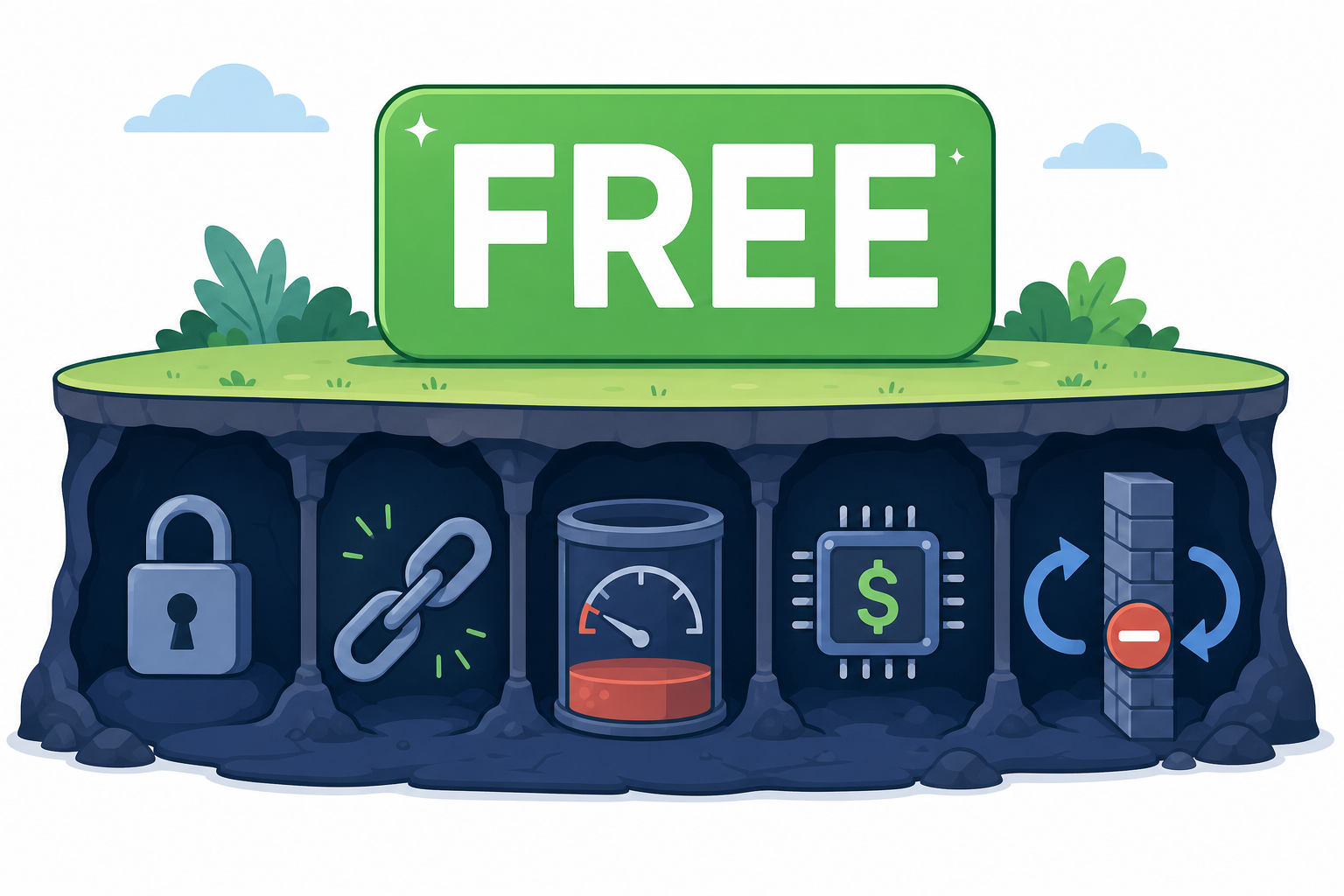
Common Free-Plan Traps in 2026: What to Watch For
Before we dive into individual apps, it helps to know the specific traps that free plans use to limit you. These are the mechanisms that turn a 'free' app into a frustrating experience over time.
- Note limits. The most aggressive trap. Evernote caps free users at 50 notes total — not per month, but forever. Once you hit that number, you cannot create a new note unless you delete an old one or upgrade. UpNote similarly limits its free tier to 50 notes.
- Device restrictions. Evernote's free plan allows only one device. If you take notes on your phone during a meeting and want to review them on your laptop later, you are locked out unless you pay.
- Storage quotas. Notion caps file uploads at 5MB per file on its free plan. That is too small for most PDFs, images, or audio recordings. OneNote gives you 5GB of free OneDrive storage, which is reasonable for text notes but fills up fast with attachments.
- Sync paywalls. Obsidian is free, but its official sync service costs $5 per month. You can work around this by syncing via iCloud, Dropbox, or a Git repository, but that requires some technical setup. Standard Notes syncs for free but only for plain text.
- AI gating. Notion AI was available as a $10 per month add-on in 2025. In early 2026, Notion moved it exclusively to the Business tier at $24 per user per month. Free and Plus users lost access entirely. Evernote includes AI features in its Advanced tier, but that costs $25 per month.
Detailed Breakdown: What Each App's Free Tier Actually Includes
Here is the concrete, numbers-driven reality of each app's free offering. These details come from hands-on testing and cross-verification across multiple independent sources.
OneNote — The Gold Standard of Free
Microsoft OneNote remains the most generous free note-taking app on the market. You get unlimited notes, unlimited notebooks, and 5GB of free OneDrive storage. File uploads are capped at 100MB per file, which is more than enough for most documents. The app is available on Windows, Mac, iOS, Android, and the web. The only catch is that Copilot AI requires a paid Microsoft 365 Copilot subscription — but the core note-taking experience is completely unrestricted. PCMag named it an Editors' Choice in 2026, noting that the free version includes all core features.
Apple Notes — Excellent but Ecosystem-Locked
Apple Notes comes free on every iPhone, iPad, and Mac. It includes 5GB of free iCloud storage, unlimited notes, and — uniquely among free apps — full access to Apple Intelligence features at no extra cost. The trade-off is severe: there is no native Android or Windows app. If you ever switch away from Apple, your notes are trapped. You can export them, but the process is manual and loses formatting.
Google Keep — Free but Not Private
Google Keep is genuinely free with no paid tier. It offers unlimited notes, 15GB of shared Google storage, and cross-platform sync. However, there is no end-to-end encryption. Google scans your notes for ad targeting, as confirmed by Notopod's analysis. It also lacks rich formatting, notebooks, and offline access for anything beyond recently viewed notes. It is excellent for quick lists and reminders, but not for serious knowledge management.
Obsidian — The Most Honest Free Plan
Obsidian is free for personal and commercial use, a change it made in 2025. Your notes are stored as local plain Markdown files — you own them, and the app works fully offline with no server dependency. There is no note limit, no storage cap, and no feature gating in the core app. The only paid features are Obsidian Sync ($5 per month) and Obsidian Publish, both optional. Tech Insider confirmed in June 2026 that Obsidian remains free for commercial use, making it the only major app that does not charge businesses for using its free tier.
Notion — Generous Blocks, Tight Limits
Notion's free Personal plan offers unlimited pages and blocks, which sounds generous. The catch is a 5MB file upload cap — the tightest among major apps — and limited offline access. You can only view pages you have previously opened while offline; creating new pages requires an internet connection. Notion AI was moved to the Business tier ($24 per user per month) in early 2026, removing it from free and Plus plans. The Student Pro upgrade (free with a .edu email) does not include AI. For users who need a workspace rather than a pure note-taker, Notion's free tier is usable but constrained.
Joplin — Free, Open Source, and Private
Joplin is a free, open-source app with no note limits, no storage caps, and full end-to-end encryption. It stores notes locally and syncs via Dropbox, OneDrive, or the optional Joplin Cloud (€2.99 per month). PCMag named it an Editors' Choice in 2026, highlighting that it has no maximum file upload size. The trade-off is a less polished interface compared to OneNote or Notion, and syncing requires some initial setup.
Simplenote — 100% Free, Text-Only
Simplenote is exactly what it sounds like: a free, cross-platform, text-only note-taking app with unlimited storage and sync. There is no paid tier, no ads, and no encryption. It is ideal for writers and developers who need a fast, distraction-free place to capture text. But if you need images, attachments, or rich formatting, Simplenote will not work for you.
Evernote — The Most Restricted Free Plan
Evernote's free plan is the most restrictive among major apps. It caps you at 50 notes total, one notebook, and one device. Uploads are limited to 250MB per month with a 200MB max per file. The Starter plan costs $15 per month for 1,000 notes, and the Advanced plan costs $25 per month for unlimited notes and AI features. After Bending Spoons acquired Evernote, prices rose significantly. For most users, the free tier is not usable as a daily driver — it is a trial that forces an upgrade within weeks.
Standard Notes — Free but Feature-Stripped
Standard Notes offers a free tier with unlimited notes, end-to-end encryption always on, and cross-platform sync. However, the free version is text-only. Rich text, file attachments, spreadsheets, and other formatting features require the Professional plan at $90 per year. For users who need only plain text, the free tier is excellent. For anyone who wants to paste an image or bold a heading, the free tier is essentially a demo.
Capacities — The Generous Newcomer
Capacities is a newer entrant that has gained attention for its unusually generous free tier. It offers unlimited notes, unlimited objects, unlimited spaces, sync, and several gigabytes of media storage at no cost. The Pro plan costs approximately $15 per month. Tech Insider noted Capacities' free tier as a standout in 2026. However, as a newer app with a smaller user base, its long-term stability and pricing trajectory are less certain than established competitors.
Hidden Costs: Privacy Trade-Offs, Ecosystem Lock-In, and Upgrade Pressure
The monetary cost of a free app is zero, but the non-monetary costs can be substantial. Three hidden costs deserve particular attention.
Privacy Trade-Offs
Google Keep is free because your notes are the product. Google scans your notes for ad targeting, and there is no end-to-end encryption. If you write sensitive information — journal entries, business ideas, medical notes — Keep is not the right place. OneNote and Apple Notes also lack E2EE, though they do not use your content for advertising. Joplin and Standard Notes offer E2EE on their free tiers, making them the best choices for privacy-conscious users.
Ecosystem Lock-In
Apple Notes is the most extreme example. It works beautifully if you are all-in on Apple, but the moment you need to access a note on a Windows laptop or an Android phone, you are out of luck. There is no native app, and the web interface is limited. OneNote and Google Keep are cross-platform, but they still tie you to their respective ecosystems (Microsoft and Google) in ways that make switching painful. Obsidian and Joplin, by storing notes as local files, give you the most freedom to leave.
Aggressive Upgrade Pressure
Evernote and Standard Notes design their free tiers to be frustrating enough that you feel compelled to upgrade. Evernote's 50-note cap means you hit the wall within days of active use. Standard Notes' text-only restriction means you cannot even paste a screenshot. These are not generous free tiers with optional upgrades — they are trials disguised as free plans. Notion applies a subtler version of the same pressure: the 5MB upload cap and limited offline access become annoying quickly if you use the app seriously.
Free vs. Freemium vs. Trial: How to Tell the Difference Before You Commit
Not all 'free' is the same. Understanding the three categories can save you from investing time in an app that will eventually demand payment.
- Genuinely free. The app is fully usable without ever paying. Paid features exist but are optional extras — sync, publishing, AI, or advanced formatting. Examples: Obsidian, Joplin, Simplenote, Google Keep, Apple Notes.
- Freemium. The free tier is usable for light use but has meaningful limitations that push you toward a paid plan. You can use it indefinitely at the free level, but you will feel the constraints. Examples: Notion (5MB upload, limited offline), OneNote (5GB storage, no AI), Standard Notes (text-only).
- Trial-gated. The free tier is intentionally crippled to force an upgrade within a short period. You cannot use the app seriously without paying. Examples: Evernote (50 notes, 1 device), UpNote (50 notes).
Quick-Reference Comparison Table
The table below compares all ten apps across the dimensions that matter most for free-plan users. Use it to quickly identify which apps meet your minimum requirements.
| App | Unlimited Notes | Offline Access | End-to-End Encryption | Cross-Device Sync | AI Features Included | File Upload Limit |
|---|---|---|---|---|---|---|
| OneNote | Yes | Yes | No | Yes | No (Copilot requires paid M365) | 100MB per file, 5GB total |
| Apple Notes | Yes | Yes | No | Yes (Apple only) | Yes (Apple Intelligence) | 5GB iCloud |
| Google Keep | Yes | Limited | No | Yes | Gemini rolling out | 15GB shared |
| Obsidian | Yes | Yes | Optional (via plugin) | Manual (iCloud/Dropbox/Git) | No | Local files, no limit |
| Notion | Yes | Limited (cached pages only) | No | Yes | No (Business tier only) | 5MB per file |
| Joplin | Yes | Yes | Yes | Yes (via Dropbox/OneDrive/Cloud) | No | No limit |
| Simplenote | Yes | Yes | No | Yes | No | Unlimited (text only) |
| Evernote | No (50 notes) | Yes | No | No (1 device) | Yes (Advanced tier only) | 250MB/month, 200MB per file |
| Standard Notes | Yes | Yes | Yes | Yes | No | Unlimited (text only) |
| Capacities | Yes | Yes | No | Yes | No | Several GB |
Verdict: The Most Honest Free Plans in 2026 Ranked by Trustworthiness
Ranking these apps by the honesty of their 'free' claim — not by overall features or polish — produces a clear hierarchy. The most trustworthy free plans are those that give you the full product without hidden limits, server dependency, or aggressive upgrade pressure.
- Obsidian. Free for personal and commercial use. Local files you own. No server dependency. No note limits. No storage caps. Paid features are purely optional. This is the benchmark for an honest free plan.
- OneNote. Unlimited notes, cross-platform, 5GB free storage. The only missing feature is AI, which is a reasonable omission. OneNote has maintained this free tier for years without reducing it.
- Joplin. Free, open source, unlimited, E2EE. The interface is less polished, but the free plan is completely honest. No hidden limits, no upgrade pressure.
- Simplenote. 100% free, unlimited, cross-platform. The text-only limitation is clearly stated upfront. It does what it promises and nothing more.
- Apple Notes. Excellent free tier with AI included, but the ecosystem lock-in is a significant hidden cost. If you are all-in on Apple, it is a top choice. If you might switch platforms, it is a trap.
- Google Keep. Genuinely free with no paid tier, but the lack of encryption and ad-targeting model make it unsuitable for private notes. The honesty of the price is offset by the dishonesty of the privacy model.
- Capacities. Generous free tier for a newer app, but long-term stability is unproven. It earns a middle rank for now.
- Notion. The free tier is usable for light personal use, but the 5MB upload cap and limited offline access are real constraints. The removal of AI from free and Plus plans in 2026 reduced its value significantly.
- Standard Notes. The free tier is text-only. Calling it 'free' is technically accurate, but the $90 per year paywall for basic formatting features makes it one of the least generous free plans among serious note-taking apps.
- Evernote. 50 notes, one device, one notebook. This is not a free plan — it is a trial with no expiration date. Evernote ranks lowest because its free tier is designed to be unusable for any real note-taking workflow.
The bottom line for 2026 is clear: genuinely free note-taking exists, but you have to know where to look. Obsidian, OneNote, Joplin, and Simplenote deliver real utility at zero cost with no hidden traps. Evernote and Standard Notes, despite their brand recognition, offer free tiers that are more about selling subscriptions than serving users. Choose based on what you actually need — and read the fine print before you start typing.