
Why Tool Selection Paralysis Is the #1 Barrier to Starting PKM
Before you download a single app, consider this: knowledge workers already spend an average of 9.3 hours each week searching for information, and 80% report experiencing information overload, according to research cited by GoLinks. The instinct to find the "perfect" personal knowledge management app before starting is understandable — but it is also the single fastest way to never start at all.
The paradox is that most PKM advice feeds the paralysis. Feature comparison tables with 10+ columns, debates about local-first versus cloud architecture, and deep dives into Zettelkasten methodology all assume you already know what you need. If you are a beginner, you do not yet have the context to evaluate those trade-offs. The result is tool-hopping: switching apps every few weeks because the next one promises to fix a problem you have not actually experienced yet.
This guide takes a different approach. Instead of asking "which app has the best features?" it asks "how does your mind naturally organize information?" By identifying your thinking style first and applying a minimal decision framework, you can cut through the noise and land on a tool that fits — without the feature overload.
The 4 Thinking Styles and Their Matched Tool Categories
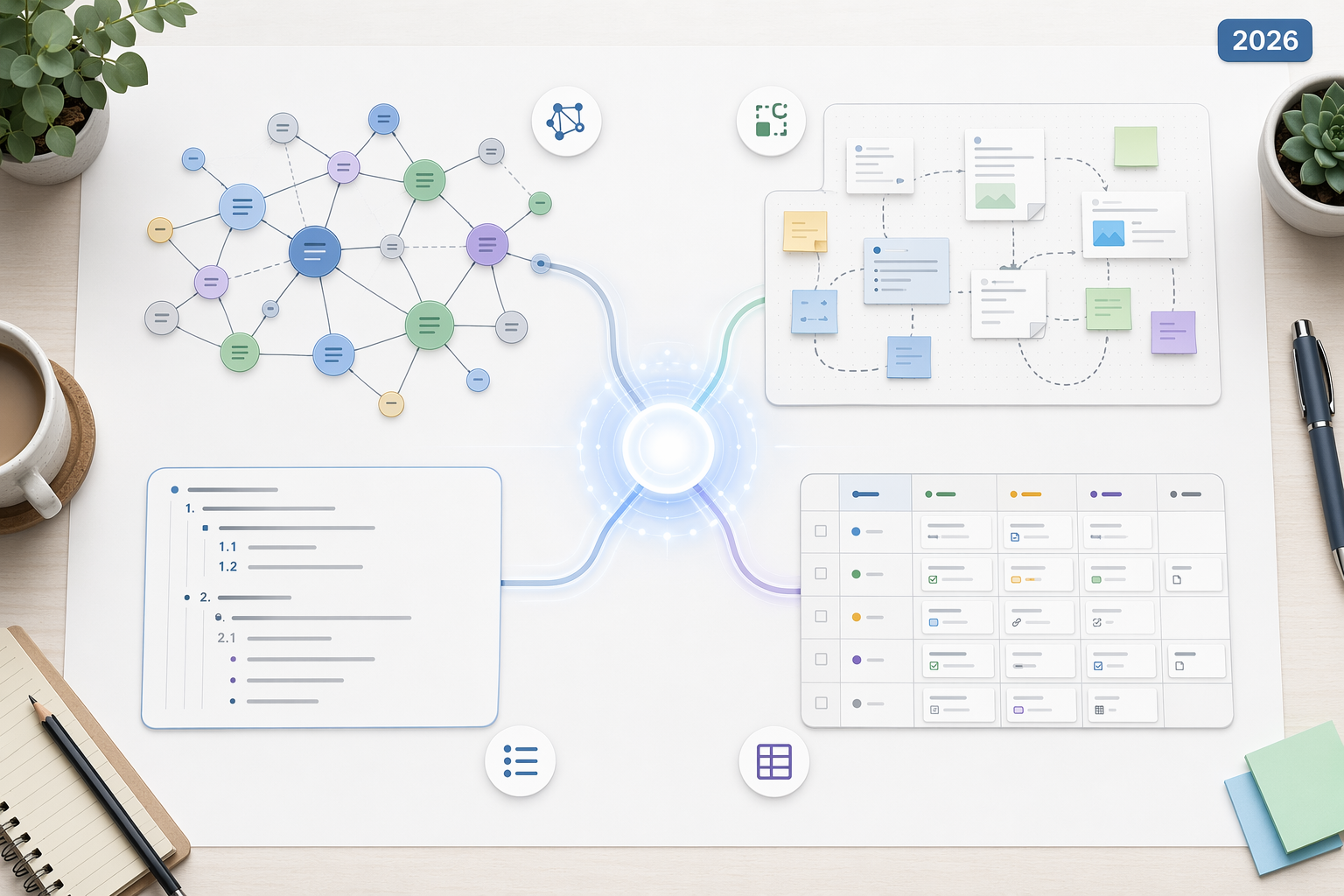
People do not all think the same way. Some need to see ideas spread across a canvas; others need a clean hierarchy. The tools that feel natural to one person can feel restrictive to another. Here is how the four common thinking styles map to tool categories, with examples drawn from current PKM apps.
| Thinking Style | Natural Mental Model | Matched Tool Category | Example Tools |
|---|---|---|---|
| Visual | Spatial arrangement; ideas as objects on a board | Canvas-based tools | Kosmik, Heptabase |
| Linear | Hierarchical outlines; sequential structure | Outliners | Logseq, Tana |
| Networked | Ideas as interconnected nodes across topics and time | Graph-view tools | Obsidian, Roam Research |
| Structured | Databases, templates, and organized systems | Database / all-in-one tools | Notion, Capacities |
Visual thinkers often gravitate toward tools like Heptabase or Kosmik because they can drag cards around a canvas, group them spatially, and see the big picture without scrolling through nested menus. Linear thinkers, by contrast, feel at home in outliners like Logseq or Tana, where every idea has a clear parent and child. Networked thinkers thrive in graph-view environments such as Obsidian or Roam Research, where bidirectional links reveal connections between disparate topics. Structured thinkers want the predictability of databases and templates — Notion and Capacities excel here because they let you define fields, filter views, and build repeatable systems.
If you already recognize yourself in one of these descriptions, you have a strong starting point. If you see elements of multiple styles, that is normal — most people are hybrids. The framework is a compass, not a cage.
A 5-Question Framework to Narrow Your Choices
Thinking style narrows the field. These five questions close the gap between a category and a specific tool. They are designed to surface your real constraints — not the features you think you want, but the conditions that will determine whether you actually use the app daily.
- How do you naturally capture and organize information? Do you dump everything into a single inbox and sort later, or do you file things into folders and tags as you go? Tools that assume one workflow will frustrate the other.
- What are your 2–3 non-negotiable must-have features? Not the wish list — the features you will walk away without. Examples: offline access, end-to-end encryption, a mobile app that works without a data connection, or the ability to export everything as plain Markdown files.
- How important is ease of use versus customization? A tool like Notion offers near-infinite flexibility but demands setup time. A tool like Apple Notes offers almost no customization but works immediately. Be honest about which trade-off you will tolerate after a long workday.
- Is this for personal use only, or will you collaborate with a team? If you need shared databases, comment threads, and permission controls, your options narrow quickly. If it is just you, many excellent tools are free.
- How important is data portability and future-proofing? If you store years of notes in a proprietary format, switching later becomes painful. Tools that support Markdown export or store data as local files (like Obsidian or Logseq) reduce vendor lock-in.
Run your shortlist through these five questions. If a tool fails on a non-negotiable, remove it. If it passes all five, it is worth a trial.
Quick Recommendation Table: Thinking Style × Use Case
The table below maps each thinking style to specific tool recommendations for common beginner scenarios. Pricing and feature data was last verified in June 2026.
| Thinking Style | Student (Free / Low-Cost) | Researcher / Writer | Knowledge Worker | Team Lead |
|---|---|---|---|---|
| Visual | Heptabase (free tier available) | Kosmik (canvas + web clipper) | Heptabase (whiteboard + project views) | Miro (team canvas) + Heptabase (personal) |
| Linear | Logseq (free, open-source) | Logseq (journals + flashcards via spaced repetition) | Tana (supertags for structured outlines) | Tana (shared spaces, task tracking) |
| Networked | Obsidian (free personal use) | Obsidian (graph view, plugin ecosystem) | Obsidian (daily notes, bidirectional links) | Obsidian Sync (paid, encrypted team vaults) |
| Structured | Notion (free personal plan) | Capacities (object-based, folder-free) | Notion (databases, templates, linked views) | Notion (team wiki, permissions, timelines) |
Common Mistakes That Derail Your PKM System Before It Starts
Even with the right tool, beginners fall into predictable traps. Recognizing them early can save you weeks of wasted effort.
- Tool hoarding: Installing three or four PKM apps simultaneously and splitting notes across them. The more tools you add, the more complexity you introduce, and the harder it becomes to maintain a consistent practice.
- Feature obsession: Chasing the perfect feature set before you have used any tool for more than a week. Most features are irrelevant until you hit a specific friction point — and you will not know which friction points matter until you are actually using the system.
- Premature optimization: Building elaborate folder structures, tagging systems, and automation workflows before you have accumulated enough notes to need them. Over-engineering an empty system guarantees you will spend more time maintaining the system than using it.
- Choosing based on hype: Picking a tool because a YouTuber or influencer recommends it, without considering whether it matches your thinking style or workflow. What works for a full-time productivity enthusiast may be overkill for a student or a busy professional.
These patterns are so common that they have their own name: PKM anti-patterns. If you recognize any of them in your own behavior, the linked article offers a deeper look at why they happen and how to break the cycle.
The Minimal Toolkit: Start Small, Scale Later
A common misconception is that a PKM system needs multiple tools working in concert. In practice, the most durable systems are built on a minimal foundation. The philosophy, articulated by PKM practitioner Sébastien Dubois, is straightforward: start with one main tool for thought, keep things simple, and add complexity only when friction demands it.
Here is the minimal toolkit that covers 90% of what a beginner needs:
- One tool for thought: Your primary knowledge base. This is the app where your notes live, where you connect ideas, and where you return to review. Choose one from the recommendation table above and commit to it for at least 30 days.
- One capture system: A simple inbox for fleeting ideas, links, and reminders. This can be the quick-capture feature of your main tool, a dedicated app like Apple Notes or Google Keep, or even a physical notebook. The key is that it must be frictionless — if it takes more than 10 seconds to capture an idea, you will stop doing it.
- A basic backup solution: If your tool supports local Markdown files (Obsidian, Logseq), back up that folder to a cloud drive or a Git repository. If your tool is cloud-only (Notion, Tana), use its built-in export function at least once a month. Data portability is the most overlooked criterion for beginners, and it becomes painful only when you need it and do not have it.
That is it. No automation recipes, no complex folder hierarchies, no multi-tool pipelines. The evidence from experienced PKM users is consistent: 80% of the value comes from consistent use of a simple system, not from having the "best" tool. Complexity should be earned, not assumed.
How to Trial Without Committing: A 30-Day Test Methodology
The only reliable way to know whether a tool fits is to use it under real conditions — not to read reviews, watch walkthroughs, or compare feature grids. Here is a low-pressure, structured plan for testing any PKM app.
- Pick one tool and use it exclusively for 30 days. No backups, no parallel systems. If you hit a limitation, note it and keep going. Most limitations turn out to be unfamiliarity, not genuine blockers.
- Start with a single project or area of life. Do not try to migrate your entire digital existence on day one. Pick one ongoing project — a class, a work initiative, a personal research topic — and manage all its notes and resources in the new tool.
- Use the tool daily, even if only for 5 minutes. Consistency matters more than volume. A 5-minute daily habit will teach you more about the tool's fit than a 3-hour setup session on a weekend.
- After week 2, customize only if a clear friction point emerges. Do not install plugins, build templates, or set up automation until you have felt a specific pain. Premature customization is the leading cause of system abandonment.
- On day 30, evaluate honestly. Does the tool feel natural, or are you fighting it? Do you look forward to opening it, or does it feel like a chore? If the answer is the latter, switch — but only after you have completed the full 30 days. The first week of any new tool always feels awkward.
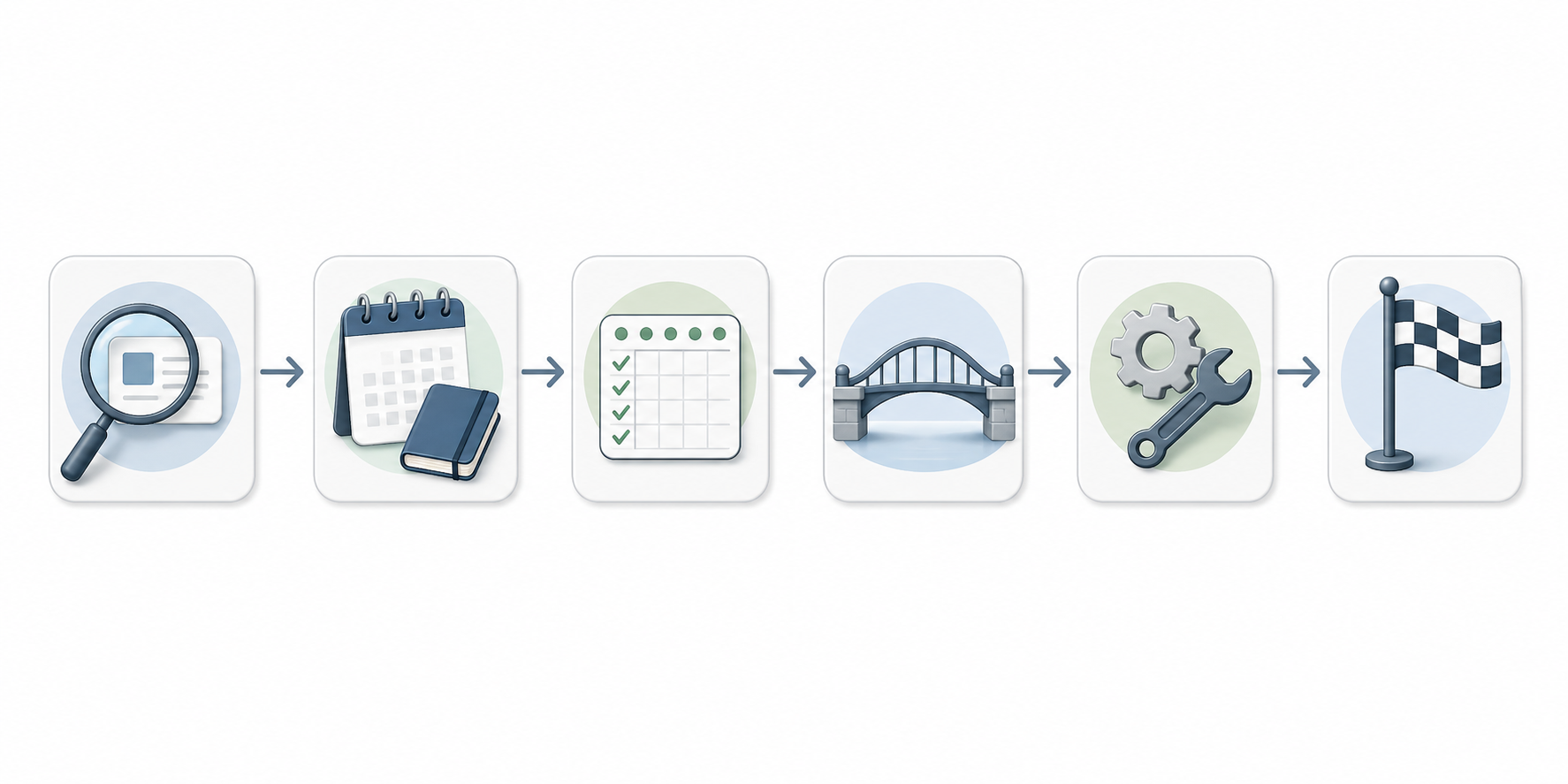
If you reach day 30 and the tool feels right, the next step is to build a sustainable workflow around it. The 30-day starter workflow guide walks through exactly that process — from first note to a repeatable daily practice — without the complexity that derails most beginners.