
Why 'One Tool for Both' Is the 2026 Sweet Spot for Small Teams
For years, the conventional wisdom held that you needed a dedicated Business Process Management (BPM) suite for your repeatable, end-to-end operations and a separate workflow tool for your daily task sequences. That advice was written for enterprises with dedicated process owners and six-figure software budgets. For a small team of five to twenty people, it was overkill — and expensive overkill at that.
The market has shifted. In 2026, the line between workflow and process tools has blurred to the point where a single, affordable platform can handle both. As the BMC Software blog explains, BPM is a strategy for the design, management, and optimization of business processes, while workflow management focuses on sequencing and automating tasks within those processes. The best hybrid tools now collapse that distinction into a single interface.
This comparison is built for small business owners, startup operators, and freelance knowledge workers who need to pick one tool — not two — that can handle both ad-hoc task workflows and repeatable business processes. We've narrowed the field to four hybrid platforms: monday.com, ClickUp, Notion, and Trello. Each can serve as your team's single source of truth for work, but they excel in different scenarios.
How We Selected and Compared These 4 Hybrid Tools
We evaluated tools against five criteria that matter most to small teams:
- Pricing for small teams: Per-user cost, free plan viability, and whether AI features are locked behind expensive tiers.
- Automation depth: Can the tool automate multi-step, conditional workflows without requiring a developer?
- Template library quality: Pre-built templates for common small-business processes (onboarding, approvals, project intake).
- Learning curve: How quickly can a non-technical team member become productive?
- Integration breadth: Native connections to the tools you already use (Slack, Google Workspace, email, file storage).
Rather than a generic feature checklist, we structured this comparison around three common small-team pain points: Task Chaos (scattered ad-hoc work), Repeatable Operations (frequent recurring processes like client onboarding or invoice approval), and Documentation-Driven Processes (knowledge-heavy workflows where process steps are embedded in documents and wikis).
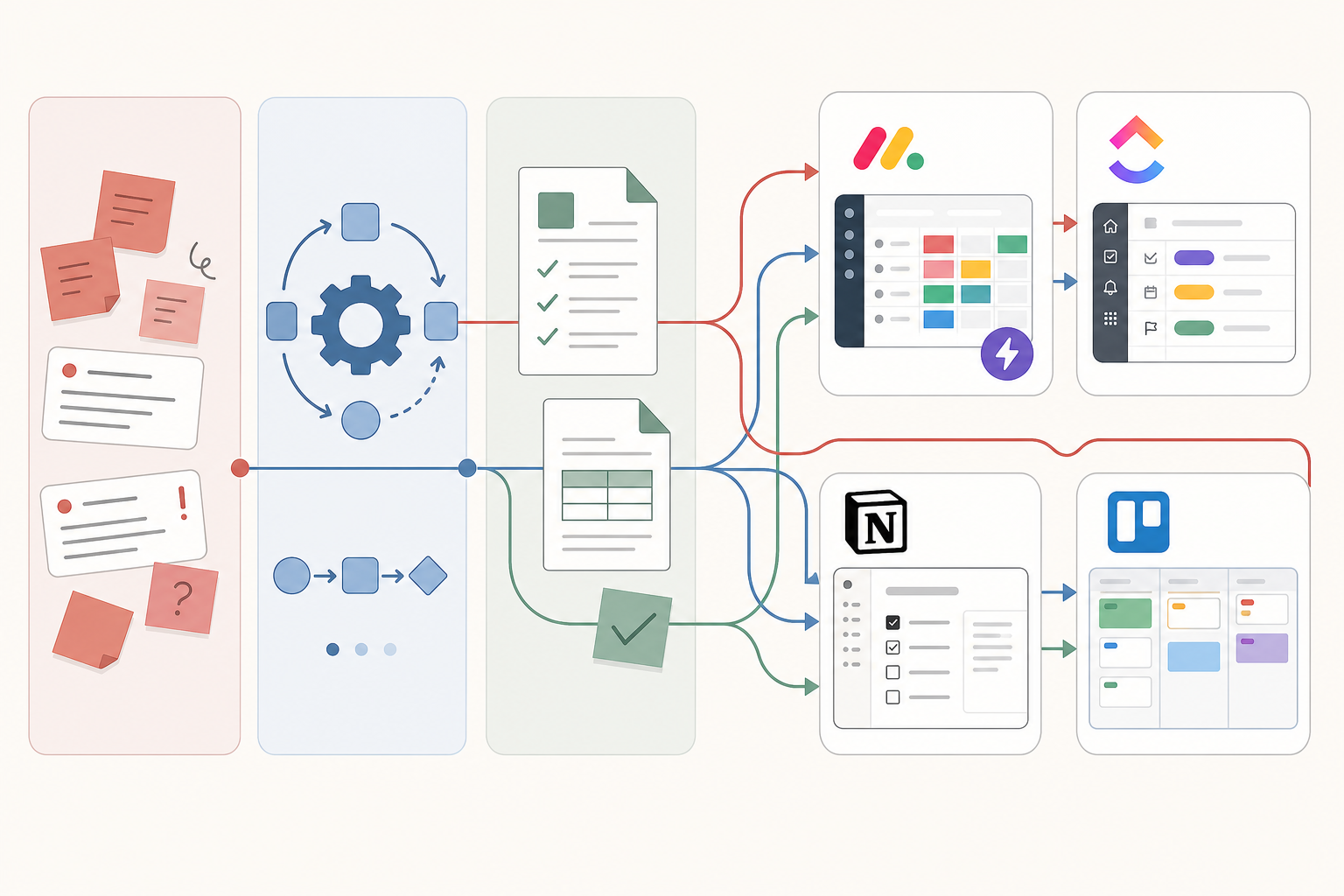
Head-to-Head: monday.com vs ClickUp vs Notion vs Trello
monday.com — Best for Automation-First Teams
monday.com is built for teams that want to automate repetitive steps immediately. Its strength lies in out-of-the-box automation presets — you can set up a multi-step workflow (e.g., "When status changes to 'Approved', notify the next reviewer and move the item to the 'In Progress' group") without writing a single line of code. The Digital Project Manager rates it as 'Best for automation presets,' and the platform starts at $9 per user per month when billed annually.
Pricing: Free plan available (limited to 2 users and basic boards). Paid plans start at $9/user/month (billed annually). AI features are available via usage-based credits on certain plans, not as a flat add-on.
Automation: Excellent. Pre-built automation recipes cover status changes, due date triggers, and cross-board syncs. The platform also supports AI sidekicks that act as personal assistants within the app.
Not for you if: Your processes are heavily documentation-driven. monday.com's document features are functional but not as deep as Notion's. If your workflow lives inside wikis and SOP documents, monday.com will feel like a square peg.
ClickUp — Best for All-in-One Consolidation
ClickUp is the Swiss Army knife of productivity tools. It offers task management, docs, whiteboards, spreadsheets, goals, and a native email client — all in one platform. For a small team that wants to replace three or four separate tools with one subscription, ClickUp is the strongest candidate.
Pricing: Robust free plan for individuals. Paid plans start at $7 per user per month (billed annually), making it the most affordable entry point among the four tools. Transform42's comparison confirms this pricing structure.
Automation: Powerful but requires more setup than monday.com. ClickUp Automations let you create conditional triggers across tasks, lists, and folders. ClickUp Brain (AI assistant) is a paid add-on on certain plans.
Not for you if: Your team is easily overwhelmed by choice. ClickUp's feature density is its superpower and its biggest weakness. Teams that want a simple, opinionated workflow may find the endless configuration options paralyzing.
Notion — Best for Documentation-Driven Processes
Notion started as a note-taking and knowledge management tool, but it has evolved into a legitimate workflow platform. Its unique advantage is that your process documentation and your process execution live in the same place. You can write an SOP in a Notion page, link it to a database of tasks, and set up automations that trigger when those tasks change status.
Pricing: Free plan for individuals (limited block count). Team plans start at $10 per user per month (billed annually).
Automation: Growing but not as mature as monday.com or ClickUp. Notion's automation capabilities are database-trigger-based and work best for simple sequences (status changes, property updates). Complex multi-step workflows may require an external automation tool like Zapier.
Not for you if: Your team needs a strict, enforced process with mandatory fields and sequential approvals. Notion's flexibility means it's easy to bypass process rules. Teams that need process enforcement rather than process documentation should look at monday.com or ClickUp.
For a deeper look at Notion's dual nature as a knowledge management and workflow tool, see our profile on escaping the 'building vs. using' trap in Notion.
Trello — Best for Visual Simplicity
Trello is the simplest tool on this list. It popularized the Kanban board approach, and for small teams whose processes fit neatly into a 'To Do → Doing → Done' flow, it remains the most intuitive option. Slack's 2026 guide highlights Trello's free plan for up to 10 collaborators, making it a zero-cost entry point for very small teams.
Pricing: Free for up to 10 collaborators. Standard at $5/user/month, Premium at $10/user/month, Enterprise at $17.50/user/month (all billed annually).
Automation: Basic but effective. Trello's Butler automation lets you create rule-based triggers (e.g., "When a card is moved to 'Done', send a Slack message"). It's less powerful than monday.com's presets but far easier to set up.
Not for you if: Your processes involve multiple dependencies, conditional branching, or cross-functional handoffs. Trello's linear board structure breaks down when a single task needs to trigger different paths depending on who is assigned or what department is involved.
Comparison Table: Pricing, Platforms, and Best-Fit Use Cases
| Feature | monday.com | ClickUp | Notion | Trello |
|---|---|---|---|---|
| Starting price (billed annually) | $9/user/month | $7/user/month | $10/user/month | $5/user/month (Standard) |
| Free plan available | Yes (2 users, basic boards) | Yes (robust, individuals) | Yes (limited blocks) | Yes (up to 10 collaborators) |
| Key automation features | Pre-built presets, AI sidekicks, cross-board syncs | Conditional triggers, ClickUp Brain (paid add-on) | Database-triggered automations, basic sequences | Butler rule-based triggers, simple card automation |
| Template library strength | Strong (200+ templates) | Very strong (1,000+ templates) | Moderate (community-driven gallery) | Moderate (Power-Ups and community boards) |
| Supported platforms | Web, iOS, Android, Mac, Windows | Web, iOS, Android, Mac, Windows, Linux | Web, iOS, Android, Mac, Windows | Web, iOS, Android, Mac, Windows |
| Best for | Automation-first teams | All-in-one consolidation | Documentation-driven processes | Visual simplicity |
| Not for you if | Your processes are doc-heavy | Your team is overwhelmed by options | You need strict process enforcement | You need complex branching workflows |
Decision Matrix: Which Tool Matches Your Pain Point?
The table below maps each tool to the three primary pain points we identified earlier. Use it to narrow your options before diving into a free trial.
| Pain Point | Best Tool | Why | What About the Others? |
|---|---|---|---|
| Task Chaos (scattered ad-hoc work) | Trello or ClickUp | Trello's Kanban simplicity gets a team organized in minutes. ClickUp offers more structure if the chaos is multi-dimensional. | monday.com and Notion can work, but their setup overhead is unnecessary for pure task organization. |
| Repeatable Operations (frequent recurring processes) | monday.com | Pre-built automation presets handle common sequences (approvals, handoffs, notifications) without custom scripting. | ClickUp can match this with more effort. Notion and Trello require external automation tools for complex sequences. |
| Documentation-Driven Processes (knowledge-heavy workflows) | Notion | Process docs and task execution live in the same workspace. No context-switching between a wiki and a project board. | monday.com and ClickUp have document features, but they are secondary to their core task management. Trello lacks native document depth. |
Once you've chosen your tool, our 5-step framework for setting up process automation walks you through configuring your first automated workflow, from mapping the process to testing the trigger-action chain.
Top Picks Summary Card
- Best for automation-first teams: monday.com — If your primary need is to automate repetitive steps immediately with minimal setup, start here.
- Best for all-in-one consolidation: ClickUp — If you want to replace multiple tools (task management, docs, spreadsheets, goals) with one subscription, ClickUp offers the best value.
- Best for documentation-driven processes: Notion — If your workflows are embedded in documents and wikis, Notion keeps everything in one place.
- Best for visual simplicity: Trello — If your team needs a simple, visual Kanban board and your processes are straightforward, Trello is the fastest path to productivity.
FAQ: Pricing Gotchas, Free Plan Limits, and Migration Tips
What are the hidden costs in per-user pricing?
The headline per-user price rarely tells the full story. Here are the common gotchas:
- Annual billing lock-in: All four tools offer a discount for annual billing, but the monthly price can be 20-30% higher. If you're unsure about a tool, start with monthly billing even if it costs more.
- AI feature surcharges: ClickUp Brain is a paid add-on on certain plans. monday.com AI features are usage-based and may incur additional costs on lower-tier plans. Notion AI is a flat per-user add-on. Trello's AI features are included in Premium and Enterprise plans.
- Guest vs. member pricing: Some tools (monday.com, ClickUp) charge for guests who need to interact with boards, not just view them. If you work with external freelancers or clients, check the guest pricing policy.
How limited are the free plans for team collaboration?
Free plans are useful for evaluation but have significant limitations for ongoing team use:
- Trello: Best free plan for small teams — up to 10 collaborators, unlimited cards, and basic Butler automation. The main limitation is board count (10 boards per workspace).
- ClickUp: Generous free plan with unlimited tasks and users, but limited storage (100 MB) and no goals, timelines, or advanced automations.
- monday.com: Limited to 2 users and basic boards. Not viable for a team of more than two people without upgrading.
- Notion: Free for individuals with a block limit (1,000 blocks per workspace). Team collaboration requires a paid plan.
How hard is it to migrate from a single-purpose tool to a hybrid platform?
Migration difficulty varies by tool and source platform:
- From Trello to monday.com or ClickUp: Relatively easy. Both tools offer native Trello importers that preserve board structure, card names, and labels.
- From a spreadsheet to any tool: CSV import is supported by all four tools. The main challenge is mapping spreadsheet columns to the tool's field types (dates, dropdowns, people).
- From Notion to monday.com or ClickUp: More difficult. Notion's flexible database structure doesn't map cleanly to the more rigid field types in monday.com and ClickUp. Expect to lose some formatting and relational links.
- From a dedicated BPM tool (e.g., ProcessMaker, Nintex): Significant effort. These tools have process modeling features that don't exist in hybrid platforms. You'll likely need to redesign your processes from scratch in the new tool.
For a deeper look at which AI features in these tools actually deliver ROI, see our analysis of AI in Workflow Management Software 2026: What's Actually Worth Paying For.