
Why Your Workflow Should Dictate Your Note-Taking App Choice
The iPad has dominated the premium tablet market since 2018, accounting for over 80% of shipments in that segment. For the millions of students, knowledge workers, and professionals who use one daily, the note-taking app is arguably the most consequential software decision they make on the device. It determines how they capture ideas, review material, and retrieve information months later.
The problem with most comparison articles is that they crown a single winner. That premise is flawed because the best app for a lecture-heavy medical student is not the same as the best app for a cross-platform engineering team or a researcher annotating hundreds of PDFs. In 2026, the market has matured to the point where several apps excel in specific domains, and the gaps between them have widened rather than narrowed.
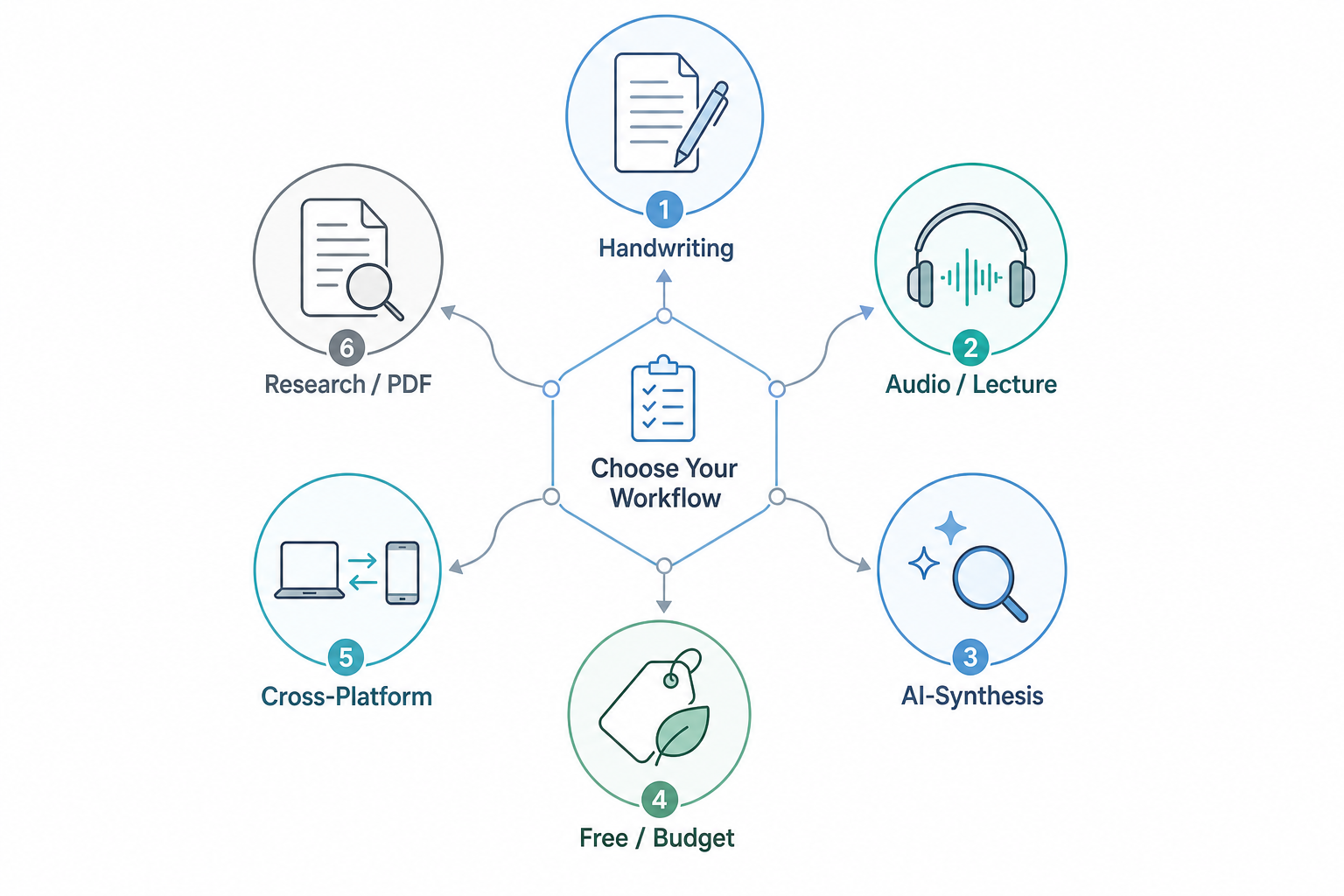
This guide is structured around six primary workflow categories: handwriting-first note-taking, audio-synced lecture capture, free and budget-friendly options, cross-platform compatibility, research and PDF annotation, and typed knowledge management. Each section names a clear winner for that use case, explains the tradeoffs, and includes a Not for you if note so you can rule out apps that don't fit your actual workflow.
If you are also weighing whether an iPad is the right device for your note-taking needs, our device-level comparison of E Ink tablets, iPads, and smart notebooks covers that angle separately.
Quick-Reference Decision Framework: Which App for Which Workflow?
If you want the short answer before reading the detailed analysis, the table below maps each primary use case to its recommended app and the single most important reason for that pick.
| Use Case | Top Pick | Why It Wins |
|---|---|---|
| Handwriting-First (student notes, journaling) | GoodNotes 6 | Industry-leading 98.7% handwriting recognition accuracy; nested folders with unlimited depth; per-page template changes |
| Audio-Synced Lectures & Meetings | Notability | Tap any note to replay the corresponding audio segment; Multi-Note split-screen for side-by-side viewing |
| Free (Apple Ecosystem) | Apple Notes | 85% of premium features at no cost; Apple Intelligence integration; seamless iCloud sync |
| Free (Cross-Platform) | OneNote | Free on iPad, Windows, Mac, Android, and Web; infinite canvas; Microsoft Copilot integration available |
| PDF Research & Annotation | LiquidText | Unique document analysis tools: link excerpts across documents, collapse sections, extract key passages |
| Handwriting-to-Text Conversion | Nebo / MyScript | Best-in-class handwriting-to-text engine; $24 one-time purchase; AI features for PDF summarization |
| AI-Powered Knowledge Synthesis | Atlas | Source-citing AI that shows which page it pulled answers from; designed for synthesizing multiple documents |
| Typed PKM / Knowledge Management | Obsidian or Notion | Local-first vaults with backlinks (Obsidian) or powerful databases and team collaboration (Notion) |
Handwriting-First: GoodNotes 6 and the Stylus Experience
For users whose primary input method is the Apple Pencil — students taking handwritten lecture notes, professionals sketching diagrams, or anyone who prefers writing over typing — GoodNotes 6 remains the benchmark in 2026. Independent testing by roipad.com, based on 10,000 handwriting samples across 50 subjects, measured GoodNotes 6's handwriting recognition accuracy at 98.7%, the highest among major iPad note-taking apps.
Beyond accuracy, GoodNotes 6 offers organizational features that power users rely on: nested folders with unlimited depth, per-page template changes (so you can switch from a grid page to a blank page mid-notebook), and a whiteboard feature for real-time collaboration. The app supports Dropbox, Google Drive, OneDrive, and iCloud for backup and sync.
Pricing and the 2026 Plan Split
GoodNotes' pricing structure became more complex in 2026. The company split its offering into three tiers: a free Starter plan with a limited number of notebooks, an Essential plan at $11.99 per year (or a one-time Special Edition purchase for $35.99), and a Pro plan at $35.99 per year. An optional AI Pass costs an additional $9.99 per month and unlocks handwriting-aware Q&A and predictive text features.
GoodNotes is available on Windows via a Progressive Web App (PWA), but the experience has gaps compared to the iPad version. Our dedicated GoodNotes for Windows profile covers compatibility and feature gaps in detail.
Audio-Synced Lecture Notes: Notability's Signature Feature
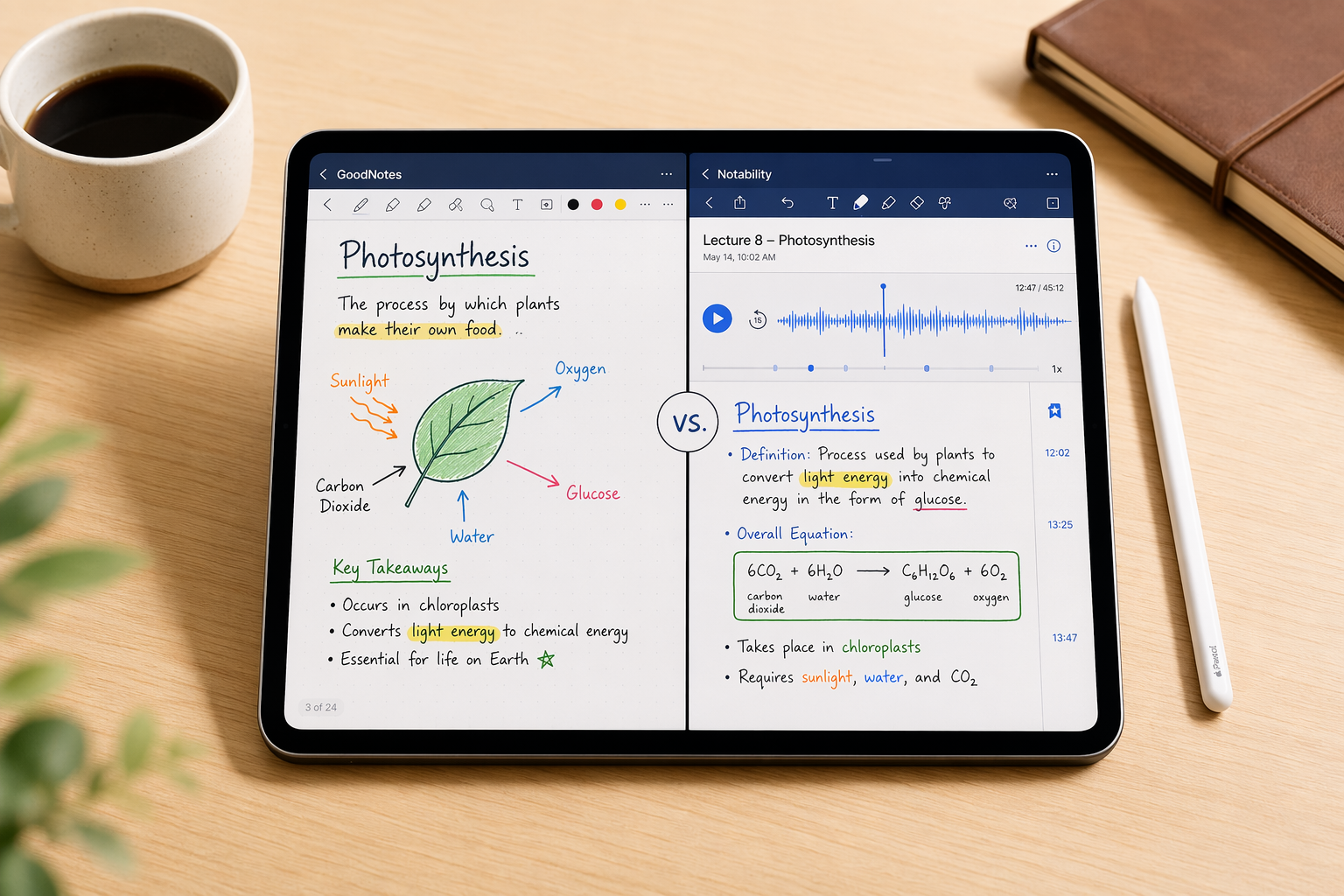
Notability's defining feature is audio replay synced to handwritten notes. When you record a lecture or meeting, the app links each stroke to the moment it was written. Tapping any note replays the corresponding audio segment — a feature that remains unique to Notability among mainstream iPad note-taking apps. For students reviewing dense lecture material or professionals revisiting meeting discussions, this capability alone justifies the subscription.
In 2026, Notability introduced a Pro tier at $99 per year that gates advanced AI features, including AI-generated summaries of recorded sessions and math-to-equation conversion. The standard Plus plan costs $20 per year (or $7.99 per month) and includes the core audio sync, PDF annotation, and Multi-Note support for viewing two notes side by side.
Notability uses a subject-and-dividers organizational system, but it is limited to five levels of nesting. For users with deep folder hierarchies, this can become a constraint. The app is Apple-only with a Web client in beta — there is no native Android or Windows version.
The Free Powerhouse: Apple Notes and OneNote
Not everyone needs or wants to pay for a note-taking app. Two free options — Apple Notes and OneNote — cover the vast majority of use cases for most users, but they serve different ecosystems and workflows.
Apple Notes: 85% of Premium Features for Free
Apple Notes has evolved from a basic text editor into a surprisingly capable note-taking app. According to roipad.com's analysis, it offers approximately 85% of the features found in premium apps like GoodNotes and Notability — at no cost. It includes Apple Intelligence integration for AI-powered summarization and smart organization, iCloud sync across all Apple devices, and basic handwriting support with the Apple Pencil.
The main technical limitation is that Apple Notes uses raster ink rather than vector-based ink. This means handwritten text can appear slightly smudgy when zoomed in, and you cannot resize or reposition handwriting after it is placed on the page. Dedicated apps like GoodNotes and Notability use vector ink, which remains crisp at any zoom level and allows post-hoc editing of individual strokes.
OneNote: The Best Free Cross-Platform Option
Microsoft OneNote is free on iPad, Windows, Mac, Android, and the web, making it the strongest choice for users who switch between devices and operating systems. Its infinite canvas design — where you can click or tap anywhere on the page to start writing — is fundamentally different from the page-based notebook metaphor used by GoodNotes and Notability.
OneNote's handwriting recognition is solid, and its integration with Microsoft Copilot (now $20 per month for consumer Pro) adds AI-powered summarization and search capabilities. However, the app uses a notebook-section-page hierarchy that some users find less intuitive than folder-based organization, and it lacks the polished vector-ink engine of dedicated handwriting apps.
| Feature | Apple Notes | OneNote |
|---|---|---|
| Cost | Free (no paid tier) | Free (Copilot AI costs extra) |
| Platforms | Apple only (iOS, macOS) | iPad, Windows, Mac, Android, Web |
| Ink Type | Raster (can appear smudgy) | Vector (crisp at any zoom) |
| AI Features | Apple Intelligence (free) | Microsoft Copilot ($20/mo Pro) |
| Organization | Folders + tags | Notebooks > Sections > Pages |
| Best For | Apple-only users who want a free, integrated solution | Cross-platform users who need free access on any device |
Research and PDF Annotation: LiquidText and Nebo/MyScript
For researchers, lawyers, graduate students, and anyone who works extensively with PDFs, general-purpose note-taking apps fall short. Two specialized apps — LiquidText and Nebo (by MyScript) — are built specifically for document-heavy workflows.
LiquidText: Document Analysis and Excerpt Linking
LiquidText is not a note-taking app in the traditional sense — it is a document analysis tool that happens to include annotation capabilities. Its standout feature is the ability to link excerpts across multiple documents, collapse sections to hide irrelevant content, and extract key passages into a separate workspace. For literature reviews, legal case analysis, or research synthesis, this workflow is significantly more powerful than annotating PDFs in a general-purpose app.
LiquidText costs $80 as a one-time purchase, or $8 per month (billed monthly) or $15 per month (billed annually). A student discount is available. The price is high compared to general-purpose apps, but for users whose primary workflow is PDF analysis, the productivity gain justifies the cost.
Nebo / MyScript: Best-in-Class Handwriting-to-Text
Nebo, developed by MyScript, is the best app for users whose primary need is converting handwritten notes into typed text with high accuracy. While GoodNotes and Notability offer handwriting recognition as a feature, Nebo's entire architecture is built around real-time handwriting-to-text conversion. It supports over 60 languages and can recognize mixed handwriting and typed content within the same document.
Nebo costs $24 as a one-time purchase, or $8 per year (or $2 per month) for ongoing updates and AI features. The AI features include PDF summarization and quiz generation from handwritten notes. For a comprehensive comparison of handwriting-to-text accuracy across multiple apps, see our handwriting-to-text accuracy shootout guide.
Typed and Knowledge-Management Workflows: Atlas, Obsidian, and Notion
A significant segment of iPad note-takers primarily type rather than handwrite. For these users, the app choice shifts from stylus performance to knowledge management capabilities: backlinks, databases, AI search, and cross-device sync.
Atlas: AI Synthesis with Source Citation
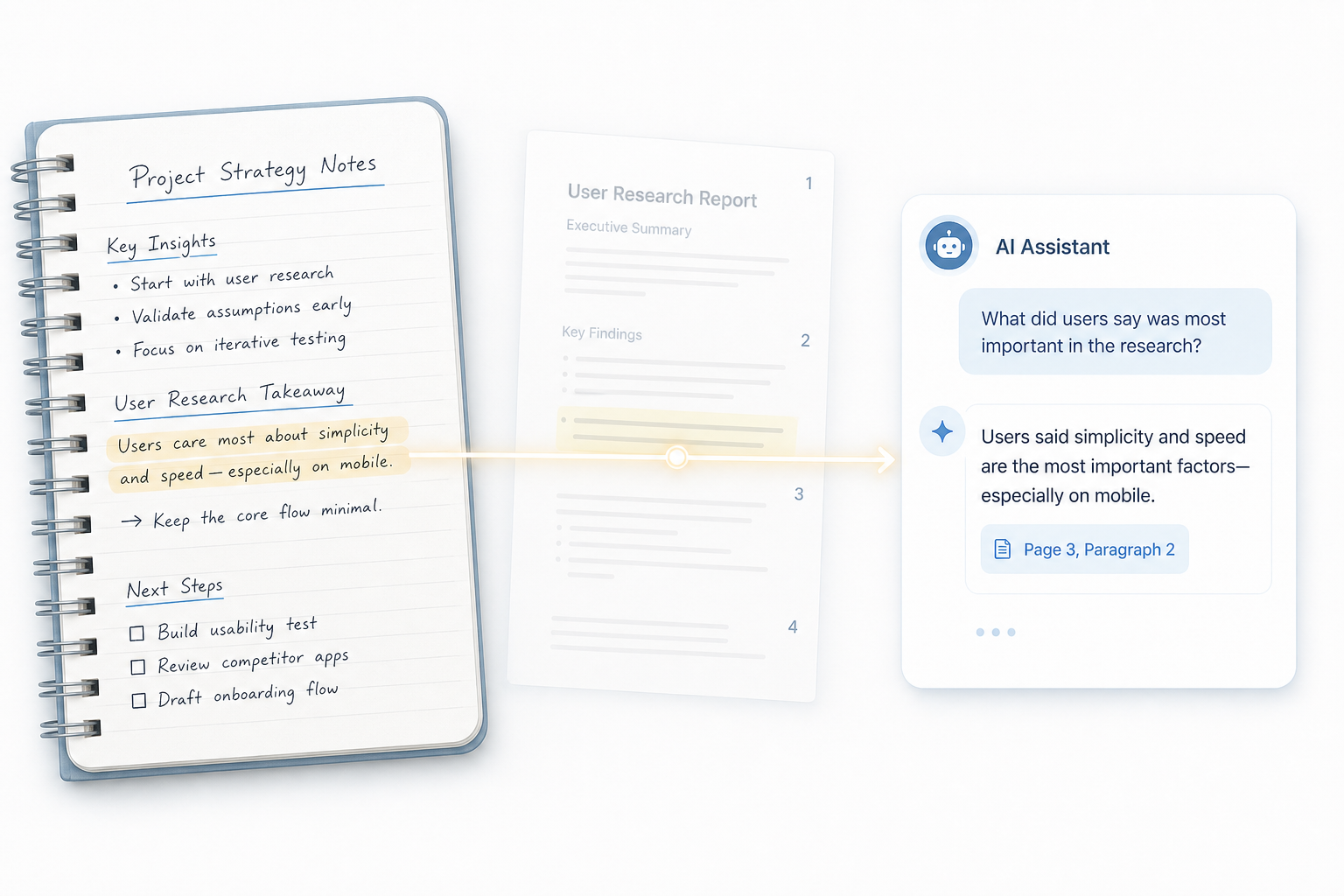
Atlas positions itself as an AI-native note-taking app designed for knowledge synthesis. Its defining feature is source-citing AI: when you ask a question about your notes, Atlas shows you exactly which page or document it pulled the answer from. This is the practical test for any AI feature in 2026 — handwriting-aware AI without source citation is still guessing, as Atlas's own documentation notes.
Atlas costs $20 per month for the Pro plan. It is not optimized for handwriting or audio recording; it is a typed-input app designed for users who work with multiple documents and need AI to help synthesize information across them.
Obsidian: Local-First Knowledge Management
Obsidian is free for personal use, with a $8 per month Sync add-on for cross-device synchronization. Its local-first architecture means your notes are stored as plain Markdown files on your device, giving you full ownership and portability. The app's strength is its backlink graph and plugin ecosystem, which supports everything from spaced repetition to Kanban boards.
Obsidian is not optimized for handwriting or audio recording. It is a typed-input, text-based knowledge management system that excels for users who follow methodologies like Zettelkasten or PARA.
Notion: Databases and Team Collaboration
Notion offers a generous free tier and a Plus plan at $10 per month. Its database functionality — relational tables, linked views, and formula fields — makes it the best choice for users who need structured note-taking with project management capabilities. Notion is also the strongest option for team collaboration, with shared workspaces, comments, and permission controls.
Like Obsidian, Notion is not designed for handwriting or audio recording. It is a typed-input tool that excels for structured knowledge management and collaborative workflows.
| App | Best For | Pricing | Key Limitation |
|---|---|---|---|
| Atlas | AI-powered knowledge synthesis with source citation | $20/mo Pro | No handwriting or audio support; subscription-only |
| Obsidian | Local-first PKM with backlinks and plugins | Free (personal); $8/mo Sync | Steep learning curve; no native handwriting support |
| Notion | Structured databases and team collaboration | Free tier; $10/mo Plus | No offline-first architecture; no handwriting support |
Pricing Comparison at a Glance (Last Verified: May 2026)
Pricing in the iPad note-taking space has become more fragmented in 2026, with several apps splitting into multiple tiers and adding optional AI passes. The table below summarizes the current pricing for all apps discussed in this guide.
| App | Free Tier | Paid Plans | One-Time Purchase | Last Verified |
|---|---|---|---|---|
| GoodNotes 6 | Yes (limited notebooks) | Essential $11.99/yr; Pro $35.99/yr | Special Edition $35.99 (locks to current version) | May 2026 |
| Notability | Yes (monthly edit limit) | Plus $20/yr; Pro $99/yr | No | May 2026 |
| Apple Notes | Yes (full features) | N/A | N/A | May 2026 |
| OneNote | Yes (full features) | Copilot Pro $20/mo (optional) | No | May 2026 |
| LiquidText | No | $8/mo or $15/mo | $80 (student discount available) | May 2026 |
| Nebo / MyScript | Yes (limited) | $8/yr | $24 | May 2026 |
| Atlas | No | $20/mo Pro | No | May 2026 |
| Obsidian | Yes (full features) | Sync $8/mo; Publish $10/mo | No | May 2026 |
| Notion | Yes (full features) | Plus $10/mo; Business $18/mo | No | May 2026 |
The most expensive realistic stack for a power user who needs handwriting, audio recording, and AI synthesis — GoodNotes Pro ($35.99/yr) + Notability Pro ($99/yr) + Atlas ($240/yr) — runs approximately $22 per month equivalent. Most users will only need one or two of these apps, making the actual cost significantly lower.
AI Features in 2026: From Gimmick to Default — What Actually Works
AI features in note-taking apps have moved from experimental add-ons to default expectations in 2026. However, the quality and usefulness of these features vary dramatically across apps. The market has settled into three distinct AI categories, and each app's performance in its category determines whether the feature is genuinely useful or just a marketing checkbox.
The Three AI Categories in 2026
- Handwriting AI: Handwriting recognition, shape correction, and predictive text. GoodNotes' AI Pass ($9.99/mo) offers handwriting-aware Q&A, but the key limitation is that it does not always cite which page it pulled the answer from. Notability's Pro tier ($99/yr) includes AI summaries of handwritten notes.
- Meeting AI Notes: Speech-to-text transcription, AI summaries, and action item extraction. This is the fastest-growing AI category in 2026, according to Krisp's March 2026 analysis. Dedicated meeting note apps like Krisp (from $8/mo) lead this category, but Notability's audio sync feature gives it a strong position for users who want integrated recording and note-taking.
- Knowledge-Base AI: Semantic search, smart organization, and cross-document synthesis. Atlas is the clear leader here because it cites its sources — the practical test that separates useful AI from guessing. OneNote's Copilot integration ($20/mo) offers similar capabilities but is tied to the Microsoft ecosystem.
The AI features landscape shifts rapidly. Capabilities described as new or unique in early 2026 may have been released, changed, or abandoned by the time you read this. Always check the app's current feature list before making a purchase decision based on AI capabilities.
Final Verdict: Our Top Picks by Use Case
There is no single best iPad note-taking app in 2026. The right choice depends entirely on your primary workflow. Below is the summary of our picks for each use case, with the key reason each app wins its category.
- Best for Handwriting: GoodNotes 6 — 98.7% handwriting recognition accuracy, nested folders with unlimited depth, and per-page template customization.
- Best for Audio Lectures: Notability — Tap any note to replay the corresponding audio segment; Multi-Note split-screen for side-by-side viewing.
- Best Free (Apple Ecosystem): Apple Notes — 85% of premium features at no cost, with Apple Intelligence integration.
- Best Free (Cross-Platform): OneNote — Free on iPad, Windows, Mac, Android, and Web; infinite canvas design.
- Best for PDF Research: LiquidText — Unique document analysis tools for linking excerpts and collapsing sections.
- Best for Handwriting-to-Text: Nebo / MyScript — Best-in-class handwriting conversion engine; $24 one-time purchase.
- Best for AI Synthesis: Atlas — Source-citing AI that shows which page it pulled answers from.
- Best for PKM / Typed Notes: Obsidian (local-first, backlinks) or Notion (databases, team collaboration) — depending on whether you prioritize data ownership or structured collaboration.
For a deeper look at free note-taking options and their real-world limits, see our dedicated free apps comparison. And if you are specifically interested in stylus performance and handwriting feel, our stylus comparison guide covers latency and accuracy metrics across apps.