
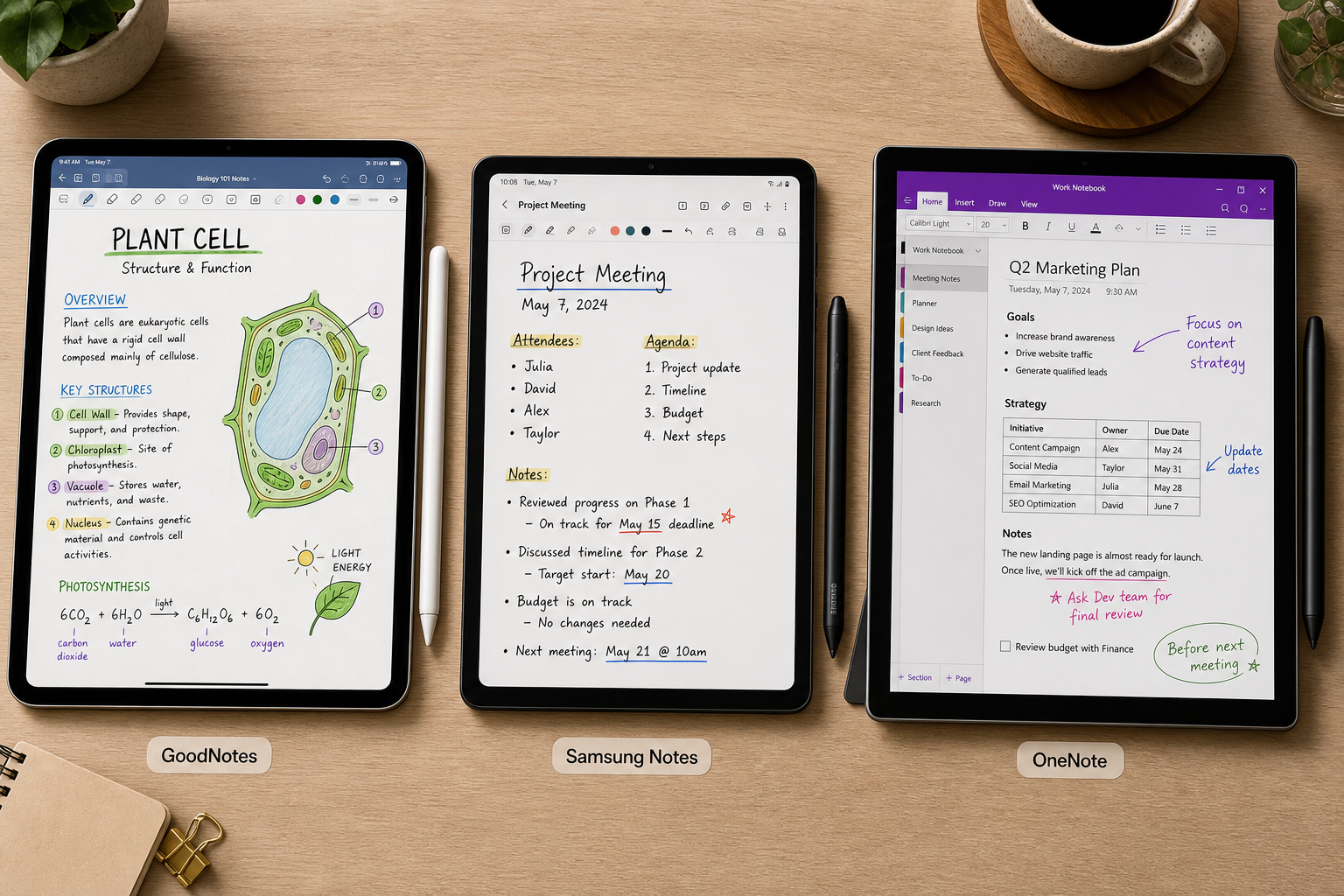
Introduction: Why Stylus Note-Taking Matters More Than Ever in 2026
The tablet and stylus market has matured to the point where hardware is rarely the bottleneck. Modern active styluses — Apple Pencil 2nd and 3rd gen, Samsung S Pen, Microsoft Surface Pen — deliver sub-10ms latency and near-perfect palm rejection out of the box. The real differentiator in 2026 is the software layer: how well an app translates the physical act of writing into a usable, searchable, and portable digital asset.
Whether you are a student capturing lecture notes, a knowledge worker annotating PDFs in a meeting, or a researcher building a personal knowledge base, the app you choose determines your daily friction level. A poor handwriting engine means you will retype notes. Weak PDF tools mean you will juggle two apps. No cross-platform sync means you are locked to one device.
This comparison covers eight leading stylus note-taking apps — GoodNotes, Notability, Samsung Notes, OneNote, Nebo, Noteshelf, Flexcil, and Squid — across iPad, Android, and Windows. Each profile includes verified Q2 2026 pricing, independent latency and handwriting-recognition benchmarks, and a clear assessment of who each app serves best. The core thesis is straightforward: no single app wins all categories, so the smart choice is to match the app to your specific device and workflow.
What Makes a Great Stylus Note-Taking App in 2026?
Before diving into individual app profiles, it is worth establishing the criteria that separate a genuinely useful note-taking app from a digital notebook that collects dust. Based on testing data and user feedback from multiple sources, five dimensions matter most.
Stylus Latency and Palm Rejection
Latency — the delay between the stylus tip touching the screen and the ink appearing — is the single biggest factor in whether digital handwriting feels natural. The human eye can detect delays above roughly 20ms. The best apps in 2026 target 6–12ms. Samsung Notes, for example, achieves 6ms latency on the Galaxy Tab S10 series, according to independent testing by Roipad conducted over 450 hours across 15 tablets. OneNote measures around 12ms on the same hardware. Anything above 20ms introduces a noticeable float that makes handwriting feel disconnected.
Palm rejection is equally critical. An app that cannot distinguish between the side of your hand and the stylus tip will produce ghost strokes and accidental zoom actions. The best implementations use the digitizer's native palm rejection (S Pen, Apple Pencil) rather than software heuristics.
Handwriting-to-Text Accuracy
Handwriting recognition (often called OCR or HWR) is the feature that turns handwritten notes into searchable, exportable text. Accuracy varies dramatically between engines. Nebo, powered by MyScript Interactive Ink, leads the field with 98.1% accuracy across 12 languages, based on a test set of 15,000 handwriting samples. Samsung Notes achieves 97.3% accuracy. OneNote's OCR engine, while competent, trails at 94.7%. For users who regularly need to search, share, or repurpose handwritten content, this difference matters.
PDF Annotation and Document Workflow
For professionals and researchers, the ability to import, annotate, and organize PDFs is often more important than blank-note handwriting. Flexcil 3 Pro's gesture-based annotation system reduces common task times by 62%, according to Roipad's testing. GoodNotes and Notability both offer robust PDF import and export. OneNote's freeform canvas is uniquely suited to annotating large-format documents. Apps that treat PDFs as second-class citizens (Squid, for example) limit their usefulness for document-heavy workflows.
AI Features
By 2026, 78% of top-tier note-taking apps incorporate machine learning for handwriting recognition and AI assistance. The quality and scope of these features vary widely. GoodNotes offers Ask GoodNotes AI, AI Math Assistance, and handwriting spellcheck. Notability provides real-time audio transcription synced to handwritten notes. Nebo's AI 4.0 includes contextual summarization, explanation, and quiz generation. OneNote integrates Microsoft Copilot. When evaluating AI features, look for capabilities that actually reduce friction in your specific workflow rather than flashy but impractical demos.
Pricing Model and Platform Lock-In
Pricing in this category has shifted heavily toward subscriptions. Only a handful of apps still offer a one-time purchase option. GoodNotes offers both a subscription ($11.99/yr) and a one-time purchase ($35.99). Noteshelf costs $9.99 one-time. Nebo is currently free in beta with a $14.99 one-time purchase to unlock all features. OneNote is free. Samsung Notes is free and pre-installed on Galaxy devices. The rest — Notability, Flexcil, Squid — require ongoing subscriptions. Your total cost of ownership over three years can range from $0 (OneNote) to over $200 (Flexcil Pro). Platform lock-in is equally important: Notability is iPad/Mac/Web only. Samsung Notes is Android/Windows only. OneNote and GoodNotes offer the widest cross-platform support.
2026 Stylus Note-Taking Apps: Comparison Table
The table below provides a side-by-side snapshot of all eight apps across the key decision dimensions. Use it to narrow your shortlist before reading the detailed profiles.
| App | Platforms | Stylus Latency | Handwriting Accuracy | Pricing (Q2 2026) | AI Features | Best For |
|---|---|---|---|---|---|---|
| GoodNotes 6 | iPad, iPhone, Mac, Windows, Android | ~10ms (iPad) | ~96.5% | $11.99/yr or $35.99 one-time (Special Edition); $35.99/yr (Pro) | Ask GoodNotes AI, AI Math Assistance, Study Sets, Smart Learn | iPad all-rounder |
| Notability | iPad, iPhone, Mac, Web | ~10ms (iPad) | ~95% | $7.99/mo or $20/yr (Plus); $99/yr (Pro) | Real-time audio transcription, math conversion | Lecture & meeting capture (iPad) |
| Samsung Notes | Galaxy devices, Windows | 6ms (Galaxy Tab S10) | 97.3% | Free (pre-installed on Galaxy devices) | Basic handwriting search, diagram shape recognition | S Pen users (Galaxy Tab) |
| Microsoft OneNote | Windows, Mac, iPad, iPhone, Android, Web | ~12ms (varies by device) | 94.7% | Free (5GB OneDrive); $1.99/mo for 100GB | Microsoft Copilot integration | Free cross-platform |
| Nebo (MyScript) | iPad, iPhone, Mac, Windows, Android | ~9ms (iPad Pro) | 98.1% | Free (beta); $14.99 one-time (full unlock) | Contextual AI: Summarize, Explain, Chat, Quiz | Handwriting-to-text accuracy |
| Noteshelf 3 | iPad, iPhone, Mac, Android, Windows | ~10ms (iPad) | 93.2% | $6.99/mo or $44.99/yr; $9.99 one-time (Android) | AI-powered handwriting search, shape recognition | Best one-time purchase value (Android) |
| Flexcil 3 Pro | iPad, iPhone, Android | ~10ms (iPad) | ~94% | $7.99/mo or $49.99/yr | Gesture-based PDF annotation, smart search | PDF-heavy academic & professional work |
| Squid (formerly Squidnotes) | Android, ChromeOS, Windows | ~12ms (Android) | ~90% | Free (limited); $3.99/mo or $19.99/yr (Premium) | Basic handwriting search, PDF markup | Simple PDF markup & note-taking (Android) |
Detailed App Profiles
GoodNotes 6 — Best All-Rounder for iPad
GoodNotes remains the benchmark for polished handwriting on iPad. Version 6 introduced three pen types — Fountain, Ball, and Brush Pen — that respond to pressure and angle with convincing realism. The app supports unlimited nested folders, which makes it the best choice for users who organize notes by subject, project, or date. PDF annotation is robust: you can import, highlight, and write on documents with minimal friction.
The AI layer in GoodNotes 6 includes Ask GoodNotes AI (which can summarize or explain selected handwritten content), AI Math Assistance (step-by-step equation solving), and Study Sets with Smart Learn for flashcard-style review. These features are genuinely useful for students and professionals who need to revisit and process handwritten material.
Pricing is flexible: $11.99/yr for the Essential plan, $35.99 one-time for the Special Edition, or $35.99/yr for the Pro tier. The one-time purchase is increasingly rare in this category and makes GoodNotes a strong long-term value. Cross-platform support now extends to Windows and Android, though the iPad experience remains the most polished. GoodNotes holds a 4.7-star rating from over 381,000 reviews.
Notability — Best for Audio-Synced Note-Taking
Notability's defining feature is time-synced audio recording. When you record a lecture or meeting, the app links each handwritten stroke to the moment in the audio when it was written. Tap a word later, and the audio jumps to that exact point. No other app in this comparison does this as well. For students attending lectures or professionals documenting meetings, this capability alone can justify the subscription.
The app also offers real-time audio transcription, math conversion, and a multi-note side-by-side view that is useful for comparing documents. Notability's free plan is limited to a small number of edits, which makes it more of a trial than a usable free tier. The Plus plan costs $7.99/mo or $20/yr; the Pro plan is $99/yr.
The major limitation is platform lock-in: Notability is iPad, iPhone, Mac, and Web only. Android and Windows users are excluded entirely. If you are in the Apple ecosystem and audio-synced notes are critical, Notability is the clear choice. If you need cross-platform access, look elsewhere. Notability holds a 4.8-star rating from over 434,000 reviews.
Samsung Notes — Best for S Pen Users
Samsung Notes is the default note-taking app on Galaxy Tab and Galaxy Book devices, and for good reason. It is deeply integrated with the S Pen digitizer, achieving 6ms latency — the lowest measured latency of any app in this comparison. Palm rejection is essentially flawless because the app uses the hardware-level S Pen rejection rather than software heuristics.
Handwriting recognition accuracy is 97.3%, second only to Nebo. The app supports PDF annotation, voice recording, and basic diagram shape recognition. Sync across Galaxy devices and Windows is reliable, with Roipad reporting 99.7% sync success in testing. The app is free and pre-installed, which makes it the best value proposition for anyone who already owns a Galaxy Tab.
The downsides: Samsung Notes is not available on iPad or non-Samsung Android devices. Its AI features are basic compared to GoodNotes or Nebo. For users who want advanced handwriting search or AI summarization, the native app may feel limited.
Microsoft OneNote — Best Free Cross-Platform Option
OneNote is the only app in this comparison that offers a genuinely usable free tier with full stylus support across all major platforms — Windows, Mac, iPad, iPhone, Android, and Web. The freeform canvas is unique: you can place typed text, handwritten notes, images, and audio anywhere on an infinite page, which makes it ideal for brainstorming and visual note-taking.
Handwriting recognition is solid at 94.7% accuracy, and Microsoft Copilot integration adds AI-powered search and summarization for Microsoft 365 subscribers. The free plan includes 5GB of OneDrive storage; 100GB costs $1.99/mo. Stylus latency measures around 12ms on modern hardware — slightly behind Samsung Notes and Nebo, but still well within the acceptable range.
OneNote's weaknesses are organizational. The notebook-section-page hierarchy can feel rigid compared to GoodNotes' nested folders or Notability's tag-based system. PDF annotation is functional but not as polished as Flexcil or GoodNotes. For users who prioritize free, cross-platform access above all else, OneNote is the default recommendation.
Nebo (MyScript) — Best Handwriting-to-Text Accuracy
Nebo, powered by the MyScript Interactive Ink engine, achieves 98.1% handwriting-to-text accuracy across 12 languages — the highest measured accuracy of any app in this comparison. This is not a marginal improvement; it is the difference between having to correct every third word and having a clean, exportable document on the first pass.
Nebo AI 4.0 adds contextual AI features: Summarize (condenses handwritten notes into bullet points), Explain (provides detailed explanations of selected content), Chat (conversational Q&A over your notes), and Quiz (generates practice questions). These features are currently available in a free beta. The full unlock costs $14.99 one-time, which is an exceptional value for the accuracy and AI capability on offer.
Nebo is available on iPad, iPhone, Mac, Windows, and Android. Stylus latency is approximately 9ms on iPad Pro. The app's handwriting engine is its core strength; its PDF annotation and organizational tools are functional but not best-in-class. If your primary need is converting handwritten notes into clean digital text, Nebo is the clear winner.
Noteshelf 3 — Best One-Time Purchase Value for Android
Noteshelf 3 is the strongest third-party alternative to Samsung Notes on Android. It offers a polished handwriting experience with approximately 10ms latency, AI-powered handwriting search, and shape recognition. The app is available on iPad, iPhone, Mac, Android, and Windows, making it one of the more cross-platform options in this comparison.
The standout feature is pricing: Noteshelf 3 costs $9.99 one-time on Android, which is the lowest one-time purchase price among the apps that offer this option. (The iOS version is subscription-only at $6.99/mo or $44.99/yr, which is a notable discrepancy.) Handwriting accuracy is 93.2%, which is adequate but not class-leading.
Noteshelf is best suited for Android users who want a polished, AI-enhanced note-taking experience without committing to a subscription or relying on Samsung's native app. The one-time purchase option on Android makes it a strong long-term value.
Flexcil 3 Pro — Best for PDF Annotation and Document Workflow
Flexcil 3 Pro is purpose-built for users who live inside PDFs — researchers, lawyers, academics, and anyone who needs to annotate, extract, and organize content from large document sets. Its gesture-based annotation system is the fastest in this comparison: Roipad's testing found that Flexcil reduces common PDF task times by 62% compared to traditional tap-and-select workflows.
The two-page PDF view is a standout feature for reading academic papers or reports. The app also processes complex PDFs 47% faster than competitors, according to Roipad's benchmarks. Flexcil is available on iPad, iPhone, and Android. Pricing is $7.99/mo or $49.99/yr, which makes it one of the more expensive options in this comparison.
Flexcil's handwriting engine is competent but not best-in-class. If your primary workflow is blank-note handwriting rather than PDF annotation, GoodNotes or Nebo may serve you better. For document-heavy users, however, Flexcil's workflow efficiency is unmatched.
Squid — Best for Simple PDF Markup on Android
Squid (formerly Squidnotes) takes a minimalist approach: it is a vector-based note-taking and PDF markup app for Android, ChromeOS, and Windows. The vector engine means your handwriting remains crisp at any zoom level, which is useful for detailed diagrams or fine annotations.
Squid's free tier is limited to a small number of pages. The Premium plan costs $3.99/mo or $19.99/yr. Handwriting recognition accuracy is approximately 90%, which is the lowest in this comparison. The app lacks AI features, audio recording, and advanced organizational tools.
Squid is best suited for users who need a straightforward, no-frills app for marking up PDFs or taking quick handwritten notes on Android. If your needs extend beyond basic markup, one of the other apps in this comparison will serve you better.
Use-Case Recommendations: Which App Should You Choose?
The detailed profiles above cover what each app does. The table below translates that information into actionable recommendations based on specific user scenarios.
| Use Case | Recommended App | Why |
|---|---|---|
| Best all-rounder for iPad | GoodNotes 6 | Polished handwriting, strong AI features, flexible pricing (subscription or one-time), cross-platform support. |
| Best for lecture & meeting capture (iPad) | Notability | Time-synced audio recording with transcription is unmatched for revisiting spoken content. |
| Best for S Pen users (Galaxy Tab) | Samsung Notes | 6ms latency, 97.3% accuracy, deep hardware integration, free and pre-installed. |
| Best free cross-platform option | Microsoft OneNote | Full stylus support on all platforms, freeform canvas, free with 5GB storage. |
| Best for handwriting-to-text accuracy | Nebo (MyScript) | 98.1% accuracy across 12 languages, AI summarization and quiz generation, affordable one-time purchase. |
| Best one-time purchase value (Android) | Noteshelf 3 | $9.99 one-time on Android, AI-powered search, cross-platform availability. |
| Best for PDF-heavy academic & professional work | Flexcil 3 Pro | Gesture-based annotation reduces task times by 62%, two-page PDF view, fast document processing. |
| Best for simple PDF markup (Android) | Squid | Vector-based ink, minimalist interface, low-cost subscription. |
Quick Decision Guide
If you want a fast answer without reading the full profiles, follow this decision flow.
- If you use an iPad and want the best all-rounder: choose GoodNotes 6. It offers the best balance of handwriting quality, AI features, and organizational depth.
- If you need audio-synced notes for lectures or meetings and you are in the Apple ecosystem: choose Notability. No other app matches its audio-to-stroke linking.
- If you own a Galaxy Tab with S Pen: choose Samsung Notes. It is free, pre-installed, and delivers the lowest latency and highest accuracy on Samsung hardware.
- If you need a free app that works on every device: choose Microsoft OneNote. It is the only truly free cross-platform option with full stylus support.
- If handwriting-to-text accuracy is your top priority: choose Nebo. Its 98.1% accuracy and AI features make it the best choice for converting handwritten notes into clean digital text.
- If you are an Android user who wants a one-time purchase with AI features: choose Noteshelf 3. At $9.99, it is the best value in this category.
- If you annotate PDFs all day and want the fastest workflow: choose Flexcil 3 Pro. Its gesture system is significantly faster than traditional annotation tools.
- If you just need a simple, reliable PDF markup tool on Android: choose Squid. It is minimal, affordable, and gets the job done.
Frequently Asked Questions
Can I use a non-Apple stylus with iPad note-taking apps?
Yes, but with caveats. iPadOS supports the Apple Pencil (1st, 2nd, and 3rd gen) and the USB-C Apple Pencil natively. Third-party styluses from Logitech, Adonit, and others work for basic input but typically lack pressure sensitivity, tilt support, and palm rejection quality. For the best handwriting experience on iPad, an Apple Pencil is strongly recommended.
Which app has the best free tier?
Microsoft OneNote has the best free tier by a wide margin. It offers full stylus support, unlimited note-taking (within your OneDrive storage limit), and cross-platform access. Samsung Notes is also free and fully featured, but only on Galaxy devices. Most other apps offer limited free trials or severely restricted free tiers.
Is a subscription worth it compared to a one-time purchase?
It depends on your expected usage period. If you plan to use the app for three years or more, a one-time purchase is almost always cheaper. GoodNotes' one-time purchase ($35.99) costs less than three years of its own subscription ($35.97) and far less than Notability's three-year cost ($60). Nebo's $14.99 one-time purchase is the best deal for handwriting-to-text users. If you are unsure about long-term commitment, a subscription gives you flexibility to switch.
How accurate is handwriting-to-text in 2026?
The best apps now achieve 95–98% accuracy on clean handwriting. Nebo leads at 98.1%, followed by Samsung Notes at 97.3%. Accuracy drops significantly with messy handwriting, cursive, or mixed-language notes. Most apps allow you to train the recognition engine on your handwriting over time. For users who need reliable OCR, Nebo is the clear choice.
Can I sync notes across iPad and Android?
Yes, but your options are limited. OneNote syncs seamlessly across all platforms via OneDrive. GoodNotes offers cross-platform sync through its own cloud service. Noteshelf syncs across iOS and Android. Samsung Notes syncs between Galaxy devices and Windows. Notability, Flexcil, and Squid do not offer cross-platform sync between iPad and Android. If cross-platform sync is essential, OneNote or GoodNotes are your best bets.
Verdict: The Best Stylus Note-Taking App for 2026
After evaluating eight apps across five key dimensions — latency, handwriting accuracy, PDF workflow, AI features, and pricing — one conclusion is clear: there is no single best app. The right choice depends entirely on your device ecosystem and primary use case.
- Best Overall (iPad): GoodNotes 6 — best balance of handwriting quality, AI features, organizational depth, and pricing flexibility.
- Best for Audio Capture (iPad): Notability — unmatched time-synced audio recording and transcription.
- Best for Android (Galaxy Tab): Samsung Notes — lowest latency, highest accuracy, free, and deeply integrated with S Pen hardware.
- Best Free Cross-Platform: Microsoft OneNote — full stylus support on every major platform at no cost.
- Best Handwriting-to-Text: Nebo (MyScript) — 98.1% accuracy, AI summarization, and a low one-time purchase price.
- Best for PDF Workflows: Flexcil 3 Pro — gesture-based annotation that is 62% faster than traditional tools.
If you are still unsure, start with the free option that matches your device: Samsung Notes if you have a Galaxy Tab, OneNote if you use multiple platforms, or the GoodNotes free trial if you are on iPad. The best app is the one you actually use every day.