
The fastest way to compare the best AI tools for productivity is to stop comparing tool names first. Start with the part of the workday that is leaking attention: writing, meetings, scheduling, project management and knowledge, automation, or design. A meeting recorder does not solve a messy calendar. A writing assistant does not fix a brittle handoff between apps. A broad chatbot can be useful almost everywhere, but that does not make it the right paid subscription for every workflow.
The pressure to choose well is real. The AI productivity tools market is estimated at $14.1 billion in 2026 and projected to reach $36.4 billion by 2033, but adoption is running ahead of measurable business impact.[1] WalkMe reports that 88% of organizations have adopted AI tools, while only 39% report measurable EBIT impact.[2] Other productivity numbers are encouraging, including reports of productivity gains among investing organizations and an estimated 2.2 hours saved per week on average, but those figures do not tell you whether a specific tool will make Thursday afternoon easier or add one more dashboard to check.[3]
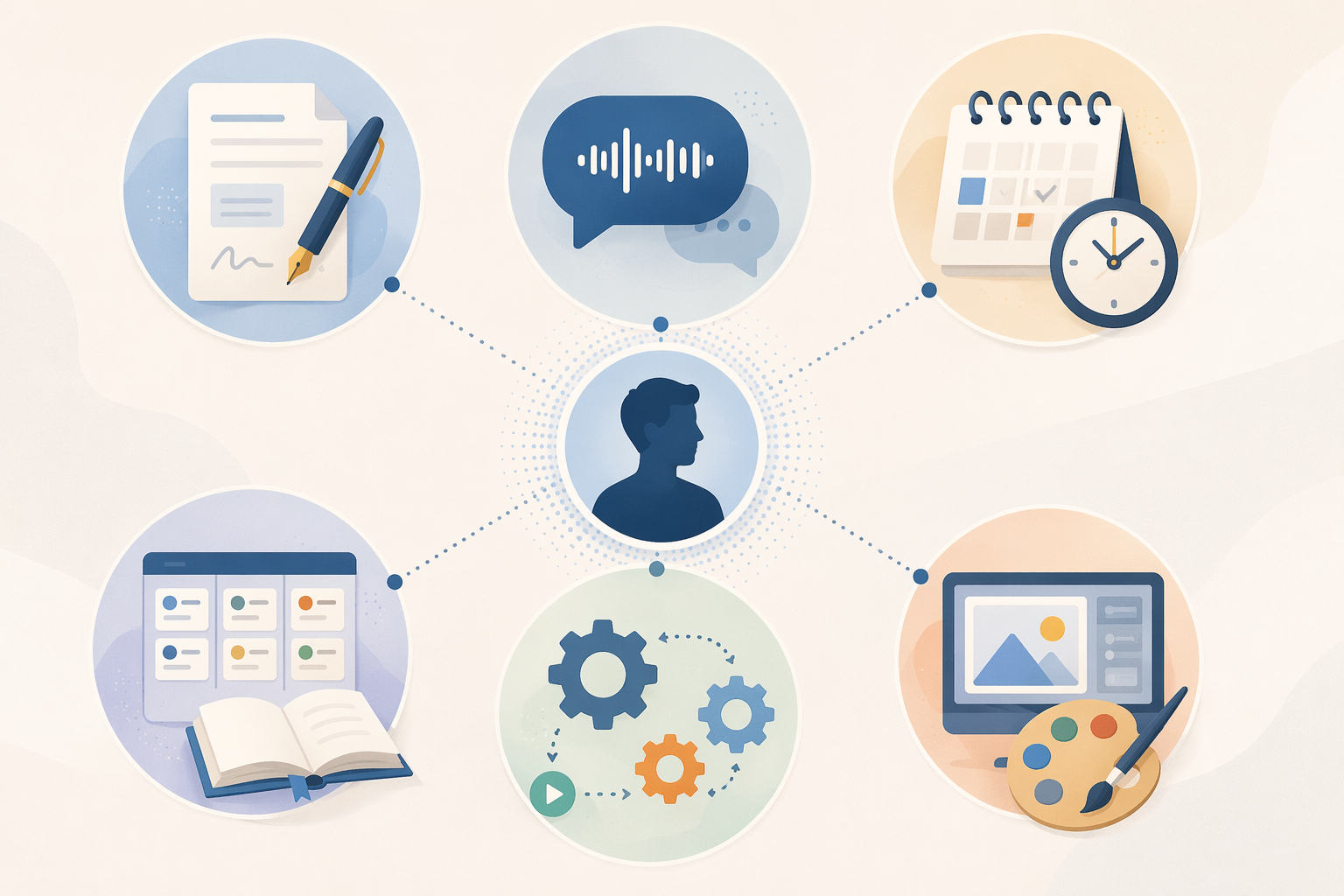
That gap between adoption and payoff is why this comparison is organized by bottleneck. Pricing below was verified as of June 2026 from the cited sources, but AI software tiers move quickly. Treat prices as a buying checkpoint, not a permanent contract term.
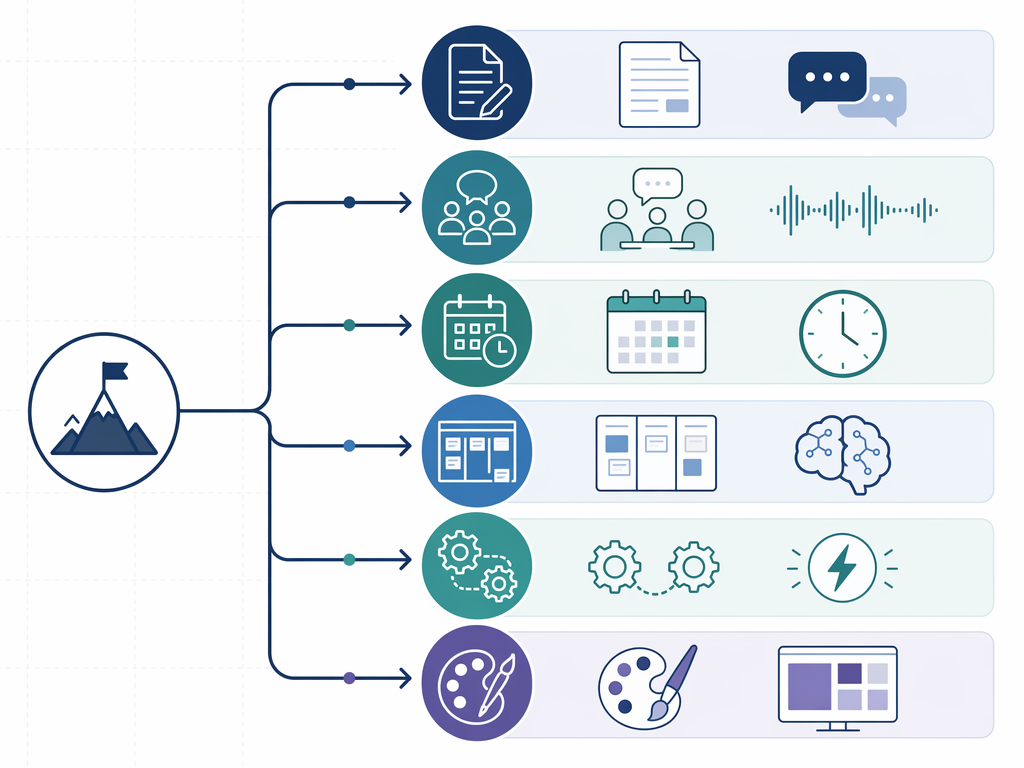
| Workflow bottleneck | Start here when | Likely first tool type |
|---|---|---|
| Writing & Communication | Drafts, emails, summaries, and edits are slowing the day | General chatbot or writing editor |
| Meetings & Transcription | Decisions disappear after calls or note-taking interrupts the conversation | Meeting recorder and summarizer |
| Scheduling & Time Management | Tasks compete with meetings and your calendar does not reflect real work | AI calendar and time blocker |
| Project Management & Knowledge | Work lives across docs, tasks, and source material nobody can find | Workspace assistant or source-grounded research tool |
| Automation | People repeat the same handoff between apps | Workflow automation platform |
| Design & Visuals | Visual assets are needed faster than a design team can produce them | AI design suite or source-to-output tool |
Writing & Communication
Writing tools are the easiest AI category to justify and the easiest to overbuy. If the work is brainstorming, drafting, restructuring, or turning rough notes into something usable, a general assistant is usually enough. If the pain is polishing already-written text across email, docs, and browser forms, a dedicated editor can be the cleaner fit.
| Tool | Best for | Pricing verified June 2026 | Pros | Cons | Not for you if |
|---|---|---|---|---|---|
| ChatGPT | Broad drafting, brainstorming, research support, reusable instructions | Plus $20/user/month [4] | Flexible across many writing and thinking tasks; strong general-purpose starter | Can become a catch-all tab without a clear workflow owner | You mainly need inline grammar and tone fixes inside existing writing surfaces |
| Claude | Long-document reasoning, structured analysis, careful rewriting | Pro $20/user/month; Team $25/seat/month [4] | Useful when documents are long and the task requires structure | Less compelling if your needs are short, casual, and mostly browser-based | Your bottleneck is quick copy cleanup, not long-form analysis |
| Grammarly | Editing, tone, clarity, and professional writing polish | Premium $12/month [5] | Fits into everyday writing surfaces; free tier catches basics | Less useful for open-ended ideation than a general chatbot | You want a thinking partner more than an editor |
ChatGPT and Claude are still the practical starting points because they cover a wide surface area. The buying decision usually comes down to breadth versus document depth: ChatGPT is the more obvious first stop for mixed daily tasks, while Claude is easier to justify when long documents, structured analysis, and careful synthesis are common.[4]
Grammarly belongs in a different mental bucket. It does not need to become the place where writing happens; it improves the places where writing already happens. That matters for people who write professionally but do not want another drafting environment. Its premium tier adds tone and clarity features beyond the basics caught by the free tier.[5]
Meetings & Transcription
Meeting tools have the cleanest payback story because the before-and-after is visible. Someone stops typing notes. Someone gets the decisions. Someone can search what was said. The trick is not finding the most impressive meeting bot; it is finding the one whose limits match how many meetings you actually record.
| Tool | Best for | Pricing verified June 2026 | Pros | Cons | Not for you if |
|---|---|---|---|---|---|
| Fathom | Free meeting recording, transcripts, and AI summaries | Unlimited free recordings, transcripts, and AI summaries [6] | Most generous free tier in this category; strong fit for solo users and small teams | May be less attractive if the team needs deeper collaborative note workflows | You need a shared meeting knowledge system with heavier team collaboration features |
| Otter AI | Collaborative notes, action items, and meeting follow-up | Paid plans start at $16.99/month [6] | Good when multiple people need to work from the same notes | Paid seat is harder to justify for light recording needs | You record fewer than about 10 hours per month and only need summaries |
| Fireflies | Meeting capture and follow-up across busy teams | Paid plans start at $18/month [6] | Useful when meeting notes need to feed follow-up workflows | Another meeting workspace to maintain if your team will not use it | Your real problem is too many meetings, not lost notes |
Fathom changes the buying decision because unlimited free recordings, transcripts, and AI summaries remove the usual trial anxiety. For someone recording under about 10 hours a month, the practical question is not whether Otter or Fireflies are capable; it is whether their paid collaboration features remove a constraint Fathom actually leaves behind.[6]
Otter makes more sense when the note itself becomes a shared work object. If a manager needs action items, collaborative notes, and a repeatable follow-up pattern, the paid tier has a clearer job. Fireflies sits in a similar paid category for teams that want meeting capture to connect into broader follow-up workflows.[6]
The maintenance question is blunt: who reviews the summary, corrects the action items, and makes sure the transcript does not become another archive nobody opens? Meeting AI saves the most time when it replaces an existing behavior, such as manual notes or post-call recap emails. It saves much less when it only creates a searchable memory of meetings that should have been shorter.
Scheduling & Time Management
Scheduling tools are not light utilities once they start moving work around your calendar. They touch priorities, meetings, focus time, habits, and the uncomfortable question of whether your task list is realistic. That makes this category powerful, but also easy to dislike if you only wanted a smarter time-blocking helper.
| Tool | Best for | Pricing verified June 2026 | Pros | Cons | Not for you if |
|---|---|---|---|---|---|
| Motion | Auto-scheduling tasks and meetings into a managed calendar | $34-49/month [6][5] | Turns calendar, tasks, and prioritization into one operating layer | Has a 2-3 week learning curve; too heavy for casual time blocking | You do not want your calendar to become the control center for your work |
| Reclaim AI | Google Calendar time blocking, habits, and protected focus time | Free tier available; paid from $15/month [6] | Fits into Google Calendar and keeps the workflow familiar | Less comprehensive than a full task-and-calendar operating system | You need aggressive task scheduling across complex projects, not calendar protection |
Motion is not a casual productivity add-on. Its 2-3 week learning curve is a useful sorting signal, not just a drawback.[6][5] If you want the calendar to decide where tasks go, it can be worth the adjustment. If you only need recurring focus blocks and habit protection, Reclaim is the less intrusive first trial because it works inside Google Calendar and offers a free tier.[6]
Project Management & Knowledge
Project and knowledge tools are where teams often confuse storage with retrieval. The problem is rarely that nobody created a document. The problem is that the answer lives in a meeting transcript, a project page, a PDF, a Slack thread, or someone’s memory. AI is useful here when it reduces the distance between source material and the next decision.
| Tool | Best for | Pricing verified June 2026 | Pros | Cons | Not for you if |
|---|---|---|---|---|---|
| NotebookLM | Source-grounded document analysis and synthesis | Free [7] | Works from provided sources; useful for reading, synthesis, and briefing | Not a full project management system | You need task ownership, due dates, and team execution tracking |
| Notion AI / custom agents | Workspace knowledge, notes, and AI-assisted internal docs | Usage-metered custom agents at $10/1,000 credits noted in June 2026 reporting [6] | Strong when the team already works in Notion | Usage-metered AI features can make costs harder to forecast | Your team does not already maintain Notion well |
| ChatGPT or Claude | Ad hoc synthesis, planning, and project communication | ChatGPT Plus $20/user/month; Claude Pro $20/user/month [4] | Flexible for plans, summaries, status updates, and analysis | Can sit outside the system of record | You need auditable project memory more than flexible reasoning |
NotebookLM is the tool in this group that deserves more attention from people who do not want another giant workspace. It is free and built around source-grounded document analysis, which makes it useful for reviewing packets of material without treating the open web or a model’s training data as the source of truth.[7]
Notion AI makes more sense when Notion is already where work lives. If the team’s notes, specs, tasks, and decisions are maintained there, AI assistance can reduce retrieval friction. If Notion is already messy, AI does not magically create governance. It may just make a messy workspace faster to query.
Automation
Automation is where small wins quietly become invoices. A three-step workflow that saves a few minutes can be perfect. The same workflow, multiplied across records, teams, retries, AI steps, and premium app connections, can become the subscription nobody budgeted for. This category needs the most suspicion about unit economics.
| Tool | Best for | Pricing verified June 2026 | Pros | Cons | Not for you if |
|---|---|---|---|---|---|
| Zapier | Cross-platform automation across many apps | Connects 9,000+ apps; per-task pricing applies [8][7] | Huge app coverage; fast way to connect scattered tools | Per-task pricing can scale faster than expected | You have one high-volume workflow where every record triggers multiple paid tasks |
| Make | Visual automation scenarios and more controlled workflow logic | Visual scenario builder with different pricing models [7] | Clearer for people who need to see branching logic and scenario flow | Can require more setup discipline than simple trigger-action automations | You want the simplest possible automation and do not want to maintain scenarios |
| Native app automations | Simple workflows inside one existing platform | Varies by platform | Often cheaper and easier to govern | Limited when the workflow crosses several tools | Your bottleneck is cross-app handoff, not single-app repetition |
Zapier’s 9,000+ app coverage is genuinely useful when the workflow crosses tools that were never designed to cooperate.[8] The cost question is how many tasks fire when the automation succeeds. A lead comes in, the record updates, a message sends, an AI step summarizes, a row is created, and a notification goes out. That may be one useful workflow, but it is not one billable action.
Make is usually more attractive when the person maintaining the automation wants to see the scenario. Visual builders do not remove complexity; they expose it. That can be a benefit when a workflow branches, filters, or needs careful debugging. It can be overkill when the need is a simple alert or record sync.
Usage-metered AI features are the newer cost trap. June 2026 pricing reports flag Notion custom agents at $10 per 1,000 credits, Zapier tasks, and Canva AI credits as examples of pricing units that can move separately from the base subscription.[6] Before approving automation spend, estimate the event volume: how many records, messages, summaries, images, or enrichment steps will run in a normal month. For a deeper cost breakdown, see the internal guide to AI workflow automation pricing at scale.
A useful automation trial is boring on purpose. Pick one recurring handoff, run it for a full work cycle, and check whether a human still has to inspect every output. If every automated step creates a review step, you may have moved the work rather than removed it. Broader comparisons belong in a dedicated workflow automation tools roundup, but the first pass should stay narrow.
Design & Visuals
Design AI earns its place when it shortens the distance between a needed asset and a usable draft. It is less convincing when it encourages teams to produce more visuals than they can review, approve, or keep on brand.
| Tool | Best for | Pricing verified June 2026 | Pros | Cons | Not for you if |
|---|---|---|---|---|---|
| Canva | Fast visual assets, templates, presentations, and AI-assisted design | Free with 500 AI credits/month; Pro $12.99/month [5][7] | Accessible for non-designers; strong template and visual workflow | Image generation can burn credits quickly during heavy design months | You need high-control professional design production rather than fast drafts |
| NotebookLM | Turning source material into grounded analysis before visual work | Free [7] | Helps clarify source material before creating slides, briefs, or visual summaries | Not a design creation tool | You already know the message and only need visual production |
| ChatGPT or Claude | Creative direction, copy variants, creative briefs, and structure | ChatGPT Plus $20/user/month; Claude Pro $20/user/month [4] | Useful before design begins, especially for messaging and structure | Does not replace a dedicated visual canvas | Your bottleneck is layout, brand assets, and export-ready visuals |
Canva is the obvious first trial for people who need finished-looking visuals without starting from a blank canvas. The free tier includes 500 AI credits per month, while Pro is listed at $12.99/month in the pricing sources.[5][7] The practical limit is not whether Canva can create more images. It is whether the credit cap, approval process, and brand consistency hold up during a heavy design month.
Starter Stacks by Role
A stack is not a personality test. It is a temporary answer to the current bottleneck. The best starter stack is small enough that someone can maintain it after the trial period.
| Role | Starter stack | Why this combination works | Watch for |
|---|---|---|---|
| Individual knowledge worker | ChatGPT or Claude + Fathom + Reclaim | Covers drafting, meeting memory, and calendar protection without moving the whole workday into a new system | Too many AI outputs to review |
| Freelancer | Grammarly + Fathom + Canva | Keeps costs visible and supports client writing, calls, and lightweight visuals | Paying for tools that clients indirectly benefit from but do not fund |
| Manager | Claude + Otter or Fireflies + Reclaim | Supports long-context analysis, shared meeting follow-up, and protected planning time | Meeting summaries that create action items nobody owns |
| Small team | ChatGPT or Claude Team + Fathom or Otter + Zapier or Make | Combines shared reasoning, meeting capture, and selected cross-app automation | Overlapping tools and task-based automation costs |
Freelancers deserve extra caution here. One Upwork 2025 survey found that 77% of freelancers reported AI adding to their workload.[3] That does not mean freelancers should avoid AI. It means the tool has to remove visible work quickly, because the person testing it is often also the person paying for it, configuring it, explaining it to clients, and cleaning up its outputs.
For a stricter minimal setup, compare this against a lean AI productivity stack. If you want a one-tool-per-category version of the same thinking, use the companion guide to an AI tool stack by use case. Teams that are already implementing a shared stack should also map ownership, billing, and review steps before expanding; the internal guide to building an AI productivity stack is the better place for that rollout work.
FAQ
Which AI productivity tool should I try first?
Try the lightest credible tool in the category where your workflow is currently leaking the most attention. If meetings are the problem, start with Fathom before paying for a meeting platform. If writing is the problem, start with ChatGPT, Claude, or Grammarly depending on whether you need drafting, long-document reasoning, or editing. A task-based selection method is covered in more detail in the jagged frontier AI productivity tools framework.
Do AI productivity tools actually deliver ROI?
Sometimes, but adoption and ROI are different claims. Available evidence includes strong productivity signals, including reported productivity gains and average time saved, while also showing a gap between productivity gains and positive financial ROI.[3] Controlled studies can show large gains under specific conditions, but those results may not generalize to every job, workflow, or team.[3] For a deeper ROI breakdown, see How AI Productivity Tools Deliver Real ROI and the comparison of AI productivity tools ranked by ROI.
Are free AI productivity tools enough?
Often, yes, if the free tier removes the actual constraint. Fathom’s unlimited free meeting recordings are enough for many light meeting workflows.[6] Reclaim has a free tier for calendar protection.[6] NotebookLM is free for source-grounded document analysis.[7] Upgrade when the paid tier removes a recurring limit, not when the demo shows a feature that looks useful once.
What security questions should a team ask before adopting these tools?
Ask what data the tool receives, where outputs are stored, who can access transcripts or inputs, whether admin controls exist, and how deletion works. Meeting tools deserve special review because they may capture clients, employees, and confidential discussions. Automation tools deserve review because they connect systems that may have different permission models.
How should I handle pricing volatility?
Re-check vendor pages before purchase, especially for AI credits, task limits, team seats, and usage-metered features. The base subscription is only part of the cost. In automation and design, the pricing unit that matters may be tasks, credits, scenarios, generations, or premium actions.
The decision rule is simple: choose the category where your workflow is leaking the most attention, trial the lightest credible tool first, and upgrade only when the paid tier removes a recurring constraint.
References
- Market size report, Grand View Research
- 50 AI Adoption Statistics in 2026, WalkMe
- AI Productivity Statistics 2026: An Exhaustive Analysis, Toolfountain
- Best AI Productivity Tools for 2026: 19 Tools Ranked by Business Function, Alai
- Best AI Tools for Productivity in 2026: Reviews, Pros & Cons, and Pricing Compared, Coursiv
- 12 Best AI Productivity Tools for Work in 2026, Tech Insider
- The 18 Best AI Tools for Productivity in 2026, DataCamp
- The best AI productivity tools in 2026, Zapier