
Choose workflow automation software by workflow category first, then test the templates and integrations inside that category. That order matters. A team routing requests between Gmail, Slack, spreadsheets, and support tools has a different problem from a team whose work already lives inside Jira issues or HubSpot deals. The wrong category creates a second operating system for people to maintain; the right category removes handoffs without making the workflow harder to see.
The market is large enough now that almost every product claims some version of automation. Mordor Intelligence’s public summary places the global workflow automation market at $26 billion in 2026, with cloud deployments at 62% and hybrid models growing fastest at a 10.08% CAGR.[1] That growth is useful context, but it also creates noise: more vendors, more templates, more AI labels, and more feature grids that do not answer the operational question of who will keep the workflow working after the trial.
| Primary workflow type | Start with this category | Platforms to compare first | What to inspect before buying |
|---|---|---|---|
| Work crosses many unrelated apps | Automation-first | Zapier, Make, n8n | Template relevance, app coverage, trigger/action depth, error handling, maintenance ownership |
| Work already lives in tasks, boards, sprints, approvals, or timelines | Project-management-embedded | monday.com, ClickUp, Asana, Jira | Whether native automations cover the process before adding a separate automation layer |
| Work revolves around leads, deals, contacts, accounts, or customer lifecycle stages | CRM-native | HubSpot, Salesforce | Whether deal stages, lead scores, and contact properties can trigger the workflow cleanly |
| Work depends on structured records, custom fields, lightweight databases, or flexible internal systems | Database-driven | Airtable, Notion | Whether the record model is stable enough to become the workflow’s source of truth |
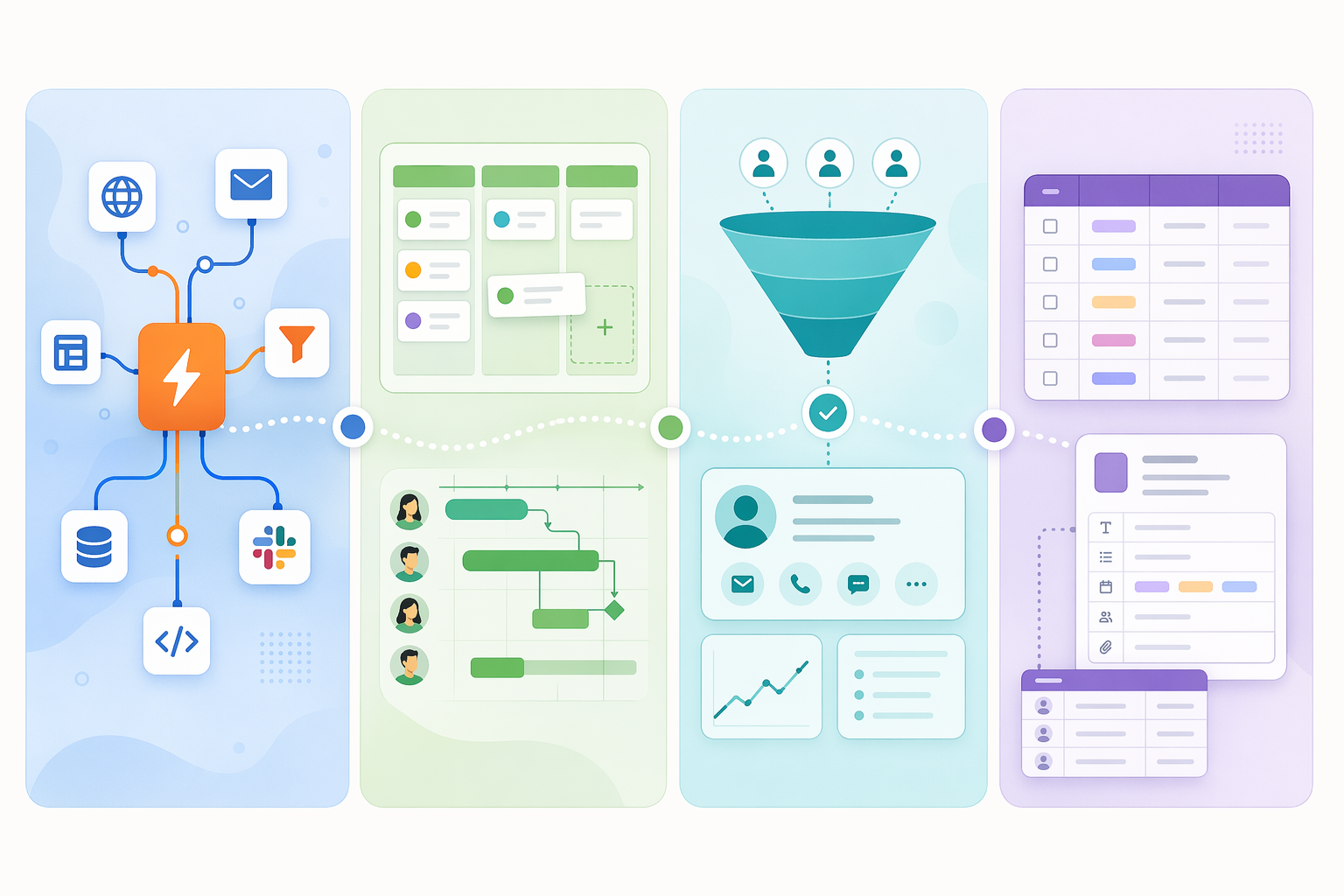
The first split: automation layer or operating center
Automation-first tools are best when the workflow has to cross systems that were not built around the same work model. A new form submission creates a spreadsheet row, sends a Slack alert, opens a ticket, updates a CRM contact, and emails the requester. No single project board owns that whole sequence. The automation platform becomes the connective tissue.
Project-management-embedded automation is different. If the process begins as a task, changes state on a board, waits for review, and ends when a card is marked done, a separate automation layer may be unnecessary. monday.com and ClickUp are commonly positioned around automations that sit alongside task tracking, while Atlassian’s workflow automation framing naturally centers Jira-style project and issue workflows.[2][3] For teams that already run their daily work in those systems, staying native can keep the automation visible to the people doing the work.
That visibility is not a small detail. Many abandoned automations do not fail because the first version was impossible. They fail because the builder leaves, the exception path is undocumented, and nobody knows whether the workflow lives in the project tool, the integration tool, the CRM, or someone’s private account. If your team is still debating this category choice, the deeper comparison of automation-first vs. project-management-first workflow tools is the right continuation path before testing vendors.
Automation-first platforms: fastest cross-app coverage, but different kinds of control
Zapier, Make, and n8n belong in the first comparison set when the workflow is mostly about moving information between apps. They all reduce manual handoffs, but they are not interchangeable. The important distinction is not whether each can automate a process; it is how quickly a team can start, how broad the app coverage is, and how repairable the workflow becomes when something breaks.
Zapier: broad app coverage and the least intimidating starting point
Zapier’s strongest argument is still reach. Its 2026 workflow automation roundup cites 9,000+ integrations, a large template ecosystem, a free plan capped at two-step workflows, and an AI Copilot that can generate workflows from natural-language descriptions.[4] Those details matter most to teams with a messy app stack. If the first question in a kickoff meeting is “Will it connect to our tools?” Zapier usually deserves an early test.
The template ecosystem is not just a convenience layer. It changes the first week of adoption. A relevant template gives a non-specialist a working structure: the trigger, the common actions, the expected fields, and often the naming pattern. That does not remove the need to inspect the workflow, but it avoids the blank-canvas problem where every department invents its own architecture.
The caution is pricing and workflow complexity. The free-plan cap on two-step workflows means even modest real processes can move quickly into paid territory.[4] Pricing was last verified in mid-2026 and should be checked directly before procurement. More importantly, Zapier’s simplicity can hide ownership questions: who reviews failed runs, who updates field mappings after an app change, and who decides when a two-step workflow has quietly become business-critical plumbing?
Make: visual control for teams that expect branching and repairs
Make deserves a close look when workflows are not just linear handoffs. The Digital Project Manager’s 2026 test highlights Make’s visual flowchart builder, stronger error handling for complex automations, 7,000+ ready-made templates, and lower per-operation cost than Zapier.[5] That combination is useful for processes with branching logic, retries, filters, and more than one place where data quality can go sideways.
A visual builder can be more than a nicer interface. It makes the workflow legible during review. When a manager, analyst, or operations lead opens a scenario and can see where the path splits, where errors route, and which step waits on which system, the automation has a better chance of surviving beyond its creator. That matters in distributed teams where nobody is standing next to the person who built the flow.
Make is not automatically the right answer for every cross-app workflow. If the process is simple and the needed template is already mature in Zapier, the extra visual control may not be worth the setup time. But when the first version already has conditions, exception handling, and cost sensitivity around high-volume operations, Make’s shape fits the problem better.
n8n: open-source control, with infrastructure attached
n8n belongs in the comparison for teams that want open-source control and self-hosting options. Activepieces’ open-source roundup identifies n8n’s community edition as a self-hosted option, while also making clear that this path requires infrastructure management.[6] That tradeoff is the point. n8n can be attractive when control, extensibility, or hosting requirements outweigh the convenience of fully managed SaaS.
It should not be romanticized for a team that does not want to own servers, updates, monitoring, and internal support. Self-hosted automation still needs someone to watch failures, maintain credentials, and update workflows when APIs change. If no one has capacity for that work, the open-source advantage can turn into another unassigned operations burden.
Project-management-embedded tools: when the board is already the workflow
A separate workflow automation platform is often unnecessary when the work is already governed by projects, tasks, boards, timelines, or sprints. In that situation, the first test is whether the project system can automate the boring but important transitions: assign the next owner, notify a reviewer, move an item when a status changes, create recurring tasks, or escalate overdue work.
monday.com and ClickUp are usually evaluated here because their automations sit directly beside the work objects teams already use. Wrike’s 2026 use-case breakdown includes both in the workflow automation landscape, while Atlassian’s list frames automation through project-management and agile work patterns.[2][3] Asana and Jira also belong in this group when the team’s process is already expressed through tasks, dependencies, statuses, issues, or sprint work.
The operational benefit is containment. The status field that triggers the automation is the same field the team updates during normal work. The notification is tied to the task people can inspect. The audit trail is closer to the conversation. That makes maintenance less mysterious than a chain of invisible automations firing from a separate account.
The limitation shows up when the workflow leaves the project environment. If a task update needs to coordinate deeply with finance, support, marketing, CRM, and data tools, the embedded automation may become a patchwork. At that point, compare it against an automation-first platform rather than forcing the project tool to act as middleware. Readers choosing from the project-management side may also want the broader workflow management software comparison by use case.
CRM-native automation: choose it when customer records drive the process
HubSpot and Salesforce should move to the front of the list when the workflow is governed by customer data. Zapier’s roundup and Wrike’s use-case framing both identify CRM-centric workflows around triggers such as deal stages, lead scores, and contact properties.[4][2] That is the deciding signal. If the work begins when a lead score crosses a threshold, a deal enters a stage, or a contact property changes, the CRM is not just another app in the chain. It is the workflow’s source of truth.
Using CRM-native automation in that case keeps the logic close to the record sales, marketing, and customer teams already inspect. It also reduces the risk that a separate automation layer updates the wrong field or runs on stale assumptions about the sales process. Cross-app automation can still be useful for notifications, enrichment, reporting, or downstream handoffs, but the core lifecycle rule should usually live where the customer state is maintained.
Database-driven tools: useful when records matter more than tasks
Airtable and Notion fit a different pattern: the team is not simply moving tasks or deals, but shaping a lightweight internal system around structured information. The workflow may revolve around content inventories, asset requests, vendor lists, research pipelines, event records, or operating documents. In those cases, the database model is the center of gravity.
The practical question is whether the record structure is stable enough to automate against. If fields change weekly, statuses mean different things to different people, or no one agrees which view is authoritative, automation will amplify the mess. If the record model is mature, database-driven workflows can give teams a flexible middle ground between a rigid project system and a fully custom internal tool.
How to judge template libraries without being fooled by size
Template count is a starting signal, not a verdict. Zapier’s separate template directory is a real advantage because it lets teams search for prebuilt workflows by app and use case.[7] Make’s 7,000+ ready-made templates, noted in The Digital Project Manager’s test, are also substantial.[5] But the useful question is narrower: does the platform have templates for the exact handoff your team performs every week?
A good workflow template does four things. It starts from the right trigger. It maps the fields a normal user would expect. It includes the common follow-up action, not just the first notification. And it is understandable enough that someone else can maintain it later. A weak template may still be impressive in a gallery; it just leaves the hard half of the process for your team to invent.
- Search by the two or three apps that must be involved, not by broad department labels.
- Open the template and inspect the actual trigger, actions, field mappings, and assumptions.
- Check whether the template covers the exception path: missing data, duplicate records, failed approvals, or delayed responses.
- Ask a non-specialist teammate to explain what the template does before it is adopted.
- Rename and document the workflow in plain language before it becomes production infrastructure.
For a narrower inspection of template catalogs, use the workflow automation software templates comparison before committing to a platform trial.
Integration breadth is not just an app count
Zapier’s 9,000+ integrations reduce app-coverage anxiety, especially for teams with a long tail of SaaS tools.[4] But integration breadth has layers. A platform may connect to an app and still lack the trigger you need. It may create records but not update the specific object your process depends on. It may support common fields but not custom properties. The app logo gets you into the room; the trigger and action depth decide whether the workflow works.
| Integration check | What it prevents |
|---|---|
| Confirm the exact trigger event | Building around a workaround because the real starting event is unsupported |
| Confirm the exact action and object type | Discovering late that the tool can create a record but not update the field you need |
| Test custom fields or properties | Breaking the workflow when the team relies on nonstandard data |
| Check authentication ownership | Running production workflows from one person’s private account |
| Review error logs and retry behavior | Letting failed handoffs disappear until a customer or teammate complains |
This is where independent testing is useful as a counterweight to vendor rankings. Vendor roundups from Zapier, Wrike, and Atlassian are helpful for category framing and product facts, but each naturally makes its own worldview look central.[4][2][3] The Digital Project Manager’s hands-on testing is more useful when comparing operational fit across tools, especially for Make’s error handling and cost-per-operation claims.[5]
Pricing: check what changes when the workflow becomes real
Pricing was last verified in mid-2026 and should be checked directly with each vendor. The comparison point is not only the monthly subscription. It is what happens when a trial workflow becomes a production workflow: more steps, more operations, more users, more connected apps, more premium features, or higher run volume.
Two details from the research are worth carrying into a buying conversation. Zapier’s free plan caps workflows at two steps, so teams should test the plan that resembles their real process rather than the smallest demo.[4] Make was assessed by The Digital Project Manager as having a lower per-operation cost than Zapier, which can matter for high-volume or multi-branch automations.[5] Those points do not settle the total cost of ownership, but they tell you where to look.
The adoption numbers are encouraging, with a warning attached
Kissflow’s 2026 statistics roundup reports that 60% of organizations achieve ROI from automation within 12 months.[8] That is a good reason to take workflow automation seriously. A separate directional warning, often traced to Camunda’s 2020 survey, says many automation projects fail because of technical issues, implementation costs, or lack of strategy. The exact failure figure should be treated cautiously because it comes from an older source and is summarized through a later roundup, but the pattern matches what teams encounter in practice.
Template-first adoption helps because it shortens the distance between intention and working workflow. It does not solve strategy. A template cannot decide who owns the workflow, what happens when the source data is wrong, or whether the automated handoff should exist in the first place. Those decisions need to happen before the workflow is treated as production.
A practical buying sequence
Start with one representative workflow, not a platform-wide automation strategy. Pick something frequent enough to matter and contained enough to test honestly: a lead handoff, intake request, approval route, content status change, support escalation, or reporting update. Then run the same workflow through the buying sequence.
- Name the workflow’s operating center: cross-app, project/task, CRM, or structured records.
- Shortlist platforms from that category before comparing feature grids.
- Find the closest template and inspect what it actually builds.
- Verify exact integrations, triggers, actions, custom fields, and authentication ownership.
- Build a small production-like test with the real exception path included.
- Assign maintenance ownership before rollout: failure review, credential updates, documentation, and change control.
- Review pricing at the expected run volume and workflow complexity, not at demo size.
Teams ready to implement can use the setup guide on how to choose and set up a first process automation tool. Larger teams planning a broader rollout may need the full business workflow management software deployment walkthrough instead.
If the work crosses many apps and you need templates fast, start with the automation-first leaders, especially Zapier and Make. If the workflow lives inside projects, CRM records, or structured databases, choose the platform native to that operating center before adding another automation layer. The best workflow automation software is the one your team can launch, understand, and maintain when the first neat demo has become everyday work.
References
- Workflow Automation Market - Size, Report & Forecast — Mordor Intelligence
- 18 best workflow automation software tools in 2026 (by use case) — Wrike
- 9 Best Workflow Automation Software [2026] — Atlassian
- The best workflow automation tools in 2026 — Zapier
- I Tested 10 Workflow Automation Software In 2026: My Top Picks — The Digital Project Manager
- Open-source workflow automation tools roundup — Activepieces
- Workflow Automation Templates — Zapier
- 50+ Crucial Workflow Automation Statistics and Trends for 2026 — Kissflow
Comments
Join the discussion with an anonymous comment.