
The usual failure point is not note-taking. It is the first empty screen.
Someone hears about building a second brain, opens a personal knowledge management app, and immediately has to choose between a blank workspace, a gallery of polished templates, and a dozen people online arguing about PARA, Zettelkasten, backlinks, folders, objects, graphs, and whether tags are secretly ruining everything. By the time the first actual note should exist, the beginner is comparing systems instead of saving the thing they came to remember.
A better first month is much smaller: pick one app, start from a pre-built template or starter structure, spend about 10 minutes a day capturing notes, and aim for roughly 100 useful notes after 30 days. That is enough material to search, sort, connect, prune, and learn from. It is not enough material to justify a three-week architecture project.

Why starting badly costs more than it looks
The reason to bother with PKM is not that tidy people deserve prettier dashboards. It is that scattered information has a real work cost. One guide citing McKinsey research reports that knowledge workers waste an average of 9.3 hours per week searching for information; the same source cites data that 80% of knowledge workers experience information overload and that 47% spend more than an hour a day searching for files [1].
Those numbers describe the ordinary drag behind the messy shared drive, the meeting decision buried in chat, the half-remembered article, and the project idea you know you wrote down somewhere. If you want the fuller business case, the data-driven argument is covered in Is Personal Knowledge Management Worth It?. For this guide, the practical point is simpler: the first system should help you find yesterday’s decision before it asks you to become a taxonomy designer.
PKM is also no longer a tiny hobby category. Dataintelo estimated the personal knowledge management software market at $1.8 billion in 2025 and projected it to reach $4.9 billion by 2034, at an 11.8% CAGR [2]. That does not mean every beginner needs a complex system. It does mean you are choosing from a mature enough software category that the first month can be ordinary, boring, and useful.
The 30-day target: 100 notes, not a perfect brain
A useful first milestone is roughly 100 notes in 30 days. Atlas describes a beginner who maintains consistent daily capture for 30 days as ending the month with about 100 notes, a habit, and a working filing structure, with compounding beginning in the second month [3]. Treat that as a practical benchmark, not a moral test. If you finish with 72 notes and can find them, you are doing better than someone who installed six plugins and captured nothing.
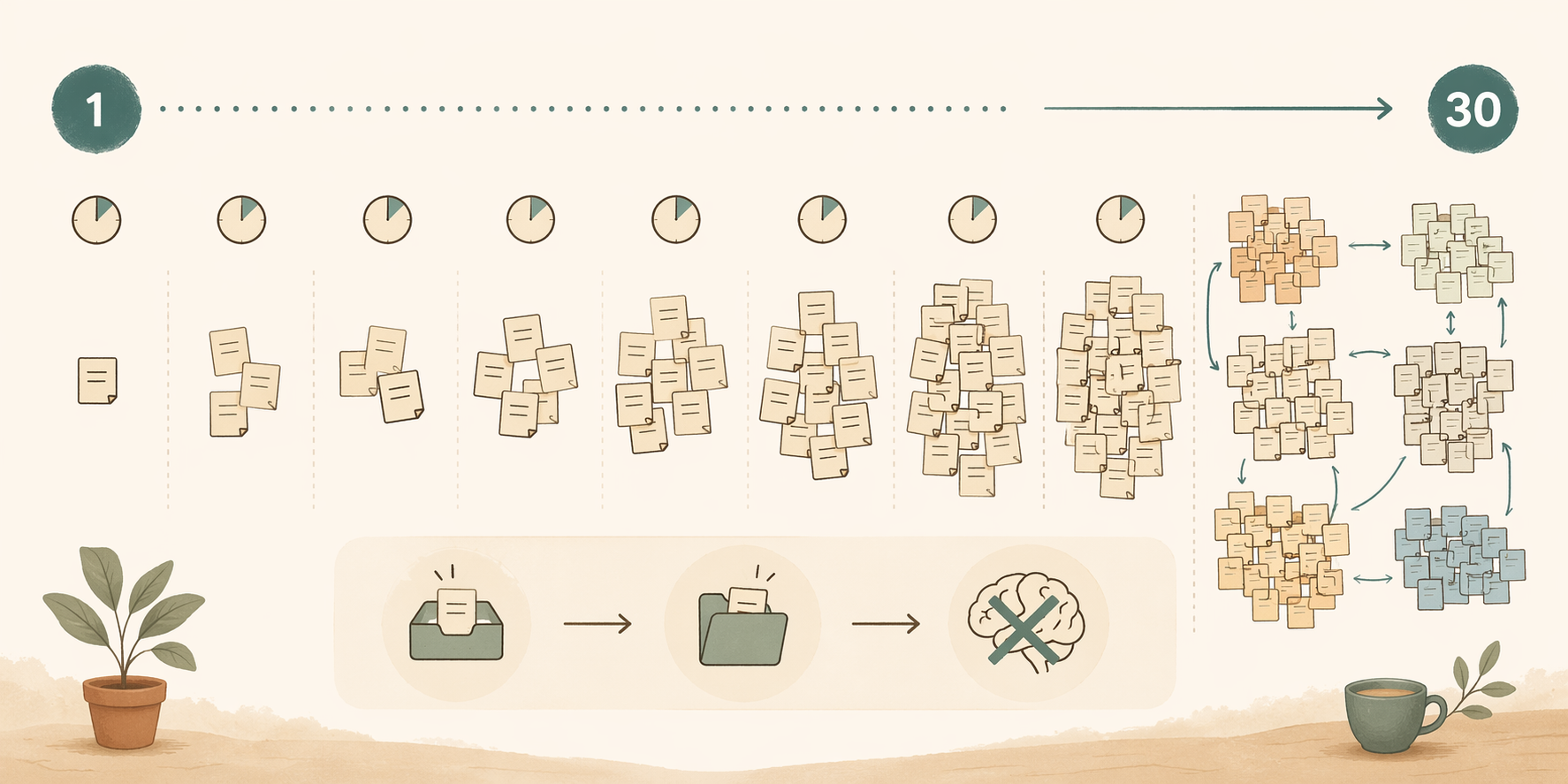
For this first month, a “note” can be small. It can be a meeting decision, a quote from an article, a book highlight rewritten in your own words, a project idea, a question for later, a useful link with one sentence of context, or a short record of how you solved a problem. It does not need to be a polished essay. It does need to be findable later.
The 100-note mark matters because it gives the system enough texture. With 10 notes, every framework looks theoretical. With 100 notes, you can see what you actually collect: work decisions, class material, client research, recipes, code snippets, reading notes, household admin, or creative ideas. Method-fit becomes much easier after your real notes have had a chance to misbehave.
Choose the least intimidating starting surface
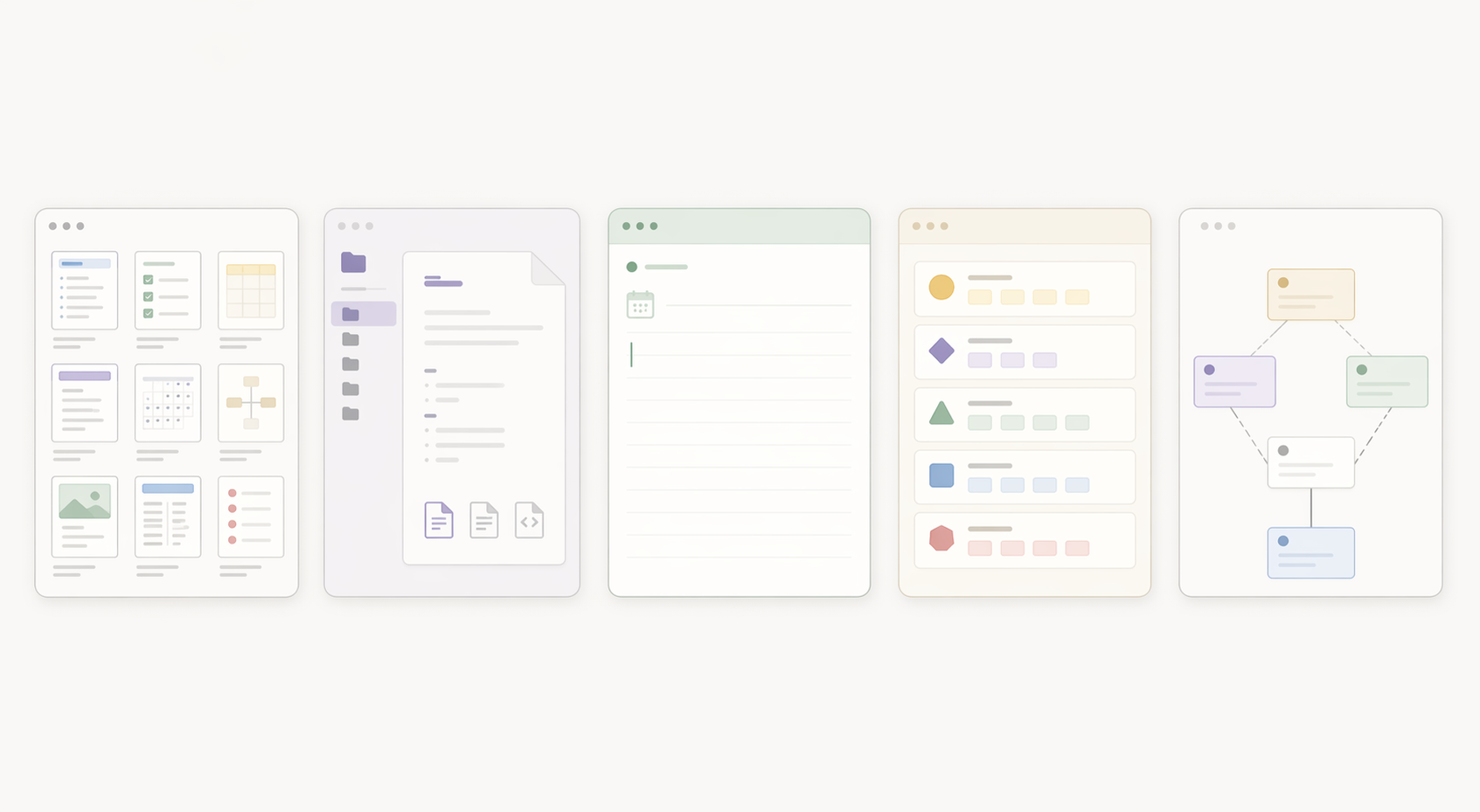
The five apps below are not ranked. All can work. The question for the first 30 days is which one gives you the smallest setup burden while still making sense when you return tomorrow.
| App | Best beginner starting surface | Main caveat |
|---|---|---|
| Notion | Template gallery, pages, databases, ready-made dashboards | The abundance can turn into another decision trap |
| Obsidian | Local notes, community templates, plugin-supported workflows | Power arrives early, and that can become technical too soon |
| Logseq | Daily journal-first capture | Less polished if you want a classic dashboard immediately |
| Capacities | Opinionated object types such as people, books, meetings, and ideas | You have to accept the app’s structure before redesigning it |
| Anytype | Object-based starter spaces with relationships built in | The model can feel unfamiliar if you expect plain folders |
Notion: easiest if you want a visible template immediately
Notion is the obvious template-first choice because its ecosystem is large and visual. Sources describe 10,000+ community templates, including PARA, Second Brain, and Zettelkasten starters, and note that its free tier offers unlimited pages and blocks [1][4]. For a beginner, that means you can duplicate a workspace and start typing before you understand every part of it.
The catch is the same as the attraction. A gallery with thousands of templates contains excellent work, abandoned experiments, lookalike copies, and beautiful systems that solve someone else’s life. Pick one simple starter and stop browsing. If you choose Notion, this 30-minute beginner setup guide is the better next step than opening ten more template tabs.
Obsidian: best if ownership matters and you can resist tinkering
Obsidian’s beginner appeal is different. It is local-first, works with plain text files, and is free for personal use on a single device; sources also point to 1,000+ community plugins, including tools such as Templater, Dataview, and Calendar that can support dynamic template workflows [5][6].
That is excellent if you care about owning your notes. It is less excellent if your first week disappears into theme settings, plugin documentation, graph views, and folder debates. For the first 30 days, use Obsidian as a place to create daily notes, project notes, and reading notes. Let the graph view be decoration until the capture habit exists.
Logseq: start with today and skip the architecture
Logseq is useful for beginners precisely because it can avoid the template question. Tool Finder describes it as a low-friction daily-journal approach that requires no template at all, and notes that it is free and open-source [5]. You open today’s page and write. Tomorrow, you open tomorrow’s page and write again.
This is not a lesser system. Daily capture is often the cleanest answer for people who freeze when asked to design categories. A meeting decision, a class takeaway, a link, and an idea can all land in the journal first. Organization can follow later, when you know what keeps showing up.
Capacities: helpful when objects make more sense than pages
Capacities starts from a more opinionated model: notes are treated as object types, such as people, books, meetings, or ideas. Tool Finder describes Capacities and Anytype as offering opinionated object-type starters that require less customization than Notion or Obsidian [5].
That opinionated structure can be a relief. Instead of asking, “Where should this go?” you can ask, “What kind of thing is this?” A book note becomes a book. A recurring colleague becomes a person. A project update becomes a meeting or project entry. The app’s structure carries some of the early thinking for you.
Anytype: structured from the start, but with a learning curve
Anytype also uses an object-based approach, with starter structures and relationships rather than a completely empty pile of pages. For beginners who like the idea of people, tasks, notes, projects, and resources being distinct kinds of things, that can reduce customization decisions in the first week [5].
The caveat is vocabulary. If you are used to folders and documents, object-based PKM can feel odd at first. Do not try to model your whole life. Use the starter objects that already exist, capture notes into them, and postpone structural changes until the end of the month.
Pricing changes, and AI add-ons change faster. As of Q1–Q2 2026, the practical beginner anchor is that free tiers or free personal-use options exist across these recommended apps, so you do not need to pay before you know whether the habit will stick. Treat any paid upgrade, including Notion AI-style add-ons, as a later decision rather than part of the 30-day start.
The 30-day template-first operating rhythm
The plan below assumes about 10 minutes a day. Some days will be three minutes. Some days will be 20. The important part is that capture happens before optimization.
| Days | What to do | What to ignore for now |
|---|---|---|
| Day 1 | Choose one app and one starter template or starter structure | Framework comparisons, template shopping, plugin stacks |
| Days 2–7 | Capture 2–4 notes per day with light labels or folders only when obvious | Perfect categories, graph cleanup, database redesign |
| Days 8–14 | Review what you captured and make one small adjustment | Migrating apps because another one looks cleaner |
| Days 15–21 | Add slightly richer notes: decisions, summaries, project context, reusable ideas | Advanced automation and elaborate tagging systems |
| Days 22–30 | Search, connect, and clean enough to make the system usable | Choosing a permanent methodology before you have evidence |
Day 1: choose once, then close the gallery
Your Day 1 job is to remove the empty room. Choose one personal knowledge management app from the five above. Choose one starter: a Notion template, an Obsidian vault structure, a Logseq daily journal, a Capacities starter space, or an Anytype object setup. Then stop.
A good starter has only a few obvious places to put things. Look for something with daily notes, projects, resources or reading notes, and an inbox. If a template has a dashboard for every possible mood, role, goal, course, recipe, habit, contact, and quote, it may be impressive and still be a poor first month.
If you would rather use a ready-made starter than assemble one yourself, use The 30-Day PKM Starter System. If you prefer to build the habit without centering templates, the companion route is Build Your First PKM System in 30 Days.
Days 2–7: capture before you classify
For the first week, add two to four notes a day. That is enough to reach the monthly target without turning PKM into another job. Use whatever entry point your app makes easiest: a daily note in Logseq or Obsidian, an inbox page in Notion, an object in Capacities or Anytype.
- After a meeting: write the decision, the owner, and the next action.
- After reading: save the useful idea and one sentence about why it matters.
- After solving a problem: record the fix so you do not rediscover it later.
- When an idea appears: capture the rough version instead of waiting for a clean version.
Do not build a tagging system in week one. Use plain labels only when they are obvious: “Project A,” “Reading,” “Meeting,” “Ideas.” If a note does not have an obvious home, put it in the inbox or today’s journal. The system is allowed to be slightly messy while it is becoming real.
Days 8–14: make one small adjustment
At the end of the first week, look at what you actually captured. Not what you imagined you would capture. Not what the template designer assumed. Your notes will usually tell you what the template needs.
- If all notes are landing in the inbox, add one obvious split, such as Work and Personal.
- If reading notes are piling up, add a simple Reading Notes page or object type.
- If meeting decisions are hard to find, create a Decision Log.
- If the template has sections you never touch, hide them rather than feeling guilty.
Make only one or two changes. The goal is not to renovate the template. The goal is to remove the one friction point that would stop you from coming back tomorrow.
Days 15–21: start writing notes that help future you
By the third week, the notes should become a little more useful on return. A copied quote is fine, but a copied quote plus “use this in the onboarding memo” is better. A meeting title is fine, but “we chose Vendor B because support response mattered more than price” is much better.
Use a short note shape when you need one:
- What happened or what I found
- Why it matters
- Where I might use it
- Related project, person, source, or question
This is the point where templates help most quietly. A field, prompt, or object type can remind you to add context before the note becomes a mystery. You do not need an elaborate methodology to write one sentence about why a note exists.
Days 22–30: search, connect, and clean lightly
In the final stretch, keep capturing, but spend a few minutes testing retrieval. Search for a decision from last week. Find a reading note without using your browser history. Pull up an idea related to an active project. This is where the system starts proving whether it works.
Light cleanup is allowed. Rename vague notes. Move obvious items out of the inbox. Link two related notes if the relationship is useful. Delete duplicate clutter. Do not spend the final week making the homepage beautiful unless the homepage is genuinely blocking use.
Students may want a slightly different template surface, especially if their notes revolve around courses, readings, exams, and assignments. The student-specific comparison of note-taking apps with the best template ecosystems is more relevant than forcing a workplace-style dashboard onto a semester.
What to do when the first month ends
At day 30, you should have a small working system: roughly 100 notes, a capture habit, a few places where notes tend to land, and some evidence about what you actually need. This is the right time to ask bigger questions, because the answers can now come from use rather than fantasy.
- If project notes are the most valuable part, strengthen project pages or folders.
- If reading notes are accumulating, add a review habit or source field.
- If daily notes are working, keep them as the front door.
- If the template feels too large, remove sections you have not used.
- If the app itself feels wrong after honest use, now you have enough notes to migrate deliberately.
This is also when frameworks become useful. PARA, Zettelkasten, CODE, maps of content, and object-based systems are easier to evaluate once you can point to real notes and real retrieval problems. If you want to choose a longer-term method after the first month, use How to Choose Your First PKM Framework then, not before you have anything to organize.
Templates are not the destination. They are scaffolding. Use them to get past the blank page, keep the parts that make capture easier, and abandon the parts that turn into ceremony. If you want more ready-to-use structures after the first month, the Complete PKM Template Pack can give you more options across Notion and Obsidian without sending you back to a blank workspace.
The first month does not need to settle your philosophy of knowledge. It needs to give you a place where yesterday’s decision, last week’s reading highlight, and the idea you almost lost can be found again.
References
- 10 Best Personal Knowledge Management Software 2026, GoLinks
- Personal Knowledge Management Software Market, Dataintelo
- Personal Knowledge Management, Atlas
- Top 10 Note-Taking PKM Apps 2026, Deepak Gupta
- Best PKM Apps, Tool Finder
- Best PKM Apps, Kosmik
Comments
Join the discussion with an anonymous comment.