
FlowDesk’s Aug. 25, 2026 duplicate-and-fill test found one NYC-specific Notion template that made sense for a first three-day trip: NYC Itinerary & Trip Planner 2026 by Let’s Go Lukiih. It held up because it starts from the right scale: a New York itinerary, not a global life dashboard with a travel tab hiding somewhere inside it. The marketplace listing positions it as a paid NYC planner with 80+ Google Maps pins and a drag-and-drop itinerary for 3–7 days, which is exactly the range where a first-timer needs structure without turning the trip into software administration.[1]
The free NYC Trip Planner is still useful, especially if you want a no-cost sample three-day itinerary, flight and accommodation tracking, and a large starter activity list.[2] In the actual fill test, though, the paid NYC-specific template was the cleaner base for building a neighborhood-clustered plan. The better system was not “the biggest template wins.” It was: duplicate the NYC template, fill only the fields that help on the street, then export a PDF copy before leaving the hotel.
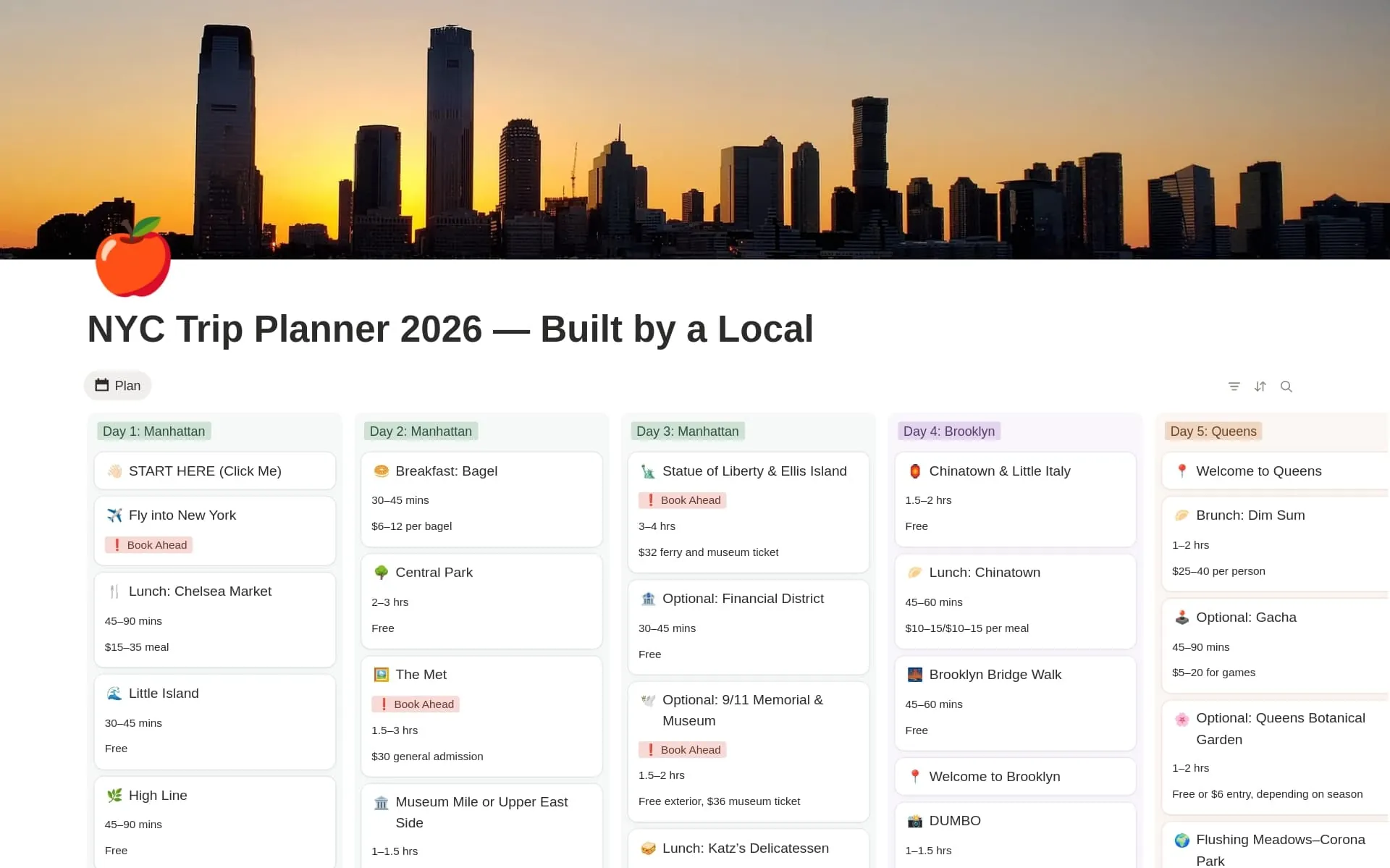
That narrow choice matters because the Notion marketplace is enormous while the NYC-specific itinerary shelf is not. 2sync describes the marketplace as holding 30,000+ community templates, citing Notion; against that, the official NYC-specific travel options are only a handful rather than a deep category.[3] Generic travel templates can be excellent, and some have strong marketplace review counts: Tripstone’s 2026 roundup lists Planora Travel Planner at 4.9/5 from 29 reviews, dori.studio’s Trip Planner at 4.8/5 from 28 reviews, and NotionTwins Travel Planner at 4.9/5 from 227+ reviews.[4] Those numbers prove demand and polish. They do not prove that a giant all-in-one planner is the fastest way to survive three days in New York.
| Test boundary | What counted |
|---|---|
| Template source | Official Notion marketplace templates only; no unaudited off-market galleries. |
| Trip type | NYC-specific templates for a first three-day visit; generic planners were treated as comparison points, not finalists. |
| Test method | Duplicate first, then fill a real neighborhood-clustered itinerary with transport, tickets, hours, and fallback notes. |
| Last verification date | Aug. 25, 2026, for the template test and the time-sensitive NYC planning facts used in the filled plan. |
| Final operating rule | Use Notion for planning and day review; use a PDF backup when reception, battery, or Notion sync gets in the way. |
The template that held up, and why the free one did not win the test
The paid NYC Itinerary & Trip Planner 2026 won the test for one boring reason: less repair work. After duplication, its day-based structure already matched the job. The rows wanted to become morning, afternoon, evening, and optional blocks. The map-pin emphasis made it natural to check whether two activities belonged in the same area before pretending they fit into the same half-day. That is the part most pretty travel dashboards miss. New York does not punish you for having too few widgets. It punishes you for putting the Met, the High Line, and the Staten Island Ferry into one day because the template made everything look equally close.
The free NYC Trip Planner was not bad. It was the better choice if the budget is zero or if you mainly want a sample list to raid. Its marketplace listing says it includes a sample three-day itinerary, flight and accommodation tracker, and extensive sample activity list.[2] In the fill test, that made it a good reference tab, not the main operating page. A large activity list still has to be cut down, sorted by neighborhood, checked against opening hours, and turned into something you can read while standing on a platform with five minutes to decide.
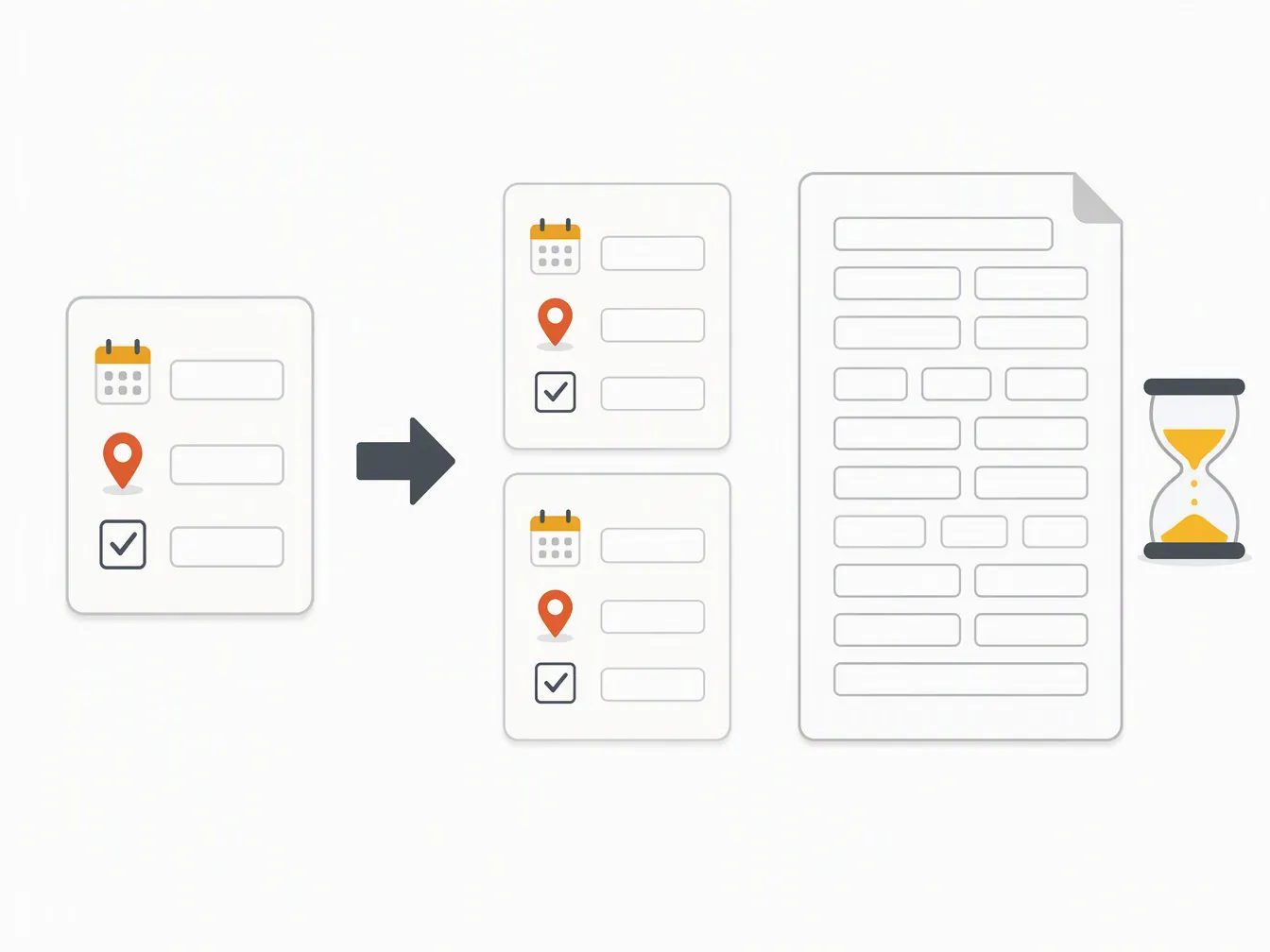
Generic all-in-one planners were useful as a warning label. Tripstone’s own testing says Notion templates can be quick to duplicate — about 30 seconds — but the real cost comes afterward, when someone has to manually enter hours, distances, prices, and day-by-day decisions.[4] Tripstone also sells a trip-planning app, so its criticism of Notion is not a neutral museum plaque. Still, the complaint matches the actual Notion experience: duplication is the easy part. The filled template is where the trip either becomes usable or becomes another dashboard you avoid opening.
How we duplicated and filled it
The tested setup started with a normal template duplication into a personal Notion workspace. Before adding any trip information, the first duplicate was renamed as a clean master copy. A second copy became the working itinerary. This is a small step, but it saves the usual Notion problem where a promising template slowly becomes a junk drawer and there is no clean version left to restart from.
The working copy kept the pieces that helped answer travel questions quickly: day sections, activity rows, location links, reservation notes, ticket status, rough cost, and a simple priority field. Anything that required maintenance without helping the three-day trip was demoted or ignored. A packing list is fine. A grand travel finance dashboard is not necessary when the decision on Day 2 is whether to do the Vessel reservation, walk the High Line, or stop for food before the ferry.
| Template area | Keep, change, or ignore | Why |
|---|---|---|
| Day itinerary sections | Keep | They are the operating surface for morning, afternoon, evening, and optional blocks. |
| Map pins / location links | Keep and verify | They prevent fake proximity. Every activity needs an address or map link before it earns a slot. |
| Activity database | Keep, but reduce | A shorter confirmed list beats a huge maybe list once the trip starts. |
| Priority field | Add if missing | Use Must, Nice, or Skip if tired. This is more useful than a decorative rating. |
| Opening-hours notes | Add manually | The template cannot be trusted to know the current hour, closure, or ticket window. |
| Transit notes | Add manually | Notion is not live routing. The field should hold the intended subway line or walking transfer, not replace Maps. |
| Big budget dashboards | Ignore for this trip | Three days needs visible ticket costs and fare assumptions, not accounting software. |
The fill order mattered more than the template aesthetics. Flights and hotel went in first, because they determine the first and last day radius. Then came fixed-ticket or fixed-window items. Only after that did the open activities get arranged by neighborhood. This avoided the common first-NYC mistake: building a dream list, placing it chronologically, and only later discovering that the list zigzags across Manhattan all day.
- Duplicate the NYC template into Notion.
- Create one untouched master copy and one working trip copy.
- Add hotel, arrival time, departure time, and airport transfer notes.
- Create three day pages or day sections before adding attractions.
- Assign each day a main zone: Midtown, Downtown/West Side, or Central Park/Museum.
- Add must-do items first, with ticket status, expected time cost, and verified hours.
- Add optional items only if they sit near the day’s main route.
- Export the finished itinerary to PDF and save it somewhere outside Notion.
The most useful added field was not glamorous: Why it is here. Each activity had to justify its place in the day. “Near hotel,” “near ferry,” “rain backup,” “ticketed,” and “only if energy is good” are better labels than another star rating. They tell the person doing the trip what to cut first.
How the three-day plan was clustered
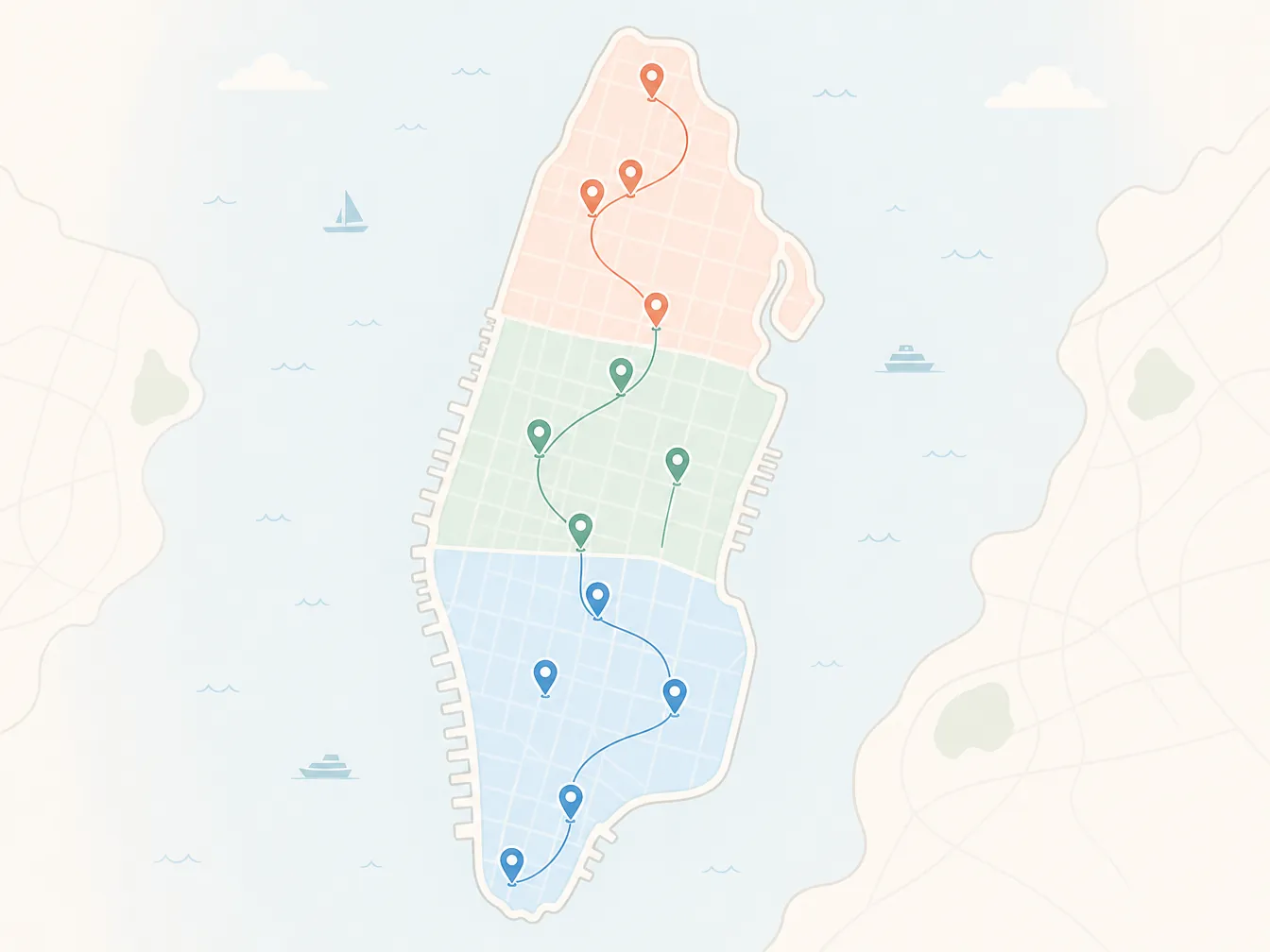
The filled test plan used three broad zones instead of trying to rank every famous New York stop: Midtown for the classic arrival day, Downtown plus the West Side for harbor and walking time, then Central Park and the museum corridor for the last full day. The point was not to create the only correct NYC itinerary. It was to see whether the template could hold a realistic first-timer route without turning every adjustment into a rebuild.
| Day | Main zone | Anchor idea | Cut-first items |
|---|---|---|---|
| Day 1 | Midtown | Arrive, orient, do one skyline/ticketed experience, keep the evening simple. | Anything requiring a downtown transfer after dinner. |
| Day 2 | Downtown and West Side | Use lower Manhattan, the free ferry, Chelsea, the High Line, and Hudson Yards as one connected day. | Vessel or extra shopping if the ferry and High Line already fill the day. |
| Day 3 | Central Park and museum corridor | Give the Met and park enough room, then leave one evening culture option. | Second museum, long cross-town detour, or any ticket that creates a rushed checkout morning. |
Day 1: Midtown without pretending arrival day is a full day
The Day 1 page started with the hotel and arrival logistics, not attractions. That kept the first afternoon honest. After bag drop, the cluster stayed in Midtown: Bryant Park, the New York Public Library exterior or lobby if timing worked, Grand Central, then the Empire State Building as the one paid anchor. The Empire State Building 86th-floor observatory is listed from $44, and the visit can take 2–3 hours once entry, security, viewing, and exit time are counted.[5]
In the template, the Empire State row got a “Must” priority, a ticket-status field, and a time-cost note. Bryant Park and Grand Central got “Nice” priority because they are easy to keep or cut depending on arrival fatigue. Times Square went in as an evening walk-through, not as a full event. That one distinction keeps the page usable: Times Square is worth seeing for many first-timers, but it does not need to become the day’s scheduling spine.
| Day 1 block | Template entry | Planning note |
|---|---|---|
| Arrival | Hotel, bag drop, nearest subway station | Do this before attractions. It determines the real start time. |
| Afternoon | Bryant Park, NYPL, Grand Central | All are flexible Midtown orientation stops. |
| Ticketed anchor | Empire State Building | Mark ticket status and allow 2–3 hours, not just the observation time.[5] |
| Evening | Times Square walk-through or nearby dinner | Keep this low-friction after travel. |
Day 2: Downtown, the ferry, the High Line, and the optional Hudson Yards stop
Day 2 did the heavier sightseeing, but it still stayed in a north-moving line. The morning held lower Manhattan: Financial District streets, the 9/11 area if it was part of the traveler’s priorities, then the Staten Island Ferry as the harbor-view move. The ferry stayed in the template as a “Must if weather is clear” item because it is free and gives a skyline and Statue of Liberty view without requiring a separate boat ticket.[6]
After the ferry, the plan moved to the West Side instead of bouncing back to Midtown. Chelsea Market and the High Line paired well because the High Line is about 1.5 miles and commonly takes 30–45 minutes to walk, before extra time for photos, crowds, or food stops.[6] The template note for this block was deliberately plain: “Walk north only if energy is good; subway or rideshare if weather turns.”
Vessel was left as an optional Hudson Yards add-on, not a structural anchor. The planning note listed it as a reserved-ticket item at about $10, which means it should be checked before the day starts rather than treated as a casual walk-up stop.[6] This is where the template’s priority field earned its space. Without it, every attraction looks equally official. With it, the day has a clear cut line.
| Day 2 block | Template entry | Planning note |
|---|---|---|
| Morning | Lower Manhattan / Financial District / 9/11 area | Use one downtown cluster instead of splitting it across multiple days. |
| Harbor view | Staten Island Ferry | Free; keep as a weather-sensitive skyline option.[6] |
| Afternoon | Chelsea Market and High Line | High Line is about 1.5 miles and commonly 30–45 minutes before stops.[6] |
| Optional | Vessel / Hudson Yards | Reserved ticket item; about $10 in the last-verified notes, so verify before relying on it.[6] |
Day 3: Central Park, the Met, and one evening plan
The third day used the upper Manhattan museum-and-park cluster. The Metropolitan Museum of Art became the anchor because its collection spans 5,000 years and includes more than 2 million works; the template note therefore treated it as a half-day choice, not a quick checkbox.[6] Central Park sat before or after it depending on weather. The route did not add a second major museum unless the traveler explicitly cared more about museums than neighborhoods.
The evening field held one culture option, not four. The verified planning notes flagged Met Opera rush tickets around $25 and NYC Ballet tickets at $30 for ages 13–30, both requiring current availability checks.[6] In the template, those went under “Optional evening” with a clear reservation note. That keeps the plan honest: a rush ticket can be a great deal, but it is not a guaranteed slot until availability and eligibility are confirmed.
| Day 3 block | Template entry | Planning note |
|---|---|---|
| Morning or midday | Central Park | Weather-flexible. Move before or after the museum. |
| Anchor | The Met | Treat as a half-day item; its collection spans 5,000 years and 2M+ works.[6] |
| Evening | Met Opera rush or NYC Ballet youth ticket option | Check current availability, age rules, and ticket windows before adding it as a real plan.[6] |
| Backup | Nearby dinner and early night | Useful if the first two days ran long. |
The 2026 transit facts that belonged inside the template
Transit notes were added to the relevant day pages, not hidden in a separate “resources” section. For a first three-day NYC trip, the subway assumption affects every plan. The verified 2026 planning facts used here are a $3.00 subway ride, a $35 weekly cap through OMNY tap-to-pay, and a MetroCard and cash phase-out during 2026.[5] That belongs near the daily route because it changes the traveler’s behavior: tap consistently with the same card or device, and do not build the plan around buying a MetroCard unless that has been rechecked.
The template did not try to replace live routing. Each day got only the expected movement pattern: “subway to Midtown,” “downtown to ferry,” “West Side northbound,” “museum and park cluster.” Live delays, platform changes, and exact transfers still belong in a maps or transit app. Notion’s job here is to keep the day from scattering. It is not a dispatch system.
| Fact to verify | Where it went in Notion | Why it matters |
|---|---|---|
| $3.00 subway ride and $35 weekly OMNY cap | Trip facts block and each day’s transit note | Prevents overthinking single rides and reminds the traveler to tap consistently.[5] |
| MetroCard and cash phase-out during 2026 | Arrival-day note | Avoids airport or first-station confusion.[5] |
| Empire State Building from $44 / 2–3 hours | Day 1 ticketed anchor | Controls the first day’s time budget.[5] |
| Staten Island Ferry free | Day 2 harbor-view item | Makes it a high-value flexible activity.[6] |
| High Line 1.5 miles / 30–45 minutes | Day 2 walking block | Stops the route from being treated as a five-minute connector.[6] |
| Vessel about $10 reserved ticket | Day 2 optional item | Keeps it from becoming an unverified walk-up assumption.[6] |
| Met collection scale | Day 3 museum anchor | Justifies giving the museum real time instead of squeezing it between unrelated stops.[6] |
How to operate the template during the trip
The working version had one rule for each morning: open only today’s page. Not the whole dashboard, not the full activity database, not the someday list. The day page showed the main zone, must-do item, optional items, ticket checks, and the first transit move. That is enough information before coffee. Anything more becomes another planning session.
During the day, the priority field did the repair work. If the Empire State Building took longer than expected, the flexible Midtown extras dropped first. If the ferry ran long or the weather made the High Line unpleasant, Vessel stayed optional. If the Met absorbed the afternoon, the evening rush-ticket plan became a dinner plan. The template was useful because it made cuts visible before the traveler was tired.
- Must: the day feels incomplete without it, or a ticket/reservation is already attached.
- Nice: keep it if it is nearby and the day is moving on time.
- Skip if tired: never let this item break the next morning.
- Weather backup: useful only if it is close to the existing route.
This is also why the neighborhood cluster mattered more than a minute-by-minute schedule. A rigid 9:10, 10:35, 12:05 plan looks tidy until the first train delay or bag-check line. A zone-based day can absorb normal New York friction without requiring the traveler to rebuild the whole thing from a phone screen.
The PDF backup is not optional
The final test step was exporting the filled itinerary to PDF. This is not nostalgia for paper. It covers the gap between a planning app and a reliable travel document. Tripstone’s 2026 Notion travel-template testing flags the same broad weakness: Notion can be duplicated quickly, but it does not remove the manual planning burden or behave like a dedicated live travel assistant.[4] Offline access is where that distinction becomes practical.
The exported PDF included only the parts needed on the move: hotel address, arrival and departure notes, daily zones, must-do items, ticket confirmations or reservation reminders, rough transit moves, and fallback items. It did not include the full inspiration list. A backup that is too long becomes another place to search.
- Open the finished working itinerary in Notion.
- Hide unused database views, archived ideas, and decorative sections.
- Export the visible trip pages as a PDF.
- Save the PDF to the phone’s local Files app or equivalent offline folder.
- Send a copy to the other traveler, if there is one.
- Keep ticket PDFs or confirmation emails separately; the itinerary should point to them, not replace them.
If you want native offline-first planning, automatic live routing, real-time opening-hour changes, or a system that books and reshuffles the trip for you, Notion is not the whole answer. For that use case, a dedicated travel planner or maps app should sit in front. For a first three-day NYC trip, though, the tested setup is a good middle ground: a NYC-specific Notion template for structure, verified 2026 trip facts for reality, and a PDF copy for the moments when the app is the wrong place to depend on.
References
- NYC Itinerary & Trip Planner 2026 | Notion Marketplace — Notion Marketplace
- NYC Trip Planner | Notion Marketplace — Notion Marketplace
- 50 best free Notion templates in 2026 — 2sync
- 6 Best Free Notion Travel Templates 2026 — tripstone
- 3 Days in NYC – Perfect Itinerary for First Timers (2026) — Carrie Green-Zinn
- 3 Days in NYC: a Step-by-Step Guide — That’s What She Had, Jan. 2025

Comments
Join the discussion with an anonymous comment.