
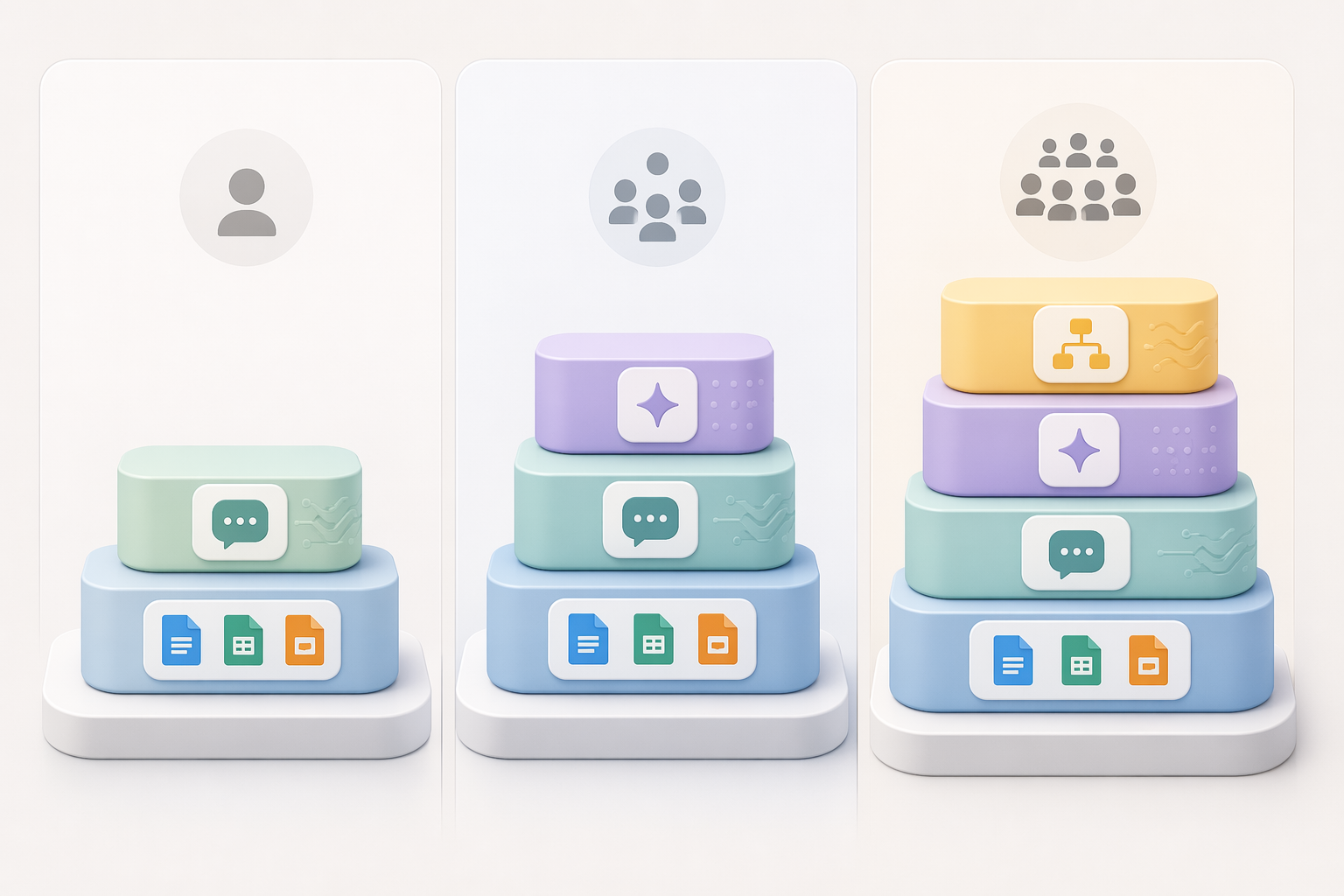
The cleanest way to choose AI productivity tools in 2026 is to buy in layers, not in excitement. Start with the AI already attached to the office suite your work lives in, add one general-purpose chatbot for thinking and drafting, and only then pay for specialist tools when a real bottleneck keeps showing up. That order prevents the most common waste pattern: Microsoft 365 or Google Workspace already summarizes, drafts, searches, and rewrites, while a separate chatbot, meeting app, automation platform, and notes tool all quietly claim the same job.
The buying order matters more than the brand list. If you already pay for Microsoft 365, Microsoft Copilot is the first serious layer to inspect; if your team runs on Google Workspace, Gemini belongs in that first inspection. In Q2 2026 pricing, Microsoft Copilot sits at $21/user/month on an annual business tier after a cut from $30 on December 1, 2025, while Google Gemini is bundled into Workspace plans in the $14–22/user/month range. General-purpose chatbots such as ChatGPT Business and Claude Team are both around $25 per user or seat per month. Those figures were last verified in June 2026, which is not a decorative note in this market; it is a warning label.[1]

Why the stack gets expensive before it gets useful
AI productivity tools are abundant enough now that a capable person can overspend without making an obviously foolish purchase. A meeting recorder, a writing assistant, an automation tool, a design tool, a project workspace, and a chatbot can each be defensible in isolation. The problem appears in the overlap: three tools summarize the same call, two rewrite the same email, one automation quietly burns through metered tasks, and nobody has decided which output is trusted.
Market forecasts underline the abundance, though they do not agree cleanly on scale. Grand View Research puts the AI productivity tools market at $14.1 billion in 2026, while other public forecasts project much larger long-term totals into the mid-2030s.[2] The exact market-size debate is less useful to a freelancer or a five-person team than the operational fact behind it: vendors are still discovering packaging, limits, credits, and enterprise tiers. A tool that looks like a flat monthly fee in a comparison table can become a variable bill once AI credits, automation tasks, or agent runs enter normal use.
That is why average productivity claims need a sober reading. The 2025 Federal Reserve estimate cited for this category puts average savings at 5.4% of work hours, or roughly 2.2 hours per week, while frequent users layering three or more complementary tools report much larger gains, including 20-plus hours saved per week among power users. Those two claims can both be true, but they do not describe the same buyer. The first is a reasonable baseline expectation; the second likely reflects people with unusually tool-friendly workflows, strong habits, and enough volume for automation and reuse to compound.
The role-based buying sequence
A useful AI stack answers four questions in order: where does the work already live, who needs help, which bottleneck repeats, and whether the saved time has somewhere valuable to go. If the answer to the last question is vague, the stack is probably too large. Saving ten minutes on a task that nobody should be doing is not productivity; it is a cleaner way to preserve waste.
| Layer | Buy when | Typical tools | What to watch |
|---|---|---|---|
| Office-suite AI | First, if your documents, email, calendar, and meetings already sit in Microsoft 365 or Google Workspace | Microsoft Copilot, Google Gemini | Seat count, included features, admin controls, overlap with separate writing or meeting tools |
| General-purpose chatbot | Second, when people need drafting, reasoning, analysis, coding help, or reusable thinking support outside the office suite | ChatGPT Business, Claude Team | One shared standard is easier to train and govern than several personal favorites |
| Specialist tools | Third, after a named workflow bottleneck appears repeatedly | Otter, Fathom, Canva AI, Grammarly, Notion AI, GitHub Copilot | Metered credits, duplicate features, whether the specialist output enters the system of record |
| Automation and orchestration | Last, when repetitive cross-app work is frequent enough to justify maintenance | Zapier, n8n, Power Automate | Task limits, broken workflows, ownership, and exception handling |
The office-suite layer comes first because it is closest to the work and easiest to govern. If a team already writes in Docs, schedules in Calendar, stores files in Drive, and comments in Gmail, Gemini has context that a disconnected tool may need pasted into it manually. If the company lives in Outlook, Teams, SharePoint, and Excel, Copilot has a similar advantage inside that environment. The suite assistant may not be the best model for every prompt, but it often removes the highest-friction handoff: finding, summarizing, and drafting from the material people already use.
The chatbot layer is different. It is for work that benefits from a flexible thinking partner: outlining a proposal, stress-testing a pricing page, turning messy notes into a client memo, generating code snippets, comparing options, or turning a rough idea into a first draft. Pick one standard tool unless there is a clear reason to split. A team with ChatGPT Business and Claude Team for everyone needs a reason stronger than “some people like one better.” Otherwise, training materials, saved prompts, admin settings, and internal habits fragment before the tool has had a chance to pay for itself.
Specialists earn their place by removing a named bottleneck. Meeting-heavy operators may need transcription and searchable summaries. Content teams may need design generation or editing support. Software teams may justify coding assistants faster than a general operations team. If the pain is still vague, run a workflow audit before shopping; a diagnostic-first approach such as matching AI tools to the productivity bottleneck is less glamorous than browsing tool lists, but it prevents subscription drift.
Three stacks that look reasonable in June 2026
These examples are not universal prescriptions. They are costed patterns for common roles, using pricing last verified in June 2026. The point is to show the order of judgment: existing ecosystem first, then role, then bottleneck, then price exposure.
| Role or company shape | Practical stack | Approximate monthly spend | Why it works |
|---|---|---|---|
| Solo freelancer | ChatGPT individual, Fathom free, Canva | Around $30/month | Keeps the paid layer small while covering drafting, client-call capture, and lightweight visual production |
| Small team of 5 | Google Workspace with Gemini, Claude Team, Otter | Around $295/month | Uses the suite layer for shared work, one chatbot standard for deeper drafting and reasoning, and a meeting specialist where coordination creates drag |
| Growing company of 20 | Microsoft 365 Copilot, ChatGPT Business, Grammarly, Zapier | Around $1,500/month | Pairs suite-level context with one broad chatbot, writing quality control, and automation for repeated handoffs |
For the solo freelancer, the main risk is not underbuying. It is turning every annoyance into a paid app. A general-purpose chatbot can cover proposals, client emails, research synthesis, content drafts, and basic planning. Fathom’s free tier covering unlimited meeting transcription for solo users makes it a reasonable first meeting layer before paying for a heavier recorder. Canva can be useful where visuals are part of delivery, but Canva AI credits are metered, so it belongs in the budget as a variable line, not as a harmless add-on.
The five-person team has a different problem: coordination becomes expensive before headcount looks “big.” If everyone is already in Google Workspace, adding Gemini gives the shared layer a consistent base. Claude Team or ChatGPT Business then becomes the thinking and drafting standard. A meeting specialist such as Otter can be justified when client calls, internal decisions, and follow-ups are slipping between people. Before paying for overlapping recorders, compare the meeting-notes options in more depth; an Otter.ai review or a broader guide to AI meeting notes apps is more useful at that point than another general “best tools” list.
The 20-person company has enough repeated work for automation to become tempting, but also enough people to make bad automation expensive. A disciplined Microsoft-based stack might start with Copilot for the M365 context layer, add ChatGPT Business where broader drafting or analysis is needed, use Grammarly where external writing quality matters, and add Zapier only for workflows that repeat often enough to justify task usage and maintenance. Zapier’s pricing is metered by tasks and its free tier is thin, so automation should have an owner, a limit, and a review date. If the team wants to compare Zapier, Make, n8n, and Power Automate, that belongs in a dedicated automation-platform comparison rather than inside the first buying meeting.
Where Microsoft’s organizational warning is useful
Microsoft’s 2026 Work Trend Index is worth using carefully. The report draws on 20,000 surveyed workers across 10 countries plus Microsoft 365 telemetry, and it concludes that organizational factors account for about twice as much AI impact as individual behavior, 67% versus 32%.[3] Microsoft has a commercial interest in that conclusion because it sells an organizational AI layer. Still, the finding matches what shows up in small operations: the tool choice matters, but the review process, shared norms, permissions, training, and workflow ownership matter more than most buyers want to admit.
This is where role fit beats feature counting. A salesperson who spends the day in calls, CRM notes, and follow-up emails needs a different stack from a designer producing campaign assets, and both differ from a founder trying to keep hiring, finance, product, and client work moving. The same chatbot can help all three, but the specialist layer should not be the same. Meeting summaries save the salesperson’s evening. Canva AI credits may matter to the designer. Automation may matter most to the founder if invoices, onboarding emails, and project updates repeat every week.
The important distinction is adoption versus effectiveness. A team can adopt six AI tools and still leave the same person reconciling contradictory summaries, cleaning data before every automation run, and answering the “which version is final?” question. Conversely, a smaller stack can work well if it has clear boundaries: Copilot or Gemini handles suite-native context, the chatbot handles deeper drafting and reasoning, the meeting tool handles calls, and automation handles a few repetitive transfers that someone owns.
When to add automation, and when to wait
Automation is usually the last layer because it turns a messy process into a faster messy process if it is added too early. A simple rule helps: automate only after the trigger, input, decision rule, destination, and owner are stable. “When a client fills out this form, create a project, assign the kickoff checklist, draft a welcome email, and notify the account lead” is a candidate. “Make our onboarding smarter” is not.
Zapier is often the friendly starting point for nontechnical teams, but task metering must be watched. n8n’s Community Edition is free when self-hosted, which can be attractive for teams with technical comfort and a tolerance for maintenance. Power Automate may be natural inside a Microsoft-heavy company. The question is less “which automation tool is best?” than “who fixes the workflow when an app changes a field, a task limit is hit, or the AI output needs human review?” For a deeper distinction, compare workflow orchestration vs. automation before adding a layer that nobody has time to maintain.
The quarterly audit that keeps the stack honest
A 2026 AI stack needs a quarterly seat audit. Not an annual philosophical review; a practical check every quarter. List every paid AI seat, every metered feature, every shared account, and every tool that now duplicates a feature inside Microsoft 365, Google Workspace, ChatGPT, or Claude. Then ask who used it in the past 30 days, which workflow it improved, and whether the output landed somewhere useful.
Metered usage deserves its own line in the budget. Zapier tasks, Canva AI credits, Notion AI custom agent credits at $10 per 1,000 credits, and GitHub Copilot credits can make a stack look stable while the bill moves underneath it. That does not make metered tools bad. It means the person approving them should know what normal usage looks like, what a spike looks like, and who gets alerted before a useful experiment becomes an unpleasant finance conversation.
The strongest stack is often smaller than the first shopping list. Choose by role and existing software investment, budget for variable usage, and add specialist tools only after a workflow bottleneck has a name. If a tool cannot explain what it replaces, what it improves, or who owns the result, it can wait until the next quarterly audit.
References
- The best AI productivity tools in 2026 — Zapier
- AI Productivity Tools Market Size, Trends Report, 2026-2033 — Grand View Research
- 2026 Work Trend Index: Agents, human agency, and opportunity — Microsoft
Comments
Join the discussion with an anonymous comment.