
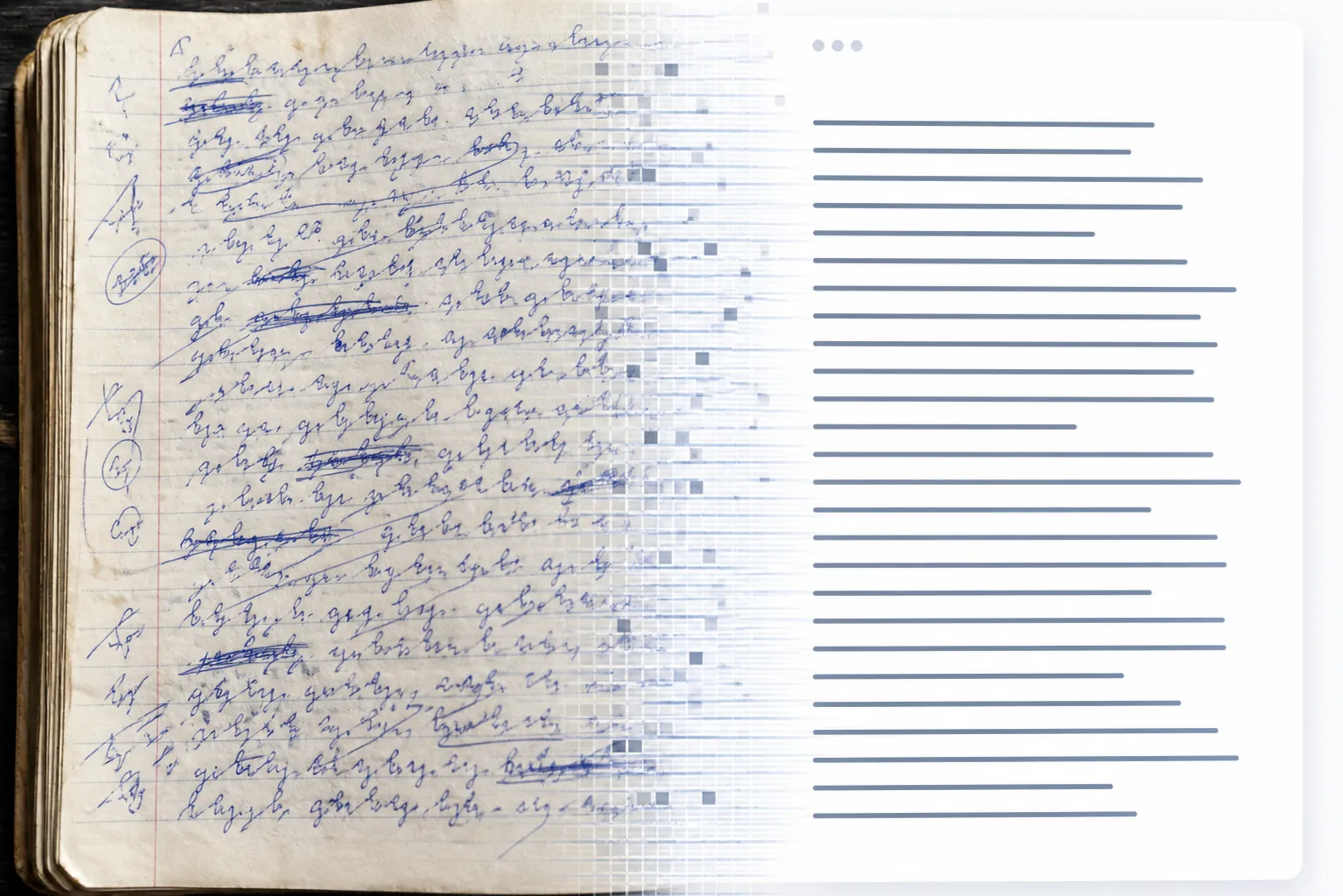
Google Gemini can make a difficult handwritten page look effortlessly searchable. That is also where the trouble starts: a fluent transcription can quietly change a surname, turn an uncertain number into a plausible one, or normalize an unusual spelling without leaving a visible trace. No completed FlowDesk run is available for this article, so the first-hand measurements that would justify calling this a finished test—page count, timing, measured accuracy, cost, and proofread burden—remain unfilled below.
| Test field | Result |
|---|---|
| Archive and page count | |
| Gemini interfaces tested | Gemini app; Google AI Studio; API |
| Temperature | 0 |
| Media resolution | High |
| Thinking level | Minimum, where exposed |
| Elapsed time | |
| Measured transcription accuracy | |
| Cost per page | |
| Proofread time or remaining errors |
The workflow should preserve two texts, not one
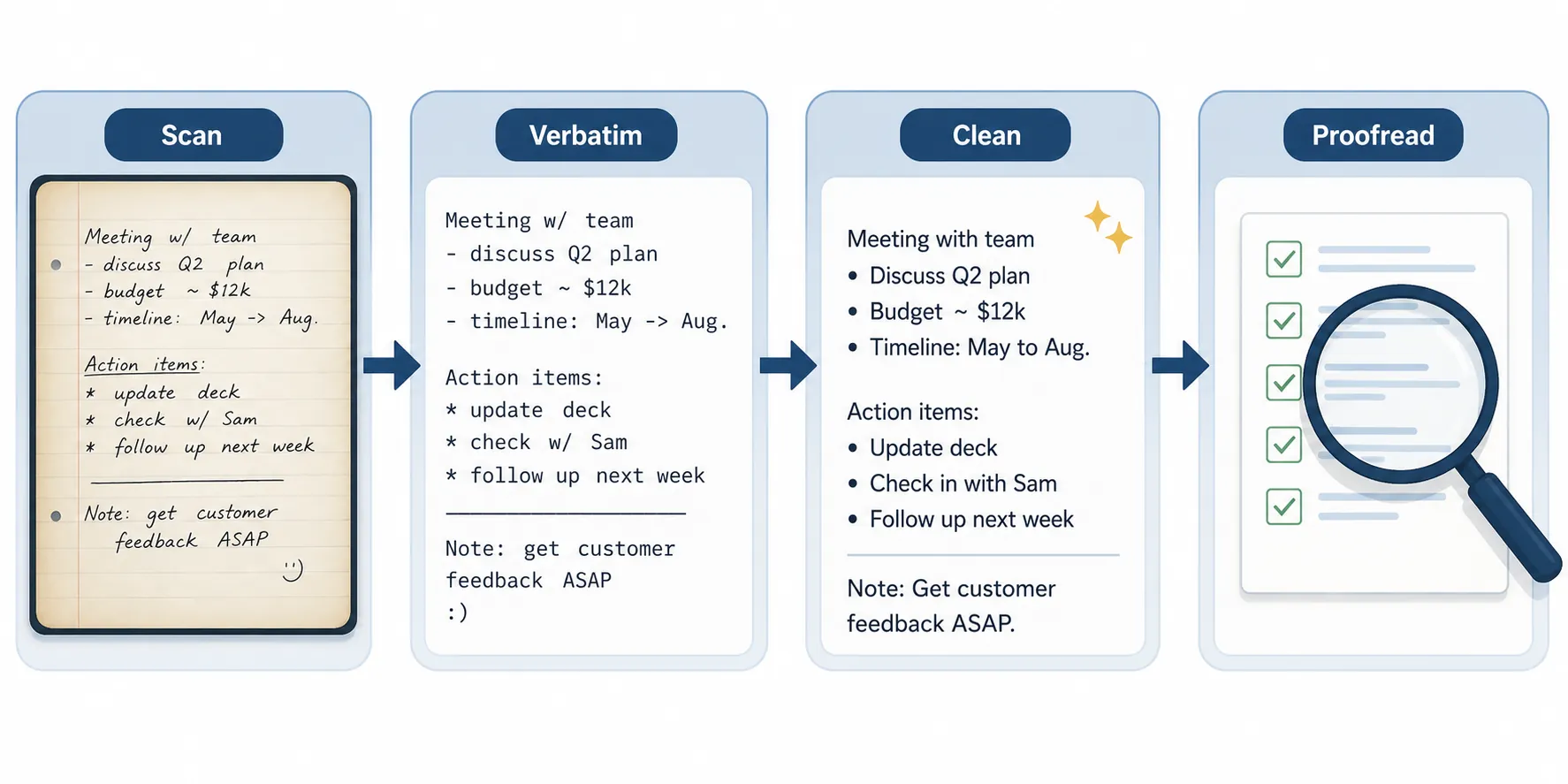
Start with the page image as the authority. Crop away unrelated desk space when it helps, but do not crop out margins, arrows, crossings-out, or page numbers. Use a consistent filename so the resulting Markdown can be traced back to its image. A blurry or skewed photograph is not a minor inconvenience: it gives the model more opportunities to resolve uncertainty in the wrong direction.
The first Gemini pass should be strictly verbatim. Ask it to preserve spelling, capitalization, punctuation, line breaks where meaningful, uncertain words, deletions, and numbers. It should mark uncertainty rather than silently repair it. Do not ask for a summary, formatting makeover, or grammatical correction in the same pass.
Then create a separate cleaned version. The cleaned copy can expand obvious abbreviations, repair grammar, organize headings, and produce Markdown for an app such as Obsidian or Notion—but it must remain downstream from the verbatim copy. If the clean text is the only surviving output, there is no reliable way to determine whether a polished phrase came from the page or from the model’s best guess.
A useful audit keeps four objects distinct: the original image, the verbatim transcription, the cleaned transcription, and a correction log. The log should record the page, the original reading, the model’s reading, the corrected reading, and whether the change was made during transcription or cleanup. That is the difference between an archive that can be checked and one that merely looks complete.
Use the conservative settings before judging the model
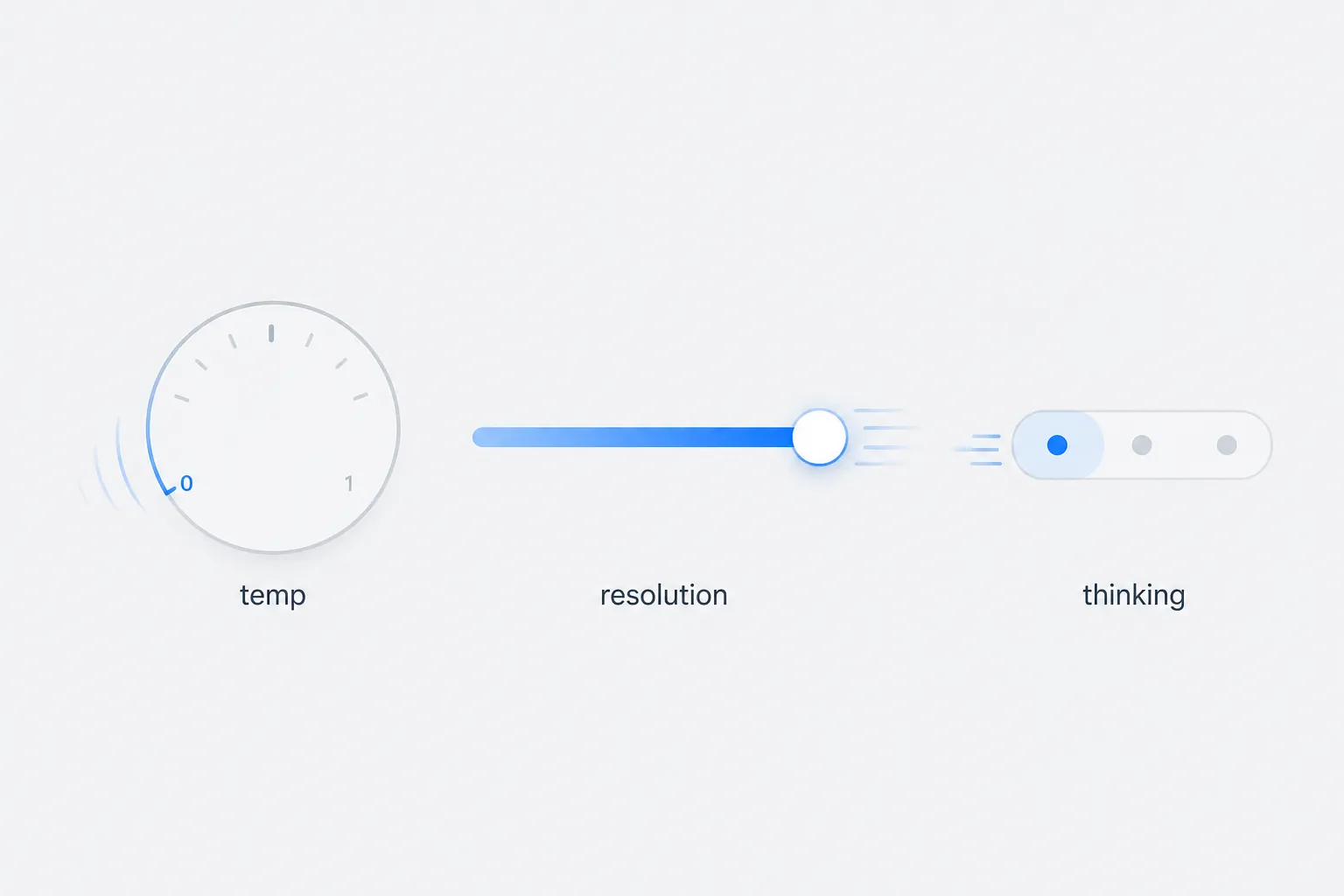
For a fidelity-first pass, use temperature 0, high media resolution, and minimum thinking wherever the selected Gemini interface exposes those controls. These settings are not a guarantee of correctness. They are a way to reduce avoidable variation and to prevent a reasoning-heavy response from spending effort on interpretation when the immediate task is visual transcription.
| Path | What to verify before uploading | Best use in this workflow |
|---|---|---|
| Gemini app | Available model, upload limits, activity and privacy settings | Quick manual trials and small batches |
| Google AI Studio | Temperature, media resolution, thinking controls, context and quota | Repeatable prompts and visible generation settings |
| API | Model name, token pricing, request limits, image handling, retention terms | Scripted processing and a reproducible audit trail |
The interface choice changes more than convenience. The app is easy to use but less suited to a tightly logged batch. AI Studio makes the prompt and generation settings easier to inspect. The API is the natural route for repeatable jobs, provided the script stores the image identifier, raw response, cleaned response, timestamp, and cost estimate rather than only the final Markdown.
For the verbatim pass, a system instruction can be short and severe: transcribe only what is visible; preserve the writer’s spelling and numbers; do not infer missing text; mark uncertainty; and return no summary or correction. Cleanup belongs in a second request, with the verbatim text supplied as an immutable reference.
The benchmark is impressive—and narrower than the headline
An independent benchmark of Gemini 3 on 50 English handwritten documents from the 18th and 19th centuries, repeated 10 times across roughly 100,000 words, reported a strict character error rate of 1.67% and word error rate of 4.42%. Under a modified scoring approach, the figures were 0.69% and 1.33%.[1] Those results put the model in the range where a careful proofread may be practical rather than a full retyping job.
The error composition is more useful than the headline score. About 76% of the errors were classified as pseudo-errors, while names and numbers represented about 6% of errors. Approximately 61% were statistically probable normalizations—changes that make text look more conventional even when the page used an unusual spelling or form.[1] For historical documents, that may be a scoring artifact. For personal notes, it is precisely the sort of silent change an archive owner may need to catch.
The same report found hallucinations to be essentially absent in its sample: 20 genuine errors across 10,040 words.[1] That is encouraging, but “rare invention” does not mean “safe to skip review.” A wrong existing word, name, date, or digit can be more damaging than an obviously invented sentence because it is harder to notice during a quick scan.
The benchmark also reported that higher thinking degraded visual accuracy, which is why minimum thinking belongs in the initial test rather than being treated as an automatic quality upgrade.[1] Its approximate API economics were about one cent per page under the reported token assumptions, or roughly $50 for 5,000 pages.[1] That is a useful cost baseline, not a quote for your archive: image size, output length, model pricing, retries, and interface limits can all change the total.
The comparison figures in that report—strict CER of 4.28% for Claude Opus 4.5 and about 16.8% for OpenAI—are best read as context for the same test, not as a universal league table.[1] The documents were historical English handwriting. Modern cursive, mixed-language notes, faint scans, and low-resolution phone photographs can produce a different result.
Proofread names, numbers, and anything the cleanup made smoother
The proofread should not be a vague final read-through. Compare the raw transcription against the image in targeted passes. First inspect names, dates, quantities, page references, URLs, formulas, and words that the model marked as uncertain. Then compare the cleaned version against the verbatim copy, looking specifically for spelling changes, expanded abbreviations, reordered fragments, and punctuation that alters meaning.
- Search the output for every number and verify it against the page.
- Check proper nouns letter by letter, including unusual or family-specific spellings.
- Review words that became more familiar, grammatical, or symmetrical in the cleaned version.
- Keep the image beside the text while checking; do not proofread from the cleaned Markdown alone.
- Record corrections instead of silently overwriting the model output.
This is also where the missing first-hand measurements matter. The practical question is not only how many characters Gemini misread. It is how long the reviewer spends finding and repairing those errors, and whether the clean output makes the errors easier or harder to spot. A low error rate can still be a poor workflow if every page requires a slow forensic comparison.
Large archives hit limits before they hit the model’s accuracy ceiling
Google’s published Gemini Apps limits list context windows of 32,000 tokens for free users, 128,000 for AI Plus, and up to 1 million for AI Pro and Ultra, with the largest window described as roughly 1,500 pages of text. The limits include a five-hour refresh and weekly caps, and Google notes that they may change without notice. These figures were last checked for this article on August 28, 2026.[2]
Those are not straightforward page quotas for photographed handwriting. Images consume input capacity differently from plain text, and each page also produces output that must fit alongside the prompt and any retained conversation. A long chat containing dozens of images is therefore a poor archive container. Process bounded batches, save each raw response externally, and begin a new conversation before the context becomes difficult to audit.
Audio has a different ceiling. Google has described Gemini 1.5 Flash and Pro handling up to 11 and 22 hours of audio respectively in partner workflows, with speaker diarization and 1M- or 2M-token context windows.[4] That is useful context for voice notes, but it should not be treated as evidence that handwriting images receive the same scalable treatment. For audio-specific choices, see our guide to voice note apps.
Privacy is part of the transcription cost
Before uploading personal notebooks, inspect the activity setting rather than assuming that a paid plan makes the material private. Google says Gemini Apps activity is set to auto-delete after 18 months by default, with options for 3 months, 36 months, or indefinite retention. Reviewed chats may be retained for up to three years. Temporary chats are retained for 72 hours and are not used to train Google’s models; turning Keep Activity off stops future chats from being used for training, subject to a feedback-related exception.[3]
For sensitive pages, the safer operating pattern is to use a temporary chat or disable Keep Activity before uploading, then verify that the setting is actually active. Export the results you need, keep the source pages locally, and avoid treating a cloud conversation as the archive of record.
A practical handoff to Markdown
Once the verbatim and cleaned files have passed review, a batch tool can handle the mechanical move into a notes app. Obsidian’s Images to Notes plugin lists Gemini as a provider for converting a folder of images into Markdown notes.[5] Use that kind of automation after the audit structure is decided, not before: every generated note should retain a link or filename for the source image and a place for corrections.
If the pages should not enter a cloud workflow, the local route is more defensible. The Transcriber plugin paired with Ollama can keep processing on the machine, although local availability and recognition quality depend on the model, hardware, and image condition. It is a privacy alternative, not a claim of equivalent accuracy.
Gemini can make handwritten-note transcription viable, and the independent benchmark gives a credible reason to test it seriously. It does not make proofreading optional. Run a small representative batch first, fill in the missing timing, cost, accuracy, and correction fields, and stop the migration if names, numbers, or normalization changes create more review work than the transcription saves. For the organizing stage after verification, see our tested Gemini notes workflow.
References
- Gemini 3 Solves Handwriting Recognition and it's a Bitter Lesson — Generative History
- Gemini Apps limits & upgrades for Google AI subscribers — Google Support
- Gemini Apps Privacy Hub — Google Support
- How partners unlock scalable audio transcription with Gemini — Google Cloud
- Images to Notes — Obsidian Stats
Comments
Join the discussion with an anonymous comment.