
The Current Pricing Landscape: Starter vs. Advanced
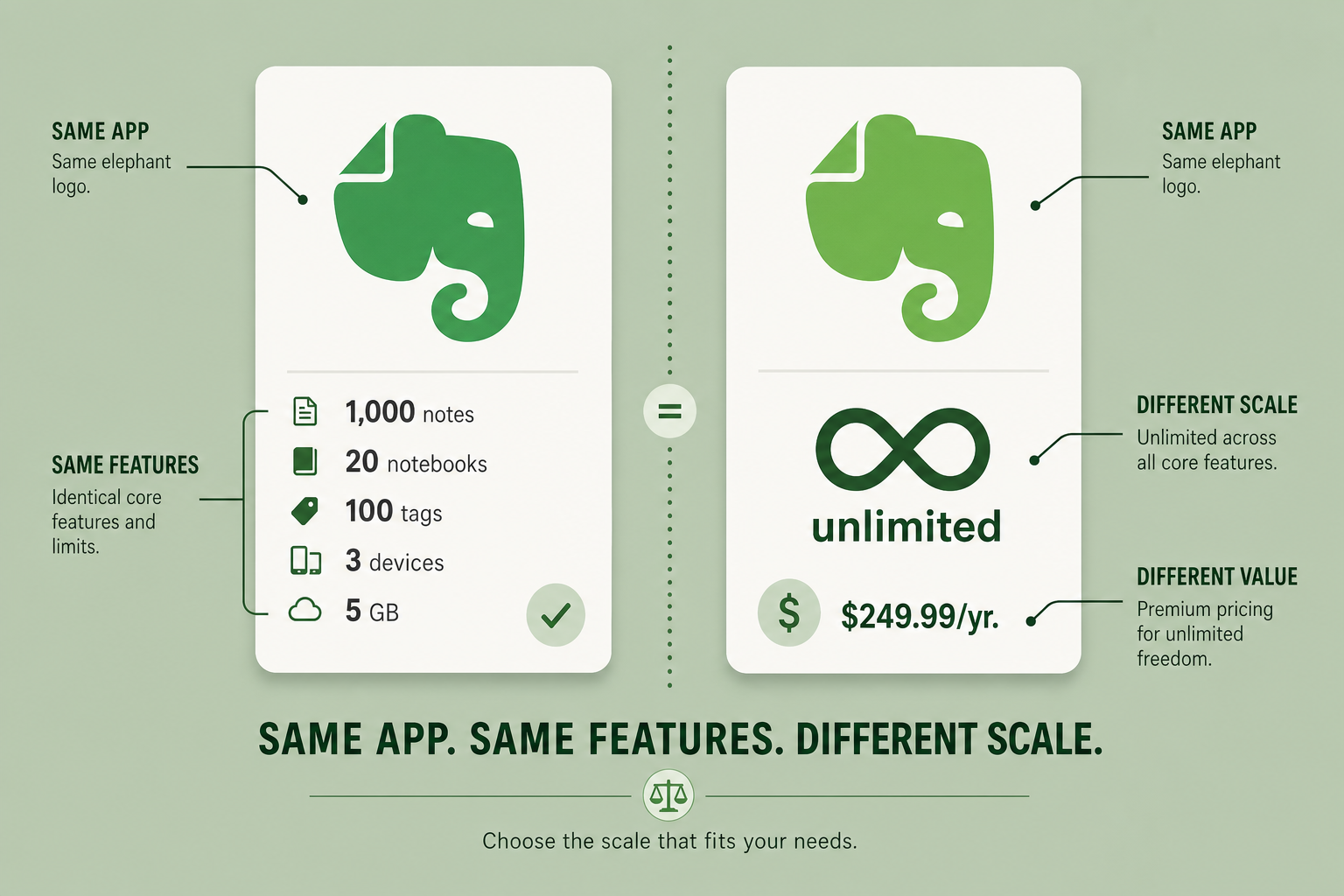
Evernote's plan restructuring in late 2025 replaced the old Personal ($129.99/yr) and Professional tiers with two new options: Starter at $99/yr and Advanced at $249.99/yr. If you were on a Personal or Professional plan, you were automatically rolled into Advanced at your next renewal. That means many users are now paying $249.99/yr without having made an active choice.
The table below shows the official limits from Evernote's FAQ and compare-plans page, both updated as of April 2026.
| Limit | Starter ($99/yr) | Advanced ($249.99/yr) |
|---|---|---|
| Notes | 1,000 | Unlimited |
| Notebooks | 20 | Unlimited |
| Tags | 100 | Unlimited |
| Attachments | 1,000 | Unlimited |
| Storage | 5 GB | Unlimited |
| Synced Devices | 3 | Unlimited |
| Spaces | 10 | Unlimited |
The $150 annual gap — a 60% premium — is the central question this guide addresses. Do you need unlimited everything, or can you work productively within Starter's limits?
What They Share: The Same Feature Set
Here is the most important fact in this entire comparison: Starter and Advanced have identical features. The only differences are the quantitative limits listed above. Both plans include every major v11 capability:
- AI Assistant — chat-based search and content generation within your notes
- Semantic Search — understands meaning, so searching "Spain trip" returns notes about "Barcelona travel" and "Valencia hotels" even without exact keyword matches
- AI Meeting Notes — record meetings directly in Evernote (up to 200 MB or 120 minutes per recording), with automatic transcripts and summaries featuring speaker recognition in over 50 languages
- AI Transcription, AI Edit, and AI Note Cleanup
- Web clipper, advanced search, offline access on mobile, task management, and calendar integration
For a deeper look at how these AI features perform in practice, see our Evernote Review 2026. The point here is simpler: if you are trying to decide between Starter and Advanced, feature quality is not a factor. The decision is entirely about whether you can live within Starter's limits.
Profile 1: The Paperless Filer
You scan documents at home — receipts, tax records, insurance policies, appliance manuals, medical bills. You might snap photos of whiteboards after meetings or save the occasional PDF. Your annual note creation rate is probably 50 to 500 notes. You maintain three to five notebooks ("Home," "Finance," "Health," "Work") and rarely use more than a couple dozen tags. Your storage usage stays well under 5 GB.
For this profile, Starter is an easy fit — and likely will be for years.
- At 300 notes per year, you will not hit the 1,000-note cap for over three years.
- Five notebooks fit comfortably within the 20-notebook limit.
- Scanned documents are text-searchable via OCR, so you do not need hundreds of tags to find things.
- Three synced devices (phone, tablet, laptop) cover most home setups.
If you are a Paperless Filer currently paying $249.99/yr for Advanced, you are overpaying by $150 every year. Downgrading to Starter saves you $750 over five years with zero loss of functionality.
Profile 2: The Web Clipping Researcher
You use Evernote primarily as a research repository. You clip articles, save recipes, bookmark reference pages, and collect inspiration boards. You create 200 to 800 notes per year across 5 to 15 notebooks, and you rely on tags — maybe 50 to 80 of them — to keep everything findable.
Starter can work for you, but it requires discipline. At 600 notes per year, you will approach the 1,000-note cap in under two years. The 100-tag limit is workable if you are intentional about tag hygiene. The 20-notebook cap is generous enough for most research setups.
Productivity consultant Frank Buck offers several strategies to maximize Starter's limits:
- Use collapsible headers to consolidate multiple related items into a single note. A trip that would generate five separate notes (flights, hotels, dining, itinerary, receipts) becomes one note with five sections. Buck reports this can reduce note count by 50–80%.
- Adopt a "notebooks for life areas, tags for subdivision" structure. One notebook called "Home" can hold 280 notes subdivided by 25+ tags like "lawn care," "kitchen," and "internet." This stretches your 20-notebook limit much further.
- Run an annual merge-and-purge session. When a project ends, merge its notes into one archival note and delete the project-specific notebook to reclaim a slot.
- Remember that notes in the trash count toward the 1,000-note limit. Empty your trash regularly.
With these practices, most Web Clipping Researchers can stay on Starter for two to three years before needing to evaluate whether Advanced is worth the upgrade.
Profile 3: The GTD Power User
You run a full Getting Things Done workflow inside Evernote. Your system spans thousands of notes, dozens of notebooks (Next Actions, Waiting For, Someday/Maybe, Projects, Reference, Tickler), and an extensive tagging taxonomy. You sync across a desktop, a laptop, a tablet, and a phone. You use Evernote as your primary knowledge management system.
Starter's limits will bind you almost immediately.
- The GTD workflow's five stages — Capture, Clarify, Organize, Reflect, Engage — generate notes at every step. A single project can produce 20+ notes across multiple notebooks.
- You need unlimited tags to implement GTD's context-based organization (@computer, @phone, @errand, @home) alongside project tags and area-of-focus tags.
- Four or more synced devices are common for GTD practitioners who capture on mobile and review on desktop.
- The 1,000-note cap is a hard ceiling for anyone with a mature GTD system. Most GTD users with more than two years of history will exceed this.
If this describes you, Advanced is the correct choice. The $249.99/yr price tag aligns with what other serious knowledge management tools cost — Notion is $240/yr and Obsidian Sync is $242/yr. You are paying for unlimited scale, which GTD demands.
Profile 4: The Collaborative Heavy User
You use Evernote with a team — sharing notebooks, collaborating on meeting notes, and managing shared projects. You need Spaces to organize team content, shared notebooks that multiple people edit, and the ability to attach large files without worrying about limits.
Starter's 10 Spaces and 1,000-attachment cap will become obstacles quickly in a team environment. Collaboration generates notes at a higher velocity than individual use, and shared notebooks multiply the storage and attachment demands.
- Team meeting notes alone can produce 200–400 notes per quarter, depending on meeting frequency.
- Shared notebooks for ongoing projects consume notebook slots faster than personal use.
- Unlimited attachments are essential when team members share PDFs, images, and recordings.
- Unlimited storage prevents the "who uploaded the 500 MB video?" problem.
For Collaborative Heavy Users, Advanced is not a luxury — it is a requirement. Starter's limits are designed for individual use, and team workflows will bump against them within weeks.
The 'I Don't Know My Usage' Test
Not sure which profile fits you? Here is a quick self-test to determine your actual usage and estimate whether Starter will work.
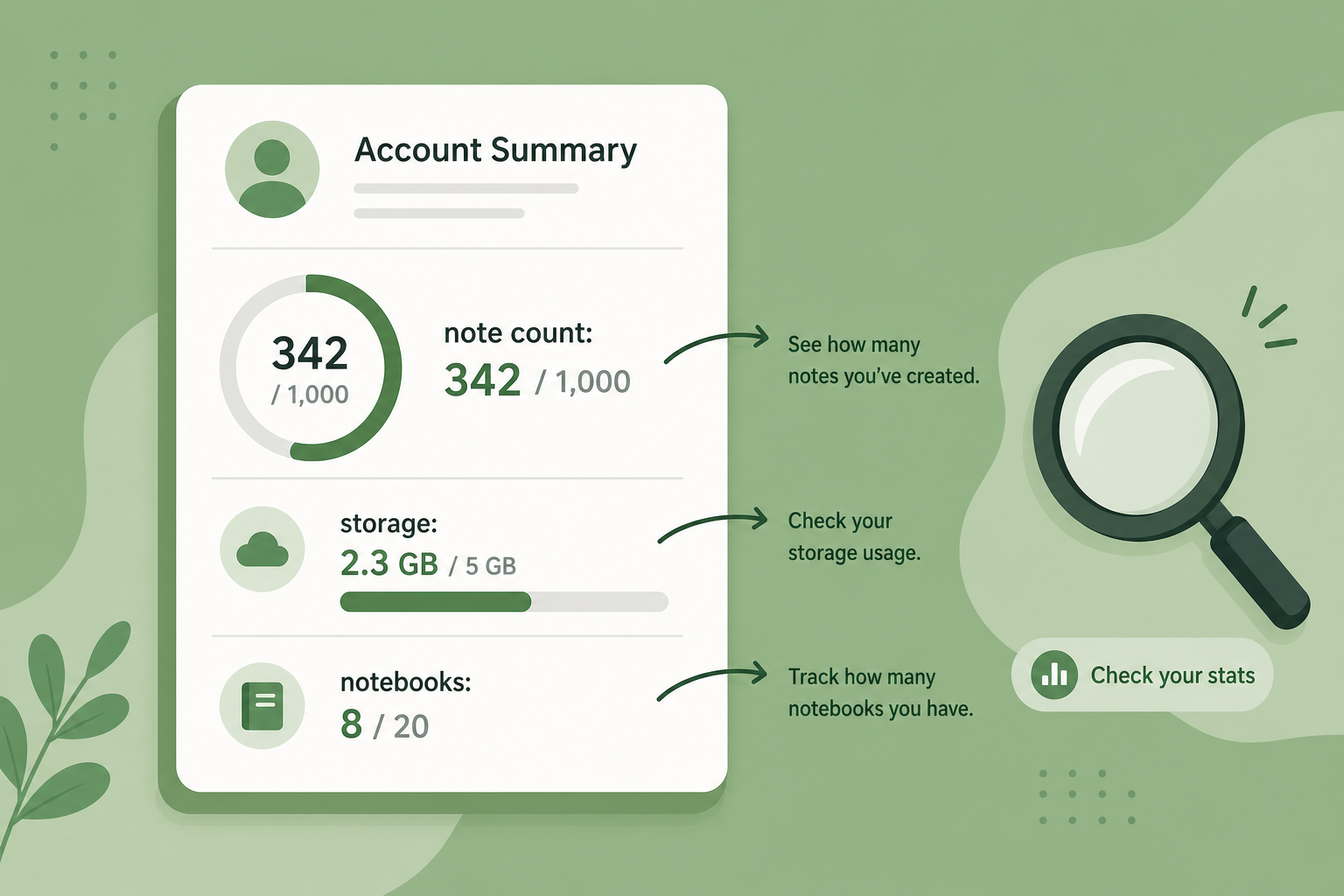
- Check your current note count. In the desktop app, go to Account Info (or check the status bar at the bottom of the note list). If you have more than 800 notes, you will hit Starter's 1,000-note cap within months at your current rate.
- Count your notebooks. If you have more than 15, you are approaching Starter's 20-notebook limit. Remember that you can consolidate by moving notes into remaining notebooks and deleting empty ones.
- Estimate your annual note creation rate. Divide your total note count by the number of years you have used Evernote. Multiply by 2 to be conservative. If that number exceeds 1,000, Starter will not last a year.
- Check your storage usage in Account Info. If you are above 4 GB, you are approaching Starter's 5 GB limit — and storage tends to grow faster than note count because of attachments and images.
- Count your synced devices. If you regularly use four or more, Starter's three-device limit will force you to choose which devices to disconnect.
| If you answer... | Likely profile | Recommended plan |
|---|---|---|
| Under 500 notes, under 10 notebooks, under 2 GB | Paperless Filer | Starter |
| 500–800 notes, 10–15 notebooks, under 100 tags | Web Clipping Researcher | Starter (with discipline) |
| Over 1,000 notes, over 15 notebooks, over 100 tags | GTD Power User | Advanced |
| Team collaboration, shared notebooks, large attachments | Collaborative Heavy User | Advanced |
Safe Downgrade Migration Path
If you were on a Personal or Professional plan and have been auto-rolled into Advanced, you can downgrade to Starter before your next billing date. The process is straightforward, and Evernote's FAQ explicitly confirms that you will not lose access to your existing data.
Here is how to downgrade safely:
- Log in to your account on evernote.com and go to Account Settings > Billing.
- Select "Change Plan" and choose Starter ($99/yr).
- Confirm the change. The new plan takes effect at your next billing cycle.
- Before the change takes effect, check your current usage against Starter limits. If you exceed any limit, use the consolidation strategies from this guide to get under the cap before the switch.
- After the switch, if you ever need to create new notes while over the limit, you can upgrade back to Advanced at any time — no data is lost in either direction.
The key takeaway: downgrading is reversible. If you try Starter and find the limits too restrictive after six months, you can upgrade to Advanced and regain unlimited everything. The $150 you saved in those six months is yours to keep.
Decision Matrix: Which Plan for Which User?
The table below summarizes the entire article in one glance. Use it as a quick reference when making your decision.
| User Profile | Annual Note Volume | Key Constraints | Recommended Plan | Annual Savings with Starter |
|---|---|---|---|---|
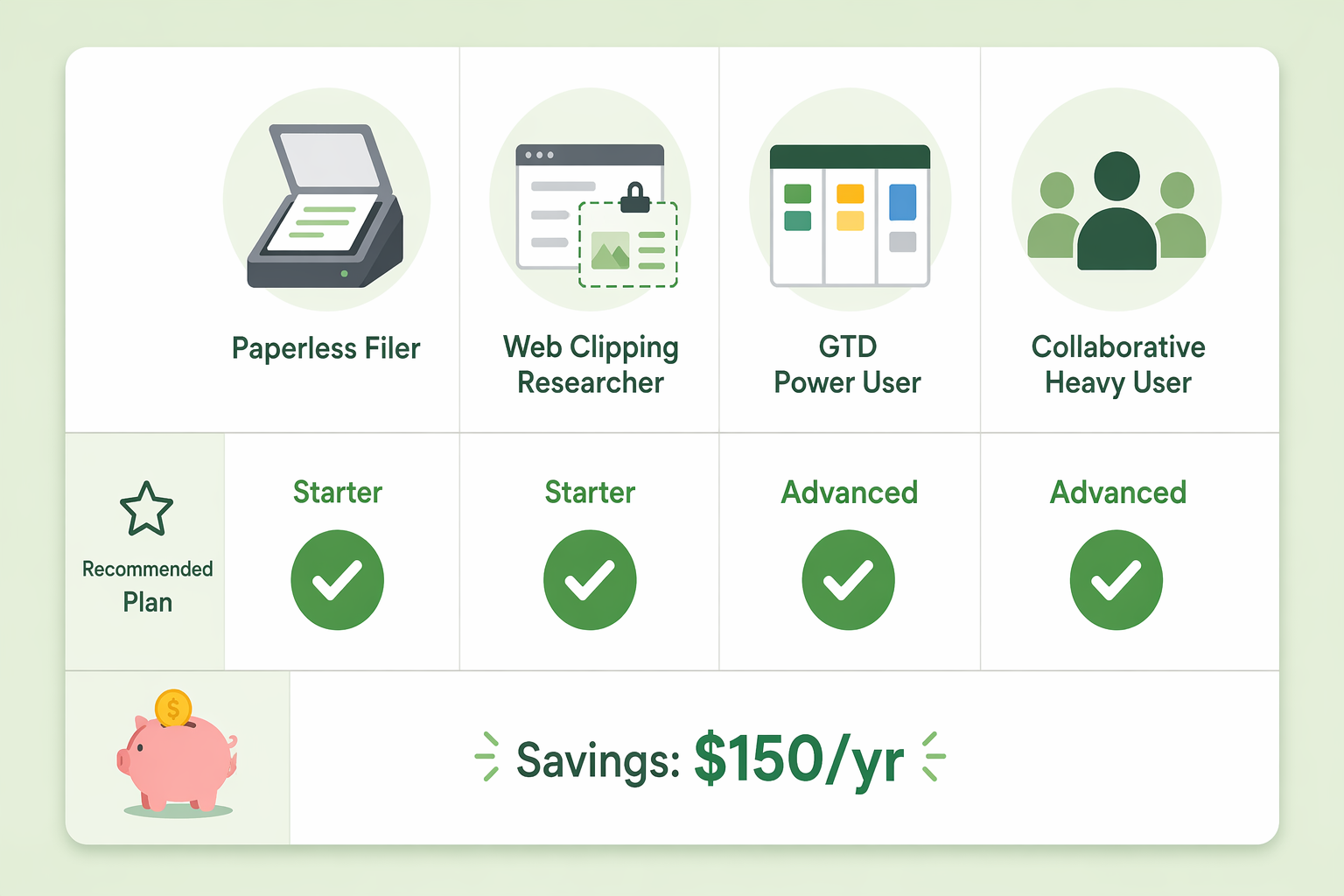
| Paperless Filer | 50–500 | 3–5 notebooks, under 5 GB | Starter | $150 |
| Web Clipping Researcher | 200–800 | 5–15 notebooks, under 100 tags | Starter (with discipline) | $150 |
| GTD Power User | 1,000+ | Unlimited notebooks, tags, devices | Advanced | N/A — Starter insufficient |
| Collaborative Heavy User | Varies by team | Unlimited spaces, attachments, storage | Advanced | N/A — Starter insufficient |
Bottom Line: 60–70% of Individual Users Will Be Fine on Starter
Evernote's plan restructuring has created a clear dividing line. The decision between Starter and Advanced is not about which plan gives you better features — they are identical. It is about whether your usage fits within Starter's quantitative limits.
Based on the profiles in this guide, an estimated 60–70% of individual users — Paperless Filers and disciplined Web Clipping Researchers — can comfortably use Starter and save $150 per year. The remaining 30–40% — GTD Power Users and Collaborative Heavy Users — genuinely need Advanced's unlimited limits and should not feel pressured to downgrade.
If you are unsure, start with the self-test above. Check your current usage, estimate your growth rate, and pick the plan that matches your actual needs — not the one that feels safer because it has no limits. The $150 question is simple: do you need unlimited, or do you just want it?
Comments
Join the discussion with an anonymous comment.