
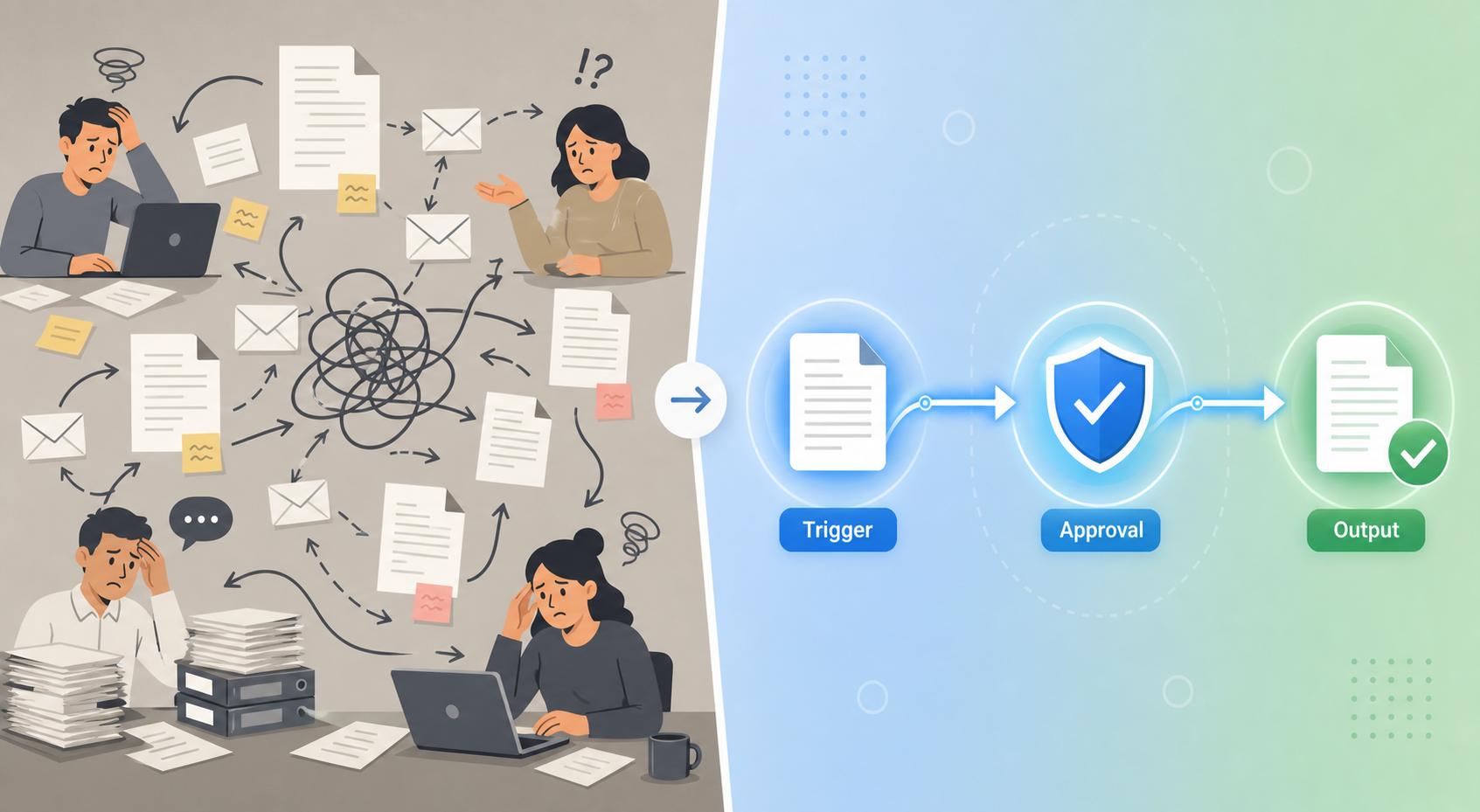
The 2026 Reality: AI Drafting Has Outpaced Workflow Infrastructure
By almost any measure, AI has arrived in the enterprise document workflow. McKinsey's 2025 State of AI report found that 88% of organizations now regularly use AI in at least one business function. The same analysis estimates that AI-powered automation could add $2.6–$4.4 trillion in annual economic value globally. Gartner predicts that by the end of 2026, 40% of enterprise applications will feature task-specific AI agents, up from less than 5% in 2025. These are not incremental shifts — they represent a fundamental change in how organizations approach document creation.
Yet for most teams, the experience of working with AI-generated documents tells a different story. The AI drafts a polished memo, a contract clause, or a project brief in seconds. Then the friction begins: the output needs manual reformatting to match corporate templates. Someone has to copy it into the correct system. Version conflicts emerge when multiple stakeholders edit independently. Approvals stall because the routing path is unclear. Compliance checks happen after the fact, not during the process.
This is the integration gap. AI writing quality is no longer the bottleneck. The bottleneck is everything that happens after the draft is generated.
Where Workflows Break After AI Drafting
Thinkfree's 2026 enterprise guide identifies several persistent bottlenecks that emerge after AI generates a draft. These are not hypothetical — they are the day-to-day friction points reported by teams in legal, procurement, operations, and HR.
- AI output does not match corporate formatting standards. A well-written draft that uses the wrong heading hierarchy, font, or template structure still requires manual cleanup before it can be shared or submitted.
- Version conflicts arise when multiple teams collaborate on AI-generated drafts. Without a single source of truth, it becomes difficult to determine which version is authoritative — especially when edits happen across email attachments, shared drives, and cloud documents simultaneously.
- Repeated document types vary in structure and phrasing. Teams that generate similar documents regularly (proposals, contracts, reports) find that AI produces inconsistent outputs unless it is guided by structured templates and organizational data.
- Storage, sharing, and review systems remain disconnected from the drafting environment. A document drafted in one tool must be exported, uploaded to a review platform, routed manually for approvals, and then archived — each step introducing delay and potential data loss.
These bottlenecks share a common root cause: the AI drafting capability is bolted on to an existing workflow rather than embedded within it. The drafting step becomes faster, but the surrounding infrastructure — routing, approval, version control, compliance — does not accelerate at the same rate.
The New Benchmark: AI Integrated Into the Full Workflow
In 2026, the benchmark for evaluating document tools has shifted. The question is no longer "Does this tool have AI?" but rather "How deeply is AI integrated into the editing, collaboration, approval, and storage layers of the workflow?"
Thinkfree's 2026 enterprise guide explicitly frames this shift: the value of AI in document workflows depends on its ability to operate within the same environment where documents are edited, shared, reviewed, and archived. A standalone AI drafting tool that requires manual export and import into a separate document management system creates more work, not less.
| Capability | Bolt-On AI | Embedded AI |
|---|---|---|
| Drafting | Generates text in a separate interface | Generates text within the document editor |
| Formatting | Output requires manual reformatting | Output matches corporate templates automatically |
| Collaboration | Draft must be exported and shared separately | Real-time co-editing and commenting in one environment |
| Approval routing | Manual email or system transfer | Automated routing with conditional logic and reminders |
| Version control | Multiple copies across systems | Single authoritative version with audit trail |
| Compliance | Post-hoc review | Inline compliance checks during drafting and approval |
The distinction matters because the bottlenecks described earlier — formatting mismatches, version conflicts, disconnected review systems — are not solved by faster drafting. They are solved by platforms that treat the entire document lifecycle as a single, integrated process. When AI is embedded, the draft is born inside the correct template, stored in the right location, routed to the appropriate reviewers automatically, and archived with a complete audit trail — all without manual intervention.
Enterprise Evaluation Criteria for AI-Integrated Workflow Platforms
For team leads evaluating platforms that close the integration gap, Thinkfree's enterprise guide provides a practical four-criteria framework. These criteria are designed to separate tools that offer genuine end-to-end integration from those that simply add an AI feature to an existing document editor.
- Integrated editing and collaboration environment. The platform must allow users to edit, share, comment, manage versions, and route approvals without switching tools. Every context switch introduces friction and increases the likelihood of version drift.
- Enterprise data connectivity. AI drafting is only as good as the data it can reference. The platform should be grounded in internal data — organizational templates, brand guidelines, terminology databases, and prior document libraries — and maintain data continuity through storage and archiving.
- Ease of adoption. The tool should work within a familiar interface. If team members need to learn an entirely new environment to use AI drafting, adoption will stall. Integration with existing tools like Microsoft 365, SharePoint, or Google Workspace is a strong signal.
- Security and data governance. For legal, procurement, and HR use cases, the ability to deploy on-premise or within an internal network is often non-negotiable. Document data must remain governable as an organizational asset, not processed through external AI services without clear data handling policies.
Use Cases: Where Integrated AI Workflows Deliver Real Value
The integration gap is not an abstract problem. It manifests in specific, recurring scenarios that knowledge workers in legal, procurement, operations, and HR encounter daily. Integrated AI workflows address these scenarios directly.
- Drafting documents from meeting notes with automated formatting. A team lead takes meeting notes in a shared document, and the AI generates a structured draft — a project brief, a decision memo, or a status report — that automatically applies the correct corporate template, heading hierarchy, and branding. No manual reformatting required.
- Enforcing brand, tone, and terminology consistency across teams. When multiple departments generate customer-facing documents, maintaining consistent language is a constant challenge. An AI integrated with a centralized terminology database and brand guidelines ensures every draft adheres to the same standards, regardless of who initiates it.
- Automating repetitive clause insertion and template population. Legal and procurement teams spend significant time inserting standard clauses into contracts and populating templates with data from CRM or ERP systems. An embedded AI can pull the correct clause from a clause library, populate the relevant fields, and flag any deviations from standard language — all within the document editor.
- Summarizing review feedback for faster approvals. After a document circulates for review, the AI can aggregate comments, identify the most common requested changes, and present a structured summary to the author. This reduces the time spent manually collating feedback and accelerates the revision cycle.
These use cases share a common pattern: the AI does not just generate text — it operates within the workflow's existing structure, respecting templates, data sources, and approval paths. The result is a document that is not only drafted faster but also formatted correctly, routed appropriately, and ready for final approval without manual intervention.
The 2026 Tool Landscape: Platforms That Close the Gap
Several platforms in 2026 are explicitly designed to close the integration gap between AI drafting and workflow infrastructure. These are not exhaustive recommendations — they are contextual examples of how different vendors approach the embedded AI model.
| Platform | Integration Approach | Key Differentiator |
|---|---|---|
| Thinkfree AI Web Office | Integrated editing + AI in a single web-based office suite | AI operates within the document editor; supports on-premise deployment |
| Templafy | M365 integration + content governance layer | Enforces brand and compliance standards across Word, PowerPoint, and Outlook |
| Power Automate + Copilot Studio | Enterprise automation platform + AI agent builder | Connects AI drafting to hundreds of enterprise systems via prebuilt connectors |
| Box Relay + Box AI | Content management platform + embedded AI | AI operates on documents stored in Box; automated routing and approval workflows |
Each of these platforms addresses the integration gap from a different starting point. Thinkfree starts from the document editor and builds AI inward. Templafy starts from content governance and extends into drafting. Power Automate starts from workflow automation and adds AI agents. Box starts from content storage and adds AI and workflow layers on top. The right choice depends on which part of your current workflow is most broken.
Future Outlook: From Drafting to Autonomous Workflows
The trajectory of document workflow automation in 2026 points toward a future where AI does not stop at drafting. Gartner predicts that 40% of enterprise applications will feature task-specific AI agents by the end of 2026, up from less than 5% in 2025. McKinsey reports that 62% of organizations are already experimenting with or scaling AI agents, and 23% are scaling agentic systems in at least one function.
These numbers suggest a shift from today's model — "AI drafts, humans route and approve" — toward a model where AI agents handle the entire document lifecycle within defined guardrails. An agent could draft a document, apply the correct template, route it to the appropriate reviewers, incorporate feedback, flag compliance issues, and archive the final version — all without human intervention at each step.
McKinsey's estimate that AI-powered automation could add $2.6–$4.4 trillion in annual economic value underscores the scale of this opportunity. But realizing that value depends on closing the integration gap first. An AI agent that drafts fluently but cannot route documents through an approval chain or enforce compliance rules is not an autonomous workflow — it is a faster way to generate documents that still need manual processing.
The tools that win in 2026 will not be the ones with the most impressive AI demos. They will be the ones that make the entire document lifecycle — from trigger to output — faster, more consistent, and less manual. The integration gap is the problem. Embedded AI is the solution.
For a broader look at how AI agents are transforming document-heavy processes, see our explainer: . And if you are evaluating tools and want to understand the cost implications of different approaches, our analysis of the covers the pricing dynamics that often get overlooked in feature comparisons.
Comments
Join the discussion with an anonymous comment.