
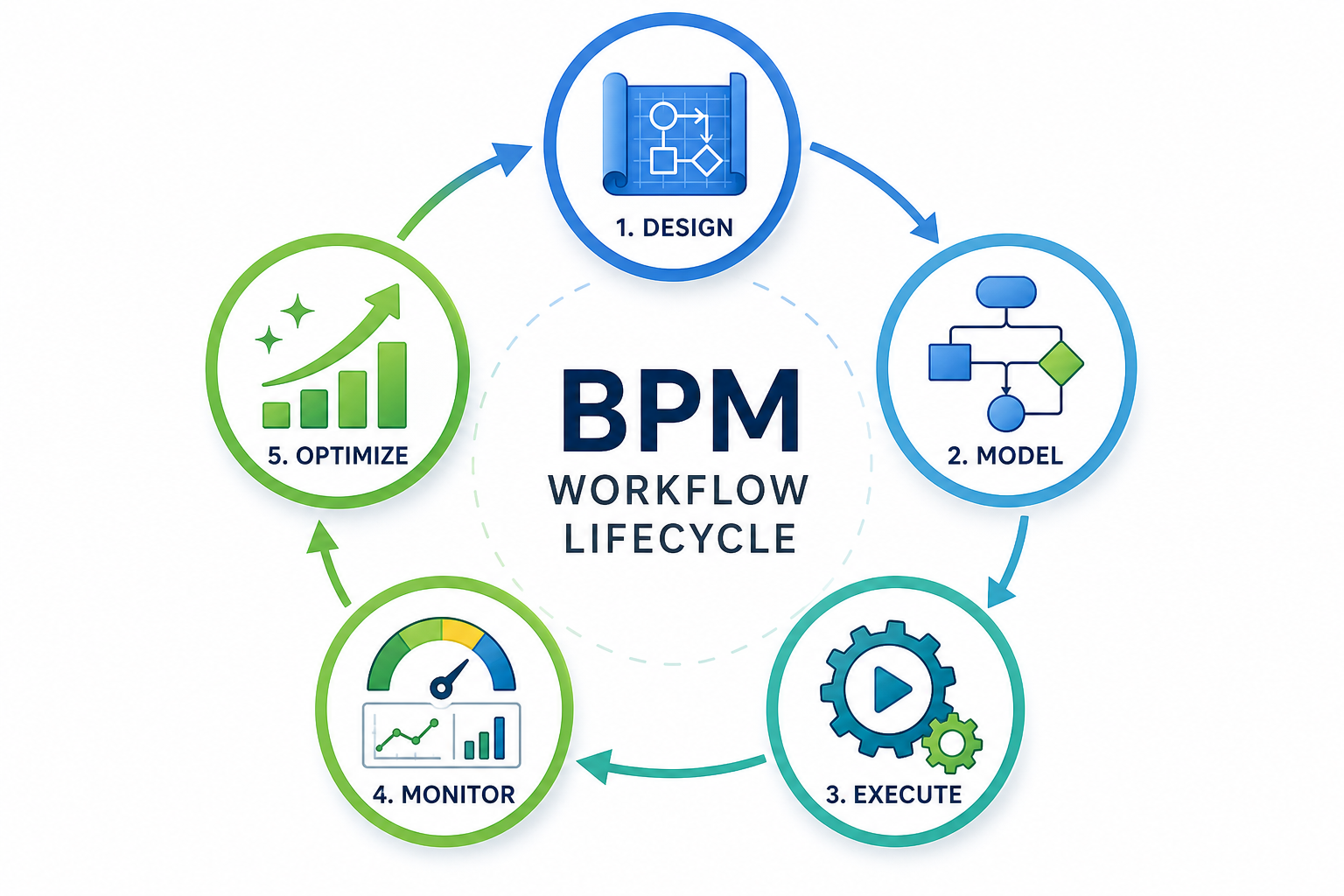
Why a Lifecycle Approach Beats One-Off Fixes
Most operations teams have been there: a bottleneck emerges, someone builds a quick spreadsheet macro or a Slack channel to patch it, the patch works for a few weeks, then the next bottleneck appears somewhere else. This reactive pattern feels productive in the moment but creates a tangle of ad-hoc workarounds that become impossible to maintain. The data backs up the cost of this approach — organizations can lose up to $1.3 million annually to inefficient processes, and employees spend at least two hours of every workday on repetitive, manual tasks that could be streamlined.
The Business Process Management (BPM) lifecycle offers an alternative: a structured, repeatable loop that turns chaotic operations into improvable systems. Rather than treating each process problem as a unique emergency, the lifecycle gives you a standard playbook — Design, Model, Execute, Monitor, Optimize — that you run again and again. According to a 2025 McKinsey survey cited by Kissflow, workflow redesign is the single biggest factor in whether organizations see real EBIT impact from their technology investments. That finding holds whether you are using enterprise BPM suites or a combination of spreadsheets and free automation tools.
This guide walks through each of the five stages with concrete actions, not abstract theory. You will find checklists, a worked example, and common pitfalls to sidestep — all designed to be tool-agnostic. If you need to understand the difference between workflow orchestration and basic automation before diving in, our comparison of workflow orchestration vs. automation covers when each approach makes sense.
Step 1: Design — Define Goals, Roles, and the Current State
The design phase is where you scope the work before touching any tool. IBM, Microsoft, and Kissflow all place this stage first because skipping it is the most common reason process improvement projects fail. Your job here is to understand the current reality before imagining a better one.
What to define before you map anything
- Process boundary: Where does the process start and end? For example, "employee onboarding" might start when HR receives a signed offer letter and end when the new hire has access to all systems.
- Goals: Pick one or two measurable targets. "Reduce cycle time by 30%" or "Cut error rate in half" are specific enough to guide decisions later.
- Stakeholders and roles: List every person or team that touches the process. Include decision-makers, approvers, information providers, and end customers.
- Inputs and outputs: What triggers the process (a form submission, an email, a calendar date)? What does it produce (a completed report, a signed contract, a provisioned account)?
- Current-state (as-is) map: Draw the process as it actually happens today — not as the policy manual says it should happen. Include every handoff, approval gate, and exception path.
A common mistake at this stage is defining the process too narrowly. If you scope "invoice approval" without including the step where the finance team reconciles the approved invoice against the purchase order, you will design a solution that creates a new bottleneck downstream. Microsoft uses the example of a university designing a student registration process: the goal was not just faster registration but fewer abandoned applications, better data accuracy, and faster processing time — three metrics that forced the team to look beyond the registration form itself.
Step 2: Model — Create Visual Process Flows and Simulate Scenarios
Once you understand the current state, the modeling stage is where you design the future-state (to-be) process. A visual diagram forces clarity: you cannot hide ambiguity behind prose when every step, decision point, and handoff must be drawn as a box or a diamond.
BPMN basics you actually need
Business Process Model and Notation (BPMN) is the standard language for process diagrams, but you do not need to become a certified modeler to use it effectively. At a practical level, four symbols cover 90% of what you will draw:
| Symbol | What it represents | Example |
|---|---|---|
| Circle (event) | Something that starts, interrupts, or ends the process | "New customer inquiry received" (start event) |
| Rectangle (task) | A unit of work performed by a person or system | "Verify customer email address" |
| Diamond (gateway) | A decision point that splits or merges the flow | "Is the order value above $5,000?" → Yes/No |
| Arrow (sequence flow) | The order in which activities happen | Connects task A → gateway → task B |
Comments
Join the discussion with an anonymous comment.