
If half the working day feels like it disappears into inbox sorting, status nudges, meeting notes, file moves, CRM updates, and copy-paste cleanup, that is not a personal discipline problem. One workflow automation statistics roundup cites McKinsey data saying 51% of employees spend at least two hours a day on repetitive tasks that could be automated.[1] The useful question is narrower than “Which workflow automation tools are best?” It is: which recurring task is draining you often enough that you would actually maintain an automation for it?
This is a tool-comparisons article for knowledge workers, solo operators, consultants, researchers, project managers, and small ops leads who need something they can set up without a dedicated IT team. Pricing and feature details were last verified in Q2 2026 from the sources cited below; check vendor pages before buying, because automation pricing changes often.

Quick verdict: choose by the workflow you will maintain first
| Daily bottleneck | Best fit | Why it fits | Not for you if |
|---|---|---|---|
| Email triage and lightweight admin | Zapier or Relay.app | Fast setup for simple trigger-action flows; good fit when the job is moving information between common apps | You need visual branching, heavier data transformation, or browser-level interaction |
| Meeting follow-ups | Lindy AI | Plain-English delegation from calendar and meeting context; better mental model for follow-up drafting and task handoff | You want every step represented as a classic visual automation map |
| Note sync and medium-complexity workflows | Make | Strong price-to-functionality case: Core plan at $9/month, 10,000 operations, and 7,500+ templates according to published comparisons and Make materials | You only need one or two dead-simple app connections |
| Content workflows and AI data pipelines | Gumloop or Relay.app | AI-native workflow building with templates for summarization, drafting, extraction, and routing | You need the longest platform maturity record or deeply custom backend control |
| Browser scraping and web data entry | Bardeen | Works inside the browser and can scrape or interact with web pages as part of a workflow | Your work happens mostly through APIs and standard SaaS integrations |
| Developer-friendly custom automation | n8n | Flexible, self-hostable, and appealing when you want more control than classic no-code tools provide | You are not comfortable learning basic DevOps concepts or maintaining self-hosted software |
The category is now mainstream enough that you do not need to justify trying it. Cflow’s 2026 statistics roundup cites a global workflow automation market valued at $26.5 billion in 2024 and projected to reach more than $78 billion by 2030, while also reporting that 66% of organizations have automated at least one business process and that 88% use AI in at least one function.[2] That context is useful, but it does not pick your tool. A market can be large and still leave you with the wrong automation quietly breaking every Friday afternoon.
Email triage: start with Zapier or Relay.app if the flow is simple
Email triage is usually the first automation people name because it hurts every day. The mistake is treating “automate my inbox” as one problem. It is usually several smaller jobs: label client emails, create a task from a starred message, send an attachment to cloud storage, notify a project channel, draft a reply, or add a lead to a spreadsheet.
For those simple handoffs, Zapier is still the safe default because its app ecosystem and trigger-action model are built for exactly this kind of glue work. If an email from a certain sender should become a task, or a form submission should create a CRM record and notify you in Slack, Zapier usually gets you to a working version quickly. It is not the tool I would pick first for a complicated research archive or a multi-branch approval system, but it is hard to beat when the real goal is to stop copying information between obvious places.
Relay.app belongs in the same conversation for non-technical users who want a lighter, AI-aware workflow builder without the ceremony of a larger automation platform. AI-focused comparisons describe Relay.app as part of the newer group of tools built around approachable automation and AI steps, rather than only classic trigger-action assembly.[3] That matters if your inbox workflow includes summarizing a request, drafting a short response, or routing a message based on meaning rather than a clean field value.
Do not start here if your inbox problem is really an information architecture problem. If client notes are scattered across email, meeting transcripts, Notion pages, and project boards, a simple email trigger can create more duplicates than clarity. In that case, move down to Make for visual multi-step logic, or to Lindy AI if the work starts with meetings rather than messages.
Meeting follow-ups: Lindy AI changes the setup model
Meeting follow-up automation is not just another trigger. A calendar event ends, and then several soft tasks appear: summarize decisions, draft a follow-up, assign next steps, update the project tracker, remind the person who owes a file, and preserve context somewhere searchable. Classic automation tools can do parts of this, but they often make you think like a systems diagram when the task itself is closer to delegation.
That is where Lindy AI is interesting. Its value is not that it has more boxes on a canvas. It is the plain-English assistant model: you describe what should happen around meetings, emails, and follow-ups, and the tool handles more of the orchestration as an AI delegation layer. Published workflow automation comparisons identify Lindy AI as a strong option for AI assistant-style workflows rather than only traditional app-to-app automation.[4]
This is a better fit for the project manager who keeps leaving calls with five tiny promises in three different places. It is also a good fit for the consultant who wants a follow-up email drafted from meeting context before the next call starts. The setup burden is lower when the work can be expressed naturally: after a client meeting, prepare a recap, identify action items, draft a follow-up, and remind me if nothing moves.
The warning is maturity and control. AI delegation is convenient because it hides some mechanics; that same hidden layer can make troubleshooting less satisfying when an output is off. If you need every field mapping, branch, filter, and retry path to be visible, a classic builder such as Make may feel safer. If your meeting workflow lives mostly in prose and judgment, Lindy AI deserves a closer look.
Note sync and medium-complexity workflows: Make is the value pick
Make is the tool I would put in front of a solo knowledge worker who has outgrown one-step automations but does not want to become an automation hobbyist. Its Core plan is listed at $9/month with 10,000 operations, and published comparisons also point to access to 7,500+ templates.[4] That is a strong value proposition for someone who needs to connect email, notes, spreadsheets, project tools, and storage without paying enterprise prices.
The reason Make fits note sync is that notes rarely move in a straight line. A researcher may want interview notes saved to one archive, key themes extracted into a spreadsheet, tasks pushed to a project board, and source files stored in a consistent folder. A consultant may want call notes tagged by client, copied to a shared doc, and summarized for a weekly status update. Those are not exotic workflows, but they do need visible branching and transformation.
Templates help here, provided you treat them as starting points rather than finished systems. If you want to compare template coverage before choosing a platform, the internal guide to workflow automation templates by use case and platform is the better next stop than another generic ranking.
Make is not always the fastest path. If you only want Gmail to create a Trello card, Zapier may be less work. If you want to tell an assistant what to do after meetings, Lindy AI may feel more natural. Make earns its keep when your workflow has enough moving parts that you want to see the path, inspect the data, and adjust it without writing code.
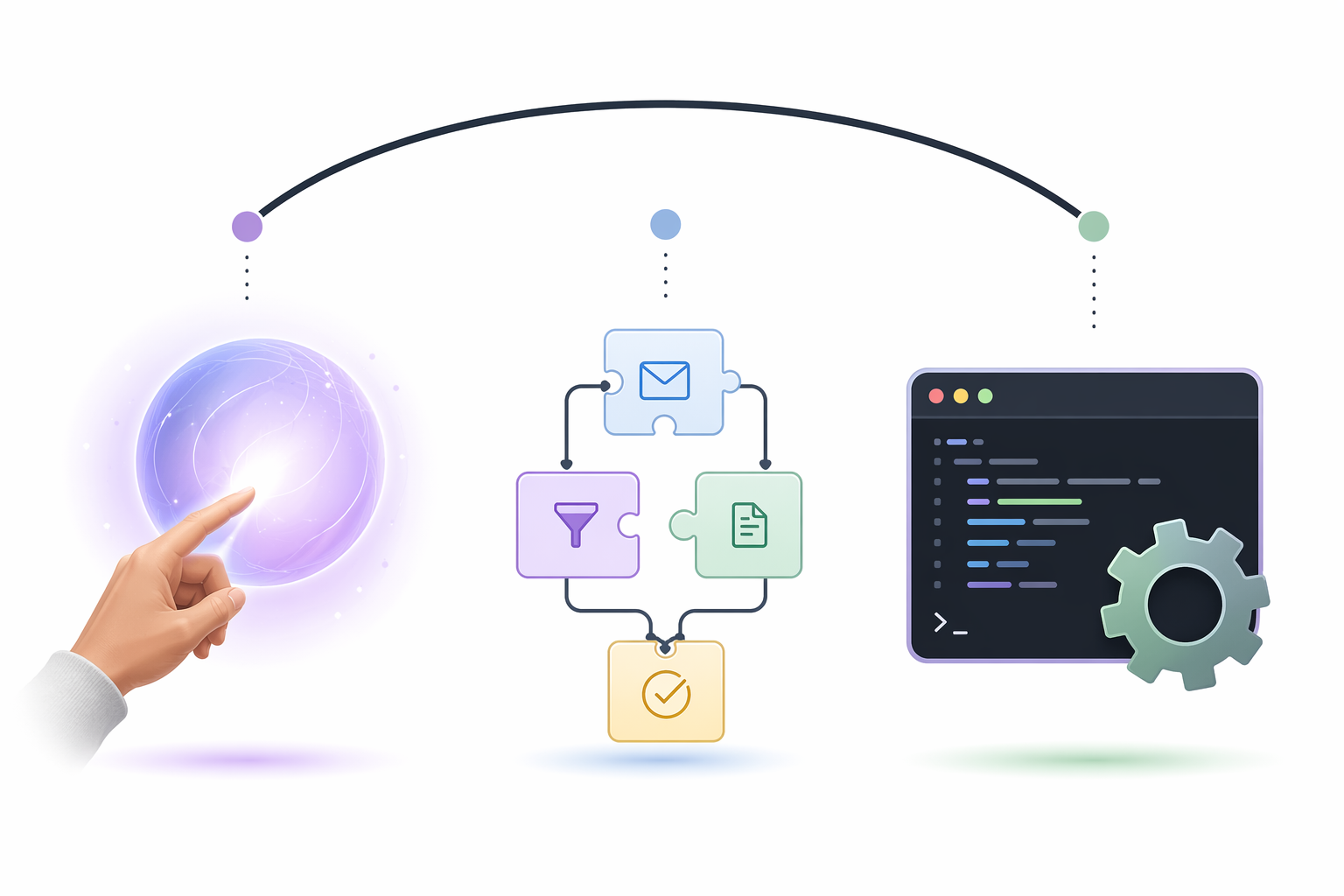
Content and AI data pipelines: Gumloop and Relay.app are low-friction, with a maturity caveat
Content workflows are where the newer AI-native tools make a clearer case. Summarizing source material, extracting structured points, drafting outlines, repurposing notes, and routing outputs to a doc or CMS are not always pleasant in older trigger-action tools. You can build them, but you may spend too much time wiring the AI step around the workflow instead of making the workflow itself.
Gumloop’s own 2026 guide presents the category through AI-heavy workflows such as data extraction, summarization, and content generation, and independent AI-tool comparisons also group Gumloop and Relay.app among accessible AI workflow automation options for non-technical users.[5][3] The vendor-authored enthusiasm should be read as vendor-authored enthusiasm, but the direction is credible: these tools are designed for people who want AI steps to feel native, not bolted on.
Choose Gumloop or Relay.app when the repeated task is closer to “turn these inputs into a usable information product” than “move this record from app A to app B.” A freelancer might summarize client intake forms into project briefs. A researcher might extract entities from article notes into a table. A content lead might turn call transcripts into draft social posts for review. These examples are hypothetical, but they show the kind of workflow shape where AI-native tools feel less awkward.
The practical caveat is platform maturity. Newer tools can be easier to learn and still have less long-term reliability evidence than older automation platforms. If the workflow is business-critical, start with one contained content pipeline, review outputs manually, and avoid making the tool the only place where important source material lives. For a broader AI-specific comparison, see AI automation platforms in 2026.
Browser scraping and web data entry: Bardeen solves a different class of problem
Browser automation should not be tucked into a feature table as if it were just another integration. A lot of knowledge work still happens on pages that do not expose the tidy API you wish they had: directories, portals, search results, public databases, internal tools, and web forms. If the task is “open this page, pull these fields, click there, and paste the result somewhere else,” the automation needs to see and act inside the browser.
Bardeen is the clearest fit for that job. Workflowautomation.net’s 2026 comparison highlights Bardeen’s browser automation and scraping capability as a differentiator from tools such as Zapier, Make, and n8n, which generally need workarounds for native browser interaction.[4] That difference matters more than whether another platform has more total integrations.
Use Bardeen when the bottleneck begins with a web page rather than an app event. A recruiter collecting public profile details, a researcher pulling structured information from search results, or a consultant updating a client portal may save more time with browser actions than with another SaaS connector. The maintenance burden is also different: if a web page layout changes, the automation may need repair. That is not a reason to avoid it; it is a reason to use it where the browser step is truly the bottleneck.
Developer-friendly custom automation: n8n is powerful, not magically free
n8n deserves praise for flexibility. It is the tool I would look at if I wanted more control than Zapier, more backend freedom than a simple no-code builder, and the option to self-host. n8n’s own AI workflow automation guide frames it as a developer-friendly platform for building more customizable automations, including AI workflows.[6] Third-party comparisons also commonly place n8n closer to the technical end of the Zapier–Make–n8n spectrum.[7][8]
The phrase “free self-hosted” needs plain language around it. Free software is not free maintenance. If you self-host n8n, someone is responsible for setup, hosting, updates, credentials, backups, and troubleshooting. For a solo consultant who enjoys that or is willing to learn, the tradeoff can be excellent. For a researcher who just wants notes to sync without breaking an archive, it may be the wrong kind of savings.
Pick n8n when customization and control are worth the upkeep. Do not pick it because a pricing table made self-hosting look like a coupon. If you have no appetite for technical maintenance, choose a hosted no-code or AI-native tool first and reserve n8n for the day your workflow has earned that complexity.
The fastest way to choose without overbuilding
Before opening five signup pages, write one sentence that starts with: “Every week, I lose time when…” The answer should name an observable handoff, not a mood. “I lose time after client calls because action items sit in transcripts” is useful. “I need better productivity” is not.
- If the sentence ends with “move this from one app to another,” start with Zapier or Relay.app.
- If it ends with “turn meeting context into follow-ups,” look at Lindy AI.
- If it ends with “sync notes, files, and tasks through several steps,” look at Make.
- If it ends with “summarize, extract, draft, or transform content with AI,” look at Gumloop or Relay.app.
- If it ends with “copy information from websites or fill web forms,” look at Bardeen.
- If it ends with “I need custom logic and I can maintain the system,” look at n8n.
Give the first automation an hour, not a weekend. Build the smallest useful version, run it on real work, and watch where it fails. If you need a more structured setup process, the guide on designing an AI workflow that actually saves time is a better companion than another feature matrix.
There is no universal winner among workflow automation tools for knowledge workers. The right first choice is the one that matches the first workflow you will actually maintain: the inbox rule you will trust, the meeting follow-up you will review, the note sync you will notice when it breaks, the content pipeline you will keep improving, or the browser task you are tired of repeating. Expand only after that first automation proves useful.
References
- 50+ Workflow Automation Statistics for 2026 — DocuClipper
- Workflow Automation Statistics & Trends in 2026 — Cflow
- 7 Best AI Workflow Automation Tools Compared (2026) — Elementum AI
- Best Workflow Automation Software in 2026: Top 14 Tools Ranked — workflowautomation.net
- 10 best AI workflow automation tools I'm using in 2026 — Gumloop
- Top AI Workflow Automation Tools for 2026 — n8n
- n8n vs Make vs Zapier [2026 Comparison] — Digidop
- Zapier vs Make vs n8n - Which Automation Tool Is Best? — Parseur