
The immediate answer is reassuring: a new personal note is private by default in both Google Docs and Notion. An unshared document is not equivalent to a public page, and strangers cannot find it merely by searching the web. Exposure begins when someone changes a sharing control, places a shareable link somewhere discoverable, publishes a page, or—in an organizational account—works under defaults chosen by an administrator.[1][2]
Last verified: August 27, 2026. This article has no undisclosed affiliations with Google, Notion, or the other services mentioned.

| Product | Setting that keeps a note private | Setting that widens access | Public-facing state |
|---|---|---|---|
| Google Docs | Restricted | Anyone with the link | Public |
| Notion | Only people invited | Everyone at the workspace | Anyone on the web with link |
For a journal, financial notes, health notes, or private project drafts, the private-setting column is where access should remain. Pricing and productivity features do not alter this decision. The important question is what happens after a sharing panel is touched—and whether that permission is still there months after its original purpose has passed.
How a private note becomes reachable
Neither product normally turns a private note into a searchable page by itself. The exposure path instead has several human and product-controlled stages:
- A note begins with restricted access.
- Someone changes its permission for a collaborator, a workspace, or anyone holding the link.
- The link travels beyond its intended recipients or becomes reachable through another page.
- A search crawler, workspace search, related page, nested page, or unintended recipient provides the discovery route.
- The permission survives after the reason for sharing has ended.
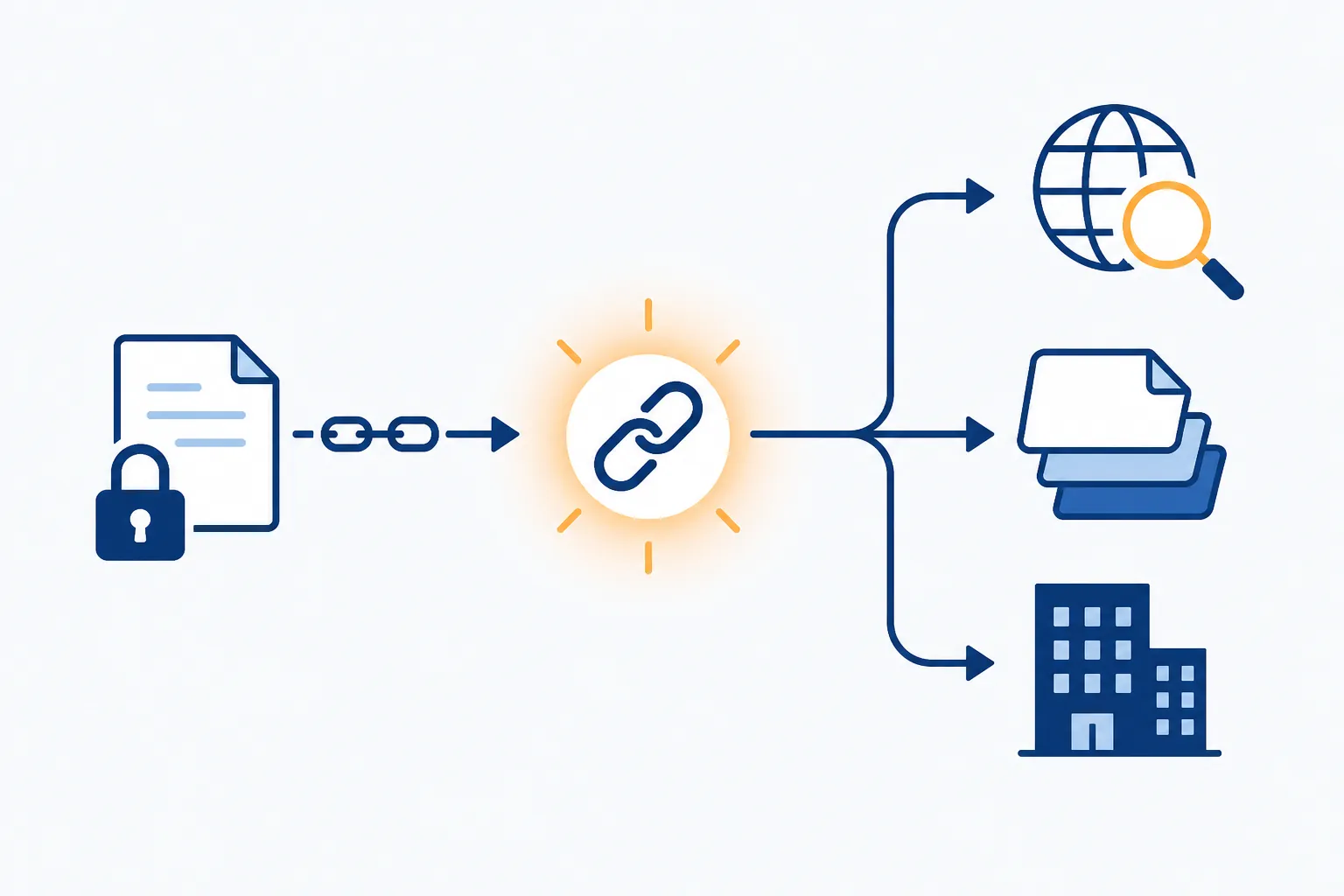
That sequence matters because “anyone with the link” is an access rule, not a promise that the link will remain obscure. It usually prevents access by a person who neither has nor can discover the URL. It does not protect the document once the URL is forwarded, pasted into a public page, stored in an exposed directory, or otherwise placed where a crawler can find it.
Google Docs has a simpler boundary, with an administrator exception
On a personal Google account, the clearest safe state is General access: Restricted. Only explicitly added people can open the file. Changing that state to Anyone with the link removes the need for each visitor to be individually invited; making an item Public widens exposure further. Google also warns users to treat links as sensitive because recipients may share them with other people.[1]
A shareable Google Docs link is not automatically indexed merely because it exists. The narrower and better-supported conclusion is that a link posted somewhere a crawler can reach may enter a search index. Publishing a document deliberately provides a more direct public route. This is why “I never submitted it to Google Search” is not a useful defense after the URL has appeared on a crawlable site.[4]
Google’s sharing panel is comparatively easy to reason about, but consumer accounts lack a per-link expiration control. Eligible work or school accounts can apply expiration dates in supported sharing situations; a personal account owner who no longer wants access to continue must return to the document and revoke or narrow it manually.[1]
The more consequential exception is Google Workspace. Administrators can choose an organization’s default General access setting and can hide sharing options from users. A company or school account therefore should not be assumed to behave like a personal Google account set to Restricted. The label currently shown in the sharing panel is more reliable than memory or a generic description of Google Docs.[3]
That administrative control does not mean every Workspace administrator routinely reads personal documents. It means the organization controls part of the sharing environment, so the account does not provide an owner with an independent guarantee that settings and access conditions will remain unchanged.
Notion gives you more sharing controls—and more surfaces to audit
Notion’s reassuring state is Only people invited, with personal pages kept in the Private section. Its sharing model then expands in more directions than Google’s: a page can be opened to everyone in a workspace, shared with individual guests, or made available to anyone on the web with the link. Notion also offers multiple permission levels and a link-expiry control for web sharing.[2]
Everyone at the workspace is not public-web access, but it is no longer personal privacy. A “Hide in search” option can reduce workspace discoverability; it does not turn the page back into a Private page or remove access from workspace members who already fall within the permission.
The harder part is inheritance. A Notion page can become reachable because it is nested beneath a more broadly shared parent, connected to a shared page, or included in a structure whose permissions travel to subpages. Owners must therefore audit the page’s location and relationships, not only the sharing menu on the page they remember editing. Notion documents subpage permission inheritance and warns that moving a page can change who has access.[2]
Publishing creates another layer. Notion Sites can be indexed by search engines, although Notion says appearance in search results may take up to approximately four weeks. Public pages may also expose contributor information associated with the page, including names, profile images, and email addresses, depending on the publishing configuration.[6]
In April 2026, community researcher weezerOSINT reported that editor metadata from public Notion pages could be retrieved without authentication. Notion’s own Sites documentation corroborates that contributor metadata can be displayed, but the community finding should not be inflated into evidence that private Notion workspaces were breached. It concerns information attached to pages already placed on the public publishing surface.[6]
Notion public pages also cannot currently be password-protected. The practical choices are to keep a page invitation-only, depend on possession of a public link, set that link to expire where appropriate, or use a different delivery method when a shared secret is required.[2]
The exposure cases show the mechanism, not routine leakage
Two Google Docs cases demonstrate why link scope and discoverability must be considered together. In 2026, Pageloot disclosed that a Google Doc containing staging credentials had surfaced through Google Search autocomplete. The reported issue involved credentials placed in a document whose exposure path allowed search discovery; it was not evidence that Google opened every private document to indexing.[4]
In June 2025, Business Insider reported that Scale AI had left more than 85 documents labeled confidential and thousands of contractor email addresses accessible to anyone with the link. Again, the decisive condition was link-scoped access. The documents were not described as Restricted files penetrated through a Google platform compromise.[5]
These are serious failures because the contents were serious, not because they establish a common rate of leakage for unshared personal notes. No well-documented mass leak of private personal Google Docs notes emerged from the sources reviewed for this comparison. The cases support a limited conclusion: a broadly accessible link can produce real exposure when it escapes its intended context.
The same restraint applies to Notion. Public-page indexing, metadata visibility, inherited permissions, and links exposed through related pages are documented routes to unintended reach. They do not prove that an untouched Private page routinely appears on the open web.
A privacy audit that checks what actually matters
For notes that were shared temporarily—or that live beside collaborative work—the audit should follow permissions rather than relying on recollection.
- Google Docs: confirm that General access says Restricted, then remove named people who no longer need access.
- Google Workspace: verify the current organization-controlled default instead of assuming new files are Restricted.
- Google consumer accounts: revisit old share links manually because there is no general per-link expiration safety net.
- Notion: confirm that the page says Only people invited and sits in the intended Private location.
- Notion: inspect parent pages, subpages, linked databases, relations, guests, workspace access, and any published Site containing or pointing toward the material.
- Both products: search places where an old link may have been pasted, including public websites, shared chats, tickets, directories, and collaborative project pages.
- If sharing must continue, use the narrowest audience and permission level available; where Notion’s expiry control fits the task, set an end date rather than planning to remember later.
Which is safer for private notes?
For a personal account with sharing left off, both Google Docs and Notion can keep ordinary strangers out. Google’s Restricted model has fewer moving parts and is easier to verify at a glance. Notion’s Private and Only people invited states can reach the same practical result, but its workspace sharing, permission inheritance, connected pages, Sites publishing, contributor metadata, and search indexing create more places where a casual sharing decision can have consequences.
Google’s distinctive residual risk appears in organizational accounts: a Workspace administrator can alter defaults or remove choices, changing the environment around the user. Notion’s distinctive risk is the breadth of its publication and page-relationship model. Neither difference justifies declaring one service universally private and the other unsafe.
There is also unresolved ambiguity around how Google’s evolving AI features and policies may apply to document content in every account and product context. The reviewed materials do not support turning that uncertainty into a claim that private Docs are used for model training, nor do they justify treating the question as conclusively settled. Users for whom AI-related processing is decisive should check the current terms for their specific account type.
Neither is for notes that must be unreadable to the service
Private from strangers is not the same as private from the vendor. Notion documents AES-256 encryption at rest and TLS 1.2 or later in transit, but those controls are not end-to-end encryption: the service still has the technical ability required to process stored page content.[7][8] Google Docs likewise does not provide end-to-end encryption that makes ordinary document contents unreadable to Google.[9]
Encryption at rest helps protect stored infrastructure; it does not prove that the company operating the service lacks access to the decryption path. An organizational account adds another trust boundary because administrators may control accounts, retention, sharing, and other access conditions. Neither product offers a cryptographic guarantee against both the service provider and a sufficiently privileged workspace administrator.
If a note must remain unreadable to the vendor or to the organization operating the account, neither Google Docs nor Notion meets that threat model. Use an end-to-end encrypted or local-first system instead; the FlowDesk private-notes setup guide covers a self-hosted route. For everyone else, the decision is operational: Google is easier to audit but can be reshaped by Workspace policy, while Notion is flexible enough that owners must inspect more than one sharing switch. Either can keep strangers out while link-scoped sharing remains off.
References
- Share files from Google Drive. Google Drive Help.
- Sharing & permissions. Notion Help.
- Set general access sharing options for your organization. Google Workspace Knowledge Center. August 21, 2026.
- Google Docs password leak reveals costly security mistake. Fox News / CyberGuy. 2026.
- Scale AI left confidential documents publicly accessible. Business Insider. June 24, 2025.
- Public pages & web publishing. Notion Help.
- Security & privacy. Notion Help.
- Notion Security. Notion.
- Is Google Docs secure?. Proton.