

The useful question in an OpenAI agents versus ChatGPT note-taking comparison is not which system can produce the better summary. Both can summarize. The harder question is what remains after the summary: Can I inspect the note, correct it, retrieve it months later, and delete it without guessing where the system stored its version?
This comparison covers the note-taking choices available on August 28, 2026: ChatGPT with chats, Projects, and Memory on one side; an agent built with the developer-facing OpenAI Agents SDK on the other. ChatGPT agent mode is no longer an available test subject. OpenAI's Help Center says it has been retired and directs users toward ChatGPT Work for longer, multi-step tasks and finished deliverables. [1]
That distinction matters. The dated independent tests discussed below tested the former agent mode, not an Agents SDK application. They are useful evidence about agent-style friction—slow runs, intervention, stalls, missed items, and false safety blocks—but they do not prove how a particular SDK implementation behaves. The SDK side is supported here by OpenAI's documentation and cookbook pattern, not by a completed FlowDesk benchmark.
The existing ChatGPT note-taking profile is a feature profile with a broader “processing layer, not replacement” conclusion. This article asks a narrower head-to-head question: what happens when both approaches attempt the same capture, distill, file, and retrieve job?
Test design: one workflow, two implementations
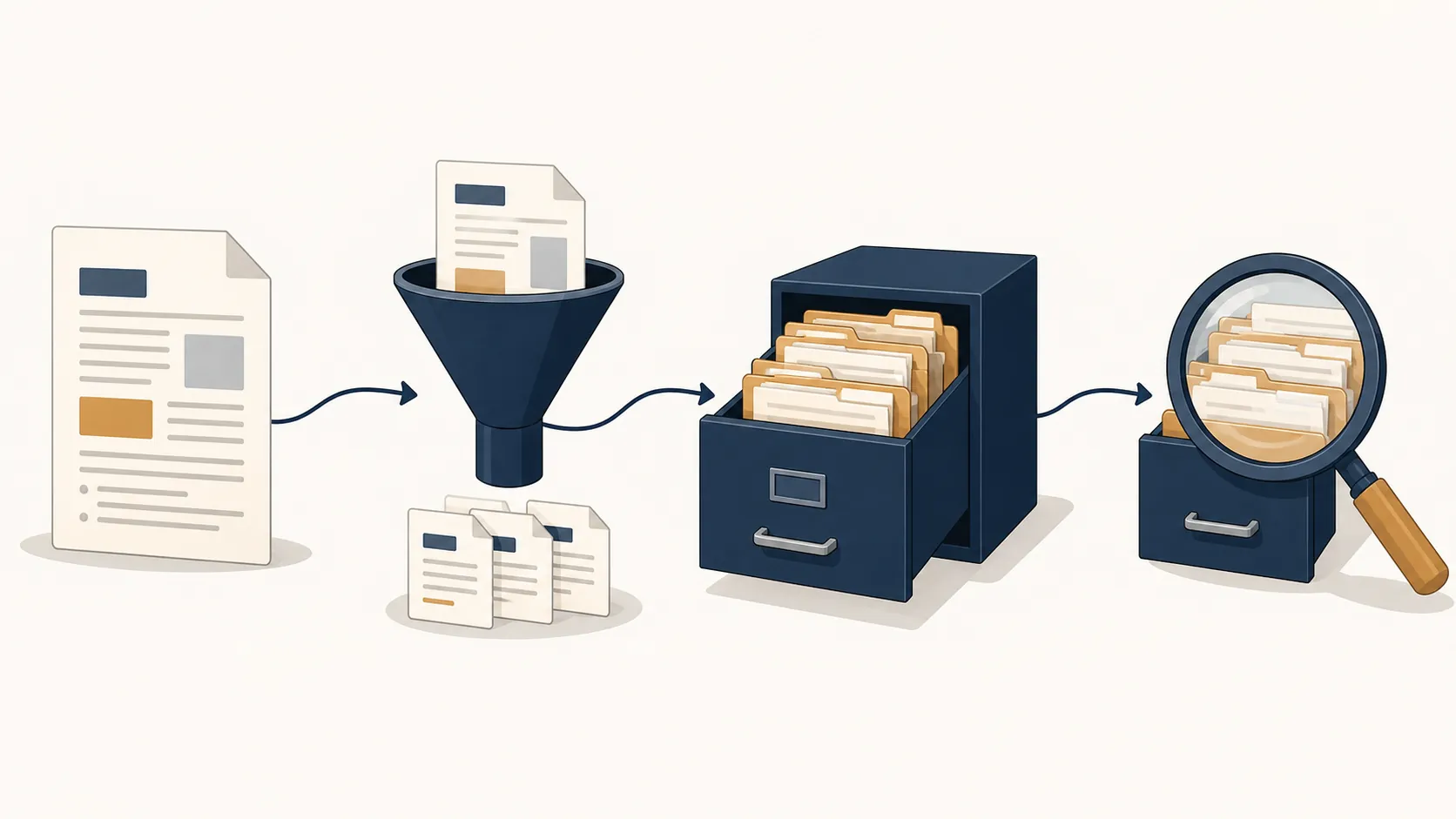
The shared pipeline has four stages:
- Capture: put a meeting transcript, project update, or reference document into the system.
- Distill: extract decisions, facts, open questions, and useful context.
- File: place the durable note in an appropriate project, folder, database, or local store.
- Retrieve: ask for the note later and verify that the answer comes from the intended record.
For step counting, the defensible unit is a user-visible action in the workflow: uploading or pasting the source, issuing the distillation instruction, confirming or directing filing, and making the later retrieval request. Setup, debugging, and maintenance are counted separately because they are not part of the note itself but are part of the ownership cost.
| Decision point | ChatGPT: Projects and Memory | Agents SDK agent |
|---|---|---|
| Time to first usable note | Very low setup; capture can begin in an existing chat or Project | Requires an application, model calls, storage, instructions, and an execution path |
| Conceptual workflow steps | 4: capture, distill, file, retrieve | 4: capture, distill, file, retrieve; setup and maintenance are additional |
| Where the durable note lives | Chat history, uploaded Project material, and possibly saved Memory | A store selected and controlled by the builder, such as local files or a database |
| Inspection and correction | Possible at the visible chat and file level, but the memory layer is less explicit | Can be designed around readable records, schemas, versioning, and direct edits |
| Deletion and forgetting | Bounded by ChatGPT's product surfaces and memory behavior | Can be implemented as explicit deletion, retention, consolidation, and forget rules |
| Recurring cost | Plan limits, messages, files, and product availability can change | Model usage plus hosting, storage, monitoring, and maintenance |
| Evidence status in this article | OpenAI product documentation; no completed FlowDesk run reported | OpenAI SDK documentation and cookbook pattern; no independent scale test reported |
ChatGPT gets working notes moving quickly
On the ChatGPT side, the attraction is immediate. A user can open a chat or Project, provide the source material, ask for a concise note, and continue asking questions in the same conversational context. There is no separate ingestion service to deploy, no database schema to design, and no retrieval endpoint to keep alive.
Projects add a boundary around related chats and files, but they are not an unlimited personal archive. OpenAI currently lists file caps of 5 for Free, 25 for Go and Plus, and 40 for Edu, Pro, Business, and Enterprise plans. OpenAI also documents a project-only memory setting, which disables ChatGPT Work inside the project. [2]
Those limits do not make Projects unusable for notes. They define the surface more accurately: a convenient working environment with bounded files and product-managed context, rather than a plainly exposed notes vault. A small set of active project notes may fit comfortably. A continuously expanding archive needs a policy for consolidation, export, and removal before the user discovers the boundary by accident.
Memory creates a second layer of uncertainty. It can make future conversations feel personalized, but a remembered preference is not the same object as a source note with a stable location, revision history, and deletion rule. A system may retrieve the right context while leaving the user unsure which wording was retained, when it was written, or what else should be removed with it.
The SDK path makes the storage decision explicit
An Agents SDK implementation starts in a less comfortable place. The builder has to decide what counts as a note, where it is stored, how a new capture is associated with an existing topic, and which operations require confirmation. The SDK supplies building blocks—agents, handoffs, guardrails, sessions, and tracing—but those capabilities do not by themselves create a trustworthy archive. [3]
The OpenAI cookbook's state-based memory pattern is more revealing than the word “memory.” It describes injecting relevant notes into context, distilling new information, consolidating related records, applying precedence rules, and forgetting information deliberately. It also treats guardrails and local-first storage as parts of the design. [4]
That is the SDK advantage, but it is also the bill. Every desirable property must be made operational. If a meeting note changes, does the agent append a correction or rewrite the old record? If two notes conflict, which one wins? If a person asks to forget a project, can the system identify derived summaries and delete them too? If retrieval returns a plausible answer, can the user inspect the records that produced it?
A local-first store can answer these questions more directly than a product-managed conversational layer, but only if the implementation preserves readable records and exposes the controls. An SDK does not automatically confer ownership. It makes ownership possible by moving the decisions into code and storage that the builder can inspect.
What actually broke in the available evidence
There is an important status line under this comparison: FlowDesk has not completed its own same-workflow run by publication. That means there are no defensible FlowDesk measurements for clicks, elapsed time, retrieval accuracy, or failure frequency. The four-stage pipeline is the test design, not a claim that both implementations have already passed an in-house benchmark.
The strongest dated observations come from tests of the now-retired ChatGPT agent mode. In a review published by Understanding AI, tasks reportedly took about 20 to 23 minutes, including a 14-minute stall at a dropdown, and the agent required intervention during some runs. The same review described a grocery task that returned 15 of 16 items, along with safety-monitor blocks on legitimate logins. [5]
Frank Andrade's dated review likewise described an agent experience involving slow execution and user intervention. [6] These reports matter because they show where an apparently successful automation can stop being automatic: a user waits through a stall, checks a missed item, or decides whether a safety interruption is a real warning. They should not be presented as current SDK results. An SDK agent can avoid some of those browser-agent failure modes while introducing different ones in storage, orchestration, and maintenance.
For the SDK, the failure points are presently design obligations rather than measured rates. A capture can succeed while distillation drops a qualifying detail. Filing can succeed while placing the note under the wrong project. Retrieval can produce a fluent answer while citing an obsolete record. Tracing may show what the agent did, but someone still has to review the trace when a note is wrong.
Ownership is more than having an export button
The practical difference appears after capture. ChatGPT is optimized for continuing the conversation. That is why it is so useful at the beginning of a note-taking habit: the user can postpone filing decisions and still get a usable response. The cost arrives later, when the archive needs inspection rather than another answer.
A governed notes system needs at least four concrete controls:
- Readable source and distilled records, rather than only a conversational result.
- A rule for merging or superseding notes when new information arrives.
- A way to identify and delete both the original note and its derived memories.
- Retrieval that can show which records support the answer.
ChatGPT can be the right tool when these controls are not yet worth building. An SDK agent becomes worthwhile when they are not optional—for example, when notes must remain in a local or organization-controlled store, when deletion requests must be demonstrable, or when another system needs to read and update the records without passing through a chat interface.

The costs recur in different places
ChatGPT's cost is mostly immediate convenience traded for product boundaries. The user avoids engineering work, but depends on the current chat, Project, Memory, file, plan, and retention surfaces. File caps and message limits can change, and the product may add or retire modes—as the retirement of ChatGPT agent mode demonstrates. Any pricing or plan claim should therefore be rechecked against OpenAI's current pages before purchase.
The SDK's cost is less visible in the first successful run. Model calls and storage create recurring usage costs, while the application creates recurring work: dependency updates, failed-run review, schema changes, backups, access controls, tracing, and deletion tests. A local-first archive is not free merely because its files sit on a local disk.
This is why a polished prototype can give the wrong impression. The prototype proves that an agent can write a note. The maintained system must prove that it can write the right note, find it later, revise it without duplication, and remove it on request.
Do not put workspace agents into this personal comparison
Workspace agents are a separate boundary case. OpenAI describes them as Codex-powered agents that can be deployed in ChatGPT and Slack for organizational plans; they reached general availability on April 22, 2026, and changed from free access to credit-priced usage on May 6, 2026. They are available to Business, Enterprise, Edu, and Teachers plans. [7]
That makes workspace agents relevant to a company deciding how teams should automate knowledge work, but not a substitute for the personal ChatGPT-versus-SDK choice examined here. They introduce organizational administration, plan eligibility, and workspace-level cost questions. They do not erase the central issue of where a durable note lives or who can govern its deletion.
Which route fits the note-taker?
Choose ChatGPT when the immediate goal is to turn incoming material into usable working notes. It is the sensible default for someone who wants to paste a transcript, ask for decisions and follow-ups, and search the resulting context without first becoming the maintainer of a notes application. The setup advantage is real, even though the resulting archive is less explicit.
Choose an Agents SDK implementation when control is a requirement rather than a preference. The case is strongest when notes need a local-first or organization-controlled store, explicit schemas, auditable retrieval, predictable consolidation, and deletion or forgetting rules that can be tested. The engineering effort is justified by those controls, not by the label “agent.”
So the result is not a universal capability win. ChatGPT is the faster route to working notes. An SDK agent is the slower route to notes that can be governed as records. The right choice depends on whether reducing setup today matters more than owning the correction, retrieval, and deletion work that follows.
References
- ChatGPT agent | OpenAI Help Center
- Projects in ChatGPT | OpenAI Help Center
- OpenAI Agents SDK | OpenAI
- Context Engineering for Personalization — State Management with Long-Term Memory Notes | OpenAI Cookbook
- ChatGPT Agent: a big improvement but still not very useful | Understanding AI
- My Honest Review of ChatGPT Agent — Frank Andrade | Artificial Corner
- Introducing workspace agents in ChatGPT | OpenAI