
The first question in a 2026 Mac notes comparison should be the one most roundups leave until the end: if you stop using this app, what do you actually get back?
Not “can it clip web pages,” not “does it look native,” not “does it have AI.” Those matter, and for some workflows they matter a lot. But a note app becomes dangerous precisely because it feels harmless. You install it for grocery lists, class notes, meeting summaries, research snippets, scanned receipts, writing drafts, PDF annotations, and suddenly the app is no longer a tool. It is the place where years of your thinking live.
So this 2026 Mac note-taking app comparison ranks apps by switching cost: how cleanly you can leave with notes, structure, links, tags, attachments, and readable files intact. On that test, apps built around local plain-text or Markdown files start with a huge advantage. Apps that require a mediated export process start with a debt you may not feel until the night you need to move.

The lock-in ranking, before the feature tour
Here is the comparison in the order that matters if you expect to keep notes for years.
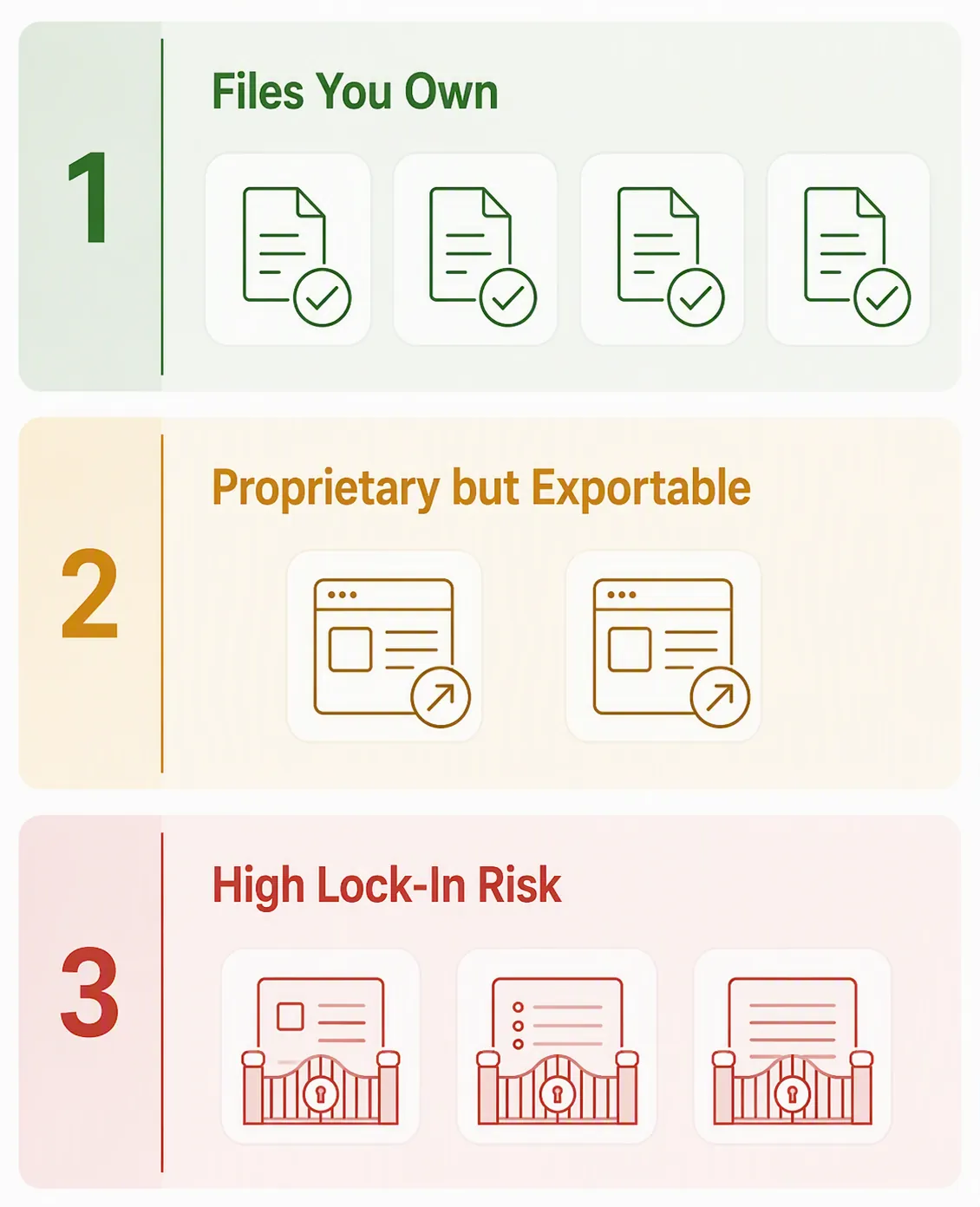
| Lock-in tier | Apps | What you can expect if you leave | Switching-cost judgment |
|---|---|---|---|
| Tier 1: Files you own | Obsidian, Logseq, Joplin, Bear | Readable local notes, usually Markdown or plain text, with the archive still usable outside the original app | Safest long-term set for Mac users who care about data ownership |
| Tier 2: Proprietary but exportable | Notion, Craft | You can export, but you are still relying on the app’s export workflow and may need cleanup after migration | Acceptable if collaboration, databases, publishing, or team workflows are worth the future migration work |
| Tier 3: High lock-in risk | Apple Notes, OneNote, Evernote | Proprietary systems, weak or awkward bulk export paths, or pricing pressure that can make staying expensive | Use deliberately, not by default, especially for serious long-term archives |
The strongest line in this table is between notes stored as readable local files and notes held inside an app-managed system. Obsidian, Logseq, Joplin, and Bear are reported as storing notes as readable local files, which means the archive is not useless without the original app installed [1]. That does not make migration magically perfect; links, plugins, queries, and app-specific behavior can still need repair. But the basic file is yours.
Apple Notes sits on the wrong side of that line for a surprising reason: as of the 2026 Mac-app comparisons available in Q3 2026, it can export individual notes as PDFs, but it does not offer a bulk notebook export path [2]. That is not a small omission once the app becomes your default archive.
What “easy to leave” actually means
A clean exit is not just an export button. Almost every serious app can claim some kind of export. The useful question is whether that export gives the next app enough material to reconstruct your work without turning the migration into a manual archaeology project.
- Readable files: Can you open the notes in Finder, a text editor, or another Markdown app without asking the original app for permission?
- Bulk export: Can you move notebooks, folders, or a full workspace at once, or are you stuck exporting one note at a time?
- Format quality: Do you get Markdown, plain text, HTML, PDF, ENEX, or a proprietary package that only looks portable until you try to import it?
- Structure preservation: Do folders, backlinks, tags, internal links, and attachments survive in a way another app can use?
- Price pressure: Does a free tier, AI feature, device limit, or annual plan push you into paying before you are ready to make a calm migration decision?
- Archive usefulness: If the company changes direction or the app disappears, can you still read the notes without rebuilding your system first?
This comparison does not pretend to be a controlled migration lab test where every app was exported into every other app with measured attachment loss. The export-fidelity judgment here is synthesized from the available 2026 source material: storage model, export options, pricing constraints, and reported portability. That is enough to separate low-risk from high-risk choices, but not enough to promise that every tag, backlink, embed, and attachment will land perfectly in your next system.
If you mainly want speed, native feel, battery behavior, or AI writing features, those are real buying criteria. FlowDesk’s broader Mac note-taking roundup and performance, battery, and AI comparison are better places for that angle. Here, an app earns space only when its design changes the cost of leaving.
Tier 1: files you own
The safest Mac note apps in 2026 are the ones where your notes are already in a portable state while you work. You are not waiting for a future export. The folder on disk is the working archive.
Obsidian
Obsidian is the default answer for people who want a local Markdown vault and are willing to treat their notes like a durable file system rather than a polished database. The core advantage is simple: your notes live as Markdown files in folders. If you stop using Obsidian, you still have a readable archive.
That makes Obsidian unusually resilient to product risk. Plugins may break. Sync choices may change. Your personal setup may become too elaborate. But the notes themselves are not trapped behind a proprietary workspace. For long-term research notes, writing drafts, technical notes, and personal knowledge management, that matters more than one more sidebar animation.
The tradeoff is that Obsidian asks you to care about structure. If you want family-device simplicity, collaborative editing, or a gentle default inbox that never exposes folders, it may feel like too much. That is a workflow objection, not a portability objection.
Logseq
Logseq belongs in the same low-lock-in group because it is built around local readable files rather than a purely app-held database [1]. It appeals most to users who think in outlines, daily notes, blocks, references, and linked ideas.
Its switching cost is low at the file level, but the workflow is more specialized than Obsidian’s. If you build years of thinking around block references and outliner habits, another Markdown app may read the files without recreating the same experience. That is a softer kind of lock-in: not data imprisonment, but muscle-memory and structure dependence.
Joplin
Joplin is the practical member of the local-file group: less fashionable than Obsidian, less conceptually intense than Logseq, but strong for people who want Markdown-based notes, cross-platform use, and a more conventional notebook feel. Its place in Tier 1 comes from the same issue: the notes are kept in readable local form rather than existing only as an app-managed cloud workspace [1].
For Evernote users who want notebooks and a clearer migration path, Joplin often deserves a serious look. It is not the only answer, and it may not feel as elegant on macOS as Apple-native tools, but it starts from a healthier assumption: your archive should remain usable outside the product.
Bear
Bear is the bridge case that many Apple-only users should take more seriously. It is not the same as an Obsidian vault where the folder itself is the center of the system, but it is far safer than Apple Notes for people who want a native-feeling Mac and iPhone writing app without giving up a realistic exit.
The key facts are portability and price. Bear offers Markdown export with tags intact and is listed at $29.99 per year in 2026 coverage [3][4]. That combination is rare: polished Apple-app experience, low annual cost, and an export format another writing or notes app can actually work with.
Bear’s limitation is also clear. It is an Apple-ecosystem choice. If you need Windows, Android, or heavy team collaboration, it is not trying to be your universal workspace. But for Mac and iPhone users who like Apple Notes because it feels simple, Bear is the safer version of that instinct: still pleasant, still focused, with a much wider exit door.
Tier 2: proprietary, but exportable enough to consider
Tier 2 is not a warning label that says “avoid.” It is the zone where the product may be worth the future migration work. These apps can be excellent if their collaboration, document design, databases, publishing tools, or workspace features are central to how you work. The mistake is pretending they carry the same exit risk as local Markdown folders.
Notion
Notion is the app that most clearly shows why switching cost is no longer just about export format. It is also about the workflows you build around the product’s current pricing model.
For notes alone, Notion can be more than you need. For databases, team knowledge bases, project dashboards, lightweight publishing, and structured personal systems, it can be hard to replace because it becomes the operating layer around the notes. That is useful lock-in while the system is working and painful lock-in when the price or product direction changes.
The 2026 pricing shift that matters is AI access. Multiple 2026 comparisons report that Notion’s AI features moved into the Business tier in early 2026, making the cheapest AI-access path roughly $20 per user per month [5][6]. Because this is pricing, it should be rechecked against Notion’s official pricing page at publication. Still, the strategic point stands: if your note-taking workflow depends on Notion AI, the total cost of staying is not the same as the cost of using Notion casually.
Notion belongs in Tier 2 rather than Tier 3 because it is not a dead-end in the way a no-bulk-export notes silo can be. You can export. But a Notion workspace is often more than pages of text. It may include databases, relations, templates, permissions, AI-assisted workflows, and habits that do not map cleanly into a folder of Markdown files. If you choose Notion, choose it because those structures are worth maintaining, not because you assume migration will be trivial later.
Craft
Craft is the quieter Tier 2 case. It appeals to users who care about document feel, presentation, and structured writing more than raw vault ownership. For Apple-heavy writers, consultants, and students, that polish can be genuinely useful.
The portability caution is that Craft still asks you to trust an app-mediated system. You may be able to export, but you are not simply working in a plain folder of files that any editor can treat as the source of truth. That difference matters if your notes are becoming a long-term archive rather than a set of active documents.
Craft can be a good choice when the finished document matters: proposals, class handouts, client notes, shared pages, or personal writing that benefits from layout. It is weaker as a default recommendation for people whose main fear is ever having to rebuild their notes in another app.
Tier 3: the apps that make leaving harder than starting
The Tier 3 apps are not useless. They are popular for understandable reasons: they are bundled, familiar, cross-device, collaborative, or already part of work and school ecosystems. The problem is that their convenience is front-loaded. The cost arrives later, when your archive is big enough that migration is no longer a weekend chore.
Apple Notes
Apple Notes is the most dangerous default on the Mac because it feels like infrastructure. It is already on the device, syncs through iCloud, handles quick capture, scans documents, supports basic organization, and behaves the way most Apple users expect. For casual notes, it is fine. For a serious long-term archive, the export story is the issue.
As of Q3 2026, the reported export path is narrow: individual notes can be exported as PDFs, but entire notebooks cannot be batch-exported [2]. PDF is also not a healthy working format for future notes. It preserves visual output, not the editable structure another notes app wants. A folder of PDFs is an archive you can read; it is not a living knowledge base you can easily continue in another tool.
That limitation is easy to ignore when you have 40 notes. It becomes absurd when you have years of lecture notes, scanned forms, recipes, travel plans, article drafts, and shared family notes. The person doing the migration is then stuck deciding which notes deserve manual attention, which attachments need checking, and which structure has to be abandoned.
Apple could improve this in a future macOS release. If it adds reliable bulk export with usable text, attachments, and folder structure, its risk profile changes. Until then, Apple Notes is best treated as a lightweight capture and everyday notes app, not the place to put an archive you already know you may need to move.
Evernote
Evernote’s lock-in problem is different from Apple Notes. It does have a more recognizable export story, especially through ENEX, so it is not the worst case for raw data escape. The pressure comes from the relationship between a mature archive and the product’s current limits and pricing.
The free tier is limited to 50 notes, 1 device, and 1 notebook in 2026 coverage [3][7]. Starter pricing is reported around $99 or more per year, while AI access requires the Advanced tier at roughly $250 per year [3][7]. Those numbers make Evernote a poor default holding pattern for people who are no longer sure they want to stay.
It is important not to overstate the enforcement mechanics. User reports and product behavior can vary, and the available source material supports the existence of the cap more clearly than one universal account of what every user sees when they hit it. The practical effect is still obvious: once your archive is larger than the free tier allows, delaying the migration becomes a paid decision.
If you are already in Evernote, do not pick an alternative from a generic “best apps” list. Start from the migration problem: how many notes, how many attachments, which notebooks matter, and whether ENEX import quality is acceptable in the destination. FlowDesk has a dedicated guide for Evernote refugees moving notes on Mac and a frustration-matched Evernote alternatives guide for exactly that reason.
OneNote
OneNote earns its place in the high-risk group because it is a proprietary notebook system, not a folder of plain files. It can be the right app for school and work environments where Microsoft accounts, shared notebooks, handwriting, and Office integration matter more than portability.
That is a real use case. Handwritten lecture notes, ink, embedded files, class notebooks, and institutional Microsoft access can make OneNote the easiest practical choice. But those same rich notebook features are exactly what make later migration awkward. You are not just moving text; you are trying to preserve pages, sections, drawings, attachments, and spatial layout from a proprietary environment.
For Mac users choosing a personal notes app from scratch, OneNote is hardest to justify when the archive is meant to outlive a job, school account, or Microsoft-centered workflow. Use it when the ecosystem value is concrete. Avoid it when you are choosing by inertia.
How to choose without pretending there is one winner
The safest choice depends on what you are trying to protect.
- If long-term data ownership is the priority, start with Obsidian, Logseq, Joplin, or Bear. The common advantage is that your notes remain readable outside the app.
- If you want a polished Apple-only app with a real exit path, choose Bear before Apple Notes for serious notes. Apple Notes is convenient; Bear is much safer to leave.
- If you need databases, team spaces, dashboards, or AI-assisted workspace behavior, Notion can still be worth it. Treat AI access and tier changes as part of the app’s total cost, not an add-on detail.
- If you are already deep in Evernote, make a migration plan before shopping for features. The app you choose should be judged by how well it imports your actual archive, not by how good its blank-note screen looks.
- If school or work requires OneNote, use it with clear boundaries. Keep personal long-term knowledge somewhere easier to export unless Microsoft integration is the point.
This is also where the local-first versus cloud-first decision becomes practical rather than ideological. Cloud sync is not the enemy. Proprietary storage without a clean exit is the problem. If you want the fuller argument, FlowDesk’s local-first vs cloud-first note-taking comparison goes deeper on that tradeoff.
A good note app should be pleasant enough that you want to use it every day. It should also be humble enough to let you leave. In 2026, the best Mac note-taking app is not the one with the longest feature list. It is the one whose exit plan you can live with before you import your first serious archive.
References
- Best Note-Taking Apps for MacBook (2026): 9 Apps Tested — Atlas Workspace
- The 5 best note taking apps for Mac in 2026 — Zapier
- The Best Note-Taking Apps We've Tested for 2026 — PCMag
- The BEST Mac note-taking tools to boost writing in 2026 — Setapp
- Best Note-Taking Apps 2026: Tested and Ranked — Tech Insider Australia
- The 12 Best Note-Taking Apps in 2026 (We Tested Them All) — Storyflow
- 19 Best Note-taking Apps for Mac in 2026: Declutter Your Mind — TimingApp