
The practical answer to Google Docs Gemini vs Microsoft Word Copilot in 2026 is less dramatic than most product pages make it sound: choose the assistant attached to the place where your documents, comments, source files, and reviewers already live. After the April 2026 updates, both tools can help with a serious writing workflow. The gap is no longer wide enough to justify moving a team from Google Workspace to Microsoft 365, or the other way around, just for the writing assistant.
| Reader or team | Better fit | Why | Not for you if |
|---|---|---|---|
| Google Workspace teams | Gemini in Google Docs | Gemini can draft from Drive, Gmail, Chat, and web context; Business Standard includes Gemini at $14/user/month as of May-June 2026 pricing checks. [1][2][3] | Your approvals, source files, and reviewers mostly sit in Word, Teams, Outlook, or SharePoint. |
| Microsoft 365 teams | Copilot in Word | Copilot works directly inside Word, uses Microsoft 365 context, and added Claude model options, Plan mode, and a Loop-to-Word path in April 2026. [4][5] | Your daily writing happens in shared Google Docs and Drive permissions are the real source of truth. |
| Students and individual writers | Depends on the subscription you already pay for | Google AI Plus at $7.99/month gives Gemini in Docs; Microsoft 365 Personal at $9.99/month gives Copilot in Word plus the Office apps for one account holder. [3] | You only need occasional AI chat and do not want another paid plan. |
| Creative writers, content ideators, and web-heavy researchers | Gemini | G2’s April 2026 hands-on comparison found Gemini stronger for creative writing, coding, image generation, and real-time web search. [6] | Your main pain is summarizing long internal files or extracting information from uploaded documents. |
| Operations, executive, and client-document teams | Copilot | G2 found Copilot stronger for summarization and file analysis, and Word’s in-place editing reduces file-hopping during review. [6][5] | Your organization will not pay the Copilot add-on cost. |

What changed in April 2026
The comparison became more useful in April 2026 because both companies improved the parts of AI writing that matter after the first prompt. Google’s update was aimed at blank-page work inside Docs: “Help me create” can draft from Workspace sources such as Drive, Gmail, and Chat; “Match writing style” can learn tone from existing documents; and “Match doc format” is designed to preserve structure such as table of contents, headings, and page layout. Google also noted promotional limits for Match writing style through July 15, 2026, so availability should still be checked at the account level. [1]
Microsoft’s April 2026 update moved in a different direction. Copilot added Claude as a model option alongside OpenAI models, introduced Plan mode for building multi-step document plans, and connected Microsoft Loop notebooks to Word so source material can move into a formal document with less copy-and-paste work. [4] That matters for teams that treat Word as the final controlled artifact, not merely a place to brainstorm.
Those updates narrowed the feature gap without making the tools interchangeable. Gemini is now stronger when the writing job begins with scattered Google Workspace context. Copilot remains more comfortable when the writing job needs to stay inside Word through drafting, editing, review, and handoff.
The document lifecycle test
A writing assistant is easy to admire in a demo and harder to live with on Thursday afternoon, when the source material is split between an email thread, a meeting note, a half-finished outline, and a manager’s comments. The useful comparison is not “which chatbot writes a nicer paragraph.” It is whether the assistant helps move a document through the normal lifecycle without creating extra cleanup.
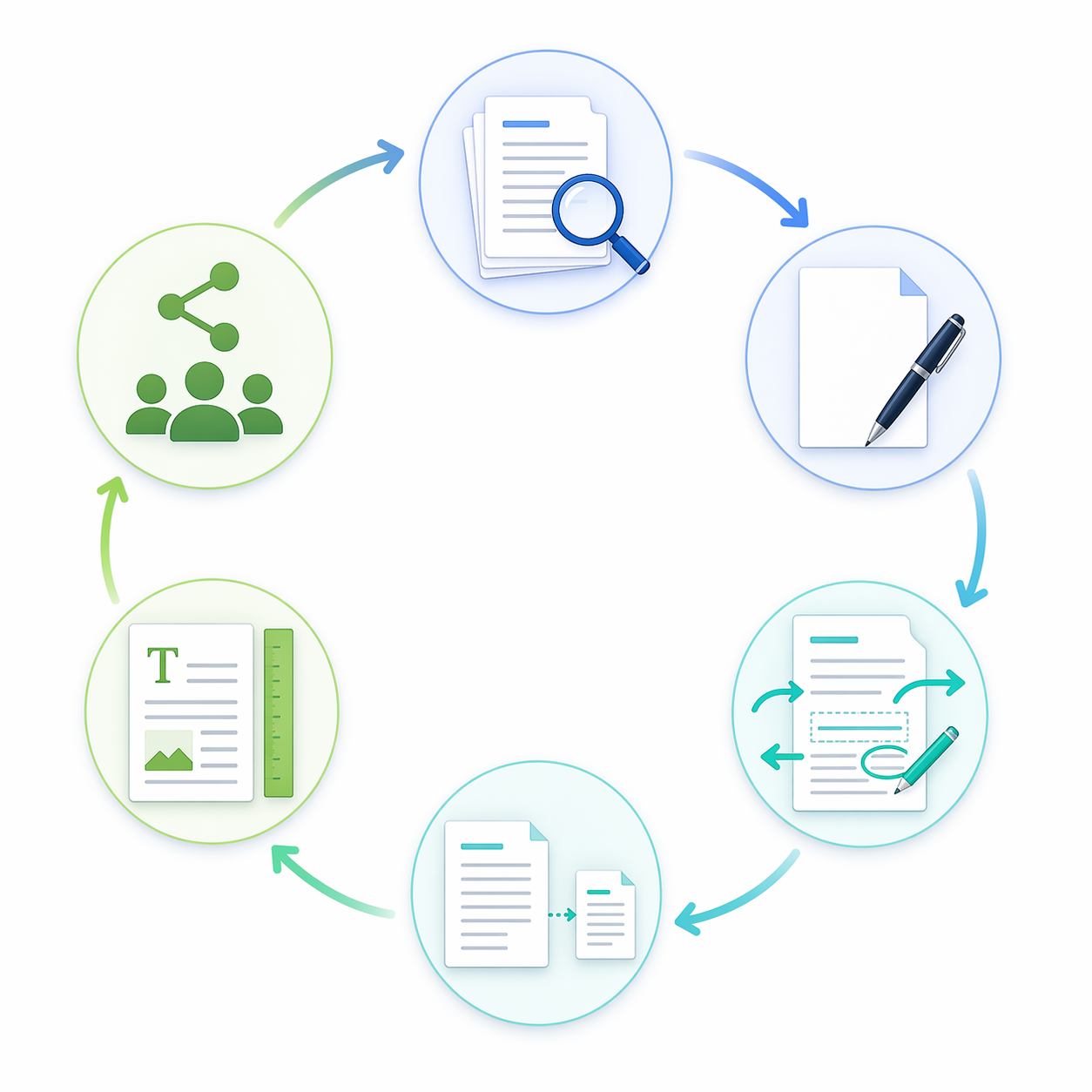
| Workflow moment | Gemini in Google Docs | Copilot in Microsoft Word |
|---|---|---|
| Gather context | Strong when the needed material lives in Drive, Gmail, Chat, and web sources. [1] | Strong when the needed material lives in Microsoft Graph-connected sources such as email, calendar, Teams, and SharePoint. [5][7] |
| Draft from a blank page | Good for fast first drafts, creative starts, and web-connected research. [1][6] | Good for structured business drafts, especially when the final document must remain in Word. [4][8] |
| Revise tone and style | April 2026 Match writing style helps adapt tone from existing documents, subject to availability limits. [1] | Word’s AI features support rewriting, coaching, and drafting inside the document surface. [8] |
| Summarize and analyze files | Capable, but G2’s April 2026 test gave this category to Copilot. [6] | G2 found Copilot stronger at summarization and file analysis. [6] |
| Preserve structure | Match doc format is a meaningful improvement for headings, table of contents, and layout preservation. [1] | Word’s advantage is that edits happen natively in the existing document rather than requiring a separate draft path. [5] |
| Handoff to reviewers | Best when collaborators already comment, suggest, and approve in Google Docs. | Best when reviewers expect Word files, Teams context, SharePoint storage, or Microsoft 365 approvals. |
Gathering the right source material
Gemini’s strongest 2026 argument is not that it can generate text. Many tools can. Its better argument is that a Docs user can ask for a draft that is grounded in Workspace material instead of pasting source notes into a prompt one chunk at a time. If the launch brief is in Drive, the stakeholder thread is in Gmail, and the informal decisions are in Chat, Gemini’s April 2026 grounding update reduces the number of tabs a writer has to patrol before writing. [1]
Copilot’s equivalent strength comes from the Microsoft side of the house. Microsoft 365 context can draw from the places many business documents are born: Outlook, Teams, calendar data, SharePoint files, and other Microsoft Graph-connected material. [5][7] That is most useful when the document is not a standalone essay but a record of work already happening inside Microsoft 365.
This is where switching suites for AI gets expensive in ways that never show up in the feature grid. Layer3Labs and Velosio both caution against changing productivity ecosystems solely for AI because the training burden, migration work, permissions cleanup, and process disruption can outweigh the assistant’s benefit. [7][9] That advice is not glamorous, but it is the part most teams feel first.
Drafting: Gemini feels more expansive, Copilot more contained
For first drafts, Gemini has the looser, more exploratory feel. G2’s April 2026 hands-on comparison found Gemini ahead in creative writing, coding, image generation, and real-time web search. [6] That combination matters for content marketers, students, and solo writers who often begin with a messy question rather than a clean corporate template: gather recent context, produce angles, test a structure, and keep moving.
Copilot is better when the desired output already has a business shape. Plan mode gives the user a way to develop a multi-step outline before generating prose, and the Loop-to-Word pipeline fits teams that collect working notes in Loop and then need a more formal Word document. [4] The difference is subtle but real: Gemini often helps expand the writing surface; Copilot often helps discipline it.
G2’s test is useful here, but it should not be treated as a lab benchmark. Its results came from one reviewer’s methodology, with particular prompts and sessions, and the source itself notes that outcomes can vary with phrasing and session history. [6] The better takeaway is directional: if your weekly work includes creative ideation and web-connected drafting, give Gemini a serious look; if it includes business summaries and file-heavy synthesis, Copilot deserves the first trial.
Editing and formatting are where Word still feels cleaner
The maintenance phase is where small product behaviors become large workflow differences. Microsoft’s own comparison page says Copilot edits directly in the existing document, while Gemini creates a separate doc when asked to draft from scratch. [5] Because that claim comes from Microsoft, it should be read as vendor positioning rather than independent measurement. Still, the operational point is easy to recognize: fewer duplicate files usually means fewer places for comments, versions, and formatting changes to drift.
Google’s April 2026 format update is the right answer to a real complaint. If an AI rewrite destroys a table of contents, strips headings, or changes page layout, the writer has not saved time; the cleanup has merely moved later in the process. Match doc format directly addresses that problem by preserving structural elements such as headings, page layout, and table of contents. [1] For Docs-heavy teams, that makes Gemini more credible as a document assistant rather than just a drafting panel.
Even with that improvement, Copilot’s native Word behavior remains satisfying for controlled documents: proposals, executive summaries, policy drafts, client deliverables, and anything with a review trail that must stay in one file. When a reviewer has already commented in Word, the best AI action is often not a brilliant rewrite; it is a targeted revision that leaves the document structure and collaboration context intact.
Summaries and file analysis favor Copilot
Summarization is not one task. There is a quick meeting recap, a synthesis of several documents, a risk summary for leadership, and the painful “what changed between these files?” request that tends to arrive late. In G2’s April 2026 comparison, Copilot came out ahead on summarization and file analysis. [6] That matches the kind of work Microsoft is optimizing for: internal documents, meetings, mail, and Teams context moving into formal outputs.
Gemini is still capable of summarizing, especially when the surrounding Workspace context is relevant. But if your heaviest writing day involves condensing long internal files, reconciling several versions, or extracting decision points from business material, Copilot has the stronger evidence in the available hands-on comparison.
Creative range favors Gemini
Gemini deserves more credit than it sometimes gets in document-tool comparisons because not all writing is controlled business prose. Some work starts with a campaign idea, a lesson plan, a landing page outline, a coding explanation, or a visual concept. G2 found Gemini stronger for creative writing, coding, image generation, and real-time web search. [6] Google’s Docs help materials also position Gemini as a tool for writing and editing inside Docs, not only as a separate chatbot experience. [10]
That does not automatically make Gemini the better writing assistant for every writer. It makes it the better fit when the document is part of a wider exploration process. A marketer building a first campaign narrative from web research may value Gemini’s range more than Word’s tighter in-file control. A student shaping a draft from notes and current web sources may prefer the speed of Docs collaboration and Gemini’s research posture, while still needing to check citations, formatting, and source quality manually.
The price difference is not a footnote
Pricing changes the answer because these assistants are not bought in isolation. Google Workspace Business Standard is listed at $14 per user per month and includes Gemini in Docs, with no separate Gemini add-on in the pricing materials reviewed for this comparison. [2][3] Microsoft 365 Business Standard plus the Copilot add-on was described in the available pricing analysis as about $33.50 per user per month, with sources noting an increase to $35 from July 1, 2026. [3][11]
| Plan situation | Approximate monthly cost noted in sources | Practical reading |
|---|---|---|
| Google Workspace Business Standard with Gemini | $14/user/month | The AI writing assistant is bundled into a mainstream business Workspace plan. [2][3] |
| Microsoft 365 Business Standard plus Copilot | About $33.50/user/month in the cited analysis, with an increase to $35 from July 1, 2026 | The stronger Word experience comes with a materially higher business-seat cost. [3][11] |
| Google AI Plus for individuals | $7.99/month | Lower-cost individual access to Gemini in Docs. [3] |
| Microsoft 365 Personal | $9.99/month | Copilot in Word for the account holder plus the broader Office suite. [3] |
For a five-person team, the difference is noticeable. For a department, it becomes a budget conversation. For an organization, it becomes a governance conversation: who actually needs the assistant, whether every seat should be upgraded, and whether the writing gains are concentrated in a few roles rather than spread evenly across the company.
That is why cost should be judged against repeated workflows, not curiosity. A content lead who drafts, rewrites, summarizes, and hands off documents all day may justify a paid assistant quickly. A team member who writes a monthly status update may not. For a broader way to think about paid upgrades, the same question appears in free vs paid AI productivity apps: the right plan is the one attached to work frequent enough to make the subscription boring.
Who should choose Gemini in Docs
Choose Gemini in Google Docs if your writing already depends on Google Workspace context and fast collaboration. It is especially strong when the source material is spread across Drive, Gmail, Chat, and web research, and when the team is already comfortable with shared Docs, suggestions, comments, and lightweight handoff.
- Your organization already pays for Google Workspace Business Standard and can use Gemini without a separate AI add-on. [2][3]
- Your drafts often begin with scattered source material rather than a fixed Word template.
- You value creative ideation, real-time web search, coding help, or image generation as part of the writing process. [6]
- Your reviewers live in Google Docs comments and suggestions, not Word files passed through email.
- Your team wants AI assistance without making a large per-seat pricing jump.
The caution is document control. If your work depends on exact Word formatting, formal client deliverables, or tightly managed review versions, test Gemini with those documents before assuming the April 2026 formatting improvements cover every edge case. Some features may also be in staged rollout or subject to account-level availability limits. [1]
Who should choose Copilot in Word
Choose Copilot in Microsoft Word if Word is the place where your documents become official. Copilot’s appeal is not only the generated text. It is the ability to work in the file where comments, structure, and final formatting already matter.
- Your source context lives in Outlook, Teams, calendar data, SharePoint, and Microsoft 365 files. [5][7]
- You need stronger summarization and file analysis, the areas where G2’s April 2026 comparison favored Copilot. [6]
- Your team writes proposals, policies, executive briefs, reports, or client documents that must stay in Word.
- You want model choice, including Claude alongside OpenAI models, within Microsoft 365 Copilot. [4]
- The higher per-seat cost is justified by frequent document-heavy work.
The caution is price and scope. Copilot’s Word experience may be the cleaner document-maintenance tool, but that does not mean every Microsoft 365 user needs a paid Copilot seat. Start with the roles that repeatedly summarize files, prepare formal drafts, or revise business documents under review.
Students, solo writers, and mixed teams
Students should decide by submission format and source habits. If classes, group projects, and notes live in Google Docs, Gemini’s lower individual price and collaborative flow are attractive. If instructors require Word files, precise formatting, or Office templates, Microsoft 365 Personal gives Copilot in Word plus the full Office suite for the account holder. The available pricing comparison lists Google AI Plus at $7.99 per month and Microsoft 365 Personal at $9.99 per month. [3]
Solo writers have a different tradeoff. If the job is generative range, Gemini has the stronger evidence in the available hands-on test. [6] If the job is producing polished Word deliverables for clients, Copilot’s in-document behavior can prevent small format and version-control annoyances from accumulating.
Mixed-environment organizations should resist pretending one assistant will cross the boundary gracefully. Sources comparing the broader suites consistently describe the integrations as strongest inside their own ecosystems, and caution that neither tool works as well outside its native environment. [7][9][12] If marketing lives in Google Docs and finance lives in Microsoft 365, the answer may be role-based adoption rather than a single company-wide winner.
Decision rule
Pick Gemini in Docs when your writing depends on Google Workspace context, fast collaboration, web-connected research, creative exploration, and bundled cost. Pick Copilot in Word when your work lives in Microsoft 365, needs in-document control, benefits from Teams and Graph context, and depends heavily on summaries or file analysis.
Do not switch productivity suites for a marginally better AI demo. Switch only if a specific feature gap maps to work you do every week, and the migration cost is smaller than the document friction you are trying to remove.
References
- New Gemini capabilities in Google Docs — from blank page to brilliance — Google Workspace Updates, April 22, 2026
- Google Workspace Pricing — official
- Gemini vs Copilot: Which AI assistant fits your organization in 2026? — NextPlane, April 2026
- What's New in Microsoft 365 Copilot | April 2026 — Microsoft Tech Community
- Microsoft 365 Copilot vs Gemini Enterprise — Microsoft
- Gemini vs. Copilot: Which AI Assistant Delivers? — G2, April 2026
- Gemini vs. Copilot for Business (2026): Verdict by Use Case — Layer3Labs
- AI in Word — Features and Benefits — Microsoft
- Microsoft 365 Copilot vs Gemini in Google Workspace — Velosio, September 2025
- Write & edit with Gemini in Docs — Google Docs Editors Help
- Microsoft 365 Copilot Plans and Pricing — Microsoft
- Google Gemini vs Microsoft Copilot: AI Integration in Workspace and M365 — TTMS, July 2025