
Windows 10 support ended on October 14, 2025. Your old PC did not stop working that day, and a note app will still open, but the margin for a heavy desktop application is smaller when the operating system no longer receives ordinary support and the machine already struggles with a browser, a PDF, and a video call. Microsoft says Windows 10 remains outside regular support, while its Extended Security Updates program can provide security updates through October 12, 2027 for eligible devices. [1][2]

That makes the useful question narrower than “which note app is best?” Start with two constraints: how much RAM the PC has available, and whether your notes remain usable when the network does not. Features can decide between two apps that fit. They cannot make a machine with 2 GB or 4 GB of RAM behave like a current laptop.
The comparison below treats vendor requirements as support-posture information and community measurements as clues about real-world load. User reports are useful for identifying friction, but they are not controlled benchmarks: the machines, vaults, plugins, sync states, and background processes differ.
The Old-PC Constraint
Microsoft’s published Windows 11 floor is 4 GB of RAM, a 1 GHz or faster 64-bit dual-core processor, UEFI Secure Boot capability, and TPM 2.0. [3] A Windows 10 computer below that floor is not automatically unusable, but it is outside the hardware assumption made by the current Windows path. Even a machine that meets the RAM minimum may be a poor upgrade candidate if it lacks TPM 2.0 or Secure Boot.
This is not a fringe problem. StatCounter recorded Windows 10 at 42.62% of desktop Windows usage in November 2025, though that figure is a share of observed web traffic rather than a census of every PC. [11] PCMag also reported a Dell estimate of roughly 500 million PCs capable of upgrading but not yet upgraded and another 500 million too old to make the transition. Those figures are estimates, not a direct count of note-taking users, but they explain why an old-PC decision still deserves more than a compatibility footnote. [12]
| App | Windows and support posture | RAM evidence | Offline behavior | Not for you if |
|---|---|---|---|---|
| Notion | Windows 10 21H2 or newer is required; re-check this vendor page before installing | Cloud/Electron-style workload; no comparable official RAM figure in the supplied material | Core work depends heavily on sync and service availability | You need a dependable low-memory, offline-first workflow |
| Evernote | Current Windows support should be checked against the vendor before migration | Users have reported roughly 0.5–2.1 GB RAM use and idle-CPU problems on specific machines [7] | Cloud-centered workflow; offline availability and sync state need checking before travel or outages | Your PC has 4 GB or less and Evernote already consumes a visible share of working memory |
| Obsidian | Local Markdown vault; current Windows support has changed since its 2020 low-spec discussion | A user reported about 700 MB with an 8,000-file vault and 19 plugins [8] | Strong local access; sync is optional rather than the basic editing path | Your vault is large, plugin-heavy, or your machine is below 4 GB |
| Logseq | No published official system requirement is available in the supplied material | No dependable published RAM figure in the supplied material | Local-first workflow, with graph and sync details affecting practical load | You need a documented vendor minimum or a predictable low-spec result |
| GoodNotes | The vendor recommends at least 4 GB of RAM on Windows 10 or newer [5] | The 4 GB recommendation is the relevant floor, not a measured app footprint | Do not assume full offline parity with a local Markdown editor | Your PC has 2 GB, or handwriting is not the reason you are accepting the extra constraint |
| OneNote | OneNote for Windows 10 reached end of support on October 14, 2025 and is now read-only [6] | No comparable RAM figure in the supplied material | The usable Windows path depends on which OneNote application you actually have | You are still relying on the retired Windows 10 app for new notes |
The table hides an important distinction: “offline” can mean that a local file opens without a connection, or that a cloud application has cached enough of your workspace to let you continue. Those are different failure modes. Before moving a large archive, open a representative set of notes with Wi-Fi disabled and verify that editing, search, attachments, and export behave as expected.

What the RAM Reports Actually Say
Evernote is the clearest warning sign in the supplied user evidence. Reports in an Evernote forum describe approximately 0.5 GB to 2.1 GB of RAM use on particular Windows systems, alongside complaints about CPU activity while idle. [7] That range is too inconsistent to use as a benchmark, but it is consistent with the practical complaint an old-PC owner cares about: the note app can become a major background consumer before the user has opened the document they need.
Notion belongs in the same caution category because its desktop experience assumes a cloud-connected workspace and a modern application runtime. The supplied vendor requirement is Windows 10 version 21H2 or newer, captured in 2026. [4] That tells you the supported Windows path, not how much RAM Notion will use alongside your own workload. A low-authority March 2026 comparison claims lower figures for Obsidian and higher figures for Notion, including spikes above 800 MB, but those numbers should be re-tested rather than repeated as established measurements. [15]
Local-first apps improve the starting position, not necessarily the finish. An Obsidian forum user reported about 700 MB with an 8,000-file vault and 19 plugins. [8] The same discussion contains an August 2020 staff comment that Obsidian was not designed for low-spec computers. That comment is dated, and Obsidian has changed its Windows support since then, but the underlying warning remains useful: a local vault can be small while the index, graph, plugins, previews, and open panes are not.
Joplin reports are similarly variable. One Windows discussion includes user figures from roughly 250 MB to 800 MB, while a separate issue reports about 1.5 GB idle on macOS. [9][10] Those reports do not establish a universal Joplin footprint, and the operating-system difference makes direct comparison weaker. They do establish that “lighter” is a tendency to test, not a promise.
The RAM-Budget Decision
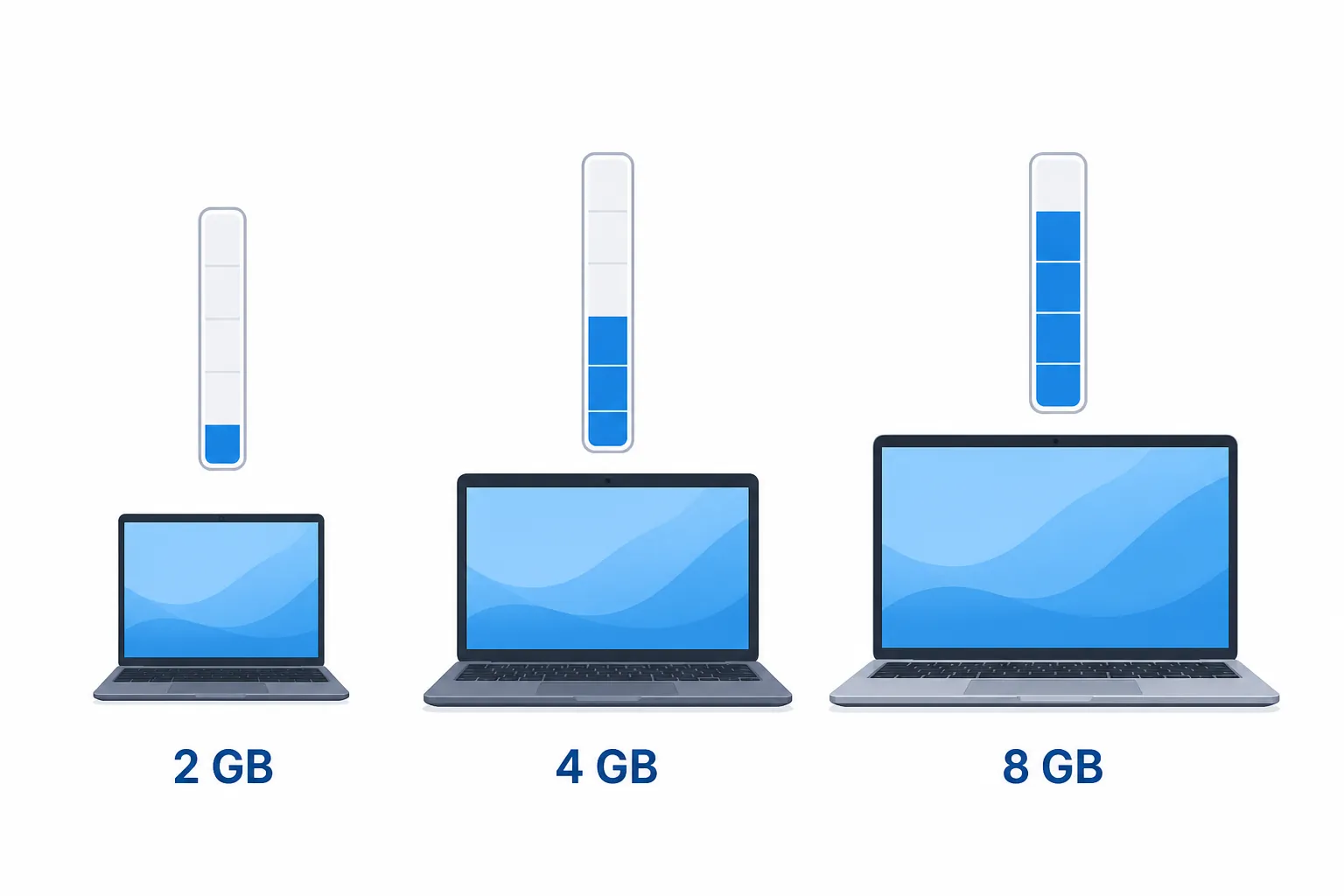
| PC RAM | Most realistic choice | Use caution with | Decision |
|---|---|---|---|
| 2 GB | A lightweight editor or browser-based note workflow tested on the machine; Simplenote is one current lightweight-app lead | Notion, Evernote, Obsidian with plugins, Logseq, and GoodNotes | Treat this as a handoff tier. PCWorld specifically lists Simplenote among lightweight apps for weak PCs, but test your required sync and export behavior first [14] |
| 4 GB | A small local Markdown vault, a restrained Logseq setup, or a carefully tested lightweight app | Evernote, Notion, large Obsidian vaults, and GoodNotes under multitasking | Possible, but browser tabs, PDF viewers, indexing, and calls can consume the remaining margin quickly |
| 8 GB | Obsidian or Logseq become more reasonable; Notion and GoodNotes may be tolerable if their support and offline limits fit | Evernote with a large archive, plugin-heavy vaults, and any app that makes the PC swap under normal work | The app choice is less constrained, but measure your actual archive and multitasking pattern before migrating |
Below 4 GB, the goal is not to find the most sophisticated note system. It is to leave enough memory for the operating system and the work surrounding the notes. A browser-only workflow can still be a poor fit if it keeps many tabs open, while a local editor can still become heavy after indexing a large archive.
At 4 GB, the difference between a small vault and a mature one matters more than the app’s label. Obsidian with a few plain-text folders is a different load from Obsidian with thousands of files, live previews, and 19 plugins. The same discipline applies to Logseq: keep the graph modest, watch startup and search behavior, and do not infer performance from the local-first architecture alone.
At 8 GB, cloud applications stop being automatic rejects, but they remain poor choices when offline access is central or when the machine already swaps during ordinary work. The deciding test is whether the app leaves usable memory after the rest of the workday is represented, not whether it looks acceptable with the desktop sitting idle.
App-by-App Reality Check
Notion
Notion is the least comfortable recommendation for a genuinely constrained PC. Its Windows requirement, captured in 2026, starts at Windows 10 21H2, and the product is built around a cloud workspace rather than a folder of notes you can inspect and copy directly. [4] That does not make it unusable on 8 GB. It does make it a weak first choice for someone whose main requirement is dependable work on an aging Windows machine.
Choose it only after checking the exact Windows version and testing a representative workspace with the network disabled. It is not for you if the PC has 2 GB or 4 GB and already slows down under browser multitasking, or if an offline copy of your notes must remain independently useful. Readers who otherwise want Notion should compare the hardware decision here with the feature-first laptop note app comparison before committing.
Evernote
Evernote is the app most likely to turn an old-PC migration into a resource investigation. The reported 0.5–2.1 GB range is not a lab result, but the size and spread of those user observations are enough to put Evernote in the heavy tier for this audience. [7] Idle-CPU complaints matter too: a note app that consumes resources while waiting can interfere with the applications that actually pay the bills or get the assignment finished.
It is not for you if the computer has 4 GB or less, your archive is large, or the app already causes fan noise, swap activity, or delayed typing. On 8 GB, it may remain workable, but test opening, search, attachment loading, and export before moving your whole archive. Start with the Evernote migration decision tree if the old installation is becoming the bottleneck.
Obsidian
Obsidian is the strongest candidate when local access and portability outrank collaboration, but it is not a free pass for weak hardware. A reported test with an 8,000-file vault and 19 plugins reached about 700 MB of RAM. [8] That is a useful warning for anyone who hears “plain Markdown” and assumes every part of the application will be lightweight.
On 4 GB, begin with a small vault and minimal plugins. On 8 GB, it becomes a reasonable default if startup, search, and editing remain responsive with your real vault open. It is not for you if the machine has 2 GB, if your archive is already large and plugin-heavy, or if you do not want to maintain a local-file workflow. The 2020 staff warning about low-spec computers should be read in its historical context, but it is still more honest than treating local-first as a synonym for low-memory.
Logseq
Logseq is worth testing in the same local-first lane as Obsidian, especially when offline access and plain local data matter. The supplied material does not provide a published official system requirement or a reliable RAM measurement, so there is no defensible number to place beside the Obsidian report.
That missing documentation is itself a constraint for an old-PC buyer. It is not for you if you need a vendor-published minimum, predictable behavior on 2 GB, or a migration decision that can be made without testing your graph. At 4 GB, use a small graph and watch indexing and search. At 8 GB, Logseq is a credible local-first trial rather than a guaranteed lightweight answer.
GoodNotes
GoodNotes has a narrower case on Windows because handwriting is the reason to accept its constraints. Its 2026 system-requirements page recommends at least 4 GB of RAM on Windows 10 or newer. [5] That makes it a poor 2 GB candidate before questions about notebooks, sync, or drawing performance even begin.
It is not for you if you are choosing it only because it is familiar on another platform, or if the PC has 4 GB and must also run a browser, PDF, and call at the same time. Re-check the current Windows requirements before installing; the recommendation is a support and usability floor, not proof that every 4 GB machine will feel comfortable.
OneNote
“OneNote” is not one sufficiently precise answer for an old Windows PC. OneNote for Windows 10 reached end of support on October 14, 2025 and is now read-only. [6] An installation that still launches is therefore not the same thing as a supported path for creating and maintaining notes.
It is not for you if your plan depends on the retired Windows 10 application, especially for new notes or edits. Identify the current OneNote application and its sync behavior before migrating, then test whether it leaves enough memory for the rest of your work. A legacy installation that happens to open is not a support strategy.
Buying Time Without Fixing App Weight
Windows 10 Extended Security Updates can extend the security runway through October 12, 2027. Microsoft describes a $30 one-time consumer option as well as paths that can be free in some circumstances. [2] That can be a reasonable bridge for a PC that still does its job, but it does not lower Evernote’s memory use, make a large Obsidian vault smaller, or turn a cloud cache into a durable offline archive.
The practical companion to ESU is a hardening and maintenance pass: remove unused startup items, keep a recoverable export of important notes, limit background applications, and test updates before a deadline matters. PCWorld’s Windows 10 guidance is a useful reference for that older-PC maintenance work. [13] The software decision still has to fit the remaining RAM.
Decision Handoff
For a 2 GB PC, reject the heavyweight desktop candidates first and test a genuinely lightweight workflow, including Simplenote as a current lead rather than a guaranteed result. For 4 GB, favor a small local vault or restrained graph, and treat Notion, Evernote, and GoodNotes as tests rather than defaults. For 8 GB, Obsidian and Logseq become the most practical local-first trials, while Notion, Evernote, and GoodNotes depend on the specific workspace and offline requirement.
The “not for you if” conditions are the useful filter: no supported Windows path, no dependable offline copy, no room for the rest of the workday, or a real archive that behaves very differently from an empty demo vault. Once RAM stops being the deciding constraint, use the local-first note app comparison for architecture, the offline and portability comparison for data access, the Evernote alternatives guide, or the OneNote-to-Obsidian route before committing to a move.
References
- Windows 10 support has ended on October 14, 2025 — Microsoft
- Extended Security Updates — Microsoft
- Windows 11 specifications — Microsoft
- System requirements for Notion — Notion
- System Requirements for Android, Windows, and Web — Goodnotes
- Moving to OneNote on Windows — Microsoft
- Evernote constantly using 10% processor resource — Evernote Discussion
- System RAM requirements for Obsidian — Obsidian Forum
- Joplin RAM usage and too resource consuming — Joplin Discourse
- Joplin memory usage issue — GitHub
- Windows operating system market share — StatCounter
- Upgrade Fail: An Estimated 1 Billion PCs Are Still Running Windows 10 — PCMag
- Windows 10 dies next week. Here’s how to keep your older PC alive — PCWorld
- Give your old PC a boost with these 9 lightweight apps — PCWorld, March 2026
- Notion vs Obsidian 2026 — Tech Insider, March 2026