
Choosing a tool for personal knowledge management with AI is not a feature checklist problem anymore. Most serious tools can summarize, search, tag, rewrite, or answer questions over your notes in some form. The harder question is where the knowledge actually lives, how much structure the system expects from you, and whether the AI is part of the architecture or a layer pasted onto a filing cabinet.
The stakes are not abstract. Knowledge management software was estimated at $20.15 billion in 2024 and projected to reach $62.15 billion by 2033, while knowledge workers are still losing roughly 8.2 to 9.3 hours per week searching for information, depending on the study cited by Glean. The same source also cites a Slite survey finding that enterprise search succeeds on the first attempt only 10% of the time, compared with 95% for Google search.[1] That is the weekly tax an AI-PKM system is supposed to reduce.
Old PKM advice assumed retrieval was scarce. That is why so much energy went into atomic notes, manually curated backlinks, elaborate folders, graph views, and taxonomies that looked better in screenshots than they felt on a Thursday afternoon. AI does not make structure irrelevant, but it does change what structure is for. Filing is no longer the only way to find things later. Structure now matters most when it changes how you think, collaborate, audit sources, or preserve ownership.

The Shortlist by Architectural Lane
Start here, not with a leaderboard. The useful comparison is between architectural lanes: canvas-first, database-first, text-stream, daily-notes-graph, local-first, and structured-data. Each lane makes a different promise about how knowledge should enter the system and how it should come back out.
| Lane | Best current fit | Tools to shortlist | Not for you if |
|---|---|---|---|
| Canvas-first visual systems | Research synthesis, project mapping, visual thinkers who need to see clusters and gaps | Storyflow, Heptabase | You mainly need fast capture, team docs, or low-maintenance storage |
| Database-first documentation | Teams, consultants, operators, and documentation-heavy workflows | Notion AI | You want local ownership, minimal setup, or plain-text portability |
| Text-stream AI-first capture | People who capture constantly and hate filing | Mem | You need strong local control, durable export confidence, or structured project databases |
| Daily-notes graph | Journaling, reflection, personal review, and lightweight networked notes | Reflect | You need team-scale documentation or complex object modeling |
| Local-first extensible notes | Privacy-sensitive users who can tolerate assembly work | Obsidian | You want native AI with no plugin decisions or maintenance |
| Structured-data notes | People who think in entities, relationships, recurring objects, and typed knowledge | Tana, Capacities | You want a gentle beginner app or mostly write linear notes |
| Source-grounded research companion | Reading, source interrogation, and document-specific Q&A | NotebookLM | You need a full daily capture system or long-term PKM workspace |
If you still cannot name your work shape, pause on that before comparing another feature grid. A broader guide to choosing a PKM app by thinking style will do more for the decision than another hour of watching demos.
What Changed in AI-PKM Selection
There are two broad architectures in 2026. Some tools are AI-native: the system assumes that capture, retrieval, synthesis, and sometimes writing will involve AI from the start. Others are mature PKM or documentation tools with AI added through an assistant, a plugin, or an API workflow. The difference matters less in a demo than it does after three months, when your notes are messy, your projects overlap, and half the useful context is buried in meeting notes, PDFs, web clips, or old drafts.
Storyflow’s 2026 second-brain ranking and Iwo Szapar’s critique of old PKM both frame this shift as a move away from manual retrieval rituals toward AI-assisted synthesis, though both sources should be read with their incentives in mind: Storyflow ranks its own product first, and Szapar’s writing is connected to his own consulting and product ecosystem.[2][3] The framing is still useful when cross-checked against broader landscape pieces, because it explains why a graph view alone no longer feels like progress.
The practical split is visible in the Notion-versus-Obsidian decision. Notion AI gives you a native assistant inside a collaborative database and document workspace. Obsidian gives you local Markdown files and a large plugin ecosystem, but AI usually arrives through community plugins, API keys, or custom workflows. For a deeper version of that specific trade-off, see Obsidian vs Notion for AI notes.
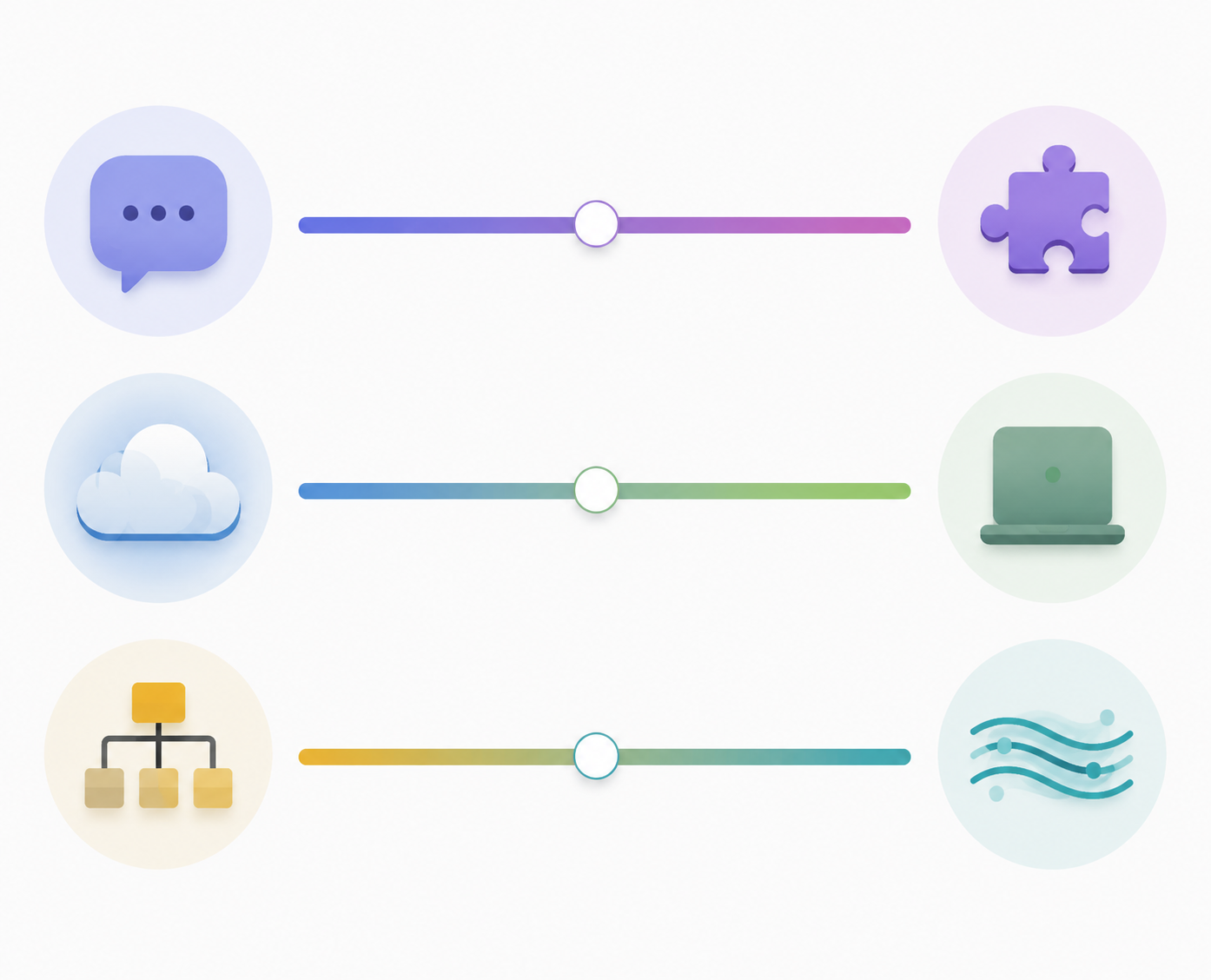
The Three Decisions That Matter More Than Features
| Decision | Choose the first side when | Choose the second side when |
|---|---|---|
| Native AI vs plugin-assembled AI | You want the assistant to work without configuration and accept the vendor’s design choices | You want control, extensibility, and the ability to swap models or workflows |
| Cloud dependency vs local ownership | Collaboration, sync, and convenience matter more than keeping files under your direct control | Privacy, portability, and long-term file access matter more than frictionless AI |
| Project-shaped vs stream-shaped work | Your knowledge clusters around clients, research questions, deliverables, or documentation spaces | Your work arrives as a continuous flow of thoughts, meetings, clips, and reminders |
These decisions are not moral preferences. A consultant building client portals has different failure modes than a graduate student interrogating PDFs, and both have different needs from a privacy-conscious lawyer who cannot put sensitive material into a cloud assistant. A tool can be excellent and still wrong for the shape of your work.
Canvas-First: Storyflow and Heptabase
Canvas-first tools are for people who do not understand a project until they can spread it out. Storyflow and Heptabase belong in the same lane because both treat knowledge as something to be arranged spatially, clustered, and reassembled. That makes them stronger for research synthesis than for everyday inbox capture.
This lane is the most natural fit for visual project mapping: literature reviews, product strategy, course design, complex client discovery, essay planning, and any work where the real task is seeing relationships between fragments. The point is not that a canvas is prettier than a document. It is that spatial arrangement can expose weak areas, duplicated ideas, missing evidence, and competing interpretations before you start writing.
The trade-off is maintenance. Canvas systems are forgiving when you are actively thinking through a project, but they can become graveyards if every half-formed idea gets placed on a board and never touched again. AI can help summarize clusters or retrieve forgotten cards, but it does not automatically decide which board deserves attention this week.
Use Storyflow or Heptabase when the bottleneck is synthesis, not capture. If you mainly need to dump meeting notes, search across them later, and keep team documentation current, a canvas-first system will probably feel like a beautiful detour.
Database-First: Notion AI
Notion AI is the obvious database-first choice because Notion already won a large share of the team documentation and personal operating-system market before AI entered the room. Its advantage is not that it is the purest PKM tool. It is that notes, databases, project pages, tasks, wikis, templates, and shared documentation can live in one workspace with an AI assistant close by.
That makes Notion strongest when knowledge has to become operational. A team lead can maintain process docs, a consultant can organize client workspaces, and a solo operator can connect notes to project trackers. AI is useful here because it can summarize pages, draft from existing material, and help work across a structured workspace rather than a pile of disconnected notes.
The price is architectural weight. Notion asks you to live inside its cloud workspace and accept its model of pages and databases. Export exists, but the experience is not the same as owning a folder of plain-text notes. If you are privacy-sensitive, work in regulated contexts, or want long-term independence from a vendor, this is the point where Notion starts to feel less like a second brain and more like rented office space.
Notion’s effective AI cost was listed in the Q2 2026 landscape data as about $20 per user per month when combining a $10 base plan with a $10 AI add-on.[4] That can be reasonable for a team that stops recreating project context every week. It is harder to justify if you only want personal notes with occasional AI search.
Choose Notion AI for documentation-heavy work, especially when collaboration matters. Skip it if the real requirement is local ownership, fast plain-text writing, or a system that keeps working gracefully without a workspace administrator. Readers considering the non-AI side of the same decision may want the broader Notion note-taking app assessment.
Text-Stream AI: Mem
Mem is for the person who will not file things no matter how many systems they rebuild. Its bet is that capture should be fast, loose, and AI-retrievable. Instead of asking you to maintain a careful hierarchy, it leans into the stream: notes, fragments, people, meetings, and ideas flowing through an AI-assisted memory layer.
That is a legitimate architecture, not laziness dressed up as software. Many knowledge workers fail at PKM because the filing step is where work goes to die. A stream-first tool removes some of that tax. The danger is that “AI will find it later” can become permission to capture without context, source discipline, or review. Retrieval may be cheap, but judgment is still expensive.
Mem is strongest for high-capture-low-filing users: founders, consultants, writers, recruiters, and operators who need to throw information into a system during the day and resurface it later. It is weaker when the work needs stable project structures, local ownership, or a visible map of how ideas relate.
There is also a durability question. Available 2026 source material notes that Mem has raised more than $23.5 million, while community sentiment captured second-hand has questioned its long-term trajectory. That does not prove product risk, but it does make cloud dependency part of the decision. If Mem becomes your memory layer, your comfort with the company’s direction matters more than it would for a local Markdown system.
Choose Mem when the alternative is not a beautifully maintained Obsidian vault, but a scattered pile of meeting notes, bookmarks, and half-remembered ideas. Do not choose it because you want a clean ontology. That is not the job it is built to do.
Daily-Notes Graph: Reflect
Reflect sits closer to the journal-and-networked-notes tradition than to the team workspace tradition. It is a good fit when your knowledge grows out of daily notes, recurring reflection, personal review, and lightweight connections between ideas.
The daily-note model changes the emotional texture of a PKM system. Instead of asking “where does this belong?” every time you write, it gives each day a default place to land. That lowers friction for people who think through a stream of observations, conversations, and decisions. The graph matters when it helps recover patterns across days, not when it becomes another dashboard to admire.
Reflect is less compelling for teams, structured documentation, and people who want to model entities with many properties. It also has no free tier according to the research brief, so the value test should be honest: if the daily-note habit is not already close to how you work, paying for a polished version of it will not create the habit by itself.
Local-First: Obsidian
Obsidian remains the local-first lane because its center of gravity is still a folder of Markdown files you control. That sounds almost old-fashioned until you compare it with the cloud dependency of most AI-native systems. For privacy-conscious professionals, researchers with sensitive sources, and anyone who has been burned by platform churn, local files are not nostalgia. They are leverage.
The scale of the ecosystem is part of the appeal. Szapar and Ritemark both cite Obsidian at more than 1.5 million users and more than 2,500 plugins, which makes it the most extensible option in this comparison.[3][4] That ecosystem is also the maintenance burden. Obsidian can become almost anything, which means someone has to decide what it should become.
AI in Obsidian is usually assembled rather than native. You may use community plugins, connect to external models, configure model instructions, or build workflows around local and cloud tools. That is powerful if you like owning the pipeline. It is a poor fit if you want the assistant to simply understand your workspace without setup.
This is the lane where beginners most often get over-prescribed. A skilled user can build a private, extensible, AI-assisted research environment in Obsidian. A beginner can also lose a weekend choosing themes, sync methods, graph settings, and plugins before writing a single useful note. The architecture deserves respect; the onboarding cost deserves equal respect.
Choose Obsidian when privacy, file ownership, and extensibility are real requirements, not aesthetic preferences. If the privacy decision is central, compare the broader trade-off in local-first vs cloud-first note-taking before committing your archive.
Structured-Data Notes: Tana and Capacities
Tana and Capacities serve people who do not merely write notes about things; they want the things themselves represented as objects. People, books, meetings, companies, concepts, projects, claims, and tasks can become typed items with properties and relationships. That is a different mental model from a folder, a canvas, or a daily journal.
Tana’s supertag system is the most ambitious version of this lane. A note can become a meeting, a person, a book, a task, or a custom object type by applying structure at the block level. For the right user, this is a serious upgrade: recurring patterns become queryable, project knowledge becomes more than prose, and AI can operate over cleaner conceptual material.
The learning curve is not a footnote. Szapar’s analysis frames Tana as powerful but demanding, with weeks before payback for many users.[3] Tana’s own 2026 comparison page lists pricing in the $10 to $14 per month range, but vendor comparison pages naturally present the product from a favorable angle.[5] Treat the price as only one part of the cost; the real cost is learning to think in the system’s grammar.
Capacities is gentler in feel but belongs in the same structured-object family. It is worth shortlisting if you like the idea of object-based knowledge but do not want to start with Tana’s level of abstraction. The available pricing detail in the research brief is thinner than for Notion, Tana, Obsidian, and Mem, so anyone buying on cost should verify the current plan directly.
Choose Tana or Capacities when your work is full of recurring entities and relationships: researchers tracking sources and claims, operators tracking people and projects, creators tracking references and outputs, or strategists mapping companies, products, and decisions. Avoid this lane if you mostly want a calm writing environment.
NotebookLM Is Useful, but It Is Not Your Whole System
NotebookLM deserves mention because it solves a real problem: asking questions of a defined source set. For students, researchers, analysts, and writers, source-grounded Q&A is more useful than a general chatbot guessing from memory. Szapar’s second-brain solutions piece treats NotebookLM as valuable but limited: it lacks the workspace, daily capture, and broader PKM scaffolding needed to function as a full second brain.[7]
Use it beside your PKM, not instead of one. It can help interrogate PDFs, briefs, transcripts, and source collections. It will not replace the place where your own notes, projects, decisions, and long-term archive accumulate.
Pricing Snapshot: Verify Before You Buy
Pricing in this category moves quickly, so treat this as a Q2 2026 snapshot, not a permanent buying guide. The more important question is whether the tool saves enough search, recreation, and synthesis time to justify both subscription cost and setup cost. Storyflow’s analysis uses a practical threshold: if you spend more than two hours per week searching for or recreating material, an AI second brain can pay back setup within a month.[2] That is a useful heuristic, not a universal guarantee.
| Tool | Q2 2026 pricing signal from research brief | Cost caveat |
|---|---|---|
| Notion AI | About $20/user/month effective cost when combining base plan and AI add-on [4] | Best justified when AI supports shared documentation and project work |
| Tana | $10–14/month listed in Tana’s own comparison material [5] | Learning curve may be a larger cost than the subscription |
| Obsidian | Free core app; paid sync noted in research brief | AI usually requires plugin/API assembly and maintenance |
| Mem | $12–15/month from cross-referenced 2026 landscape material | Cloud-dependency and product-direction confidence matter |
| Reflect | No free tier noted in research brief | Worth it only if daily notes and reflection are already central |
| Capacities | Less detailed pricing data in the research brief | Verify current plan directly before comparing on cost |
| NotebookLM | Free but limited in the research brief | Useful companion, not a full PKM replacement |
For a deeper way to think about subscription cost, setup time, migration risk, and maintenance burden, use the real price of personal knowledge management. The subscription line is rarely the whole bill.
A Practical Decision Matrix
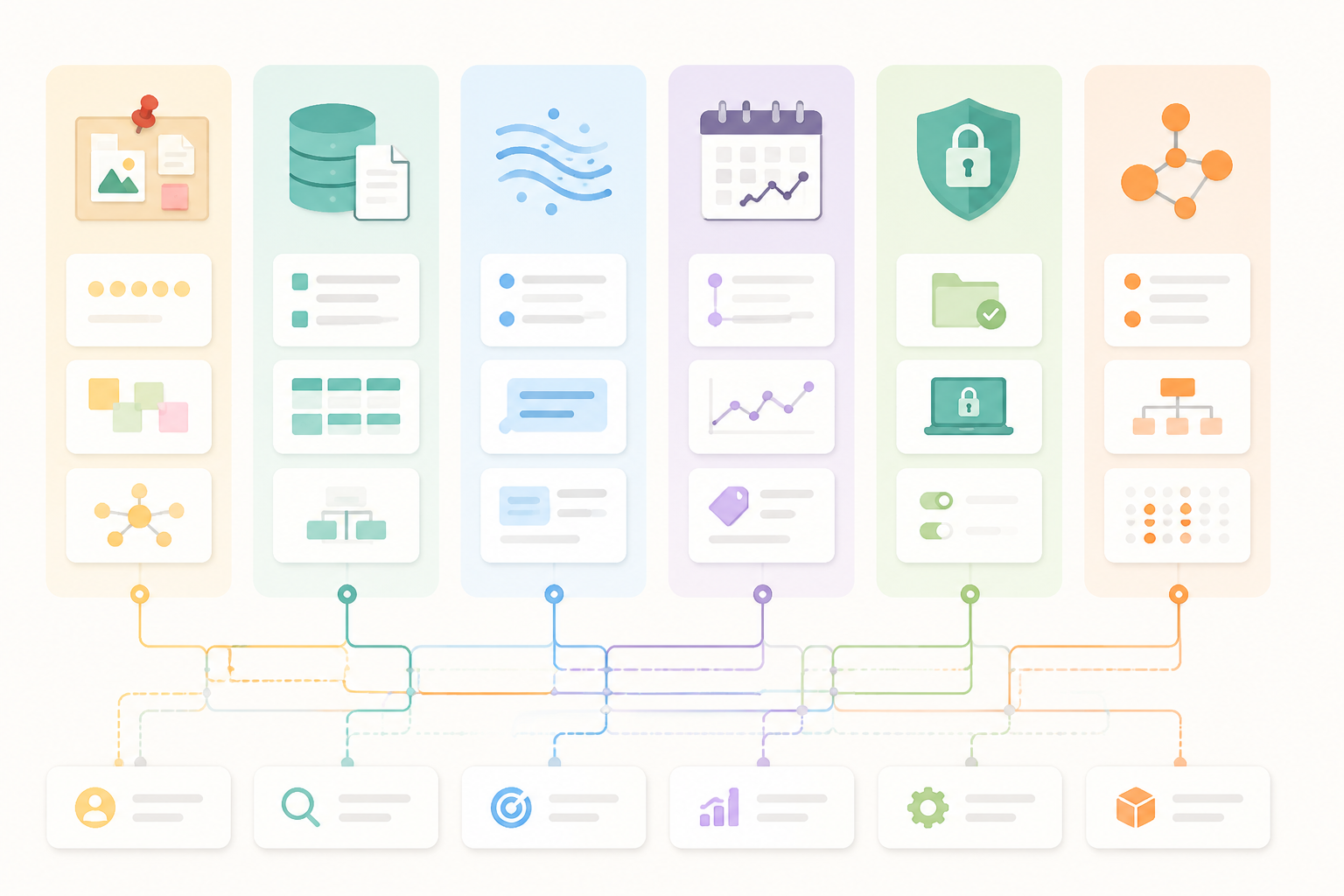
The cleanest shortlist usually appears when you stop asking which tool is best and ask which failure you can tolerate.
- If your work is visual, project-shaped, and synthesis-heavy, shortlist Storyflow and Heptabase.
- If your work must become shared documentation, client portals, operating procedures, or structured team knowledge, shortlist Notion AI.
- If your work arrives as a fast stream and filing discipline keeps failing, shortlist Mem.
- If your knowledge practice is reflective, journal-like, and organized around days, shortlist Reflect.
- If privacy, portability, and extensibility outrank convenience, shortlist Obsidian.
- If your mind naturally turns notes into typed objects and relationships, shortlist Tana and Capacities.
- If your immediate problem is interrogating a bounded source set, add NotebookLM beside your main PKM.
This is also where AI note-taking apps can create confusion. Meeting capture, transcription, and summarization are not the same job as long-term knowledge synthesis. If your workflow begins with calls, interviews, or lectures, the distinction in AI note-taking apps for capture and synthesis can prevent you from forcing one tool to do both jobs badly.
What to Ignore During the Trial
Ignore graph beauty for the first week. Ignore template galleries unless they match work you already do. Ignore AI answers that sound fluent but cannot show where the underlying material came from. Ignore onboarding polish only up to a point: a powerful architecture is worth learning, but a system you dread opening will not become your second brain by force.
During a trial, import or create a real slice of work: one active project, one research question, one client workspace, one week of daily notes, or one source packet. Then test the boring tasks. Can you find the decision from last Tuesday? Can you see what evidence supports a claim? Can you move from capture to synthesis without rebuilding the system? Can you export enough to leave without panic?
The broader personal knowledge management apps comparison is still useful if you want to separate the underlying note system from the AI layer. AI changes retrieval economics, but it does not erase the need for a home base you can live with.
The Verdict
There is no universal best AI-powered PKM tool in 2026. The category has fractured because knowledge work itself is not one job. Visual research synthesis, team documentation, daily reflection, high-volume capture, private archival work, and structured conceptual modeling need different architectures.
Pick the lane first. Canvas-first if you need to see ideas spatially. Database-first if knowledge has to become shared operations. Text-stream if capture is the bottleneck. Daily-notes graph if reflection is the practice. Local-first if ownership and privacy are non-negotiable. Structured-data if your thinking depends on typed objects and relationships.
Then decide whether you want native AI convenience or ownership with assembly work. That trade-off will shape your daily experience more than any single feature on a comparison page.
References
- How can you build a personal knowledge base using AI tools and frameworks, Glean.
- Best AI Second Brain Apps 2026, Storyflow.
- Why Personal Knowledge Management Is Broken in the AI Era, Iwo Szapar.
- PKMS Landscape 2026, Ritemark.
- Best AI Knowledge Management Software 2026, Tana.
- Best AI Knowledge Management Software, People Managing People.
- Best AI Second Brain Solutions, Iwo Szapar.