
The best personal knowledge management app in 2026 is not the one with the longest feature list. It is the one that survives contact with your actual day: the unread article you saved between meetings, the quote you need three months later, the project decision buried in a call transcript, the half-formed idea that is still too fragile for a polished document.
That is why the usual comparison chart has started to feel thin. Backlinks, graph views, Markdown, daily notes, tags, web clipping, and AI summaries are useful, but they no longer settle the question. Many serious PKM apps can claim some version of them. The harder question is simpler and more irritating: what kind of thinking are you asking the tool to support?
The pain is real, even if some of the most repeated numbers deserve careful handling. The often-cited benchmark that knowledge workers spend 9.3 hours per week searching for information comes from older McKinsey research, frequently repeated in later workplace-search discussions; treat it as a warning flare, not a fresh 2026 measurement.[1] The same caution applies to the claim, cited in PKM and information-overload discussions, that 80% of global workers experience daily information overload.[2] The exact figures may age, but the daily experience has not become exotic. People still lose decisions, context, sources, and momentum.
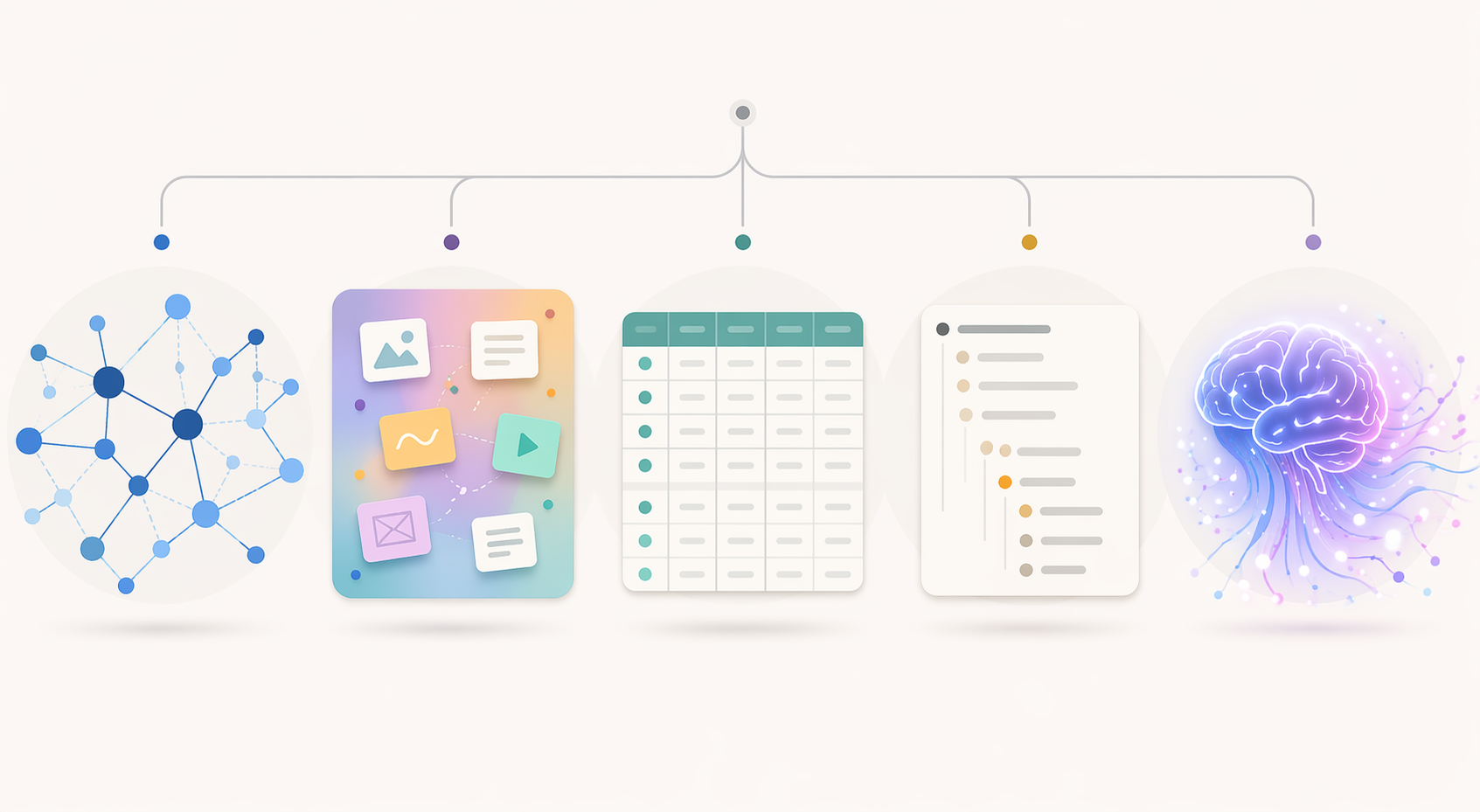
The five PKM paradigms that actually matter
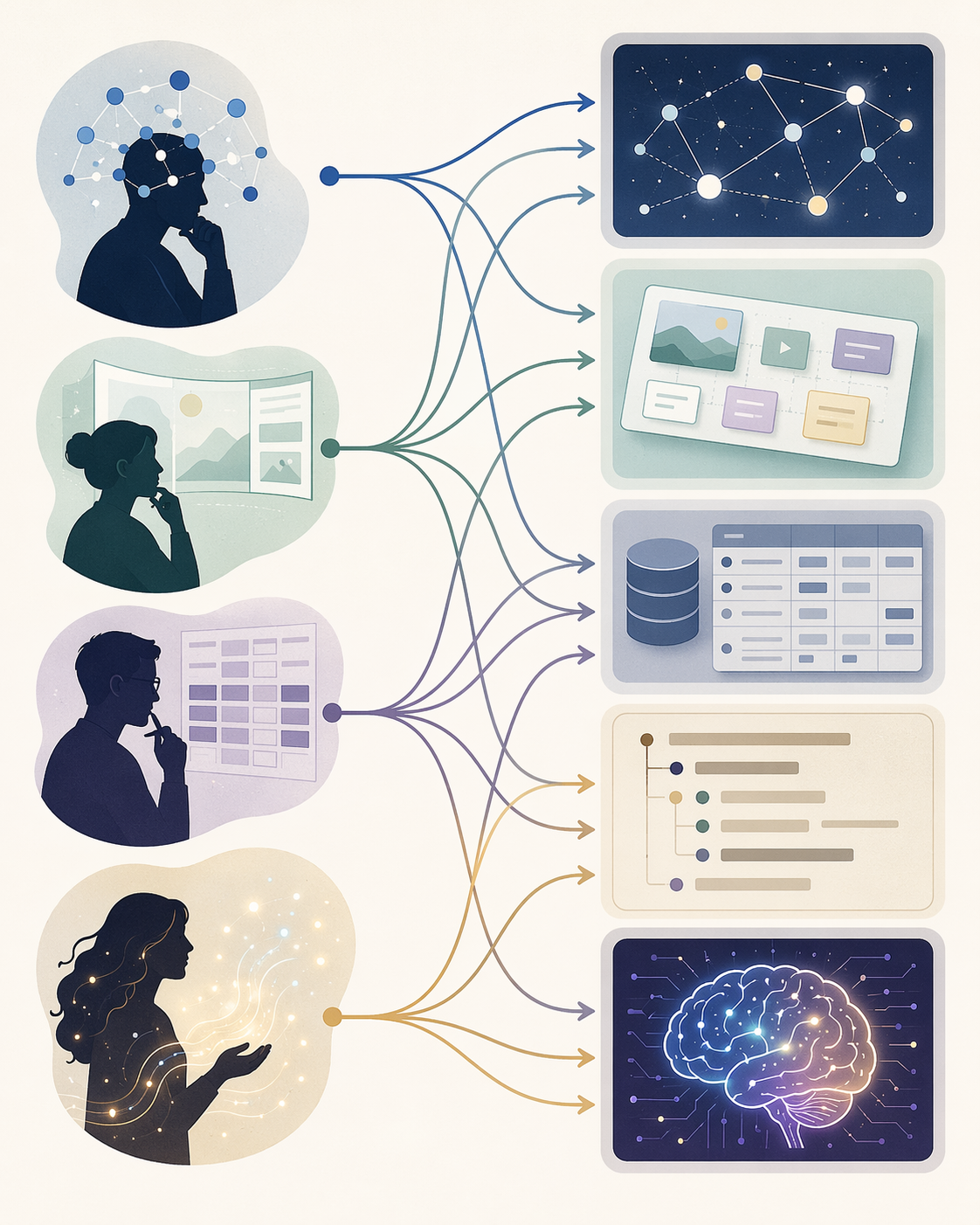
Most tools in this category can be understood through five working paradigms. Some apps straddle more than one, but the dominant paradigm still matters because it shapes what feels effortless and what becomes maintenance work.
| Paradigm | Representative tools | Rewards | Punishes |
|---|---|---|---|
| Networked notes | Obsidian, Logseq, Roam Research | Associative thinkers, researchers, writers, people who build meaning through links | Users who need a finished structure before they begin |
| Visual canvas | Heptabase, Kosmik | Spatial thinkers, designers, system mappers, people who need to see relationships at once | Users whose main output is long-form text or operational documentation |
| Database-driven | Notion, Capacities | Project managers, teams, structured collectors, people who think in properties and views | Users who want plain-file durability and painless export |
| Outliner-based | Logseq, Tana, Roam Research | Sequential thinkers, daily-note users, meeting-heavy workers, people who refine from bullets | Users who want simple capture without learning a syntax or workflow |
| AI-native | Tana, Reflect, Atlas, Mem | Users who want semantic retrieval, automated summaries, and lighter manual organization | Users with strict privacy needs or low tolerance for shifting product behavior |
If you are still deciding whether you need a full PKM system or merely a better notes app, start with that distinction before choosing software. A heavier PKM app can be a wonderful tool and a terrible first step. The practical split is covered more directly in PKM Apps vs. Note-Taking Apps: A Decision Framework.
Networked notes: best when your work grows through connections
Networked note apps are the classic center of modern PKM. Obsidian, Logseq, and Roam Research assume that knowledge rarely arrives in final order. You capture a source, a meeting fragment, a quote, a question, a stray idea. Later, links and backlinks let those fragments find each other.
This is powerful for research and writing because early thinking is often associative. A student reading across papers may not yet know which note belongs to which chapter. A writer may need to preserve a phrase without forcing it into an outline. A developer may want to connect a bug pattern to a design decision and a library note. Networked notes make those partial connections cheap.
Obsidian remains the reference point for local-first, file-based PKM. Its Markdown vault model is boring in the best sense: your notes are plain files that can outlive the app. It also has a large community plugin ecosystem, with more than 2,000 community plugins cited in comparison research.[3] That matters less because every plugin is good than because mature ecosystems let unusual workflows exist without waiting for the vendor.
Logseq overlaps with networked notes but leans harder into outlining and daily notes. Roam Research helped popularize bidirectional linking as a working method, and it still appeals to people who like bullet-based thought and fast cross-linking. The tradeoff is that these systems can become ornate. A graph view with hundreds of nodes may feel impressive for a week and then become a screensaver for anxiety.
The weakness is not links; it is premature architecture. Beginners often build a taxonomy, install plugins, design templates, and debate folder structures before they have a capture habit. If that sounds familiar, read The Three Levels of Personal Knowledge Management before rebuilding your vault again.
Choose this paradigm if
- You often discover what you think after collecting and connecting material.
- You care about long-term ownership and exportability.
- You write, research, study, or develop ideas over months and years.
- You are willing to tolerate some setup in exchange for durability.
Visual canvas tools: when layout is part of the thinking
Visual canvas tools such as Heptabase and Kosmik are not just prettier note apps. They change the unit of thought from a page or bullet to a card in space. That is useful when the problem is not “Where should I file this?” but “What is the shape of this mess?”
A visual thinker can place sources, diagrams, screenshots, claims, and questions near each other before deciding what they mean. Designers, system architects, strategists, and researchers working across many fragments may benefit from seeing clusters form. The canvas becomes a thinking surface rather than a filing cabinet.
The failure mode is equally clear. Canvas tools can delay synthesis. Moving cards around can feel like progress while the actual output waits. If your work ultimately has to become a memo, paper, spec, or proposal, check how easily the tool turns spatial arrangement into linear text. A beautiful board that cannot become a document without manual reconstruction will eventually tax you.
This paradigm is best for people who think with proximity, grouping, contrast, and visual memory. It is weaker for people whose work depends on repeatable databases, permissions, or polished long-form drafting.
Database-driven PKM: why teams keep returning to Notion-like systems
Database-driven tools such as Notion and Capacities answer a different need. They are less interested in the romance of a private knowledge garden and more interested in turning information into structured objects: projects, clients, meetings, tasks, assets, decisions, people, topics.
This is why Notion keeps appearing in team workflows even among people who complain about it. A team does not only need personal retrieval. It needs shared pages, permissions, views, owners, statuses, and a place where a newcomer can find the current version of the process. Database-driven tools make that legible.
For a product manager, that structure can be the difference between a folder of meeting notes and a decision system. A customer interview can connect to a feature request, which connects to a roadmap item, which connects to a launch checklist. The gain is not mystical. The gain is that everyone can see the same object from different views.
The cost is reversibility. Export is where many database-driven systems show their seams. Notion can export content, but comparison sources warn that database relationships and structure may not survive export cleanly.[4] That does not make Notion unserious. It means you should not pretend a relational workspace is the same kind of possession as a folder of Markdown files.
Capacities sits in a related but more object-oriented lane: notes are treated as typed objects rather than just pages. That can feel more natural if your world is made of people, books, meetings, concepts, and projects. It can also feel like overhead if all you needed was a fast place to write.
Choose this paradigm when structure is not decoration but the work itself. If you are coordinating people, maintaining documentation, tracking projects, or building a shared operating system, a database-driven app may be the right center of gravity. If you are protecting years of private thinking, inspect the export path before committing.
Outliner-based tools: fast capture for people who think in nested sequences
Outliners reward a particular mental motion: capture first, indent later, collapse what you do not need, expand what matters. Logseq, Tana, and Roam all serve people who like daily notes, meeting logs, nested bullets, and incremental refinement.
This can be excellent for meeting-heavy work. A rough call note can begin as a list. Action items can be pulled out. A decision can be linked to a project. A question can become a follow-up. The note does not need to become a polished page before it becomes useful.
Outliners also fit people who live in daily notes. Instead of asking where every thought belongs, the system says: put it today, then connect or tag it when needed. That lowers capture friction, which is usually more important than designing a perfect hierarchy.
The difficulty is that outlines can become dense very quickly. Nested bullets, block references, attributes, supertags, and queries can turn a simple note into a small programming environment. Some users love that. Others only wanted to remember what their advisor said on Tuesday.
If methodology is the real question behind your tool search, compare the organizing methods separately. Zettelkasten, PARA, CODE, and Johnny Decimal solve different problems; they should not be treated as skins for the same workflow. See Zettelkasten vs PARA vs CODE vs Johnny Decimal for that choice.
AI-native PKM: useful, unsettled, and not a substitute for judgment
AI-native PKM tools promise a tempting bargain: capture more freely, organize less manually, and retrieve by meaning rather than by exact folder, tag, or keyword. Tana combines structured objects and AI features; Reflect pairs end-to-end encryption claims with AI summaries; Atlas and Mem emphasize semantic retrieval and AI-assisted knowledge work. These descriptions are current-state snapshots, not permanent identities, because AI features are changing quickly across the category.
The genuine appeal is retrieval. If you have ever remembered the shape of an idea but not the exact words you used, semantic search feels like a correction to decades of brittle filing. AI summaries can also help compress meetings, long notes, and research dumps into something reviewable.
But “AI will organize it” is not a maintenance plan. You still need to know what belongs in the system, what should be deleted, which notes are trusted, and which outputs require verification. Privacy also stops being abstract when your notes include client strategy, health details, unpublished research, hiring discussions, or legal material. AI processing can change the risk profile of a PKM system, especially in cloud-native products.
The practical question is not whether AI belongs in PKM. It already does. The question is where you are comfortable placing trust. Use AI to retrieve, summarize, cluster, and suggest. Be slower to let it become the only map of your knowledge.
The differentiators that still separate tools in 2026
Once the paradigm fit is clear, the comparison becomes more honest. You are no longer asking whether a tool has backlinks. You are asking what the tool asks you to give up.
| Differentiator | Why it matters | Tools commonly associated with the stronger side |
|---|---|---|
| Data ownership | Determines whether your notes remain usable if the app changes, disappears, or becomes too expensive | Local-first or file-friendly tools such as Obsidian, Logseq, and Anytype |
| Collaboration and permissions | Determines whether a team can share responsibility for knowledge instead of passing around private notes | Cloud-native workspaces such as Notion, Tana, and Capacities |
| Export portability | Determines whether leaving preserves meaning, not merely text | Plain Markdown systems generally fare better than relational database exports |
| Plugin ecosystem | Determines how far the tool can stretch beyond its default workflow | Obsidian is the clearest example because of its large community plugin base |
| Mobile quality | Determines whether capture happens when life actually happens | Independent app comparisons have praised simpler mobile-first experiences such as Bear and noted uneven mobile histories for heavier PKM tools.[5] |
| AI depth and privacy | Determines how much retrieval and summarization you can outsource, and what risk accompanies that convenience | AI-forward tools such as Tana, Reflect, Atlas, and Mem |
Local-first tools are attractive because they respect time. If you build notes for a decade, plain files and readable exports are not philosophical luxuries. They are insurance. Still, cloud tools solve real problems that local-first purism sometimes waves away: onboarding teammates, assigning owners, managing permissions, and keeping one visible source of truth. For a deeper split, see Offline-First vs. Cloud Note-Taking Apps on Windows.
Pricing, verified in June 2026
Pricing should rarely decide the whole system, but it should be checked before you migrate hundreds of notes. The following figures were cross-referenced from comparison sources in Q2 2026 and should be verified on official product pages before purchase, because software pricing changes often.[6]
| App | Pricing snapshot |
|---|---|
| Obsidian | Free; Sync $4/month; Publish $8/month |
| Notion | Free; Plus $10/month; Business $18/month |
| Logseq | Free; Sync $4/month |
| Tana | Free tier with limits; Core $10/month |
| Capacities | Free; Pro $9/month |
| Anytype | Free; Sync $3/month |
| Heptabase | $11.99/month when paid annually |
| Reflect | $10/month |
| Roam Research | $165/year |
| Bear | $2.99/month or $29.99/year |
| Mem | Free; Pro $14.99/month |
How to match the app to your thinking style
A useful choice starts with the shape of your work, not the app’s homepage. The following mappings are intentionally practical. They are not personality types. They are maintenance predictions.
| If your day mostly involves... | Start with... | Be careful of... |
|---|---|---|
| Reading, research, synthesis, writing, long-term idea development | Obsidian, Logseq, or Roam | Building an elaborate graph before you have useful notes |
| Mapping complex systems, comparing sources visually, designing strategy | Heptabase or Kosmik | Ending with a beautiful board and no output |
| Coordinating projects, maintaining team documentation, tracking structured information | Notion or Capacities | Assuming export will preserve every relationship cleanly |
| Meeting notes, daily logs, nested tasks, fast incremental capture | Logseq, Tana, or Roam | Letting outline mechanics become the work |
| Searching by meaning, summarizing large volumes, reducing manual organization | Tana, Reflect, Atlas, or Mem | Ignoring privacy, verification, and product volatility |
If you want a broader app-by-work-style comparison, Digital Note-Taking Apps by Work Style is the better companion. If you are evaluating the whole PKM category through criteria rather than paradigms, see Personal Knowledge Management System Comparison 2026.
The two-tool reality
The cleanest answer for many mature users is not one app. It is two: one tool for personal thinking and one tool for shared knowledge.
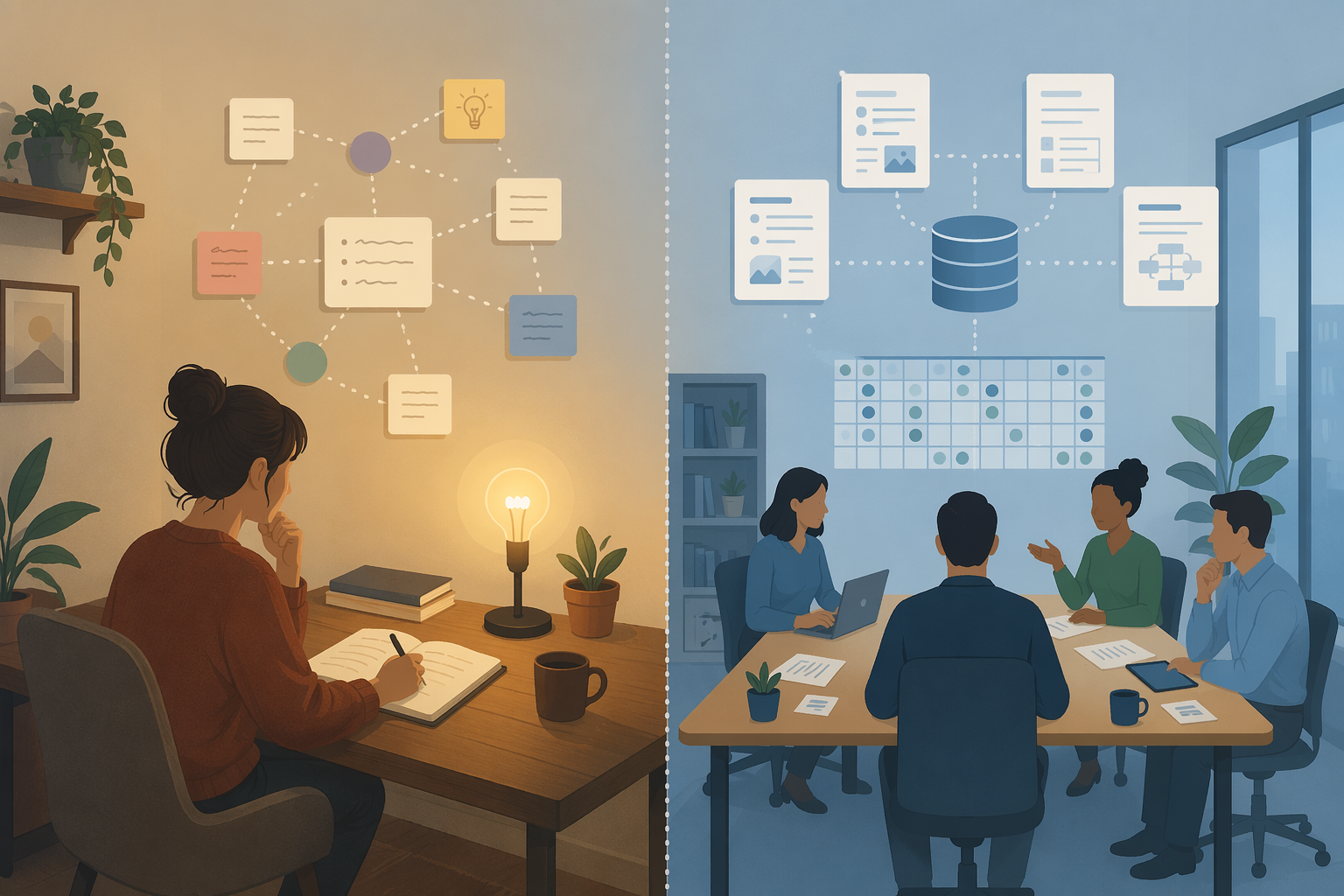
A personal PKM tool should make capture and retrieval feel almost frictionless. It should tolerate fragments. It should let you keep private drafts, unfinished thoughts, reading notes, and associative links without asking you to make them presentable. Obsidian and Logseq are common choices here because local-first or plain-file approaches make long-term ownership easier.
A team knowledge tool has a different job. It must expose decisions, processes, owners, statuses, and current documentation to other people. It needs permissions, shared databases, comments, templates, and enough structure that someone who did not attend the meeting can still act. Notion and Confluence-style systems exist because organizations need coordination, not just cognition.
Trying to merge those jobs often creates disappointment. The personal tool becomes too performative because every note has an imagined audience. The team tool becomes too private because important context stays in someone’s personal vault. The better boundary is simple: think privately where the cost of mess is low; publish shared knowledge where the cost of ambiguity is high.
This is not a failure to find the perfect app. It is an admission that personal cognition and organizational coordination are different jobs. A researcher’s messy source note and a team’s approved onboarding process should not have to obey the same rules.
A practical decision path
If you are starting from scratch, do not begin with the most sophisticated system you can imagine. Begin with the lowest-friction tool that lets you capture, find, and reuse notes for a few real weeks. A beginner who captures consistently in Bear, Apple Notes, or a simple Markdown folder is ahead of someone who spends a month configuring a graph they never feed. For simpler options beyond PKM, see Best Note-Taking Apps 2026.
- Name the job: private thinking, research synthesis, project tracking, team documentation, or AI-assisted retrieval.
- Choose the paradigm that matches that job before comparing individual apps.
- Test capture on mobile and desktop, because a system that fails at the moment of capture will not be rescued by elegant organization.
- Export a small sample before committing. Check whether links, attachments, database properties, and relationships survive in a form you can use.
- Decide whether team knowledge belongs in the same tool or in a separate shared workspace.
Developers have a slightly different evaluation path because code snippets, local files, terminal habits, and documentation workflows change the tradeoffs. That route is covered in Note-Taking Apps for Developers.
For most people, the right personal knowledge management app is the one that makes the next capture easy and the future retrieval believable. Beginners should privilege habit over architecture. Experienced users should inspect ownership, export, and maintenance cost. Teams should stop expecting a private thinking tool to behave like shared infrastructure. And many serious practitioners should feel no embarrassment about running two systems side by side.
References
- McKinsey knowledge-worker search benchmark cited by GoLinks — GoLinks
- Atlassian information overload benchmark cited by Kosmik — Kosmik
- Obsidian plugin ecosystem comparison — Tool Finder
- Notion export and database-relationship limitations — Gupta / Storyflow
- Mobile experience comparisons for note-taking and PKM apps — XDA / Android Police
- PKM app pricing comparison, Q2 2026 — Tool Finder / GoLinks / Gupta / Atlas