
The Short Verdict
Otter AI meeting notes are worth trusting in 2026 when the job is straightforward: mostly English or another supported single-language meeting, decent audio, people taking turns, and a user who wants an editable transcript more than a polished video replay. In that setting, Otter is still one of the more practical dedicated transcription tools because it captures live speech, gives teams a searchable record, and lets humans clean up the transcript instead of rebuilding the meeting from memory.
The caveat is that Otter is not a magic meeting-memory layer. PCMag found 26 errors in a 5-minute clean audio test, while TheBusinessDive reported roughly 85% accuracy in mixed real-world conditions, with worse results when speakers overlapped or had accents.[1][2] Those are not catastrophic results for rough notes. They are a real problem if your team treats transcripts as quote-ready, compliance-ready, or decision-final without review.
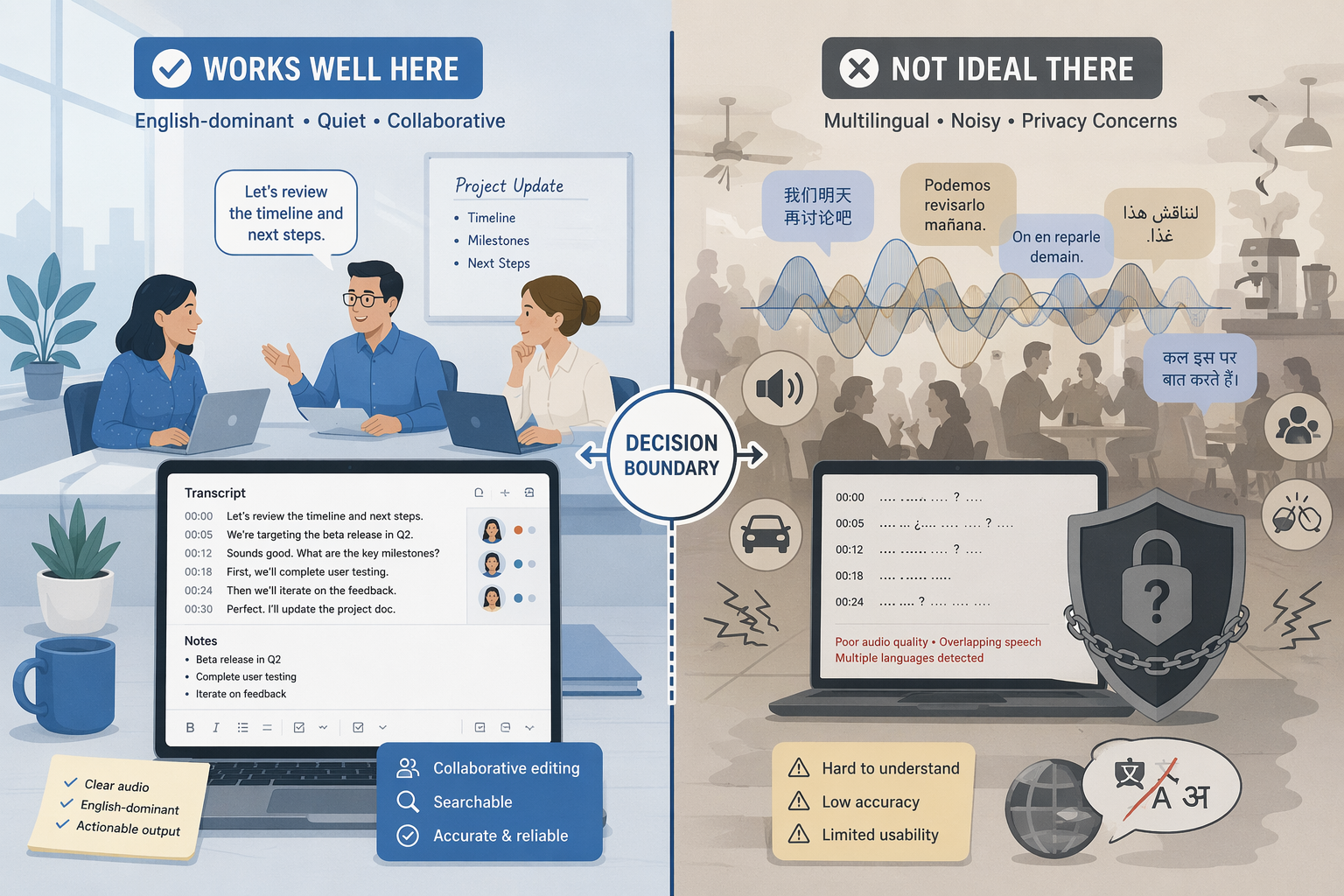
The cleanest fit is an English-dominant knowledge worker, student, journalist, or small team that wants searchable notes and accepts bot-based meeting capture. The weaker fit is a multilingual team, a video-heavy review workflow, a compliance-sensitive organization, or a sales team that expects deep revenue automation rather than a transcript-first workspace.
What Otter Actually Does Well
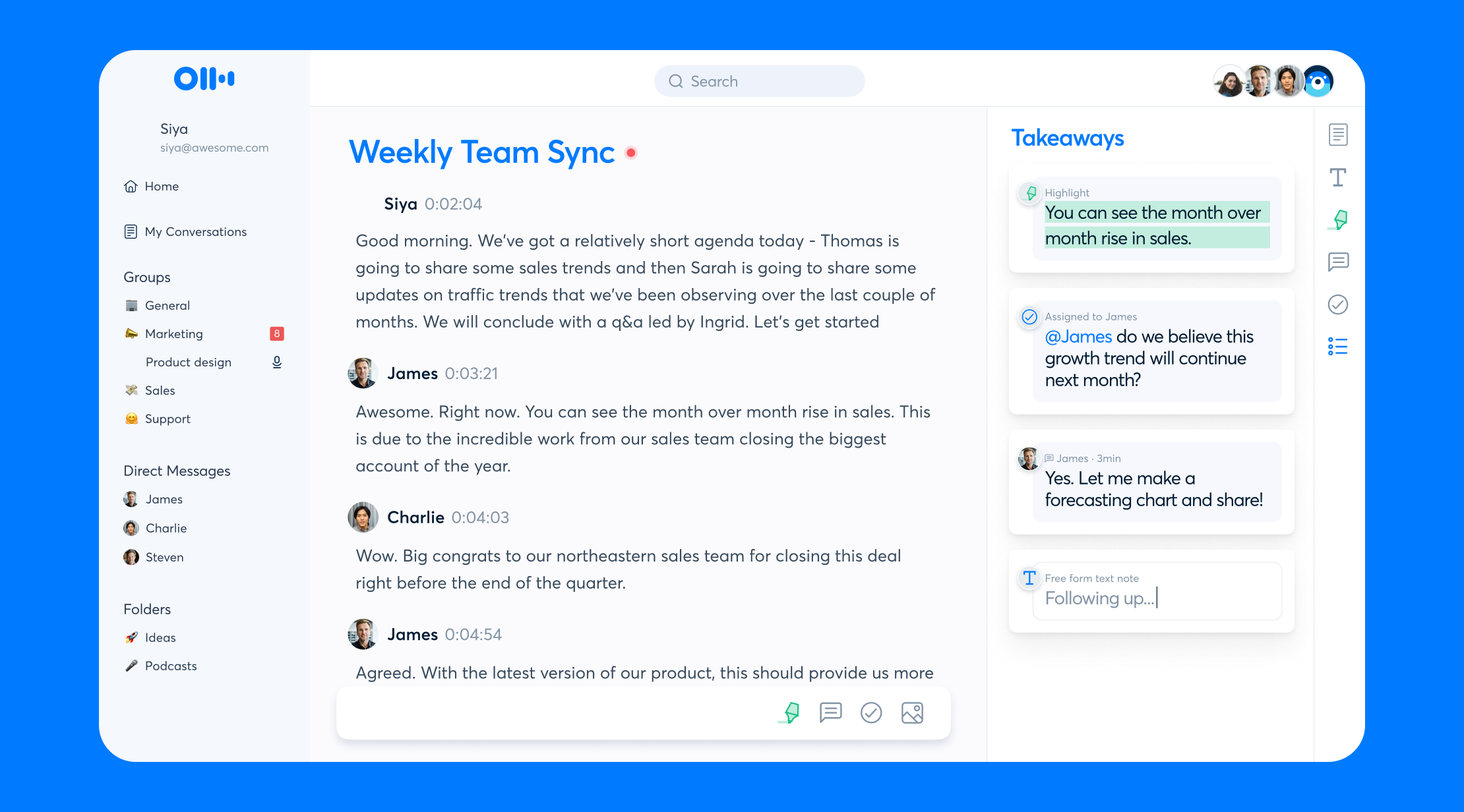
Otter’s strength is not that it eliminates note-taking judgment. It reduces the clerical part of the job: joining a meeting, producing a live transcript, separating speakers where it can, making the conversation searchable, and giving collaborators a shared place to edit. That matters when the alternative is a calendar full of calls and a project manager later asking, “Did we actually agree to this?”
The platform coverage is broad enough for normal work. Otter is available on web, macOS desktop, Windows desktop, iOS, and Android. It also connects natively with Zoom, Google Meet, Microsoft Teams, Slack, Salesforce, HubSpot, and Dropbox, with Otter Connect API v2 available for custom integrations. The 2026 product profile also includes a new SDR Agent feature, which makes clear that Otter is still trying to serve sales workflows, even if it is not the deepest CRM automation product in the category.
For many users, the most useful thing is still the transcript archive. A lecture, interview, standup, or client call becomes something you can search later. That is the feature that turns Otter from a recorder into a working memory system — but only if the transcript is accurate enough, the plan limits are not constantly in the way, and the people being recorded understand what is happening.
Accuracy Is Good Enough for Notes, Not Good Enough to Stop Checking
Accuracy is the deciding issue because every other feature depends on it. Search is only useful if the words are close enough. Summaries are only useful if the underlying transcript did not miss the actual decision. Speaker labels are only useful if people can tell who committed to the work.
| Source | What It Measured | What It Suggests |
|---|---|---|
| PCMag | Controlled 5-minute clean audio test with 26 errors | Even favorable audio can produce enough mistakes to require review.[1] |
| TheBusinessDive | Real-world mixed conditions, roughly 85% accuracy | Usable for many meeting notes, weaker with overlapping speakers and accents.[2] |
| Lindy | Qualitative assessment across conditions | High in quiet settings, with notable drops when background noise enters.[3] |
| FreshVanRoot | Six-month hands-on experience | Accuracy varies across real use rather than staying at one dependable level.[4] |
These sources should not be averaged into a fake master score. PCMag counted errors in a short clean recording. TheBusinessDive reported a percentage from mixed conditions. Lindy and FreshVanRoot describe accuracy variance across use cases, and Lindy is also a competitor-authored source, so it deserves some caution.[1][2][3][4] The useful conclusion is narrower: Otter can produce workable notes, but audio quality, turn-taking, accents, and background noise change how much cleanup the user inherits.
That distinction matters in different jobs. A student reviewing a lecture can tolerate imperfect phrasing if the transcript helps locate the right section. A project manager can correct a name or action item before sharing notes. A journalist checking a quote, a legal team preserving a record, or a manager documenting a sensitive HR conversation needs a higher bar. Otter can help them find the moment, but the transcript should not be treated as the final artifact without verification.
The Plan Limits Change What Otter Really Is
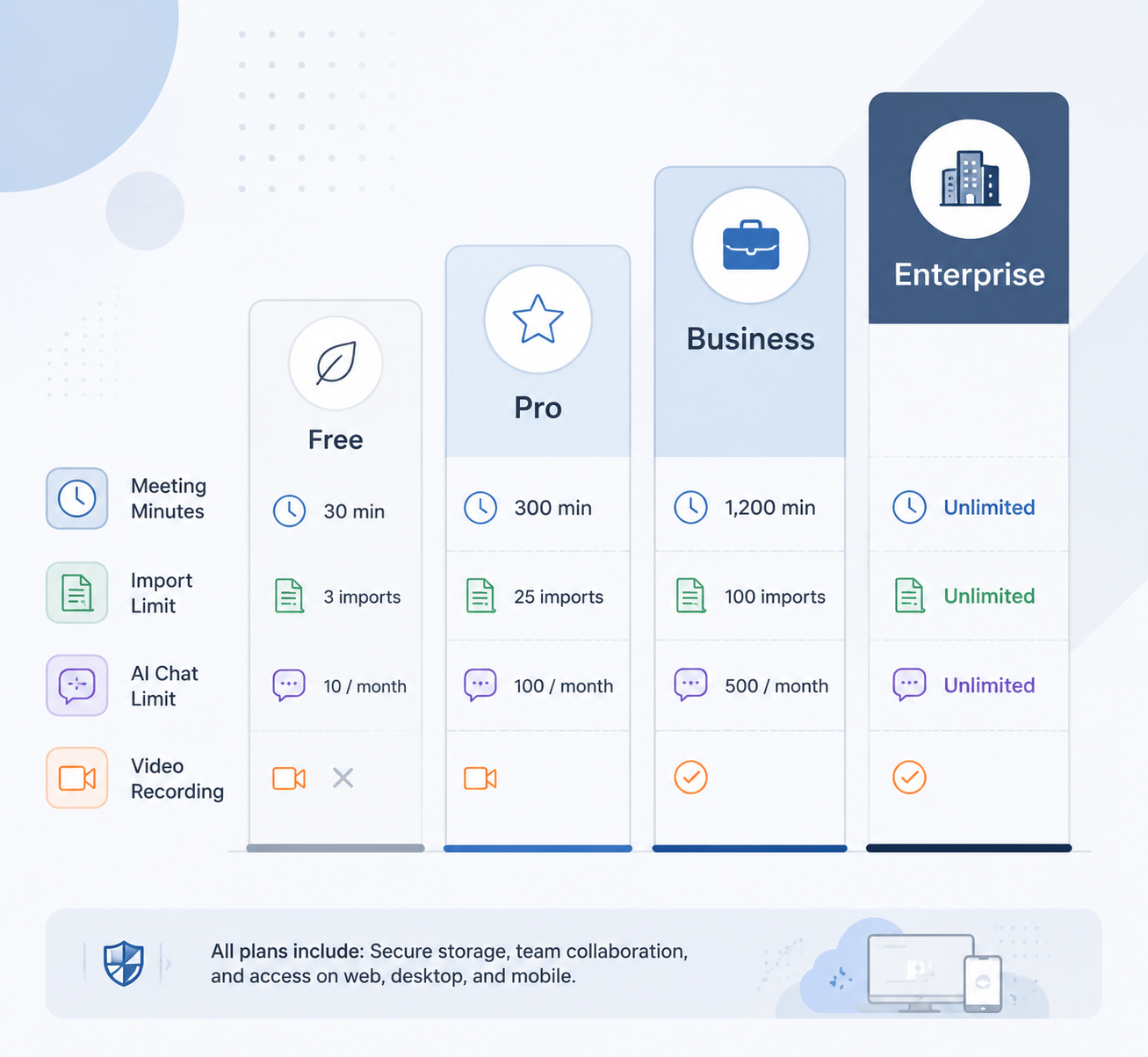
Otter’s pricing is not just a budget question. The caps decide whether the product behaves like a light recorder, a serious personal transcript archive, a team meeting system, or an enterprise-controlled workspace. Pricing and limits below are from Otter’s official pricing page, verified July 9, 2026.[5]
| Plan | Price | Core Limits | Who Hits the Wall First |
|---|---|---|---|
| Basic | Free | 300 transcription minutes per month, 30 minutes per conversation, 3 lifetime file imports, 20 AI Chat queries per user per month | Students with long lectures, freelancers importing old recordings, and anyone with meetings longer than 30 minutes.[5] |
| Pro | $16.99/month or $8.33/month annually, billed as $99.96/year | 1,200 transcription minutes per month, 90 minutes per conversation, 10 imports per month | Solo professionals with frequent long calls or users who regularly import interviews and recordings.[5] |
| Business | $30/month or $19.99/month annually | Unlimited live meetings with a 4-hour cap per session, 6,000 import minutes, priority support | Teams that need administrative controls and heavier import capacity, but still do not need Enterprise compliance or video replay.[5] |
| Enterprise | Custom pricing | SSO, HIPAA add-on, video replay, OtterPilot for Sales | Organizations that need centralized security, healthcare compliance options, video replay, or sales-specific deployment.[5] |
The Basic plan is useful for testing the workflow, not for living in it. A 30-minute conversation cap is easy to exceed in lectures, interviews, client calls, and routine team meetings. The 3 lifetime file imports are also a hard stop for anyone evaluating Otter against a backlog of recorded material.
Pro is the first realistic personal plan. The 1,200 monthly minutes and 90-minute conversation cap cover many solo workflows, but they are still caps. A consultant with several client calls a day, a researcher processing interviews, or a student recording long seminars can run into those limits faster than the monthly price suggests.
Business is where Otter starts to look like a team system. The unlimited live meetings language is appealing, but each session is still capped at 4 hours, and imports are limited to 6,000 minutes. That is generous for normal team meetings, less so for organizations converting a large archive of recordings.
The biggest functional split is video. Otter does not provide video recording on any plan below Enterprise, where video replay appears as an Enterprise feature.[5] That is fine if the transcript is the product. It is not fine if your review process depends on seeing slides, screen shares, facial reactions, or the exact visual context around a decision.
Language Support Improved in 2026, but It Is Still a Narrow Fit
Otter’s official pricing page now lists six supported languages: English, Spanish, French, German, Japanese, and Chinese.[5] That is an improvement over older references to three languages, and it matters for teams that had previously ruled Otter out too quickly.
There is still a documentation wrinkle worth noticing. Some third-party reviews, including tl;dv and Sonix, still reference Otter as supporting only three languages.[6][7] Because those are competitor-authored sources, they should not override Otter’s current official pricing page. They do show how quickly this category changes, and why a buyer should verify language coverage at the plan level before committing.
Six languages is enough for some international teams, but it is not broad multilingual coverage. It also does not mean mixed-language meetings will behave perfectly, or that every accent and audio condition will be handled equally well. If your team switches languages mid-call, hosts regional customer interviews, or needs broad localization, Otter should be tested on your own recordings before it becomes the default note-taker.
The Bot Workflow Is Convenient Until Consent Gets Complicated
OtterPilot joins meetings as a visible bot. In ordinary team use, that can be helpful: people see that transcription is happening, and the organizer does not have to remember to press record. The same workflow becomes more sensitive when external guests, interview subjects, students, patients, or employees join a call without sharing the organizer’s assumptions about recording.
As of July 2026, Otter is associated with an active consolidated federal class action, In re Otter.AI Privacy Litigation, No. 5:25-cv-06911, in the Northern District of California. The case alleges failure to obtain prior consent before recording meeting participants. Those are unresolved allegations, not a finding that Otter is liable.
The lawsuit does not make Otter unusable. It does make casual deployment look careless. If a tool enters a meeting, records participants, stores a transcript, and makes that transcript searchable, consent should be handled as an operating procedure rather than a vague calendar assumption. That means deciding who can invite the bot, what notice participants receive, where transcripts are stored, who can share them, and how deletion works.
Otter’s security posture is stronger at the enterprise end: the research materials identify SOC 2 Type II certification, GDPR compliance, and HIPAA availability as an Enterprise add-on. That helps larger buyers evaluate the product, but it does not remove the need to set recording-consent rules. Compliance-sensitive teams should treat the Enterprise plan as the starting point for review, not proof that every workflow is automatically safe.
User Reviews and Productivity Claims Need Context
Otter has visible market validation. G2 lists Otter.ai at 4.4 out of 5 from about 498 reviews.[8] That is a useful signal that many users find value in the product, but review platforms are self-selected samples. They are better for spotting repeated praise and complaints than for proving how Otter will perform in a specific audio environment.
Otter also promotes time-savings claims, including 4+ hours per week and a testimonial from a VP of Sales at Aiden Technologies citing 33% time back.[9] Those claims are plausible in the ordinary sense that fewer manual notes can save time. They do not answer the more important buyer question: how much of that saved time returns as transcript cleanup, consent administration, plan-limit management, or quote verification?
Who Should Choose Otter in 2026
Otter is a credible choice if your meetings are mostly in one supported language, your audio conditions are usually controlled, and your team values editable transcripts over video recordings. It is especially practical for people who need to search back through discussions: students revisiting lectures, project managers tracking decisions, journalists locating interview moments before verifying quotes, and small teams that want shared notes without building a larger sales-tech stack.
- Choose Otter if live transcription and searchable archives matter more than video replay.
- Choose Otter if you are willing to review important names, numbers, quotes, and decisions before sharing notes.
- Choose Otter if your language needs fit English, Spanish, French, German, Japanese, or Chinese.
- Choose Otter if a visible meeting bot is acceptable in your consent and meeting culture.
- Choose Otter if your expected meeting length, import volume, and AI Chat use fit the plan you are buying.
Who Should Look Elsewhere First
Otter is not the safer first pick for every buyer. Multilingual teams may find the six-language ceiling too tight. Video-heavy reviewers may dislike paying Enterprise prices just to get video replay. Compliance-sensitive organizations need a more formal review before a bot starts joining calls. Revenue teams that want deep CRM automation may prefer a sales-specific platform rather than a transcript-first tool with sales features attached.
It is also not ideal for buyers who want unlimited low-cost transcription. Otter’s plans remain structured around caps: free users face tight monthly and per-conversation limits, Pro users get more room but not unlimited use, and Business expands live meeting capacity while still controlling imports and session length.[5] For light use, those limits may never matter. For heavy recording workflows, they are the product.
The decision boundary is simple enough: Otter is strong when the transcript is a draft working record and the team has the discipline to review what matters. It is weaker when the transcript becomes evidence, the meeting has difficult audio, the team needs broad multilingual support, or the organization cannot afford ambiguity around consent.
References
- Otter Review, PCMag
- Otter AI Review, TheBusinessDive
- Otter Review, Lindy
- Otter AI Review, FreshVanRoot
- Pricing, Otter.ai
- Otter AI Review, tl;dv
- Otter.ai Review & Pricing, Sonix
- Otter.ai Reviews, G2
- Boost Productivity With an AI Notetaker: Key Benefits and Tips, Otter.ai Blog